

| AI Summary
Performance Max brings several Google advertising channels into one campaign. Businesses choose the sales or lead goals, supply the content and set the budget. Google handles bidding and ad delivery. This guide explains the setup, tracking, spending controls and reporting checks that help Singapore businesses judge whether automation earns its place in their marketing plan. |
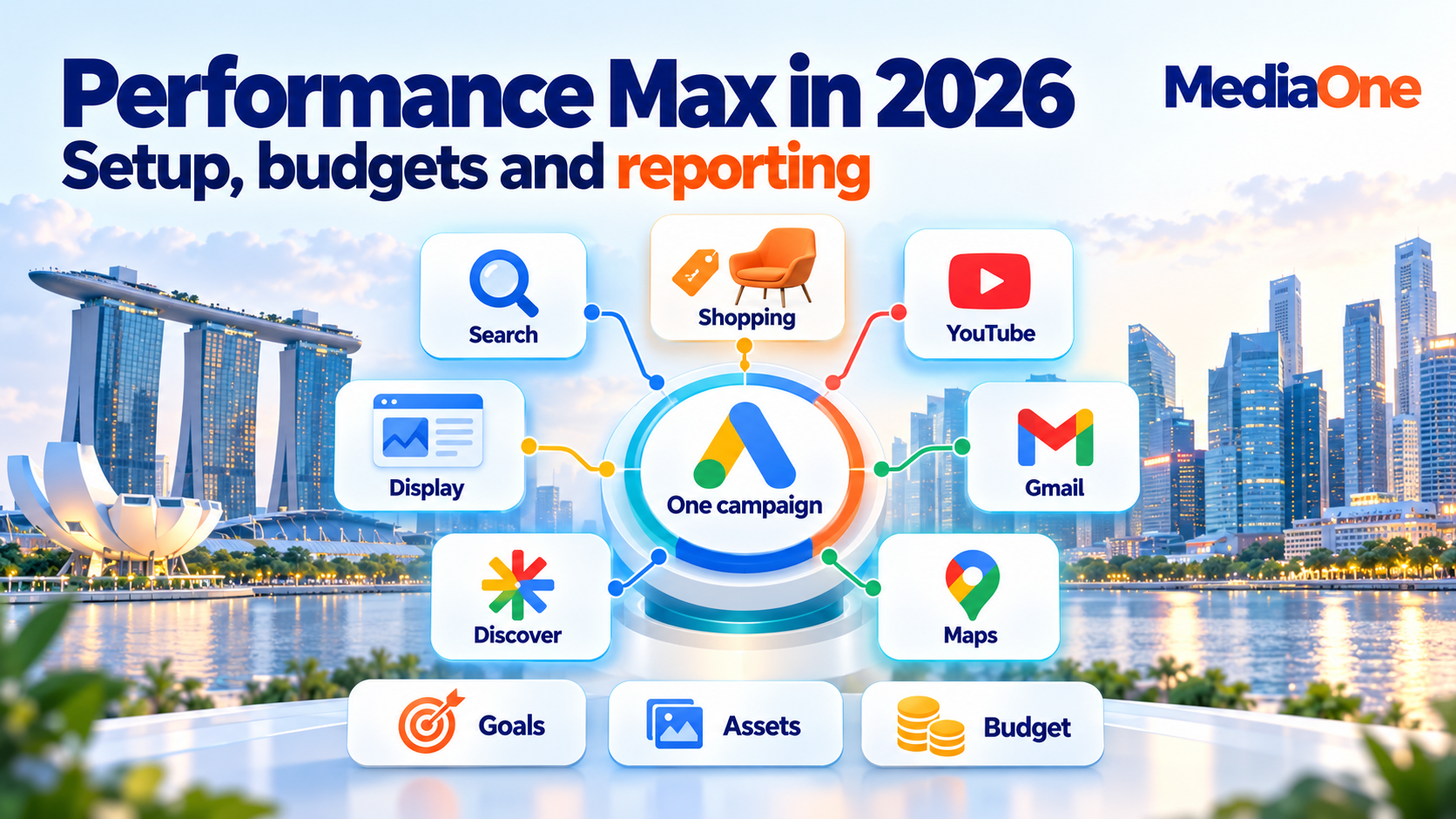
Performance Max is a Google Ads campaign type that uses AI to optimise bids and ads across Search, Shopping, YouTube, Display, Discover, Gmail and Maps. Advertisers provide conversion goals, creative assets and a budget. Results depend on accurate measurement, relevant offers and ongoing checks of sales or lead quality.
Key Takeaways
- Conversion settings determine which customer actions the campaign pursues.
- Audience signals offer starting suggestions; they do not restrict reach to those people.
- Campaign-level negative keywords and brand exclusions serve different purposes.
- Budget increases have no universal 20% platform cap.
- Learning needs time, but broken tracking and spending errors need prompt attention.
- Qualified leads, sales and delivery costs give reported returns their business meaning.
Performance Max can put your business in front of people at several stages of a purchase. Someone might first notice a product in a video and later search for its name. One campaign can support both moments.
The convenience still leaves decisions with your team. A campaign cannot know that a submitted form contains spam unless your measurement helps distinguish it from a sales opportunity. It also cannot repair an offer that the landing page fails to explain.
For marketers, ecommerce owners and small business operators, the starting point is simple: decide what a valuable result looks like before paying Google to find more of it.
What is Performance Max, and where do ads appear?
Performance Max, often shortened to PMax, is a goal-based campaign type. Google’s Performance Max overview describes access to its advertising inventory through one campaign, including Search, YouTube, Display, Discover, Gmail and Maps. Shopping ads can also appear when the campaign has an eligible product feed.
The channels support different customer activities:
| Channel or format | Example customer activity |
| Search text ads | Searching for a service or solution |
| Shopping ads | Comparing products, prices and sellers |
| YouTube | Watching a demonstration or review |
| Display | Browsing a website or app |
| Discover and Gmail | Looking through recommended content or email |
| Maps | Looking for a nearby business |
Eligibility, campaign settings and available assets influence where ads can run. A campaign does not promise equal spending across these channels.
Which business goals can Performance Max support?
Google’s conversion goals connect customer actions with campaign objectives. An online retailer might pursue purchases. A service business might pursue qualified enquiries. Eligible retailers can also measure supported store outcomes.

The goal needs to match the business model. For lead generation campaigns, a request from someone within your service area has a different value from an unrelated enquiry.
Performance Max can work alongside keyword-based Search. The choice between Performance Max and Search ads depends on your goals and control needs. The practical task here is preparing and assessing the PMax campaign itself.
How does Performance Max make decisions?
Performance Max combines your conversion goals, content, landing pages and other signals with Google’s AI. Its automated bidding estimates which ad opportunities could produce conversions or conversion value.
The inputs give the campaign direction:
- Conversion goals: the actions your business wants to increase.
- Conversion values: the relative or monetary value of those actions.
- Creative assets: the headlines, descriptions, images and videos used in ads.
- Audience signals: suggestions about relevant people.
- Search themes: phrases that add context about customer searches.
Audience signals suggest who may respond
Google’s audience signals are optional. They can include customer lists, website visitors and relevant custom segments. A business can launch without a customer list, although relevant first-party data can help provide direction.
The campaign may reach people outside the supplied signals. An audience of past purchasers therefore does not turn Performance Max into a campaign limited to those purchasers.
A furniture retailer, for example, might supply a list of previous dining-table buyers. Google can still show ads to other people it predicts may buy. Customer data shared with advertising tools needs appropriate permission and handling.
Search themes add context without acting as keywords
Performance Max search themes help explain what customers look for. They supplement what Google learns from the website, product feed and creative content.
A Singapore office-furniture seller might add “ergonomic office chairs” or “desks for small offices”. These phrases describe demand the business understands. They do not limit delivery to exact searches, and repeating near-identical phrases adds little information.
How to set up a Performance Max campaign
A reliable setup begins outside the campaign builder. Your team needs agreement on the offer, customer action, value and spending limit. Google Ads then turns those decisions into campaign settings.
1. Choose the outcome before the bid strategy
A campaign should pursue an action close enough to revenue to guide spending. Completed purchases suit an online shop. A qualified sales enquiry may suit a business whose customers buy after a conversation.
Google distinguishes primary and secondary conversion actions. Primary actions generally guide bidding when their goal is selected. Secondary actions generally support observation. Custom goals are an exception: included actions can influence bidding regardless of that label.
A page visit or brochure download can help explain interest without becoming the campaign’s main success measure. Your team should check the selected goals, not assume every recorded action belongs in bidding.
2. Test tracking and prevent duplicate results
Google’s conversion tracking checks include testing tags and reviewing conversion status. A test purchase or enquiry should appear in the expected system with the correct action and value.
The pre-launch review should cover:
- Successful completion: the event follows a completed purchase or submitted form.
- Duplicates: the same outcome is not counted through two primary tracking methods.
- Purchase details: order value, currency and transaction identifiers reach the tracking system correctly.
- Lead records: test enquiries appear in the customer database with their source.
- Call outcomes: recorded calls reflect the business’s chosen qualification rules.
A button click alone does not confirm a submitted form. That distinction prevents a broken form from producing reassuring conversion totals.
3. Give conversions a sensible value
Conversion values should describe the outcome being recorded. An ecommerce purchase can carry its actual order value. Lead values need an estimate tied to the chance of a sale.
Suppose a hypothetical service business earns S$1,000 per new customer, and 10% of comparable enquiries become customers. The expected revenue per enquiry is S$100: S$1,000 multiplied by 10%. Assigning S$1,000 to every enquiry would overstate its expected value.
- Lead stages: a submitted enquiry, a qualified lead and a sale may describe the same customer at different times. Counting all three as separate successes in the main bidding goal can inflate the apparent result. One chosen stage can guide bidding while others support analysis.
- Revenue and profit: product costs, service delivery and sales effort reduce what the business retains. A documented value method keeps comparisons consistent and gives the team something to check against actual results.
For sales completed later, enhanced conversions for leads can connect imported offline outcomes with earlier ad interactions. That feedback helps bidding learn from qualified leads or sales, instead of relying solely on form submissions.
4. Set locations and languages around the offer
A Singapore-only business needs targeting that reflects where it serves customers. A company selling abroad needs separate consideration of delivery, currency, language and support.
Google’s location options distinguish people in a location from people showing interest in it. Presence targeting can suit a local service limited to people in or regularly in the chosen area. Location signals are estimates, so enquiry quality still needs checking.
Language settings should match the content customers can understand and the service your team can provide. An English ad leading to an English page creates a consistent experience. Additional languages need suitable messages, pages and customer support.
An asset group brings related creative content together. Google’s asset group specifications distinguish required assets from recommended coverage, so a suggested quantity should not be presented as a universal minimum.
A practical asset review covers:
- Headlines and descriptions: different messages about the same offer.
- Images: relevant landscape, square and portrait versions.
- Video: demonstrations or explanations designed for suitable orientations.
- Brand details: the approved business name and logos in campaign brand settings.
- Additional assets: relevant sitelinks, callouts and other supported information.
A furniture seller could separate chairs and desks into themed groups. Each group needs messages and destinations relevant to its products. An unrelated service should not appear simply to fill an asset slot.
Each message should add information. A headline about delivery, a description explaining dimensions and a video showing the chair in use serve different customer needs. Five versions of the same slogan give the campaign fewer ideas to test. The finished ad also needs to make sense when Google combines its parts.
6. Check product feeds and landing pages
Retail campaigns using Shopping formats need an eligible Merchant Center connection and product data. Accurate Google Merchant Centre product feeds keep titles, prices, availability and destination pages consistent.
Landing pages need the same attention. An ad for a chair should reach a page explaining that chair or a relevant selection. Delivery charges, service areas and the next action should be easy to find.
Two website checks support that experience:
- Loading: website page speed affects how quickly visitors can reach product details and forms.
- Layout: mobile responsive website design keeps text, buttons and checkout controls usable across screen sizes.
A product can have working ads and still disappoint customers. An unavailable size, an unexpected delivery fee or a missing payment option can interrupt a purchase. A test on a real phone helps the team experience the same steps customers will face after paying for a click.
7. Review URL expansion and generated content
Final URL expansion is on by default. It can send visitors to another relevant page on the same domain. A supplied page feed does not automatically restrict delivery to those URLs while expansion remains on.
Your team should review URL exclusions for pages that should not receive ad traffic, such as recruitment pages or outdated offers. A campaign restricted to a specific offer may need tighter destination controls.
Text customisation and video automation also need review. Generated messages and videos must represent the business accurately. Automation can create content, but the advertiser still needs to check claims, prices and destinations.
Performance Max launch checklist
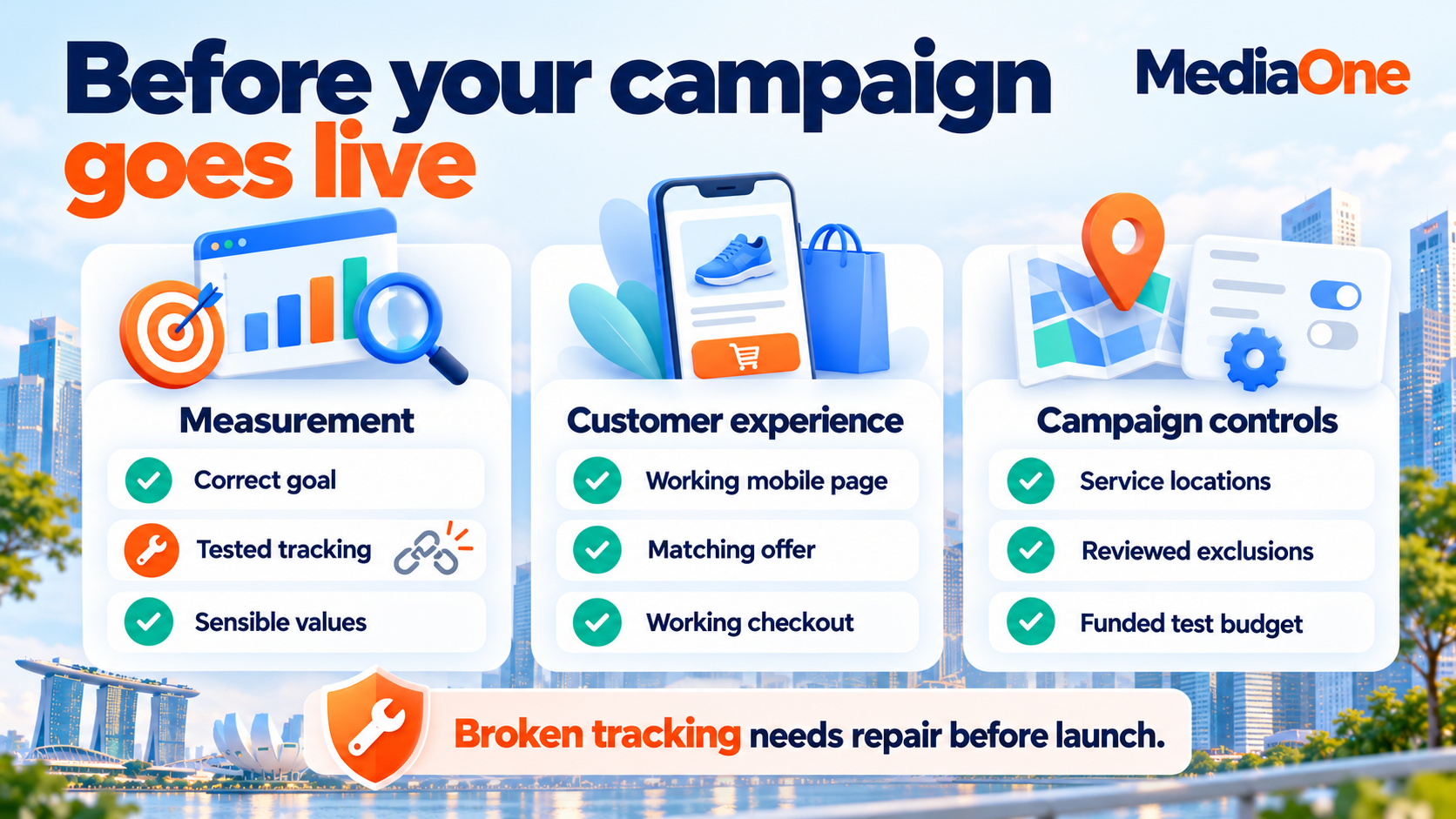
A launch checklist keeps the decision tied to evidence. Broken purchase tracking or an unusable checkout needs correction regardless of the other settings.
| Check | Evidence needed before launch |
| Conversion goal | The selected action reflects the intended business outcome |
| Tracking | A test outcome records correctly without duplicate primary conversions |
| Values | Amounts and currencies match the documented calculation |
| Creative | Assets describe the offer accurately across relevant formats |
| Destination | The mobile page and next action work |
| Retail feed | Relevant products are eligible and data matches the website |
| Controls | Locations, exclusions and destination settings have been reviewed |
| Budget | The business can fund the test and monitor spending |
| Ownership | A named person checks results and records changes |
The person responsible for checking results also needs access to sales feedback. A marketing report cannot explain lead quality if nobody records which enquiries qualify, book appointments or become paying customers.
A tracking, payment or destination failure needs correction before launch. Optional inputs, such as audience suggestions, can improve later as the business gathers data.
The launch record should include the date, selected goals, bidding method and planned review period. Screenshots or exported settings make later comparisons easier when several people manage the account.
How to choose bidding and control the budget
Performance Max supports conversion-based and value-based bidding. Google’s bidding options connect the choice to whether conversions have different values.
| Bidding approach | What the campaign tries to achieve |
| Maximise conversions | More selected conversions within the budget |
| Maximise conversions with target CPA | Conversions around a target average cost per action |
| Maximise conversion value | More total recorded conversion value within the budget |
| Maximise conversion value with target ROAS | Conversion value around a target return on ad spend |
CPA means cost per action. ROAS means return on ad spend. A target guides bidding; it does not guarantee each conversion’s cost or every day’s return.
The budget needs room for the intended outcome
Google’s Performance Max budget setup recommends an average daily budget of at least three times the selected action’s CPA or cost per conversion. That is a recommendation, not a promise of results or a universal eligibility minimum.
For an illustrative S$40 CPA, that recommendation points to S$120 a day. The business still needs enough money for the test period and enough demand to produce results. A Google Ads budget should also account for creative work, management and website improvements.
Bid targets need the same financial discipline. A hypothetical business paying S$80 per qualified enquiry should investigate whether a S$20 target is realistic before expecting the campaign to meet it. A very restrictive target can limit delivery. Recent results and customer value provide a stronger starting point than a number chosen because it looks affordable.
An average daily budget is not a daily spending ceiling
Google’s spending limits allow most campaigns to incur charges up to twice the average daily budget on a day. The usual monthly limit is 30.4 times that budget when it remains unchanged through a full month.
An unchanged S$100 average daily budget therefore has a usual S$200 daily limit and S$3,040 monthly limit.A mid-month start or budget edit changes the calculation. The budget report helps explain the amount the campaign can charge.
Budget changes have no universal 20% cap
Google allows advertisers to change their budgets; it does not impose a universal 20% limit on each Performance Max adjustment. Gradual increases can support controlled testing, but a fixed percentage is not a platform rule.
A business might test S$100, then S$120, then S$150 a day. Those figures are an example, not a required sequence. Each increase needs a reason, such as profitable demand constrained by the current budget.
How to read Performance Max results
A reporting review needs to connect spending with business outcomes. Total conversions alone can hide differences between enquiries, qualified prospects and completed sales.
The review should answer three questions:
- Which outcomes did the campaign record?
- What did those outcomes cost?
- How much value did the business retain?
Channel and search-term reports explain delivery
Google’s channel performance report shows channel results, formats and diagnostics. A channel with little activity may have an eligibility issue or may receive less spend because the campaign finds other opportunities.
The Performance Max search terms report adds information about searches, landing pages and ad formats. The report can help identify a search that attracts the wrong customer or sends visitors to an unsuitable page.
These reports answer different questions from Google Analytics channel groups. A GA4 Cross-network label does not reveal the campaign’s full internal spending split.
A channel diagnosis should begin with evidence:
- Missing video activity: an asset or eligibility issue may explain the gap.
- Declines across channels: demand, website problems or campaign changes may need investigation.
- Supporting records: diagnostics, landing-page checks and campaign history help establish the cause.
A screenshot of one weak day cannot explain the change on its own.
Return on ad spend needs a cost check
Consider a hypothetical campaign with these results:
| Item | Illustrative amount |
| Advertising spend | S$2,000 |
| Attributed sales revenue | S$10,000 |
| Product and delivery costs | S$6,000 |
| Contribution after those costs and ads | S$2,000 |
The campaign’s revenue ROAS is 5, or 500%: S$10,000 divided by S$2,000. The remaining S$2,000 still needs to cover management, creative work, overheads and other expenses. Revenue ROAS does not equal profit.
Lead campaigns need a similar calculation. Suppose an illustrative S$1,200 campaign produces 60 enquiries, but only 12 meet the sales team’s qualification rules. Its cost per enquiry is S$20, while its cost per qualified lead is S$100. Both figures are correct; they describe different outcomes. A comparison with the previous month needs the same qualification rules and enough time for the sales team to assess each enquiry.
Brand traffic and experiments add context
Branded searches come from people looking for your business by name. A campaign can earn conversions from those searches, but the report alone cannot establish how many customers advertising added.
Google’s Performance Max experiments can help eligible advertisers test additional conversions or compare supported campaign approaches. A before-and-after comparison also needs context about promotions, prices and seasonality.
A fall in another campaign’s conversions is a reason to investigate. It does not prove Performance Max caused a loss or created new demand.
When should you wait, fix or expand Performance Max?
Google recommends running new campaigns for at least six weeks to gather data and assess performance. That testing window differs from the shorter learning status a bid strategy may display.
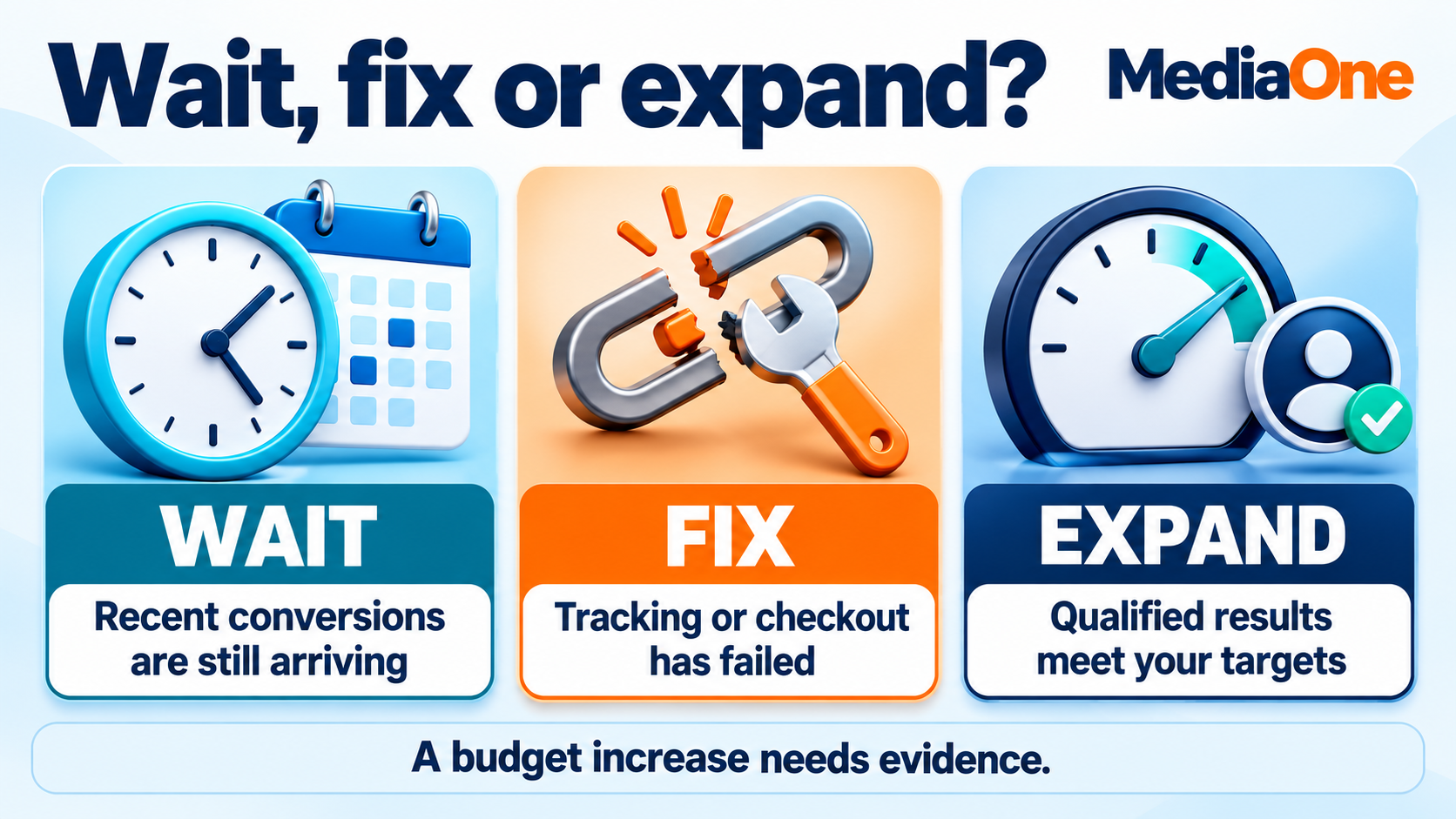
Waiting applies to performance judgement. Tracking failures, disapproved products, broken pages and uncontrolled spending still need attention.
| Situation | Appropriate response |
| Recent clicks have not had time to convert | Review after the normal conversion delay |
| Tracking or checkout has failed | Prompt correction, with spending reduced or paused if needed |
| Irrelevant searches recur | Review exclusions and their likely effect |
| Qualified results meet business targets | Consider a measured budget increase |
| Lead volume rises but sales quality falls | Investigate qualification and conversion feedback |
A conversion delay is the time between an ad interaction and the recorded outcome. For example, an office manager may request a quote today and approve the purchase next week. Judging yesterday’s clicks against completed sales can make recent performance look worse than it will after those decisions arrive. A business should review its usual buying timeline before choosing comparison dates.
Different exclusions solve different problems
Campaign-level negative keywords prevent matching searches on Search and Shopping inventory. They do not control every video or display placement.
Brand exclusions manage queries associated with selected brands. Placement and content controls address unsuitable locations or surrounding content. The chosen control should match the actual problem.
A change log makes optimisation easier to assess
One planned change at a time helps explain results. The record should include what changed, why, the date and the measure that will determine success.
Google’s performance evaluation tools include change history, asset reporting and conversion-delay checks. Recent days may still gain conversions, so incomplete results should not drive repeated edits.
Performance Max needs ongoing business checks
Performance Max gives automation responsibility for bidding and delivery. Your business keeps responsibility for the goal, customer experience and spending decisions. A campaign earns further investment when its measured outcomes support the business’s costs and sales process.

Our Google Ads management covers Performance Max setup, asset groups, conversion goals and reporting. A paid media consultation gives your team a starting point for reviewing the account and deciding what needs attention before the next campaign launches.
FAQs about Performance Max
Can each asset group have its own budget?
Asset groups share the campaign budget. Google’s campaign structure principles support separate campaigns when business needs require different budgets or targets. Extra campaigns also divide the available data, so a separate spending requirement needs a business reason.
Why can Google Ads and GA4 show different totals?
Different reports may compare different actions, attribution settings, date treatments or counting methods. Google’s distinction between Analytics key events and conversions explains why matching labels alone is insufficient. A comparison needs the same outcome, reporting period and measurement settings.
Can Performance Max run for a promotion with fixed dates?
Campaign total budgets support a set amount over specified start and end dates for new campaigns. Budget type cannot be changed after creation. A short promotion still needs working measurement and appropriate bidding expectations; a fixed end date does not guarantee results.
Can Performance Max focus on new customers?
Google’s customer acquisition settings offer options to bid higher for new customers or bid only for them, subject to the selected strategy and setup requirements. Existing-customer identification needs attention because incomplete customer records can affect how accurately the campaign distinguishes the two groups.