| AI Summary
A headless CMS separates content editing from the website that displays it. That separation gives teams more control, but developers must connect the content to page templates, URLs and search settings. SEO results depend on what the finished website delivers. This article explains rendering, metadata, internal links, indexing controls and launch checks for marketing teams, editors and developers. |
A headless CMS does not improve SEO by itself. It supplies content to a separate front end, which builds the pages search engines crawl. Search performance depends on readable content, reliable rendering, consistent URLs, metadata, internal links and page experience. A traditional CMS can meet the same requirements.

Key Takeaways
- SEO fields need a tested connection from the editor’s screen to the published page.
- Publishing tests should cover content updates, renamed pages and deleted entries.
- Canonical tags, redirects and indexing rules solve different problems.
- Filter pages need individual decisions about their value in search.
- Platform comparisons should include editing time, maintenance and developer support.
A new CMS can make publishing easier. It can also create extra work that only becomes visible after launch.
For Singapore businesses considering a headless CMS, the decision starts with the problem the website needs to solve. A retailer sharing product information across a website and app has different needs from a company publishing a few service pages.
A technical SEO audit can establish what already works and what the rebuild must preserve. The following sections explain the decisions that affect search and the work each team needs to own.
What is a headless CMS, and does it improve rankings?
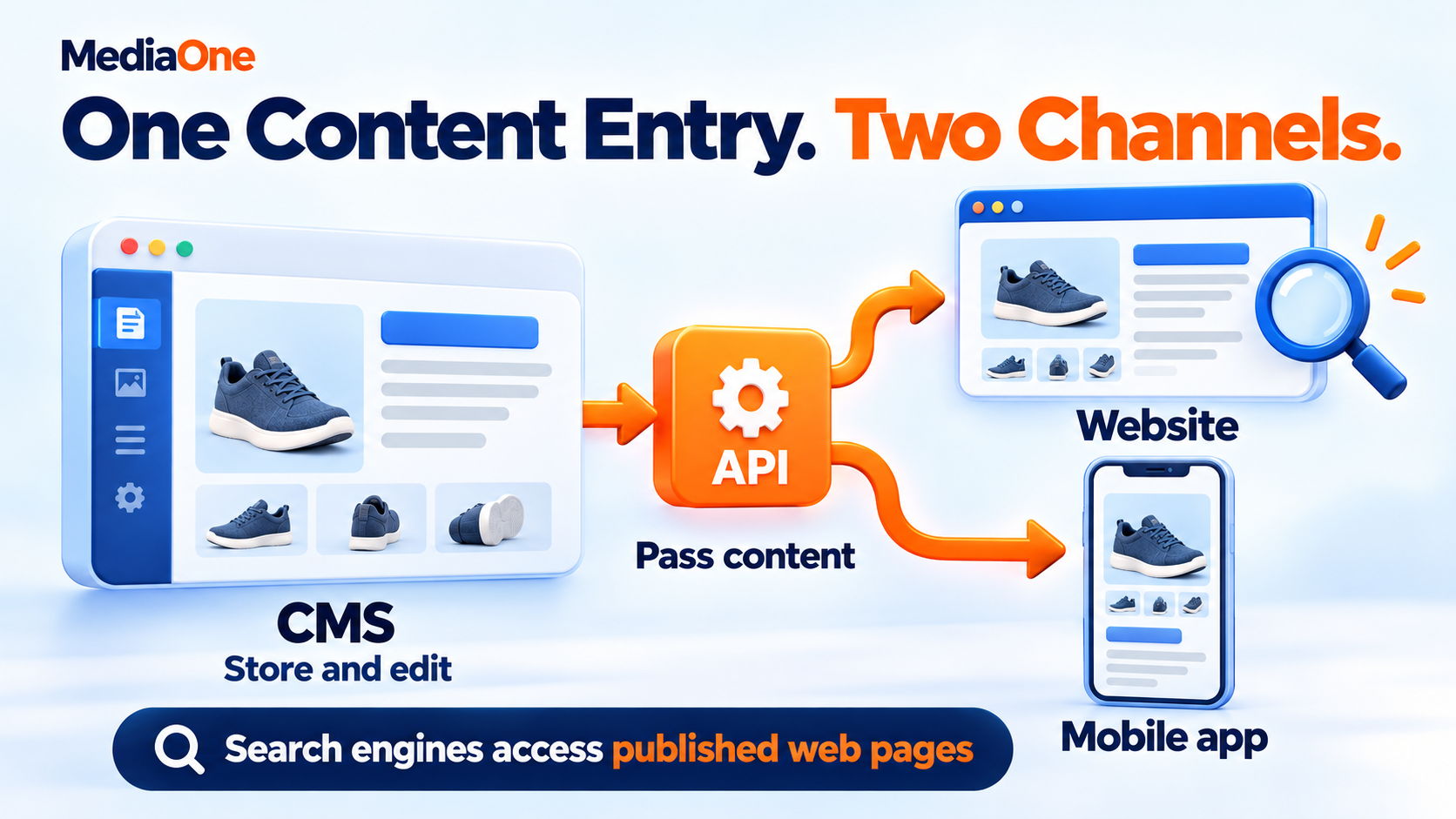
A headless content management system stores and manages content separately from the website’s presentation. Editors enter information in the CMS. An application programming interface, or API, passes that information to another system.
The front end is the part that builds the website people see. It turns the CMS content into HTML: the page structure containing text, headings, images and links.
A restaurant offers a simple comparison. The CMS holds the menu items and prices. The front end arranges them on the website. The same stored information could also supply a mobile ordering app.
How structured content helps editors
A content model defines the fields in each type of entry. A product might contain a name, description, price, images and availability. An article might contain a headline, author, publication date and body.
Those fields make reuse possible, but they need editing rules. A short label should not become the entire product description simply because both fields contain text.
An everyday example is a delivery charge. The website should show the explanation beside the price where customers need it. Storing the charge in the CMS does not ensure that every template displays it.
What changes for search engines?
Search engines process the published pages. The CMS name does not remove the need for relevant answers, accessible content and reliable page delivery.
A headless build can improve a website when it solves an existing problem, such as slow templates or difficult content reuse. It can also introduce errors if the replacement loses features the previous system provided.
Google’s approach to helpful, reliable content still applies. A faster website with incomplete product information leaves the customer’s problem unanswered.
Headless CMS vs traditional CMS: Who handles SEO?
A traditional CMS usually combines content editing with page templates. Themes, plugins and platform features may supply many SEO controls. Their quality still depends on configuration.
A headless setup separates those functions. Some products include SEO tools or starter templates, but the team must confirm which features reach the live website.
| SEO task | Traditional CMS | Headless CMS |
| Titles and descriptions | Often handled through platform or plugin fields | CMS fields connect to front-end templates |
| Page addresses | Usually follow platform settings | Follow the front-end routing rules |
| Redirects | May use built-in tools or plugins | May run through the CMS, framework or host |
| XML sitemap | Often generated automatically | Needs a working generator or integration |
| Structured data | May come from themes or plugins | Usually comes from templates and content fields |
Who owns each part?
A practical division of work prevents missing settings:
- Editors: Write page titles, descriptions, image descriptions and body content.
- Developers: Connect fields to templates, manage page delivery and maintain automated rules.
- SEO lead: Define which pages should appear in search and test the output.
- Website owner: Fund maintenance and decide who responds when publishing fails.
The ownership matters most when something changes. A renamed product, new language or redesigned template can affect several systems at once.
A shared publishing checklist should describe who checks those changes. An editor needs to know whether changing a slug also updates redirects, links and the sitemap.
How rendering affects crawling and indexing
Rendering means turning content and code into a page. The main choice is where and when that happens.
With server or static rendering, the website can deliver its main content as HTML. With client-side rendering, the visitor’s browser runs JavaScript to build some or all of the page.
Google can process JavaScript. Its JavaScript SEO documentation describes crawling, rendering and indexing as separate stages. Content that depends on scripts can face additional processing and technical failures.
SSR, SSG, ISR and CSR explained
Google’s web.dev explains the trade-offs between server, static and client rendering. These terms describe delivery methods, not CMS quality.
| Method | Everyday explanation | Common application |
| Server-side rendering (SSR) | The server builds HTML for a request | Public pages with frequently changing information |
| Static site generation (SSG) | HTML is prepared before visitors request it | Guides and service pages |
| Incremental static regeneration (ISR) | Stored pages update through a defined refresh process | Larger collections of articles or products |
| Client-side rendering (CSR) | The browser builds content using JavaScript | Interactive tools and account areas |
These are starting points. A single website can combine methods, and caching affects how fresh server-rendered pages remain.
What should arrive before JavaScript runs?
For public pages intended for search, we would include the following in the delivered HTML:
- The main heading and page text.
- Product or service details needed to understand the offer.
- Navigation and relevant internal links.
- Page-specific search metadata.
That approach reduces dependence on a crawler’s ability to run scripts. It does not mean every interactive feature must arrive fully working before JavaScript loads.
How to check what a crawler receives
A developer can inspect the HTML response and compare it with the rendered page. Google’s URL Inspection tool adds evidence about how Google processes a specific URL.
The check should cover several templates, including an article, service page and product page where applicable. A successful homepage test does not establish that every template works.
A browser’s visual appearance alone can hide missing content in the initial response. Equally, the presence of JavaScript does not prove an indexing problem. The test needs to establish what content is available and whether essential resources load successfully.
What happens after an editor publishes a change?
A successful CMS update does not prove that the public page has refreshed. A cached page is a stored copy, and it can continue showing older content.
Next.js supports incremental static regeneration, including time-based and on-demand refresh mechanisms. Their behaviour depends on the implementation.
For example, a retailer correcting a price should test the product page, category listing and displayed product data. One entry may feed several cached pages. The publishing process needs to refresh every affected view.
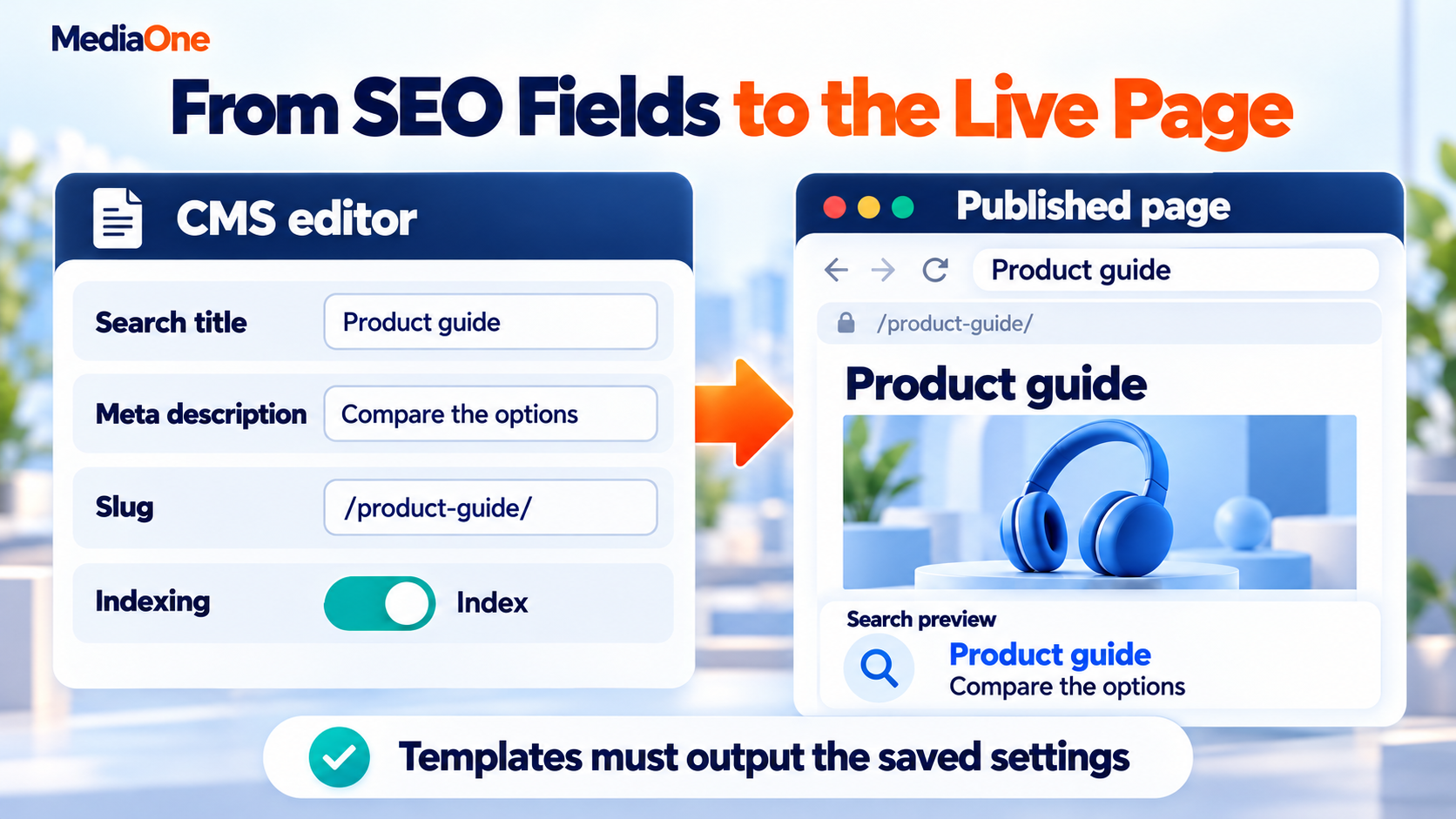
A headless CMS needs fields that editors can understand and templates that use those fields consistently. A saved setting has no effect if the website never outputs it.
Titles and meta descriptions
The title tag names the page for browsers and search systems. The meta description provides a possible search-result summary.
An editor should be able to write these separately from the visible H1. That allows a shorter search title without changing an approved article heading.
Google generates title links from several sources. A supplied title does not guarantee identical wording in search results. Google also creates search snippets mainly from page content and may use the meta description when it describes the page well.
Practical field settings include:
- Descriptive names that explain what each field controls.
- Example text showing the expected format.
- Warnings for empty or unusually long entries.
- A preview that reflects the published template.
Character targets can help editors write concise copy. They are not fixed Google limits, and display width affects truncation.
Slugs and permanent redirects
A slug is the identifying part of a page address, such as headless-cms-seo. Published addresses should remain stable where possible. When a page moves, the old address needs a relevant destination.
Google recognises 301 and 308 server-side redirects as permanent moves. The team can manage the rules through the host, framework or another tested system.
For example, an old service URL should lead directly to its replacement. Redirecting every removed page to the homepage can leave visitors without the information they expected.

A canonical tag identifies the preferred address for duplicate or very similar content. Google treats canonical declarations as signals and can select another version.
A central URL rule helps templates, sitemaps and links agree. That rule should use the intended public address, including the correct domain and language.
It should not simply copy every incoming request URL. Tracking parameters and alternative addresses can otherwise become unintended canonical versions.
An optional override can support legitimate exceptions. The field needs validation so an accidental entry does not point important pages elsewhere.
How internal links, sitemaps and structured data work
Content needs connections as well as a publishing button. An article that appears in the CMS may still lack links from the rest of the website.
Internal links that survive content changes
An internal linking strategy connects related topics through navigation, body copy and relevant next steps.
Headless content models can store relationships between entries. For example, a buying guide can reference related products by entry ID. The front end can then generate their current addresses.
That approach can reduce manual repairs after URL changes, provided the integration updates the links correctly.
Google can reliably discover HTML links with an href attribute. A clickable card should provide a real link, even when JavaScript adds animation or other behaviour.
XML sitemaps
An XML sitemap lists pages that the website wants search engines to discover. Google explains that sitemaps support URL discovery, but do not guarantee crawling or indexing. For a headless website, the generator should cover published, indexable canonical pages and refresh when entries change.
A publishing test should check:
- New pages enter the sitemap.
- Removed pages leave it.
- Redirected and noindex addresses stay out.
- Listed URLs match the public website.
Structured data and page headings
Structured data labels information such as an article’s author or a product’s price. Google supports several formats and generally recommends JSON-LD structured data when it is practical to maintain.
The template should draw those details from the same content that visitors see. Google’s structured data policies require markup to represent the page accurately.
A logical heading structure also helps readers follow the content. Reusable page blocks need appropriate heading levels so an editor can assemble a page without producing a confusing outline.
Which headless CMS problems can stop pages appearing in search?
A headless website can look complete while its search settings tell a different story. The following problems need separate checks.
Filters and duplicate addresses
Product filters can generate many combinations of colour, size and price. Google’s explanation of faceted navigation shows how these addresses can consume crawling resources and delay discovery of other pages.
A filtered category may deserve its own search page when it serves a distinct customer need. Other combinations may add little beyond the main category.
Technical SEO for ecommerce therefore includes decisions about which filtered pages should remain available to search. A blanket canonical to the parent category is not suitable for every filter. A page with a genuinely different purpose needs its own assessment.
Robots.txt and noindex
These controls are easy to confuse:
| Control | Main purpose | Important limitation |
| robots.txt disallow | Restricts crawling of matching URLs | Does not reliably remove a URL from search |
| noindex | Tells supporting search engines to exclude a page | The crawler must access the page to see the rule |
| Canonical tag | Signals a preferred duplicate version | Does not act as a guaranteed exclusion rule |
Google’s robots.txt explanation distinguishes crawl management from removal. Its robots meta tag specification explains that page-level rules require crawler access.
A page blocked in robots.txt may prevent Google from seeing its noindex tag. Drafts and private previews need access protection; noindex is not a privacy setting.
Language versions
A Singapore business publishing English and Chinese pages can give each version its own address. Google uses hreflang annotations to understand equivalent pages for different languages or regions. The references should include the page itself and the corresponding alternatives, with matching return references.
Canonicals should normally identify the intended version in the same language. Pointing every translation to the English page can send conflicting signals.
For stores, international ecommerce SEO also involves accurate currency, delivery and market information. Translation fields alone do not provide those details.
Missing pages and API failures
A deleted page without a replacement should return an appropriate missing-page response. A temporary content API failure needs separate handling.
Google distinguishes missing pages and server errors. Returning a successful response with an empty template can disguise the real problem.
How to investigate an unexpected indexing problem
An indexing report names an outcome, but the repair depends on the cause. A short comparison can keep the investigation focused:
| Symptom | First check |
| A new page stays missing | Publication status, crawl access and internal links |
| An old address still appears | Redirect response and replacement-page access |
| The wrong page appears | Canonical signals and duplicate versions |
| Several pages look empty | Shared template and content API responses |
The team should record the affected URL, expected result and observed output. That gives the developer a specific problem to reproduce.
Can a headless CMS improve Core Web Vitals?
A headless build gives developers options for improving performance. The result still depends on images, scripts, hosting, templates and third-party tools.
Google’s Core Web Vitals cover three experiences:
| Metric | What visitors experience | Good threshold |
| Largest Contentful Paint (LCP) | How soon the main content appears | 2.5 seconds or less |
| Interaction to Next Paint (INP) | How quickly the page responds to interaction | 200 milliseconds or less |
| Cumulative Layout Shift (CLS) | How much visible content moves unexpectedly | 0.1 or less |
Google’s Web Vitals measurement approach assesses these thresholds at the 75th percentile, with mobile and desktop considered separately.
Where performance work should start
A product page may load its text quickly but delay the main image. Another page may look ready while heavy scripts stop the menu responding.
The repair should follow the observed problem:
- Late main content: Check image delivery, server response and resources delaying display.
- Slow interaction: Inspect JavaScript work and third-party scripts.
- Moving content: Reserve space for images, banners and embedded elements.
A programme to improve Core Web Vitals should combine real-user evidence with controlled tests.
A laboratory score helps diagnose a problem. It cannot show every visitor’s experience. Performance reporting also belongs beside form completions, enquiries and sales so the team can judge whether the website serves customers better.
A service website provides a practical test: a visitor opens the page, finds the relevant offer and submits an enquiry. The test should include a slow connection and a small screen. A fast first display loses its value when the form freezes, an error message goes unnoticed or the confirmation never appears.
How to choose and launch a headless CMS for SEO
A platform demonstration should include an ordinary publishing task. The team needs to see what editors can change and what requires developer help.

A realistic comparison includes:
- CMS subscription and hosting.
- Initial development and integrations.
- Preview and publishing tools.
- Ongoing maintenance and support.
- Training and content migration.
- Time spent fixing routine publishing issues.
Headless can make sense when several channels share content or the website needs custom behaviour. A smaller site may gain more from improving its existing templates and editing tools.
A publishing trial before selection
A sample article and product page can reveal more than a feature list.
The trial should cover creating a page, previewing it, changing its title, renaming its address and removing it. The team can record which steps work automatically and where manual work remains.
The final public page should match the editor’s intention. That includes the wording, search settings, links and update timing.
A second editor should be able to repeat the task using the same controls. The result should not depend on one person knowing an undocumented workaround.
The trial should also include a failed update. A visible error message and a recoverable previous version are more helpful to an editor than a success notice while the public page remains unchanged.
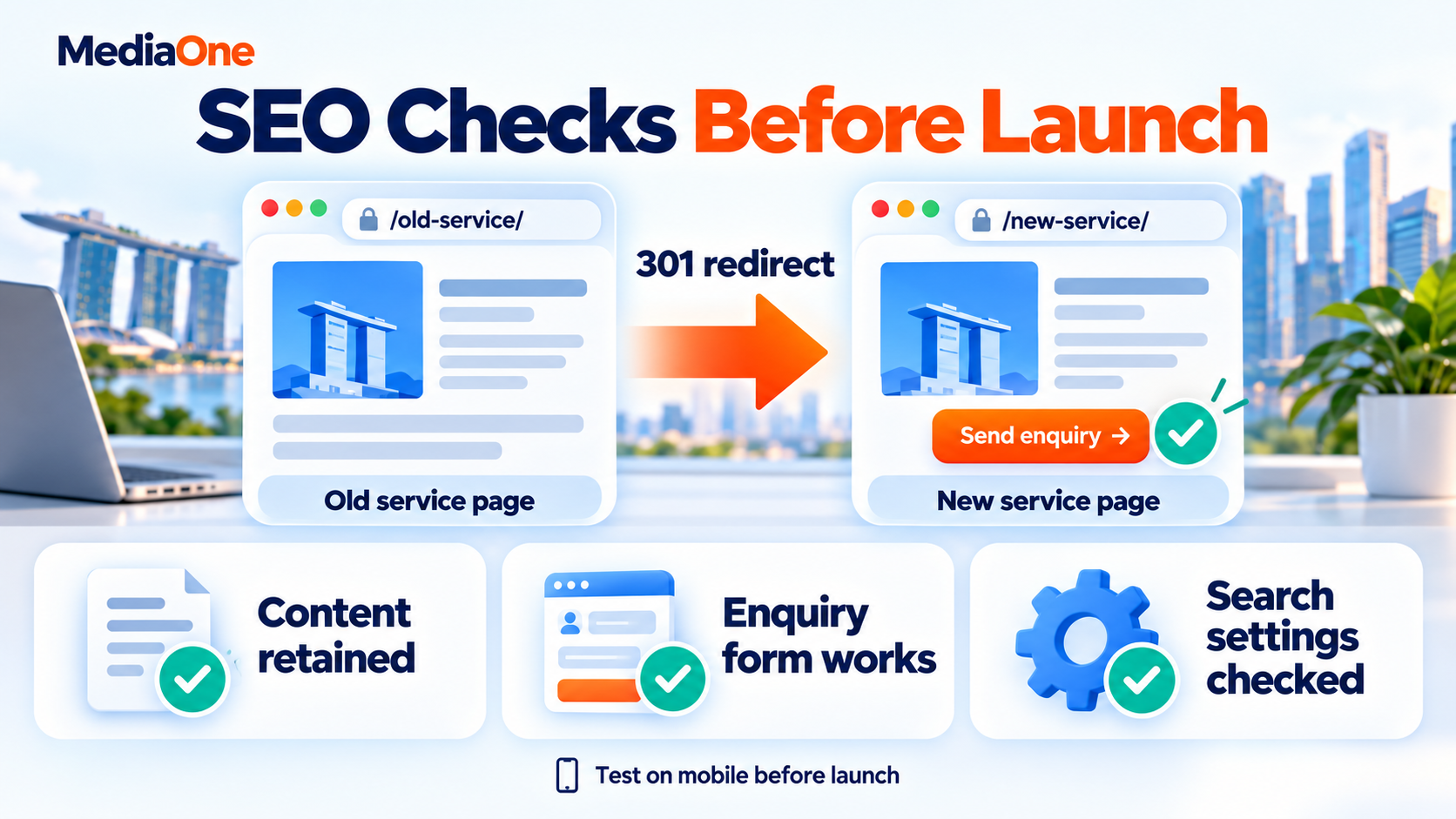
A launch checklist that protects existing traffic
A CMS migration needs a record of the current website. Website relaunch SEO includes preserving valuable pages and testing the addresses that already attract visitors.
Google’s process for site moves with URL changes includes URL mapping, redirects, updated links and monitoring.
| Check | Evidence needed before launch |
| Important content | Main text and links appear in the intended output |
| Metadata | Each template uses the correct entry fields |
| Old addresses | Changed URLs redirect to relevant replacements |
| Canonicals | Public URLs agree across page tags and sitemap |
| Indexing controls | Public pages remain accessible; previews stay protected |
| Publishing | Updates reach every affected page |
| Customer actions | Forms, contact links and checkout work on mobile |
A failure affecting important page access deserves attention before release. A score that averages all checks can hide one serious defect.
Monitoring after launch
The first comparison should use the baseline collected before migration. Search Console, analytics and server responses can reveal different problems.
A fall in recorded enquiries may come from a broken form or tracking change. Missing impressions may require an indexing investigation. The team should identify the cause before attributing every movement to the CMS.
Choose a headless CMS with SEO ownership in place
A headless CMS becomes a business decision about publishing, development and maintenance. Its value comes from solving the website’s actual needs while giving the team dependable control over the finished pages.

A publishing trial and documented launch evidence make that decision easier to assess. They also expose work that a platform comparison may overlook.
MediaOne’s SEO services cover the wider work behind search visibility. For a planned headless build, the starting point is an agreed scope covering content, technical checks and customer actions.
Frequently Asked Questions
Can WordPress work as a headless CMS?
Yes. The WordPress REST API allows applications to retrieve content such as posts and pages. A separate front end can display that content. Existing theme features and plugin output still need assessment because they may not automatically transfer to the separate website.
Does a headless CMS improve security?
Separating systems does not establish that a website is secure. The CMS, API, front end and hosting each need appropriate access controls and maintenance. OWASP’s work on API security risks highlights issues including authentication and access permissions. A headless label cannot replace security checks.
Does a headless CMS need special markup for AI Overviews?
No special schema type is required for Google’s AI search features. Google’s generative AI search documentation places these experiences within its wider search requirements. A CMS purchase does not guarantee an AI Overview citation, and structured data alone cannot secure one.
Will publishing the same content in an app cause duplicate-content problems?
The concern for web search is whether search engines encounter multiple indexable web addresses containing the same or very similar material. Content inside an app does not automatically create another indexed web page. Any public web versions still need consistent address and canonical decisions.

What should a headless CMS export include?
A migration-ready export should preserve content, metadata, entry identifiers, relationships and language versions. Images and other files need an accessible export too. Plain body text alone may lose the connections that page templates depend on. Export testing belongs in the platform assessment before a business commits its content.