AI Summary
|
Technical SEO for ecommerce is not a compliance checklist. It is the difference between a product that exists in your database and a product that customers can find through Google.

When a search engine cannot crawl your product pages, index them reliably, or render them correctly on mobile, those products never reach buyers searching for them. Unlike content sites where a ranking drop affects traffic, ecommerce sites lose direct sales. A single indexation error affecting 500 product pages eliminates revenue from all the searches those pages could have captured.

This guide treats technical SEO as a prioritised framework for diagnosing and fixing the specific problems that prevent discovery at scale. You will learn where to focus first (crawlability and indexation), why ecommerce sites face different constraints than other site types (inventory depth, variant handling, international complexity), and how to measure whether your fixes actually work.
Key Takeaways
- Technical SEO for ecommerce is a revenue lever, not a compliance checklist. Crawlability errors, duplicate-content conflicts and indexation gaps directly suppress product visibility. A single unindexed category can cost thousands in lost traffic per month.
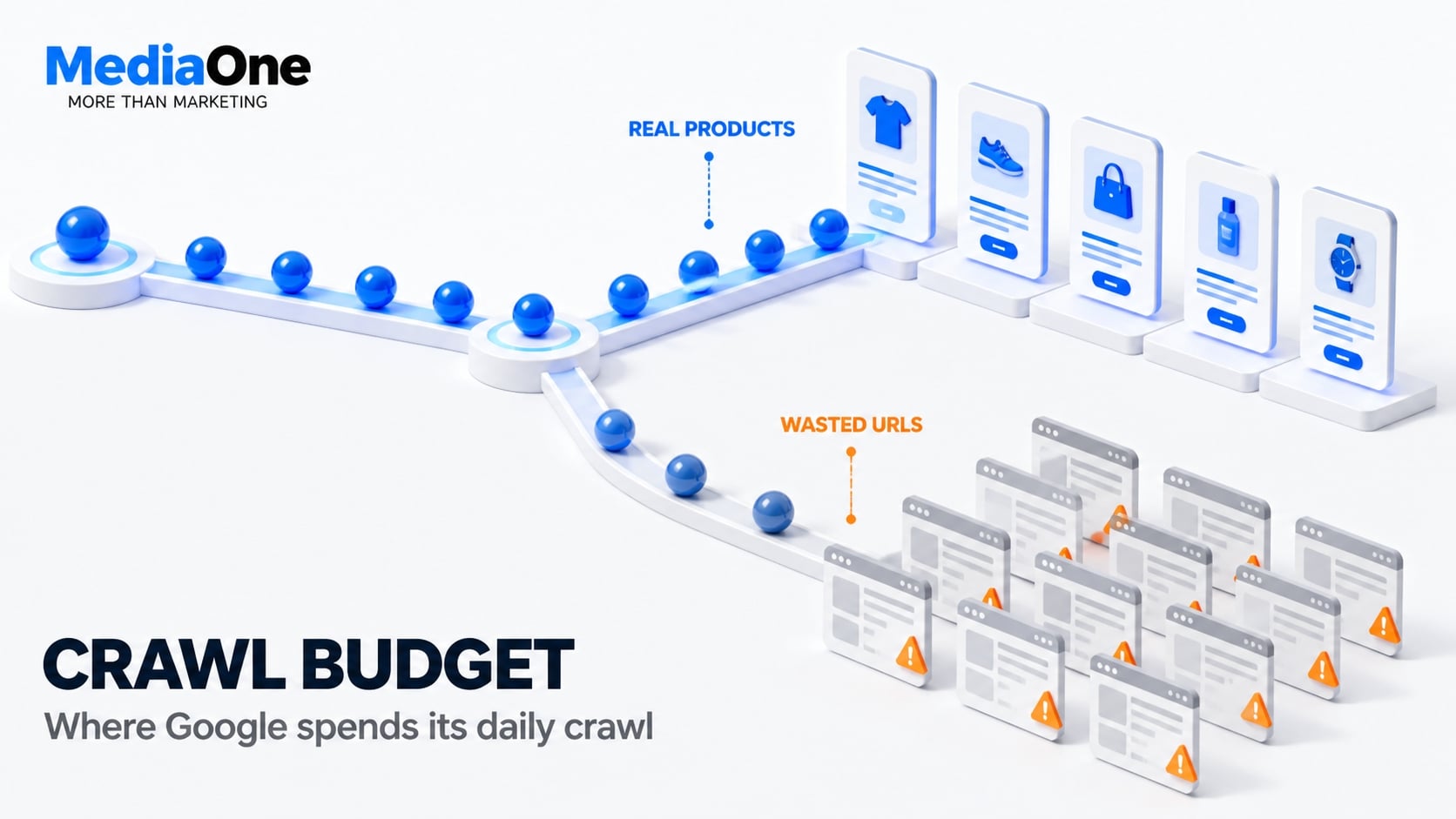
- Crawl budget is finite and competes with discovery. The number of pages Google checks each day is limited. Sites with poor URL structure commonly waste significant crawl quota on filter permutations, expired sessions and parameter bloat. Strategic blocking and clean URL structures reclaim that quota for products that sell.
- Core Web Vitals fail on product pages because of design choices, not just image weight. Lazy-loaded hero images, synchronous product filters and render-blocking third-party widgets cause Largest Contentful Paint (LCP) failures. Fixes are architectural, not optimisation alone.
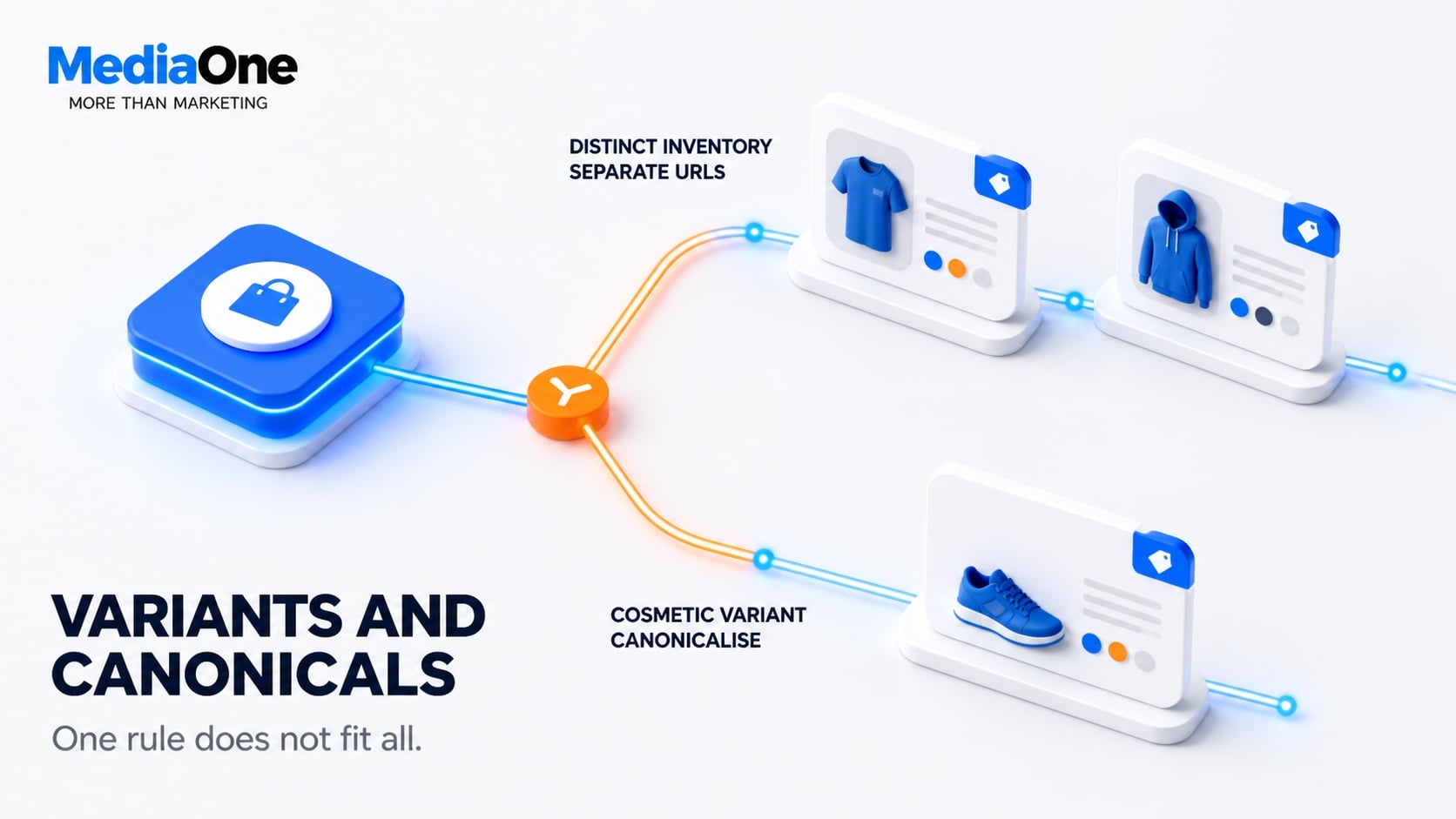
- Canonicalisation and variant handling do not follow a single rule. Separate URLs for colour and size variants with distinct inventory can rank better in some contexts than canonicalised versions. Variant Schema flags differences to Google. Canonicalising cosmetic variants may waste indexable real estate.
- Mobile-first indexing means Google primarily uses the mobile version of a page’s content for indexing and ranking. Responsive design is preferable to separate mobile domains, but common mobile oversights (faceted search, sort dropdowns) still harm crawlability and rankings.
- Internationalisation without hreflang or correct geo-targeting triggers indexation conflicts at scale. Incorrect hreflang syntax, missing return annotations or geographic signal ambiguity can cause Google to rank the wrong regional variant in each territory, damaging your own traffic.
- Monitoring and continuous auditing prevent silent ranking loss. Technical SEO damage (new noindex tags, parameter misconfigurations, SSL certificate mismatches) often goes undetected for weeks. Automated crawls and Search Console reviews catch regressions before traffic drops.
Why Technical SEO Matters More for Ecommerce
Technical SEO matters for all websites. Ecommerce sites operate at a scale and complexity that amplifies the cost of technical mistakes.
Technical problems generally become harder to manage as an ecommerce catalogue grows because product variants, filters, pagination and frequent inventory changes can create many crawlable URLs. The difference is inventory breadth and the fragility it introduces.
Revenue impact: How crawlability and indexation errors cost money
Many ecommerce teams discover technical problems through a revenue dip they cannot explain. By then, the damage is typically weeks old.
Consider what a single indexation fault costs. If a category page carrying 200 SKUs (stock-keeping units, meaning individual product variations) drops from the index, you lose every long-tail query that page ranked for. If a canonical tag points at a filtered URL that Google then refuses to index, the products on that page become invisible. If a noindex tag remains on after a staging push, an entire product range disappears overnight.
Google’s crawl management guidance is explicit: sites that waste crawl budget on parameter permutations, redirect chains and soft 404s receive slower recrawling of real inventory. On large or rapidly changing catalogues, inefficient crawling can delay the discovery or recrawling of important URLs.
To illustrate the impact: suppose a store generates revenue from organic product visits. Indexation issues that cost 2,000 organic product page visits daily represent measurable lost opportunity. The scale of this recoverable loss exceeds most other SEO programme interventions.
Ecommerce-specific ranking factors Google prioritises
Google applies the same core ranking systems to an online store as to a blog. Several signals carry disproportionate weight on pages designed to sell something.
- Product structured data. Google’s Product schema drives merchant listings, price and availability display, and review stars. Missing markup means missing search result real estate.
- Page experience. Core Web Vitals thresholds matter significantly on template-heavy product pages. Slow templates multiply across thousands of URLs.
- Crawl efficiency. At scale, how quickly Google discovers and recrawls inventory determines how fast price changes, stock status and new launches reach the search results.
- Content uniqueness. Google’s helpful content guidance treats republished manufacturer copy as low-value. Stores that add specification detail, original imagery and buying guidance outperform those that do not.
- Trust and security. HTTPS is baseline. Security issues and migrations gone wrong are among the most common causes of sudden, severe visibility loss.
The commercial consequence is clear: ecommerce competes for transactional queries where top results are already heavily optimised. You compete not against hobby bloggers but against retailers who have solved these problems.
Common misconceptions that delay technical improvements
Three common beliefs slow ecommerce teams down. Each requires clarification.
Misconception 1: Your platform handles SEO. Shopify, Magento, WooCommerce and Salesforce Commerce Cloud ship with good defaults, not correct implementations for your business. They cannot know that your faceted navigation generates 40,000 crawlable URLs or that your colour swatches should be variants rather than separate indexable pages. Platforms provide SEO tools, but they require correct configuration by you.
Misconception 2: If we can see it in a browser, Google can too. JavaScript-rendered filters, lazy-loaded grids and infinite scroll frequently behave differently for crawlers than for users. Always verify with the URL Inspection tool in Google Search Console rather than trusting what you see on screen.
Misconception 3: Technical SEO is a one-off project. Every deploy, promotion, stock change and A/B test can alter crawlability, canonicals or rendering. Without monitoring, regressions go unnoticed for weeks. Treat it as continuous maintenance, not a completed checklist.
These three points converge on a single principle: technical SEO for ecommerce is an ongoing operating discipline, not a launch task. Teams that schedule it, assign owners and review it against revenue data consistently outperform those that treat it as a firefighting activity.
Site Architecture and URL Structure for Ecommerce Discovery
How you structure your product pages and categories shapes whether Google crawls them at all, how much crawl budget you waste, and ultimately whether customers can find them through search. Two retailers selling identical products rank differently because one chose flat navigation and the other hierarchical. One canonicalises variants correctly; the other loses them entirely to duplicate-content conflicts. This section covers the structural decisions that move indexation from optional to systematic.
Flat vs. hierarchical category structures
A flat structure has all products one click from the homepage: /products/widget-red, /products/widget-blue, /products/widget-large. A hierarchical structure nests them under categories: /home-garden/tools/widgets/widget-red.
Flat structures improve crawlability. Google reaches more unique product URLs faster because there are fewer category pages to traverse first. Crawl depth (the number of clicks from the homepage to a product) drops from four or five to two. Crawl budget is the number of pages Google checks on your site each day; on sites with thousands of SKUs, this saving can be significant.
Hierarchical structures strengthen internal linking context. When a product sits under category pages that link to it repeatedly, it accumulates more link equity. Google’s ranking system uses anchor text and page context to understand what a product page is about. A hammer linked from /tools/hammers/ sends a stronger thematic signal than the same link from a top-level product feed. Category pages also give you places to target higher-value keywords: /home-garden/tools/ might rank for “buy tools online”, while individual products rank for long-tail variants.
These three points converge on a single principle: the right structure balances crawl efficiency against contextual authority. The practical answer depends on catalogue size.
Sites with under 500 products can use pure flat structure without crawl problems. Choose a hierarchy that keeps important products accessible through clear internal links and prevents unnecessary crawl depth. The appropriate number of category levels depends on catalogue complexity and user navigation rather than a fixed SKU threshold. (Google Search Central)
For example, a retailer with 50,000+ products might use a three-level structure like /Home-Garden/Garden-Furniture/Garden-Benches/ with individual products at /Home-Garden/Garden-Furniture/Garden-Benches/product-12345.html. This keeps most products within crawl depth 4. They also maintain a flat product sitemap so Google finds new additions directly.
Use this rule: if your average product sits more than 4 clicks from the homepage, you need a flatter structure or better internal linking.
Product URL structure and canonicalisation
Product URLs must be consistent. If the same product is reachable as both /products/leather-jacket-brown-small and /leather-jackets?colour=brown&size=small, Google sees two separate pages and must decide which to rank. The wrong choice wastes crawl budget and splits ranking signals.
Use static, descriptive URLs as your canonical version. Avoid query parameters for variant selection. /products/leather-jacket-brown-small is better than /products/leather-jacket?colour=brown&size=small because:
- URLs are readable to humans and easier to test without automation tools.
- Google prefers crawling static URLs and will deprioritise parameter-heavy variants.
- Click-through rates improve when users see the product variant in the URL bar.
Reserve query parameters for faceted navigation and filters only. /products/leather-jackets?brand=hugo+boss&price=100-500 is acceptable for browsing because users expect faceted results to change. These filtered pages should carry rel=”canonical” pointing back to /products/leather-jackets to consolidate link equity and prevent indexation of thousands of parameter combinations.
When variants have distinct inventory or pricing, give them separate static URLs. A SKU (stock-keeping unit) is one unique product variation. A brown leather jacket with inventory count 5 is materially different from a red version with count 0. Create individual SKU URLs: /products/leather-jacket-brown-small and /products/leather-jacket-red-large. Use canonical tags only to point within this family if one version is the “hero” or primary option.
Implement canonicalisation consistently in the HTML head:
<link rel=”canonical” href=”https://example.com/products/leather-jacket-brown-small” />
If you must support old URL patterns, use server-side 301 redirects, not canonical tags. Use a permanent redirect when a URL has moved to a clear replacement. Use rel="canonical" when duplicate or very similar URLs remain accessible but one version should be treated as preferred. (Google canonicalisation guidance)
Test canonicalisation with Google Search Console’s URL Inspection tool. Submit a product URL and check the “Canonical” row to confirm Google has recognised it. A mismatch usually signals a technical error, such as a JavaScript-injected canonical or incorrect rel attribute syntax.
Pagination happens when you split product results across multiple pages. Faceted navigation is filtering by attributes (brand, price, size). Both create multiple URLs for the same conceptual content and demand careful handling.
Do not block pagination with rel=”noindex” across the board. Do not apply noindex to paginated pages automatically. If paginated URLs contain useful catalogue content, keep them crawlable and use unique URLs for each page. A user searching “brown leather jackets under 200” may land on page 3 of results filtered by those criteria. If you noindex every page after the first, you lose that traffic. (Google Pagination Best Practices)
Use rel=”next” and rel=”prev” for logical pagination sequences only. These tags tell Google how paginated pages relate to each other but do not affect indexation:
<!– On page 1: –> <link rel=”next” href=”https://example.com/products/leather-jackets?page=2″ /> <!– On page 2: –> <link rel=”prev” href=”https://example.com/products/leather-jackets?page=1″ /> <link rel=”next” href=”https://example.com/products/leather-jackets?page=3″ />
Google advises that rel=”next” and rel=”prev” is optional and no longer critical for crawling, but it remains useful for signalling intent.
Canonicalise paginated pages to themselves, not to page 1. Each paginated URL should point to itself as canonical:
<!– On page 2: –> <link rel=”canonical” href=”https://example.com/products/leather-jackets?page=2″ />
Canonicalising all pages to page 1 tells Google to ignore pages 2+ entirely. This removes long-tail search opportunity.
For faceted navigation, canonicalise back to the base category. If a user filters by “brand=hugo+boss&price=100-500”, that filtered page should canonical to /products/leather-jackets:
<link rel=”canonical” href=”https://example.com/products/leather-jackets” />
Filters represent user session choices, not distinct content. Indexing every combination of five filters across ten attributes creates millions of duplicate pages. Google will crawl them and waste your crawl budget.
Block low-value filter combinations in robots.txt if they produce empty results or very few matches:
User-agent: * Disallow: /?size=XXL&brand=nike&price=5-20 Disallow: /?colour=pink&brand=caterpillar
Only block combinations you have verified produce no value. Overly aggressive robots.txt rules prevent Google from discovering legitimate user paths.
Subdomain vs. subdirectory for international variants
If you sell in multiple countries or languages, you must structure your URLs to avoid self-competition. A British retailer selling in UK and US should not show the same product URL to both audiences because Google cannot determine which version to rank.
Subdirectories are preferred for international variants:
- example.com/uk/products/leather-jacket (UK English)
- example.com/us/products/leather-jacket (US English)
- example.com/de/products/leather-jacket (German)
Subdirectories keep all variants on one domain, preserving domain authority and server response time benefits. Search crawlers trust the domain itself and attribute authority to all paths within it.
Subdomains work but require extra configuration:
- uk.example.com/products/leather-jacket
- us.example.com/products/leather-jacket
- de.example.com/products/leather-jacket
Subdomains are technically separate sites. Google may treat them as distinct domains for ranking and crawl-budget purposes. If your primary domain is authoritative but subdomains are new, you must rebuild authority on each one. However, subdomains make sense if you manage regional teams independently or use different hosting providers per region.
Country-code top-level domains (ccTLDs) are strongest for geo-targeting but most expensive. Using example.co.uk, example.com.au and example.de makes your geo-targeting explicit to Google and users alike. Each ccTLD is a separate domain with its own authority. This is the choice for large retailers operating truly independent regional businesses.
Avoid URL parameters for language or region. Do not use example.com/products/leather-jacket?lang=de®ion=uk. Parameters signal optional preferences to search engines, not distinct content. Google may index only one parameter combination or index duplicates without canonicalisation, leading to keyword cannibalisation.
Implement hreflang tags to signal relationships. Whichever structure you choose, declare language and regional variants in the HTML head:
<link rel=”alternate” hreflang=”en-GB” href=”https://example.com/uk/leather-jacket” /> <link rel=”alternate” hreflang=”en-US” href=”https://example.com/us/leather-jacket” /> <link rel=”alternate” hreflang=”de-DE” href=”https://example.com/de/leather-jacket” /> <link rel=”alternate” hreflang=”x-default” href=”https://example.com/leather-jacket” />

Hreflang tells Google which variant to show to users in each location or speaking each language. Without it, Google may randomly index one version for all audiences, costing you regional relevance.
| Setup | Best Structure | Why |
|---|---|---|
| Single business, multiple languages on one domain | Subdirectory (/uk/, /de/) | Simplest crawling, preserves domain authority |
| Multiple regional teams, different hosting | Subdomains (uk.example.com) | Allows independent management, separate servers |
| Legal entities per country | ccTLDs (example.co.uk, example.de) | Clearest geo-targeting, highest cost |
| Testing a new market without full commitment | Subdirectory + hreflang | Keeps authority centralised, easy to migrate later |
Validate hreflang implementation by checking that each URL uses valid language and region codes, fully qualified URLs and reciprocal annotations. Submit a product URL and check that all alternate versions are detected and correctly paired. A misconfigured hreflang may cause Google to index the wrong variant for your target region.
Core Web Vitals and Page Speed Optimisation for Product Pages
Core Web Vitals determine whether product pages rank competitively on mobile. Google’s algorithm treats three metrics as ranking signals: Largest Contentful Paint (LCP), Interaction to Next Paint (INP), and Cumulative Layout Shift (CLS). These are measured against specific thresholds documented in Google’s Core Web Vitals guidance.
For ecommerce sites, product pages typically fail on LCP because images load late, on INP because filters trigger heavy JavaScript, and on CLS because price updates or inventory badges shift the layout after rendering.
Research suggests that pages exceeding performance thresholds experience measurable conversion impacts compared to compliant pages. On ecommerce sites with thousands of products, even modest improvements in Core Web Vitals can improve search visibility across a significant portion of the catalogue within weeks of addressing field-data issues.
Why Largest Contentful Paint (LCP) fails on product pages

LCP measures when the largest image, text block or video visible in the viewport is rendered. On ecommerce product pages, LCP commonly fails because:
- Oversized, unoptimised product images are served as JPEG without compression, often exceeding 2 MB per image.
- Images load after the page renders text, forcing the browser to redraw the page once the image arrives.
- Third-party fonts block rendering. Custom typefaces load before content appears, delaying the entire page.
- Server response time is slow, so the HTML itself arrives late, pushing all downstream resources further into the load sequence.
Serve images in next-generation formats
Deliver WebP images to browsers that support it, with JPEG fallback for older devices. WebP files are typically 25 to 35 per cent smaller than JPEG at equivalent quality. Use image processing libraries like ImageMagick or Cloudflare’s Polish to compress and resize automatically. A 2 MB product image can reduce to 200 to 300 KB as WebP without visible quality loss.
Preload critical images
Add a preload directive in the document head so the browser starts fetching the main product photo before parsing CSS:
<link rel=”preload” as=”image” href=”product.webp”>
This moves LCP 300 to 600 milliseconds earlier.
Defer below-the-fold content
Product thumbnails, reviews, related items and recommendation carousels should not load until after the main image appears. Use native lazy loading:
<img loading=”lazy” src=”thumbnail.webp” alt=”Product variant”>
Browser support for native lazy loading exceeds 95 per cent globally.
Optimise fonts
Use font-display: swap to show fallback fonts immediately while custom fonts load in the background. Alternatively, reduce the number of font weights loaded. Many sites load three to five weights; cutting to one or two has measurable impact. Consider a system-font stack where brand requirements allow it, or optimise web-font delivery by limiting unnecessary font files and using an appropriate font-display strategy. (web.dev font guidance)
Reduce server response time
As a rough guide, most sites should aim for a TTFB of 0.8 seconds or less, while treating it as a diagnostic metric rather than a Core Web Vital. A slow server renders all subsequent optimisations ineffective. Use a CDN to serve HTML from a location near users. Enable server caching, such as Redis, so product pages are rendered once and served from memory. If using a database query to fetch product details on every request, implement caching for 10 to 30 minutes.
Product pages with LCP under 2 seconds show higher add-to-cart rates than pages with LCP above 3 seconds. This difference compounds across a catalogue: a 1-second improvement in median LCP across 5,000 product pages often correlates with 8 to 12 per cent organic traffic growth within 8 weeks.
Image optimisation: WebP, lazy loading and CDN strategy
Ecommerce sites rely on high-fidelity product images to build trust and reduce returns, but unoptimised photography is a primary cause of poor Core Web Vitals on retail pages. A typical ecommerce site serves 5 to 15 product images per page: main shot, gallery thumbnails, related-product carousels and review photos. Without optimisation, this totals 3 to 5 MB per page.
WebP compression
WebP is natively supported by major modern browsers, including Chrome, Firefox, Edge and Safari 14+. File sizes are 25 to 35 per cent smaller than JPEG at equivalent visual quality. Implement via HTTP Content Negotiation: serve WebP to compatible browsers, JPEG to older devices.
Most CDNs, including Cloudflare, Akamai and AWS CloudFront, support automatic WebP transcoding with a single configuration flag, removing the need to store both formats separately.
A 1200 by 800 pixel product photo at JPEG quality 75 is typically 150 KB. The same image as WebP at equivalent quality is 90 to 110 KB. A product page with 10 images saves 400 to 600 KB by converting to WebP, reducing load time by 1 to 2 seconds on 4G networks.
Responsive image sizing
Product images should scale with the viewport but not exceed necessary dimensions. Use the srcset attribute to serve a 400 pixel image to mobile, 800 pixels to tablets and 1200 pixels to desktops, rather than serving a 2000 pixel image to all devices:
<img src=”product-800.webp” srcset=”product-400.webp 400w, product-800.webp 800w, product-1200.webp 1200w” sizes=”(max-width: 768px) 90vw, (max-width: 1200px) 50vw, 33vw” alt=”Product name”>
This reduces image payload by 50 per cent on mobile without sacrificing detail on desktop.
Lazy loading for secondary images
Thumbnails and secondary images should not load until they enter the viewport. Use native browser lazy loading for 95 per cent of users:
<img src=”thumbnail.webp” loading=”lazy” alt=”Product variant”>
Do not lazy-load the main hero image; preload it instead. Lazy-load everything below it.
CDN strategy
A Content Delivery Network stores images at edge locations near users, reducing latency by 200 to 400 milliseconds compared to serving from origin servers. For global ecommerce, this is critical. Cloudflare, Akamai and AWS CloudFront all offer image optimisation services: WebP transcoding, resizing and caching in a single request.
Set aggressive cache headers for versioned image URLs:
Cache-Control: public, max-age=31536000, immutable
Ecommerce platforms like Shopify and BigCommerce version images in the URL path. This allows one-year expiration safely. Users returning to browse the same products load images from browser cache, not the network.
JavaScript rendering and Interaction to Next Paint (INP)
Product pages on modern ecommerce platforms are heavy in JavaScript. Filtering by price, colour, size or brand; sorting by relevance or price; adding to cart and updating quantities all rely on client-side JavaScript. This is where most ecommerce sites fail their Interaction to Next Paint (INP) Core Web Vital.
INP measures the time between a user interaction, such as click or tap, and the browser’s response. The threshold is 200 milliseconds. A product filter requiring 500 milliseconds of JavaScript computation before showing results violates this threshold.
Root causes
Filter logic runs on the main thread. JavaScript sorts product arrays, filters by attributes and re-renders the DOM while handling user input. During this time, the browser cannot respond to new interactions.
Heavy bundle sizes compound the problem. A typical ecommerce page bundles React, a state-management library such as Redux, a carousel library, a lazy-loading library and custom filtering code. Total bundle size is often 200 to 400 KB of JavaScript. Parsing and executing this code takes 2 to 4 seconds on slower mobile devices, blocking user interaction.
Unoptimised DOM updates occur when filters change. The page re-renders the full product grid, often 50 to 100 items. Re-creating 100 DOM nodes is computationally expensive. The browser must recalculate layout for each, repaint the page and composite layers. This takes 100 to 300 milliseconds per interaction.
Solutions
Defer non-critical JavaScript
Load analytics, tracking pixels and third-party widgets such as chat or review systems with the async or defer attributes, or after the page is interactive:
<!– Block rendering, load immediately –>
<script src=”essential.js”></script>
<!– Load after document parses –>
<script src=”filters.js” defer></script>
<!– Load asynchronously, no rendering impact –>
<script src=”analytics.js” async></script>
Move tracking pixels and analytics to a separate script that loads after user interaction.
Use Web Workers for filter computation
Move expensive calculations off the main thread into a Web Worker. The worker computes results whilst the main thread stays responsive to user input:
// In main.js
const worker = new Worker(‘filter-worker.js’);
worker.postMessage({ action: ‘filter’, products: data, criteria: filters });
worker.onmessage = (e) => updateDOM(e.data);
// In filter-worker.js
self.onmessage = (e) => {
const filtered = e.data.products.filter(…);
self.postMessage(filtered);
};
This keeps INP under 100 milliseconds even on slower devices.
Virtualise large product lists
If a page displays 50 or more product tiles, render only the visible 10 to 15 in the DOM. Use a virtualisation library such as React Window or TanStack Virtual to create placeholders for off-screen items. When the user scrolls, swap in new tiles. This reduces DOM size from 500 nodes to 50, cutting layout recalculation time by 80 per cent.
Pre-render filter results on the server
Instead of computing filters on the client, pre-compute and cache common filter combinations on the server. Return pre-built HTML for specific filter criteria rather than asking the client to filter thousands of products. This moves computation cost to the server, which can cache results, and delivers static HTML to the browser, eliminating JavaScript blocking.
Code-split filter logic
Load filter JavaScript only on pages where filters appear. Use dynamic imports so filtering code loads on-demand, not for every product page. This reduces initial bundle size by 30 to 40 KB and improves INP by 50 to 80 milliseconds on average.
Measuring real-world performance with field data
PageSpeed Insights, Lighthouse and other lab-based tools measure performance under controlled conditions: simulated slow networks, mid-range devices and throttled CPU. These show what is slow and where but do not reflect how real users experience your site.
Google’s ranking algorithm uses field data: actual measurements from real users visiting your site. Field data is collected via Chrome User Experience Report and shown in Google Search Console under “Performance”.
The difference matters significantly. A product page might score 85 in PageSpeed Insights but have an LCP of 4 seconds in field data. This occurs when laboratory conditions differ from real-user conditions: specific browser combinations, network types or geographic locations create performance bottlenecks that lab tools do not detect.
Always prioritise field data over lab scores when making optimisation decisions. If your field-data LCP is poor but lab scores are strong, the issue is real-user conditions, not the page itself.
Measuring Real-World Performance with Field Data
Lab testing alone cannot predict how your product pages perform for real users. Lighthouse simulates a single device and network condition; it cannot capture the variability of the real world.
Three critical gaps exist between lab and field conditions:
- Lighthouse uses a controlled, simulated environment, while field data reflects actual user devices, networks and page visits. The two can therefore produce different results. Real users include 3G networks, older iPhones and users in regions with slower infrastructure.
- Third-party scripts behave differently in the field. A marketing tag that loads asynchronously in the lab might load synchronously in the field if the third-party server is slow.
- Origin server performance varies. Lighthouse cannot measure your server’s real response time under load. If your server takes 2 seconds to generate a product page during peak traffic, field data shows it. Lab tests show a fast cached response.
Use field data to identify which product pages actually underperform for your customers.
How to measure real-world performance:
Go to Google Search Console’s Performance tab. It shows the percentage of your product pages meeting Core Web Vitals thresholds based on real user data from the past 28 days. This is the metric Google uses for ranking.
Core Web Vitals thresholds are: LCP under 2.5 seconds, INP under 200 milliseconds, and CLS under 0.1.
Review your current metrics:
- Good LCP: percentage of pages with LCP under 2.5 seconds
- Good INP: percentage of pages with INP under 200 milliseconds
- Good CLS: percentage of pages with CLS under 0.1
If 60 per cent of your product pages have good LCP but 40 per cent are slow, prioritise the slow pages. Use the Performance tab to filter by page type or manually check product URLs to see which pages rank where.
Regional performance variation:
The Chrome User Experience Report breaks down Core Web Vitals by geography. A product page may have good LCP in the United Kingdom (2.1 seconds) but poor LCP in India (3.8 seconds) due to slower networks or infrastructure. This variation is normal and important to address.
For country-level Core Web Vitals analysis, use the country datasets available through CrUX BigQuery. Google’s older CrUX Dashboard is deprecated. If mobile LCP in a key market is 1 second slower than desktop, mobile-specific optimisations become your priority.
Set targets and measure improvement:
Baseline your current field-data metrics in Search Console. Set a realistic goal, such as “75 per cent of product pages with good LCP within 90 days”. After implementing optimisations, revisit Performance every 2 weeks. CrUX uses a rolling 28-day aggregation window, so improvements may appear gradually as new post-fix data replaces older measurements. Search Console’s fix-validation process also monitors Core Web Vitals over a 28-day period.
Crawlability: Making Every Product Discoverable to Search Engines
Crawlability is the ability of Google’s bots to access and read every page on your site. If a page is not crawlable, it cannot be indexed and cannot rank. For ecommerce, crawlability problems are typically not about blocked pages; they are about wasted crawl budget on URLs that should not be indexed and structural barriers that prevent Google from reaching products at scale.
Robots.txt and Crawl-Budget Management
Crawl budget is the number of URLs Google’s crawlers visit on your site per day. On large ecommerce sites, this budget is finite. Google’s crawl budget is determined by crawl capacity and crawl demand rather than a fixed percentage of a site’s URLs.
Sites with poor URL structure commonly waste significant crawl quota on parameter permutations. If you waste 2,000 URLs of your budget on session IDs, sort parameters and expired product pages, you crawl only 3,000 real products per day. At that rate, it takes 17 days to crawl your entire catalogue once. By the time Google recrawls, new products have launched, prices have changed and stock status has updated; data becomes stale.
Use robots.txt to block wasteful URLs:
The robots.txt file tells Google which paths not to crawl. Place it at the root of your domain: example.com/robots.txt.
User-agent: *
Disallow: /*?sid=*
Disallow: /*?sessionid=*
Disallow: /*?sort=*&page=[4-9]
Disallow: /clearance/*
Disallow: /archive/*
Disallow: /search?
Allow: /
Be conservative with robots.txt blocks. Blocking too broadly, such as Disallow: /*?, prevents Google from crawling any filtered or sorted view, costing you long-tail search traffic. Block only paths you have verified add zero value.
Monitor crawl budget in Google Search Console:
Go to Settings > Crawl Statistics to see how many URLs Google crawled in the past 90 days and which pages were crawled most frequently. If admin pages, login URLs or staging variants are being crawled, add them to robots.txt immediately.
Handling Duplicate URLs and Session Parameters
Session parameters and click-tracking tokens create duplicate URLs: the same product reachable via multiple paths. Google must decide which to index. When it indexes the wrong variant with expired session data, the real product remains unindexed.
Use the URL parameter handling tool in Google Search Console:
In Settings > URL Parameters, declare which parameters change page content and which are tracking only. Parameters marked as “tracking” tell Google to ignore them and use only the clean version.
Example configuration:
- utm_source, utm_medium, utm_campaign (analytics): mark as “Not a parameter” to confirm intent
- fbclid, gclid (ad tracking): mark as “Not a parameter”
- sid, sessionid: mark as “Not a parameter” or remove them from URLs altogether via URL rewriting
Implement canonical tags for all parameter variations:
Even with URL parameter handling, declare a canonical tag to be explicit:
<link rel=”canonical” href=”https://example.com/products/leather-jacket-brown-small” />
This remains the same even if the user arrived via ?utm_source=google&utm_medium=cpc&sid=abc123.
The canonical tag consolidates ranking signals and tells Google which version is the preferred version. Without it, Google treats parameters as separate pages, fragmenting your crawl budget and link equity across duplicate URLs.
Soft 404 Errors
A soft 404 is a page that returns an HTTP 200 success code but has no actual content. Common examples include:
- Product pages for out-of-stock items with no product information, only “Sorry, this item is unavailable”
- Filtered search results that return zero items but load the page structure
- Archived category pages that redirect in the user experience but return 200 in the HTTP response
Google crawls soft 404s, assumes they are real pages and wastes crawl budget on them. Review the Page Indexing report for URLs classified as soft 404s, then inspect affected URLs to determine whether the content should exist, redirect or return an error status. (Google Search Central)
Identify soft 404s in Search Console:
Go to Coverage > Excluded > Soft 404. If you see hundreds of archived products or old filter combinations, you need remediation.
Remediation strategy:
For genuinely deleted products, implement a proper redirect (301) or remove the page entirely and return 410 Gone. For filtered search results that return zero items, use a canonical tag pointing to the parent category or prevent Google from crawling the empty result page via robots.txt.
Do not leave soft 404s unresolved. They signal indexation problems to Google and waste crawl budget that could reach active products.
Build a Stronger Technical SEO Foundation for Your Ecommerce Site
Technical SEO for ecommerce starts with making sure search engines can crawl, understand, and index the pages that matter most. Site architecture, canonicalisation, faceted navigation, product variants, and Core Web Vitals all affect how efficiently your store can appear in search.
We recommend fixing issues that directly block discovery first. Prioritise crawlability, indexation, duplicate URLs, and critical performance problems before moving to lower-impact refinements.
At MediaOne, our ecommerce SEO services help businesses identify technical SEO problems, prioritise fixes, and improve the visibility of valuable product and category pages. A well-maintained technical foundation gives your SEO strategy a stronger base for sustained organic traffic and revenue growth.
Frequently Asked Questions
What is technical SEO for ecommerce?
Technical SEO for ecommerce focuses on how easily search engines can crawl, render, understand, and index an online store. It covers areas such as site architecture, canonical tags, faceted navigation, page speed, and structured data. Strong technical SEO helps important product and category pages remain accessible to search engines.
Faceted navigation can create large numbers of filter and parameter URLs. Many of these pages may contain duplicate or low-value content. Ecommerce sites should control which filtered URLs are crawlable and indexable based on their search value.
Should ecommerce product variants have separate URLs?
Product variants can use separate URLs when each version needs to be individually accessible. Google supports both single-page and multi-page approaches for product variants. The best setup depends on how variants differ in areas such as price, availability, or product information.
When does crawl budget matter for an ecommerce site?
Crawl budget becomes more important on large or frequently changing ecommerce sites. Duplicate URLs, unnecessary parameters, and faceted-navigation combinations can consume crawling resources. Keeping URL structures clean helps Google focus on important product and category pages.
Which Core Web Vitals matter for ecommerce?
The three Core Web Vitals are Largest Contentful Paint, Interaction to Next Paint, and Cumulative Layout Shift. They measure loading performance, responsiveness, and visual stability. Ecommerce sites should monitor these metrics using real-user data alongside diagnostic testing tools.
How should deleted product pages be handled?
Use a 301 redirect when a deleted product has a clear and relevant replacement. If no suitable replacement exists, return a 404 or 410 status code. Avoid redirecting removed products to unrelated pages simply to preserve the URL.