| AI Summary
A technical SEO audit identifies website issues affecting crawling, indexing, mobile performance and search visibility. This guide explains how to assess redirects, canonical tags, sitemaps, internal links, structured data and Core Web Vitals. It also covers essential audit tools, common technical problems and practical fixes to help Singapore businesses prioritise improvements, monitor results and maintain organic search performance. |
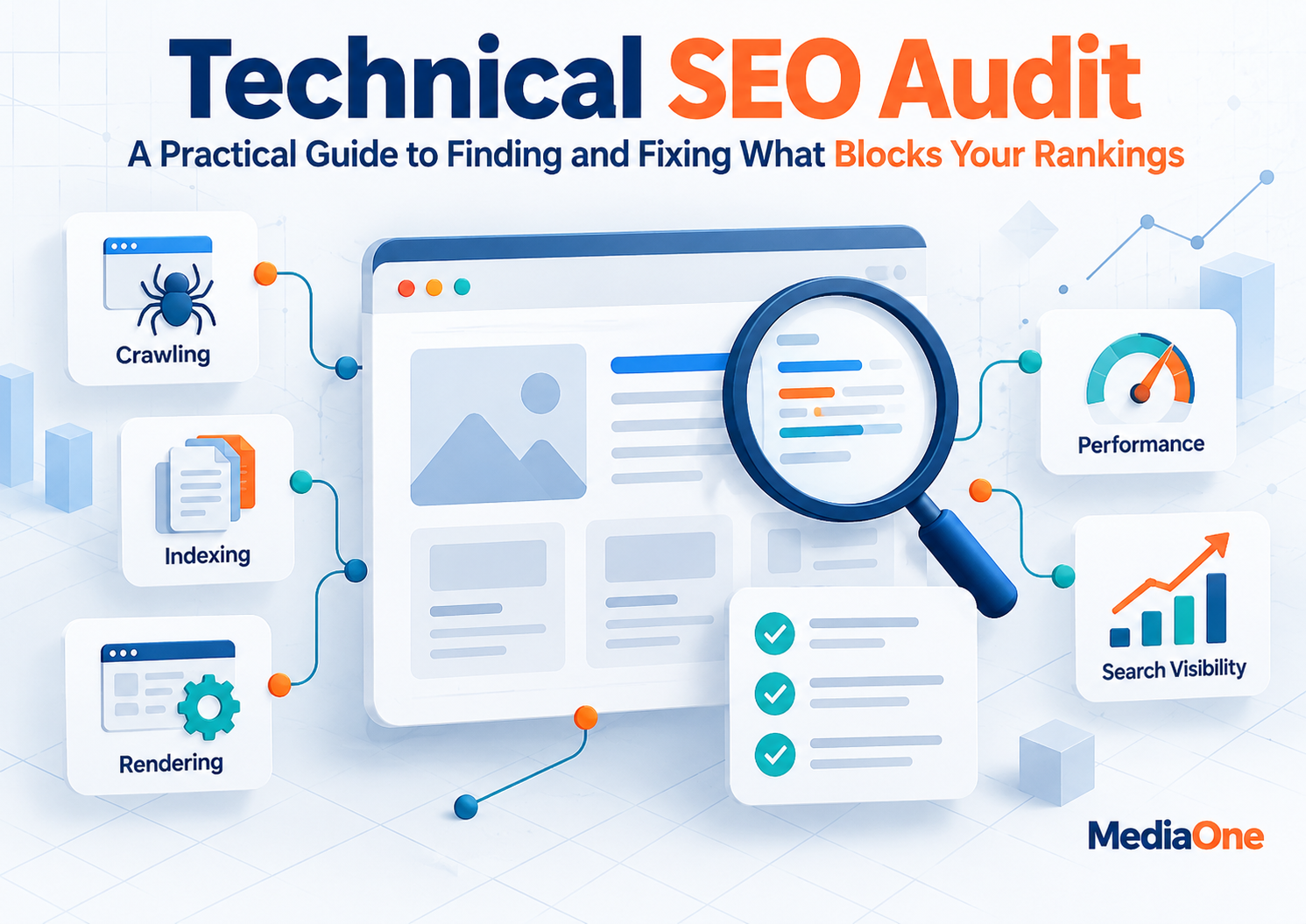
A technical SEO audit checks whether search engines can discover, crawl, render and index the pages that matter to your business. It also examines the technical conditions that affect usability, including mobile rendering and page performance. The useful outcome is a prioritised plan, not a spreadsheet containing hundreds of warnings.
For Singapore businesses, we recommend starting with commercially important pages and working backwards to the technical obstacles affecting them. This approach distinguishes genuine indexing problems from routine exclusions that need no action.
Key Takeaways
- Start with pages that support leads, sales or essential customer information. Not every crawler warning requires a fix.
- Compare your own crawl with Google Search Console. A crawler’s accessible URLs and Google’s indexed URLs will differ.
- Treat robots.txt, noindex and canonical tags as different controls. Using the wrong one can make an indexing problem worse.
- Assess mobile content and rendering because Google primarily uses the mobile version for indexing.
- Use Core Web Vitals field data to identify poor experiences. A good score does not guarantee higher rankings.
- Give every approved fix an owner, a deadline and a validation method.
Who This Guide Is For
This guide is for founders, in-house marketers, SEO practitioners and agency teams responsible for maintaining organic search visibility. It is particularly relevant to Singapore service businesses, ecommerce stores and multilingual websites targeting regional customers.
We focus on technical diagnosis and delivery. Keyword selection, content quality and backlink evaluation remain important, but they require separate assessments. Where a technical finding overlaps with content, we explain which team should investigate it.
What a Technical SEO Audit Covers
A technical SEO audit evaluates the systems that allow a website’s useful content to reach search engines. We divide the work into four questions: Can Google discover the page? Can it fetch and render the content? Is the intended URL eligible for indexing? Can visitors use it reliably?
Crawlability concerns access through links, server responses and crawler restrictions. Indexability concerns whether Google can consider a page for its index. Canonicalisation concerns which URL Google selects when several addresses contain substantially similar content. Rendering concerns the page Google can process after JavaScript executes.

A page can be crawlable but excluded from indexing. Google also states that meeting its minimum technical requirements does not guarantee indexing or a position in results.
Why technical issues deserve early attention
Publishing another landing page will not resolve a site-wide noindex directive. Improving copy will not repair a server that returns errors whenever Googlebot visits. Conversely, a minor image warning should not delay a valuable content campaign when the affected page already works correctly.
Our approach is to identify technical constraints before committing resources to content or links. The decision depends on evidence, page importance and the reach of each issue.
How to Run a Technical SEO Audit
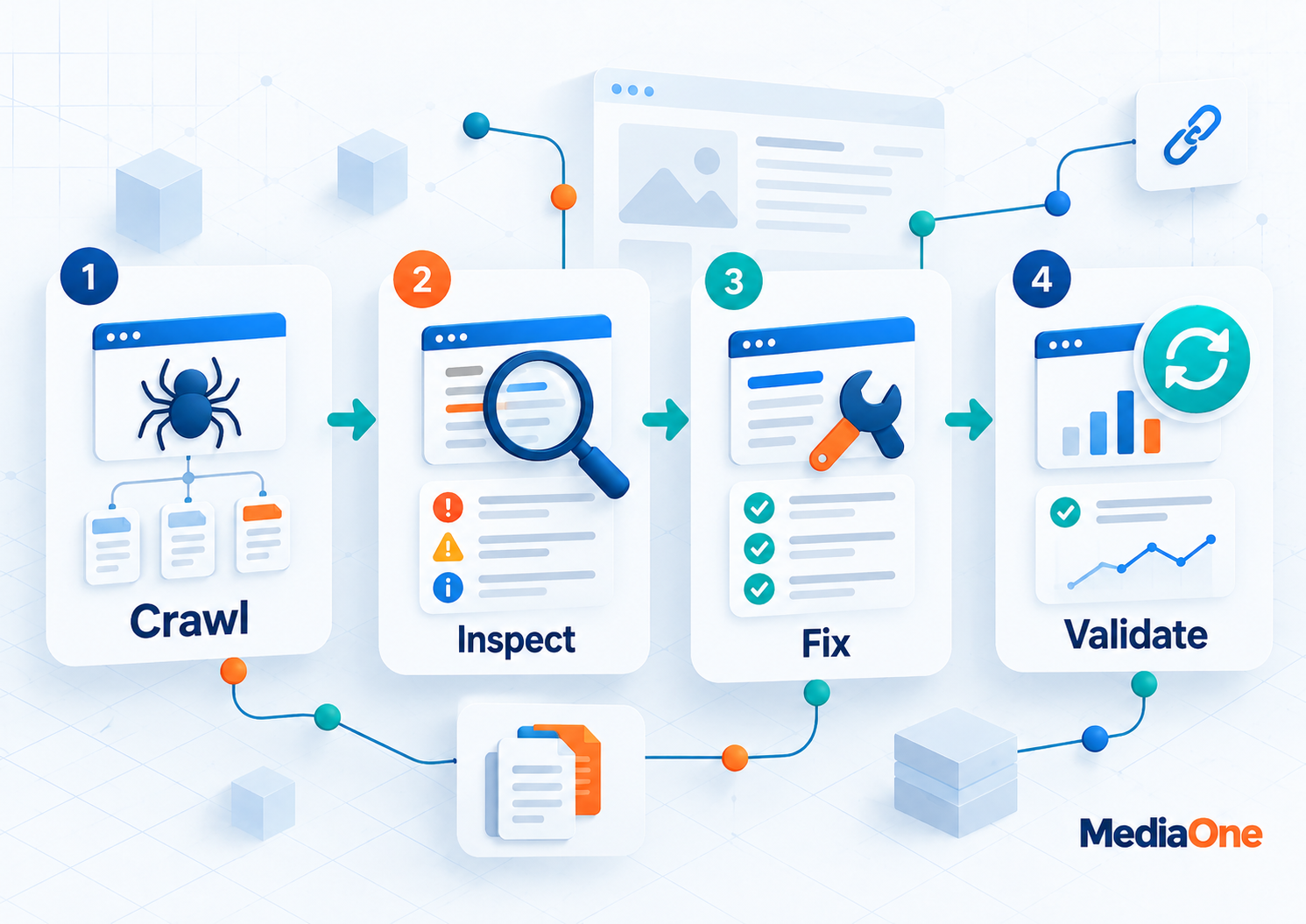
Step 1: Define scope, business priorities and a baseline
List the sections that matter: service pages, product categories, product details, location pages and helpful resources. Include each language or country version where applicable. Identify recent releases, migrations or ranking changes that might narrow the investigation.
Record the current position before making changes. We use Google Search Console to capture organic clicks, impressions, search queries, indexed-page trends and affected URLs. Analytics can add organic conversions and landing-page engagement, although attribution and consent settings may affect those numbers.
Define success at the issue level. For example, a repaired category template should return the intended status code, become eligible for indexing and restore working product links. Search growth is a later outcome, not proof that the code change worked.
Step 2: Crawl the website and segment its URLs
Run a site crawler from the homepage and relevant XML sitemaps. Screaming Frog SEO Spider offers a free version that crawls up to 500 URLs; JavaScript rendering and several advanced features require a paid licence. For larger sites, choose a tool and configuration that can cover the intended scope.
Export URLs with HTTP status, indexability, canonical destination, title, crawl depth and internal-link counts. Segment the export by page type instead of reviewing every URL as an isolated problem. A missing link across one shared template can affect hundreds of pages. The crawler exposes patterns for verification, including URLs Google may not have encountered.
Step 3: Inspect server responses and redirects
Check important URLs for 200 success responses, genuine 404 or 410 removals, unwanted 5xx server errors and unexpected redirects. A missing page becomes a priority when visitors or internal links still expect useful content there.
Where content has permanently moved to a close equivalent, use an appropriate permanent redirect and update internal links to the final destination. Google identifies server-side 301 and 308 redirects as permanent signals. Avoid redirecting unrelated deleted pages to the homepage simply to remove a crawl warning. See Google’s redirect guidance.
For intermittent errors, record timestamps and ask the hosting team to review server logs. A successful manual browser visit does not rule out recurring crawler failures.
Step 4: Reconcile crawl findings with Google’s indexing reports
Open Search Console’s Page indexing report, then inspect samples with the URL Inspection tool. Do not expect the indexed count to match the crawler’s total. The crawler may discover redirects, blocked URLs, parameter variations and deliberate exclusions that should never be indexed.
Two statuses require different investigations:
- Discovered – currently not indexed: Google knows about the URL but has not crawled it yet. Review internal discovery, server capacity and whether the URL deserves attention; do not assume the page is thin.
- Crawled – currently not indexed: Google fetched the URL but did not index it. Check content uniqueness, canonical signals, rendering and technical eligibility before requesting another crawl.
Google’s Page indexing report documentation defines both statuses and makes clear that not every excluded page represents an error.
Inspect a small sample from each affected template. Prioritise pages that should appear in search, rather than trying to make every known URL indexed.
Check whether important indexable pages reference the correct canonical URL. Compare each declared canonical with Google’s selected canonical in URL Inspection. The two can differ because canonical annotations are hints, not commands. Google considers redirects, sitemap entries and other signals.
Watch for duplicate addresses created by tracking parameters, product sorting, inconsistent trailing slashes and HTTP-to-HTTPS variations. A product filter that creates a useful category may need its own indexable page. A sorting URL showing the same products in another order usually does not. Consolidate duplicate variants where appropriate, but never canonicalise genuinely different service or language pages to one generic URL simply to reduce the page count.
Step 6: Check sitemaps, robots rules and internal links
An XML sitemap should primarily contain the canonical URLs you want Google to index. Check that these are live and accessible. Google’s sitemap guidance recommends including preferred URLs; a sitemap is a discovery signal, not an indexing guarantee.
Inspect robots.txt for accidental blocks on important pages or resources. Crucially, robots.txt controls crawling, not dependable removal from search results. Use an accessible noindex directive when the intention is to exclude a page from the index. A crawler blocked by robots.txt may never see that directive.
Finally, verify that important pages receive working, descriptive internal links. Compare your sitemap and analytics landing-page exports with the link crawl to find likely orphaned pages. Add sensible links from relevant categories, navigation or related resources.
Step 7: Test mobile rendering and page performance
Google uses the mobile version of a website’s content for indexing. Compare important mobile pages with desktop equivalents, including primary copy, navigation, internal links, metadata and structured data. Hiding a section visually is different from removing its content from the mobile page entirely.
For JavaScript-driven sites, inspect the rendered HTML through Google’s URL Inspection tool. Confirm that key text and links appear after rendering. Google’s JavaScript SEO guidance explains that crawling, rendering and indexing are separate processing stages.
Run performance tests under realistic mobile conditions, including representative device capability and network latency. Do not treat a single simulated connection as proof of how every Singapore visitor experiences the site.
Step 8: Validate structured data and language targeting
Test supported structured data against the visible page using Google’s Rich Results Test. Correct errors that affect relevant search features, but do not add every available schema type. Valid markup makes a page eligible for certain results; Google does not promise to display them.
On multilingual sites, inspect hreflang for equivalent pages. For example, English and Chinese service pages can point to one another using appropriate language codes. Each version should include itself and its alternatives in the annotation set. Check that linked pages are live and reciprocate the annotations. Add hreflang only to address a real language or regional-variant need.
Common Technical SEO Problems and Their Fixes
Accidental noindex directives and blocked resources
A staging configuration sometimes reaches production with a site-wide noindex setting or a broad Disallow: / rule. These controls cause different failures. noindex tells Google not to include an accessible page; a robots block prevents fetching the specified URLs.
Check page-level robots meta tags and HTTP X-Robots-Tag headers. For resources such as JavaScript and cascading style sheets (CSS), investigate whether Google needs access to render the page correctly. Change restrictions only after confirming that a page or resource is intended to be public.
Our recommendation: treat unintended indexing exclusions on primary commercial templates as urgent. After correction, inspect a live URL and monitor the indexing report rather than assuming that visibility will return immediately.
Missing pages, redirect chains and soft 404s
A legitimate 404 response is appropriate for a page that no longer exists and has no suitable replacement. The problem arises when important internal links or externally visited URLs send users to that dead end. Update incorrect links, restore content if appropriate or redirect to a genuinely relevant replacement.
Redirect chains add unnecessary steps and complicate maintenance. Review the original URL, every intermediate hop and the final response. A soft 404 occurs when a page effectively says the content is missing but returns a success response, or Google otherwise judges it to be an error page. Google’s crawl-error guidance explains how to diagnose this using rendered content and response codes.
Ecommerce filters can generate many combinations of size, brand, colour and price. Some combinations serve real search demand; others duplicate existing results or lead to empty listings. An audit should distinguish useful category pages from low-value URL variants.
Review which filter URLs can be followed, indexed and included in navigation. Then agree on an indexing policy with the merchandising and development teams. Avoid applying one blanket canonical or robots rule without checking how product discovery depends on those filters.
Crawl-budget optimisation matters most for very large or rapidly changing sites. Google notes that smaller sites usually do not need a specialised crawl-budget project if indexing and discovery are healthy.
Orphaned pages and weak site architecture
A page without internal links may still be discovered through a sitemap or external link, but visitors and crawlers lack a normal route to reach it. Compare your crawler inventory against sitemap URLs and organic landing pages to identify likely orphans.
Place important services and product categories where users naturally expect them. Assess click depth as a diagnostic measure, not a universal three-click ranking rule. The right structure depends on the site’s size and purpose.
We would fix broken navigation pathways before adding large numbers of links to unrelated pages. Useful internal linking clarifies relationships and makes priority content easier to find.
Canonical conflicts after a migration
Redesigns and content management system (CMS) migrations can leave old URLs in sitemaps while new templates point canonical tags elsewhere. The result is conflicting signals about which page represents the content.
Create a mapping between old and new URLs, verify redirects, inspect canonical tags and regenerate sitemaps. Then compare selected canonicals in Search Console for important page samples. We recommend reviewing navigation links as well, because links that still point to old addresses create avoidable redirects.
Do not declare a migration complete solely because the homepage loads. Test representative product, service, article and language templates before signing it off.
JavaScript content missing from Google’s rendered page
Modern interfaces can show content to a person while the rendered page Google processes lacks essential text or usable links. Common causes include failed scripts, content loaded only after an interaction and inaccessible application programming interface (API) responses.
Compare source HTML with rendered output and inspect the affected template on a smartphone. Keep important navigation as crawlable HTML links. When essential content remains unavailable to crawlers, developers may need server-side rendering or another reliable delivery pattern.
Google can process JavaScript, so the presence of a framework alone is not a defect. We prioritise verified missing content, not assumptions about a site’s technology.
Core Web Vitals and Mobile Performance
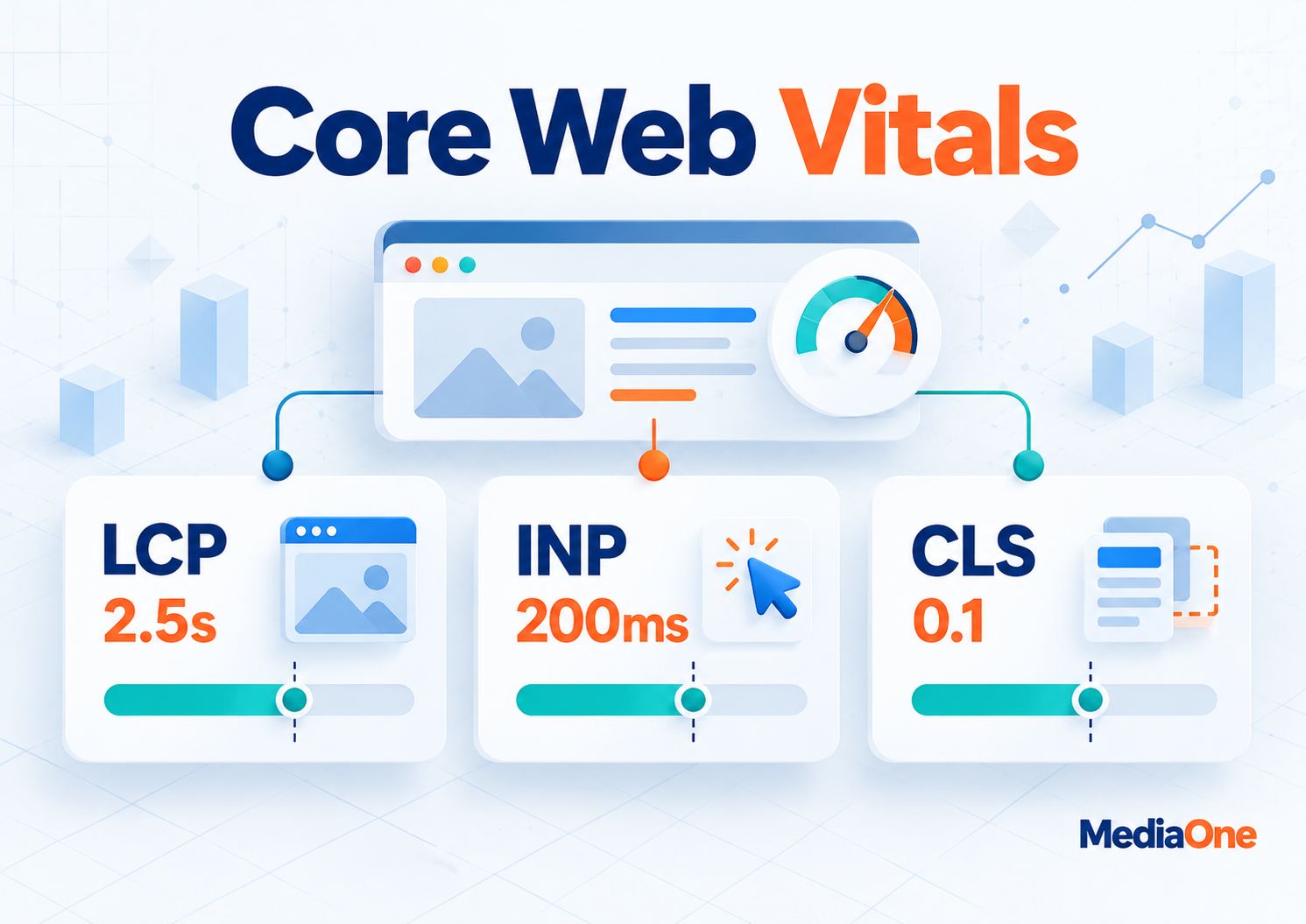
Core Web Vitals assess real user experiences through three metrics. The thresholds below use the 75th percentile of observed page views, rather than an individual test result. Google’s threshold methodology describes the categories.
| Metric | What it measures | Good | Needs improvement | Poor |
| Largest Contentful Paint (LCP) | When the main visible content loads | 2.5 s or less | Above 2.5 s to 4 s | Above 4 s |
| Interaction to Next Paint (INP) | Responsiveness to user interactions | 200 ms or less | Above 200 ms to 500 ms | Above 500 ms |
| Cumulative Layout Shift (CLS) | Unexpected movement of visible elements | 0.1 or less | Above 0.1 to 0.25 | Above 0.25 |
INP replaced First Input Delay (FID) as a Core Web Vital in March 2024. The metrics serve different purposes, so fixing an LCP image does not necessarily improve an INP problem caused by lengthy JavaScript tasks.
Use field data before chasing a perfect score
Start with Search Console’s Core Web Vitals report. It groups similar URLs according to available Chrome user data. A missing URL group does not prove performance is good: there may be insufficient observations. Use PageSpeed Insights and developer tools to investigate the affected templates.
For LCP, review the main image, server response and render-blocking resources. For INP, inspect long tasks and heavy interaction handlers. For CLS, reserve space for images, banners and dynamically loaded content. Test changes with repeatable lab conditions, then monitor actual user data over time.
Google confirms that Core Web Vitals are used by ranking systems, while also warning that strong scores do not guarantee top rankings. We therefore assess performance alongside content relevance and commercial importance.
Mobile-first indexing is not the same as a mobile speed score
A website can load quickly yet omit useful text from its mobile template. Another may display equivalent content but feel sluggish on lower-powered devices. These are different audit findings and need separate fixes.
Then assess page responsiveness and stability. We recommend prioritising mobile defects that affect essential customer journeys, while still correcting serious desktop-only usability problems.
Tools, Prioritisation and Follow-Up
A practical technical SEO audit toolkit
We start with free Google tools and add specialist crawling software when the website justifies it. Each tool answers a different question:
| Tool | Main use | Important limitation |
| Google Search Console | Google’s indexed URLs, search performance and inspection | Reports are sampled, grouped or delayed in some views |
| Screaming Frog SEO Spider | Crawl links, responses, canonicals and templates | Free version is limited to 500 URLs and restricted features |
| PageSpeed Insights | Field data where available, plus laboratory diagnostics | A single lab test does not represent every visitor |
| Rich Results Test | Supported structured data eligibility and errors | Passing does not guarantee a rich result |
| Server logs | Actual crawler requests and server responses | Requires access and technical interpretation |
Site complexity determines the toolset. A large retail site with filters, JavaScript and frequent stock changes will usually require deeper crawling and developer support.
Turn findings into a prioritised action plan
We score each finding using impact and effort. Impact reflects commercial page importance, the number of affected URLs and the likelihood of a genuine technical restriction. Effort reflects development time, testing and release risk.
| Priority | Impact and effort | Example | Decision |
| Fix now | High impact, manageable effort | Accidental noindex on service pages | Assign to the next safe release |
| Schedule | High impact, substantial effort | Faulty rendering across a product template | Scope an engineering project |
| Batch | Low impact, manageable effort | Broken links in an old resource archive | Combine with maintenance work |
| Monitor or defer | Low impact, substantial effort | Harmless URL variations with no visibility goal | Record the reason and review later |
This matrix is a decision aid, not Google’s ranking formula. A production-wide fix may require careful staging even when the code change appears simple. For each approved item, record affected URLs, evidence, owner, expected outcome and validation date.
Validate fixes without promising ranking gains
Test technical correctness first. Re-crawl the affected template, inspect live URLs in Search Console and confirm that server responses or directives now match the intended behaviour. Where appropriate, use Search Console’s validation process to track a resolved issue.
Next, monitor indexing trends and organic search performance against the baseline. Google may need time to recrawl pages, and changes in impressions can reflect seasonality or search demand. Avoid attributing every movement to a single fix.
Immediate improvements in a laboratory test will not instantly change reported field metrics. Report delivery separately from observed search outcomes so stakeholders know what has actually improved.
How frequently should a technical SEO audit happen?
There is no Google-prescribed annual schedule for every business. We recommend a full review after a migration, redesign or major change to site architecture. Run lighter checks more regularly where releases, product inventories or language versions change frequently.
For a small, stable business site, quarterly checks may be sufficient. For high-volume ecommerce or publishing sites, monitor important indexing and server issues weekly, with automated alerts where practical. Choose the cadence according to release risk and business impact.
Frequently Asked Questions
How long does a technical SEO audit take?
The scope determines the time needed. A small site may take a few working days to assess, while a complex ecommerce platform requires deeper investigation and developer input.
Do I need paid tools for a technical SEO audit?
Not always. Search Console, PageSpeed Insights and a limited Screaming Frog crawl provide a useful starting point. Larger sites or advanced JavaScript investigations may justify a paid crawler and specialist support.
Does a technical SEO audit automatically improve Google rankings?
No. The audit identifies problems and proposed fixes; rankings can change only after relevant corrections are implemented and Google processes the site. Content usefulness, competition and other signals still matter.
Should every excluded URL be made indexable?
No. Redirected URLs, intentional duplicates and deliberately excluded utility pages can be legitimate. Focus on important pages that should appear in search but are unexpectedly absent.
Can robots.txt remove a page from Google’s index?
Not reliably. It controls crawler access and may prevent Google from reading a page’s noindex directive. For an accessible page that must be excluded, follow Google’s noindex guidance.
What should I request from an SEO agency after an audit?
Ask for reproducible evidence, affected page groups, a prioritised backlog and named owners. We also recommend requesting a validation plan that separates completed technical work from later traffic and ranking results.
Turn Your Technical SEO Audit Findings into Measurable Improvements
A technical SEO audit helps identify the issues affecting your website’s search visibility. Start by fixing crawlability, indexing and mobile rendering problems on your most valuable pages. Prioritise other improvements based on their impact, then monitor Google Search Console to validate the results.
For complex technical issues, our SEO services in Singapore can help you develop a practical improvement plan. If you’re preparing for a redesign or migration, follow our website relaunch SEO guide to manage redirects, indexing and potential ranking disruptions. We recommend tracking every completed fix against your original performance baseline to measure progress and guide future optimisation.