Google Maps optimisation is ongoing maintenance, not a one-time job. Local ranking depends on relevance, distance and prominence, and you control the first and last. Keep your data accurate, reviews flowing and details current, and check Google’s Business Profile guidance for platform changes.

Key Takeaways
- Treat Google Maps optimisation as ongoing maintenance, not one-time setup.
- Consistent name, address, phone, categories, hours and reviews matter more than ranking tricks.
- Score your profile on the Five-Signal Audit (0 to 10) and fix the weakest signal first.
- Avoid keyword stuffing; accurate categories and genuine reviews are the signals you control.
- Check suggested edits promptly. Since September 2026, Google gives you 4 days to accept or reject a suggested edit before it may publish automatically.
How Google Maps Ranking Actually Works
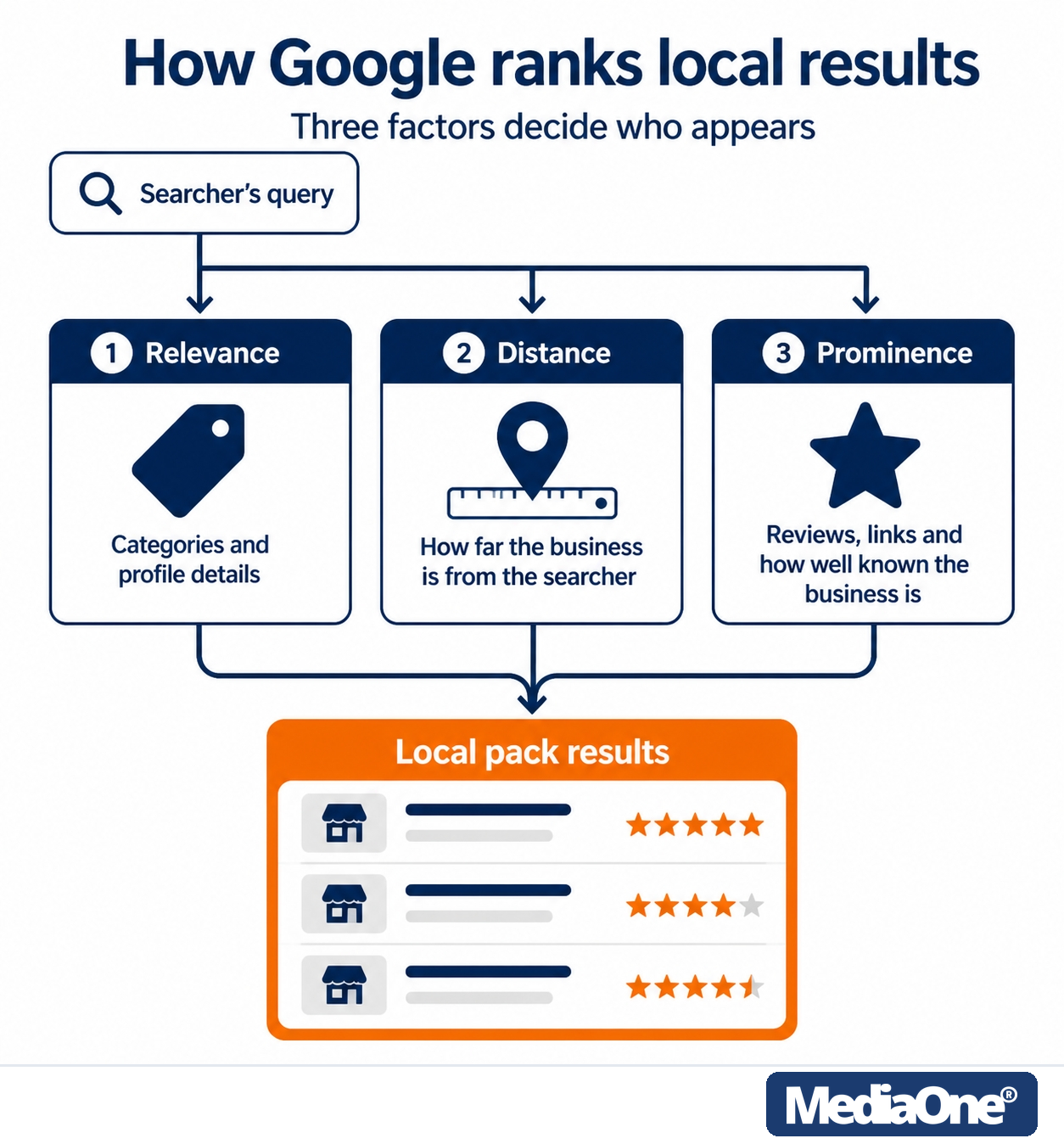
Figure 1: A searcher’s query runs through three factors — relevance, distance and prominence — to produce the local pack.
The three factors Google uses: relevance, distance and prominence
Google’s own help guidance states that local results are mainly based on relevance, distance and prominence — its introduction also calls the third factor popularity. The guidance defines each one: relevance is how well your profile matches the search; distance is how far the business is from the searcher or the place named in the query; and prominence is how well known and trusted the business is online, based on signals like how many websites link to you and how many reviews you have.
Only relevance and prominence are levers you control. Every Google Maps optimisation tactic works on those two. Google is also explicit that there is no way to request or pay for a better local ranking, and that businesses with complete and accurate information are more likely to show up in local results.
Local SEO ranking factors ranked by impact
Our judgement, not a measured ranking: primary category is usually the strongest relevance signal, followed by accurate business information, review quantity and recency, and proximity. Google does not publish weights. For the wider factor set, see these local SEO ranking factors.
The Five-Signal Audit: MediaOne’s internal method
The Five-Signal Audit is MediaOne’s internal scoring method, not a Google-backed standard. Score each signal from 0 to 10 once a quarter:
- Primary category fit: does the primary category match your core service?
- NAP consistency: do name, address and phone match across every listing?
- Review volume and recency: are reviews steady and recent?
- Profile completeness: are hours, services, photos and description filled in?
- Citations and links: are your listings accurate on trusted directories?
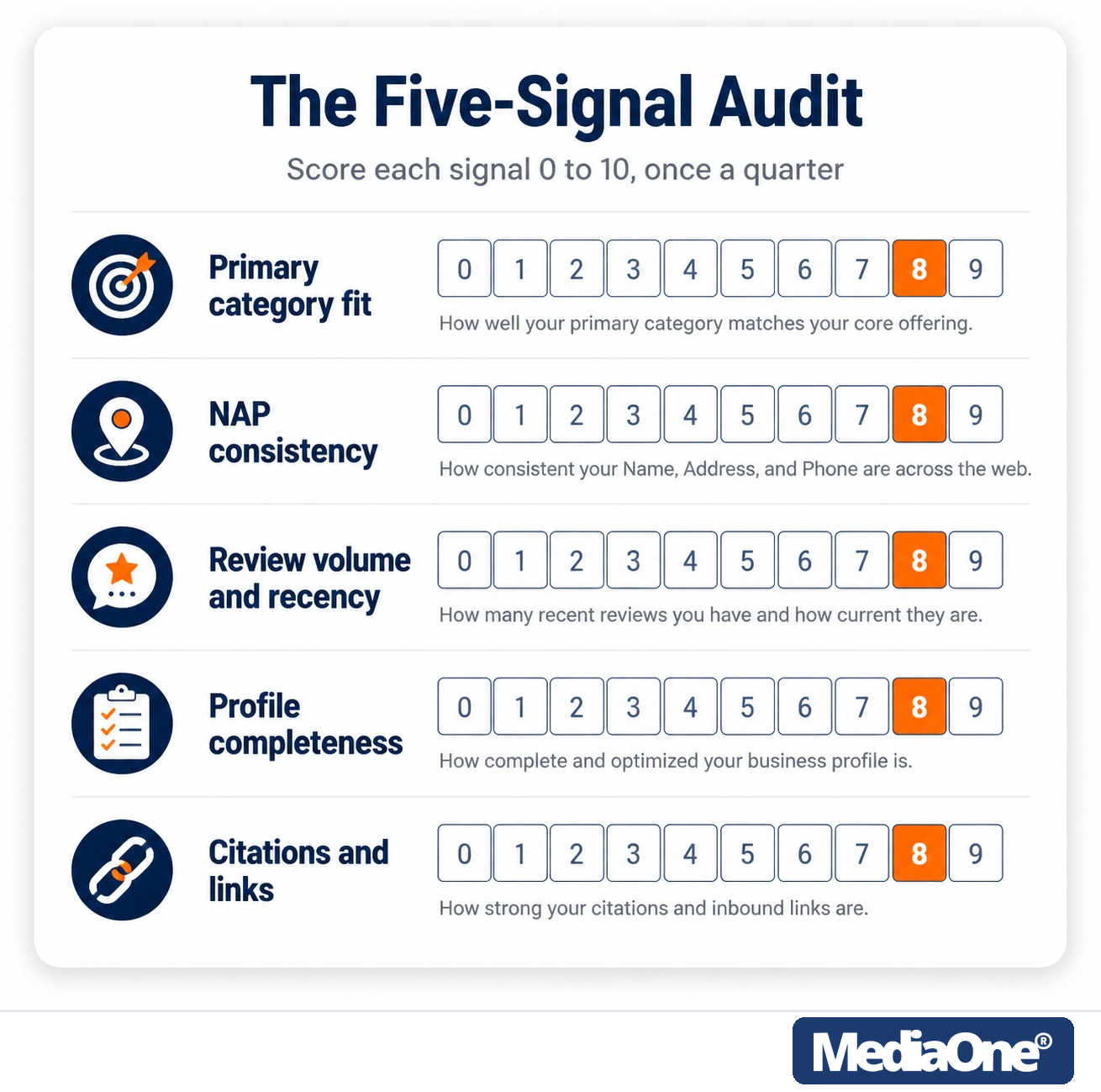
Figure 2: The Five-Signal Audit: score each signal 0–10 quarterly and fix the weakest first.
Act on the scores:
- 8 to 10 on every signal: leave alone and re-check next quarter.
- 5 to 7 on any signal: act within the quarter.
- Below 5 on any signal: act now, starting with the lowest score.
In Singapore, NAP drift is often the weakest signal, particularly where HDB shophouse, mall outlet and industrial unit listings conflict.

Setting Up and Optimising Your Google Business Profile
Five things a Singapore business must do first, each with the field it touches in Google Business Profile:
- Business name: enter the name exactly as it appears on your signage and registration.
- Address: enter the full address with unit number, such as #01-23, and a six-digit postal code.
- Primary category: select the single category that matches your core service.
- Phone number: enter the number customers will call, in the same format as your website.
- Hours: set regular and holiday hours so the profile does not show stale information.
Your Business Profile is the foundation every other signal rests on, and gaps here quietly suppress visibility. Check current field requirements through Google’s official Business Profile channels. For the full walkthrough, see this Google Business Profile checklist for Singapore businesses and this guide to Google Business Profile SEO.
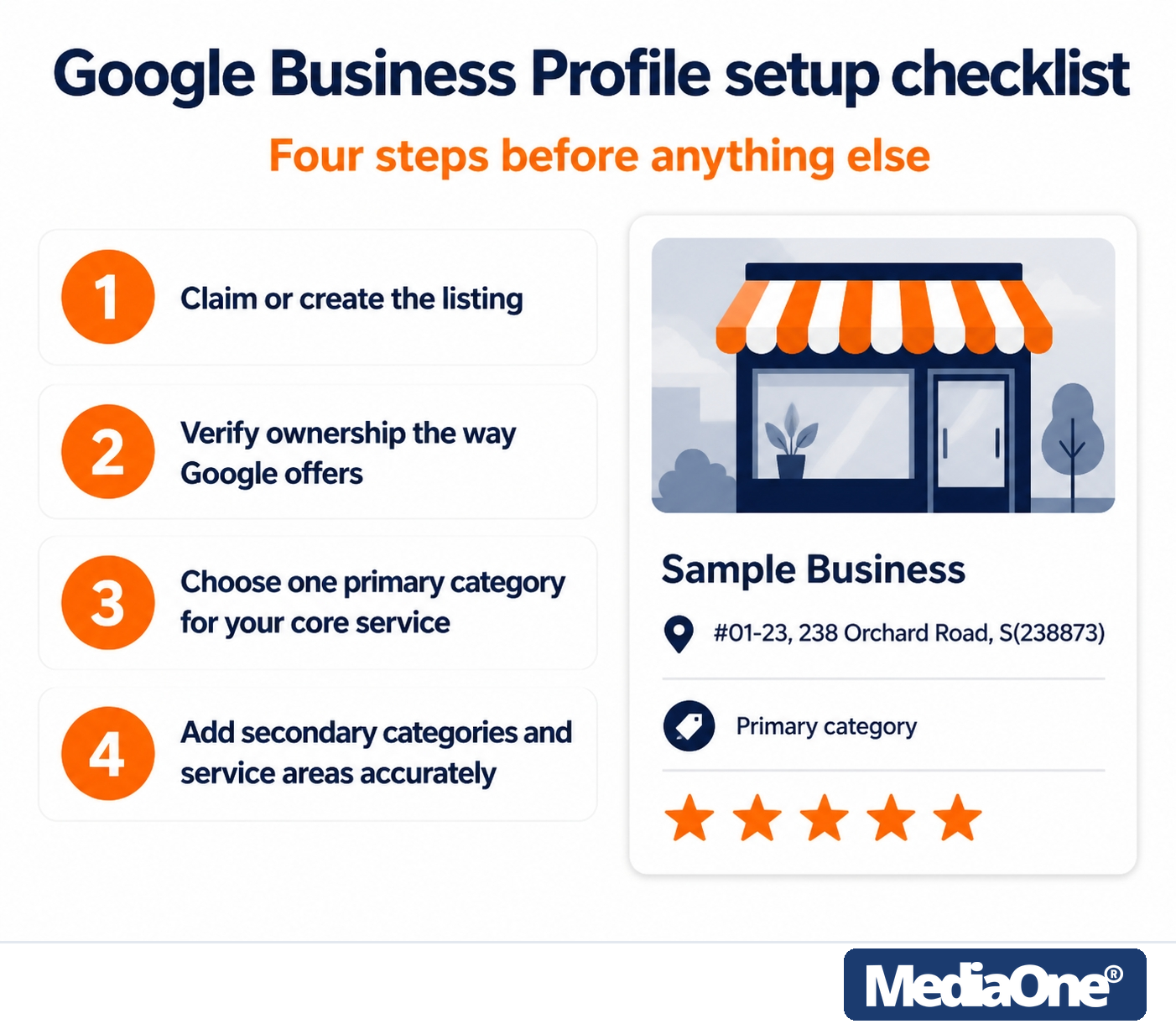
Figure 3: Four setup steps, beside a sample profile panel with a Singapore-format address.
Google Business Profile setup checklist
- Claim or create the listing. Search for your business first, since a duplicate may already exist.
- Verify ownership using the method Google offers for your location.
- Choose one primary category that best describes your core service.
- Add secondary categories and service areas accurately. Add only services you deliver. Incorrect categories are among the most common suspension triggers.
Common errors include an unreconciled duplicate, a storefront address hidden when it should be shown, and a missing unit number.
Google My Business listing optimisation best practices
Google My Business was renamed Google Business Profile in 2021, but the optimisation principles carry over. Write a plain description that names your services and area in ordinary sentences. Naming a suburb once where it is genuinely relevant works; a keyword list does not. Upload current photos and post when something real changes. More depth in this guide to Google My Business optimisation.
NAP consistency across the web
NAP means business name, address and phone number. All three must match exactly across your website, Google and every directory. A unit number such as “#01-23” on one site and no unit on another splits the signal.
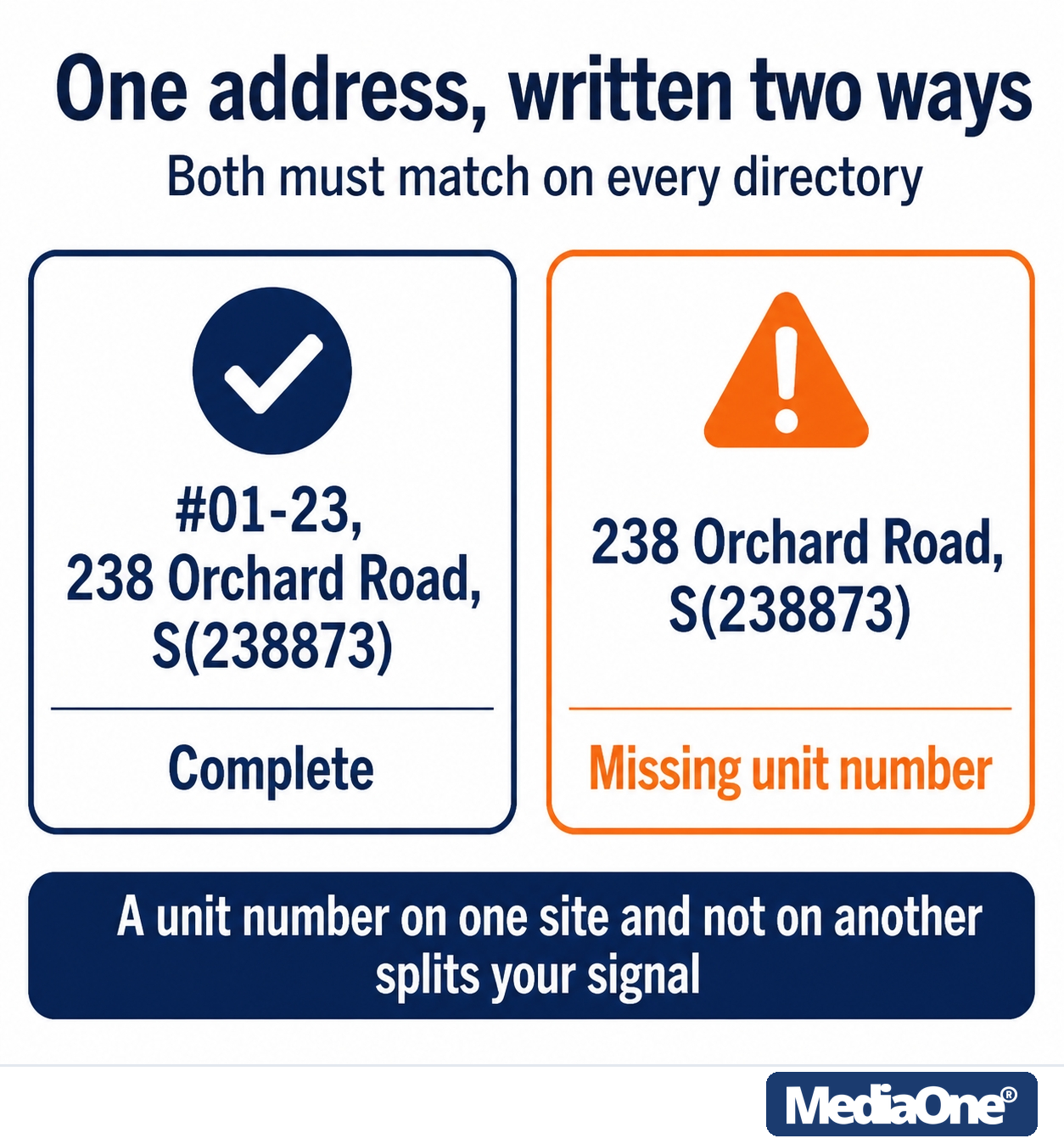
Figure 4: One address, two formats: a missing unit number splits the signal across directories.
|
Listing format |
Typical mismatch |
|
HDB shophouse storefront |
Unit omitted on directories |
|
Mall outlet |
Mall name used instead of street address |
|
Industrial unit |
Building name formatted differently |
|
Home-based service |
Home address shown when a service-area setting was intended |
Audit every listing against one master version. Merge duplicates where the platform allows. For the full method, see these guides to local citations and citation building.
Local citations and backlinks that move rankings
A citation is any mention of your business name, address and phone number (NAP) on another site. A backlink is a hyperlink from another site to yours. Citations confirm identity; backlinks pass authority. Get citations right first — Google’s guidance names links as one of the inputs behind prominence.
Start with industry directories and local Singapore business associations. Keep a tracking sheet with the platform, the exact NAP as published, its status, and the date last checked. Audit quarterly, and fix duplicates after any rebrand or move.
Customer review management
Aim to respond within 24 to 72 hours, positive or negative. Acknowledge the specific issue and move the conversation offline with a phone number or email. Sample reply to a negative review:
“Thank you for raising this. We are sorry your experience did not meet your expectations. Please contact our customer care team directly so we can look into it properly.”
Google confirms that more reviews and positive ratings can help your local ranking, and that replying to reviews shows you value feedback. For ethical, compliant ways to earn them, see how to get more Google reviews, and whether Google reviews affect SEO and AI mentions.
Conclusion
Google Maps optimisation is ongoing maintenance. Run the Five-Signal Audit quarterly, fix the lowest-scoring signal first, and match your NAP exactly everywhere, including unit numbers and six-digit postal codes. Reply to every review within a fixed window. For keyword work, see our guide to keyword research, and for the wider discipline, this complete guide to local SEO in Singapore.
Frequently Asked Questions
How long does it take for Google Maps optimisation to work?
Results depend on your starting position, category competitiveness and how many fixes you make at once. Track Business Profile Insights monthly. Check suggested edits promptly — since September 2026, you may have just 4 days to accept or reject them before automatic publication, per Google’s guidance on suggested edits and coverage of the change by Search Engine Roundtable.
Can I rank in Google Maps without a physical address?
Yes, if you serve customers at their location. Hide your address and set a service area. Relevance, prominence and accurate categories still decide ranking — see this guide to service area business SEO.