Most Singapore business owners already have a Google listing, often without knowing it. Customers see the shop’s hours in Maps, tap to call, and leave reviews under the business name. Someone who never worked for you may have created the listing, and a review may already sit under it. A profile that no one maintains can show outdated hours, carry unverified reviews or be suspended without notice.

This guide shows how to claim and verify a profile, set it up correctly, optimise it for local search, handle reviews within Google’s rules, and keep it accurate. It is written for owners and in-house marketers who want the listing to bring in calls, walk-ins and bookings.
Quick Setup Path
- Sign in to Google with a dedicated business account that more than one trusted person can access.
- Search for your business in Maps to see whether a listing already exists, and claim it rather than creating a duplicate.
- Enter the exact business name, category and address as they appear on your signage and registration documents.
- Choose your verification method and complete it, since unverified profiles cannot be fully edited.
- Add hours, including Singapore public holiday closures, plus a phone number and website or booking link.
- Write a plain description and list your services, then upload clear photos of the storefront, interior and team.
- Set a review routine that asks customers after completed jobs and answers every review.
What Google Business Profile Is and Why Singapore Businesses Still Need It
What the name means now: Google Business Profile versus Google My Business
Google Business Profile is the current name of the free listing many owners still call “Google My Business”. The listing is the same thing you may already have on Search and Maps. What changed is the name, the management interface and a series of feature updates. Many Singapore owners still type the old phrase out of habit, so the old term remains a useful entry point for explaining the tool.
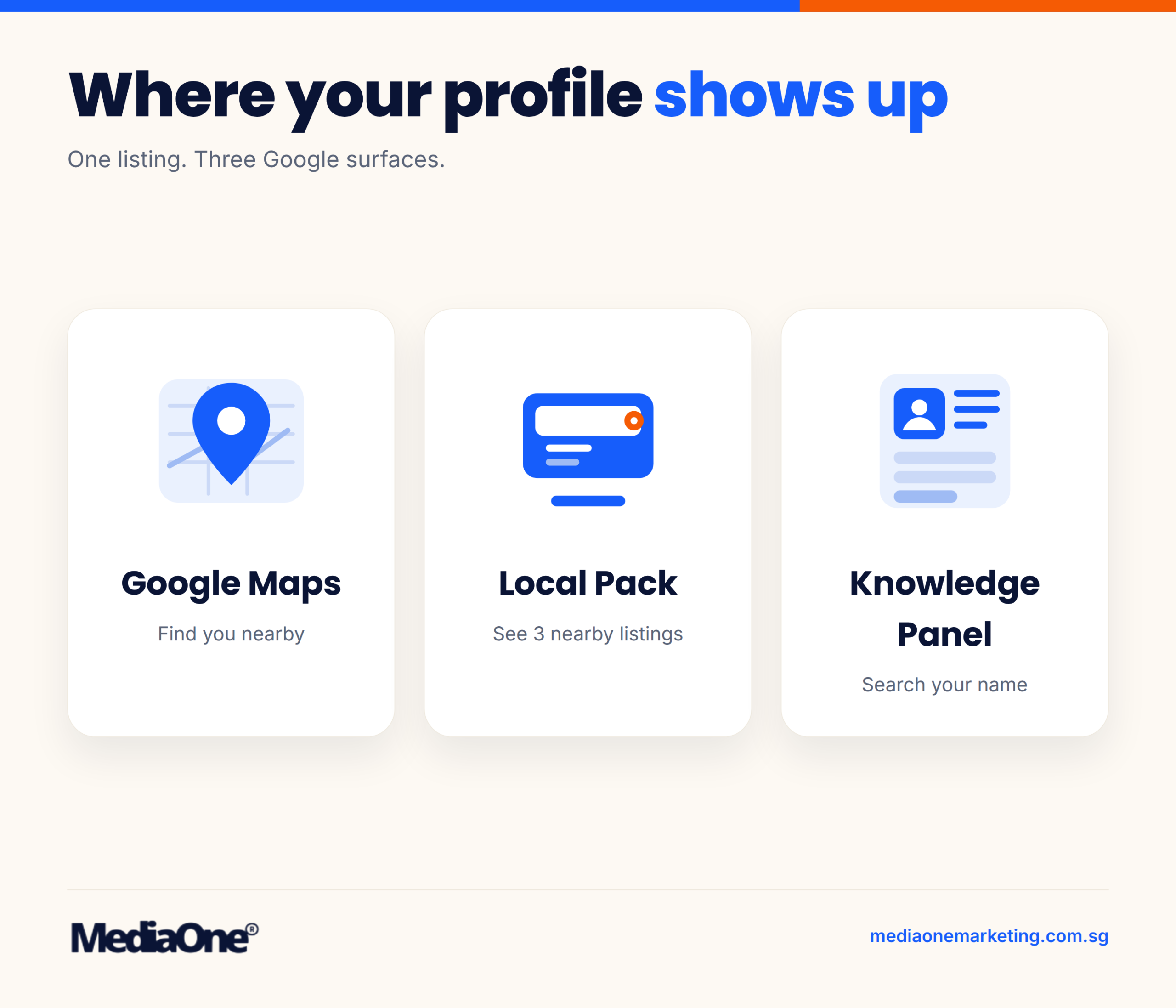
A profile is a single listing you control, and it feeds several Google surfaces at once. You do not need a separate listing for each one. You manage it through Business Profile Manager on the web, or directly in Google Search and Maps when signed in with the account that owns the listing, and reviews, posts and insights all sit under the same account structure. The standalone Google My Business app was retired in 2022, so there is no separate app to download.
Each surface reaches a different kind of customer:
|
Surface |
What the searcher is doing |
What the listing contributes |
|
Google Maps |
Looking for a place nearby |
Pin, hours, directions, call button |
|
Local pack (Search) |
Typing a category plus a place |
The three-listing map block with ratings |
|
Knowledge Panel |
Searching your business name |
Summary card with photos, reviews and website |
The Knowledge Panel is the surface most owners overlook. It is the information box that appears when someone searches your business name, and it displays details you supplied. Wrong details there can damage trust. To check it, search your exact business name while signed out of your own account, since personalised results can hide errors.
Who benefits most: local service firms, F&B, retail and clinics in Singapore
A profile matters most where a customer chooses a business they can reach physically or by phone. Most small and mid-sized operators in Singapore fit that pattern. The use cases differ by sector.
- Clinics and allied health (dental, physiotherapy, optometry): Patients search by speciality and neighbourhood, then judge on hours, reviews and whether they can book. Accurate hours and a booking link often decide the call.
- F&B (cafés, restaurants, hawker-style outlets): Diners check whether a place is open now, read recent reviews and look at food photos. Menu, reservation or order links and up-to-date temporary closures matter most.
- Retail and speciality shops: Shoppers use Maps to confirm opening times and directions. Attributes such as wheelchair accessibility or parking help them decide before they travel.
- Home and property services (plumbing, aircon servicing, cleaning): These are often service-area businesses with no public storefront. The profile lets you list the areas you serve without publishing a home address.
- Professional firms (accountants, lawyers, tuition centres): Many have appointment-led relationships, so the profile works as a credibility check and a route to the phone and website rather than a walk-in driver. Healthcare and education advertising may be subject to rules from the Ministry of Health or the Ministry of Education, so check your sector’s requirements before you publish claims about outcomes or qualifications.
A profile is less useful for a business whose customers never search locally, such as a national online seller or a B2B supplier who wins work through tenders. Such firms still benefit from brand search, but should not put budget into the profile when a website or sales process needs more.
When a profile is not enough, and a website is also needed
A profile answers a narrow set of questions: where you are, when you are open, how to call you and what other customers thought. It cannot explain a full service range, show pricing context, host a qualifying contact form, or carry the content that earns non-local search traffic.
You need a website alongside the profile when:
- Customers must understand a service before they will call, such as a multi-step consultation or custom quote.
- You sell online, take bookings through your own system or need customer accounts.
- You target search terms beyond your immediate neighbourhood.
- You need separate pages for services, sub-areas or languages.
- You want to capture enquiries outside business hours through a form or chat.
The profile’s website field should point to a page that matches the profile’s category and location, not simply your homepage, so the two sources reinforce each other.

Before You Start: Eligibility, Accounts and Verification Options
Most listing problems start before a single field is filled in. An ineligible business, a profile tied to the wrong account, or the wrong verification route can leave a listing stuck for weeks. Settle these three questions first.
- Checking whether your business qualifies for a listing. Google sorts businesses into two types, and the type decides what you can show publicly.
- Storefront businesses serve customers at a physical location they run. A café, a clinic or a shop is a storefront. Your address. appears on the map, and customers can visit there.
- Service-area businesses travel to customers, such as plumbers, cleaners, locksmiths and mobile tutors. You can hide your street address and define the areas you serve instead.
Choosing the wrong type can get a listing suspended. A storefront that never admits customers can be flagged, and a service business that publishes a home address may see it removed.
Virtual offices, home-based businesses and hidden addresses need careful handling:
- Virtual offices (mail forwarding or a shared business address) generally do not qualify as a storefront, because no staff work there and no customers visit. Use the service-area option if you travel to customers.
- Home-based businesses can list themselves, but only with the address hidden and a service area shown. Google’s eligibility guidelines set out the exact conditions for home-based businesses.
- Hidden addresses are permitted for service-area businesses. Enter the address during setup for verification, then hide it from the public profile.
A simple test: if a stranger could walk in during published opening hours and find the business operating, a storefront listing fits. If not, use a service area.
Creating or claiming a Google account for the business
Your listing belongs to a Google account, so the account needs care. Use a dedicated business email, such as a shared mailbox like admin@yourcompany.sg, rather than a personal Gmail. When the staff member who set up the profile leaves, the listing should stay behind.
Google uses three roles, and understanding them prevents most access disputes:
|
Role |
What it allows |
Who should hold it |
|
Primary owner |
Full control, including transferring ownership and adding or removing other users; every profile has exactly one |
A director or the principal |
|
Owner |
Full control over the profile, including adding or removing managers |
A director or the principal |
|
Manager |
Edits information, replies to reviews and posts updates |
Marketing or operations staff |
Confirm the current role names in Google’s access management help, since Business Profile Manager may change them. For most Singapore SMEs, one owner plus one or two managers is enough. Avoid giving the owner role to agencies or freelancers.
Duplicate listings are the most common self-inflicted problem. A branch manager who cannot find the existing profile may create a new one, leaving two listings competing for the same customers. Before anyone creates a profile:
- Search Google Maps for your business name and nearby addresses.
- Check whether a profile already exists, including one created by former staff or past agencies.
- If one exists but you cannot access it, claim it through the verification flow instead of creating a new one.
Verification methods available to Singapore businesses
Verification proves that you control the premises or the business. Available routes depend on your business type and location.
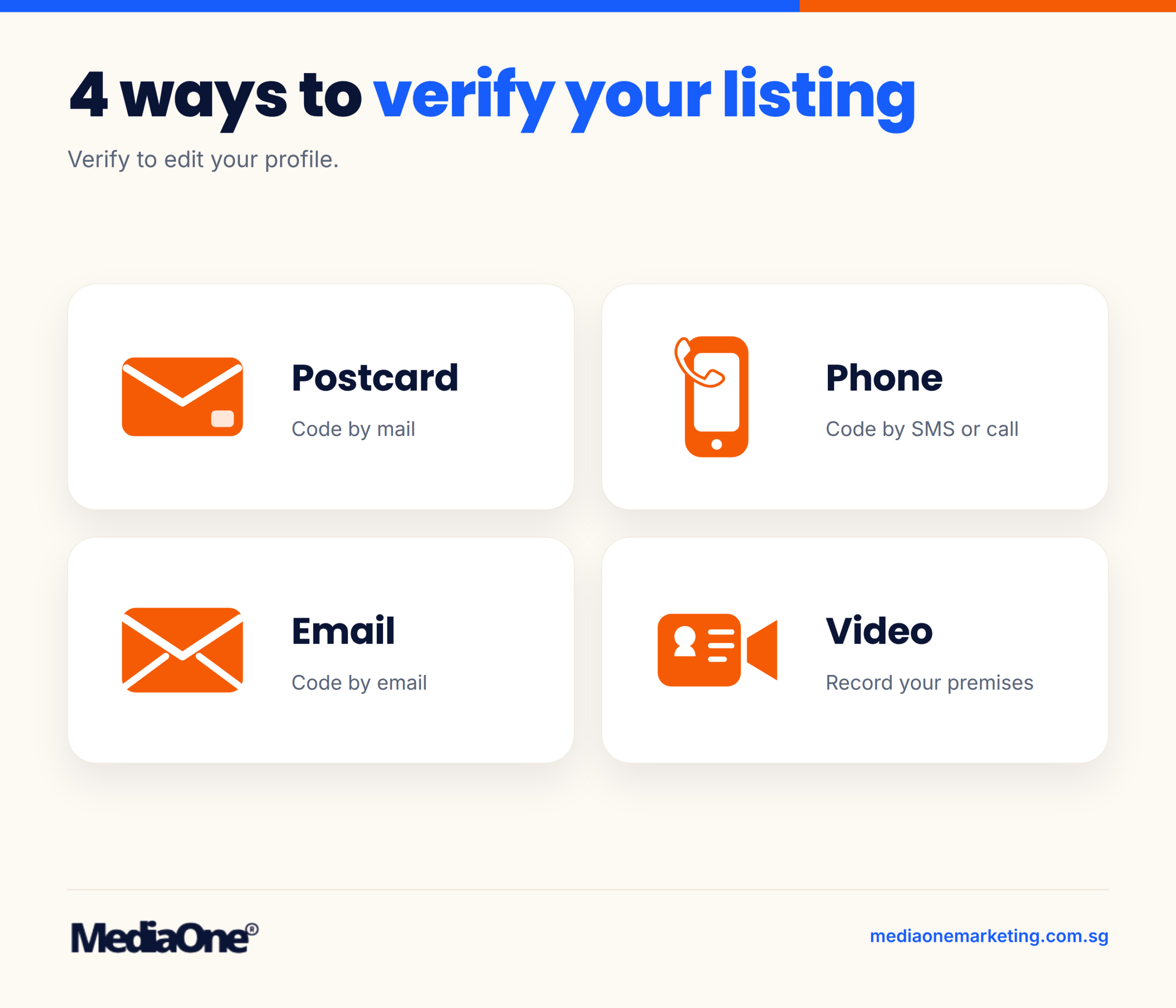
Phone and email are usually quickest, but Google offers them only when your details match its records. Postcard is the default fallback for many storefronts, so confirm the mailing address matches exactly, including the unit number and postal code. Check Google’s verification guide for the current options and any timeframes.
Video verification asks you to show the exterior signage, the interior and proof that the business operates there. Film in good light, pan slowly, and show a recognisable sign and the street frontage. Show only what the business actually uses.
Timelines and what to do if verification stalls
Postcard delivery depends on mail, and holiday periods can slow it further. Google’s current help pages give the expected timing, so check there rather than assuming the code is lost. If verification stalls, work through these steps:
- Wait the full postcard period before deciding anything is wrong. Check the dashboard for a pending status.
- Confirm the address matches what you entered word for word, including unit numbers.
- Request another verification method if the dashboard offers one.
- Use the video option if the postcard never arrives and phone or email is unavailable.
- Contact Google Business Profile support if none of the above works, quoting your verification request reference.
Avoid requesting many postcards in quick succession. Repeated requests can complicate later attempts and do not speed up delivery.
Setting Up Your Profile Step by Step
Most listing problems start at setup, not later. A wrong category, a stuffed business name or a mismatched phone number can hold a profile back for months, and a suspension can remove visibility overnight.
Work through the steps below in order. They cover the errors that most often catch Singapore businesses, and they follow the same sequence as the first week checklist later in this guide.
- Enter your real business name, exactly as it appears on your shopfront and invoices.
- Choose one primary category that describes most of your revenue.
- Add your full address or service areas, matched to your postal records.
- Set regular hours and public holiday special hours.
- Add a local phone number, website link and booking link, then test each one on a phone.
Business name, category and address rules
Your business name should be the name customers see on your shopfront, signage and invoices. Google’s guidelines state that the name should reflect your real-world business, not a list of search terms. Adding “Best Aircon Servicing Singapore Cheap 24Hr” to a name is a common route to a flag, and Google’s Business Profile guidelines say that keyword-heavy names may be suspended until they are corrected.
Keyword stuffing usually looks like one of these:
- Appending a service, suburb or promotion to the name (“Tan Dental Clinic Orchard Teeth Whitening”)
- Adding symbols, emojis or extra words to push the name up in results
- Using a generic name that does not match your registered business name with ACRA
If your registered name differs from your trading name, use the name you actually trade under, and make sure it matches your website and signage. Mismatches between the listing and other records are a common trigger for manual review.
Choosing categories. Google asks for one primary category and optional secondary categories. The primary category signals what your business mainly does, which helps determine which searches your profile can appear for. Secondary categories cover services you genuinely offer.
Use these rules when choosing:
- Pick the most specific primary category that fits, such as “Dental clinic” rather than “Health service”.
- Add secondary categories only for services you actively deliver and can explain to a customer.
- Do not add a category just because it has search volume. Inaccurate categories attract poor-fit enquiries.
- Check the category list again after any change in your service mix.
Address rules. If customers visit you, enter the full street address exactly as it appears on your building and in postal records, including the Singapore postal code and unit number. If the map pin lands on the wrong unit or block, use the “Suggest an edit” option with supporting evidence such as a lease, a utility bill or an official letter.

Service areas, hours and holiday closures
A service-area business is one that travels to customers, such as a plumber or mobile pet groomer. It can hide its street address and list the areas it serves instead. Choose areas by postal district or specific neighbourhoods rather than the whole island, since listing areas you rarely reach can confuse both customers and the ranking system.
Setting regular hours. Enter opening hours for each day, including split shifts. Mismatched hours are a common source of customer complaints, so update them whenever your schedule changes.
Setting Singapore public holiday hours. Use the “Special hours” section for public holidays rather than editing your regular hours. Special hours override your normal schedule for a specific date, which keeps your regular pattern intact. Enter closures or reduced hours well ahead, because customers search for opening times in the days before a holiday.
Handle the major Singapore holidays this way:
|
Holiday |
Typical listing action |
Timing to set |
|
Chinese New Year |
Closure or reduced hours |
Once dates are confirmed |
|
Hari Raya Puasa |
Closure or reduced hours |
Once the date is announced |
|
Hari Raya Haji |
Closure or reduced hours |
Ahead of the holiday |
|
Deepavali |
Closure or reduced hours |
Ahead of the holiday |
|
Christmas |
Closure or reduced hours |
Ahead of the holiday |
Check the official public holiday list published by the Ministry of Manpower (MOM) each year, since lunar-based dates shift.
For closures of a week or more, enter special hours for each affected day rather than a single range, so the closure displays clearly.
Phone numbers, website and booking links
Your phone number should be the one customers actually use, entered with the country code (+65 for Singapore). A local number builds more trust than a generic toll-free line, and it avoids confusion when a caller reaches a different team.
Website link. Link to the page that best serves someone arriving from the listing, usually your homepage or a dedicated location page. Confirm it loads quickly on mobile, since most local searches happen on a phone.
Booking and order links. If you take bookings through a third-party platform, add that link and confirm it works on a mobile device. Broken booking links are a frequent source of lost enquiries.
Tracking calls from the profile. Calls from your profile are among the most valuable actions a local business receives, but they are invisible unless you track them. Two approaches work well:
- Use a dedicated tracking number that forwards to your main line, and document the forwarding rules so staff know the source of each call.
- Ask staff to record “Google” as the source when a caller found you online, and review those notes monthly alongside your Performance data.
Test the number at different times of day before publishing. Every missed call from the profile is an enquiry you have lost.
Optimising the Listing to Win Local Visibility
Most owners assume that filling in every field is enough to rank. It is not. Google provides a set of inputs, and the listing that wins is usually the one whose owner understood which inputs carry weight and kept them accurate. This part covers how local ranking works, how to write copy that search engines can parse, and how to use imagery without undermining trust.
How Google ranks local results: relevance, distance and prominence
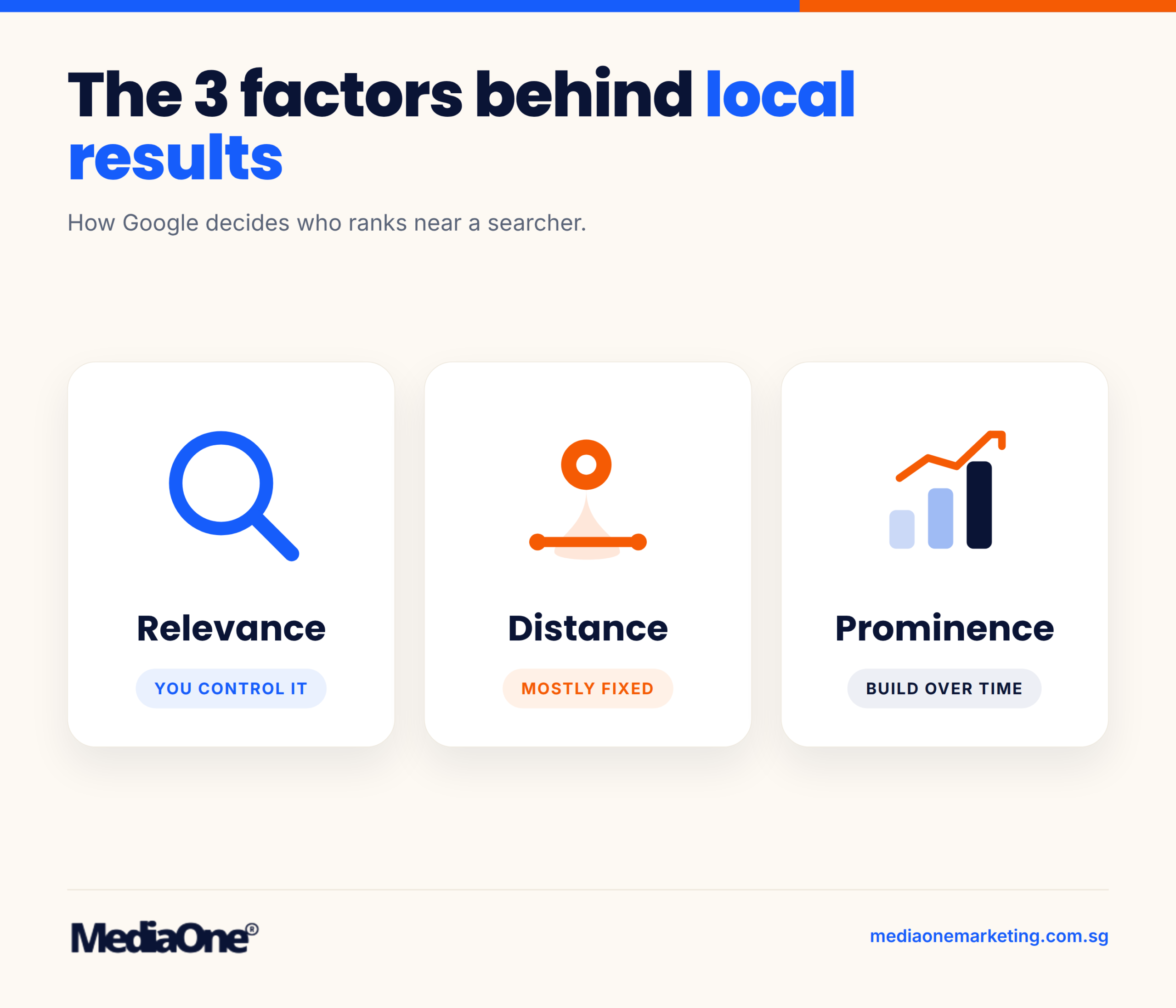
Google describes three core factors for local results in its local results guidance: relevance, distance and prominence. They do not carry equal weight for every search, and you control them to very different degrees.
Relevance is how well your profile matches what the person typed. A search for “emergency plumber Tampines” is matched against your primary category, your services, your description, your attributes and the wording on your website. If your primary category is “Plumber” but your services list never mentions emergency call-outs, you lose ground on that query. Relevance is the factor you control most directly, because every field you complete is a relevance signal.
Distance is the physical gap between the searcher’s location, or the location they named, and your business address. You cannot move your premises, so distance is fixed for each search. You can set an accurate pin and, if you are a service-area business, define the areas you serve so that you appear for searches in those neighbourhoods. A wrongly placed pin is one of the few distance problems that is entirely your fault.
Prominence is how well-known Google considers your business to be. It draws on review count and rating, links from across the web, mentions in directories and news, and the general information Google holds about the brand. Prominence takes longest to build, and it is the factor most owners underestimate. Two businesses with identical categories and addresses can rank very differently if one has 200 reviews and consistent citations and the other has 6.
In practice, a café competing for “brunch near me” in Holland Village is judged on relevance (do its attributes say brunch?), distance (where the searcher is standing) and prominence (how many people have reviewed it and what they said). The owner can influence the first and build the third. The second is out of reach.
Factors you can control: primary and secondary categories, services and products, business attributes, description accuracy, pin placement, opening hours, photos, review volume and response, and consistent name, address and phone details across the web.

Factors you cannot control: the searcher’s location, the exact wording of the query, and the density of competitors near the searcher. Google states that these shift with every search. The goal is to be eligible and well-evidenced in as many relevant searches as possible, not to chase a fixed position.
Writing a description and services list that search engines can use
Your description and services list are the text Google reads most directly. Written well, they answer “what does this business do, for whom, and where?” in plain language. Written badly, they become a keyword list that Google’s guidelines warn against.
Services and products. Google lets you add services, with optional descriptions and prices, or products, depending on your category. Treat each service as a separate, specific entry. “Aircon servicing for HDB flats” is more useful to both the algorithm and the reader than “Aircon services”. Use the names customers actually use, not internal jargon. If you offer a package, list it as its own entry. Keep prices current or leave them off. A stale price that no longer matches your website causes complaints and erodes trust.
Attributes. Attributes are yes/no or option-based features such as “wheelchair accessible”, “online appointments”, “free Wi-Fi”, “women-led” or “takeaway”. They are quick to add and they match filtered searches. Switch on an attribute only if you can deliver it on the day someone visits. A false attribute does more harm than a missing one.
Description. The description field allows up to 750 characters, so spend them on facts a customer needs before calling: what you do, the area you serve, your core specialisms, and one differentiator you can prove. Name your neighbourhood once or twice where it is genuinely true. Do not repeat the same phrase several times, and avoid promotional lines such as “best in Singapore”, which Google does not permit and which readers tend to discount.
Keeping claims accurate and checkable. Every statement in your listing should be verifiable by a person who visits, calls or checks your website. If the description says “open until midnight” but the shop closes at 9pm, the mismatch damages both rankings and reputation. Audit the listing against your website, signage and phone script each quarter, and update all three together whenever a service, price or opening time changes.
Photos, videos and virtual tours that improve engagement
Imagery influences whether people click through to directions, calls and your website. It also gives Google visual evidence about your premises and products. The rule is simple: show what a visitor will actually see.
Recommended image types. Prioritise five categories: exterior (so people can find the entrance from the street), interior (the space they will be in), products or work samples, team (for trust in service businesses), and at least one shot per service you list. Google also recognises a “logo” and a “cover” image, which should be clean and legible at small sizes. For Singapore storefronts, a daytime exterior with a readable signboard helps passers-by recognise you.
Sizes and specifications. Google’s photo guidelines recommend a resolution of 720 x 720 pixels (250 x 250 minimum), in JPG or PNG format, with file sizes between 10 KB and 5 MB. Landscape images at a 4:3 or 16:9 ratio display well across Maps and Search. Videos can be up to 30 seconds long and up to 75 MB. Avoid heavy filters, text overlays and collages, which can be rejected or look unprofessional at thumbnail size. Check the current requirements in the Google Business Profile Help Centre before a bulk upload, as they are updated from time to time.
Videos and virtual tours. Short videos up to 30 seconds, filmed on a phone with stable framing, work well for showing a clinic, a restaurant kitchen or a workshop. Virtual tours can help a visitor orient themselves before arriving, which matters for hard-to-find premises such as shophouse units or levels within a mall. Use them where they answer a real question, such as “where is the entrance?”, and skip them where a photo does the same job.
Keeping imagery current and authentic. Stock photos and images that no longer match the business are a common cause of complaints. Refresh photos when you renovate, rebrand, change menus or move your team. Remove images of closed services or former staff. Ask customers for photos only when they consent and when the images reflect a genuine experience. Google’s prohibited content policy rules out misleading imagery, and a visitor who arrives to find a different space will leave a negative review that photo volume cannot offset.
A quick monthly check helps. Open your profile on a phone, look at the first five photos a stranger would see, and ask whether each one still tells the truth about your business today.
Reviews: Getting Them, Answering Them and Staying Within the Rules
Reviews shape how a Singapore business is judged before a customer calls. They also carry the most rule-based risk on the profile. Ask in the wrong way, respond in the wrong tone, or edit a review you dislike, and you can lose credibility or trigger a policy action. This section covers how to ask for reviews, how to respond to them and how to flag abuse without breaking Google’s rules.
Ethical ways to ask for reviews
The best time to ask is when the customer is still satisfied and the work is visibly finished. For a renovation, that means the day the handover checklist is signed. For a clinic, it means the follow-up call after a treatment has gone well. For a café, a review request sent a week after the visit does little good.
Use a short link to your review form rather than a long explanation. The “Write a review” link can be generated from the dashboard under the Home or Reviews section, and it opens the review box directly. Send it by WhatsApp or email with one plain sentence, such as “If you were happy with the service, we would appreciate a Google review: [link].”
Three rules keep the request clean:
- Ask every eligible customer in the same way. Cherry-picking happy customers distorts your rating and can breach policy.
- Never offer a discount, gift or payment in exchange for a review. Google’s rules treat incentivised reviews as fake.
- Never write the review for the customer or supply star ratings in the message.
What Google’s review policy prohibits. Google’s Prohibited and Restricted Content policy for Business Profiles bans reviews that are fake, paid for, or written by someone with a conflict of interest, such as the owner or a relative. It also bans reviews that repeat the same text across many accounts. Reviews containing hate speech, harassment, personal information or sexually explicit material are removed. Offering an incentive for a review, or asking only happy customers to rate you publicly while routing unhappy ones to a private form, is treated as manipulation. Read the current policy before running a campaign, because its wording is updated periodically.
Responding to positive and negative reviews
Google shows owner responses publicly, and prospective customers read them as evidence of how you treat people. A measured reply to a harsh review often persuades more readers than a pile of five-star praise.
Respond to every review within a few working days, and keep each reply specific to what the reviewer said. Avoid pasting the same line under every review, because it reads as automated.
|
Scenario |
Template |
|
Five-star, general praise |
“Thank you, [first name]. We are glad the [service] met your expectations. We look forward to seeing you again.” |
|
Five-star, specific detail |
“Thank you for mentioning [detail], [first name]. We will pass your comment on to the team.” |
|
Negative, service issue, fixable |
“Sorry to hear the [issue] affected your visit, [first name]. Please call us on [number] or email [address] so we can put this right.” |
|
Negative, factual error |
“Thank you for raising this, [first name]. We have checked our records and [brief correct fact]. Please contact us if you would like to discuss it further.” |
|
Negative, unfair or disputed |
“We are sorry your experience did not meet your expectations. We would like to understand more, so please contact [name] on [number].” |
|
Mixed review |
“Thank you for the feedback on [positive point], [first name]. We have noted your comments about [negative point] and are reviewing it.” |
Keep replies short, avoid arguing in public, and never reveal a customer’s personal details, transaction records or medical information. For a clinic, the rule is stricter: a reply should not confirm that the reviewer was a patient.
Handling reviews that breach Google’s guidelines. If a review contains abusive language, a competitor’s false claim, a conflict of interest or personal data, use the flag option. On Maps, tap the three-dot menu beside the review, select “Flag as inappropriate”, then pick the reason. Google reviews flags against its policy and may remove the content, but outcomes are not guaranteed and can take several days. Flagging a negative review simply because you dislike it is not a valid reason, and repeated misuse can damage your account standing.
Reviews and trust signals in Singapore consumer behaviour
Singapore consumers research before they buy. Local surveys repeatedly show that online reviews rank among the top sources people consult when choosing restaurants, clinics, tradespeople and retailers, although the exact share varies by sector and survey year, so check the source and date before quoting a figure.
Recency and specificity matter more than volume alone. A review that names a service, a staff member or a location gives readers something to verify. A profile that has not received a new review in a year may look inactive, even if its rating is high. A listing with a steady flow of recent, honest reviews carries more weight than one with a large but stale total.
Using reviews in your own marketing with care. You may quote reviews on your website or in print, but you need the reviewer’s permission; you should not edit the wording in a way that changes the meaning, and you should not present a selection as representative of all reviews. Showing only five-star quotes while suppressing the rest is misleading. Link to your full Google reviews page so readers can see the complete record. Google’s branding guidelines also limit how the Google name and star ratings can be used in advertising, so check those before putting a rating badge on a banner — and if reputation management ever outgrows the in-house routine, this is where an online reputation management service fits.

Conclusion
A Google Business Profile is one of the few free tools that can put a Singapore business in front of a nearby customer at the moment they decide to buy. The listing works through three things you control: an accurate, complete profile; regular activity such as posts, photos and answered questions; and a steady, ethical flow of reviews that you respond to. Keep the details current, especially public holiday hours and phone numbers, because stale information is the fastest way to lose a call or a visit.
Treat the profile as an ongoing process rather than a one-off setup. Check the Performance report each month, note which searches and actions are rising, and fix anything that looks wrong before it costs you enquiries.
Your next step is simple: sign in to your Google Business Profile today, confirm your business name, address, hours and primary category, and add five recent photos. If you cannot yet find or verify your listing, start with the verification options covered earlier in this guide.
Frequently Asked Questions
Is Google Business Profile free in Singapore?
Yes. Creating, verifying and managing a Google Business Profile costs nothing, and Google does not charge for a listing to appear in Search or Maps. The free listing is the same wherever the business is based.
Paid options exist, but they sit outside the profile itself. Google Ads campaigns, such as Performance Max for store goals, charge per click or per impression, and a Business Profile is not a prerequisite for running them. Any agency or software tool that charges a monthly fee is selling management or reporting services, not access to the listing.
How long does verification take for a Singapore business?
Verification timing depends on the method Google offers for your category and location. Google’s current help documentation sets out the expected timeframes for each method, and these can change, so check it before planning a launch date. Phone and email verification, where offered, are usually the fastest. Postcard verification takes longer because the code must be posted and received.
If verification stalls, check that the address matches your registration with ACRA, that your business name matches your signage and website, and that any postcard was sent to the correct address. Then use the Google Business Profile help centre to request a review.
Can I have more than one Google Business Profile for the same business?
Not for the same location. Google’s guidelines allow one profile per real, staffed location, so a second listing for the same premises risks suspension for duplication. Ask staff to avoid creating their own listings, and search for existing ones before adding a new one.
Separate profiles are acceptable for genuinely distinct locations, such as two outlets with different addresses and opening hours. Each must represent a place where customers can actually visit or receive service.
How often should I post updates on my profile?
Post once a week if you have fresh offers or events, and at least once a month otherwise. Consistency matters more than volume: a steady rhythm of accurate updates keeps the listing looking active, while sporadic bursts do little.
Set an expiry date on every offer post so that old promotions do not stay visible. Plan posts around Singapore events such as the Great Singapore Sale and Christmas, but publish them early enough for customers to act on them.
Can I remove a negative review from my listing?
You cannot remove a review simply because you dislike it. Google removes reviews only when they breach its policies, such as spam, conflicts of interest, offensive content, or content about a person rather than the business. To report one, use the flag option on the review, choose the most relevant reason and add context if you can.
Google’s decision may take several days. If the review stays up, respond publicly and professionally. A calm, specific reply often reassures prospective customers more than a removed review would.
Does Google Business Profile help my website rank in search?
It helps, but indirectly. The profile is a separate listing that can appear in Maps and the local results, and it does not pass ranking signals straight to your website. However, the profile’s website link, the consistency of your business details across the web, and the reviews and engagement it earns all feed into how Google understands your business.
A well-maintained profile can bring traffic to your site through the website link, and it can drive calls and direction requests. Your website still needs its own on-page SEO, content and technical health to rank for broader searches.