
| AI Summary
A Google Knowledge Panel presents facts about a person, organisation, place or other entity. Google generates these panels automatically; businesses cannot buy one. Accurate website information, relevant structured data and reliable coverage can help explain who a brand is. When a claim option appears, an authorised representative can verify their connection and suggest corrections. |
A Google Knowledge Panel is an information box that helps people understand who or what they’re searching for. It can include a name, image, description, website and other facts.
Google decides when a panel appears. Your role is to make information about your brand accurate and easy to connect across the web, then address errors when they arise.
That work starts with understanding what you can control. This guide explains the difference between a panel and a Business Profile, how to strengthen your online identity, and what claiming a panel allows.
Key Takeaways
- Establish your official identity. Keep your public name, website and business description accurate across the pages you manage.
- Support facts with credible sources. Relevant reporting, professional records and association listings can help readers verify who you are.
- Add accurate structured data. Describe your organisation or personal profile without treating markup as a panel application.
- Claim an existing panel when available. Verification establishes your connection to the entity and supports feedback.
- Maintain the information behind your panel. Track changes, correct source errors and keep evidence for disputed details.
What Is a Google Knowledge Panel?
A Google Knowledge Panel summarises information about an entity: an identifiable person, organisation, place or thing. Google’s explanation of knowledge panels says they are generated automatically using information from sources across the web.
For a business, the panel might help a prospective customer confirm its official website. For an author, it might connect their name with published books. The content depends on the entity and the information available.
How the Knowledge Graph supports a panel
The Knowledge Graph is Google’s database of facts about people, places and things. A panel is one way those facts appear in search results. Google’s Knowledge Graph overview explains that its information comes from public sources, licensed data and contributions from content owners.
Think of the database as a set of connected records. A record for an author can connect their name, books and publisher. Those relationships help distinguish the author from someone else with the same name.
Why a panel helps searchers
A panel brings identifying details together, reducing the effort needed to check a brand. Someone who has heard your company name can find the website and confirm that they have the right organisation.
That supports the wider purpose of search engine optimisation: helping people discover and understand your business. A panel remains one part of that experience, alongside your website, reviews and other search results.
Google Knowledge Panel vs Google Business Profile
A Google Business Profile supports businesses that meet Google’s eligibility rules, usually through in-person customer contact. A Knowledge Graph panel describes an entity more broadly. The two can look similar, which explains why their names are often confused.
Google’s Business Profile eligibility rules exclude online-only businesses, with specific exceptions applying to some business types. An online brand should therefore assess its eligibility before creating a local listing.
| Feature | Knowledge Graph Panel | Google Business Profile |
| Main purpose | Summarise an entity | Help customers find and contact an eligible business |
| How it starts | Generated automatically | Created or claimed through Google |
| Typical information | Identity, description, images and related facts | Hours, location or service area, reviews and contact details |
| Representative access | Claiming where available and feedback | Verification and profile management |
| Typical example | An author, organisation or established brand | A shop, clinic or service-area business |
A plumbing company may need a Business Profile to reach nearby customers. Its parent brand could also appear as an organisation in search. These represent different needs, so local pack visibility should have its own objectives and measurements.
Can You Buy or Request a Google Knowledge Panel?
Google generates knowledge panels automatically and does not sell them as advertising placements. Paying for publicity, website work or consultancy buys those services; it does not buy Google’s decision to display a panel.
Google also states that its current policy does not manually create or delete panels. The practical starting point is therefore improving the information about your entity. Claiming becomes relevant once a panel exists and the option is available.
What to ask a service provider
A provider should explain its deliverables in terms you can inspect. Website corrections, profile updates and structured-data implementation are reviewable tasks. A guaranteed panel outcome requires scrutiny because the provider does not control Google.
A proposal should answer:
- Which pages and profiles will receive changes?
- What evidence supports the proposed information?
- Who owns the accounts after the work ends?
- How will paid coverage be labelled?
- Which results will the provider report?
Those answers help you assess the work even if a panel never appears. Accurate public information still helps customers identify your business and contact the right team.
How to Strengthen Your Brand’s Online Identity
Consistent entity information can help explain who a brand is, but Google publishes no checklist that guarantees a panel. The following steps are practical ways to improve accuracy and reduce confusion.
Establish one official reference page
Your homepage or About page should explain your public name, what you do and which website represents you. A reader should understand those basics without piecing them together from several pages.
For example, a hypothetical company called Northgate Analytics might describe itself as a software company that helps retailers forecast demand. Its About page can then explain its products, history and leadership without changing the company’s identity in each section.
A reference page should include:
- The public brand name and legal name, where relevant.
- A factual description of the organisation’s work.
- Contact details appropriate for public use.
- Links to active official profiles.
- Accurate details about ownership or leadership where applicable.
Your entity footprint extends beyond this page. The reference page gives your team a starting point when checking information elsewhere.
Explain legitimate name variations
A legal name, trading name and former name can all describe the same organisation. The goal is to explain their relationship so readers can connect them.
Northgate Analytics might trade under that name while operating legally as Northgate Analytics Inc. Its website can state the relationship once, then use the public name naturally throughout its content.
An old brand name also needs context. A short rebranding explanation can connect earlier coverage with the current business, while updated profiles prevent customers from contacting an abandoned account.
Earn relevant independent coverage
Independent coverage gives readers another source for checking your claims. A trade publication might report a product launch, while an association directory confirms membership.
Useful brand mentions explain something specific about the organisation. A company name in an unrelated list offers less context than an article describing its work and naming its representatives.
Potential opportunities include:
- Original research with an explained method.
- Expert commentary on an industry development.
- Conference participation or published interviews.
- Accurate professional or association records.
- Reporting on a product, project or documented achievement.
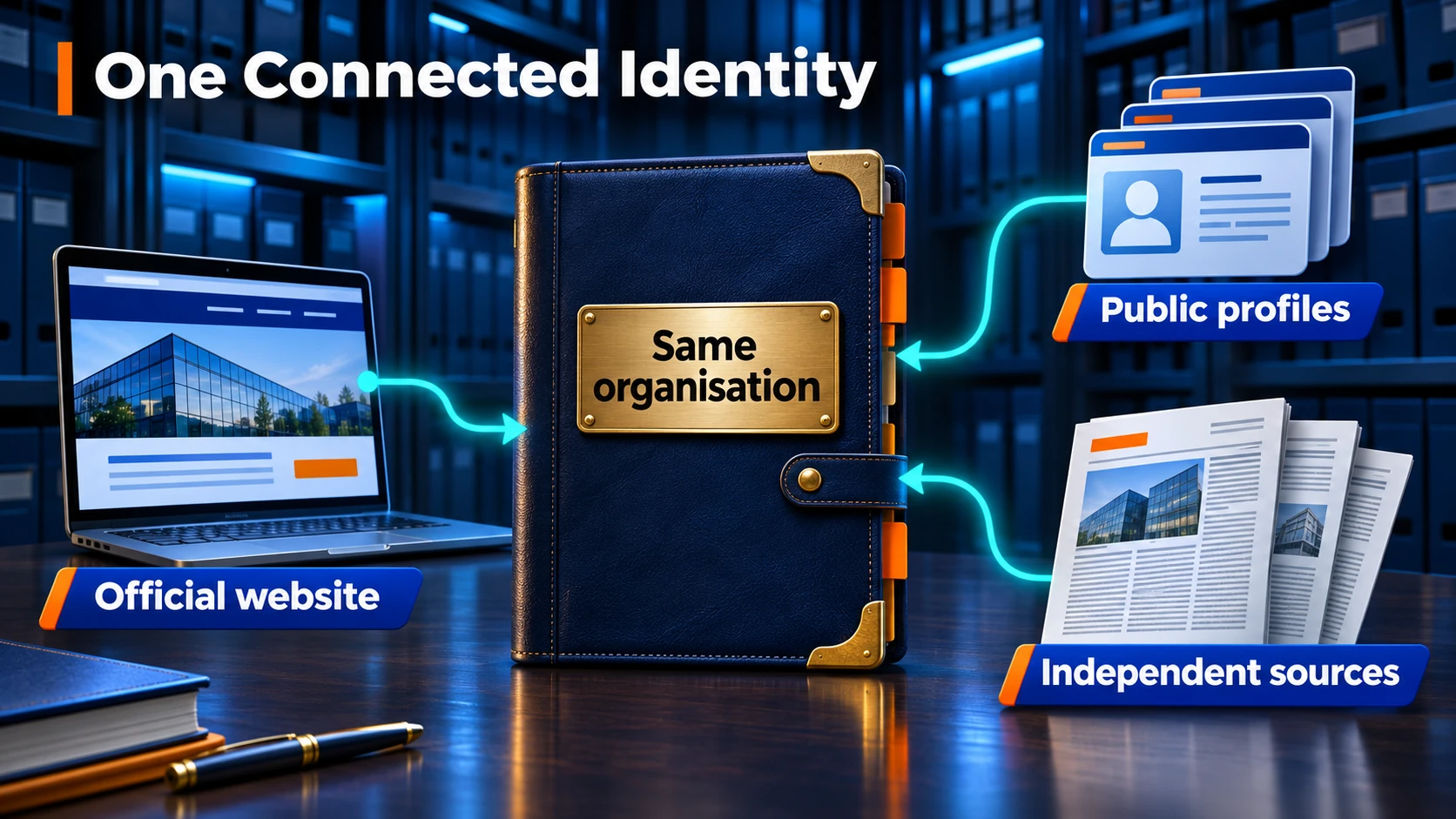
These activities also support off-page SEO. Their value depends on relevance and accuracy; Google publishes no minimum number of mentions needed for a panel. The relationship between these sources is easier to see as one connected identity.
How Structured Data Supports Entity Information
Structured data adds labelled information to a webpage. It can identify a business name, website, logo and official profiles in a format search engines can process.
Google’s Organisation structured-data documentation explains that this markup can help distinguish an organisation in search and influence elements such as its logo. It is appropriate on a homepage or a page describing the organisation.
Which details belong in the markup?
Your developer should select properties that describe the real organisation. The information should agree with what visitors can find on the page.
| Property | What it describes | Example application |
| name | Public organisation name | Northgate Analytics |
| legalName | Registered legal name | Northgate Analytics Inc. |
| url | Official website | The company’s main domain |
| logo | Organisation logo | A public image URL |
| sameAs | Pages identifying the same organisation | Official social or professional profiles |
The sameAs property should connect genuine identity pages. A news article mentioning your business is different from an official profile representing it.
How to check the implementation
A practical review compares the markup with the visible page before checking for technical errors. This catches problems that a syntax test alone may miss, such as an old company name inside otherwise valid code.
Google’s structured-data policies require accurate, relevant information and do not guarantee a particular search appearance.
Your wider technical SEO checks should also confirm that search engines can reach the reference page. A correct company description has limited value if the page is broken or blocked from indexing.
How Personal Knowledge Panels Differ
A personal panel needs to identify the right individual, especially when several people share a name. Your professional context helps readers make that distinction.
For example, a researcher named Alex Morgan needs a biography that connects their field, institution and publications. A name alone would leave readers unsure whether they had found the researcher or another person.
Connect biographies, work and profiles
A consistent professional biography gives publishers and event organisers accurate material to use. It should describe your current role while preserving relevant career history.
A personal identity review can cover:
- Your professional name and recognised variations.
- Current role and organisation.
- Author pages and published work.
- Speaker biographies and event listings.
- Official website and professional profiles.
Google’s ProfilePage documentation includes author pages, employee pages and personal About pages among appropriate uses. Relevant markup can describe the person represented by that page.
Keep the person and business distinct
A founder and their company are separate entities. Their biographies should explain the relationship without giving them interchangeable names or descriptions.
For example, “Alex Morgan founded Northgate Analytics” connects the two records. The company’s services then belong on the business page, while the founder’s career and publications belong on their biography.
How to Audit Your Entity Information
An entity audit is a record of what your website and other sources say about you. It helps your team find errors and assign corrections; it is not a Google score. In a spreadsheet, each row should contain a source URL, the information shown, any discrepancy and the person responsible for resolving it.
| Area | What to compare | Practical next action |
| Name | Public, legal and former names | Explain legitimate variations |
| Description | Main activity and business type | Correct outdated descriptions |
| Website | Official links and old domains | Replace broken destinations |
| People | Founders, leaders or authors | Update relevant biographies |
| Profiles | Ownership and account status | Recover access or flag duplicates |
| Markup | Visible facts and coded information | Remove conflicts and test changes |
Put customer-facing errors first
An incorrect website link deserves attention before a minor difference in wording because it can send customers to the wrong place. The same principle applies to a false phone number or a biography attached to another person.
A sensible working order is:
- Errors that misidentify the entity or misdirect customers.
- Outdated information on pages you control.
- Important third-party errors.
- Missing context that would help readers verify identity.
This order keeps the audit tied to real problems. It also gives online reputation management a factual starting point when search results contain conflicting information.
Keep a record of corrections
Each completed change should have a date and supporting URL. A short note explaining what changed will help the next person reviewing the account.
For Northgate Analytics, that might mean recording that an old directory link was replaced with the current domain. The record confirms the task was completed without implying that the correction will trigger a panel.
How to Claim an Existing Google Knowledge Panel
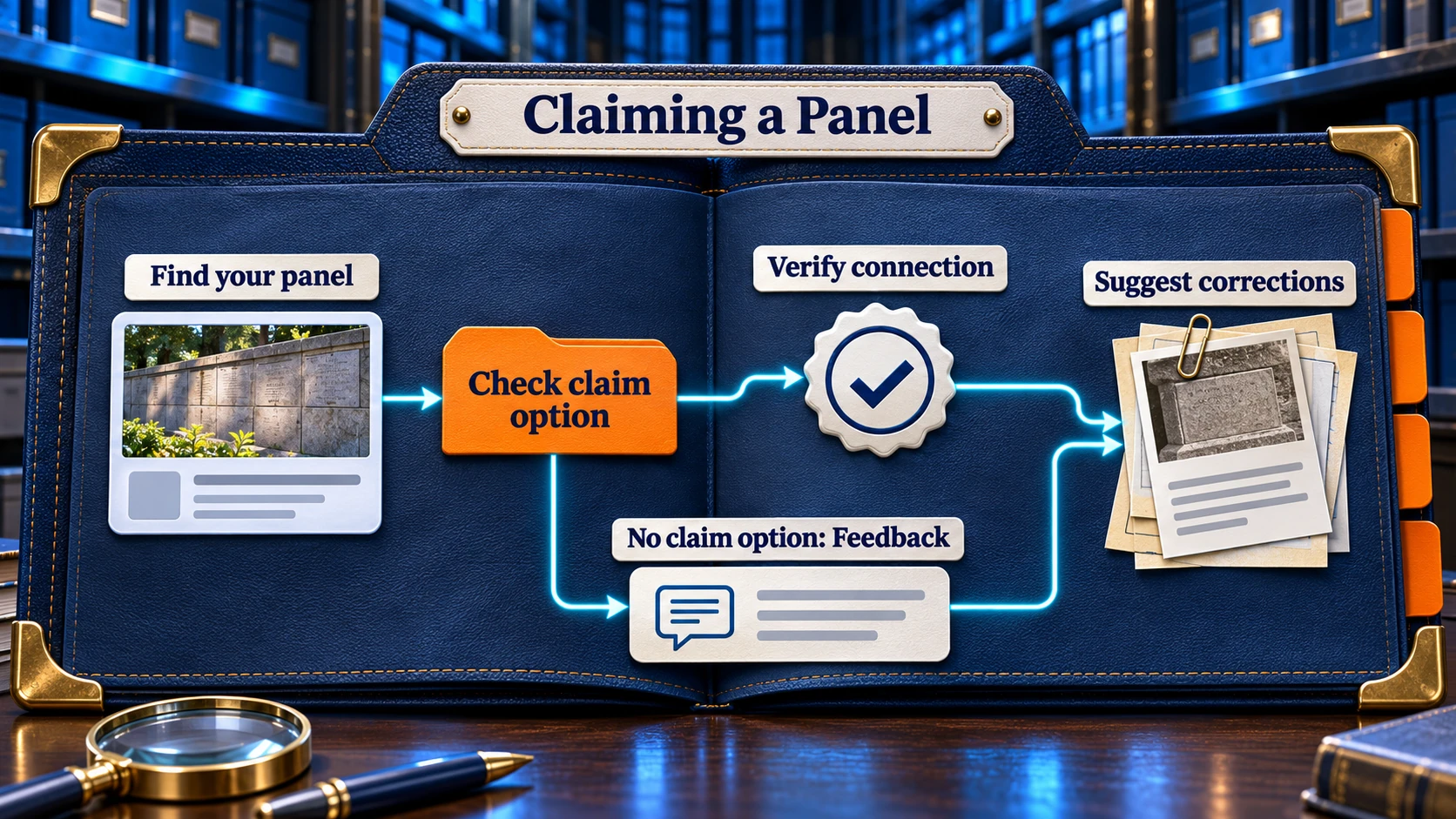
A claim establishes that you represent the entity shown. Google’s verification process begins by finding the panel and selecting “Claim this knowledge panel” where available. Not every panel currently offers that option.
The basic sequence is:
- Sign in to the Google Account intended to represent the entity.
- Search for the person or organisation.
- Confirm that the panel describes the correct entity.
- Select the claim option and follow the available verification steps.
Google may ask you to verify through a linked official site or profile, or provide further information. The options depend on what its process presents.
Prepare access before starting
Your team should know who controls the official website and linked accounts. Recovering access first reduces delays during verification.
An internal ownership record can list the business account, responsible employee and recovery contact. Passwords should remain in the organisation’s approved password manager. The claiming process becomes easier to understand when verification and later corrections appear as separate stages.
How to Correct Knowledge Panel Information
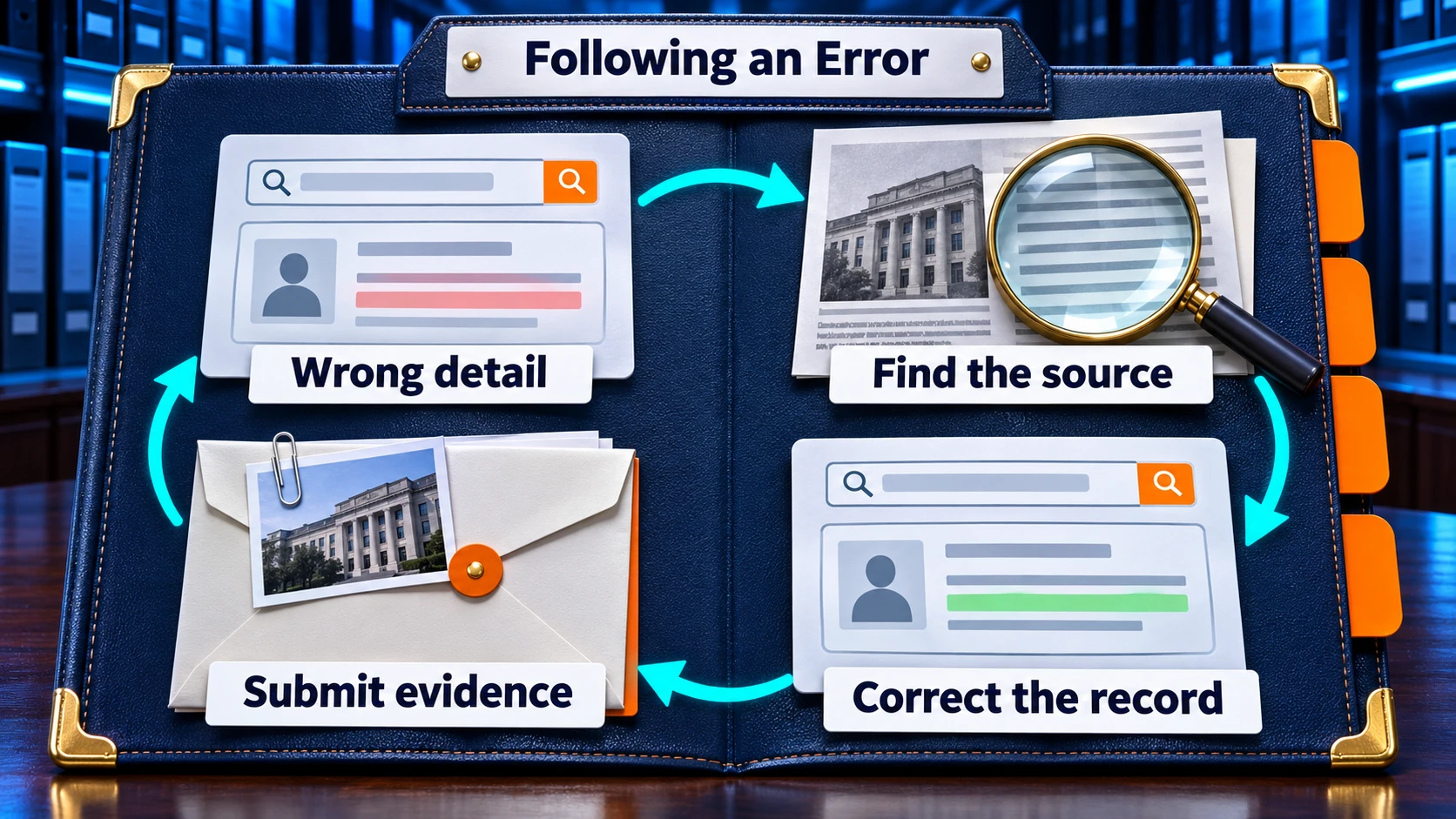
Google’s panel feedback process lets verified representatives submit corrections with public supporting URLs. Each disputed item should have its own feedback submission. Google also accepts general feedback from other users.
A useful submission identifies the error and provides evidence. For example: “This website belongs to a different company with a similar name. Our official website is shown on these two public pages.”
Match the action to the field
Different panel elements have different limits. A description requires particular care because Google does not let representatives replace it with custom promotional text.
| Panel detail | Appropriate response |
| Incorrect title | Report the error with substantial evidence |
| Wrong social profile | Identify the correct profile and support the connection |
| Inaccurate description | Ask the source publisher to correct it |
| Unsuitable subtitle | Report why it misrepresents the entity |
| Incorrect featured image | Provide a suitable public image URL where replacement is supported |
Google generates subtitles automatically and does not accept custom ones. Descriptions come from source material; when source correction fails, feedback can explain the problem and supporting evidence.
Write evidence-led requests
A correction request should focus on the disputed fact. Phrases such as “industry-leading” or “the best provider” do little to establish identity.
Your submission record can include:
- The affected field and a screenshot.
- The factual error.
- Public URLs supporting the correction.
- Submission date and any response.
This record helps colleagues follow up without repeatedly submitting the same request. Google’s review process can take longer than expected, so an internal completion date should refer to your submission work.
What to Do if Your Knowledge Panel Disappears
A missing panel does not identify its cause. Google says automated systems determine panel appearance and disappearance according to information’s relevance to a query. A single missing result therefore needs investigation before anyone attributes it to a website error or penalty.
Your first task is to record the exact query, date, device and region. Later comparisons become more reliable when those conditions are documented.
Investigate changes without assuming a cause
A review should compare current results with earlier screenshots and known business changes.
| Observation | What to investigate |
| Another entity appears | Shared names and conflicting identity details |
| The website changed | Old domains, redirects and official profile links |
| Information became outdated | Source pages and recent organisational changes |
| Results differ by query | Whether each query identifies the same entity |
| A panel returns later | Display variation and any intervening changes |
These checks can reveal errors worth correcting. They cannot establish Google’s internal reason for showing or withholding a panel.
Measure the work you can verify
Your progress record should distinguish completed corrections from search outcomes. “Official profile updated” is a completed task. “Panel restored” is an observed result that needs its own date and evidence.
The same discipline applies to AI visibility measurement. Different search features need separate observations, even when they draw on overlapping public information. The correction process works best when the evidence remains attached to the affected detail.
Common Mistakes to Avoid
Panel work becomes less effective when teams pursue display outcomes without checking the accuracy of the underlying information.
Treating Wikipedia as an application
Wikipedia has its own editorial standards. Its notability guideline generally looks for significant coverage in reliable sources independent of the subject, while its conflict-of-interest guideline addresses editing by people connected to that subject.
A Wikipedia article should stand on its encyclopaedic value. Creating one solely to pursue a panel gives the project the wrong objective.
Creating profiles without maintaining them
Every new profile adds another account to manage. An abandoned page can retain an old website, former employee or outdated business description.
Your team should favour relevant platforms it can maintain. A smaller, accurate set of profiles gives customers better information than a long list of neglected accounts.
Treating all Google features as one result
A Knowledge Panel, local listing and AI Overview serve different purposes. An appearance in one does not establish eligibility or inclusion in another.
Your Google AI Overview SEO work therefore needs separate goals. Reporting should name the feature observed so colleagues understand what actually changed.
Strengthen Your Google Knowledge Panel Foundations
A Google Knowledge Panel reflects information Google connects with an entity. Accurate website content, appropriate structured data and credible sources support that identity, while claiming and feedback provide ways to address eligible panel details.
At MediaOne, our SEO services can help you assess website issues and improve the information customers find about your brand. Your website and current search results give us a starting point for discussing the corrections and SEO work your business needs.
FAQs About Google Knowledge Panel
Can a panel appear in another language?
Google may show different language content across searches. A practical multilingual review should record the search language and check translated names and biographies for factual agreement. An official translated page can help readers understand the same entity without relying on inconsistent third-party translations.
How should a business handle a rebrand?
A rebrand needs a coordinated update across the website, official profiles and important listings. A public explanation of the old and new names helps customers connect earlier coverage with the current organisation. The company should preserve accurate history while making its present identity easy to recognise.
Should every employee have a personal panel?
A business does not need employee panels to describe its team. Accurate biographies, roles and authorship records help readers assess expertise without making a separate panel the goal. Each person’s public information should reflect their own work and identity.
What should a team record during a panel handover?
A handover should identify the responsible account, authorised staff, relevant source pages and unresolved corrections. Recovery details belong in secure account records. A dated issue log then helps the incoming team continue work without losing the evidence behind earlier submissions.
Can a parent company and its brands have different panels?
A parent company and its brands can represent distinct entities. Their websites should explain ownership and brand relationships accurately. Separate public identities should reflect real organisational differences, while cross-references help customers understand which company owns or operates each brand.