Research shows that each additional second of page load time can reduce mobile conversion rates by up to 20%. In e-commerce, even small delays translate into measurable revenue loss.

For Shopify merchants, performance rarely declines suddenly. New themes are added, review apps installed, and more tracking scripts layered onto the storefront.
Gradually, JavaScript execution increases, layout shifts become more frequent, and mobile responsiveness declines. The result is failed Core Web Vitals thresholds, reduced organic competitiveness, and lower conversion efficiency.
Improving Shopify Core Web Vitals is therefore not a standalone technical task. It forms a critical component of a structured Shopify SEO strategy, where performance optimisation, crawl efficiency and ranking signals work together to drive sustainable ecommerce growth.
This guide offers a systematic, technical approach to diagnosing and improving Shopify Core Web Vitals for faster, more efficient stores.
Key Takeaways
- LCP, INP, and CLS measure real-world user experience, and failing these metrics can reduce both search visibility and conversion performance.
- Heavy themes, inefficient Liquid cod,e and oversized assets create structural limitations that no minor tweaks can fully compensate for.
- Unmanaged third-party scripts increase JavaScript execution time and often lead to poor INP and delayed rendering.
- Google primarily evaluates the mobile version of your Shopify store, meaning mobile speed and stability determine ranking eligibility.
- Regular audits, performance budgeting, and disciplined app control are essential to maintaining long-term technical health.
What Are Shopify Core Web Vitals?
Shopify Core Web Vitals refer to Google’s Page Experience metrics applied to Shopify storefronts. These metrics measure real-world user experience across loading performance, interactivity, and visual stability. As of 2024, Google evaluates three core metrics:
1. Largest Contentful Paint (LCP)
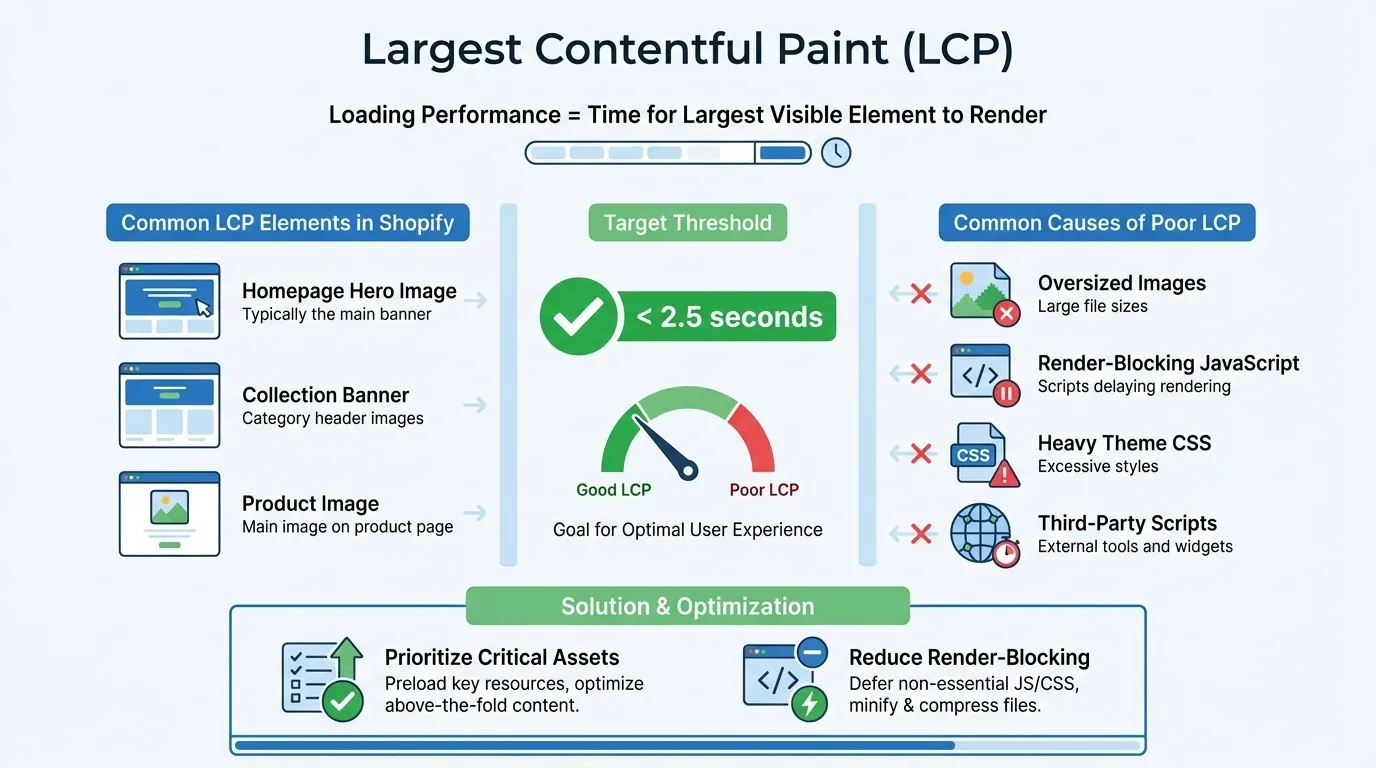
Largest Contentful Paint (LCP) measures loading performance by identifying how long it takes for the largest visible element within the viewport to fully render. It represents the moment when the main content of a page becomes visible to users.
In e-commerce environments like Shopify, this metric is critical because users expect immediate visual confirmation that the page has loaded. Delays at this stage increase bounce probability and reduce perceived site quality.
On Shopify stores, the LCP element is typically:
- Homepage hero image
- Collection banner
- Primary product image
Target threshold: Under 2.5 seconds (Google’s “Good” performance benchmark).
Common Shopify causes of poor LCP include:
- Oversized hero banners or background images
- Render-blocking JavaScript
- Heavy theme CSS loading before content
- Multiple third-party tracking scripts are executing early.
Improving LCP often requires prioritising critical assets and reducing render-blocking resources.
2. Interaction to Next Paint (INP)

The Interaction to Next Paint (INP) measure assesses overall responsiveness. It measures how quickly a page visually responds to user interactions, such as clicks, taps, or typing.
Unlike the older First Input Delay metric, INP considers multiple interactions throughout the user session, making it a more accurate measure of real-world interactivity.
For Shopify stores, INP directly affects the user experience during:
- Product filtering
- Add-to-cart actions
- Navigation menu interactions
- Checkout steps
Target threshold: Under 200 milliseconds.
INP failures on Shopify are commonly caused by:
- Excessive JavaScript execution
- App-injected scripts competing for main thread time
- Duplicate tracking pixels
- Animation libraries and interactive UI effects
Since JavaScript runs on the browser’s main thread, excessive script execution blocks responsiveness and increases INP.
3. Cumulative Layout Shift (CLS)
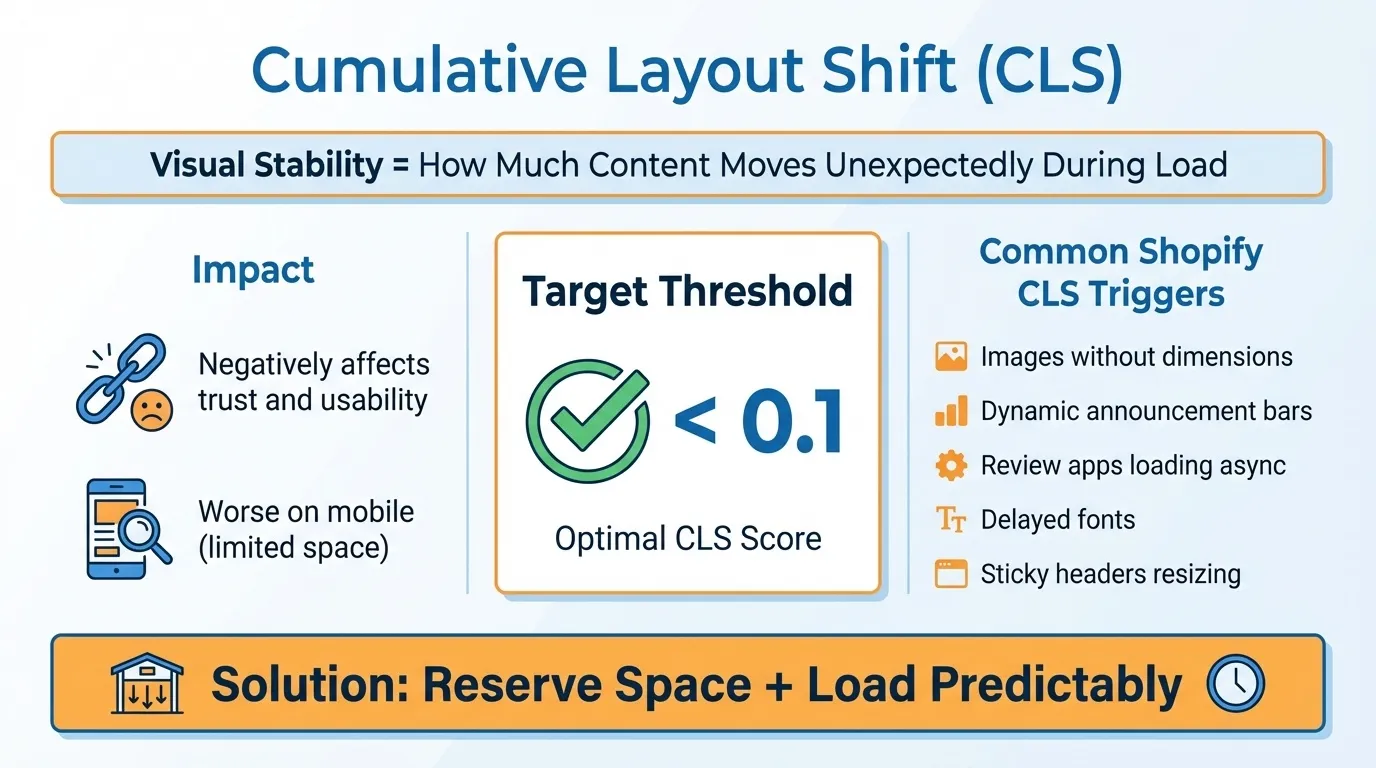
Cumulative Layout Shift (CLS) measures visual stability by tracking how much content moves unexpectedly while a page loads.
Layout instability negatively impacts user trust and usability, particularly on mobile devices where screen space is limited.
In Shopify environments, CLS issues often occur when dynamic content loads after the initial page render.
Target threshold: Under 0.1.
Common Shopify CLS triggers include:
- Images without fixed width and height attributes
- Dynamic announcement bars appear after the load.
- Review apps loading asynchronously.
- Delayed font rendering
- Sticky headers resizing on scroll
Prevent CLS by reserving space for dynamic elements and loading assets predictably.
Theme Optimisation for Shopify Core Web Vitals
Theme optimisation refers to improving the structural, visual, and script architecture of your Shopify theme to reduce rendering delays, minimise JavaScript execution, and improve loading efficiency.
Because Shopify themes control layout, asset loading, and template rendering, they directly influence all three Core Web Vitals metrics mentioned above. Even before installing apps, a poorly optimised theme can cause Core Web Vitals failures.
Below are the primary areas of theme-level optimisation.
1. Evaluate Theme Architecture and Payload Size
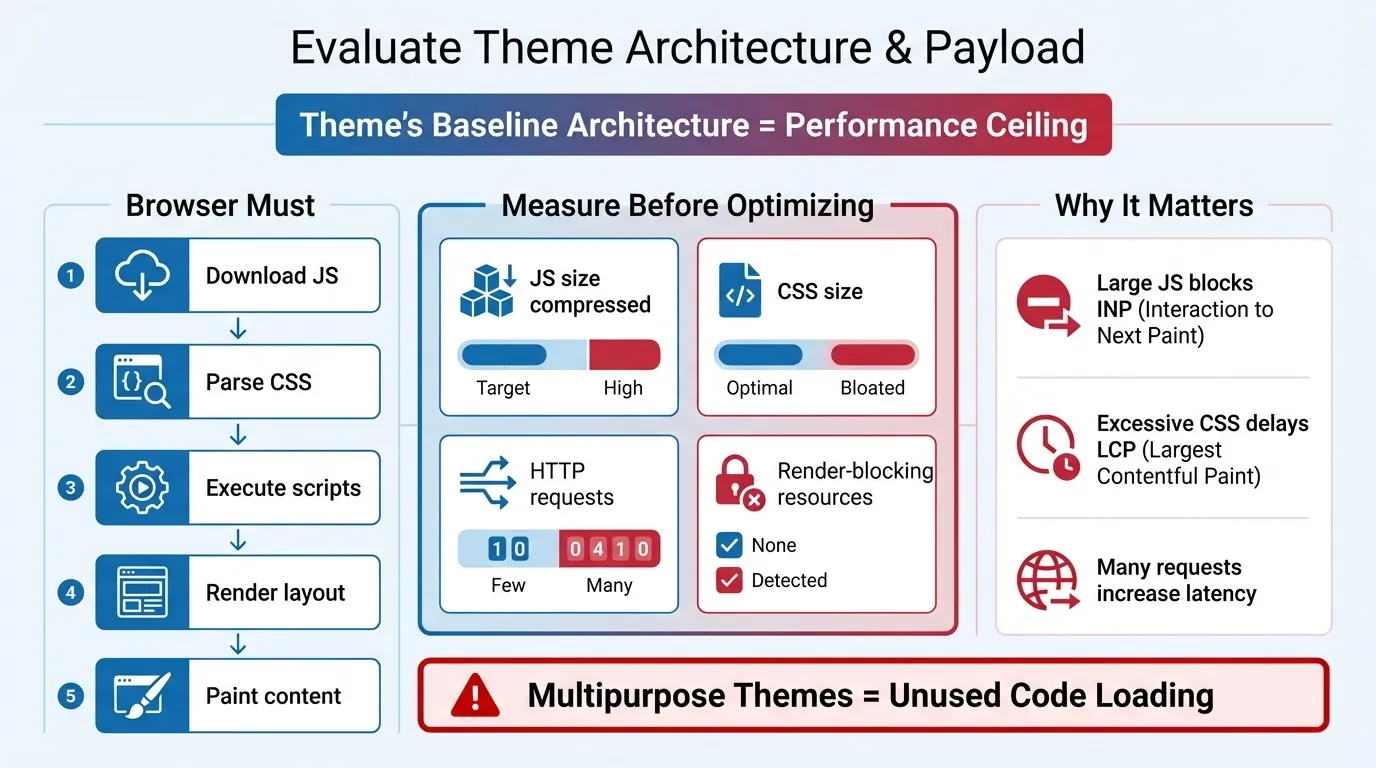
A theme’s baseline architecture determines its performance ceiling. No amount of minor optimisation can compensate for a fundamentally heavy theme.
When a Shopify theme loads, the browser must:
- Download JavaScript
- Parse CSS
- Execute scripts
- Render layout
- Paint visible content
The larger the payload, the longer this process takes.
Before optimisation, measure:
- Total JavaScript size (compressed)
- Total CSS size
- Number of HTTP requests
- Render-blocking resources
Why this matters:
- Large JavaScript payloads directly impact INP by blocking the main thread.
- Excessive CSS can delay first paint and slow LCP.
- Numerous HTTP requests increase network latency.
- Render-blocking scripts delay visible content rendering.

Multipurpose themes frequently include unused animation libraries, sliders, and design components. Even if not actively used, associated scripts often load by default.
Lightweight themes with minimal dependencies deliver stronger Core Web Vitals performance by reducing the browser workload before optimisation even begins.
In short, theme weight determines how much work the browser must do.
2. Remove Unused Sections and Liquid Components
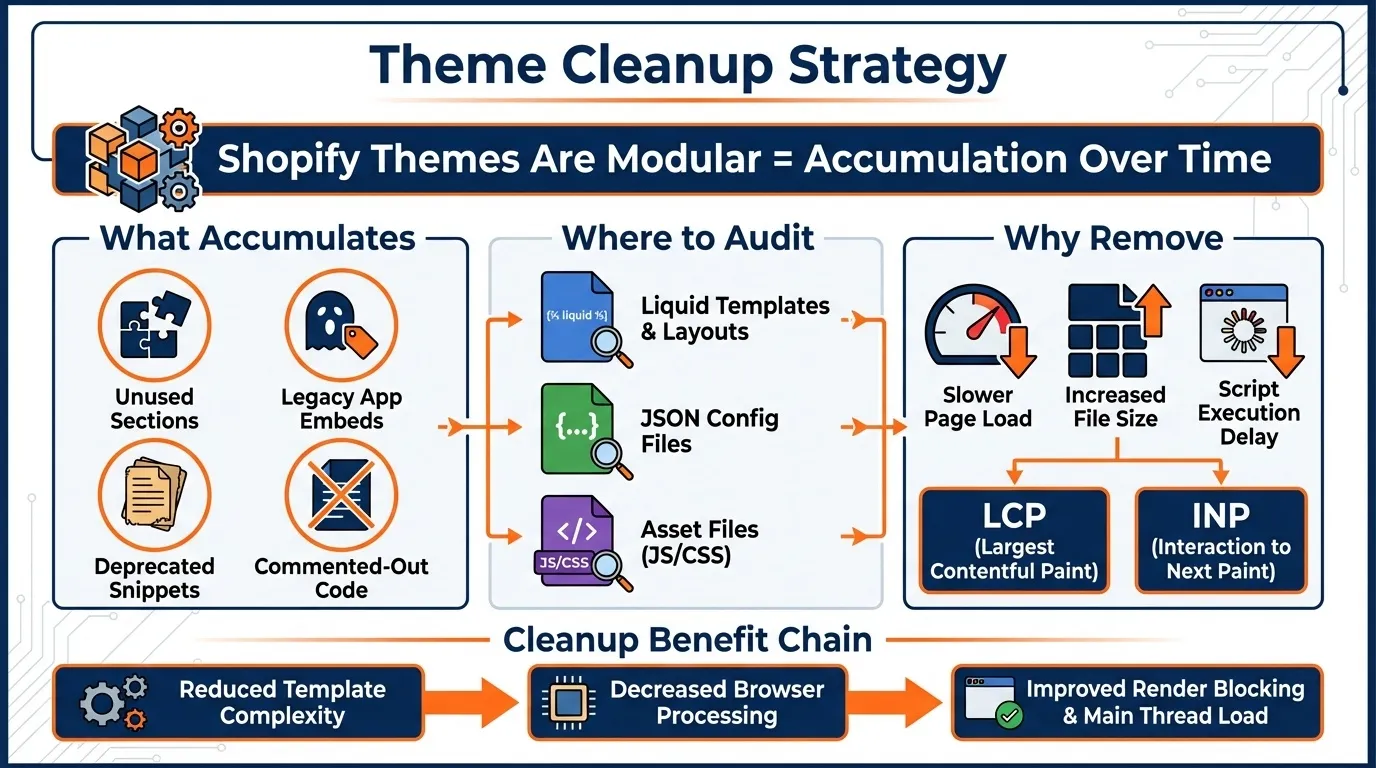
Removing unused sections and Liquid components involves eliminating inactive templates, redundant snippets, and legacy scripts embedded in your Shopify theme that continue to load resources even when they’re not visible on the storefront.
Shopify themes are modular. Over time, stores accumulate:
- Disabled homepage sections
- Outdated custom code
- Snippets from removed apps
- Redundant script tags
Even if these elements are not rendered visually, they may still load associated CSS, JavaScript or tracking scripts. The browser must parse and process these resources regardless of whether the user sees them.
Audit the Following Files
- theme.liquid
- sections/*.liquid
- snippets/*.liquid
Remove
- Redundant script tags
- Disabled homepage sections
- Legacy tracking injections
- Orphaned app snippets
Why This Matters
- Every additional script increases JavaScript parsing and execution time.
- Hidden sections may still trigger style and layout rendering.
- Duplicate tracking injections increase main thread congestion.
Reducing template complexity decreases browser processing time, which improves:
- LCP by reducing render-blocking resources
- INP by lowering the main thread workload
Unused code is not harmless. It is background processing that the browser must handle before rendering usable content.
3. Optimise the Critical Rendering Path
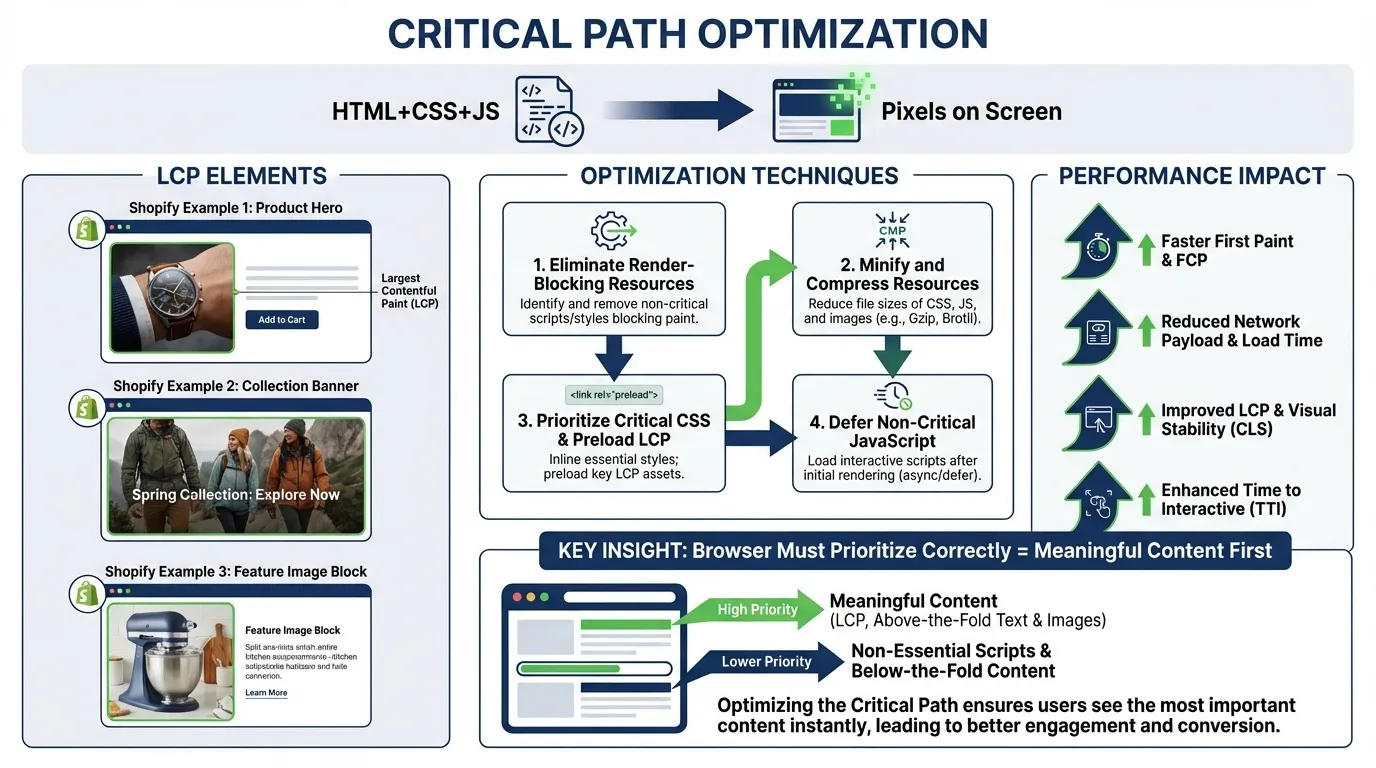
The critical rendering path is the sequence of steps the browser takes to convert HTML, CSS, and JavaScript into pixels on the screen. It determines how quickly visible content appears to users.
Users do not measure total load time. They measure how quickly the primary content becomes visible.
On Shopify, the LCP element is typically:
- Hero image
- Primary product image
- Collection banner
If non-essential assets load before these elements, the browser prioritises incorrectly, delaying meaningful content.
To Optimise the Critical Rendering Path
- Preload critical hero images
- Inline essential CSS required for above-the-fold content
- Defer non-critical JavaScript
- Avoid above-the-fold carousels
Why This Matters
- Preloading ensures the browser fetches the LCP element immediately.
- Inlining critical CSS prevents blocking layout calculation.
- Deferring scripts allows content to render before JavaScript executes.
- Carousels often load multiple images unnecessarily, increasing LCP time.
The objective is straightforward: render primary content before secondary assets. Core Web Vitals reward resource prioritisation.
4. Implement Structured Image Optimisation
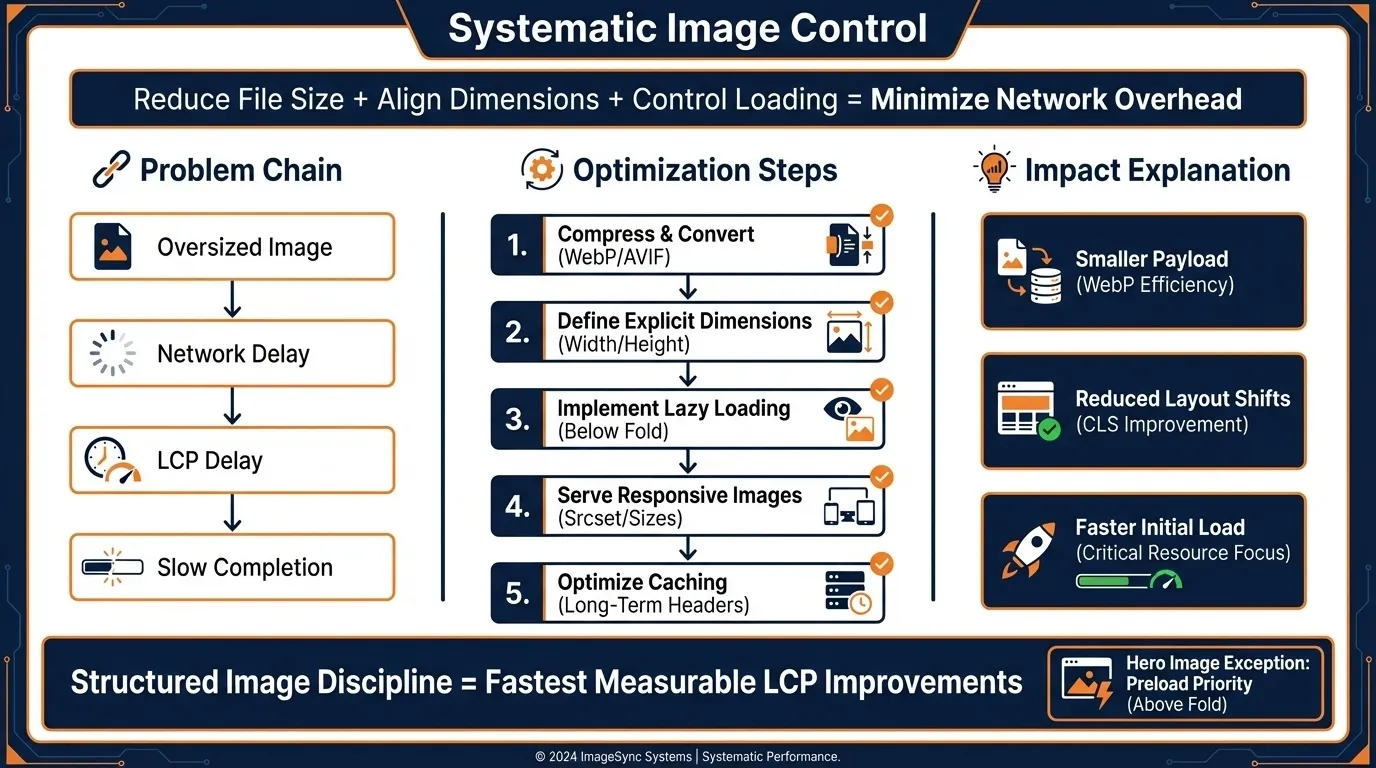
Structured image optimisation involves systematically reducing image file sizes, aligning image dimensions with layout requirements, and controlling loading behaviour to minimise network overhead.
Images are often the largest file assets on a Shopify storefront.
When an oversized hero banner loads, it:
- Increases network transfer time
- Delays LCP
- Slows visual completion
Best Practices
- Convert images to WebP format
- Compress images before upload
- Match image dimensions to display containers
- Avoid oversized uploads
- Lazy load below-the-fold images
Why This Matters
- WebP reduces file size significantly without visible quality degradation.
- Uploading a 4000px image for a 1200px container wastes bandwidth and increases load time.
- Lazy loading prevents non-critical images from competing for network priority.
Hero images should not be lazy-loaded because they are typically the LCP element. Delaying them increases load time rather than improving it.
Structured image discipline often delivers the fastest, most measurable LCP improvements.
5. Optimise Font Delivery
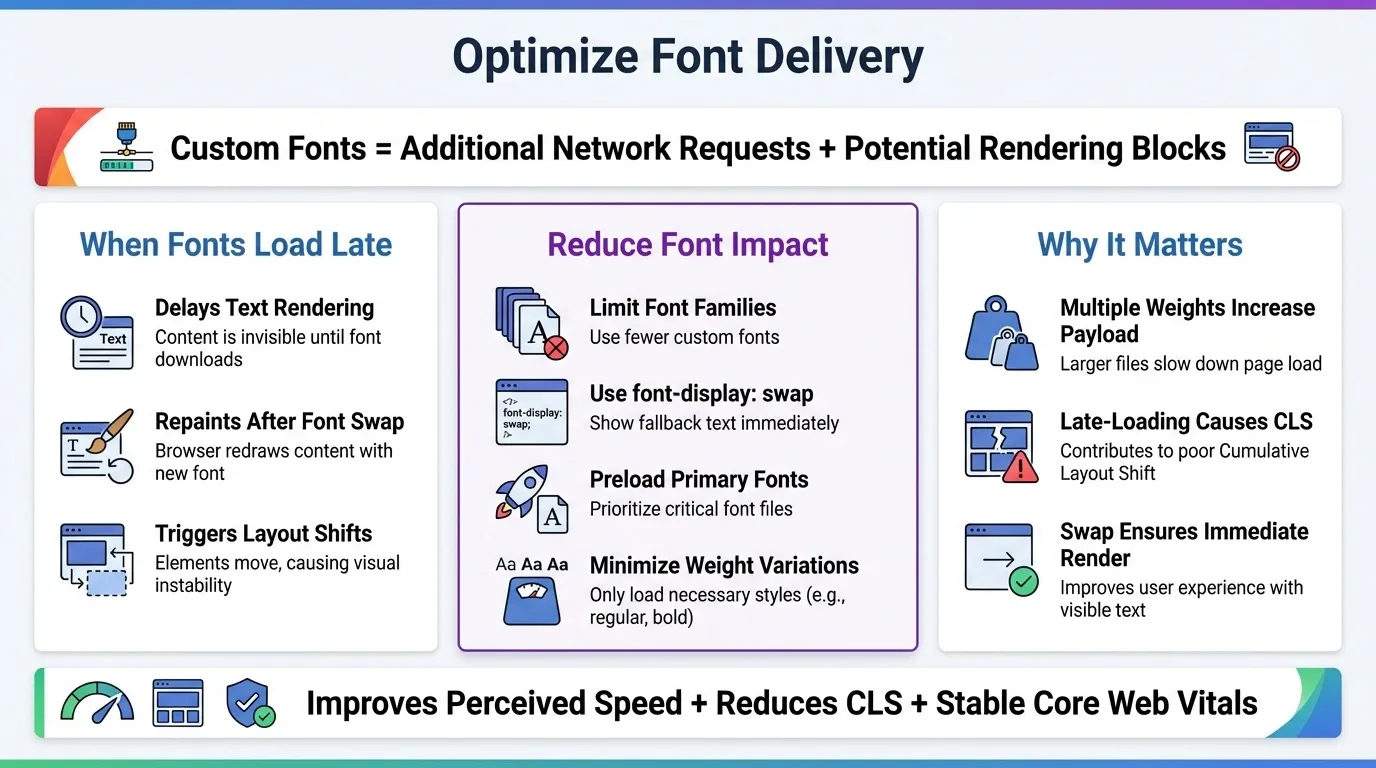
Font delivery optimisation involves controlling how and when custom fonts load to prevent rendering delays and layout instability.
Custom fonts introduce additional network requests and may cause text rendering to fail if not configured properly.
When fonts load late, the browser may:
- Delay text rendering
- Repaint content after font swap
- Trigger layout shifts
This impacts both LCP and CLS.
Reduce Font-Related Impact By
- Limiting the number of font families
- Using font-display: swap
- Preloading primary fonts
- Minimising font weight variations
Why This Matters
- Multiple font weights increase payload size and network overhead.
- Late-loading fonts cause visible text shifts, contributing to CLS.
- font-display: swap ensures text renders immediately using fallback fonts while custom fonts load.
Efficient font delivery improves perceived load speed, reduces layout instability, and supports stable Core Web Vitals performance.
6. Improve Liquid Rendering Efficiency
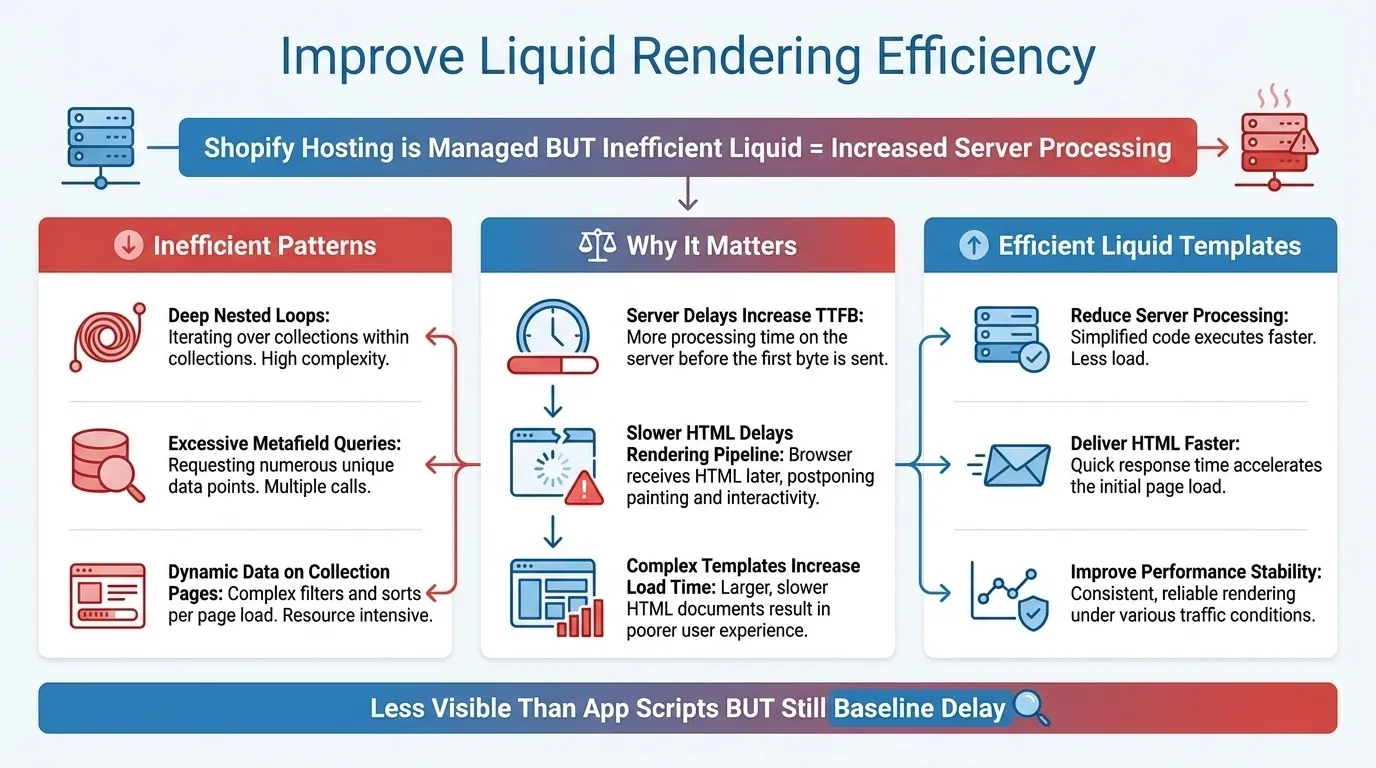
Shopify hosting is managed and generally performant. However, inefficient Liquid logic increases server-side processing time.
Examples of inefficient patterns:
- Deep nested loops
- Excessive metafield queries
- Dynamic data calls on collection pages.
Why this matters:
- Server-side delays increase Time to First Byte (TTFB).
- Slower HTML delivery delays the entire rendering pipeline.
- Complex collection templates can significantly increase load time.
Efficient Liquid templates:
- Reduce server processing
- Deliver HTML faster
- Improve overall performance stability.
While Liquid inefficiencies are less visible than app scripts, they still contribute to baseline delay.
Fixing App Conflicts That Slow Down Shopify
App conflicts occur when multiple third-party Shopify apps introduce overlapping scripts, duplicate resources, or competing execution priorities, negatively affecting page performance. When unmanaged, these injections increase main-thread blocking time, delay rendering, and reduce interactivity responsiveness, directly impacting the INP and LCP. Effective app optimisation requires systematic control. Here’s how:
1. Conduct a Comprehensive App Audit

An app audit is a structured review of all installed Shopify applications to assess their necessity, redundancy, and performance impact.
Over time, stores accumulate apps for promotions, experiments, and short-term campaigns. Many remain installed long after their usefulness ends. Each retained app continues to inject scripts and consume resources.
A proper audit involves cataloguing all installed apps and evaluating:
- Whether the functionality is still required
- Whether multiple apps perform similar tasks
- Whether the app impacts load speed or responsiveness
Remove:
- Overlapping apps
- Temporary campaign apps
- Legacy integrations
- Features now handled natively by your theme.
App accumulation is one of the most common causes of progressive declines in Core Web Vitals.
2. Identify Script Injection and Execution Overload
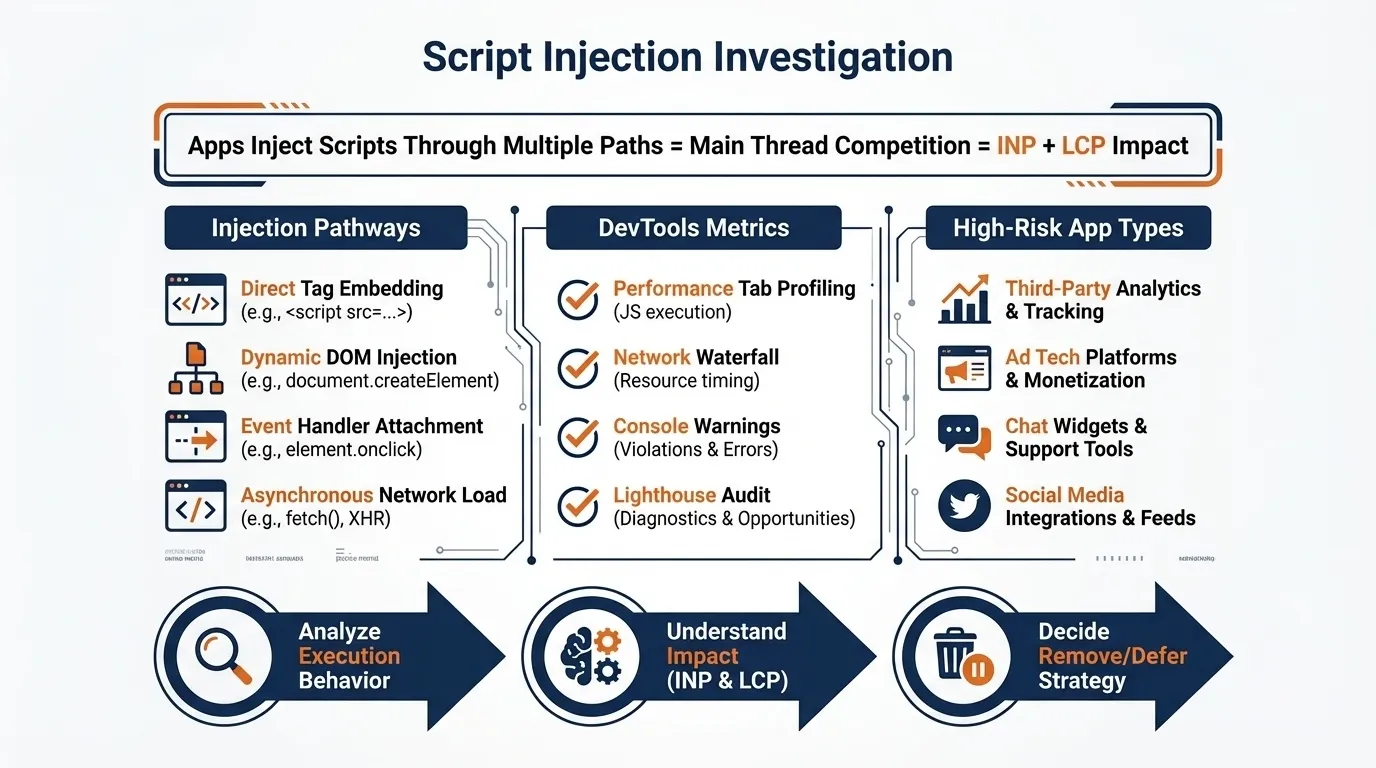
Script injection refers to how Shopify apps insert JavaScript and CSS into your storefront, often without visibility into execution timing or performance impact.
Apps may inject scripts through:

- theme.liquid
- App embed blocks
- Inline scripts
- Asynchronous loaders
These scripts execute on the browser’s main thread. When too many scripts run simultaneously, they compete for processing time, increasing INP and sometimes delaying LCP.
Use browser DevTools to analyse:
- Total JavaScript requests
- Largest script payloads
- Execution time duration
- Long tasks exceeding 50ms
Pay particular attention to high-impact categories such as:
- Review platforms
- Chat widgets
- Heatmap tools
- Marketing automation systems
The objective is to understand execution behaviour before deciding what to remove or defer.
3. Eliminate Duplicate Tracking Implementations
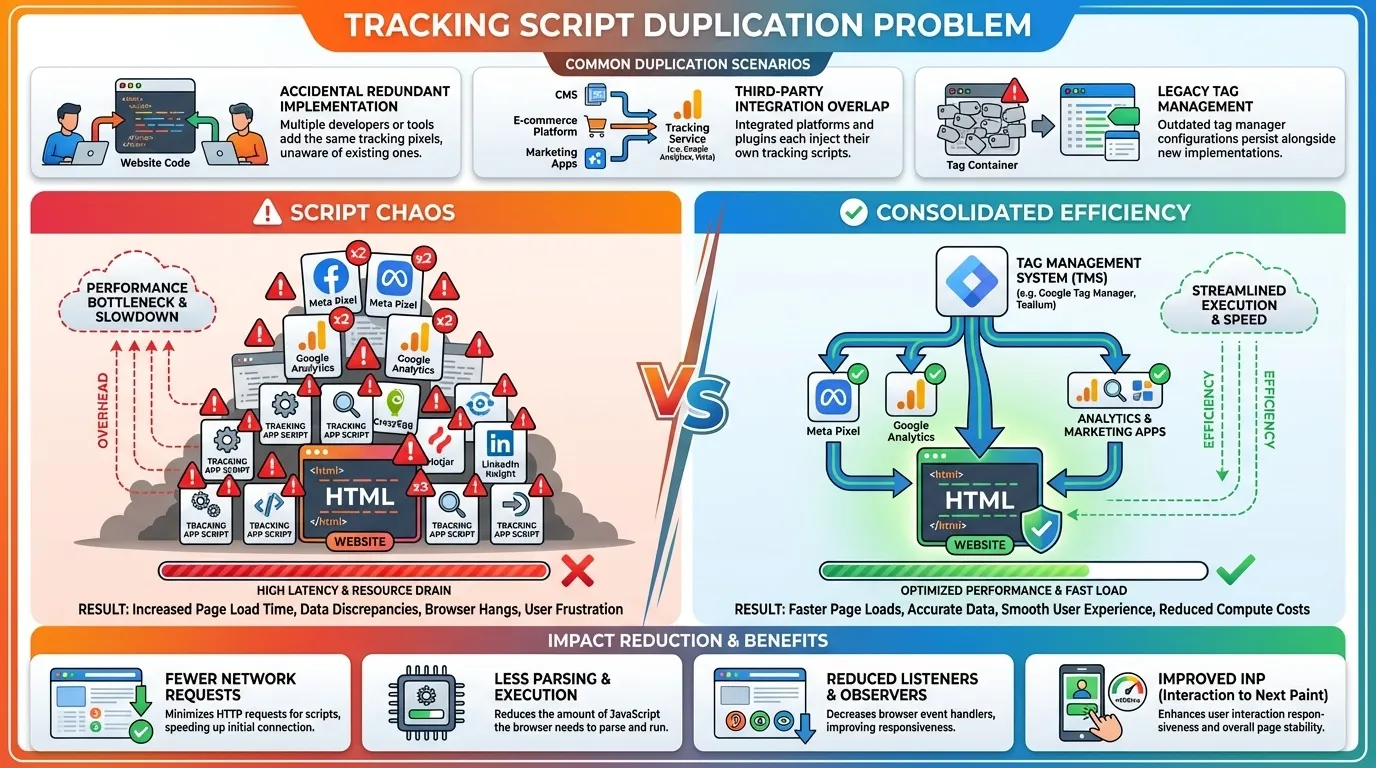
Duplicate tracking occurs when the same analytics or advertising scripts are installed multiple times through different apps or direct code injections.
This commonly happens when:
- Meta Pixel is installed manually and through an app.
- Google Analytics runs via both Shopify integration and Google Tag Manager.
- Separate apps inject independent tracking scripts.
Each duplicate script increases:
- Network requests
- JavaScript parsing time
- Event listener overhead
Consolidate tracking into a single implementation method where possible. Reducing duplication improves main thread efficiency and strengthens INP performance.
4. Replace Heavy Apps with Native or Custom Solutions
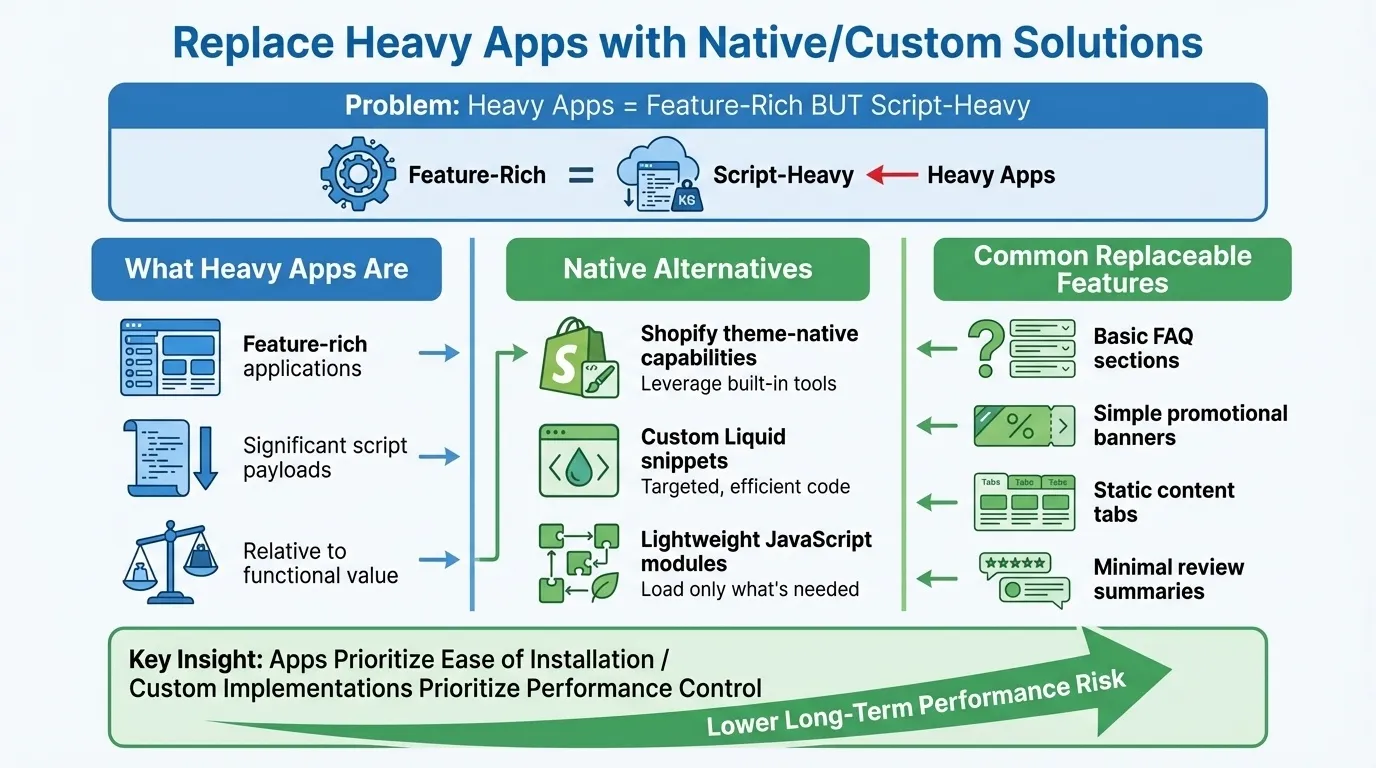
Heavy apps are feature-rich applications that introduce significant script payloads relative to their functional value.
Not all app functionality requires a full application layer.
Evaluate whether features can be implemented through:
- Shopify theme-native capabilities
- Custom Liquid snippets
- Lightweight JavaScript modules
Common replaceable features include:
- Basic FAQ sections
- Simple promotional banners
- Static content tabs
- Minimal review summaries
Apps prioritise ease of installation. Custom implementations prioritise performance control. Reducing dependency on script-heavy apps lowers long-term performance risk.
5. Implement Ongoing Performance Governance
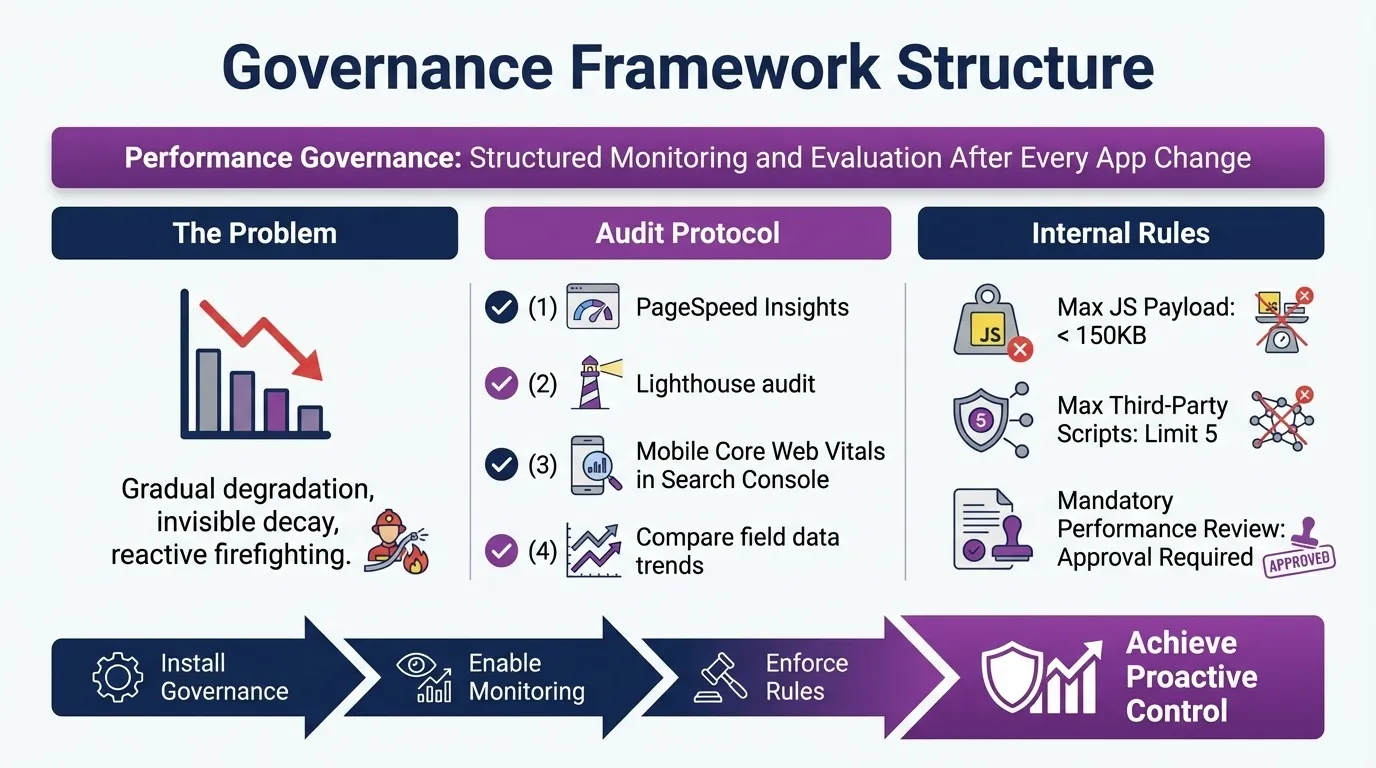
Performance governance refers to the structured monitoring and evaluation of performance impact after every app change.
Without governance, performance degradation occurs gradually.
After installing or updating an app:
- Run PageSpeed Insights
- Conduct Lighthouse audit
- Review mobile Core Web Vitals in Search Console.
- Compare field data trends.
Establish internal rules such as:
- Maximum allowed JavaScript payload.
- Maximum number of third-party scripts
- Mandatory performance review for new installations
Governance transforms app management from reactive troubleshooting into proactive performance control.
Mobile-First Indexing Improvements for Shopify
Mobile-first indexing means Google primarily uses the mobile version of your Shopify store for crawling, indexing, and ranking. This shift fundamentally changes performance priorities. Desktop optimisation alone is insufficient. If the mobile experience fails Core Web Vitals thresholds, rankings are negatively affected regardless of desktop performance.
1. Optimise Above-the-Fold Mobile Rendering
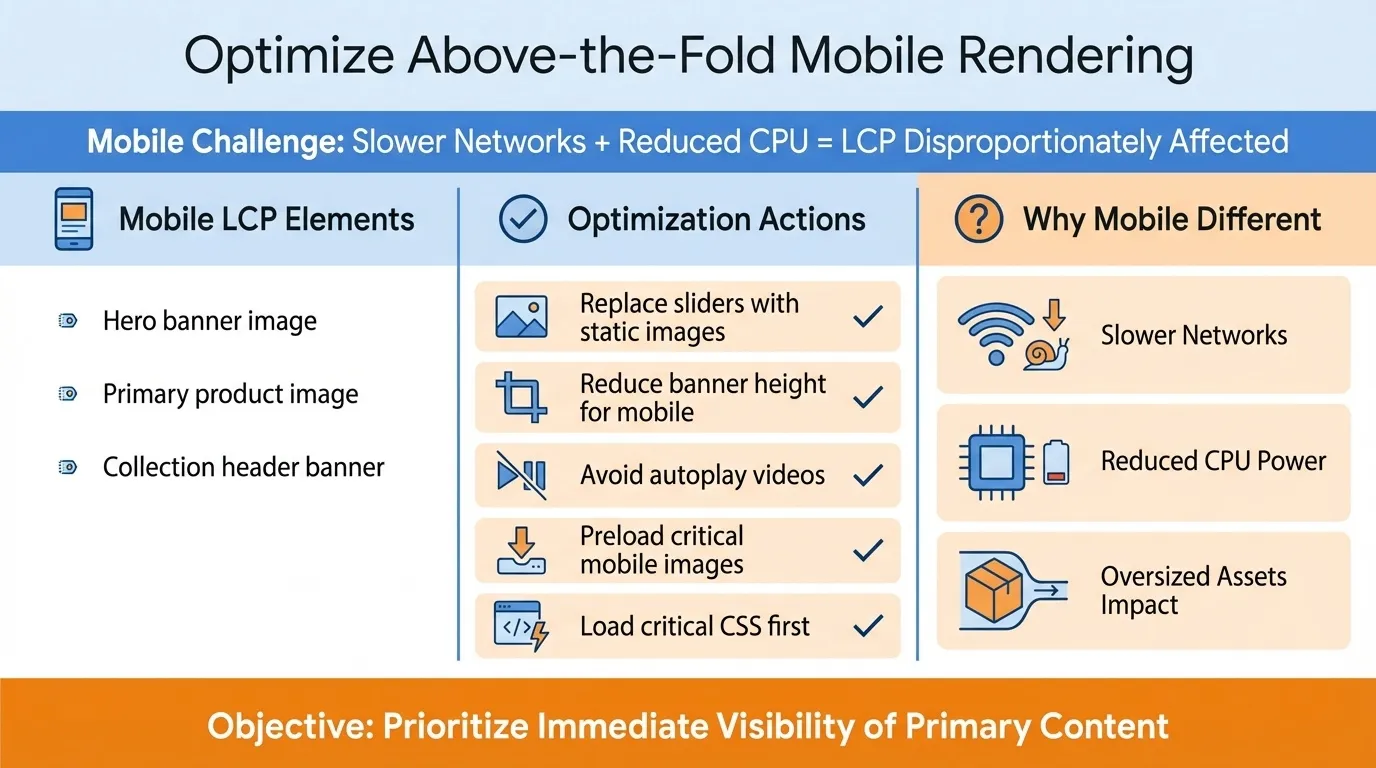
Above-the-fold mobile rendering refers to how quickly visible content loads on a mobile device before the user scrolls.
On Shopify stores, the LCP element on mobile is often:
- Hero banner image
- Primary product image
- Collection header banner
Because mobile devices operate on slower networks and reduced CPU power, oversized assets and render-blocking scripts disproportionately affect LCP.
Optimisation actions:
- Replace sliders with static hero images.
- Reduce banner height for mobile layouts.
- Avoid autoplay videos above the fold.
- Preload critical mobile images
- Ensure critical CSS loads before secondary assets.
The objective is to prioritise immediate visibility of primary content.
2. Reduce Mobile JavaScript Execution Time
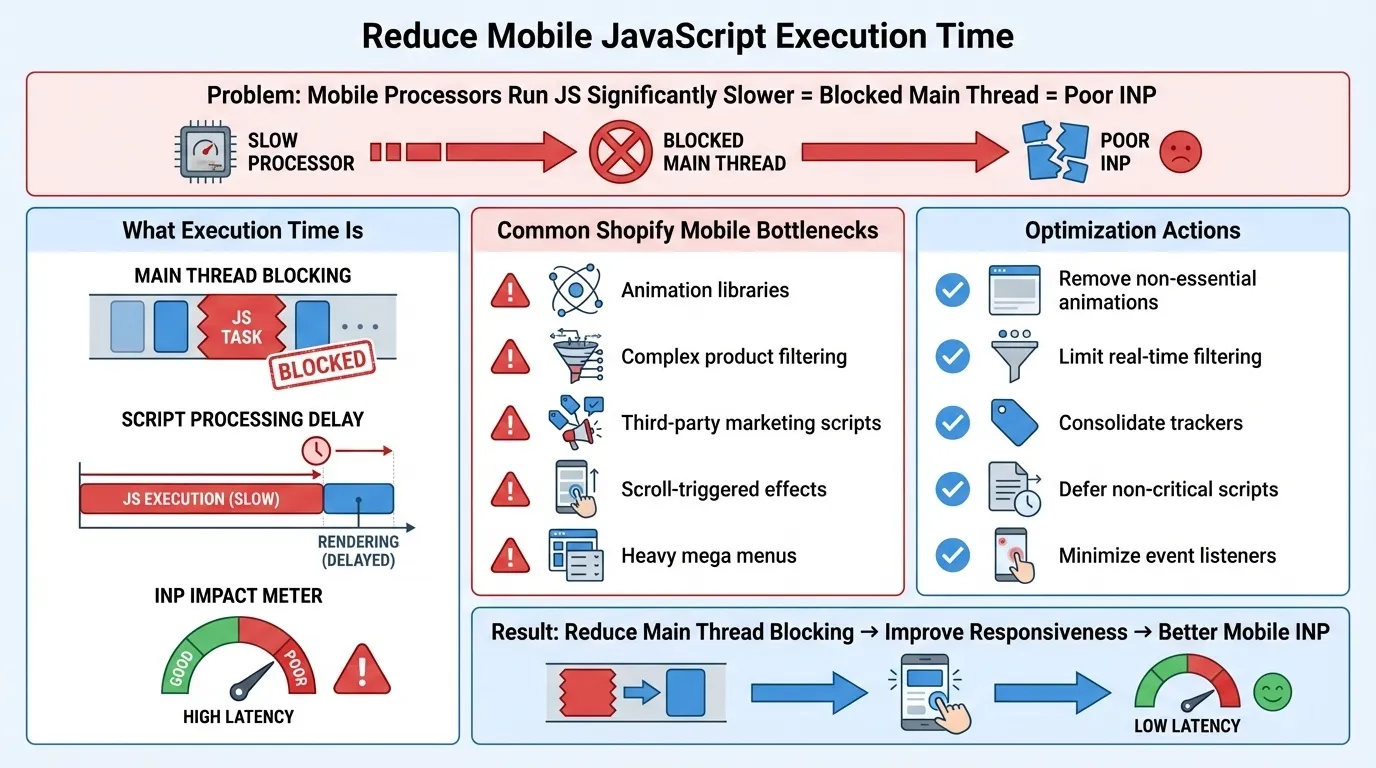
JavaScript execution time refers to how long the browser’s main thread is blocked processing scripts. On mobile devices, this directly affects Interaction to Next Paint (INP).
Mobile processors run JavaScript significantly slower than desktop processors. Excessive script execution delays interactivity and increases INP scores.
Common Shopify mobile bottlenecks include:
- Animation libraries
- Complex product filtering systems
- Third-party marketing script.
- Scroll-triggered effects
- Heavy mega menus
Optimisation actions:
- Remove non-essential animations
- Limit real-time filtering scripts.
- Consolidate third-party trackers
- Defer non-critical scripts
- Minimise the number of event listeners attached to scroll or click events.
Reducing main thread blocking improves responsiveness and mobile INP.
3. Prevent Mobile Layout Shifts (CLS Control)
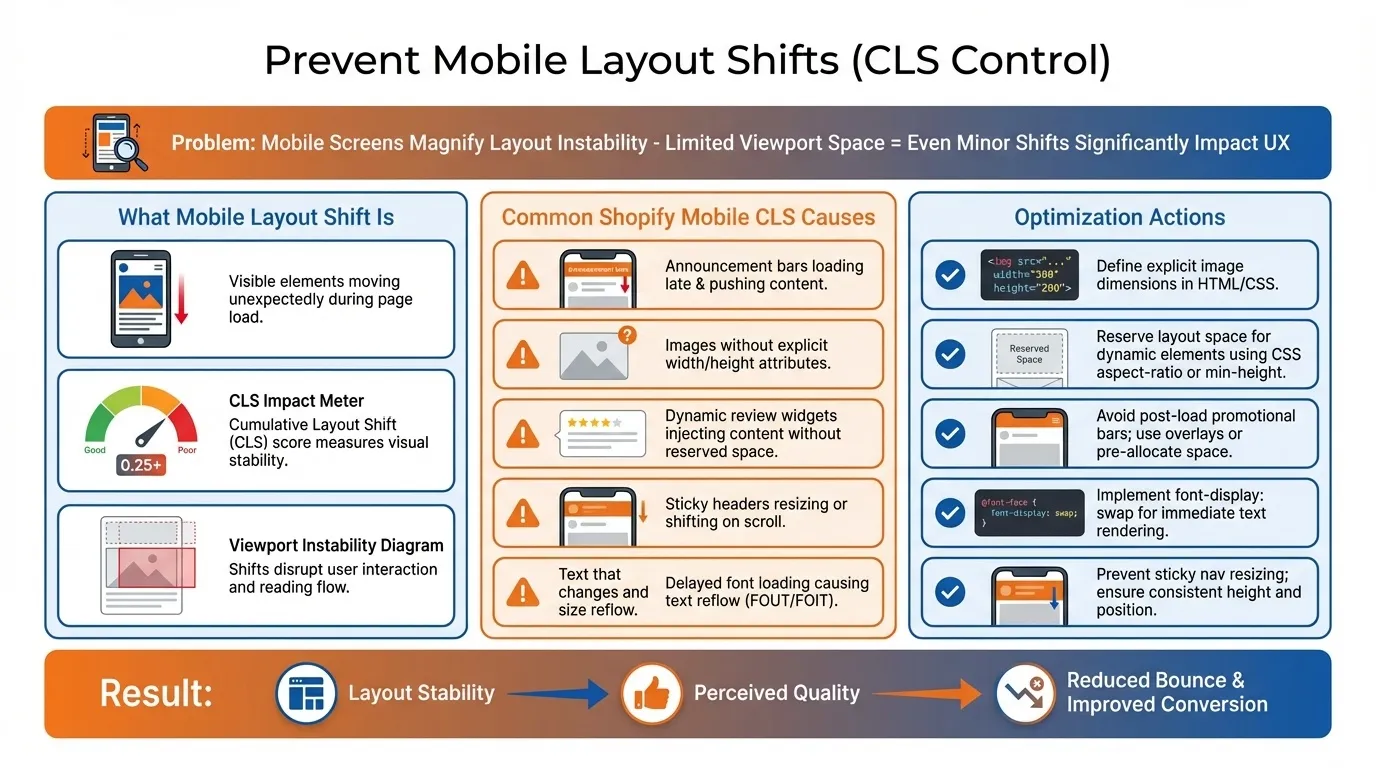
Mobile layout shift occurs when visible elements move unexpectedly during page load, negatively affecting Cumulative Layout Shift (CLS).
Mobile screens magnify layout instability due to limited viewport space. Even minor shifts significantly impact user experience.
Common Shopify mobile CLS causes include:
- Announcement bars are loading after render.
- Images without fixed width and height attributes
- Dynamic review widgets
- Sticky headers resizing on scroll
- Delayed font loading
Optimisation actions:
- Define explicit width and height for all images.
- Reserve layout space for dynamic elements
- Avoid injecting promotional bars post-load
- Implement font-display: swap.
- Prevent resizing behaviour in sticky navigation.
Layout stability reinforces perceived quality and reduces bounce.
4. Simplify Mobile Navigation Architecture
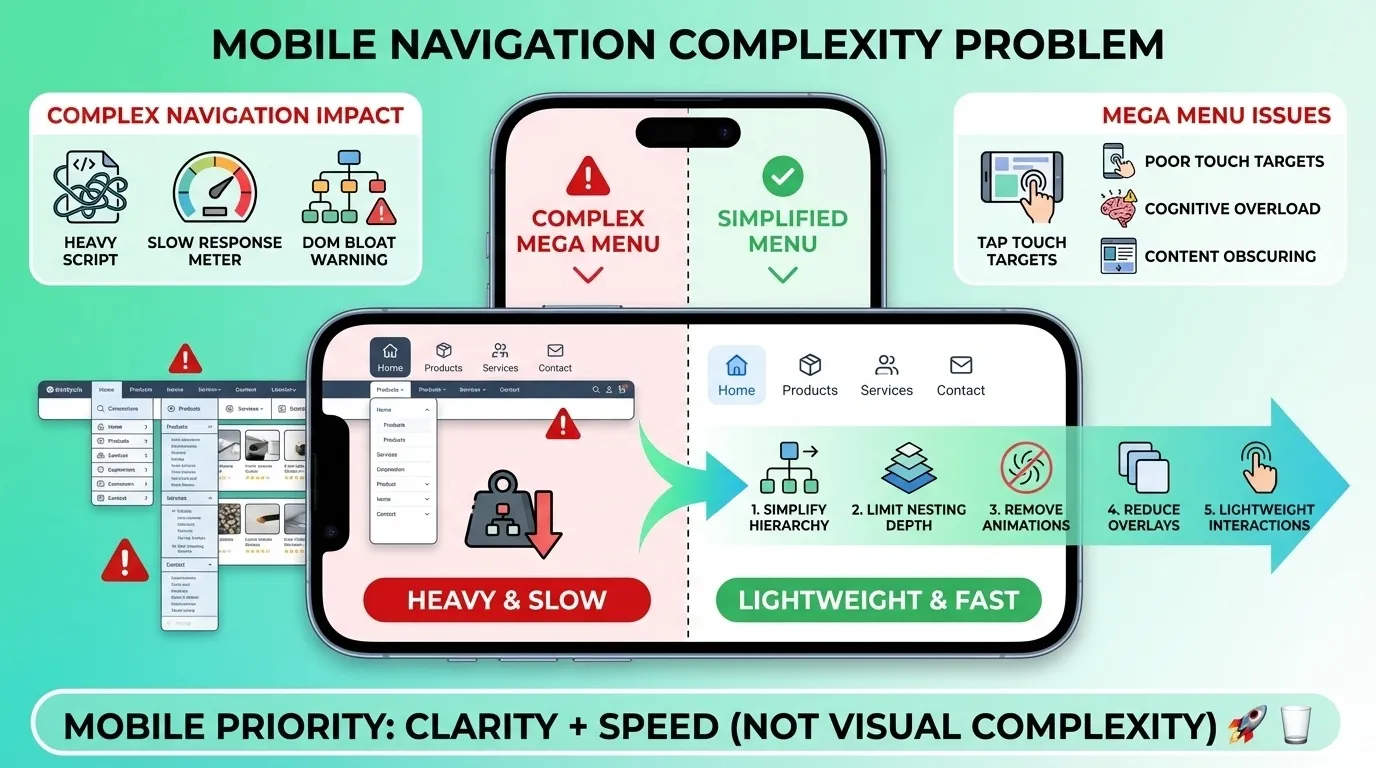
Mobile navigation architecture refers to the structural and script complexity of menus and interactive overlays on smaller screens.
Complex navigation systems increase JavaScript execution and delay interactivity.
Large mega menus with nested levels often introduce:
- Heavy script payload
- Delayed click responsiveness
- Increased DOM complexity
Optimisation actions:
- Simplify menu hierarchy
- Limit nested dropdown depth.
- Avoid animated transitions
- Reduce script-heavy overlays
- Ensure menu interactions are lightweight.
Mobile navigation should prioritise clarity and speed over visual complexity.
5. Test Under Real-World Mobile Conditions

Real-world testing evaluates performance under actual mobile device and network conditions rather than simulated desktop-based audits.
Lab tools provide guidance, but Google ranking signals rely on field data from real users.
Testing should include:
- Mid-range Android devices
- 4G network throttling
- Real mobile browsers
- Field data comparison in Search Console
Optimisation decisions should prioritise field performance trends over isolated lab scores.
Shopify Core Web Vitals Checklist
Use this streamlined checklist to improve LCP, INP, and CLS without overcomplicating execution.
- Use a lightweight, performance-focused theme.
- Remove unused sections, scripts and Liquid blocks.
- Defer non-critical CSS and JavaScript.
- Convert and compress images to WebP format.
- Preload the primary hero image (do not lazy load it)
- Match image dimensions to their display size.
- Remove unused or overlapping apps.
- Eliminate duplicate tracking scripts (Meta, GA, etc.)
- Limit third-party scripts such as chat widgets and heatmaps.
- Define the width and height for all images.
- Reserve space for dynamic elements like banners or reviews
- Use font-display: swap for custom fonts.
- Optimise above-the-fold mobile content
- Reduce mobile JavaScript execution.
- Simplify mobile navigation and remove heavy animations.
- Check the Search Console Core Web Vitals (mobile-first) monthly.
- Re-test after every theme update or app installation
- Set internal limits on total JavaScript size and number of apps.
Note: This checklist provides a structured baseline for improving Shopify Core Web Vitals. It can and should be adapted to your store’s theme, architecture, app ecosystem, and commercial objectives.
Build a Shopify Store That Passes Core Web Vitals
Improving Shopify Core Web Vitals is about building a technically resilient store that loads quickly, responds instantly, and remains visually stable under real-world conditions.
When these three layers are aligned, the results extend beyond compliance. Faster stores reduce bounce rates, improve crawl efficiency, and create measurable gains in conversion rate and revenue per visitor. In competitive ecommerce markets, performance discipline becomes a structural advantage rather than a technical checkbox.
If your Shopify store continues to struggle with LCP, INP, or CLS despite incremental fixes, a structured technical SEO and performance strategy may be required.

MediaOne’s Shopify SEO specialists integrate Core Web Vitals optimisation with search growth strategy, technical auditing, and scalable ecommerce architecture.
Explore how we can help strengthen your Shopify performance and rankings. Contact us today!
Frequently Asked Questions
Does Shopify hosting affect Core Web Vitals performance?
Shopify uses a managed hosting infrastructure with a global CDN, which generally provides strong baseline server performance. However, most Core Web Vitals issues stem from theme architecture, JavaScript execution, and third-party apps rather than hosting limitations.
How long does it take for Core Web Vitals improvements to reflect in rankings?
Google’s Core Web Vitals field data is based on a rolling 28-day collection period. After implementing changes, improvements typically appear in Search Console within several weeks, depending on traffic volume and crawl frequency.
Can Shopify Core Web Vitals impact Google Shopping or Performance Max campaigns?
While Core Web Vitals are primarily organic ranking signals, page speed and user experience can influence landing page quality scores in paid campaigns. Poor performance may indirectly reduce conversion efficiency and campaign profitability.
Do product pages and collection pages need separate Core Web Vitals optimisation?
Yes. Product pages often feature heavy image galleries and review scripts, while collection pages may struggle with filtering scripts and complex pagination. Each template type should be audited independently to identify specific performance bottlenecks.
Is it possible to pass Core Web Vitals with a heavily customised Shopify theme?
Yes, but it requires disciplined script management, optimised asset delivery, and strict performance budgeting. Customisation alone does not cause failure; uncontrolled JavaScript growth and inefficient resource loading typically do.