If you want to create content that ranks, drives qualified traffic, and supports real business growth, guesswork won’t cut it; you need data.

And in today’s SEO landscape, organic search still dominates how people discover information online. In fact, organic search accounts for over 53% of all website traffic, underscoring the continued importance of search demand for content strategies in 2025 and beyond.
Originally built for Google Ads advertisers, Google Keyword Planner is now a go-to tool for validating SEO search demand.
It reveals what people search for, how often, and the potential commercial value of those searches. Used well, it is a foundation for structured content planning and topic clustering, not just simple keyword generation.
In competitive markets, working with an experienced SEO agency in Singapore helps transform raw search data into sustained ranking authority.
This guide will show you how to use Google Keyword Planner strategically: to organise keywords into intent-driven clusters, prioritise by potential ROI, and turn search data into a content roadmap for real growth.
Key Takeaways
- Google Keyword Planner provides direct search demand data from Google, making it a reliable validation tool for SEO planning.
- The tool becomes powerful when keywords are grouped into structured topic clusters rather than treated individually.
- Search intent can be inferred through modifiers, CPC signals, and SERP validation.
- Forecast data helps prioritise keywords based on potential ROI instead of vanity volume.
- For competitive industries, Google Keyword Planner should be integrated into a broader SEO framework for maximum impact.
What Is Google Keyword Planner?

Google Keyword Planner is a free keyword research tool in Google Ads that shows how often specific terms are searched on Google, how competitive they are among advertisers, and how much businesses are paying per click.
Although it was originally built for paid advertising, SEO professionals use it to validate search demand before creating content.
At a practical level, Google Keyword Planner helps you:
- Discover new keyword ideas related to a topic.
- See average monthly search volume ranges.
- Understand advertiser competition levels.
- Analyse cost-per-click data
- Identify seasonal search trends.
- Estimate traffic potential through forecasts.
The key thing to understand is this:
Google Keyword Planner does not tell you how easy it is to rank for a keyword organically. It tells you whether people are actively searching for it.
For SEO and content planning, that distinction matters. It allows you to confirm real demand before investing time into building pages, blog posts, or topic clusters.
In short, Google Keyword Planner is not a full SEO platform. It is a demand-validation tool—and when used correctly, it becomes the foundation for strategic content planning.
Setting Up Google Keyword Planner (Step-by-Step)
Before you can use Google Keyword Planner strategically for SEO, you need to access it properly and configure it correctly. Many beginners get stuck because Google pushes them toward launching ads immediately.
The good news is: you do not need to run ads to use the tool.
Follow these steps to set up Google Keyword Planner for keyword research and content planning. Take charge of your setup to ensure effective research.
Step 1: Create or Access a Google Ads Account
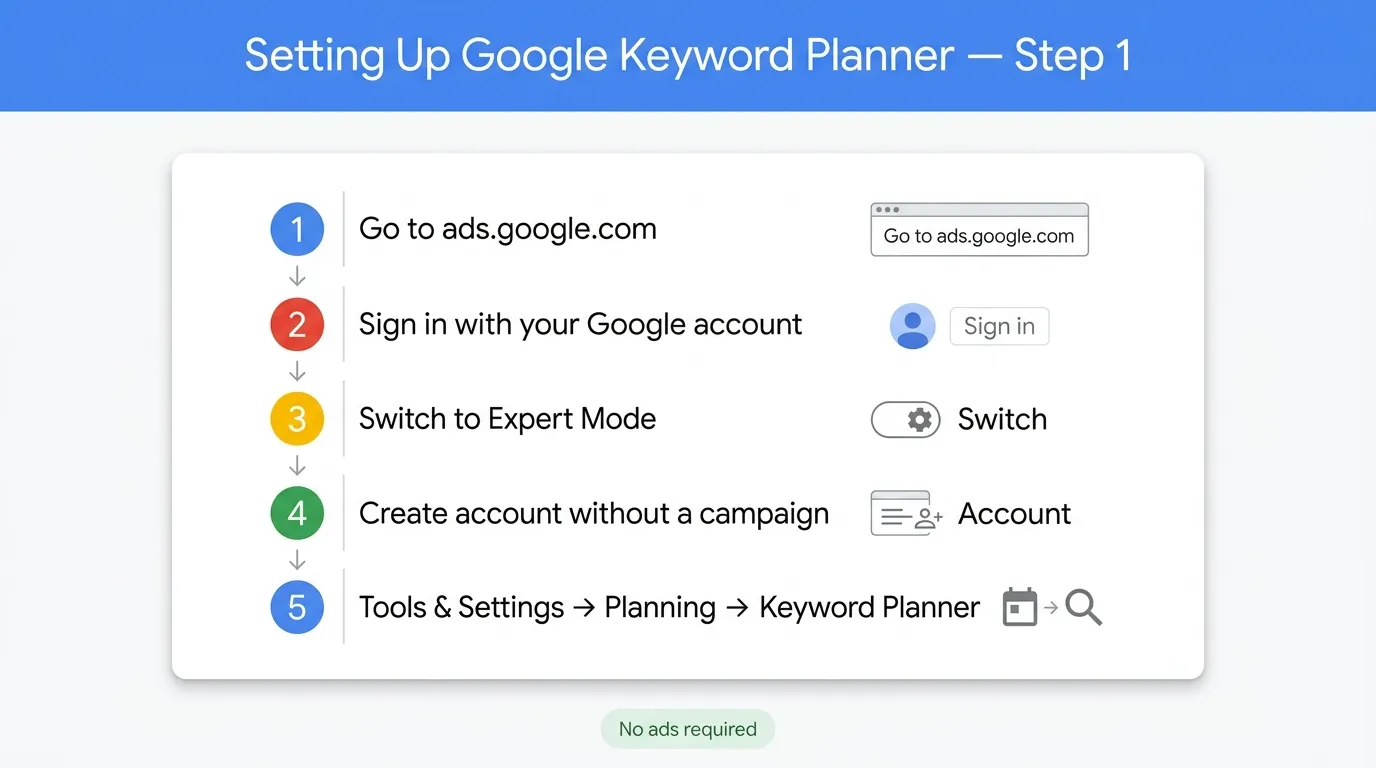
Google Keyword Planner lives inside Google Ads. That means you need a Google Ads account to access it.
- Go to ads.google.com
- Sign in with your Google account.
- When prompted to create a campaign, look for the option to switch to Expert Mode.
- Choose “Create an account without a campaign.”
This allows you to access the platform without setting up ads or entering payment details.
Once inside Google Ads, navigate to:
Tools & Settings → Planning → Keyword Planner
Step 2: Choose the Right Research Mode
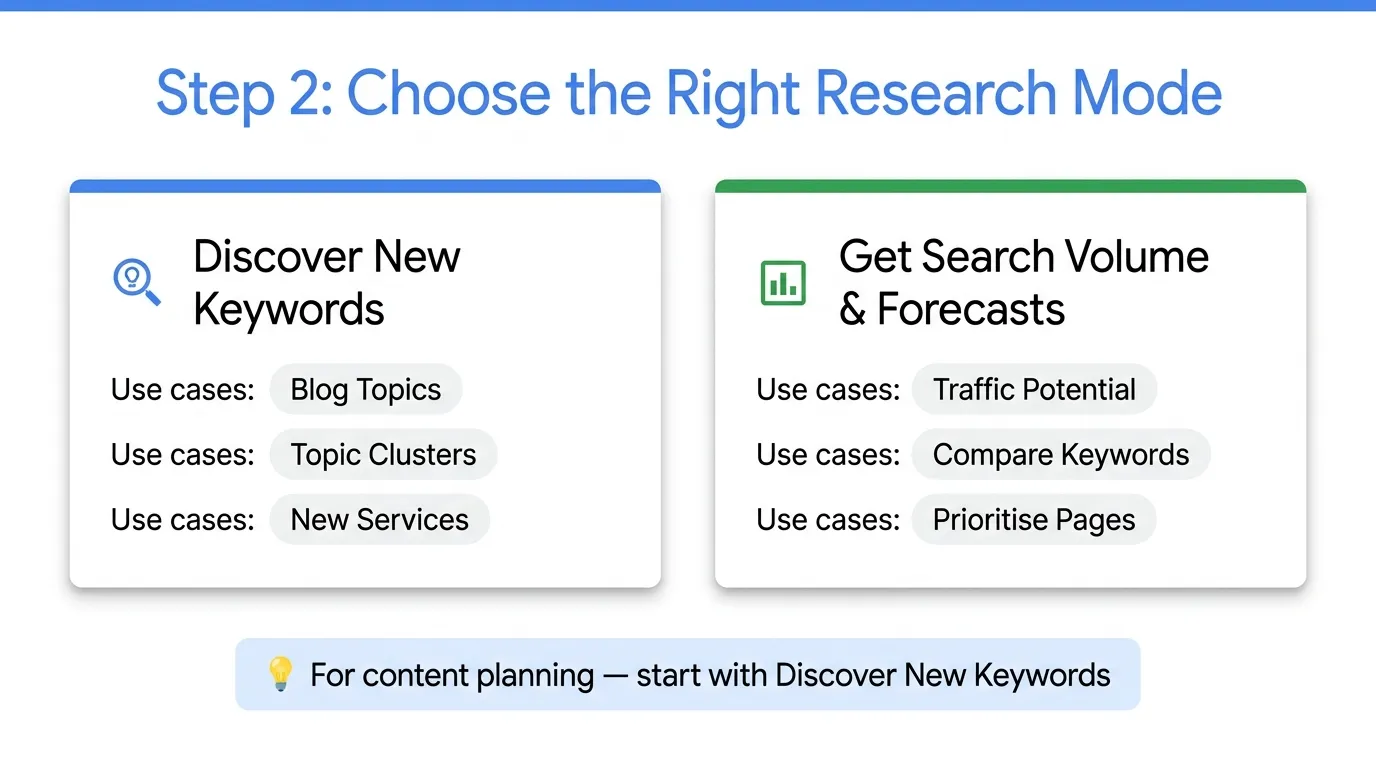
When you open Google Keyword Planner, you will see two options. Understanding the difference is important.
Discover New Keywords
This is used for expanding ideas. It generates related keyword suggestions based on a seed term, website URL, or product category.
Use this when:
- You are planning blog topics.
- You are building topic clusters.
- You are researching new service opportunities.
Get Search Volume and Forecasts
This is used to validate specific keywords you already have in mind. It shows projected clicks, impressions, and cost estimates.
Use this when:
- You want to estimate traffic potential.
- You are comparing keyword options.
- You are prioritising high-impact pages.
For content planning, most work starts with Discover New Keywords.
Step 3: Configure Location and Language Settings
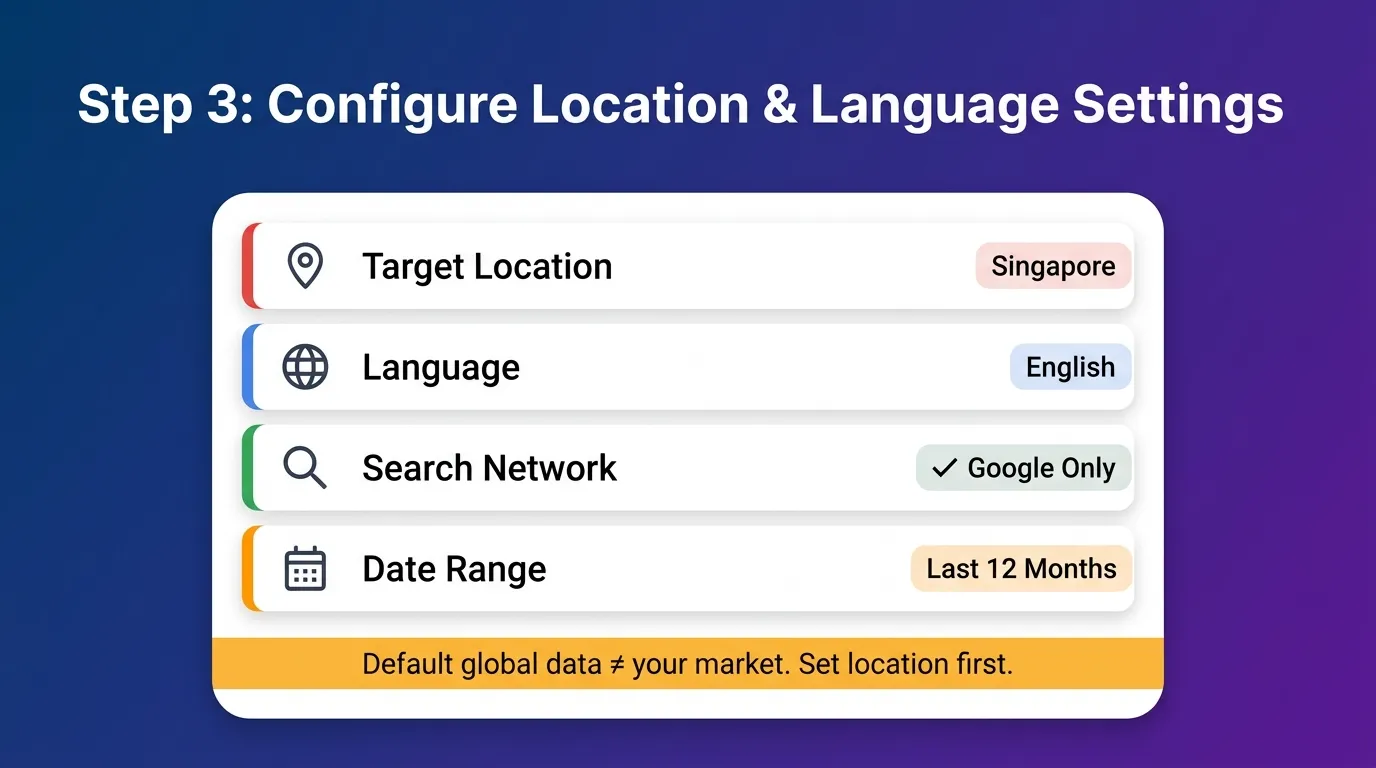
Before analysing any keyword data, adjust your targeting settings. This step is critical.
Default global data is usually not useful if targeting a specific country or city.
Always set:
- Target location (country or city)
- Language
- Search network (Google only is recommended)
- Date range (12 months minimum for trend stability)
For example, if your business operates in Singapore, set the location filter to Singapore only. This ensures the search volume reflects your actual market.
Step 4: Refine Your Results for SEO Use
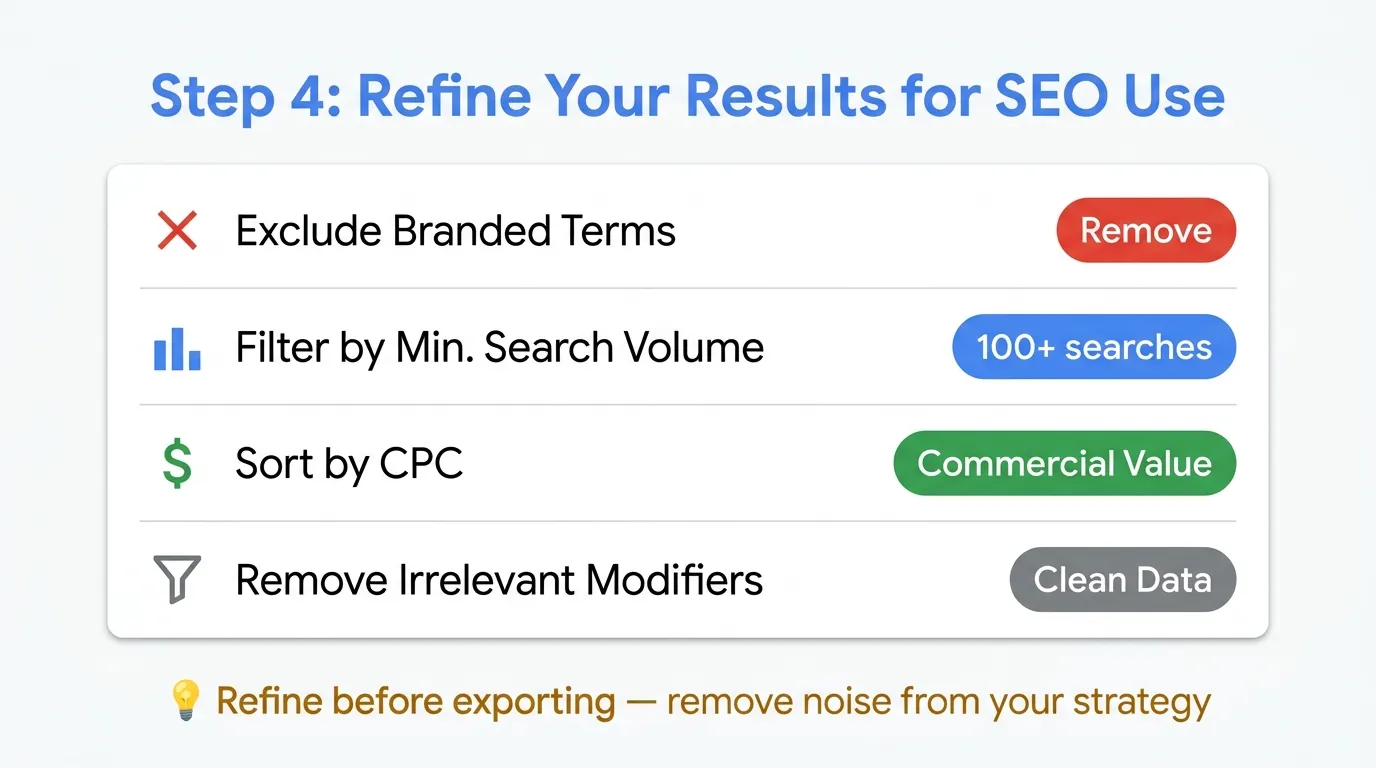
Once keyword results appear, refine them before exporting.
You can:
- Exclude branded terms
- Filter by minimum search volume
- Sort by CPC to identify commercial value
- Remove irrelevant modifiers
This step reduces irrelevant data in your content strategy.
Step 5: Export and Organise the Data
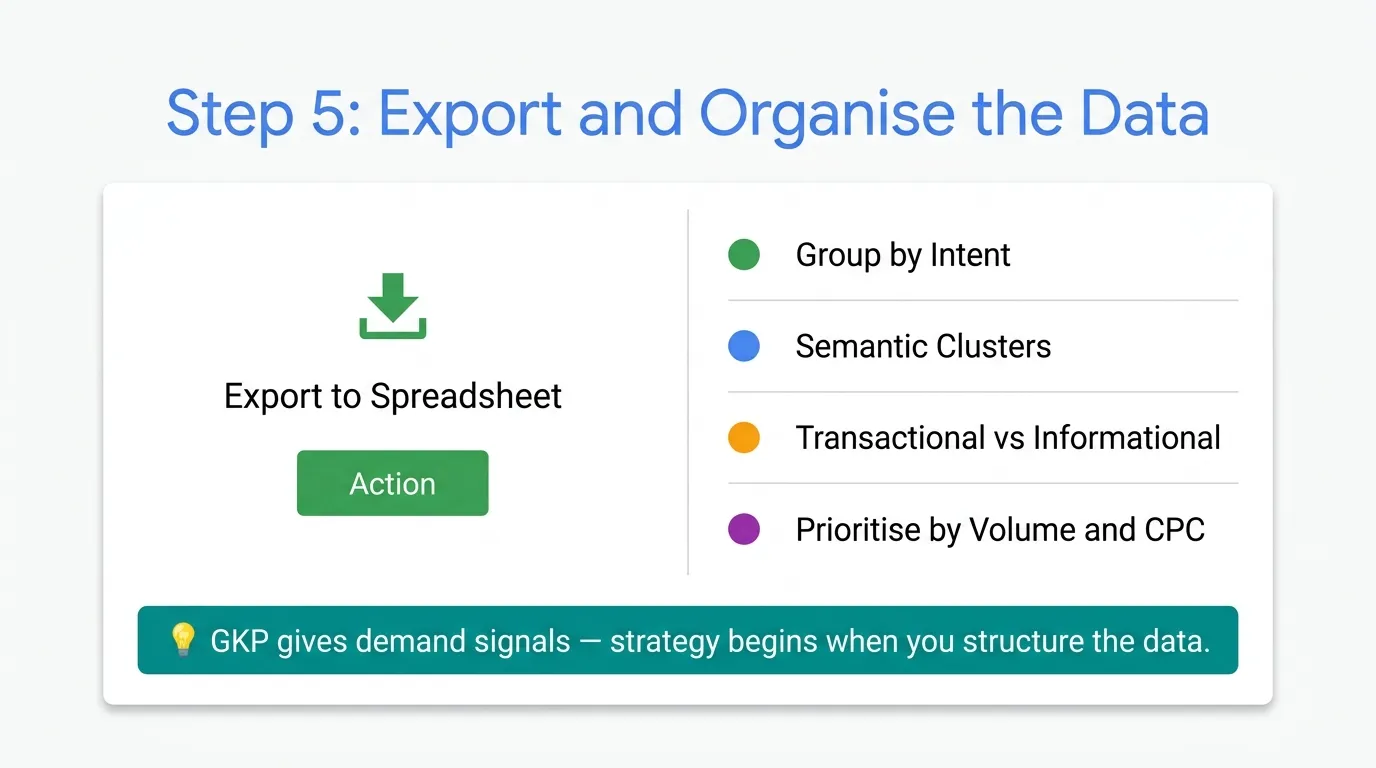
After refining the list, export the keyword data into a spreadsheet.
From here, you can:
- Group keywords by intent
- Identify semantic clusters
- Mark transactional vs informational terms
- Prioritise based on volume and CPC.
Google Keyword Planner gives demand signals. Real strategy begins when you structure data for content planning.
How to Use Google Keyword Planner for Content Planning
Most people use Google Keyword Planner to collect a list of keywords.
Listing keywords alone is not content planning.
Content planning means deciding:
- What pages to create
- Decide what type of content each keyword deserves.
- How pages should connect
- Which topics to prioritise first
Google Keyword Planner gives demand signals. Your task is to use these to build a content roadmap.
Follow these steps to transform search data into a successful content plan.
Step 1: Start With a Core Business Topic
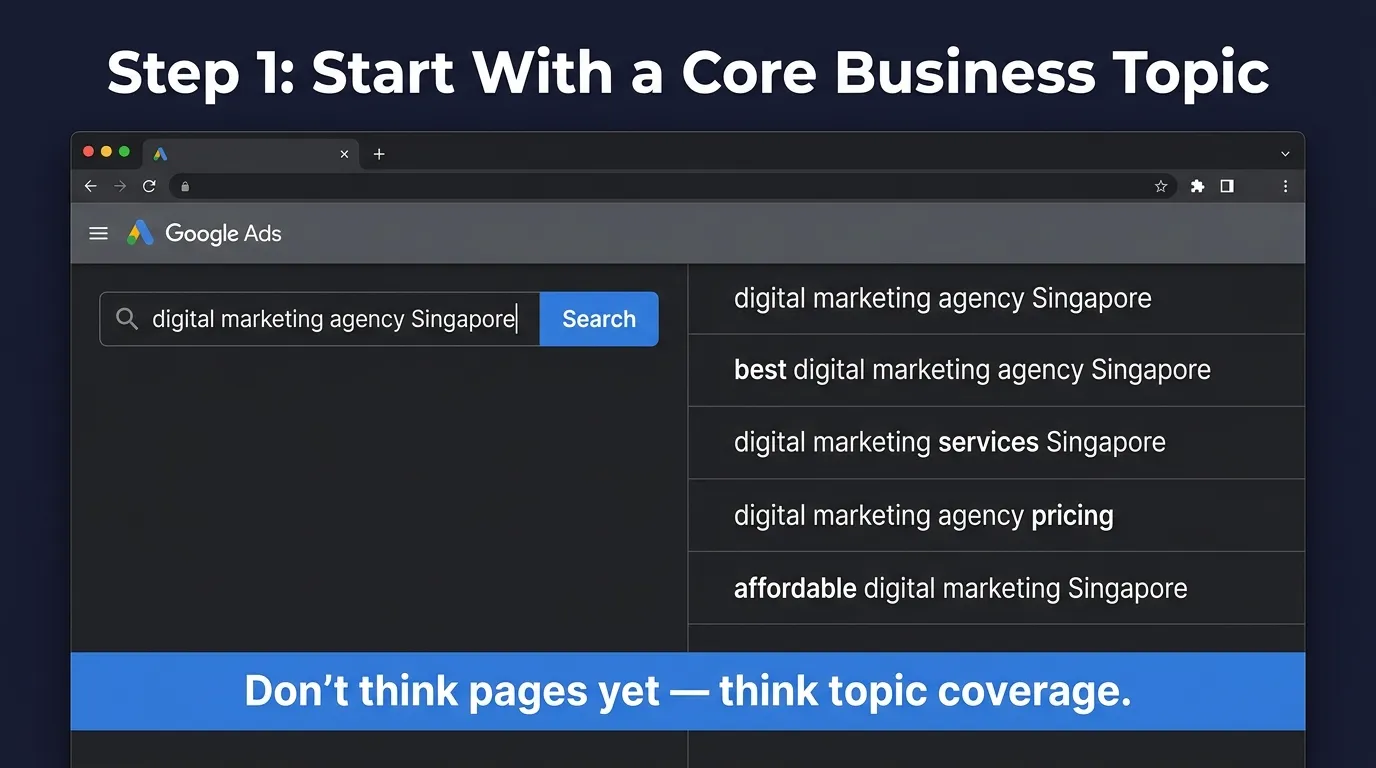
Content planning should always begin with your core revenue driver, not random blog ideas.
Enter a primary service or product keyword into Google Keyword Planner.
For example:
Seed keyword: digital marketing agency Singapore
You may see variations like:
- digital marketing agency Singapore
- best digital marketing agency Singapore
- digital marketing services Singapore
- digital marketing agency pricing
- affordable digital marketing Singapore
At this stage, do not think about separate pages yet. Think in terms of topic coverage. Your goal is to understand how Google groups demand around your core offering.
Step 2: Identify Search Intent Before Deciding Page Type
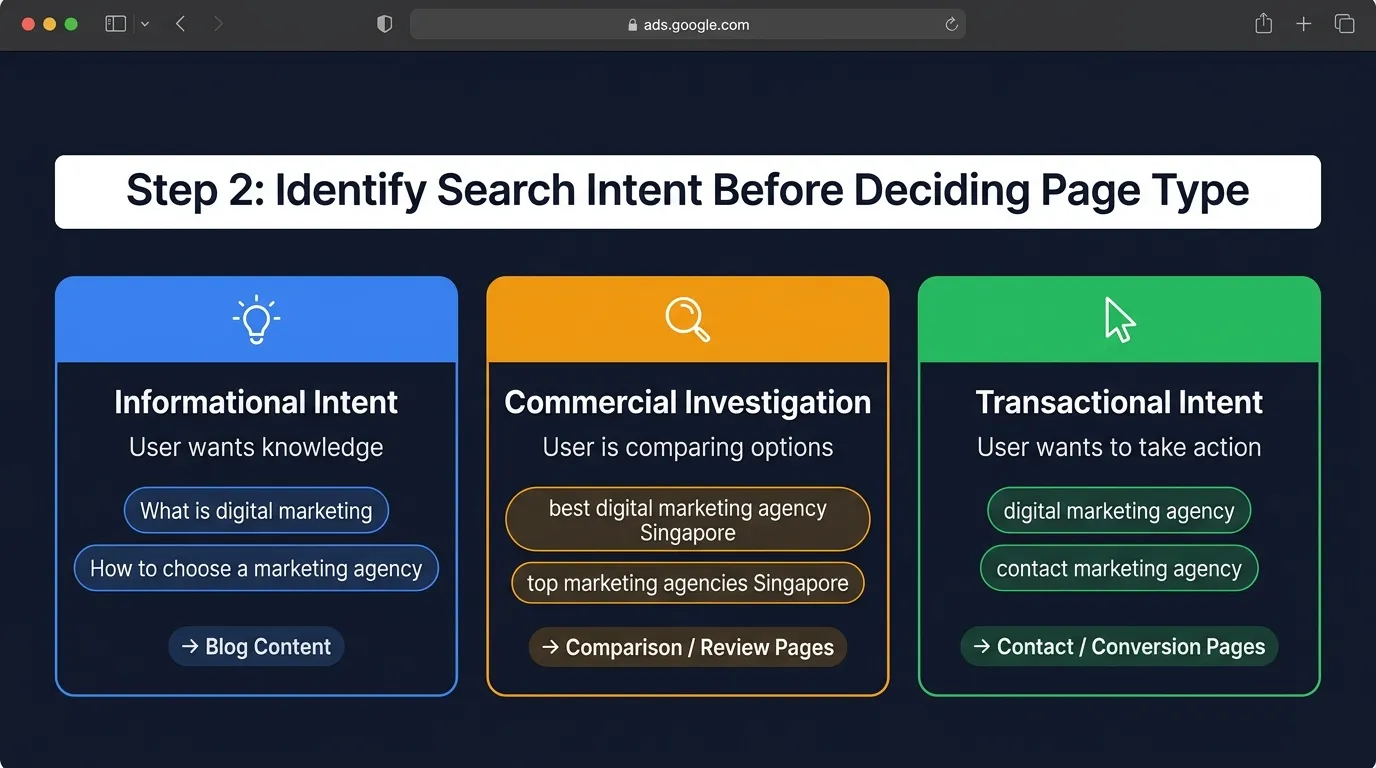
One of the biggest content planning mistakes is creating the wrong type of page for a keyword.
Before you assign a topic, determine its intent.
Search intent usually falls into three practical categories.
Informational Intent
The user wants knowledge.
Examples:
- What is digital marketing
- How to choose a marketing agency
These keywords belong in educational blog content.
Commercial Investigation
The user is comparing options.
Examples:
- best digital marketing agency Singapore
- top marketing agencies in Singapore
These often require:
- Comparison articles
- Expanded service pages
- Review-style content
Transactional Intent
The user wants to take action.
Examples:
- digital marketing agency Singapore
- hire marketing agency Singapore
These belong on service pages, not blogs.
If you misalign intent, competitors with correct alignment will outrank you.
Step 3: Group Related Keywords Before Creating Pages
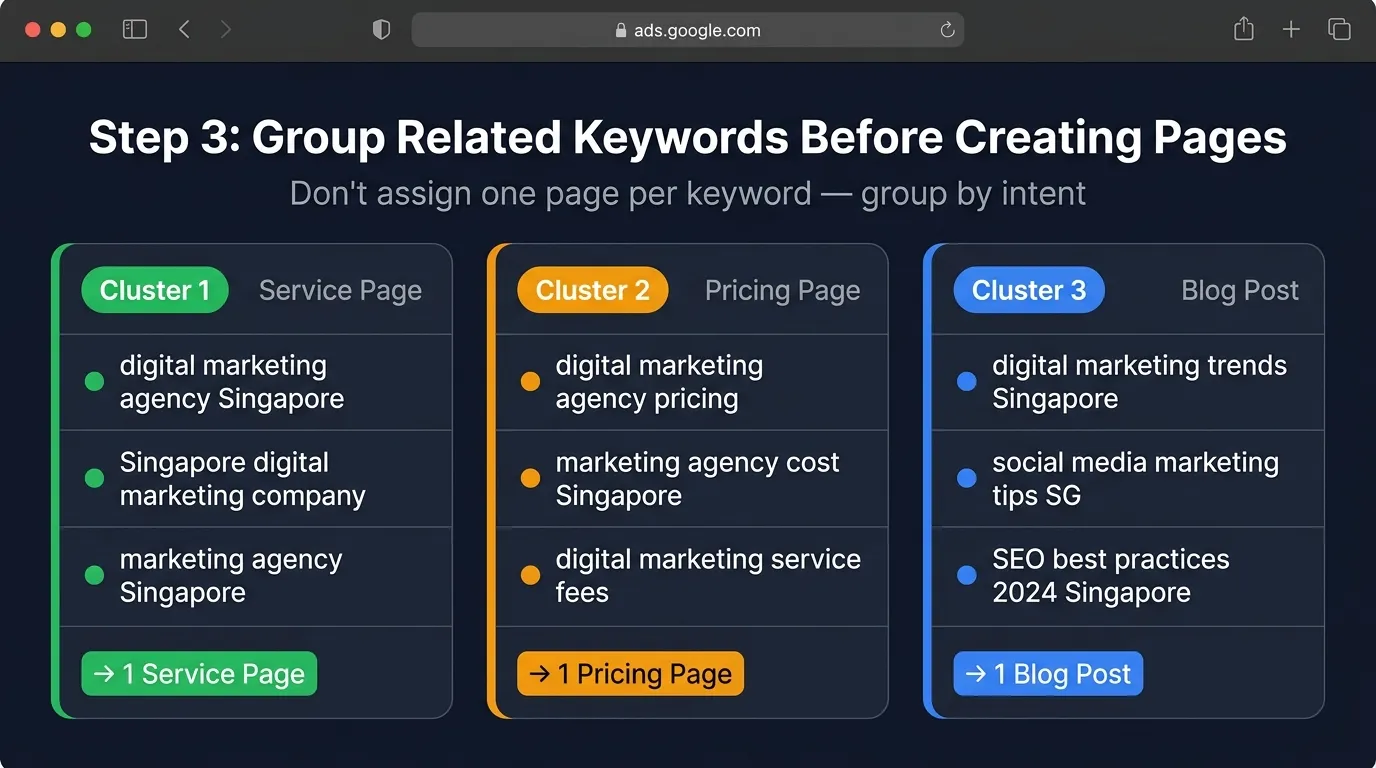
Once you export your keyword list, do not assign a page to each keyword.
Instead, group keywords based on shared intent and semantic similarity.
For example:
Cluster 1:
- digital marketing agency Singapore
- Singapore digital marketing company
- marketing agency Singapore
Cluster 2:
- digital marketing agency pricing
- marketing agency cost Singapore
- digital marketing service fees
Cluster 3:
- how to choose marketing agency
- what does a marketing agency do
Each cluster represents one structured content opportunity.
This prevents keyword cannibalisation and builds topical authority.
Step 4: Use CPC and Volume to Prioritise Topics
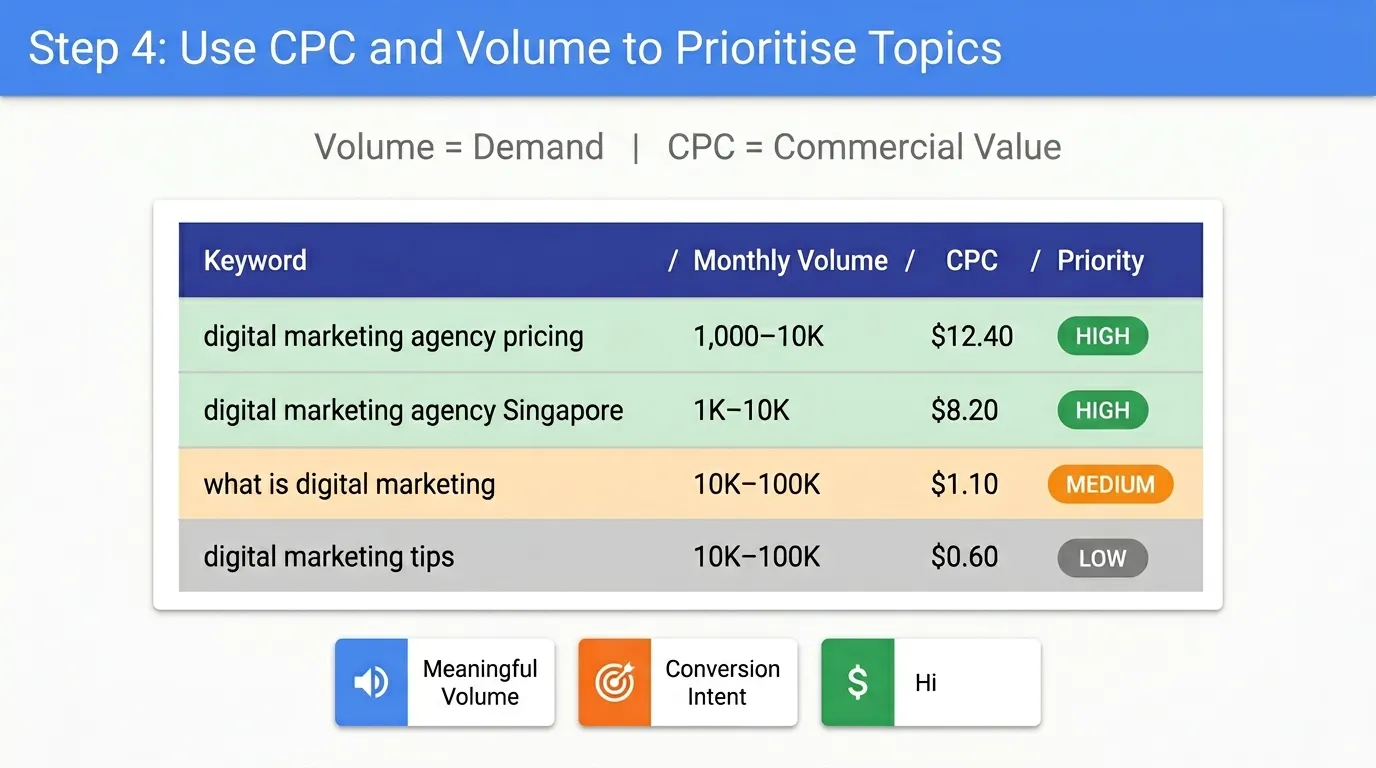
Google Keyword Planner shows both search volume and cost-per-click.
Volume tells you demand.
CPC tells you the commercial value.
For content planning, prioritise keywords where:
- Search volume is meaningful
- Intent aligns with conversion
- CPC suggests strong buyer interest
For example:
If “digital marketing agency pricing” has moderate volume but high CPC, it likely attracts serious buyers.
Place that topic higher in your content calendar so you address the strongest buyer intent first.
Step 5: Map Keywords to a Structured Content Calendar
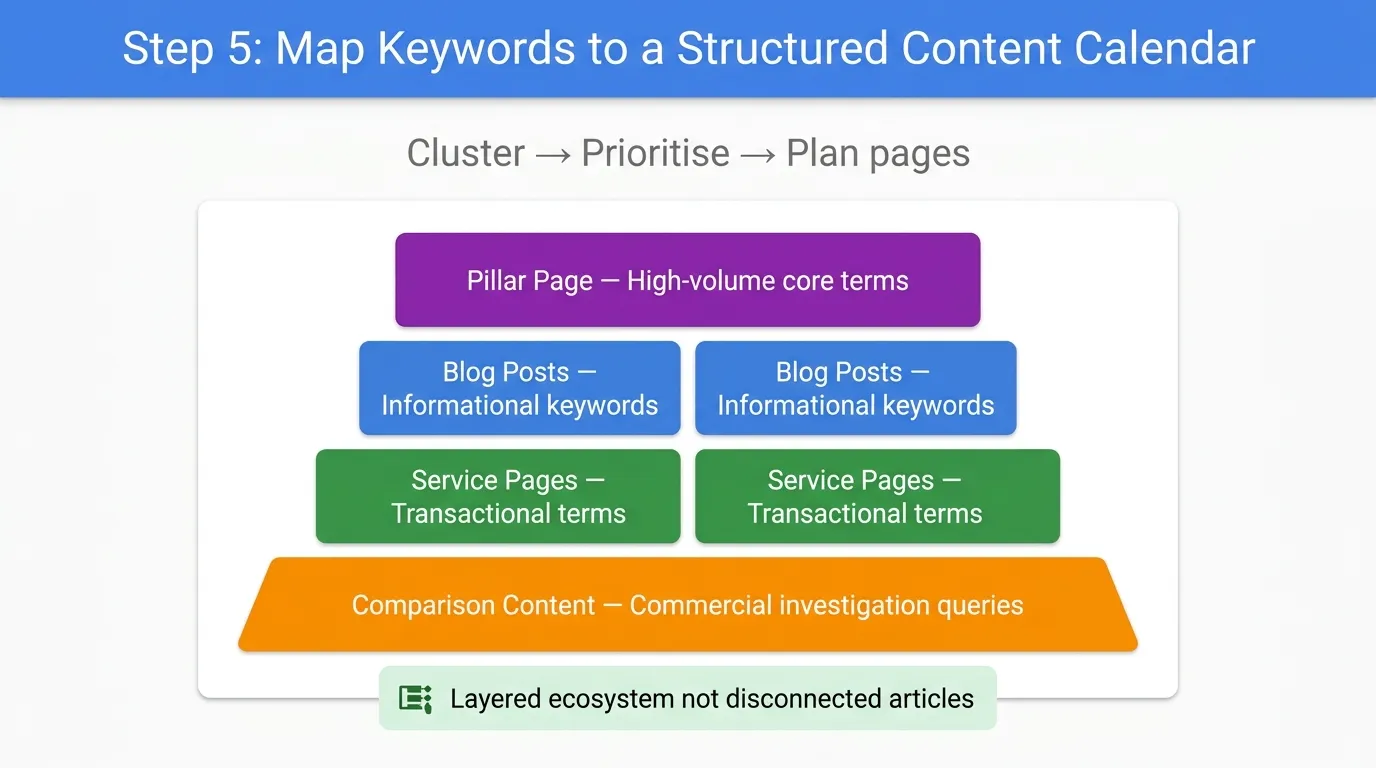
After clustering and prioritising, convert keyword groups into planned pages.
Your roadmap should include:
- Pillar pages for high-volume core terms
- Supporting blog posts for informational keywords
- Service pages for transactional terms
- Comparison content for commercial investigation queries
This creates a layered content ecosystem rather than a collection of disconnected articles.
Step 6: Validate Against the SERP
Before finalising any topic, manually check the current top 10 search results.
Look at:
- Page type ranking (blog, service, category)
- Content depth
- Word count
- Use of structured headings
- Internal linking
If all top results are service pages and you plan to write a blog post, reconsider. Google has already revealed the preferred format.
The Real Goal of Content Planning
Using Google Keyword Planner for content planning is not about chasing traffic.
It is about building a structured content architecture that:
- Aligns with real search demand
- Matches search intent
- Prioritises revenue-driving keywords
- Prevents cannibalisation
- Strengthens topical authority
The tool provides data.
Content planning turns that data into strategic growth.
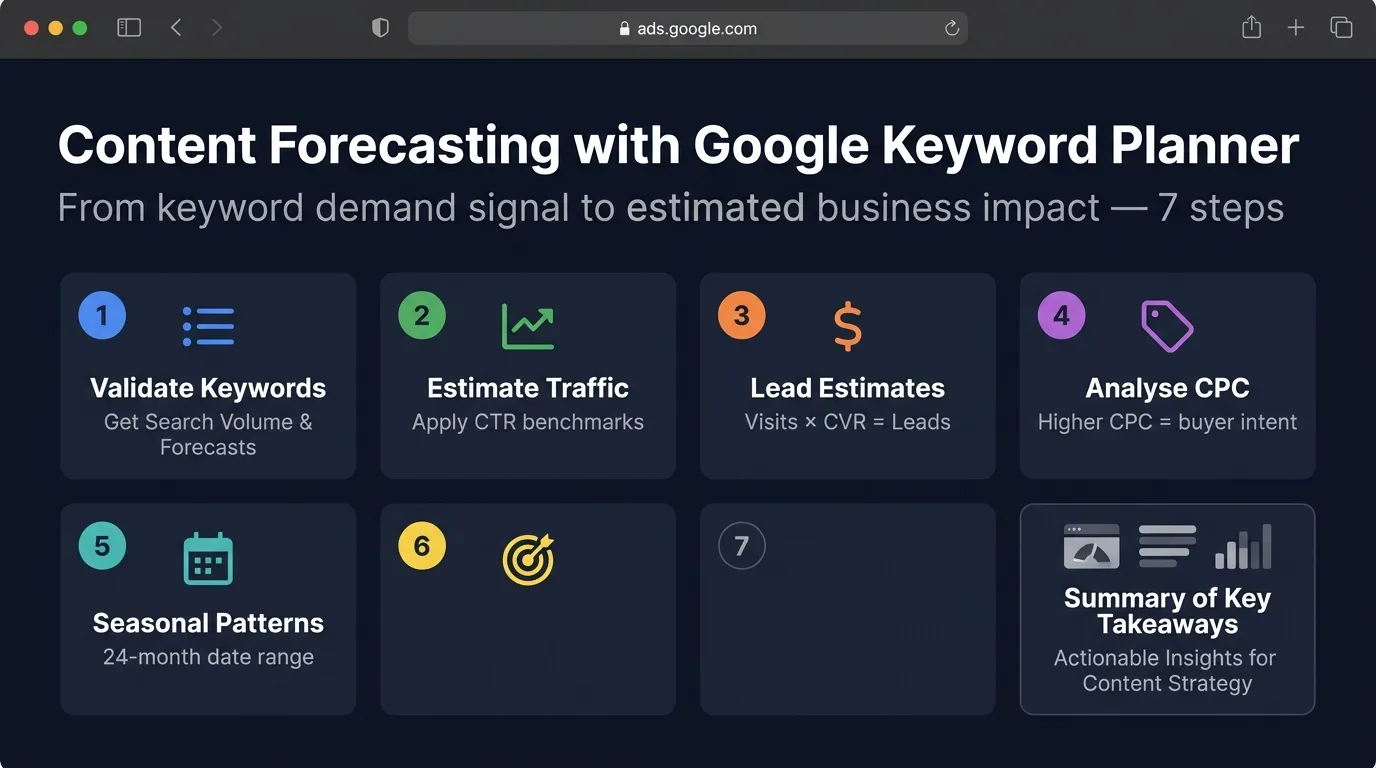
Using Google Keyword Planner for Content Forecasting
Keyword research tells you what people search for.
Forecasting tells you whether it is worth targeting.
Many businesses choose topics solely based on volume. That approach ignores ranking probability, click-through behaviour, seasonality, and conversion potential. Google Keyword Planner’s forecast feature allows you to move from “interesting keyword” to “estimated business impact.”
When used properly, it helps you prioritise content based on projected ROI instead of guesswork.
Why Forecasting Matters in Content Planning
Not all keywords deliver equal value.
Two keywords may both have 1,000 searches per month, but:
- One may have low buyer intent
- One may convert at a higher rate
- One may be highly competitive
- One may have seasonal spikes
Forecasting helps you quantify potential traffic and compare opportunities objectively.
Step 1: Validate Keywords Using “Get Search Volume and Forecasts”
After identifying potential keywords in the Discover tab:
- Add selected keywords to a plan
- Switch to “Get Search Volume and Forecasts”
- Review projected impressions and clicks
Although the forecast is designed for paid campaigns, the volume data still reflects search demand. For SEO, we use it as a directional projection tool.
Step 2: Estimate Organic Traffic Potential
Google Keyword Planner does not show organic CTR directly. You must apply realistic click-through rate benchmarks.
Typical organic CTR averages:
- Position 1: 25–30%
- Position 2–3: 10–15%
- Position 4–5: 5–8%
- Position 6–10: 2–5%
Example:
Keyword: seo agency Singapore
Search volume: 2,400 per month
If you rank at Position 3:
2,400 × 12% = 288 estimated monthly visits

This provides a practical traffic expectation rather than an inflated assumption.
Step 3: Convert Traffic Into Lead Estimates
Forecasting becomes meaningful when traffic is translated into conversions.
Assume:
- 288 monthly visits
- 3% conversion rate
288 × 3% = 8–9 leads per month
If the average customer value is significant, that single keyword becomes strategically important.
This is how you compare keyword opportunities using business logic.
Step 4: Analyse CPC for Commercial Prioritisation
Cost-per-click provides insight into how valuable a keyword is in paid campaigns.
Higher CPC often indicates:
- Strong buyer intent
- High conversion likelihood
- Competitive market
If two keywords have similar volume but one has a significantly higher CPC, it likely indicates stronger commercial demand.
Prioritise those keywords when building service or transactional pages.
Step 5: Identify Seasonal Demand Patterns
Content forecasting is incomplete without seasonality analysis.
Adjust the date range in Google Keyword Planner to 24 months and look for:
- Repeating annual spikes
- Growing upward trends
- Declining search interest
Example:
“Tax filing Singapore” spikes consistently before tax deadlines.
Publishing content three to four months before peak improves indexing and ranking probability.
SEO timing affects performance.
Step 6: Compare Keywords Before Allocating Resources
Forecasting allows side-by-side comparison.
Example comparison:
Keyword A
- 2,400 searches
- Moderate CPC
- Broad intent
Keyword B
- 720 searches
- High CPC
- Transactional intent
Keyword B may deliver fewer visits but higher revenue potential.
Without forecasting, that nuance is missed.
Step 7: Prioritise Based on Strategic Impact
Once you estimate:
- Traffic potential
- Conversion potential
- Commercial value
- Seasonality
You can assign content priority.
High-impact keywords should become:
- Pillar pages
- Core service pages
- High-investment content pieces
Lower-impact keywords can become supporting cluster content.
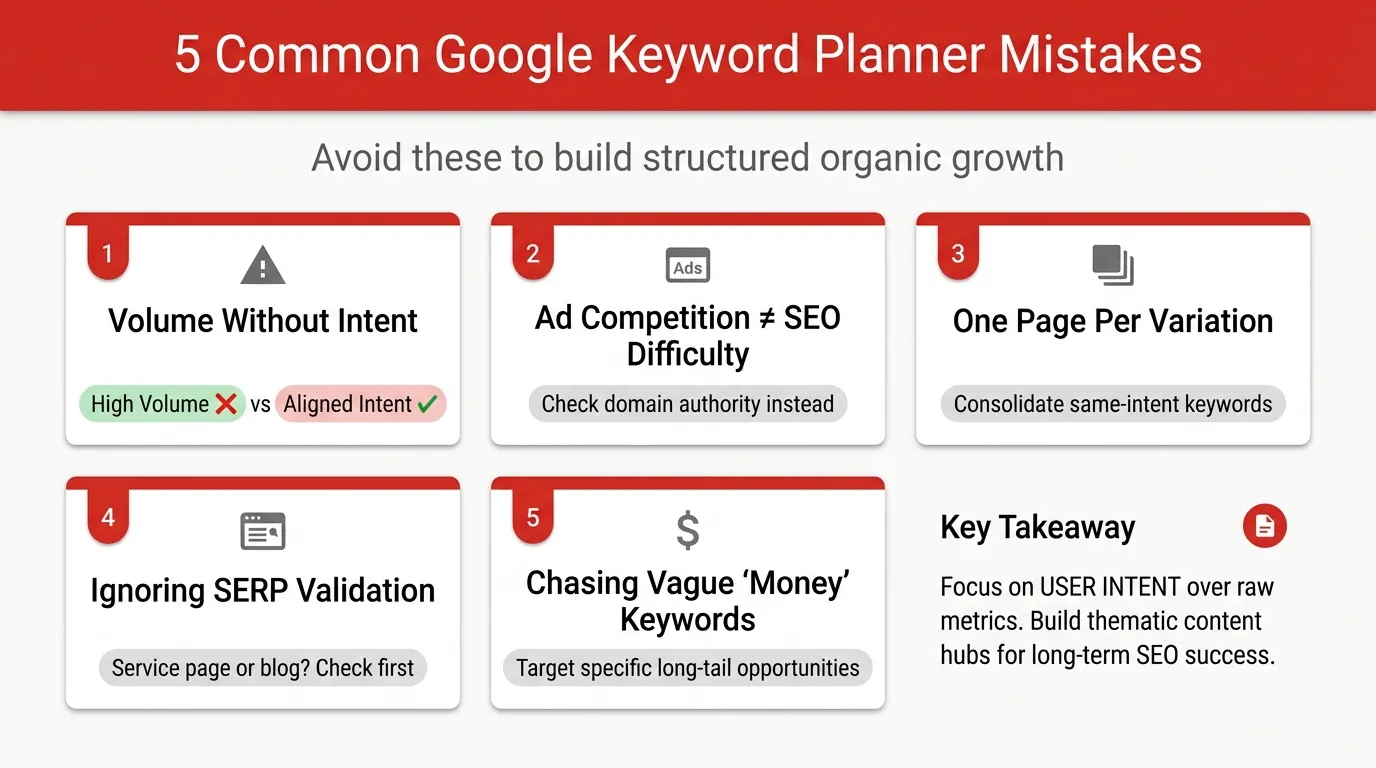
Common Mistakes When Using Google Keyword Planner for SEO
Google Keyword Planner is simple on the surface. That simplicity is also why it is often misused.
The tool provides clean data: volume, competition, CPC, and trends. The problem is not the interface. The problem is interpretation.
If you rely on it incorrectly, you can end up creating the wrong pages, targeting the wrong keywords, and wasting months of SEO effort.
Here are the most common mistakes, and why they matter.
1. Chasing High Search Volume Without Considering Intent
Search volume attracts attention. But volume alone does not determine ranking success or revenue potential.
For example:
- “digital marketing” may have a very high volume
- “digital marketing agency Singapore” may have lower volume but stronger buyer intent
If your goal is leads, the second keyword is more valuable.
Always ask:
- What is the user trying to accomplish?
- Does this align with my business objective?
Volume without intent alignment leads to traffic that does not convert.
2. Treating Advertiser Competition as SEO Difficulty
Google Keyword Planner’s “Competition” column reflects advertiser density, not organic ranking difficulty.
High competition means many advertisers are bidding on the keyword. It does not mean the top 10 organic results are hard to beat.
Before deciding a keyword is too competitive, check:
- Domain authority of ranking pages
- Content depth
- Search intent match
- Backlink profiles
Advertiser competition is a commercial signal, not an SEO difficulty score.
3. Creating One Page Per Keyword Variation
A common mistake is assuming each keyword variation requires a separate page.
For example:
- seo agency Singapore
- Singapore seo agency
- seo companies in Singapore
If these keywords yield similar SERP results, they share the same intent. They belong on the same page.
Creating multiple pages for near-identical variations leads to keyword cannibalisation, where your own pages compete against each other.
Search engines prefer consolidated authority.
4. Ignoring Search Intent Validation in the SERP
Google Keyword Planner shows demand, but it does not show the type of content ranking.
Before creating content, manually review the top 10 results.
Look at:
- Are they service pages or blog posts?
- Are they long-form guides or short landing pages?
- Do they include pricing information?
If Google ranks service pages for a keyword and you create a blog post, you are misaligned with intent.
The SERP reveals Google’s preference.
5. Overlooking CPC as a Commercial Signal
Many SEOs ignore cost-per-click data because it originates from paid advertising.
However, CPC often reflects commercial value.
If advertisers are willing to pay more for clicks, it usually indicates:
- Strong purchase intent
- Higher customer value
- Competitive lead market
When planning content, keywords with meaningful volume and strong CPC signals should receive higher priority.
Google Keyword Planner provides data. SEO requires interpretation.
When you move beyond volume chasing and start analysing intent, clustering structure, commercial signals, and SERP alignment, the tool becomes far more powerful.
Used incorrectly, it produces noise.
Used strategically, it builds structured organic growth.
When Should You Combine Google Keyword Planner with Other Tools?
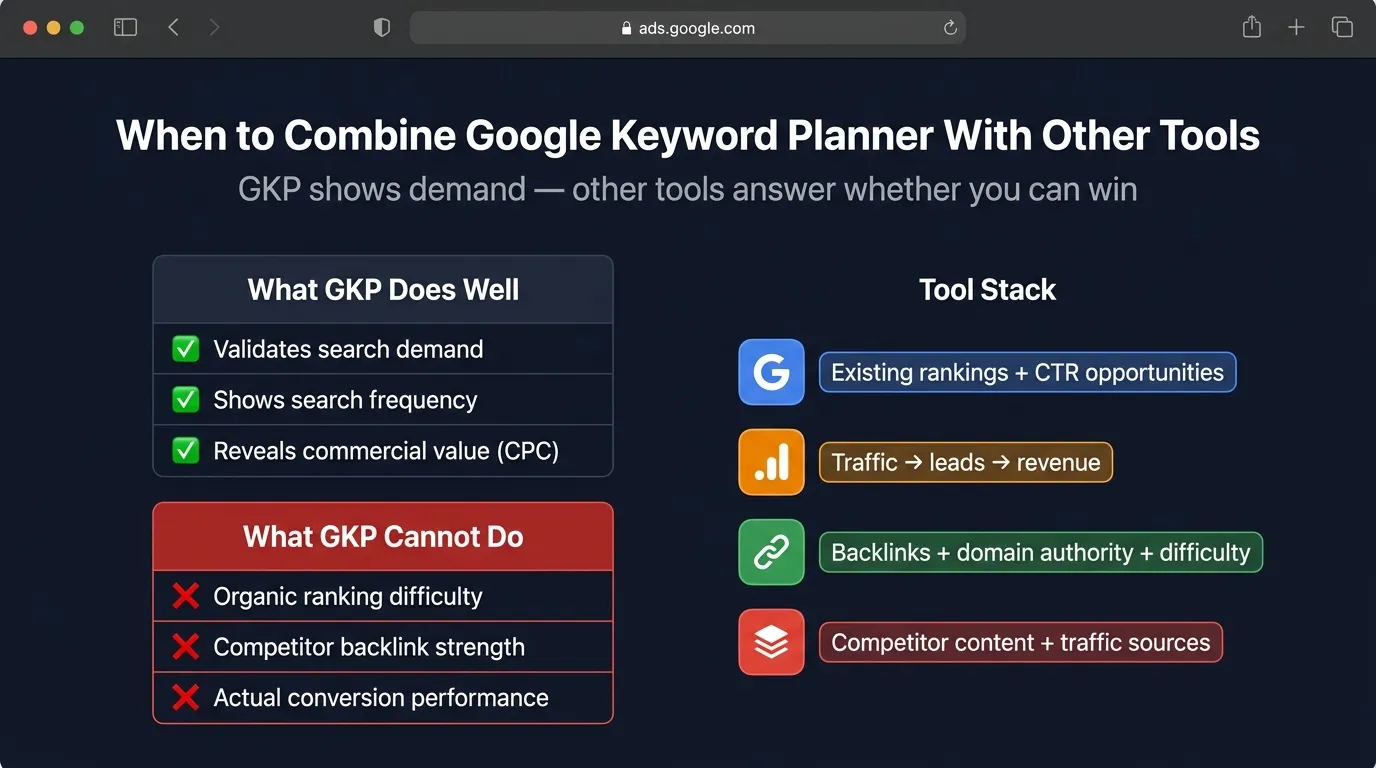
Google Keyword Planner is strong at validating search demand. It shows what people search for, how often they search, and how commercially valuable those searches may be.
However, it does not tell you whether you can rank organically, how strong your competitors are, or whether those keywords actually drive conversions on your site.
That is when combining tools becomes necessary.
You should move beyond Google Keyword Planner alone when you are building a serious SEO strategy, rather than casually researching blog topics. This typically happens when you are targeting competitive keywords, allocating significant resources to content, or prioritising keywords based on revenue impact.
Other tools are needed because they help answer questions that Keyword Planner cannot.
You combine tools to:
- Assess organic ranking difficulty and backlink competition
- Identify keywords you already rank for and can improve quickly
- Measure real conversion performance instead of traffic alone
- Validate search intent based on actual SERP results
- Compare keyword opportunities based on feasibility, not just demand
- Prioritise content based on ROI and business impact
For example, Google Search Console reveals existing keyword positions and click-through rates, helping you spot low-hanging opportunities. GA4 shows whether traffic converts into leads or revenue. Competitive SEO tools provide visibility into backlink strength and domain authority so you can evaluate how realistic it is to outrank current results.
In simple terms:
Google Keyword Planner tells you what people want.
Other tools tell you whether you can win and whether it is worth pursuing.
Used together, they transform keyword research from a data exercise into a strategic growth system.
Turn Keyword Data into Strategic Growth
Google Keyword Planner is not a complete SEO platform, and it was never meant to be. What it offers instead is something equally powerful: direct insight into real search demand from Google itself.
When you move beyond simply exporting keyword lists and start grouping terms by intent, analysing CPC for commercial signals, validating SERP formats, and forecasting potential impact, the tool transforms into a strategic planning engine.
It helps you prioritise pages that drive revenue, prevent keyword cannibalisation, and build structured topic clusters that strengthen topical authority over time.
The difference between random blogging and sustainable SEO growth lies in structure. Google Keyword Planner provides the demand data. Your job is to interpret, organise, and align it with your business goals.
If you want expert help turning these insights into an actionable SEO plan that drives traffic, leads, and revenue, talk to MediaOne, a full-service digital marketing agency that specialises in SEO, content planning, and long-term organic growth strategies. Contact us today!
Frequently Asked Questions
Can Google Keyword Planner be used for YouTube or video keyword research?
Yes, but with limitations. Google Keyword Planner primarily reflects Google Search demand, not YouTube search specifically. However, because YouTube is owned by Google and many video queries overlap with search queries, it can still help validate topic demand before producing video content.
For YouTube-specific optimisation, it should be supplemented with platform-based research tools.
Why do search volume numbers appear as ranges instead of exact figures?
If you are not running active Google Ads campaigns, Google typically shows search volume in ranges (for example, 1K–10K). This is designed for advertisers, not SEO users.

Even though the numbers are not exact, they are still directionally useful for comparing keyword demand and identifying relative opportunities.
How many keywords should you target on one page?
There is no fixed number. Instead of counting keywords, focus on aligning with intent. A single page can rank for dozens of semantically related keywords if they share the same intent. If multiple keywords produce identical SERP results, they likely belong on a single well-optimised page rather than on separate pages.
Can Google Keyword Planner help identify content gaps?
Indirectly, yes. By comparing your existing content topics with keyword demand in Google Keyword Planner, you can identify areas where demand exists, but your website lacks coverage. However, competitive content gap analysis requires reviewing competitor rankings or using additional SEO tools.
Should you prioritise long-tail or short-tail keywords first?

For newer or lower-authority websites, long-tail keywords are often the better starting point. They typically have clearer intent, lower competition, and higher conversion potential. As authority grows, you can progressively target broader, higher-volume short-tail keywords through pillar content and topic clusters.