| AI Summary
Website design trends for 2026 combine usability, performance and emerging technologies to improve customer experiences. This guide explores mobile-first design, accessibility, minimalist layouts, bento grids, micro-animations, 3D visualisation and AI-powered personalisation. It explains which trends Singapore businesses should adopt, test or skip based on audience relevance, website performance, accessibility and conversion potential. It also provides a practical evaluation scorecard and redesign roadmap to help businesses prioritise their investments. |
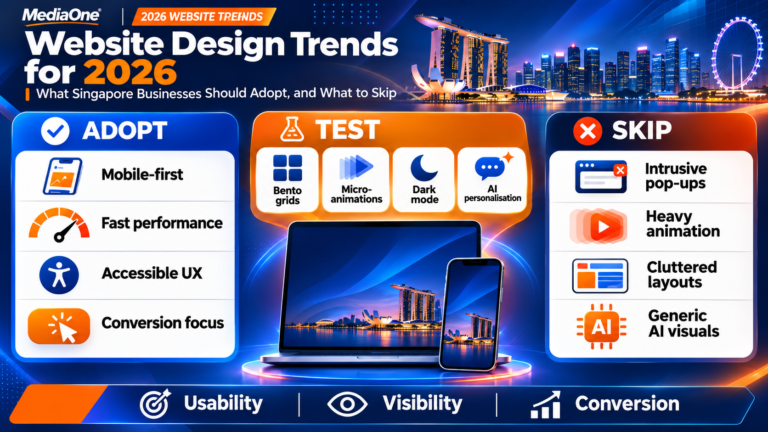
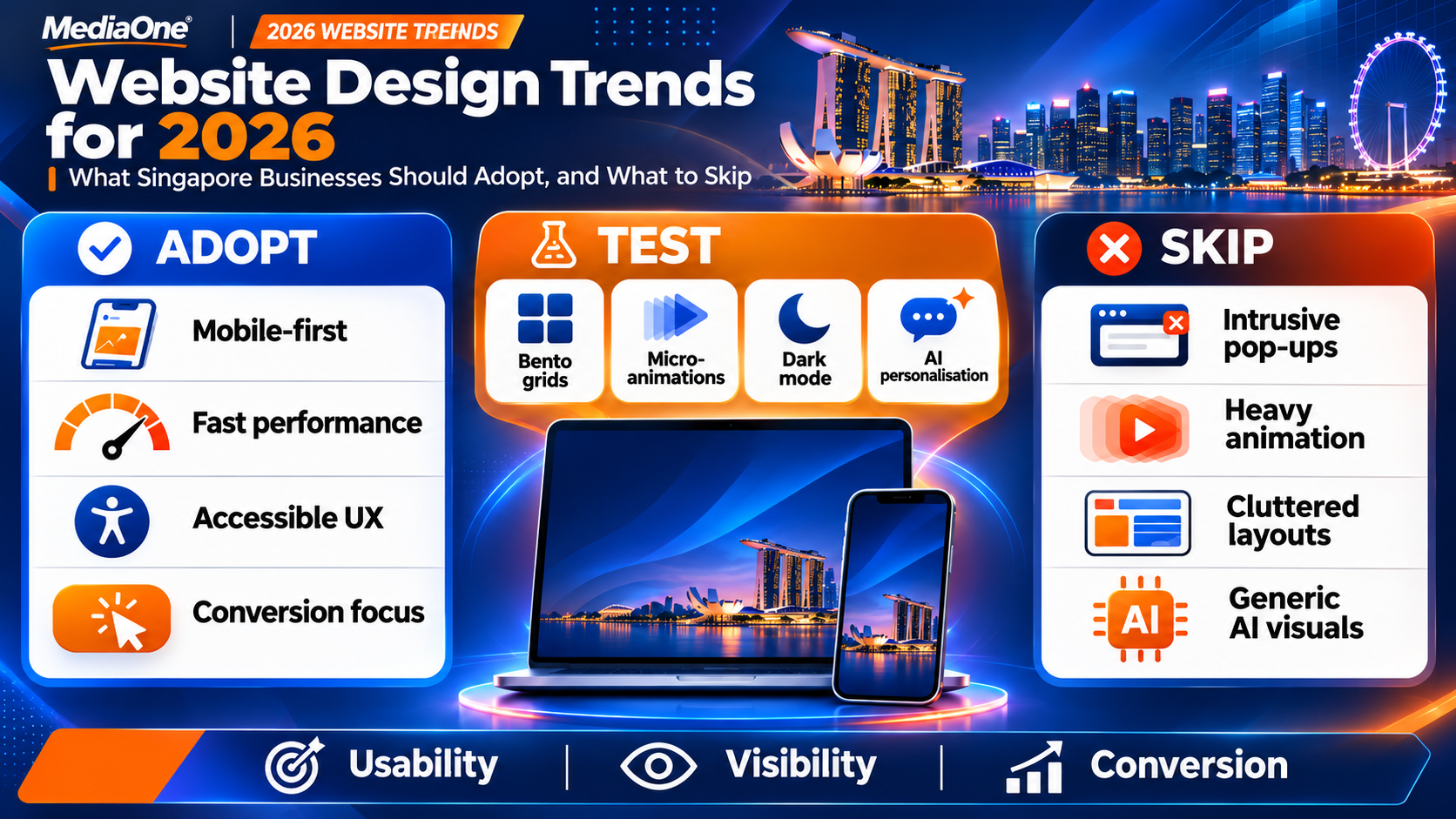
The most valuable website design trends for 2026 focus on mobile usability, accessibility, faster loading speeds and clearer paths to conversion. Singapore businesses should prioritise these foundations before investing in immersive graphics, advanced animations or artificial intelligence (AI)-powered personalisation.
A visually impressive website can still perform poorly if visitors struggle to find information or complete a purchase. Similarly, a minimalist website can generate weak results if it removes the details customers need to make decisions.
At MediaOne, we recommend evaluating design trends against three business outcomes: usability, visibility and conversion. The right approach depends on your audience, industry and website objectives.
This guide examines the website design trends worth adopting in 2026, the features that require careful testing and the practices Singapore businesses should avoid.
Key Takeaways
-
Mobile-first design, accessibility and website performance should form the foundation of every business website.
-
Bento grids, minimalist layouts and expressive typography can improve visual communication when they support clear navigation.
-
Micro-animations, dark mode and interactive product experiences work best when they address specific user needs.
-
AI-powered personalisation and chatbots require careful implementation, measurable objectives and responsible data handling.
-
Heavy animations, intrusive pop-ups and generic AI-generated visuals can undermine usability and brand credibility.
-
Businesses should evaluate each trend against audience relevance, performance impact, accessibility and measurable business value before rolling it out.
2026 Website Design Trends at a Glance
Not every popular design technique deserves a place on your website. Some improve the customer experience immediately, while others introduce unnecessary complexity.
Here is how we recommend approaching the main trends in 2026.
| Website design trend | Our recommendation | Best suited for |
|---|---|---|
| Mobile-first design | Adopt | All businesses |
| Performance-focused design | Adopt | All businesses |
| Accessible design | Adopt | All businesses |
| Conversion-focused minimalism | Adopt | Service businesses and e-commerce |
| Bento grid layouts | Adopt selectively | Corporate and service websites |
| Expressive typography | Test | Creative and lifestyle brands |
| Micro-animations | Adopt selectively | E-commerce and interactive websites |
| Dark mode | Test | Technology and media platforms |
| Glassmorphism | Test cautiously | Creative and technology brands |
| 3D product visualisation | Test | Furniture, retail and manufacturing |
| AI-powered personalisation | Test | Established e-commerce businesses |
| AI chatbots | Test | Businesses with frequent customer enquiries |
| Interactive video | Adopt selectively | Complex products and services |
| Search-friendly content design | Adopt | Businesses seeking organic visibility |
| Intrusive pop-ups and scroll effects | Skip | Most business websites |
The recommendations are based on practical design considerations rather than predictions about how long a particular visual style will remain popular.
Essential Website Design Trends Every Business Should Adopt
Before exploring creative layouts and emerging technologies, businesses need a reliable website foundation. These design priorities influence how easily customers can access information, navigate pages and complete important actions.
1. Mobile-First Website Design
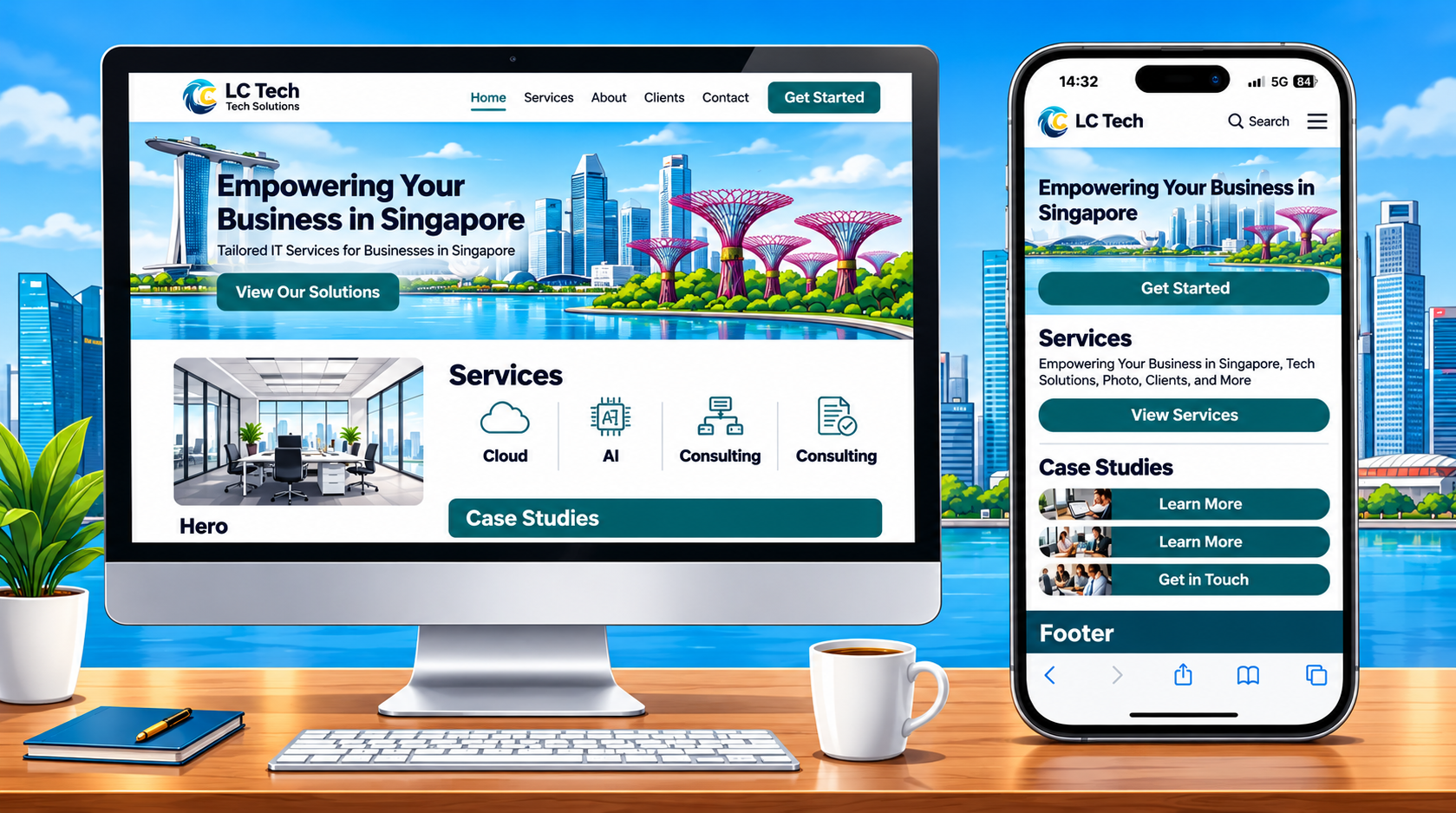
Mobile-first design means planning the website experience around smaller screens before adapting it for tablets and desktops. For Singapore businesses, this approach is particularly useful when customers browse products, compare services or search for nearby businesses while travelling.
Google also uses the mobile version of a website’s content for indexing and ranking. Its mobile-first indexing guidelines recommend responsive web design because it is generally easier to implement and maintain.
However, mobile-first design does not mean neglecting desktop users. A business-to-business (B2B) company may receive substantial desktop traffic from professionals researching suppliers during working hours.
What Singapore businesses should adopt:
-
Navigation menus that remain easy to understand on smaller screens.
-
Buttons with sufficient spacing for comfortable tapping.
-
Forms that require minimal typing.
-
Responsive images that adapt to different screen sizes.
-
Click-to-call and messaging options where relevant.
Avoid removing important content from the mobile version simply to achieve a cleaner appearance. Customers should have access to the same essential information regardless of device.
We recommend checking your actual device breakdown in Google Analytics 4 (GA4). Use that information to prioritise improvements rather than relying on global mobile traffic statistics.
2. Performance-Focused Website Design
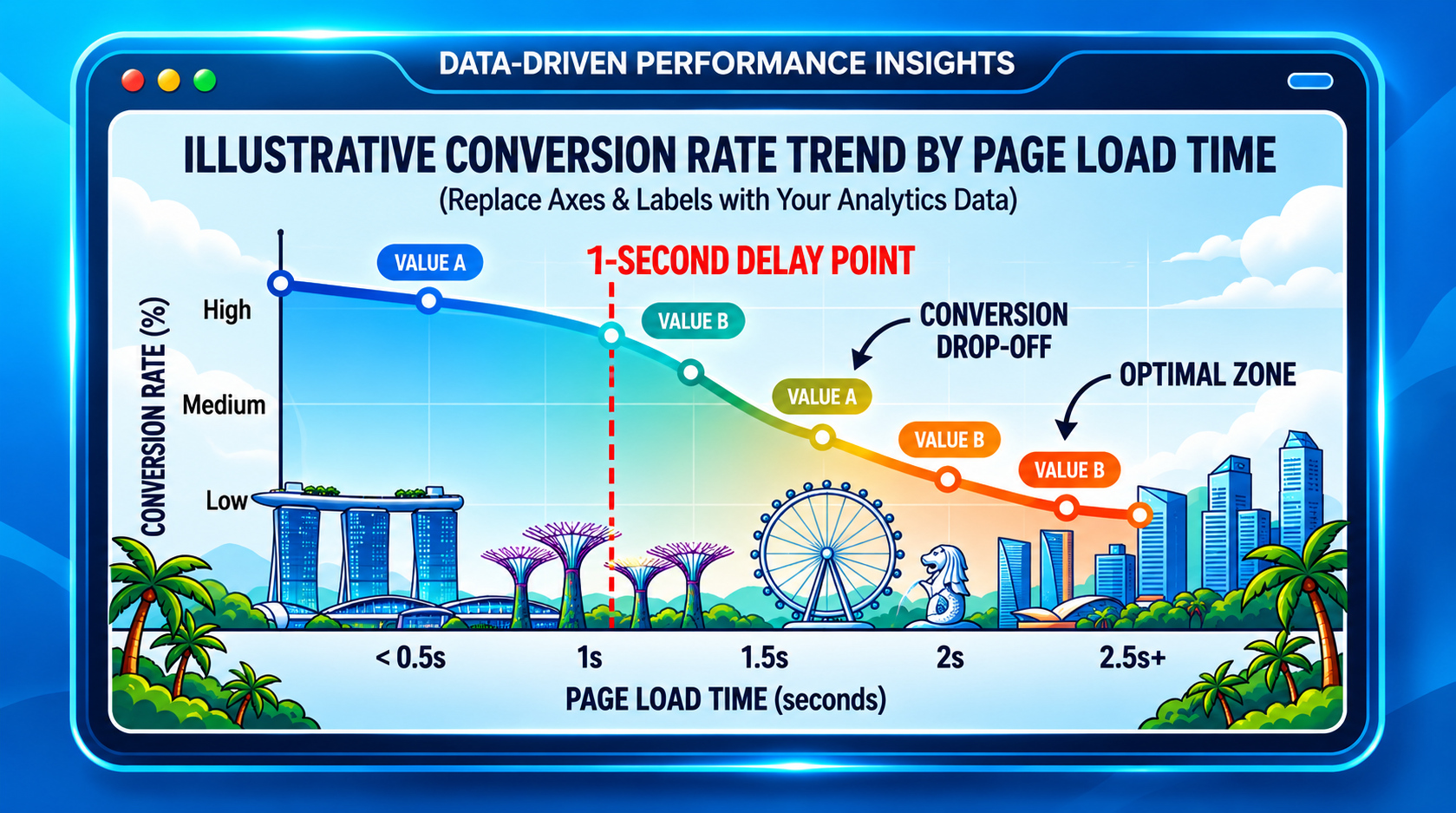
Fast websites remain a practical business priority in 2026. Visitors should not have to wait for large background videos, animation libraries or oversized photographs before accessing essential information.
Google’s Core Web Vitals guidelines identify three metrics that measure important aspects of the user experience.
| Core Web Vital | What it measures | Recommended threshold |
|---|---|---|
| Largest Contentful Paint (LCP) | Loading performance | 2.5 seconds or less |
| Interaction to Next Paint (INP) | Responsiveness to interactions | 200 milliseconds or less |
| Cumulative Layout Shift (CLS) | Visual stability | 0.1 or less |
These thresholds should be assessed using real-world experience at the 75th percentile where sufficient data is available.
A website can appear fast during an office demonstration but struggle on an older smartphone. This difference matters when evaluating new website design trends.
To improve performance:
-
Compress photographs and use modern formats such as WebP or AVIF.
-
Serve appropriately sized images for different devices.
-
Lazy-load non-critical images and videos below the initial viewport.
-
Prioritise the loading of the main hero image.
-
Remove unnecessary plugins and third-party scripts.
-
Reserve space for images and embedded content to reduce layout shifts.
Google’s LCP optimisation guidance specifically advises against lazy-loading the LCP image because doing so can delay its appearance. Use PageSpeed Insights to identify performance problems. Google Search Console can also provide real-world Core Web Vitals reporting when sufficient user data is available.
3. Accessible and Inclusive Website Design
Accessibility ensures that people with different abilities can use a website effectively. It should influence the design process from the beginning rather than become a final task before launch.
The Web Content Accessibility Guidelines (WCAG) 2.2 provide internationally recognised recommendations for accessible digital experiences. For example, WCAG Level AA requires a minimum contrast ratio of 4.5:1 for normal text and 3:1 for qualifying large text, subject to specified exceptions.
Businesses should also consider:
-
Keyboard navigation with visible focus indicators.
-
Descriptive alternative text for meaningful images.
-
Properly labelled form fields and understandable error messages.
-
Captions for prerecorded video containing meaningful audio.
-
Navigation that remains usable when text size increases.
-
Alternatives to interactions that rely entirely on dragging or hovering.
Singapore businesses serving international markets should also consider applicable accessibility regulations. The European Accessibility Act became applicable on 28 June 2025. It covers selected products and services, including e-commerce. Its requirements and exemptions depend on the business and service involved.
Businesses targeting European consumers should assess whether these obligations apply to their operations. We recommend combining automated accessibility checks with manual keyboard and screen reader testing. Automated tools can identify certain technical problems, but they cannot determine whether every customer can complete a task successfully.
4. Conversion-Focused Minimalism
Minimalist website design uses clear visual hierarchy, purposeful spacing and limited distractions. Its objective should be to help visitors understand an offer and decide what to do next.
For a Singapore accounting firm, this might mean presenting its services, qualifications and consultation options prominently. A retail business might prioritise product photography, prices and delivery information.
Minimalism becomes problematic when it removes information customers need. A landing page with a large photograph and a single button may look elegant. However, visitors still need to understand the service, its benefits and why they should trust the company.
We recommend retaining four essential elements on commercial pages:
-
A clear value proposition: Explain what the business provides and who it serves.
-
Relevant supporting information: Address customer concerns about pricing, availability or service inclusions.
-
Trust signals: Display genuine testimonials, qualifications or relevant case studies.
-
A clear call to action (CTA): Help visitors take the next appropriate step.
Good minimalist design reduces distractions without sacrificing useful content. For businesses investing in SEO and digital marketing, this balance is particularly important. Removing substantive content during a redesign can weaken a page’s ability to answer relevant search queries.
Visual Website Design Trends Worth Exploring in 2026
Once a website meets its usability and performance requirements, creative design can help communicate brand identity and organise complex information. The following trends offer practical benefits when applied with a clear purpose.
5. Bento Grid Layouts
Bento grids organise content into modular blocks of different sizes. Each block can communicate a separate feature, service, statistic or visual element. This layout works particularly well on websites presenting several related offerings.
A Singapore digital marketing agency, for example, could use a bento grid to introduce SEO, paid advertising, website development and social media management. Each block could link to a dedicated service page.
Other suitable applications include property developments, healthcare services and software product features. The main advantage is structured visual variety. Visitors can scan related information without reading a long introductory paragraph. However, irregular card sizes can create confusion when a layout adjusts to smaller screens.
Our recommendation: Design the mobile reading order before finalising the desktop arrangement. Give each card a clear purpose and ensure its placement reflects the importance of the information.
Avoid using a bento grid for detailed articles that require a continuous reading experience. Conventional headings and paragraphs usually serve that purpose better.
6. Expressive Typography and Editorial Layouts
Typography is becoming a prominent part of contemporary website design. Large headlines, contrasting font weights and editorial-style compositions can give a brand a distinctive appearance. This approach is useful for creative agencies, fashion retailers, premium hospitality businesses and companies seeking stronger visual differentiation.
A distinctive headline can establish a brand’s personality without requiring an elaborate illustration or animation. However, oversized text can occupy too much space on mobile devices. Decorative fonts may also reduce readability when used for body copy.
We recommend using expressive typography for selected headlines while maintaining simple, readable fonts for supporting information. Consider these design principles:
-
Establish a consistent hierarchy for headings and body text.
-
Choose fonts that support the languages your customers use.
-
Limit unnecessary font downloads.
-
Check that text remains readable when resized.
-
Keep important headlines as actual website text rather than embedding them in images.
Singapore businesses serving multilingual audiences should pay particular attention to font compatibility. English, Chinese, Malay and Tamil content may require different typefaces and layout considerations. Typography should reinforce the brand while supporting reading comfort.
7. Strategic Colour and Brand-Led Design
Colour can establish visual hierarchy, distinguish interactive elements and create a recognisable brand experience. Rather than adopting a fashionable colour palette across the entire website, businesses should start with their existing brand guidelines and customer expectations.
A financial services website may use restrained colours to communicate professionalism. A children’s education provider might benefit from a brighter visual identity.
Neither approach automatically performs better. The effectiveness depends on its suitability for the audience and its execution.
We recommend assigning specific functions to your colours. Primary brand colours can reinforce recognition, while a contrasting accent can highlight important actions.
Colour should never be the sole way of communicating essential information. An error message, for instance, should contain explanatory text instead of relying only on a red border.
Maintain consistency across buttons, navigation and form components. This helps visitors recognise familiar interactions throughout the website.
8. Dark Mode and Adaptive Colour Themes
Dark mode uses a darker interface with lighter text and graphical elements. It can be suitable for technology platforms, dashboards, entertainment websites and media-heavy experiences.
Some users prefer dark interfaces in low-light environments. Others find light backgrounds easier to read.
For a conventional business website, dark mode is usually an optional enhancement rather than a necessary redesign feature. Businesses considering dark mode should test:
-
Text and button contrast in both themes.
-
Logo visibility against dark backgrounds.
-
Product photographs with transparent backgrounds.
-
Form fields, error messages and interactive controls.
-
Consistency between the website and third-party integrations.
If offering both light and dark themes, consider respecting the visitor’s device preferences and providing a manual switch. We would not recommend adding dark mode solely because competitors use it. First determine whether the feature improves the experience for your audience and whether your team can maintain both versions reliably.
Interactive Website Design Trends: What to Test Before Investing
Interactive features can improve engagement when they help visitors complete a task or understand a product. The challenge is to prevent these features from introducing unnecessary delays or distractions.
9. Purposeful Micro-Animations
Micro-animations are small visual movements that communicate changes within an interface. Common examples include a button changing appearance when pressed, a shopping basket updating or a form displaying a confirmation message. These interactions help users understand whether their actions have been successful.
For an e-commerce website, a brief animation can confirm that a product has been added to the basket. For a service business, a visual confirmation can reassure visitors that their enquiry has been submitted.
Useful micro-animations include:
-
Feedback when a button is pressed.
-
Progress indicators during multi-step forms.
-
Confirmation messages after successful actions.
-
Smooth transitions between related interface states.
Animation duration should match the interaction. Simple feedback should appear quickly, while longer transitions may be appropriate for more complex changes.
Developers should also respect the user’s reduced-motion preferences through features such as the prefers-reduced-motion CSS media query. We recommend avoiding animations that delay access to information. Essential content must remain available even when animation is disabled.
10. Glassmorphism and Layered Transparency
Glassmorphism creates a translucent, frosted-glass appearance through background blur, transparency and subtle borders. It can add depth to navigation panels, dashboard components and selected promotional cards. The effect is particularly suitable for digital products and technology-focused brands.
However, transparency can compromise readability when text appears over photographs or changing backgrounds. Background blur may also create performance issues on less powerful devices, depending on implementation.
A Singapore technology company could use a translucent panel over a product illustration to highlight a software feature. An accounting firm presenting detailed financial information would generally benefit from a solid background instead.
Our recommendation: Restrict glassmorphism to small, non-essential visual components. Test the interface across different screens and lighting conditions.
If a transparent panel makes text harder to read, replace it with a solid surface. Maintaining legibility should take priority over creating visual depth.
11. Interactive 3D Product Visualisation
Three-dimensional (3D) product viewers allow visitors to rotate, inspect or explore a digital representation of an object. This design trend has a clear commercial application when conventional photographs cannot fully communicate a product’s features.
Singapore furniture retailers could use 3D models to help customers inspect cabinet configurations. Industrial suppliers could demonstrate the structure of specialised equipment. Property businesses might use interactive models to explain floor plans.
Some businesses may also explore augmented reality (AR), which allows customers to visualise digital objects within their physical surroundings through compatible devices. However, 3D experiences require suitable assets, technical expertise and ongoing maintenance. Large models can consume additional bandwidth and processing resources.
Before investing, consider whether the feature addresses a genuine purchasing concern.
| Business type | Potential 3D application | Recommended approach |
|---|---|---|
| Furniture retailer | Inspect furniture from different angles | Test on selected products |
| Property developer | Explore unit layouts | Test interactive floor plans |
| Industrial supplier | Examine machinery components | Use for complex equipment |
| Professional services firm | Decorative homepage graphics | Generally skip |
| Fashion retailer | Product or accessory visualisation | Test where practical |
We recommend starting with high-quality product photography. Introduce 3D functionality only when it offers information that photographs and conventional videos cannot communicate effectively.
Provide a static alternative for visitors using unsupported devices or slower connections.
12. Video-Led Website Experiences
Video can explain complex services, demonstrate products and introduce the people behind a business. For Singapore companies competing in industries where trust matters, an authentic video may help potential customers understand what to expect.
A renovation contractor could showcase a completed project. A software provider could demonstrate its platform. A training organisation could introduce its instructors and learning environment.
However, video engagement does not automatically translate into sales. Its value depends on whether it answers customer questions and supports a meaningful next step.
We recommend placing videos where they contribute directly to the customer journey. For example, a product demonstration can appear alongside specifications and pricing. A customer testimonial video can support a case study or consultation page.
Follow these implementation practices:
-
Use compressed video files and appropriately sized thumbnails.
-
Avoid automatically playing videos with sound.
-
Provide captions and relevant accessible alternatives.
-
Reserve the video player’s dimensions to prevent layout shifts.
-
Consider loading third-party video players only when visitors choose to interact with them.
A short, useful demonstration can be more effective than an elaborate homepage video that visitors have no reason to watch.
AI and Personalisation: Emerging Website Design Trends for 2026
Artificial intelligence introduces new opportunities to customise digital experiences and support customer interactions. It also creates challenges involving accuracy, privacy and implementation costs.
We recommend beginning with specific business problems rather than adding AI features simply because they are available.
13. AI-Powered Website Personalisation
Website personalisation adjusts content or recommendations according to relevant customer information.
An online retailer might recommend accessories related to products a customer has viewed. A B2B website might present industry-specific case studies after a visitor selects their business sector.
Personalisation does not always require artificial intelligence. Simple, predefined rules can deliver a useful experience without the cost of a complex recommendation system.
For small and medium-sized enterprises (SMEs), we recommend starting with three practical applications:
-
Recently viewed products or services.
-
Product recommendations based on relevant categories.
-
Content tailored to explicitly selected customer preferences.
Businesses should measure whether these features improve product discovery, enquiry quality or completed purchases.
Personalisation also requires responsible data handling. Singapore’s Personal Data Protection Act establishes obligations concerning the collection, use, disclosure and protection of personal data.
These obligations include notifying individuals about relevant purposes and obtaining consent where required. Businesses should assess their lawful basis and applicable exceptions rather than assume that a privacy policy alone permits every type of tracking.
We recommend limiting data collection to what the feature genuinely needs. Provide appropriate privacy information and avoid collecting sensitive details unnecessarily.
14. AI Chatbots and Conversational Interfaces
AI-powered chatbots can help visitors navigate a website, locate products and obtain answers to common questions. Unlike basic scripted chatbots, generative AI systems can respond to a wider range of natural-language enquiries. However, they can also produce inaccurate or unsupported answers.
For Singapore businesses, the most useful chatbot applications often involve repetitive, clearly defined tasks. These include explaining opening hours, directing visitors to service pages, providing product information and collecting preliminary enquiries.
Businesses should avoid allowing chatbots to independently provide sensitive financial, medical or legal advice without appropriate safeguards. A chatbot should also make it easy for customers to contact a human representative. Automated assistance becomes frustrating when visitors cannot resolve problems outside its supported topics.
Before implementation, establish clear rules for:
-
Approved information sources.
-
Questions requiring human assistance.
-
Collection and handling of personal data.
-
Monitoring incorrect or misleading responses.
-
Updating information when services or policies change.
Measure chatbot success through resolved enquiries and customer satisfaction. Message volume alone does not establish whether the chatbot improves the website experience.
Search-Friendly Website Design in the Age of AI Search
Search visibility remains an important consideration when evaluating website design trends. A creative redesign should preserve the content and technical foundations that help search engines discover and understand a website.
15. Content Design for Search Engines and AI-Assisted Discovery
Search behaviour increasingly includes conversational questions and AI-assisted research. This creates opportunities for businesses to structure information around specific customer needs. However, businesses should not assume that a special visual layout will guarantee visibility in AI-generated answers.
Google’s guidance on AI features and websites explains that existing SEO fundamentals remain relevant for AI Overviews and AI Mode. Google does not require special AI-specific structured data for inclusion.
We recommend designing pages that communicate clear answers supported by relevant details. A Singapore air-conditioning servicing company, for example, could create a service page explaining maintenance options, service intervals, common problems and appointment procedures.
Use descriptive headings that match the questions customers are likely to ask. Include concise answers followed by supporting explanations, examples or relevant pricing information.
Useful design practices include:
-
Logical heading hierarchies.
-
Important information available as readable website text.
-
Clear business details and contact information.
-
Relevant images accompanied by meaningful descriptions.
-
Structured data that accurately reflects visible page content.
Frequently asked questions (FAQs) can improve content usability when they address genuine customer concerns. However, adding FAQs or schema markup does not guarantee search enhancements or citations in AI-generated results.
Protect Existing SEO Performance During a Redesign
A redesign can introduce technical problems if developers change URLs, remove valuable content or accidentally block search engines. Before launching a redesigned website, identify pages that already attract organic traffic, generate enquiries or receive external links.
Preserve their useful content and search intent where appropriate. If URLs must change, map old addresses to their relevant replacements using permanent redirects.
Review important elements such as:
-
Title tags and meta descriptions.
-
Canonical tags.
-
Internal links and navigation.
-
XML sitemaps.
-
Indexing directives.
-
Mobile content and structured data.
Google’s site move guidelines provide recommendations for managing URL changes during website migrations.
We recommend monitoring organic traffic, indexing and conversions after launch. A visually improved website should not come at the expense of established search visibility.
Website Design Trends Singapore Businesses Should Skip
Some design techniques remain visually appealing but introduce problems that outweigh their benefits. Businesses should distinguish creative experimentation from features that support commercial objectives.
Full-Screen Autoplay Videos
Large background videos can establish atmosphere for hospitality, entertainment or luxury brands. However, they may delay important content and consume substantial bandwidth. For most business websites, we recommend a static hero image with an optional video demonstration further down the page.
Scroll Hijacking and Excessive Parallax Effects
Scroll hijacking changes how the browser responds to normal scrolling. Parallax effects move visual elements at different speeds to create an impression of depth.
These techniques can be effective in selected storytelling experiences. Applied throughout a commercial website, they can make navigation unpredictable and create accessibility problems.
Allow visitors to control their scrolling behaviour. Avoid forcing them through animations before they can reach important content.
Intrusive Pop-Ups and Forced Interactions
Pop-ups can support lead generation, but their timing and placement matter.
A newsletter prompt that appears immediately after a page loads may interrupt a visitor who has not yet understood the business. Multiple overlapping prompts can make mobile navigation particularly difficult.
Google’s guidance on intrusive interstitials recommends avoiding elements that obstruct access to content. We recommend using unobtrusive alternatives, such as an embedded subscription form or a relevant CTA within the page.
Generic AI-Generated Visuals
AI-generated imagery can support creative production, but businesses should avoid publishing visuals that misrepresent their products, employees or facilities. A professional services website displaying fictional team members can undermine credibility. An e-commerce website using inaccurate product imagery may create unrealistic customer expectations.
Use genuine photographs where authenticity influences purchasing decisions. Reserve generated imagery for appropriate conceptual illustrations or decorative applications.
Unusual navigation systems may demonstrate creativity, but customers should not need to learn how a website works before finding information. Hidden menus, ambiguous icons and unconventional page structures can create unnecessary friction.
We recommend using familiar navigation patterns for important tasks. Creative treatments should complement established usability conventions rather than replace them.
Which Website Design Trends Suit Your Singapore Business?
Different industries require different design priorities. A website selling physical products faces different challenges from a professional services website generating consultation enquiries.
Use the following recommendations to guide your investment.
| Business or industry | Prioritise | Test selectively | Generally avoid |
|---|---|---|---|
| E-commerce | Product navigation, mobile checkout, performance | Personalised recommendations, 3D viewers | Heavy homepage animations |
| Professional services | Clear service pages, trust signals, enquiry forms | Bento grids, explanatory videos | Decorative 3D experiences |
| Healthcare | Accessibility, readable content, appointment navigation | Carefully controlled chatbots | Unverified AI-generated medical information |
| Property and renovation | Project photography, portfolio navigation, enquiries | Virtual tours, interactive floor plans | Slow-loading galleries |
| B2B and manufacturing | Technical information, case studies, quotation forms | Product demonstrations, interactive models | Overly minimal product pages |
| Hospitality and tourism | Mobile booking, photography, clear pricing | Immersive video, interactive maps | Forced autoplay experiences |
For Singapore retailers, practical improvements might include clearer delivery information and simpler checkout procedures. Professional services firms may benefit from transparent service explanations and stronger case studies.
We recommend choosing design features according to the decisions your customers need to make. Start with the pages that influence revenue before experimenting with decorative elements elsewhere.
How to Evaluate and Prioritise Website Design Trends
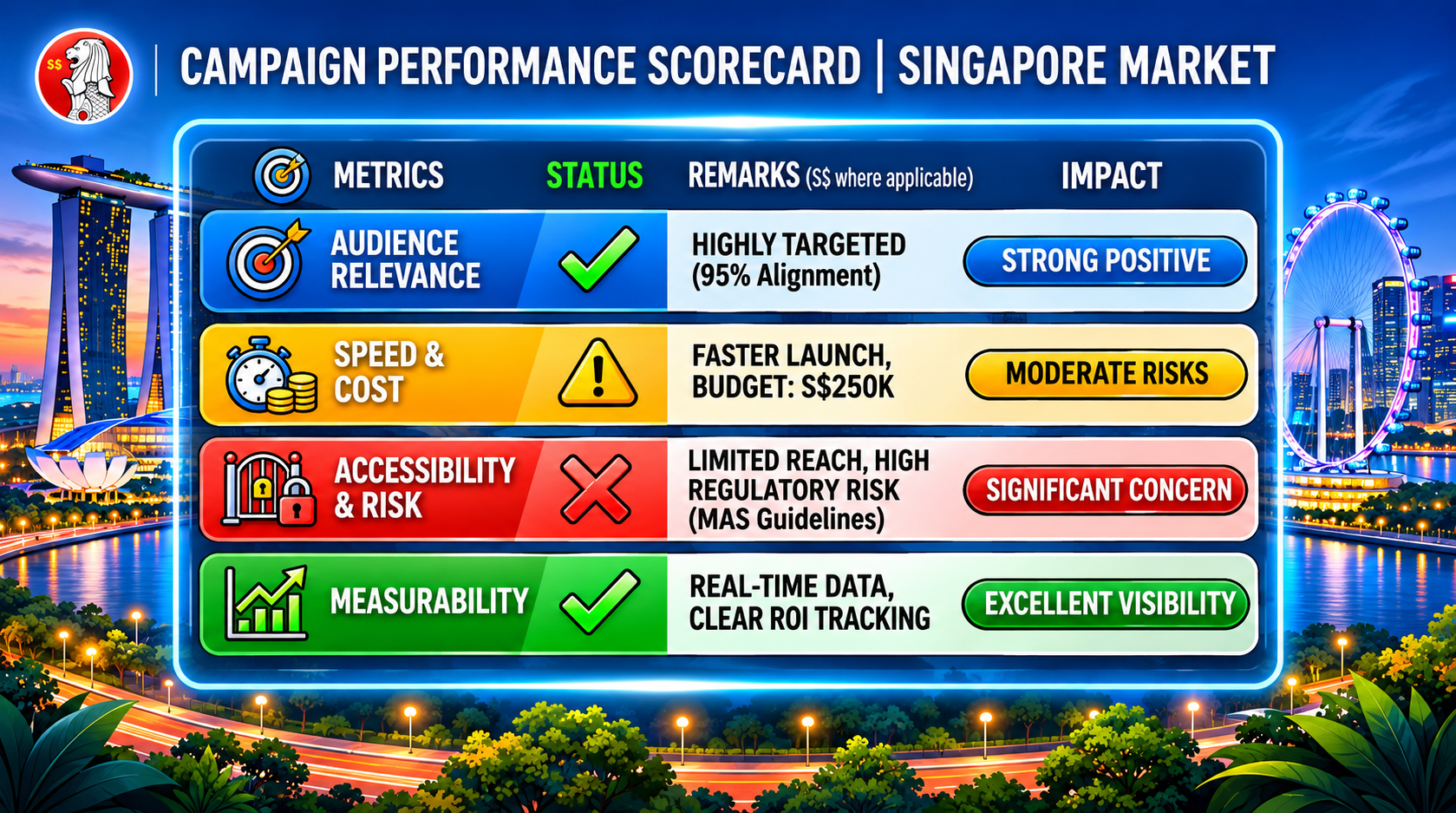
A structured evaluation helps businesses avoid spending their redesign budget on features that offer limited commercial value. We recommend assessing each optional trend using four criteria:
-
Audience relevance: Does the feature address a genuine customer need?
-
Performance impact: Can it operate without compromising loading speed or responsiveness?
-
Accessibility: Can different users access and interact with it successfully?
-
Measurability: Can the business track whether the feature achieves its objective?
Score each criterion from one to five. A higher score indicates a stronger fit.
Website Design Trend Evaluation Scorecard
The following example illustrates how a conventional Singapore service business might assess selected trends.
| Design trend | Audience relevance | Performance | Accessibility | Measurability | Total /20 |
|---|---|---|---|---|---|
| Conversion-focused minimalism | 5 | 5 | 4 | 5 | 19 |
| Responsive imagery | 5 | 4 | 5 | 4 | 18 |
| Bento grid layouts | 4 | 4 | 4 | 4 | 16 |
| Purposeful micro-animations | 3 | 4 | 4 | 3 | 14 |
| Video demonstrations | 4 | 3 | 4 | 4 | 15 |
| AI chatbots | 4 | 3 | 3 | 4 | 14 |
| Dark mode | 2 | 4 | 3 | 2 | 11 |
| Glassmorphism | 2 | 3 | 2 | 2 | 9 |
| Decorative 3D graphics | 2 | 1 | 3 | 2 | 8 |
How to interpret the results:
-
16–20: Strong candidate for implementation.
-
12–15: Pilot the feature before wider deployment.
-
8–11: Low priority unless a specific customer need exists.
-
4–7: Avoid or reconsider the proposed implementation.
These scores are illustrative recommendations rather than industry benchmarks. An online furniture retailer, for example, may assign a much higher audience relevance score to 3D product visualisation.
Essential accessibility, security and functionality requirements should not be treated as optional features within this scorecard.
A Practical Website Redesign Roadmap for 2026
Businesses do not need to implement every improvement simultaneously. A phased approach helps control costs, reduce implementation risks and identify which changes deliver meaningful results.
Phase 1: Audit Your Existing Website
Begin by establishing the website’s current performance.
Review device usage, organic traffic, conversion rates, Core Web Vitals and accessibility issues. Identify pages where customers abandon important actions, such as submitting enquiries or completing purchases.
Customer feedback and support enquiries can also reveal information that analytics tools miss.
Phase 2: Fix the Foundations
Address usability and technical issues before introducing optional design features.
Improve navigation, mobile layouts, image optimisation and form usability. Resolve accessibility barriers and ensure important content remains discoverable.
These changes establish a stronger baseline for evaluating subsequent design experiments.
Phase 3: Pilot Selected Design Trends
Choose one high-priority feature and test it on a relevant page or template.
For instance, an e-commerce retailer could introduce a product demonstration video on selected product pages. A service business could test a bento grid layout on its services overview page.
Define a success metric before introducing the change. Avoid modifying several unrelated features simultaneously if you want to understand which improvement influences the result.
Phase 4: Measure and Refine
Use GA4, Google Search Console and relevant conversion tracking tools to evaluate the redesigned experience.
| Objective | Suggested measurement |
|---|---|
| Improve website speed | LCP, INP and CLS |
| Increase enquiries | Completed enquiry forms |
| Improve checkout usability | Purchase conversion rate and checkout abandonment |
| Support product discovery | Product views and meaningful product interactions |
| Improve organic visibility | Search impressions, clicks and organic conversions |
| Improve accessibility | Identified barriers and successful task completion |
Allow sufficient time and traffic to assess the results. A four-to-six-week pilot may be useful for an established website, but businesses with limited traffic may require longer.
Account for seasonal demand, promotional campaigns and other factors that influence customer behaviour.
Where practical, use controlled A/B testing to compare the original and revised experience. Retain features that demonstrate value without introducing unacceptable performance or accessibility problems.
Frequently Asked Questions
What are the biggest website design trends for 2026?
The main website design trends include mobile-first layouts, accessible design, performance optimisation, minimalist interfaces, bento grids, purposeful animations and AI-assisted personalisation. Businesses should prioritise features that improve usability and support measurable commercial objectives.
Do website design trends affect SEO?
Yes. Design decisions influence website performance, mobile usability, content accessibility and internal linking. However, adopting a fashionable visual style does not directly guarantee higher search rankings.
Is minimalist website design still effective in 2026?
Yes. Minimalist design remains effective when it reduces distractions and helps customers understand information quickly. Businesses should retain essential service details, trust signals and conversion elements rather than remove content purely for aesthetic reasons.
Should Singapore businesses add AI chatbots to their websites?
AI chatbots can help businesses manage repetitive enquiries and improve access to information. We recommend using approved information sources, monitoring response accuracy and providing an option to contact human support.
How often should a business redesign its website?
There is no universal redesign schedule. Businesses should review website performance regularly and consider substantial redesigns when existing layouts, technology or content no longer support customer needs and business objectives.
Is dark mode necessary for a business website?
No. Dark mode is an optional feature that may benefit certain technology platforms and media-focused websites. Conventional business websites should prioritise readable content, accessible colour contrast and straightforward navigation.
How can a small business follow website design trends on a limited budget?
Start with mobile usability, image optimisation, accessible typography and clearer calls to action. These improvements can often be implemented within an existing website without commissioning a complete redesign.
Can a website redesign improve conversion rates?
A redesign can improve conversion rates when it addresses specific problems within the customer journey. Businesses should establish a performance baseline and measure results rather than assume a new appearance will automatically generate additional sales.
Turn Website Design Trends Into a Competitive Advantage in 2026
The best website design trends for Singapore businesses are those that improve customer experiences and support sustainable business growth. Start with mobile-first design, accessible interfaces and reliable website performance. Build on these foundations with clear content, persuasive brand communication and straightforward conversion paths.
Explore bento grids, interactive videos and AI-powered features where they solve identifiable customer problems. Avoid expensive visual effects that introduce unnecessary complexity or make essential information harder to access.
At MediaOne, we recommend approaching website design as part of a broader digital marketing strategy. Your website should support search visibility, customer engagement and lead generation throughout the customer journey.
Whether you are updating an existing website or planning a complete redesign, begin with an assessment of your current performance and business objectives. Our digital marketing and website solutions can help Singapore businesses build a stronger digital presence through a strategic approach to design, SEO and conversion optimisation.
Invest in a website that helps customers make confident decisions, supports your marketing objectives and remains effective as digital trends evolve.