| AI Summary
Toxic backlinks are incoming links that may be part of an attempt to influence Google rankings. A monthly backlink audit helps Singapore businesses find suspicious patterns, trace them to past campaigns and check for manual actions. Google recommends disavowal only when a site has a considerable number of spammy, artificial or low-quality links and those links have caused, or are likely to cause, a manual action. |
Toxic backlinks are links that may come from schemes designed to influence search rankings. To identify them, check who placed the link, where it appears, what the clickable text says and whether the pattern repeats across sites. Request removal of confirmed manipulative links and consider disavowal only when Google’s criteria apply.
Key Takeaways
- A monthly export gives your team a record of which linking sites appeared between reviews.
- One website template can create hundreds of links. Group your export by website to see how many sources are involved.
- A relevant paid feature can have value for readers. Its links should carry an appropriate label in the page code.
- Campaign records can explain why a link exists when the source page alone leaves room for doubt.
- A new disavow file replaces the existing file for that property. Keep a copy before making changes.
A Singapore renovation firm opens Google Search Console and sees a directory it has never heard of near the top of its backlink report. The same site links to the firm from page after page. Around the same time, the firm’s search traffic falls. The team now has two questions. Did anyone arrange those links, and what caused the traffic drop?
A monthly backlink audit gives the team a way to investigate both questions. The work starts with the pages that link to the business, the words they use and any record of how the placements came about. Those details help the team decide which links to keep, which to review and when a cleanup is warranted.
What Are Toxic Backlinks?
A backlink is a link from another website to yours. For example, a Singapore trade association might link to a member’s website so readers can find the business. The association has a reason to include the link even if it brings the member no search benefit.
SEO tools and practitioners use toxic backlinks to describe incoming links that may be harmful. Google’s term, link spam, refers to links created mainly to influence search rankings. A paid listing sold as a way to improve rankings and a network of sites set up to publish keyword-rich links are examples covered by Google’s spam policies.
How suspicious backlinks end up in your report
Some links come from campaigns the business arranged. A former agency may have bought placements, submitted the same listing to a directory network or promised a set number of links each month. When the agreement ends, those links can remain live for years.
Other links appear without the business taking part. A scraper might copy one of your articles along with its links. A bot might paste your web address into a comment. An unfamiliar domain can also belong to a real publisher that mentioned your business. Each source tells a different story, so the circumstances of the placement deserve a look before anyone assigns an action.
Why a small website can still be a good source
A neighbourhood business group may have a modest website that reaches the people you serve. A supplier might list your store because you carry its products. Both links have a practical purpose. Local directories and business citations can also help people find accurate contact details, whether the listing includes a link or simply names the business.
How Toxic Backlinks Affect SEO and Rankings
Google’s spam systems can neutralise the ranking benefit of links they identify as spam. If rankings previously benefited from those links, visibility can fall when Google stops giving them credit. Google’s documentation on search spam updates explains that the ranking benefit those links once provided cannot be regained through cleanup.
What a manual action means
A manual action happens when a Google reviewer finds that a site violates its spam policies. For unnatural links to a site, the action can affect some pages or the whole site. The Manual Actions report shows whether Google has issued one and identifies the type of problem. An empty report means there is no current manual action shown there. Google’s automated systems operate separately.
How to check a traffic drop alongside a link spike
A spike tells you where to look in your link report. Search performance data helps you see what happened to traffic. If the two change around the same time, compare the dates, the pages that lost traffic and the search terms that brought visitors to them.
- One page lost traffic. The page may have changed, moved or stopped appearing in search. The page’s history gives you a starting point.
- Several pages lost traffic at once. A site release, wider visibility change or change in search demand may help explain the timing.
- A known link campaign overlaps with the drop. Campaign dates and placement lists can help you identify which links deserve review.
Google’s guide to debugging search traffic drops covers technical problems, ranking changes and search demand. If a drop affects only local search terms, those findings can also be considered alongside the business’s local search visibility.
Types of Toxic Backlinks to Watch For
A link’s format can point you towards a closer review. The same format can also have a reasonable use. A supplier credit in a footer, for example, has a different purpose from a commercial keyword repeated across unrelated websites.
| Link pattern | What to look for | What can explain it |
| Paid placements | An offer or invoice promises higher rankings or links that pass ranking credit. | A paid feature can serve an advertising purpose when the publisher labels the link appropriately. |
| Link farms or private blog networks | Several sites use similar templates, publish unrelated sponsored topics and link to the same set of businesses. | Separate sites under one publisher may share a design and cover related topics for real readers. |
| Repeated keyword anchors | The same sales phrase appears across unrelated sites and points to one service page. | A product name, brand name or page title may be repeated naturally. |
| Footer and sidebar links | A commercial phrase appears on many pages through a shared template. | A supplier credit or partner link may give readers a way to find the company involved. |
| Directory, forum or comment spam | Bulk listings or posts repeat the same description and link with little connection to the page. | A relevant directory listing or a forum reply that answers a question can serve readers. |
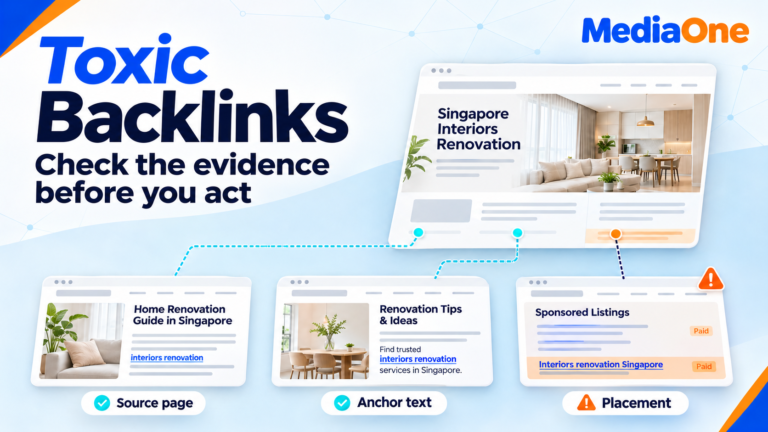
The clickable words in a link are its anchor text. A phrase such as “kitchen renovation quote Singapore” may make sense in one article. If it appears on unrelated sites that all link to the same sales page, the repeated placement deserves a closer look. A guest posting campaign can raise the same questions when the sites, wording and target pages follow a script.
How to Identify Toxic Backlinks
Start with the Links report in Google Search Console
The Links report in Google Search Console shows some of the external websites that link to yours. It also shows which pages receive links and the words other sites use to link to you. The report is a sample. It can include links Google found in the past, including links that have since disappeared.
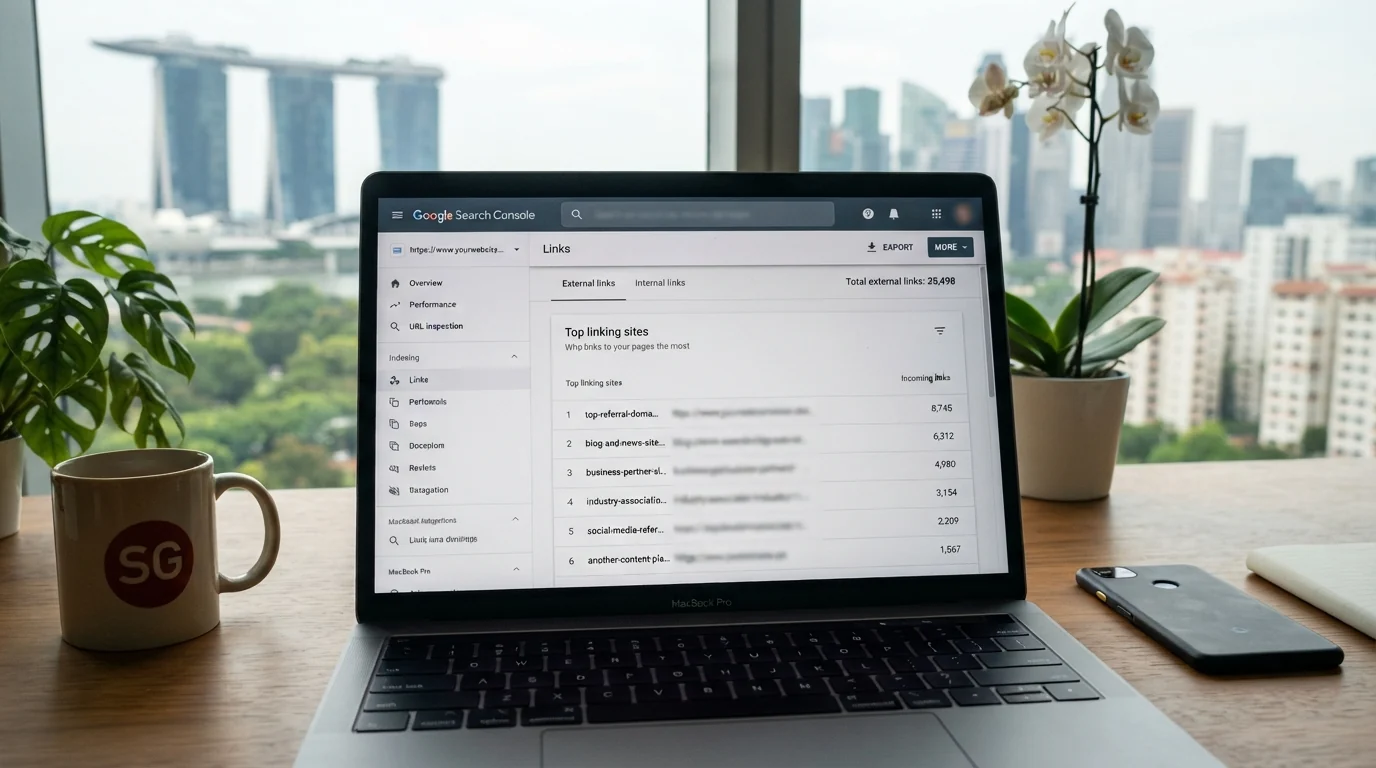
Your first export becomes the starting point for future comparisons. Under Links, select Export external links, then choose Latest links for source pages Google discovered recently. The date Google discovered a link can be later than the date someone published it. The Top linking sites view helps you see which websites account for much of the sample.
Check the source, placement, wording and history
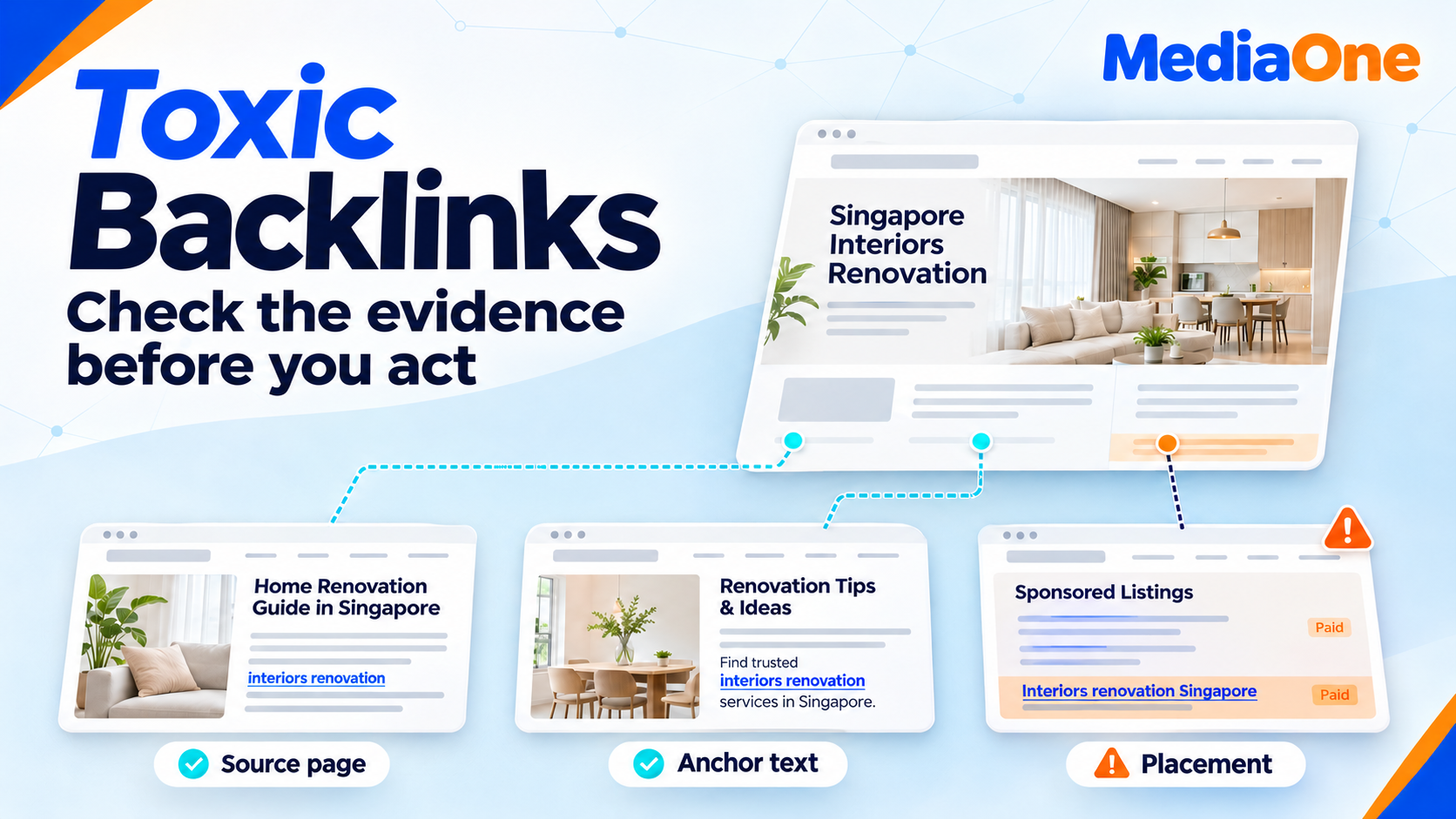
| Check | What to ask | What to record |
| Source | Who publishes the page, and would their readers expect to find this business here? | Source website and page address. |
| Placement | Where does the link sit, and what is happening around it? | Article, directory listing, footer, comment or other location. |
| Wording | Does the clickable text make sense in the sentence? Does it recur across unrelated sites? | Exact anchor text and the page it links to. |
| History | Can a supplier, marketing team or former agency explain the placement? | Campaign records, publisher replies or unresolved questions. |
A backlink tool can help you sort a large export, especially when you want to compare anchor text or group links by source. Its authority and toxicity scores are estimates from the tool provider. A score can help decide which rows to open first. The page and campaign records give you the evidence for a decision. Similarly, a traffic estimate of zero can mean the tool has little data about that site.
A worked example for a Singapore renovation firm
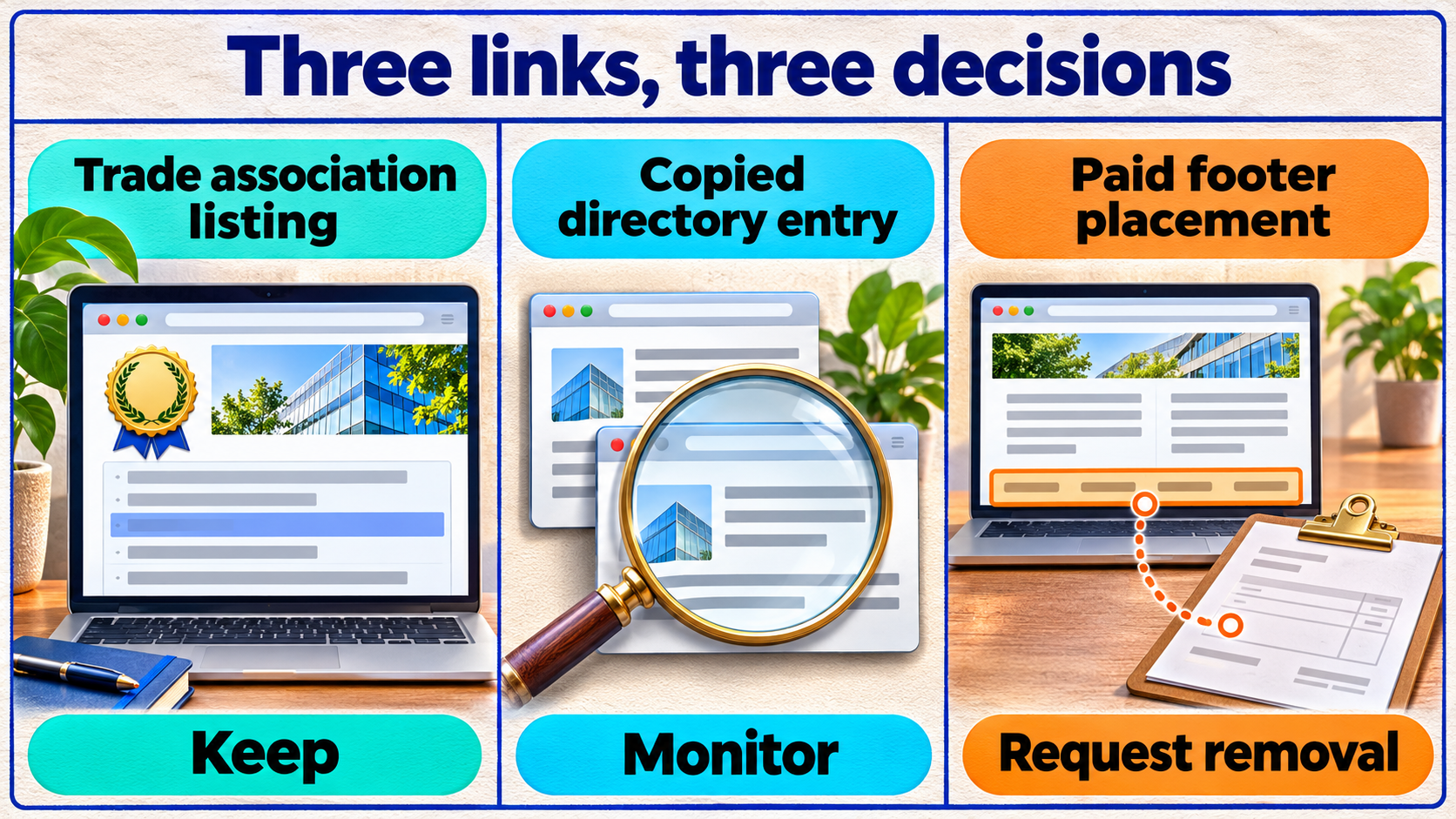
The firm finds a link from an interior design association’s member page. The listing uses the company name and helps readers find the firm. Its reason for being there is easy to see, so the team marks it Keep.
The firm also finds its homepage link in a copied directory entry on an unfamiliar site. The entry matches public business details and the team has no evidence of a paid campaign. The team marks it Monitor and checks whether more copies appear in later exports.
Several unrelated sites then turn up with the words “cheap renovation Singapore” in their footers. The campaign folder contains an invoice and a placement list with the same sites. Those records support a Request removal decision. The team starts with the documented placements and keeps a copy of the evidence.
How to Run a Monthly Backlink Audit
A repeatable audit works even when someone else takes over next month. One spreadsheet is enough for many small teams. The file can include the export date, source website, linking page, destination page, anchor text, action and notes. If a colleague reviews a link later, they should be able to see what prompted the decision.
What to do each month
- Save the new export. A file name with the date and Search Console property makes it easier to compare like for like. The original export also preserves what the report showed at the time.
- Group links by website. A single website can produce many rows from a shared footer. Keep the individual URLs in the file so you can still see where the link appears.
- Compare the exports. New sources and repeated anchors deserve a look, especially when several links point to the same sales page. A link missing from a later export may still exist because Search Console shows a sample.
- Review the pages and campaign records. A publisher’s article, a partner listing or an old agency’s placement sheet can explain what you see. When the evidence is incomplete, record the open question and revisit it if the pattern grows.
- Check Manual Actions and follow up. The review should record any open requests, who owns them and what the next check should cover. A report with no manual action can still be paired with a review of placements your team knows it arranged.
If the export is large, a small set of representative pages can show how a group of links was created. For example, opening several pages from one domain may reveal that every link comes from the same footer. A separate look at several domains can show whether the same placement appears across a network. Those two findings call for different follow-up.
The audit log also gives your team a way to record earned coverage. A trade publication may link to a project your business completed, or an industry group may cite a resource your team made. Those mentions belong in the record because they show which work led to editorial coverage and off-site mentions.
How to Remove Toxic Backlinks
The first removal requests should go to publishers your team can identify, especially when records show that a past campaign arranged the links. A former agency may be able to reach publishers directly. The original placement list helps your team make specific requests and confirm which pages change.
What to include in a removal request
A short request gives the publisher enough detail to find the link. It can include:
- The address of the page containing the link.
- The clickable words and the address the link points to.
- A request to remove that specific link.
- A business email address where the publisher can confirm the change.
A simple message can say, “Our team is reviewing links placed during a past SEO campaign. Could you remove the link to our kitchen renovation page from the footer of the page below? A reply once it has been removed would help us update our records.”
The audit log can record the date you wrote, the reply and the date you checked the live page again. If the same link appears on many pages through a shared template, the publisher may be able to fix all the copies with one change.
When a paid feature can stay live
An advertising feature can remain valuable to readers. If the publisher keeps the feature and its links, Google asks publishers to label paid links with rel=”sponsored”. Google also accepts rel=”nofollow” for this purpose. The publisher makes the update on the page that contains the backlink. Your team can then confirm the change and record it.
When to Disavow Toxic Backlinks
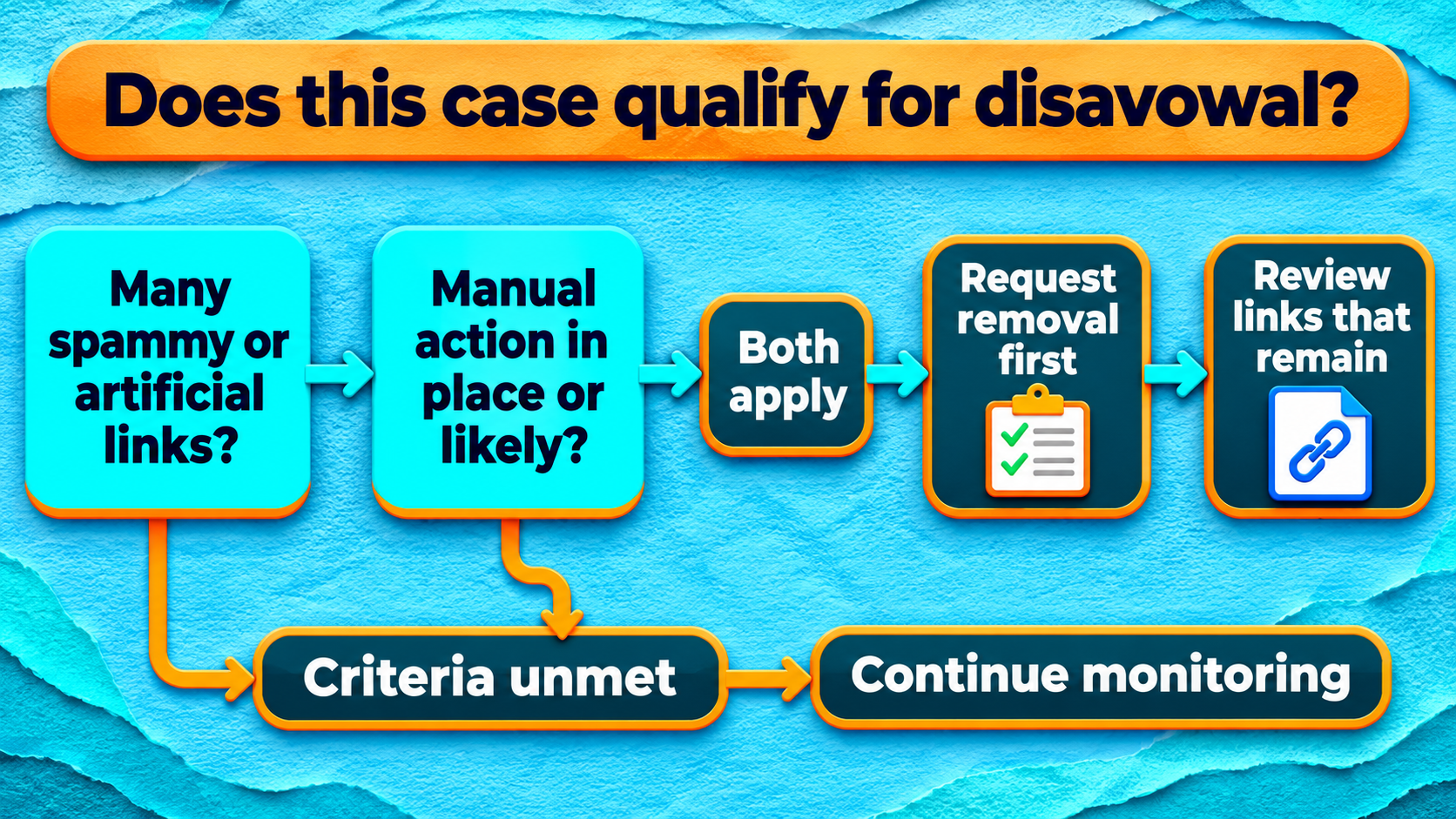
Google’s Disavow Links tool documentation sets two conditions. Your site should have a considerable number of spammy, artificial or low-quality links, and those links should have caused or be likely to cause a manual action. Google says most sites will never need the tool. It gives no fixed backlink count, so the campaign evidence and the scale of the pattern both deserve attention.
A former agency’s invoices might document a large network of paid placements. If many of those links stay live after removal requests and the pattern meets Google’s criteria, disavowal can be part of the cleanup. A sudden increase in links, an overseas domain or a low score from an SEO tool gives you a reason to check the source. Google’s criteria determine whether the case goes further.
How to prepare and upload a disavow file
A property owner should review the entries before uploading. Google accepts a .txt file in UTF-8 or 7-bit ASCII, with one source URL or domain per line. An individual URL covers a specific linking page. A domain: entry covers the domain or subdomain you specify, so it has a wider effect. The tool requires a supported URL-prefix property and does not support Domain properties.
A file using example addresses could look like this.
https://placement.example/paid-listing.html
domain:link-network.example
The new upload replaces the previous list for that property. A saved copy lets the reviewer carry forward any entries that still belong and trace what changed. Google says processing can take a few weeks as it revisits pages. Links can still appear in the Links report after disavowal.
What to do if Google issued a manual action
After addressing the links behind the action, the property owner can request a review from the Manual Actions report. The request should explain the problem, the steps taken and which links the business could not get removed. The audit log helps support that account. Google reports the outcome through Search Console.
A Monthly Backlink Audit for Singapore Businesses
A monthly backlink audit gives your team a record of new linking sites, past placements and follow-up requests. The source page and campaign history help you decide what to keep, what to watch and what to ask publishers to remove. The Disavow Links tool comes into play when the remaining links meet Google’s criteria.
If you’ve inherited a link campaign or found placements your team can’t explain, we can review the evidence with you through our SEO services in Singapore. You can request an SEO consultation to discuss the links you found and whether a cleanup belongs in your wider SEO plan.
FAQs About Toxic Backlinks
Should I audit backlinks to an old domain before moving my site?
Yes, if your business plans to redirect the old domain or reuse it for a new website. A pre-move review can give your team a record of links to old pages and show which publishers still send readers to them. It also gives the team time to ask trusted publishers to update important links once the new pages are live. That can be part of a wider plan for maintaining website traffic during the change.
What should I ask a backlink audit provider to deliver?
A review should give you the source pages, the reason for each decision and the next action for any links that need attention. If the work includes outreach, the provider should hand over a log of requests and replies. If the provider proposes disavowal, ask for the exact file and the evidence supporting the entries so your team can review them before upload.
Can I keep separate disavow files for each service page?
Google accepts one list per supported property. The URLs in that list identify the external pages that link to you. Your internal audit sheet can still group placements by the service page they point to, which helps reveal whether a campaign targeted one part of the site.
Can I undo a disavow if I included a genuine link by mistake?
Yes. A property owner can upload a revised list with that entry removed. If the whole list needs to come off the property, Google also provides a Cancel Disavowals option. Google says the change can take a few weeks as it recrawls and reprocesses the relevant pages.