
| AI Summary
Local citations help Singapore businesses show customers where to visit, which number to call and which branch to book. A citation audit starts with one record for each location, followed by checks on maps, booking sites and relevant directories. Name, address and phone number consistency support accurate listings. Google also weighs how well a business matches the search, how far away it is and how well known it is. |
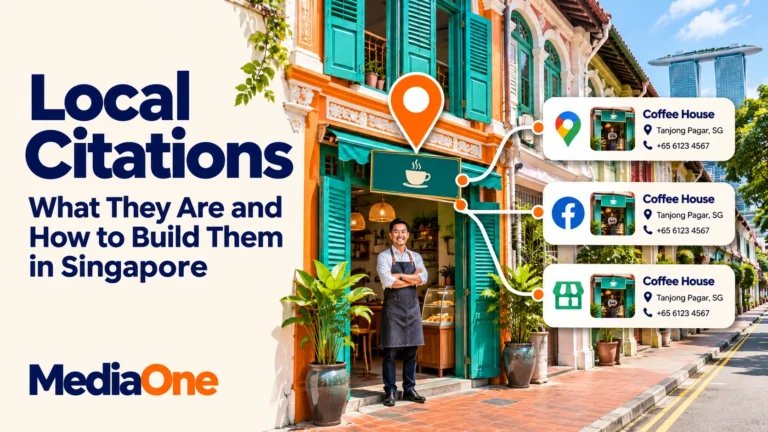
A local citation is an online mention of a business’s name and location or contact details on another website or platform. Common examples include map listings, booking profiles and trade directories. The core details are often called NAP, short for name, address and phone number. A citation can appear without a link.
Key Takeaways
- A wrong unit number, map pin or phone number takes priority over a difference in spacing.
- A listing earns its place when customers use it to find, verify or book the business.
- Each branch needs its own set of details and someone responsible for checking them.
- A citation log can show which errors your team fixed. Calls, clicks and direction requests show how people used the profile.
A customer finds a café in a Singapore shopping centre. Google Maps sends them to the right building, but the booking site gives them the old unit number. They reach the mall with two sets of directions and have to decide which one to trust.
Local citations help prevent that kind of mix-up. This guide shows how to spot errors that affect customers, choose relevant Singapore platforms and keep listings current when a business moves, opens a branch or changes its phone number.
What Are Local Citations?
Local citations are records people can find outside your website. A Google Maps entry, a restaurant booking page and a trade association profile can all carry information about the same business. Together, these records make up your citation profile. Some contain a full address and phone number. Others give enough detail to identify the business and its location.
The reason someone uses a citation depends on the platform. A diner might check whether the restaurant takes bookings. A patient might check a doctor’s place of practice. A shopper might open a map listing for walking directions. The most helpful records give people the details they need at that point.
Structured listings and mentions in articles
A structured citation gives business details their own fields. A restaurant profile might show the name at the top, followed by the address, phone number and opening hours. The format makes it easier to see which details the platform has and which fields need a correction.
An unstructured citation appears in regular text. A neighbourhood guide might name the same restaurant, say it moved upstairs and give its new unit. The publisher controls the wording, so a correction usually goes through the editor. Both formats can help readers identify a place and decide whether to visit. Search Engine Land’s comparison of structured and unstructured citations shows how these records appear across directories and editorial pages.
How citations differ from backlinks
A backlink is a clickable link from another website to yours. A citation identifies your business through details such as its name and location. A restaurant review that names your branch and links to its menu does both. A directory record with your branch address and no website link still identifies the location.
That distinction keeps your audit practical. An accurate address on a booking page can help a diner even if the page gives them no link to your site. A link from a publisher can serve a separate purpose in off-page SEO, the work that helps people discover your business through other websites.
How NAP Consistency Supports Local SEO
NAP consistency means that different sources describe the same business and location with the same underlying details. For a storefront, that means the public business name, the address customers visit and a number that reaches the right team. The format can vary by platform. The shop, unit and phone line should stay identifiable.
What Google says about local rankings
Google’s explanation of local rankings names three main factors: relevance, distance and prominence. Relevance is how closely the business matches the search. Distance is how far the business is from the searcher. Prominence is how well known the business is. Google says reviews and links from websites can contribute to prominence.
A complete profile helps Google understand what a business offers. Accurate listings also give customers the right details when that business appears. Google keeps its ranking formula private, so there is no published weight for third-party NAP consistency or set number of citations that earns a place in the map results.
Two people who search for “shoe repair near me” from different parts of Singapore may see different results. Their locations differ even though they use the same words. Local keyword research can help a business choose service and neighbourhood searches to track alongside listing accuracy.
Which differences need a correction?
A number shown with +65 and the same number shown without it can both reach the same business when dialled correctly. An address shown as “Road” on one platform and “Rd” on another can still direct people to the same place. A changed digit, an old street address or a unit from the wrong branch creates a different result.
| What the listing shows | What to check first |
| #02-12 on the website and #01-12 on a map | Which floor and unit customers should visit |
| The right building with a pin at the service entrance | Whether directions lead to an entrance customers can use |
| A branch number that reaches another outlet | Which team handles calls for that location |
| A missing postal code on a directory | Whether the record gives enough detail to find the premises |
| A legal suffix on a registry and a shorter name on a map | Which name each source is meant to display |
| Two versions of a phone number with different spacing | Whether the underlying digits and dialling format are correct |
A short public name can be correct even when the registered company name is longer. Google’s business representation rules ask businesses to use the name customers recognise from the shopfront, website and other branding. A register can still use the formal name it requires.

How to Audit and Fix Existing Listings
Step 1. Create a record for each location
A spreadsheet works for a single shop and can also serve as a master list for several branches. Each row should represent one location. The sheet can hold the public name, street address, unit, postal code, phone number, branch page and opening hours. The registered name can sit in a separate field where the team needs it for official records.
For illustration, a café can record its counter as unit #02-12, its customer entrance as “Level 2, near the east lift” and its service line as the branch phone. The unit belongs in the address. The entrance note belongs in a description or directions field when the platform provides one.
SingPost’s postal code finder can help confirm the postal code. A check at the premises can confirm the unit, entrance and actual position of the map pin. A test call can confirm that the phone reaches someone who can take the booking or answer a branch question.
A business that visits customers can keep its operating address in a private record. A home-based plumber who goes out to jobs, for example, can show the areas served on Google and hide the address if customers cannot visit there. Google’s service-area rules explain how this applies to businesses that travel to customers and those that also serve customers at their premises.
Step 2. Search for current and old details
An audit starts with the searches a customer might make. The business name and neighbourhood can surface a map profile. The name and shopping centre can uncover a booking page. An old brand name, unit or phone number can reveal a listing that still appears after a move.
- Business name and area. This search helps show which results customers see when looking for a branch.
- Current address or unit. This can uncover a listing filed under a variant of the business name.
- Old phone number or address. This helps find records that may have missed an update.
- Map and booking apps. A branch search inside each app shows what customers see before tapping for directions or making a reservation.
A customer view is worth checking even when the editing dashboard looks correct. Each search result can go into the citation log with the public URL, the visible details and the date checked. If the team also runs a website SEO audit, it can check whether the related branch page loads and displays the same current contact details.
Step 3. Correct live errors and handle duplicates
A wrong number on a busy profile or a pin at an old address belongs at the top of the list. A missing optional field on a little-used directory can wait. The citation log can record who owns each correction, when they sent it and when someone confirmed the public change.
Two entries with similar names may represent separate shops, or they may describe the same branch. The address, unit and phone number help tell them apart. For a true duplicate, the team can follow the platform’s process to claim, merge or remove the extra entry. Google’s process for duplicate profiles and ownership issues covers common cases, including when someone else controls the existing profile.
A public recheck closes the task. The owner can open directions, tap the phone number and follow the website or booking link. If a correction appears and later reverts, the log can show whether an older record, connected service or another account still has the previous details.
Where to Build Local Citations in Singapore
Start with map and search platforms
Google Business Profile gives eligible businesses a way to manage how they appear on Google Search and Maps. Existing profiles may already have customer photos and reviews, so the first step is to look for the correct record before creating one. Google Business Profile optimisation also covers the listing fields that help customers understand what the branch offers.
Apple Maps and Bing provide other places customers can find your details. Businesses can manage their Apple Maps place cards through Apple Business. Microsoft’s Bing Places for Business help explains how owners can claim or add a listing. A separate public check on each platform helps catch a wrong pin, phone number or branch link.
Choose sources for your industry and customers
An industry platform makes sense when it supports a task that customers already perform there. A restaurant can assess a booking site by the reservations it can handle. A professional practice can check whether an existing register or association entry shows the right practice location. Each platform has its own rules for who can appear and who can edit the record.
| Business type | Source to assess | Customer task |
| Restaurant | Chope’s Singapore restaurant platform | Check the branch and book a table |
| Medical practice | Singapore Medical Council’s public register access | Look for a registered doctor and check their practice details |
| Shop in a mall | The mall’s tenant directory | Find the floor, unit or store entrance |
| Trade or professional services firm | A relevant association’s member directory, where eligible | Find a provider by trade or service |
A restaurant booking page and a professional register serve different purposes. One helps people make a reservation. The other helps people check credentials or practice details. Changes to a register should follow the provider’s official update process. The cited Singapore platforms illustrate those different uses.
Decide whether a new source is worth maintaining
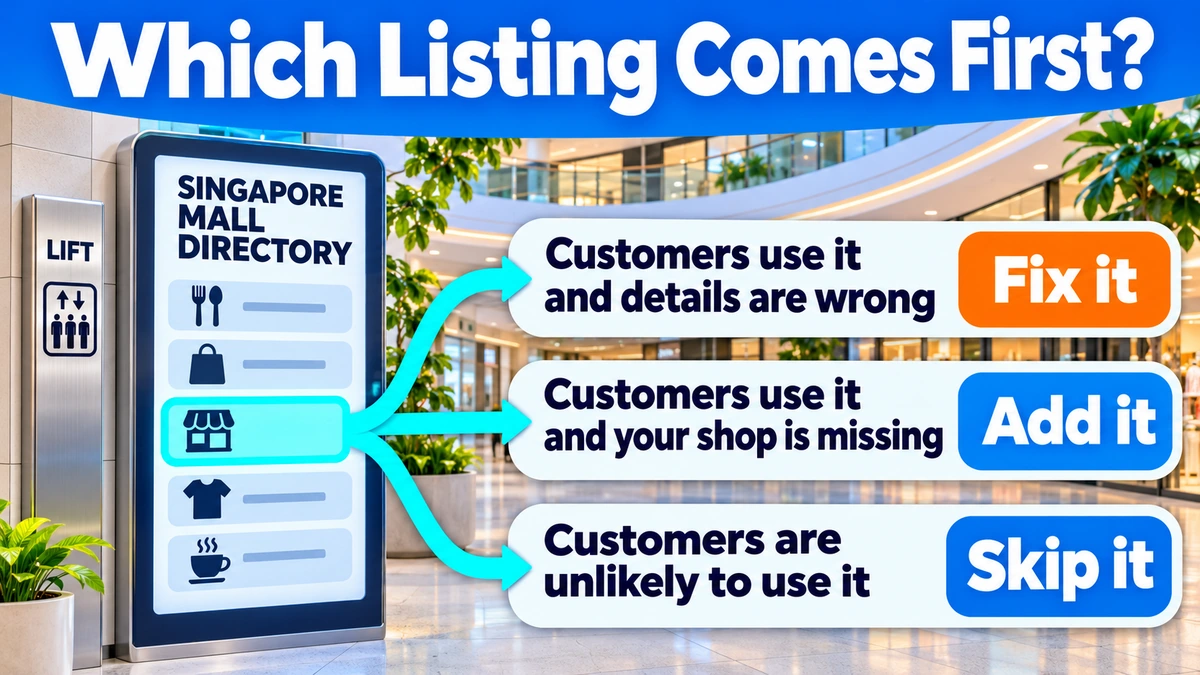
A good candidate has a Singapore audience, allows accurate branch details and offers a way to request changes. Existing listings that already appear when people search your business are worth checking before new submissions. MediaOne’s local citation building guide for Singapore businesses uses this approach to put corrections ahead of new entries.
- Claim an existing listing when customers use it and there is a verified way to manage it.
- Add a listing when it serves a customer need your current sources miss, such as finding your unit in a mall.
- Review a paid listing against what the fee includes, how customers use it and who can maintain it.
- Pass on a directory when it has no identifiable audience for your service or gives you no way to correct public details.
A listing service can save time by sending updates to several directories. The branch team still needs to verify where that service sends data in Singapore and which listings it can actually edit. A test with one location can show how the service handles unit numbers, duplicate entries and changes before the team pays for wider coverage.
How to Maintain Listings After Business Changes
When a business moves or changes its number
A move starts with the master record. The team can confirm the date, customer entrance, unit and phone line before updating the website and the main profiles. The same check can catch old directions in booking confirmations, mall listings and partner pages. A branch that continues operating at a new address needs its live listing handled as a move through the platform’s process.
A customer who booked before the move may still have the old address in an email or message. The branch can add the new unit to upcoming reminders and tell customers when it takes effect. If a third-party directory takes time to process the edit, staff can record the pending request and check again after the change appears.
When a business manages several outlets
A central owner can maintain the master list while each branch checks what customers see locally. The branch team knows if a lift entrance closes, a shopping centre changes its holiday schedule or the phone routes to the wrong outlet. Head office can then make or approve changes across accounts and record who submitted each one.
| Event | First check | Follow-up |
| Branch move | Website, main profiles, booking confirmations | Check old-address search results for records that remain |
| New branch | Public name, address, phone, pin and branch page | Confirm each listing opens the right booking or contact page |
| Phone number change | Live profile fields and call buttons | Test the number from the customer view |
| Holiday hours | Website, maps and booking availability | Confirm that normal hours resume after the holiday |
| Staff handover | Account access and open correction requests | Assign an owner to each pending edit |
A stable shop can review its main listings monthly and check the wider citation log once a year. A move or new branch calls for earlier checks. The schedule can follow how often information changes and how many customers depend on it.
How to Measure Citation Work
Track accuracy and customer actions
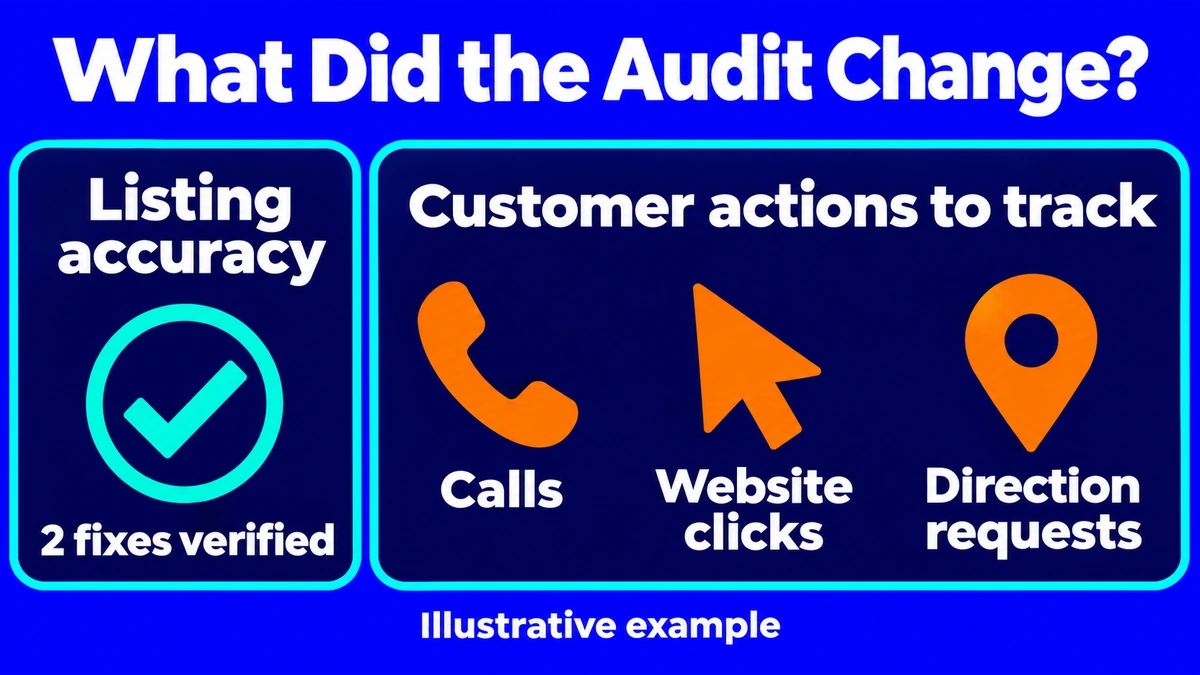
A baseline helps show what changed. The team can record how many priority listings are accurate, which ones have open requests and how many duplicates it confirmed. A second check can measure corrections. If eight of ten priority listings match the master record at the start and all ten match after the audit, the team can report two verified fixes.
Google Business Profile performance reports can show actions such as clicks on the call button, website clicks and direction requests where those metrics are available. A call-button click records the tap. The business’s phone or booking records can show whether that contact led to a conversation or reservation.
Read ranking changes in context
A shop may update a wrong unit during a month when it also collects new reviews, changes its hours or starts a campaign. Any of those events can affect how many people find or contact it. A change log gives the team a record of what happened and when. A sharp change in one week gives it a reason to check the details before drawing a conclusion.
A branch can compare similar periods and use the same searches and test locations when checking map positions. The wider SEO strategy can track visibility alongside website visits and enquiries. Listing accuracy is a result the team can verify directly, even when several things contribute to a change in search performance.
Make Every Branch Easy to Find
The most useful first audit is the one a customer would do. The team can look up a branch, open directions and try to call or book. Each point of friction gives the business a specific listing, screen or field to correct. The same check works when a new outlet goes live or a familiar shop moves to another floor.
MediaOne’s local SEO services include citation audits, listing management and Google Business Profile support for Singapore businesses. A team that needs help finding old entries or sorting out ownership across several outlets can contact MediaOne with its branch list and the listings that need attention.
FAQs About Local Citations
Can a business ask a publisher to correct an old article?
Yes. The business can send the publisher the article URL, the detail that has changed and the current branch page. A dated article may still describe the location at the time of publication. In that case, the publisher can add a short note with the current address if it chooses to update the piece.
Should a listing use a tracking number?
A tracking number can help a business measure calls if it forwards to the correct branch. The team should check the platform’s rules, test the number and keep the ordinary branch number in its master record. Where the platform allows an additional number, the business can keep its ordinary number accessible as well.
How should a business handle Chinese and English names?
A bilingual listing can use a platform’s language or alternate-name fields where they exist. The business can enter the names it uses publicly and check that both versions lead to the same branch details. An approved spelling in the master record also helps staff avoid adding a new listing for a translated name.
Yes. Separate businesses can operate in the same shopping centre or building. The unit, public name and phone number help customers identify the right place. Google has specific eligibility rules for businesses at shared offices, so each business should check the rules for its premises before setting up a profile there.
Should branch listings link to the homepage or a branch page?
A branch page is the better destination when it gives customers the right hours, directions, phone number and booking options for that outlet. A single-location business can use its homepage if the details are easy to find there. A booking link should take the customer to the location they selected.