
| AI Summary
An outreach campaign helps a business start conversations with selected prospects, past leads or potential partners. This guide shows how to choose a goal, research contacts, write a short sequence, set up email and respond when people reply. A worked example follows a Singapore software team from its first prospect list to its first campaign review. |
An outreach campaign is a planned series of messages sent to a specific group to earn a response or another measurable action. To run one, choose a goal, build and check a prospect list, write a first message and follow-ups, test a small batch, then use replies and delivery data to improve the next batch.
Key Takeaways
- A small list built around one buyer problem gives you a better test than a large list of mixed roles.
- Each follow-up should give the reader a fresh reason to reply, such as an example, a short answer or a sample they can use.
- Email checks help you spot delivery problems before you change the offer or rewrite the message.
- Positive replies and meetings held tell you more about business results than total sends.
- One person should own each reply, and opt-outs should reach every tool the team uses.
A logistics manager may read your email between a late delivery and a call from a driver. In those few seconds, they need to see why you wrote to them, what you can offer and how to respond. A note about the weekly dispatch roster gives them something concrete to consider.
The same idea applies when you contact a past lead or pitch a partnership. The campaign starts with a reason to write. The steps below show how to turn that reason into a message, follow up without crowding the recipient and learn from the replies you get.
1. Give your outreach campaign one job
An outreach campaign works best as a test of one offer with one group of people. A sales team might want operations managers to request a scheduling sample. A partnerships team might want event organisers to discuss a joint workshop. Both need a response, but the work that follows each response is different.
The first decision is what counts as success. “Get more leads” leaves the team to decide whether a referral, sample request or booked meeting counts. “Find out whether dispatch managers want a sample roster” gives everyone the same result to record. That first action can then feed into the rest of your lead generation process.
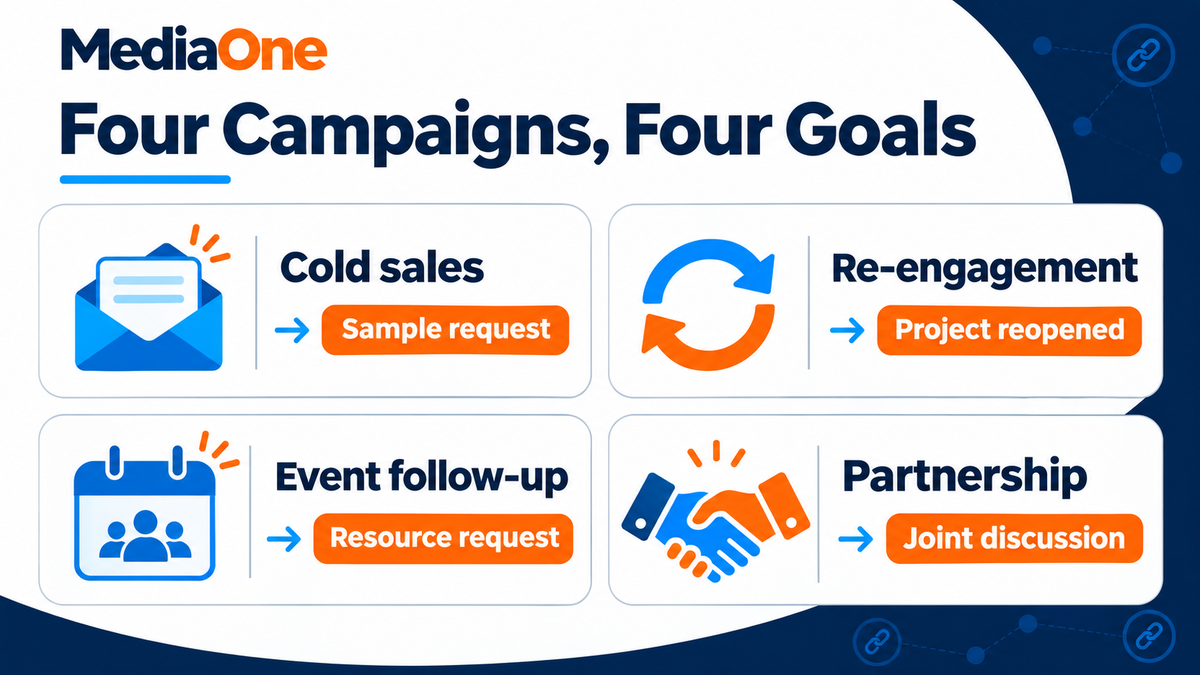
| Campaign type | Who you contact | First action to measure |
| Cold sales outreach | A buyer who has had no prior contact with your team | Requests a sample or agrees to talk |
| Re-engagement | A past lead you have a valid reason to contact again | Confirms whether the project is active |
| Event follow-up | Someone you met who expects the follow-up | Asks for the resource you discussed |
| Partnership outreach | A person whose organisation serves a similar audience | Agrees to discuss a joint idea |
A press pitch has a different goal. Digital PR campaigns seek coverage by giving journalists a story they can assess. A campaign built around editorial links gives a publisher a reason to cite a resource. Both use outreach, but their results belong in separate reports from sales replies.
2. Decide who should receive the message
An ideal customer profile, or ICP, is a short description of the company most likely to need what you offer. The company profile tells you where to look. The job role tells you who might own the problem. Those two choices keep a small team from spending the afternoon writing to people who have no say in the work.
A Singapore scheduling software team might choose local logistics firms with dispatch teams and start with the person who manages driver rosters. Recent customer conversations can help the team decide whether to focus on late cover, handovers or another issue. If most customers bought the software because of last-minute roster changes, that gives the first campaign a specific problem to explore.
Use public facts to choose who goes first
A public signal is something you can point to, such as a job ad, a new service announcement or a note from an event conversation. It gives you a reason to write now. A listing for a second dispatch supervisor, for example, shows that a company is hiring for that role. It leaves the state of the company’s roster open, so the message can ask about the task without diagnosing a problem from the outside.
Three questions can help your team sort the list:
- Company: Does this business do the kind of work our offer supports?
- Role: Does this person handle the task, manage the team or know who owns it?
- Timing: Is there a recent event or past conversation that explains why we are writing now?
A team can score each answer from zero to two if it needs a consistent way to rank a longer list. A prospect with a strong company match and the right role can still make the first batch without a recent announcement. A new depot may be interesting, but it adds little to a campaign if the person on your list works in a different department.
3. Build and check your prospect list
A spreadsheet can handle a pilot campaign if everyone uses the same fields. Each row should show the company, contact, role, work email or approved contact channel, source, reason for writing, campaign owner and status. A source might be a company team page or a note from a trade event. The owner needs enough detail to check the record again before sending.
Email verification can flag an address that appears invalid. It does not establish permission to contact someone or guarantee that a message will reach their inbox. A record with an uncertain address can wait until the team has a reliable way to contact the person. Each review should also catch duplicate records, people who have changed jobs and contacts who have already asked the company to stop.
Keep a record of who should receive no further messages
A suppression list is a list of addresses or contacts your team must exclude from future sends. It should cover opt-outs and addresses your email system has marked as permanently undeliverable. Before uploading a new batch, check it against that list. Otherwise, an old spreadsheet can quietly put someone back into a sequence they already left.
A simple set of statuses helps the team handle exceptions:
| Contact status | What the team does next |
| Ready for review | Confirms the role, address and reason for contact |
| Already in conversation | Sends the record to the person who owns the discussion |
| Wrong contact | Updates the role or records a referral if one was offered |
| Permanently undeliverable | Blocks further sends to that address and checks the source |
| Opted out | Stops queued messages and records the exclusion across tools |
If several messages fail from the same source, the pattern is worth checking before another send. A batch taken from an old event list may contain people who changed jobs. A batch sent to one company may point to a shared domain issue. Your email bounce rate helps you spot the change, while the delivery messages help you see what to fix.
4. Write a first message someone can answer quickly
A first outreach email needs a subject that matches the message, a reason for writing and one small request. The reader should be able to tell what you want even if they only skim it. A short email can still feel personal when it names a real task and offers something the person can picture using.
Personalisation starts with the work. A generic compliment about someone’s career can take up the opening without telling them why you wrote. A reference to a dispatch role, paired with a roster example, gives the person enough context to decide whether to reply. When you use a public fact, state only what it shows.
A first email for a logistics team
Subject: Weekly dispatch roster sample
Hi Priya,
I saw your team is hiring a second dispatch supervisor. We make a weekly roster template that puts driver cover and handover notes in one place.
Would you like a blank copy to try with your team?
The example makes one offer and asks one question. Priya can say yes without booking a call or explaining her whole scheduling process. The sender can provide the blank copy and then let Priya decide whether a conversation would help. The same principle applies when a team uses content assets such as checklists, calculators or short case studies to support sales conversations.
Match the request to the relationship
A cold prospect may welcome a sample before they consider a demo. A past lead who asked you to check back after budget review may be ready to talk about dates. An event contact might only expect the file you promised. The first request should reflect what the person already knows and what they agreed to discuss.
A quick read before sending can catch three common problems:
- Two requests compete. A message that offers a file, asks for feedback and proposes a call makes the reader decide which task to take on.
- The example is hard to picture. “A tool for smoother operations” leaves more work for the reader than “a roster that shows who covers each route”.
- The message assumes too much. Hiring a supervisor does not prove that a team is short-staffed or unhappy with its software.
5. Plan follow-ups that add something new
A follow-up sequence gives the recipient another chance to see the offer. Each message should add a detail that makes the offer easier to assess. A short preview, a specific use case or an answer to a common concern can do more than a line asking whether the first email arrived.
The schedule below is an example for a small sales pilot. The spacing gives the recipient time to reply and gives the sender time to handle responses. An event follow-up might need a different schedule if the sender promised a resource by a certain date.
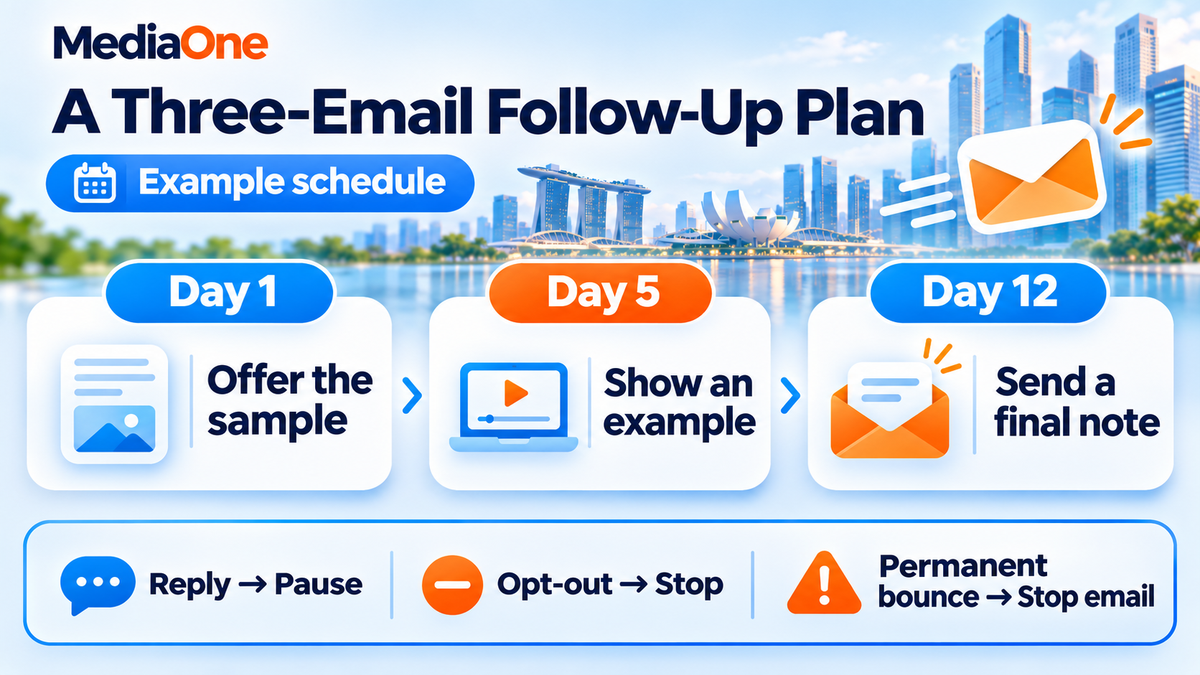
| Example timing | Purpose | What the logistics team could send |
| Day 1 | Introduce the offer | A short note offering the blank weekly roster |
| Day 5 | Show how it works | An example of recording cover when a driver calls in sick |
| Day 12 | Close the sequence | One final offer to send the template, then end the scheduled messages |
Keep email and LinkedIn on one schedule
Email gives you room to explain an offer. LinkedIn can help you check a role or continue a conversation that began there. A connection acceptance on its own gives little information about interest in your offer. When the team uses both channels, each sender should see what the other has already sent.
One channel may be enough for the first test. If you add another later, record where the contact replied and which messages they had already received. LinkedIn’s User Agreement restricts activity such as scraping profiles and using bots to send messages. A shared calendar and a short list of contacts can cover a small pilot without those tools.
A reply should pause scheduled messages so the owner can read it first. A request to stop should end outreach and update the exclusion record. A permanent delivery failure should stop email to that address while the owner checks the record. Silence at the end of the sequence closes the pilot for that person. A separate email marketing lifecycle can support people who have signed up for future updates.
6. Check email delivery and contact rules before launch
Email deliverability describes whether messages reach the people you send them to. A receiving server can reject an email, accept it into spam or accept it into the inbox. A successful send in your email tool tells you that the tool attempted delivery. It cannot tell you that the person saw the message.
Google’s sender requirements for personal Gmail accounts call for SPF or DKIM for all senders. Google requires both, plus DMARC, for bulk senders under its rules. The person who manages your domain can confirm which systems send mail for your company and test the setup before the campaign begins.
- SPF lists the systems allowed to send for a domain.
- DKIM adds a signature that receiving systems can check.
- DMARC checks whether the domain people see in the From field matches the domain used in a passing SPF or DKIM check. It also lets the domain owner set a policy for mail that fails.
An internal test can confirm that the sender name and reply address appear as intended. A test reply can show whether the message reaches the right person and pauses the follow-up. If your team monitors mail to personal Gmail accounts, Google Postmaster Tools can show delivery and reputation data when enough qualifying traffic is available. A small sender may see gaps in those reports.
Check the rules for the channel and market
In Singapore, IMDA’s information for organisations covers unsolicited communications and the Spam Control Act. For marketing calls or texts to Singapore numbers, the PDPC’s Do Not Call provisions explain which messages the rules cover, including how business-to-business messages are treated.
An overseas list needs its own check. For commercial email subject to US rules, the FTC’s CAN-SPAM requirements cover sender details, subject lines, a valid postal address and opt-outs. The same sending tool can serve several countries, but its settings alone cannot tell you which rules apply to each batch.
7. Launch a pilot your team can manage
A pilot is a small send to one group. A team that has one person handling replies might begin with 20 contacts from the same role and market. That number is an example of a manageable workload. The right size depends on how many records your team can check and how quickly it can handle replies.
Before the first send, test the whole process from the recipient’s side. A colleague can receive the email, reply to it and check whether the next message stays queued. A second test can confirm that an opt-out reaches every sending tool. Those tests can catch problems that a preview of the email alone would miss.
Give replies an owner
A sample request is only progress if someone sends the sample. Every campaign needs a named owner and a backup who can see the inbox when that person is away. The owner can sort each reply into a few categories and record the next action while the conversation is fresh.
- Interested: Send what you offered. If the person asks to meet, offer a simple way to set a time.
- Later: Record the time they suggested and what they asked you to follow up on.
- Referred: Update the account record and note whether the person offered an introduction.
- Declined: End the sequence and record the reason if they gave one.
- Opted out: Stop future sends and update the suppression list.
An out-of-office message belongs in a separate category. If it says the person is away for two weeks, the owner can pause the sequence and check whether the offer will still be timely when they return. A delivery error also needs its own record. For Gmail rejections, the SMTP error codes can help distinguish an address issue from a temporary limit or an authentication problem.
8. Measure replies and improve the next batch
An outreach campaign report starts with people. If one person receives three emails and sends two replies, the campaign reached one contact and earned one responding contact. Counting unique contacts keeps follow-ups from making the report look larger than it is. Automatic replies should have their own label so the report reflects human responses.
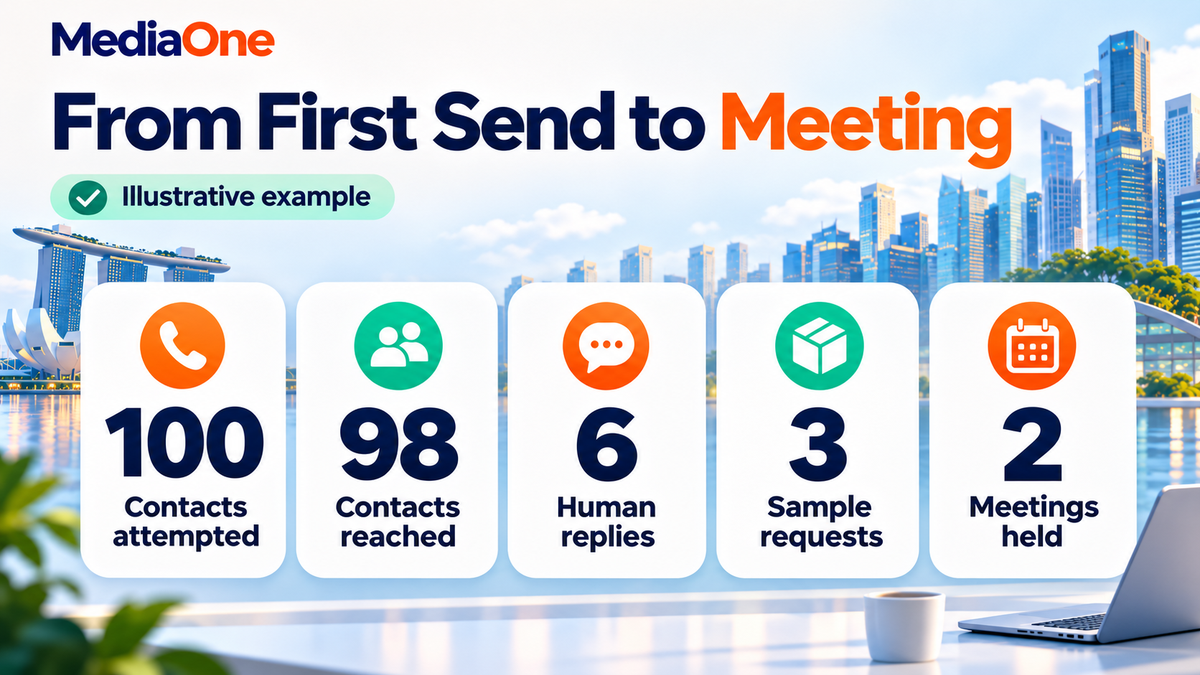
Suppose a team sent to 100 people over several small batches. Two addresses failed permanently, leaving 98 contacts who received at least one message. Six people replied, three asked for the roster sample and two held a meeting. These numbers illustrate the maths. They are separate from any industry benchmark.
| Metric | How the team counts it | Example |
| Contact delivery rate | Contacts reached ÷ contacts attempted | 98 ÷ 100 = 98% |
| Human reply rate | Contacts who sent a human reply ÷ contacts reached | 6 ÷ 98 = 6.1% |
| Positive reply rate | Contacts who requested the next step ÷ contacts reached | 3 ÷ 98 = 3.1% |
| Meeting held rate | Contacts who attended a meeting ÷ contacts reached | 2 ÷ 98 = 2.0% |
Here, “reached” means at least one message recorded as delivered. It does not confirm inbox placement. The first report can also record the reason behind negative replies. “Wrong team” tells you something about the list. “We already use a roster tool” tells you something about the offer. Both count as replies, and each points to a different change.
Change one thing you can learn from
When too many addresses fail, check their sources and the delivery errors first. When several people say the request belongs to another team, revise the job roles in the list. When people ask for the sample but stop there, check whether the sample does the job you promised and whether a meeting is a sensible next step.
A small batch gives you clues. One extra reply can move the rate by several points when the list is short. For the next batch, keep the audience and timing similar and test one change, such as a different offer. If you change the role, message and schedule together, the results give you little basis for deciding what to keep.
Turn outreach replies into sales conversations
A reply is the point where the campaign becomes a conversation. A person who asks for a roster sample should receive the sample and know whom to contact if they have a question. A person who suggests speaking next month should hear from the same owner at the time they offered. Those small handovers help the team follow through on the interest it earns.
The next campaign can start with one group, one offer and one person responsible for replies. If outreach is part of a broader lead generation programme, MediaOne can help you review how enquiries move from first contact to a sales conversation. A conversation with MediaOne can start with your current audience, offer and results.
FAQs About Outreach Campaigns
Outreach starts a conversation with selected people about a specific offer or request. A newsletter gives subscribers ongoing updates, such as company news, product tips or event dates. A company may run both, but each serves a different purpose and needs its own audience records.
A shared inbox can work when it identifies the business and gives each conversation an owner. A named sender can make the exchange easier to follow, especially if it continues over several messages. Access for a backup helps when that person is away.
Should I attach a brochure to the first outreach email?
A brochure can help when the recipient asked for it or needs it to assess the offer. In a first message to someone new, a one-sentence description and an offer to share the brochure can be enough. If they ask for it, send the version that answers their question.
How do I follow up on a referral from an outreach reply?
A reply that names another person gives you a lead to check. If the original contact offers an introduction, wait for it and reply in the same thread. If you write separately, describe how you got the name accurately and avoid implying that the original contact endorsed your offer.
Can two campaigns contact different people at the same company?
Two people at the same company may own different decisions. A shared account record helps each sender see who is already in conversation and what the team offered. If the messages concern the same decision, a single owner can coordinate the discussion and avoid asking both people to handle the same request.