| AI Summary
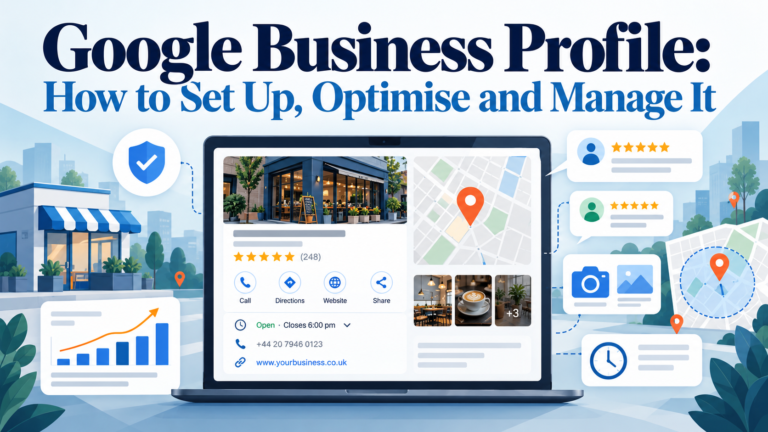
A Google Business Profile is a free listing that helps eligible businesses appear on Google Search and Maps. Optimising it involves verifying ownership, updating business details, managing reviews and monitoring performance. This guide covers setup, local SEO best practices, common mistakes and a 10-point scorecard to improve profile accuracy and local visibility. |

Your Google Business Profile can be the first place a nearby customer encounters your business. Before calling, booking or visiting, they may check your opening hours, services, photos and reviews on Google Search or Maps. Outdated information can send that customer elsewhere.
A Google Business Profile is free to create and manage. However, strong local visibility depends on accurate business details, eligibility, customer trust and ongoing maintenance. In this guide, we explain how to set up your profile, avoid common mistakes and assess its condition using a practical 10-point scorecard.
Key Takeaways
- Claim and verify your profile. Verification establishes that you are authorised to manage the business, although Google chooses which verification options to offer.
- Use the correct location settings. Eligible service-area businesses can hide their street address and still appear on Search and Maps.
- Prioritise accuracy. Correct categories, opening hours, services and contact details help customers understand your business.
- Manage customer interactions. Add useful photos, respond to reviews and publish relevant updates when you have something to share.
- Measure meaningful actions. Review calls, website clicks and direction requests rather than relying on profile views alone.
What Is a Google Business Profile?
A Google Business Profile is a free business listing that eligible organisations can manage on Google Search and Maps. It can display your business name, category, address or service area, contact information, opening hours, photos, reviews and other features relevant to your business.
Customers can use this information without visiting your website. A restaurant customer may need directions, while a salon customer may want a booking link.
Why it matters for local SEO
A complete Google Business Profile makes basic business information easier for Google and customers to understand.
Google says local rankings mainly depend on relevance, distance and prominence. Relevance concerns how closely a listing matches the search. Distance considers the business relative to the searcher, while prominence reflects how well known it is, including signals such as reviews and links.
A profile cannot guarantee first place, and buying advertisements does not buy a better organic local ranking. Our priority is to make each listing accurate, useful and consistent with the wider local SEO strategy.
Which Businesses Are Eligible for a Google Business Profile?
Google generally requires eligible businesses to make in-person contact with customers during their stated hours. That includes shops customers visit and businesses that travel to customers. Purely online businesses without in-person contact are generally ineligible.
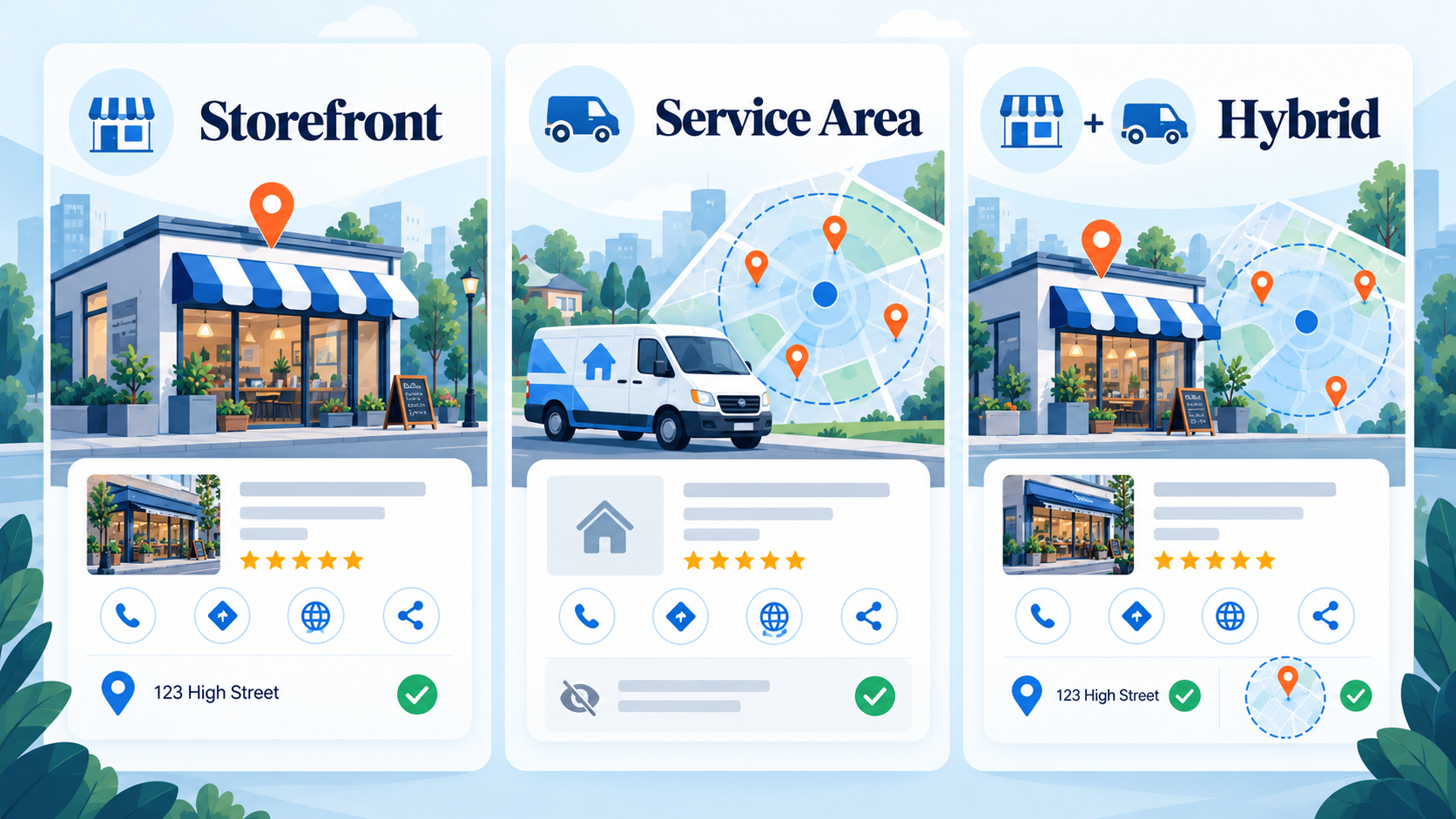
Choose the business model that reflects how you actually operate:
| Business type | What customers should see | Typical example |
|---|---|---|
| Storefront | A genuine, staffed business address | Retail shop or restaurant |
| Service-area business | Service area, with street address hidden | Mobile plumber or home-cleaning provider |
| Hybrid | Storefront address and service area | Repair workshop offering home visits |
Should home-based businesses hide their address?
Yes, if you visit or deliver directly to customers and do not serve them at your address. Hiding the address protects your privacy while showing customers the areas you cover. It does not automatically remove your business from Google Maps.
Go to Edit profile → Location, switch off the option to show your address, then enter an accurate service area. Google allows up to 20 service areas. Do not add distant locations simply to attract searches there.
A home-based business that only sells online and has no eligible in-person customer contact cannot use an address-hidden listing to bypass Google’s eligibility rules.
How to Create, Claim and Verify Your Google Business Profile
Start by searching for your business name on Google Maps. Avoid creating a duplicate before checking who manages it.
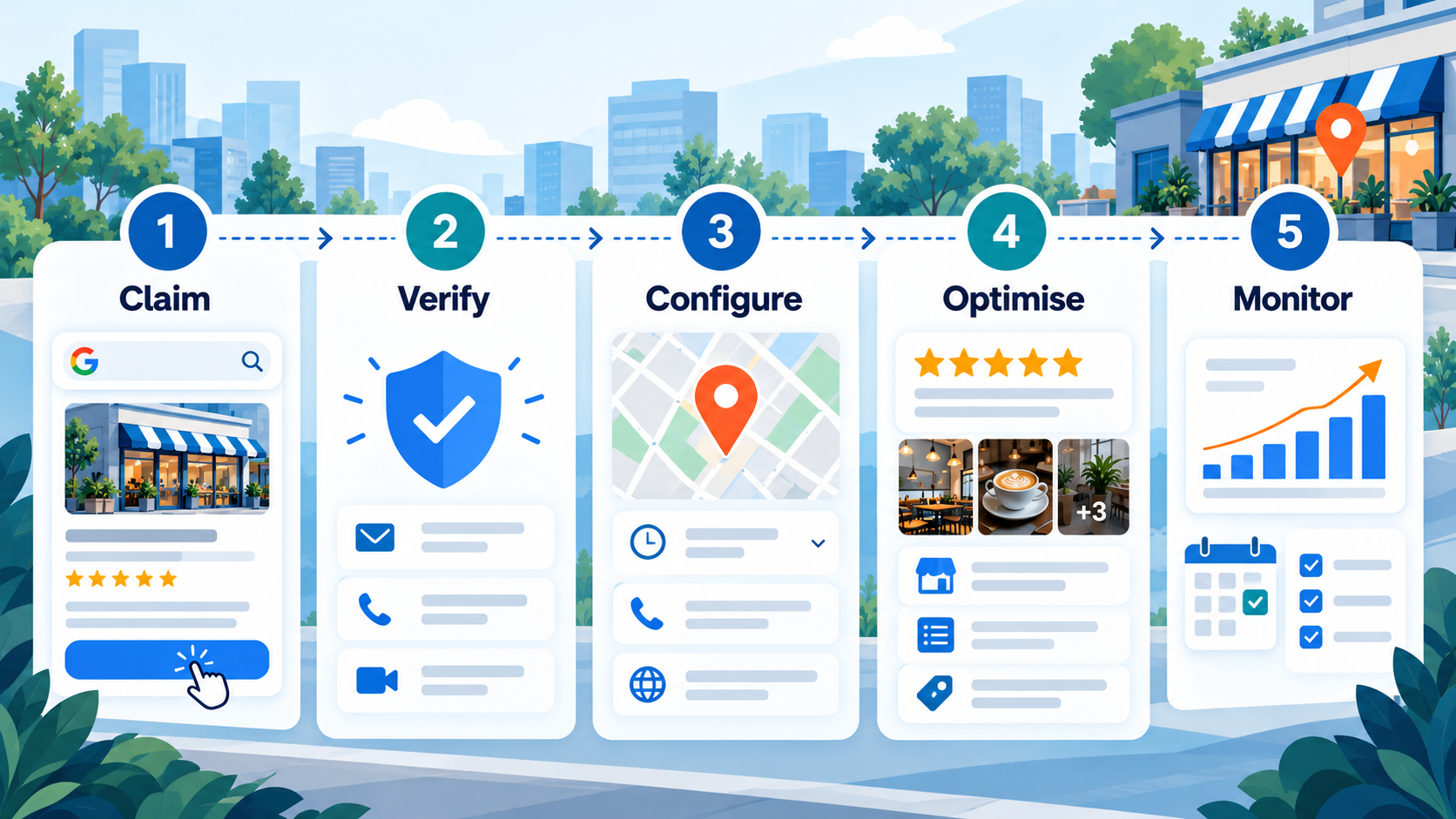
Step 1: Add or claim your business
If no listing exists, visit Google’s business setup page and follow the instructions. Enter your actual business name, select the most appropriate category and supply your genuine location or service-area details.
If an unclaimed listing already exists, select Claim this business and follow the management prompts. If another account owns it, use Google’s ownership-request process rather than setting up a competing profile.
Step 2: Provide accurate business information
Use the name customers see on your real-world branding. Do not add search terms, neighbourhood names or promotional phrases unless they genuinely form part of your business name.

Check the telephone number, website address and operating hours before continuing.
Step 3: Complete Google’s verification process
Google determines the available verification methods based on the business and other factors. Depending on what Google offers, you may verify by phone or text, email, postcard, recorded video or live video call. Some businesses must complete multiple checks.
For video verification, Google may ask you to show the surrounding area, business equipment and proof that you can operate the business. Recorded verification videos must be captured and uploaded through the profile on a mobile device, without editing.
Follow the steps shown in your account. Do not assume every business can request a postcard or enter a code: video-based options work differently. Google says review of a submitted verification video can take up to five business days.
What if Google rejects verification?
First, read the reason shown in your account rather than repeatedly submitting the same evidence. For a rejected verification video, Google’s Review issues option can identify missing information. Common problems include failing to show the business location, permanent signage where required, or proof that you are authorised to operate the business.
Record a new video that directly addresses the missing evidence. A service-area provider may show relevant tools, branded equipment or business documents instead of a customer-facing shopfront. Avoid exposing private customer information or sensitive identification numbers.
If the problem continues, follow Google’s verification troubleshooting instructions and use the support options available in your account. Some major profile changes can also trigger a request to verify again. Keep official records ready, particularly when the business has moved or changed ownership.
Step 4: Confirm access and protect the account
Once verified, review what customers can actually see in Search and Maps. Some edits undergo review before they appear publicly.
Keep the business owner as the primary owner of the profile. If an employee or agency handles updates, grant appropriate manager access instead of sharing a password. This preserves control when staff or suppliers change.
How to Optimise Your Google Business Profile
A successful setup is only the starting point. Profile optimisation means improving the fields that help customers confirm you provide the right service, in the right area, at the right time.
1. Choose an accurate primary business category
Your primary category should describe the business itself. A dental clinic should select an appropriate dental category, not unrelated terms it hopes to rank for.
Google also permits additional categories where relevant. Use only those that genuinely describe your business, rather than adding every category connected loosely to your services. Review these selections when your offerings change.
2. Write a useful business description
Explain what you offer, whom you serve and what distinguishes your operation. Use natural language that customers can understand.
Google allows up to 750 characters in the description field. Avoid sales-heavy claims, keyword repetition and website links in this space. Important offers belong in more suitable fields or posts.
3. Keep opening hours and contact information current
Display the hours when customers can visit or contact the business, as appropriate to its operating model. Add special hours for public holidays or temporary changes. Incorrect opening hours can cause a wasted trip or missed enquiry.
Check your telephone number regularly. Make sure the website button leads to a relevant, working page rather than an expired campaign or broken link. If the business moves, update the address correctly and follow any new verification requirements.
4. Add services, products and relevant attributes
Where Google’s features support your business category, list your actual services with clear names and helpful descriptions. Some categories also allow prices.
Attributes can tell customers about useful details such as accessibility, Wi-Fi or payment options. Choose only what applies. Menu, product and booking features vary by business type, country and integration, so check what your own account supports.
5. Upload genuine, informative photos
Use clear photographs that help customers recognise your business and assess its work. Replace outdated images as the premises, products or staff change.
We recommend reviewing photos each month, but there is no official Google requirement to upload a new photo every 30 days. Useful, representative images are preferable to repetitive uploads intended only to signal activity.
6. Publish posts when there is something useful to announce

Google Business Profile posts can share updates, events and offers. Use them for information that helps customers act: seasonal opening hours, a new service or an upcoming event.
Google’s post policy restricts certain content, including placing telephone numbers in post text. Use an available call button instead when suitable.
We suggest planning a monthly content check, not posting simply to meet an assumed ranking quota. Google does not identify a minimum monthly post count as a requirement for local ranking.
Manage Reviews Without Breaking Google’s Rules
Customer reviews help people decide whether to trust a business. Google also identifies review quantity and positive ratings among the signals that can contribute to local prominence. That makes genuine review management an important part of local SEO.
Ask real customers for honest feedback after a completed service or purchase. Do not selectively request only positive reviews.
Never offer discounts, gifts or payments in return for reviews. Google’s policies prohibit incentivised reviews and other attempts to manipulate ratings, including rewards for removing negative feedback.
Respond to positive and negative reviews
Where appropriate, mention the specific service they experienced, without sharing confidential information.
For complaints, acknowledge the concern, clarify what can be done and invite a private conversation if personal details are involved. Keep the tone professional. If a review breaches Google’s policies, report it through the proper process rather than arguing publicly.
We recommend checking new reviews at least weekly and responding promptly where a reply would be useful. This is an operational recommendation, not a Google-imposed deadline.
What Actually Improves Google Business Profile Visibility?
No single checklist item guarantees higher rankings. Google’s stated local ranking factors are relevance, distance and prominence, and each search can produce different results depending on the searcher’s location and intent.
Start with relevance. Your category, services, description and other factual details should reflect what you genuinely provide.
Distance is less controllable. Setting an unusually broad service area does not mean your business will rank across every city you name. Use realistic coverage information and avoid fake addresses or duplicate profiles created to target multiple locations.
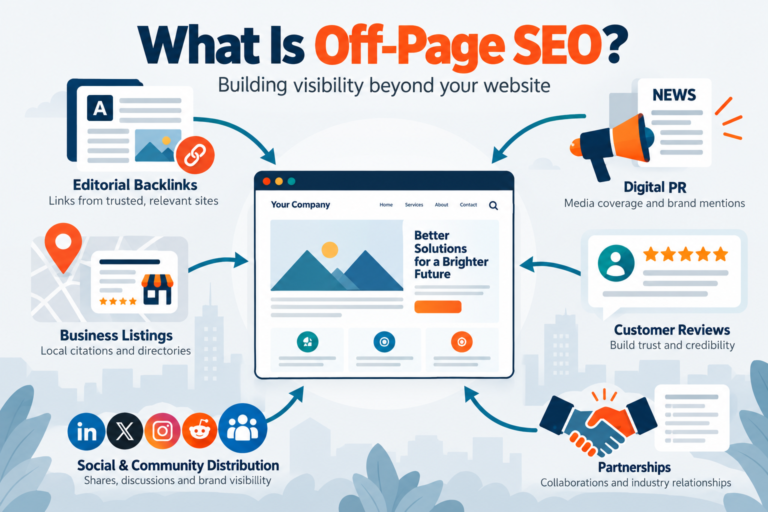
For prominence, focus on the overall business reputation. Encourage authentic reviews and maintain a credible website with clear service and location information. Local mentions and relevant links can support that wider presence.
We would avoid any provider promising a guaranteed number-one position in exchange for profile edits alone.
The Google Business Profile Health Scorecard: Rate Your Listing Out of 10
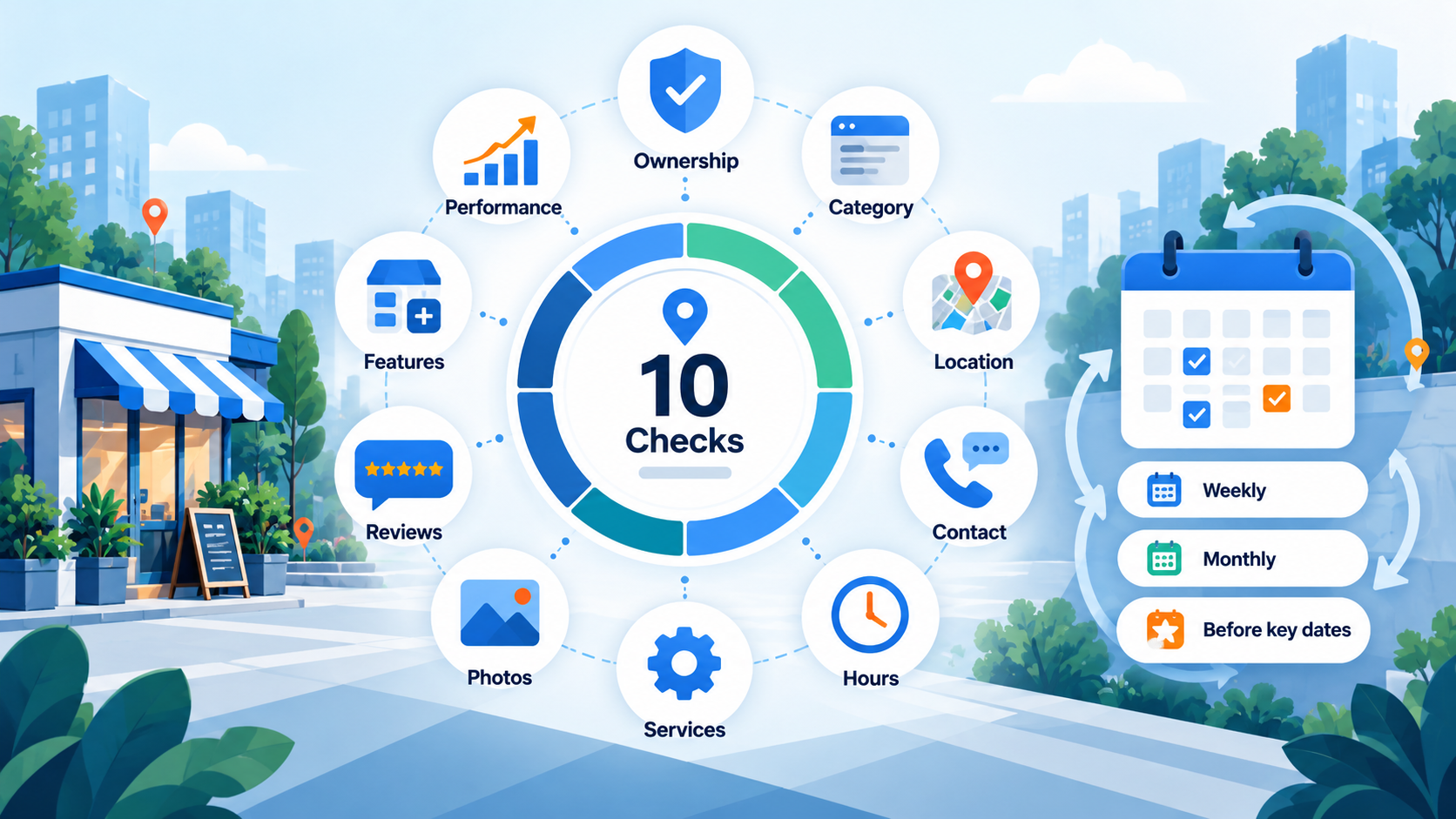
We use the following editorial scorecard to help businesses prioritise maintenance. It is not an official Google tool, diagnostic score or ranking factor. Award one point for each item your business satisfies.
| Check | What earns one point |
|---|---|
| 1. Verified ownership | The profile is verified and the business controls access. |
| 2. Accurate identity | The business name and primary category match real operations. |
| 3. Correct location | The public address or hidden-address service area is configured correctly. |
| 4. Working contact details | Telephone and website information are accurate where applicable. |
| 5. Current hours | Normal and upcoming special hours are correct. |
| 6. Clear offerings | Relevant services, products or menus are accurate where available. |
| 7. Helpful images | Published photos reflect the present business. |
| 8. Review management | Recent reviews have been checked and appropriate replies made. |
| 9. Useful profile features | Relevant attributes, booking options or posts are accurate where available. |
| 10. Performance review | A manager has checked available metrics during the past month. |
How to interpret your score:
- 8–10: Maintain accuracy and address any remaining gaps.
- 5–7: Prioritise corrections that prevent customers from contacting or finding you.
- 0–4: Fix ownership, eligibility and critical information before expanding promotion.
For a field that Google does not offer your category, award the point when all other relevant details in that check are accurate. Do not penalise a business for lacking an unavailable feature.
What to fix first when your score is low
Priority 1 — Access and eligibility: Resolve verification, duplicate listings or incorrect business models. Without reliable ownership, other improvements may be difficult to maintain.

Priority 2 — Customer-critical information: Correct addresses, service areas, categories, contact details and opening hours. These affect whether the next potential customer can reach you.
Priority 3 — Trust and conversion: Improve service descriptions, replace misleading photos and address unanswered reviews. Customers should have enough information to make a confident decision.
Priority 4 — Ongoing engagement: Review relevant attributes, publish genuinely useful updates and monitor performance. Schedule another scorecard check next month.
How to Track Google Business Profile Performance
Open your verified profile while signed in, then choose Performance to review available data. Google provides metrics for eligible profiles, but their availability varies by business and feature.
Focus on measures that connect with your commercial goals:
- Profile views: How often people viewed the profile, measured using Google’s counting rules.
- Searches: Queries that led people to discover the business, where reported.
- Calls: Clicks on the profile’s call button, not necessarily completed calls.
- Direction requests: Requests for directions, particularly useful for storefronts.
- Website clicks: Visits initiated through the profile’s website link.
- Bookings: Completed bookings through supported providers, when available.
Compare similar date ranges and look for patterns. A restaurant may prioritise direction requests, while a mobile repair service may focus on calls and website enquiries.
Do not treat every profile view as a prospective customer or every call-button click as a confirmed lead. Compare Google data with your website analytics, enquiry records and actual sales to understand outcomes.
A Practical Monthly Google Business Profile Maintenance Routine
An effective maintenance routine does not require publishing something every day. It requires regular checks that catch problems before customers encounter them. We recommend assigning one person to review the listing and keep a simple record of changes.
Every week: Check new reviews, read customer questions where available and confirm that important calls or booking enquiries are reaching your team. If a customer reports incorrect information, investigate it immediately.
Every month: Repeat the Health Scorecard, test the website and contact links, inspect published photos and review Performance data. Check whether the searches and interactions reflect the services you want to sell. Update descriptions or images when the business has changed.
Before important dates: Confirm special opening hours before public holidays, seasonal promotions or temporary closures. Review time-sensitive posts so expired offers do not confuse customers.
After operational changes: Recheck the listing whenever your company moves, changes its main telephone number or adds a new service. These updates matter immediately, even if the next scheduled audit is weeks away.
For businesses with several branches, apply the same routine to every eligible location. Compare results fairly: a busy city-centre shop and a newly opened suburban branch will not necessarily attract the same search demand.
Common Google Business Profile Mistakes to Avoid
Even an attractive listing can underperform if its underlying information is misleading. Watch for these preventable problems:

- Keyword-stuffed business names: Use the genuine business name, not a string of services and neighbourhoods.
- Duplicate or fake locations: Maintain legitimate profiles that reflect Google’s location guidelines.
- Incorrect service-area settings: Hide residential addresses where required, but never invent a storefront.
- Unmonitored business changes: Review hours, contact information and links after relocations or staffing changes.
- Purchased or incentivised reviews: Request authentic feedback without rewards or pressure.
- Assuming activity guarantees rankings: Posts and new photos are useful for customers, but they are not shortcuts to a guaranteed position.
Frequently Asked Questions
Is a Google Business Profile free?
Yes. Eligible businesses can create, claim and manage a profile without paying Google. Advertising and optional third-party services may involve separate charges.
Can I use Google Business Profile without a website?
Yes. An eligible business can have a profile without its own website. However, a useful website can explain services in greater depth and support enquiries that need additional information.
Yes. An eligible service-area business can hide its street address and display its service area instead. Hiding the address does not automatically remove the profile from Maps.
How long does Google Business Profile verification take?
It depends on the verification method and any additional checks. Google says reviewing a submitted verification video can take up to five business days; mailed codes and other methods follow different timelines.
Does posting every week improve Google Maps rankings?
Google has not established weekly posting as a guaranteed ranking technique. Publish accurate, relevant posts for customers and prioritise Google’s stated local ranking considerations: relevance, distance and prominence.
What should I do if my Google Business Profile is suspended?
Review the policy issue and correct any inaccurate information. If you believe the decision is wrong, use Google’s Business Profile appeal process with supporting business records; do not create a duplicate profile while the appeal is pending.
Can I manage several business locations from one account?
Yes, if each location qualifies for its own listing. Keep each location’s details accurate and avoid creating extra profiles for locations or service areas that do not qualify.
Make Your Google Business Profile Work for Local Customers
A useful Google Business Profile begins with truthful information. Confirm eligibility, claim and verify the listing, choose appropriate categories and keep the details customers rely on up to date. Then maintain reviews, photos and relevant updates as part of normal operations.
Start with the 10-point scorecard. Fix the most serious gap first, review performance each month and connect your findings to real enquiries and sales. If your business needs support beyond profile management, explore MediaOne’s local SEO services to align your listing with your broader search strategy.