| AI Summary
F&B local SEO helps restaurants appear in nearby Google searches and gives diners the information needed to visit. Google Business Profile and website improvements support local search, while delivery listings support ordering on separate platforms. Restaurant teams should maintain accurate details, request honest reviews and test booking links. Progress comes from checking both customer actions and completed transactions, with separate records for each outlet. |
F&B local SEO connects your restaurant with people searching for somewhere nearby to eat. A diner looking for “noodles near Tanjong Pagar” needs more than a restaurant name. Opening hours, a readable menu and the correct entrance can decide whether they visit.

Your Google Business Profile, website and delivery listings each answer part of that decision. A wrong closing time or broken order button can interrupt it. This guide keeps those three channels together, with a quarterly audit and a monthly measurement routine for Singapore food businesses.
Key Takeaways
- A named team member should own listing updates and record when each change goes live.
- Separate dine-in and delivery schedules prevent valid differences from looking like errors.
- Honest review requests must welcome feedback from all customers without rewards.
- Audit scores help organise work; they do not predict Google positions.
- Call-button taps and direction requests show interest, while completed bookings and orders show later outcomes.
Why Restaurant Discovery Needs Regular Checks
A weak listing affects what customers expect from the whole business. An old menu on your website can make a current delivery menu look wrong. A booking link to another branch can send a diner across town.
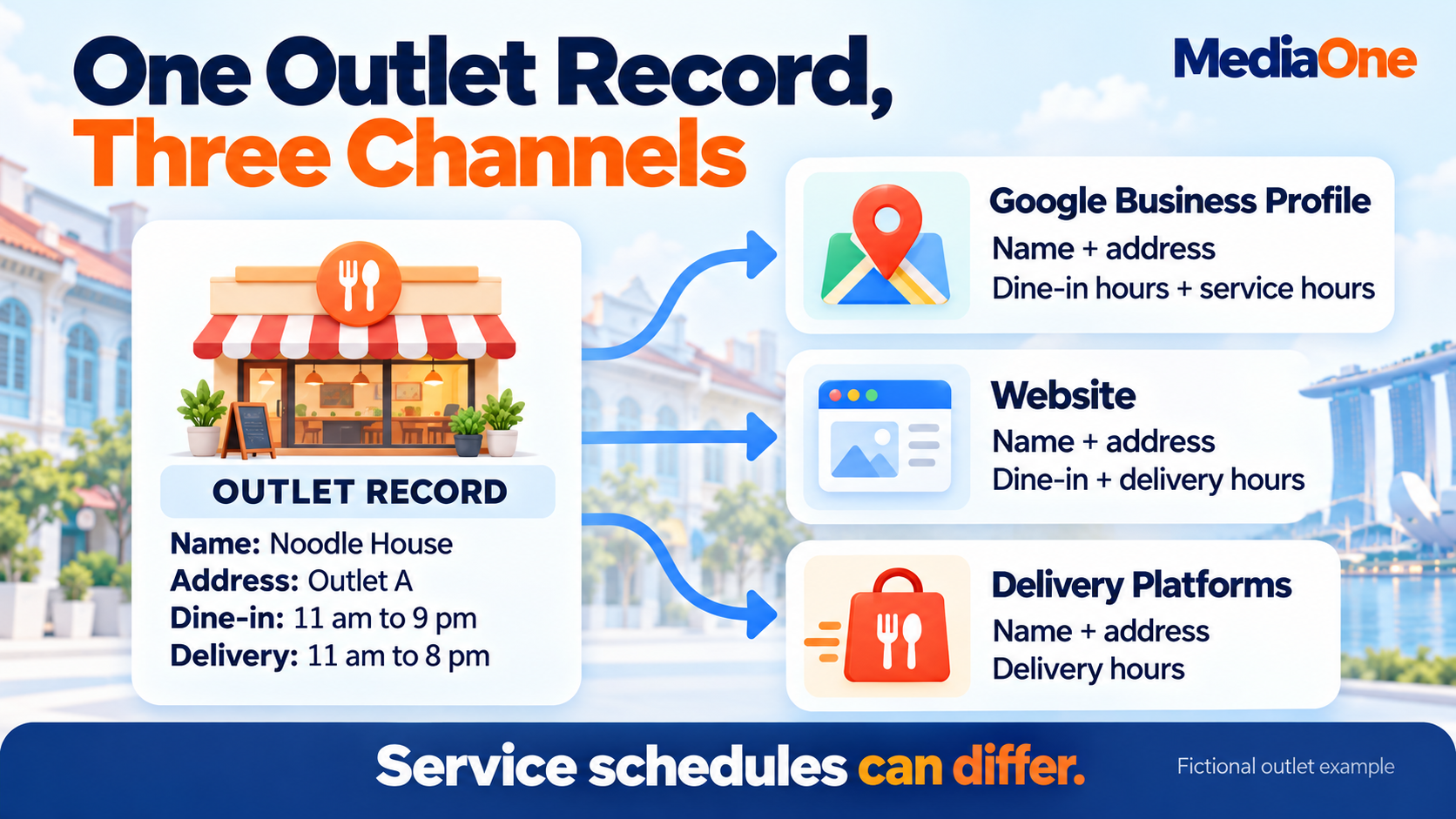
Consider a Tanjong Pagar lunch spot that stops taking takeaway orders before its dining room closes. Google shows the restaurant’s opening hours, while the delivery app shows an earlier cutoff. Both can be correct, provided each listing explains which service the hours cover.
The problem starts when teams copy information without checking its meaning. A single record of outlet details helps staff distinguish a real error from an intentional difference. That record should name the person responsible for updates and list every place customers see the information.
Restaurant teams can treat this as a short maintenance task alongside stock and staffing checks. The point is to remove avoidable obstacles before spending more to attract attention.
Search terms should reflect the diner’s decision. A restaurant owner may search for “F&B local SEO”, while a customer searches for “vegetarian lunch near Raffles Place” or “ramen open late in Bugis”. Your pages should describe the cuisine, neighbourhood and services you actually provide. A list of unrelated locations or dishes creates expectations the restaurant cannot meet. A short set of relevant searches also gives the team a consistent starting point for later checks.
How Google Ranks Nearby Restaurants
Google describes three main considerations in its local ranking guidance: relevance, distance and prominence. Prominence describes how well-known a business is.
| Factor | Meaning for a restaurant | Work within your control |
| Relevance | How closely the business matches the search | Accurate categories and complete business details |
| Distance | How far the restaurant is from the searcher | The correct address and map location |
| Prominence | How well-known the business is | Authentic reviews and links or mentions earned from other websites |
A restaurant cannot control where the diner stands. A cafe in Bedok should not expect every person searching in Jurong to see it first.
The map listings shown within search results are often called the local pack. Results vary with the query and location, so one search from your office does not establish your position across Singapore.
Regular Google Maps optimisation helps maintain the information behind those results. Google does not offer a paid route to better organic local rankings, and no audit score guarantees a top position.
Google Business Profile: Categories, Hours, Menus and Photos
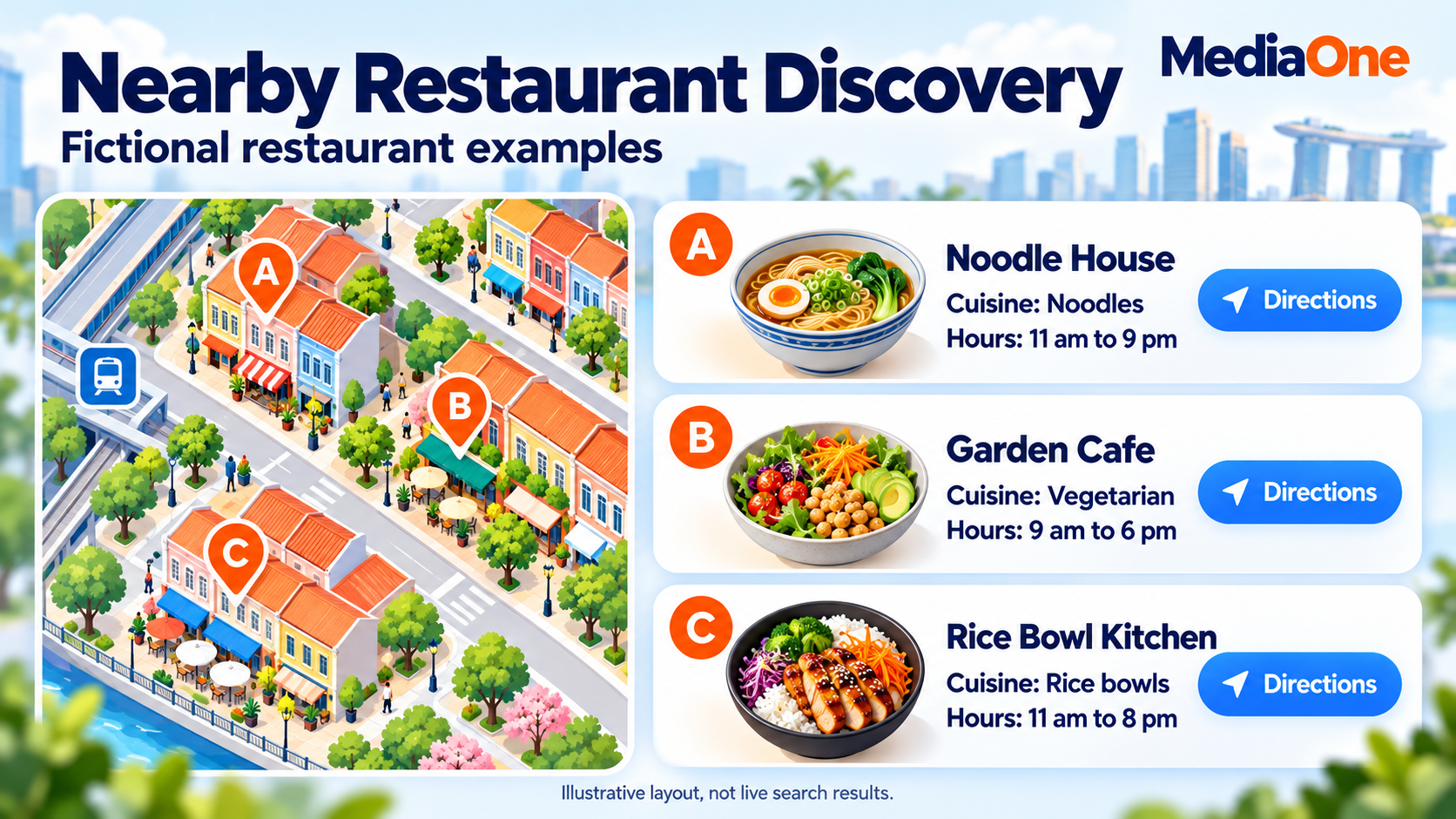
Business Name and Categories
Your profile should represent the business customers recognise from its signage and website. Google’s business representation guidelines require accurate details and categories that describe the core business.
A noodle shop should choose the closest available category to what it serves. Extra cuisine and location keywords do not belong in the business name unless they form part of its real name.
Your primary category should describe the main activity. Additional categories should cover services the restaurant actually provides. A long category list does not replace accurate information.
Opening Hours and Holiday Changes
Regular hours describe the normal week. Google’s special hours cover temporary changes for holidays and events without replacing that schedule.
A cafe closing early for a team event needs that temporary change on the dates involved. A public holiday check also helps when the restaurant follows its usual hours, since diners may be unsure.
Last orders deserve a separate explanation when the kitchen closes before the venue. A customer arriving at 9 pm should know whether they can still order dinner.
Split opening periods need the same care. A venue serving lunch, closing for preparation and reopening for dinner should show both periods. A single opening-to-closing range can suggest that meals remain available during the afternoon break. The outlet record should distinguish customer opening hours, kitchen hours and collection times so the person updating each platform uses the appropriate schedule.
Menus and Photos That Match the Visit
A current menu answers basic questions about dishes, portions and prices. Google’s menu editor supports menu sections, item descriptions and prices where the feature is available.
Website menu links should open the menu itself. A link to a general homepage forces diners to search again. Current food photographs should show what guests can order, while entrance and seating photographs help them recognise the venue.
A short photo checklist keeps the work manageable:
- Exterior: the shopfront and entrance customers should use.
- Interior: seating, counter and dining space.
- Food: dishes currently available in representative portions.
- Menu: readable details with the correct prices.
Old promotional images need attention when their offers end. A picture that attracts a visit can also create disappointment when the advertised meal no longer exists.
Restaurant Websites: Menus, Outlet Pages and Booking Buttons
Mobile Menus and Actions
A diner may open your site while walking from the MRT station. The first screen should make the outlet, opening status and main action easy to find. A small restaurant might prioritise directions and calls; a reservation-led venue might prioritise table bookings.
Mobile website design should support that task. Large photographs should not push the menu button far down the page or make visitors wait through an animation.
Menu text published directly on the page is easier to resize and update. A PDF can remain an extra download, but customers should not need it to understand what you serve. Dish names and descriptions should use language your diners recognise.
A quick phone check should cover the whole task: the menu opens, prices remain readable, buttons work and the customer reaches the intended outlet. A button labelled “Book a table” should not lead to an unrelated enquiry form.
Outlet Pages With Details for Each Branch
Each outlet needs information that belongs to that location. A shared brand homepage can introduce the restaurant, while branch pages explain how to visit.
An outlet page can include:
- Its address, unit number and contact number.
- Opening hours and service-specific schedules.
- Its menu and any branch-only dishes.
- Directions from nearby transport or landmarks.
- Current entrance photographs and booking options.
A mall outlet, for example, can identify the correct entrance and floor. That is more helpful than repeating the same paragraph about Singapore food across several pages.
Consistent name, address and phone details help customers recognise the same business across listings. Small punctuation differences deserve less attention than a wrong unit number, missing branch name or disconnected phone.
External listings deserve a selective review. A shopping centre’s tenant directory, an event organiser’s vendor page or a relevant dining directory can help people discover the outlet. Existing entries need the same accuracy checks as your website. Unrelated directories offer little help to someone choosing a meal. A genuine neighbourhood partnership may also earn a mention, provided the page describes a real relationship or event.
Restaurant Structured Data Without Rating Promises
Structured data is code that labels information for search engines. Google’s LocalBusiness documentation includes restaurant examples with details such as an address, telephone number, opening hours and menu URL.
The code should describe the same outlet information customers can see. A website update that changes opening hours should also update the associated code.
Review stars need separate care. Google’s review snippet rules make a business’s own pages ineligible for the local-business star review feature when that business controls reviews about itself. An embedded third-party review widget does not remove this restriction.
Restaurant markup should support accurate information. It should never become a promise of stars or a particular search appearance.
Delivery Listings: Accurate Details Across Platforms
GrabFood and foodpanda listings belong in a restaurant discovery review because customers use them to decide what to order. Their presence does not establish that they directly improve Google rankings.
Each platform needs accurate outlet information, available dishes and working order options. The audit should also check sold-out items and whether delivery operates during the stated hours.
Consistency does not require identical prices or schedules everywhere. A delivery menu may have different charges, bundles or availability. Customers need to understand what they receive through that channel.
| Detail | Information that should agree | Differences to explain |
| Business identity | The correct restaurant and branch | Platform display formats |
| Location | The actual outlet fulfilling orders | Delivery coverage |
| Hours | Accurate schedules for each service | Earlier delivery or collection cutoffs |
| Menu | Correct item names and descriptions | Channel-specific dishes, bundles and prices |
| Images | An honest picture of the offer | Different photographs of the same product |
Google’s restaurant profile guidance distinguishes general hours from services such as delivery and collection. Its business links options also cover menus, reservations and food ordering.

Every link needs a customer test. A successful test reaches the correct branch, allows the intended action and makes any ordering restrictions visible before checkout.
An order test should also consider the chosen address and time. A restaurant may be operating while delivery is unavailable to a particular postcode, or a menu may change between lunch and dinner. The team should record those conditions before treating an unavailable item as a listing error. A customer-facing explanation can prevent repeated enquiries about the same restriction.

Customer Reviews: Honest Requests and Helpful Replies
Review Requests Without Rewards or Pressure
An honest review request leaves customers free to describe their experience. A receipt link or QR code can provide the option without interrupting a meal.
Google’s review request guidance allows review links and QR codes but prohibits incentives such as discounts or free goods in exchange for reviews.
The invitation should welcome feedback from all customers. Google’s Maps content policy also prohibits selectively soliciting positive reviews, pressuring guests and requesting specific review content.

A neutral message could say: “Your feedback helps us understand your visit. Our Google review link is on your receipt.” The customer chooses whether to respond and what to write.
A consistent process for getting Google reviews gives the team an agreed approach. Staff should not ask diners to include a keyword, name an employee or award five stars.
Review Replies That Address the Experience
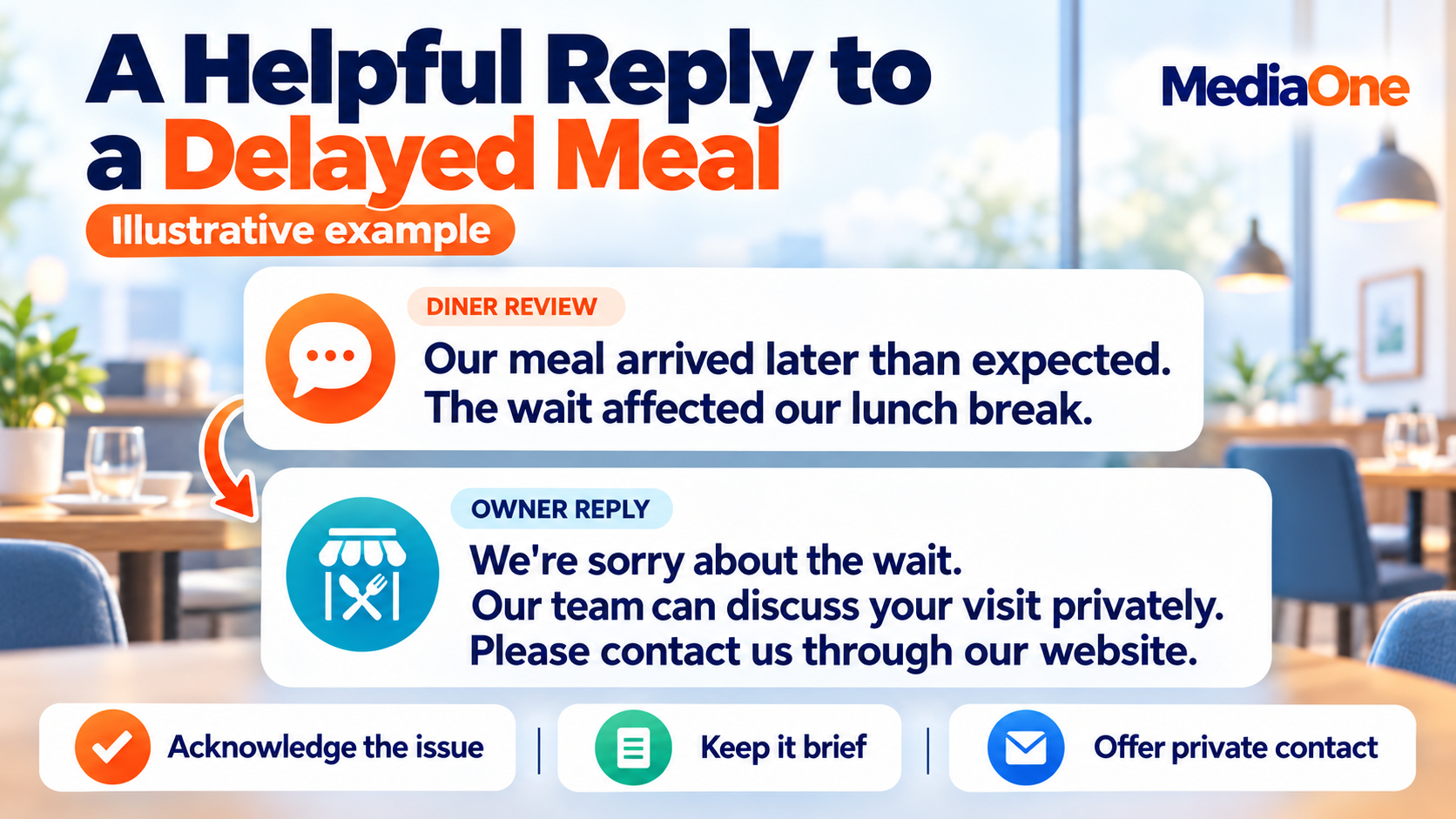
A reply should acknowledge what the guest described and explain the next step when action is needed. Short, specific responses show more attention than the same paragraph pasted beneath every comment.
For a complaint about waiting, a fictional reply might say: “Your Saturday visit involved a longer wait than expected. We’re sorry. Our team can discuss what happened through the contact details on our website.”
Positive feedback also deserves a relevant response. A mention of a particular dish gives the team something specific to acknowledge.
A weekly review session can record recurring complaints about service, food or access. Those observations should reach the person able to address them. Replies alone cannot repair an ordering problem that keeps happening.
Review management supports customer trust. It should not become a claim that replying to every review automatically raises rankings.
Social Discovery: Short Videos With Local Details
Short videos can introduce a dish or venue before someone searches for its name. Restaurant content should make the location identifiable and give viewers enough information to follow up.
A cooking clip can include the dish name, branch and service period. An entrance video can show how to reach a unit inside a mall. A lunch-set post should identify when the offer applies.
Your social media marketing should connect that interest to a working menu, booking or ordering destination. Where clickable links are available, they should lead to the relevant outlet.
Video views measure attention. A successful post still needs evidence of later actions before the restaurant attributes bookings or sales to it.
The Three-Channel Discovery Audit
The three-channel audit compares Google Business Profile, your website and delivery platforms. Each delivery platform can receive its own score when you use more than one.

Four checks keep the exercise focused:
| Check | Google Business Profile | Website | Delivery platform |
| Discovery | Correct outlet appears for relevant searches | Outlet and menu pages can be found | Correct branch appears within its service coverage |
| Accuracy and trust | Details, photographs and reviews describe the business | Menu, hours and contact details are current | Items, availability and service schedules are current |
| Customer action | Menu, directions and action links work | Calls, bookings or orders work on mobile | A customer can complete an available order |
| Measurement | Available performance data is reviewed | Visits and completed actions are recorded | Order reports are checked by outlet |
Scores That Organise the Work
Each check receives a score from one to five: one means missing or broken, three means partly complete, and five means complete and recently tested. Intermediate scores cover the gaps between those descriptions.
The total runs from four to 20 per channel. These are planning scores for your team, with no Google pass mark or ranking prediction attached.
In a hypothetical example, a noodle bar scores its website four for discovery, two for accuracy, one for customer action and three for measurement. Its total is ten out of 20.
The booking button sends visitors to the wrong branch, so that error deserves immediate attention. A modest total does not explain the whole problem; the notes beside each score do.
Your audit record should include evidence, an owner and a completion date. A screenshot of the error and the tested replacement link make the repair easier to verify.
Repairs in Order of Customer Impact
Wrong addresses, closed-outlet listings and broken transactions come first. Smaller content improvements can follow once customers can reach and use the business.
A quarterly audit checks the whole system. Menu changes, holiday hours and urgent errors still need attention when they occur.
Restaurant Local SEO: A 30-Day Plan
The first month should establish working information and a repeatable routine. This schedule organises the work; it does not promise ranking changes within 30 days.
| Period | Main task | Evidence of completion |
| Week 1 | Business Profile details, map location and available categories | A verified record of the outlet information shown publicly |
| Week 2 | Website menu, branch information and mobile actions | A successful phone test from menu to booking or order |
| Week 3 | Delivery menus, service hours and links | Each active platform checked against its actual service |
| Week 4 | Review requests, replies and reporting | An agreed review process and a saved monthly baseline |
One person should coordinate the list, even when several people make changes. An outlet manager can confirm operating details, while the website editor handles pages and tracking.
A short change log prevents confusion later. The date of a menu update, booking repair or temporary closure helps explain changes in customer behaviour.
Monthly Measurement: From Searches to Sales
Customer Interest and Completed Actions
Google’s Business Profile performance report includes available metrics such as directions, call-button clicks and website clicks. Not every metric appears for every business.
These actions need careful labels. A call-button tap does not prove the restaurant answered a call, and a directions request does not prove someone arrived. The report can also include activity from Google Ads, so its totals should not automatically be described as organic results.
A compact monthly report can separate the stages:
| Stage | Examples | What the number shows |
| Discovery | Search appearances and website search clicks | People encountered the business |
| Interest | Menu views, direction requests and call taps | People considered taking action |
| Completed action | Confirmed reservations and paid orders | A booking or transaction took place |
| Business outcome | Attended bookings, revenue and contribution after direct costs | The commercial result recorded by the restaurant |
Website analytics and booking or ordering systems help connect these stages. Labels added to campaign links can distinguish a profile visit from a social post where tracking supports it.
Comparisons That Inform Spending
Monthly reports should compare similar trading periods and note closures, promotions or major menu changes. A festive week and a normal working week may attract different demand.
Each branch needs its own results before the team reviews the brand total. Strong performance at one outlet can otherwise hide a broken booking link at another.
For example, a rise in menu views alongside unchanged bookings deserves a check of the reservation process. The team can test table availability, mobile forms and confirmation messages before buying additional traffic. If bookings rise but attendance falls, the investigation moves to cancellations and reminders. These comparisons identify the next operational check without claiming that the numbers alone explain why customer behaviour changed.
The relationship between local SEO and customer enquiries becomes easier to assess when reports include completed actions. Exact credit remains difficult when diners see several channels before visiting, so uncertain sources should remain labelled as unknown.
Paid campaigns can support a specific offer or trading period. Their budget should follow the objective, working customer actions and recorded outcomes, without assuming that one channel always costs less.
F&B Local SEO Starts With the Next Customer
Your next customer needs enough reliable information to choose a meal and reach the right outlet. A complete profile cannot compensate for a booking button that sends them elsewhere.
The first task is the error most likely to interrupt that visit. A corrected address, current menu or repaired order link gives the team a concrete result to verify.
MediaOne’s local SEO services cover business profiles and local search work. A consultation with the team can start with your outlet list, current website and the customer action that needs attention.
Frequently Asked Questions
What If Someone Else Controls the Restaurant’s Google Profile?
An authorised business owner can request ownership of an existing profile. Google’s process notifies the current owner and provides the next steps. A second listing can create duplicate-profile problems, so an access issue should go through the ownership process.
Does an Agency Need the Restaurant’s Google Password?
An agency can receive access through Google’s owner and manager roles, with each user signing in through their own account. The restaurant should retain primary ownership and remove access when the working relationship ends.
Should a Restaurant Publish Its Menu in More Than One Language?
A second language can help when it serves the restaurant’s customers. Dish names, descriptions and ordering instructions need the same meaning in each version. Both menus should receive updates together so customers do not see different prices or availability because they selected another language.