
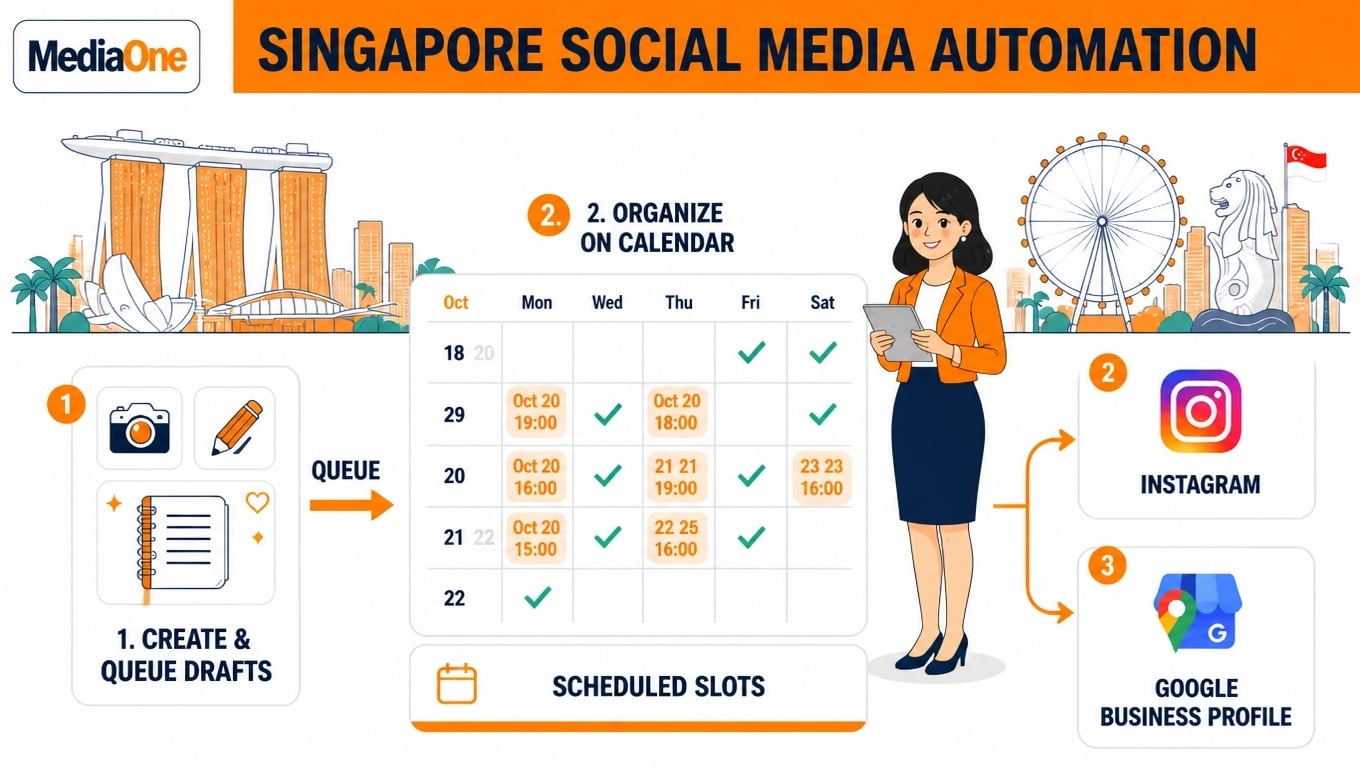
Most Singapore small businesses do not need an enterprise platform. A café posting three times a week to Instagram, Facebook and a Google Business Profile can manage this on a free plan. Social media scheduling tools let you plan, queue and publish posts across platforms from one content calendar.
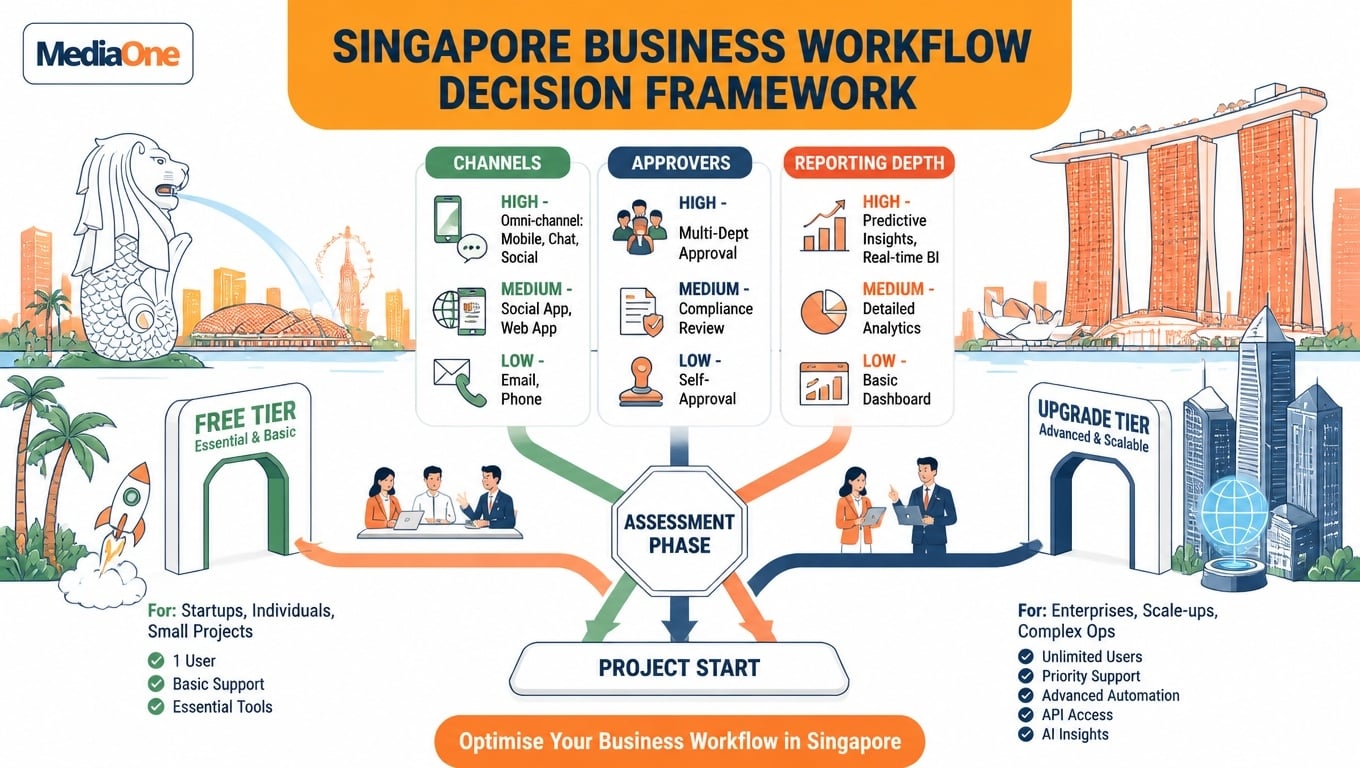
The real question is which tier matches your channels, your approvers and how much reporting you actually read.
Key Takeaways
- Free or entry plans cover most small businesses. Two or three channels with one approver usually fit a free tier. Blaze’s free plan covers 3 channels with up to 10 scheduled posts each.
- Score your needs on three axes: channels, approvers and reporting depth, each rated low, medium or high.
- Upgrade only when an axis hits “high”. Paying for unused features is a recurring cost with no return.
- Compare against outsourcing. Blaze’s Starter plan costs $79 per month, which should be weighed against a freelance manager’s retainer.
- Check downgrade rules first. Confirm how history and scheduled posts are handled before changing plans.
What Social Media Scheduling Tools Do and Who Needs Them
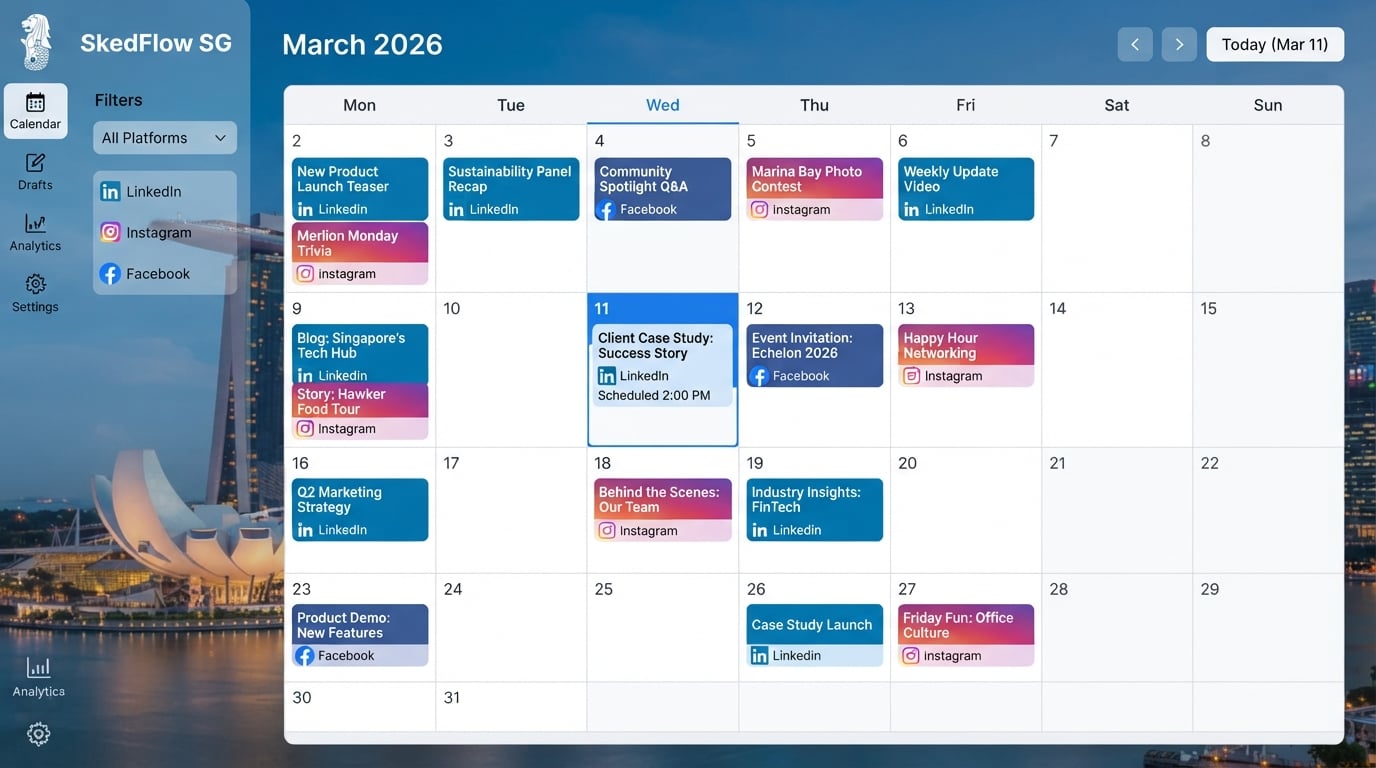
A scheduling tool holds drafts in a queue, publishes each post at its set time, and shows the month on one calendar, so gaps and clashes are easy to spot.
This lets small teams batch content, plan a content calendar and keep a steady social media presence across platforms. Solo owners can create a week of posts in one sitting and schedule them in advance.
Small teams need a shared calendar and handoffs. Agencies keep several client accounts separate.
How to Choose a Social Media Scheduler
Score your needs on three axes before comparing features:
- channels and profiles
- approvers
- reporting depth
Treat channels as low at one or two, medium at three to five, and high at six or more.
Treat approvers as low at one person, medium at two, and high at three or more.
Treat reporting as low if you check engagement weekly, medium if you review it monthly against goals, and high if you need multi-month trend data.
If all three are “low”, a free or entry plan is enough. If any one is “high”, move up a tier.
Teams running several social media marketing campaigns across channels should score higher on channels and reporting, since media management gets harder as volume grows.
A café with one Instagram account, one Facebook page and a Google Business Profile, posting about three times a week, sits at “medium” for channels and “low” for the rest. A free tier covering three channels, such as Blaze’s free plan, meets that need.
Paying $99 per user a month for a higher tier would be wasted spend. Keep your best social content focused on a single link in bio, and let the scheduler handle post timing so your team can help customers instead.
Team roles change the answer. Two part-time staff who must approve posts move the team axis to “medium”, making an entry paid plan the sensible step. Price each plan per user or per social set, because a second staff member can double your monthly cost.
Comparing the Leading Tools
Tools fall into groups by what they do best. Small teams often want simple queues, while others need deeper analytics and content planning. Visual planners suit Instagram and carousels, while bulk schedulers suit high post volumes. Match the tool to the job rather than to the longest feature list. Teams searching for the best social media scheduling tool should start with that job-fit question.
Free and entry tiers in practice
Entry pricing is where Singapore buyers usually start.
- Blaze‘s free plan covers three channels with up to 10 scheduled posts each, and paid plans start at $5 a month per channel.
- Pallyy‘s paid plans start at $20/user/month (billed annually), with one user and one social set included.
- Sendible‘s Core plan starts at $35 a month, and yearly billing takes 15 per cent off every plan.
- Publer‘s paid version starts at $5.00 a month.
Compare these figures against a freelance manager’s retainer, not just against other software. A tool with a free tier can still help a team test its workflow before committing to a paid plan.
| Tool | Channels | Starting price (USD, as listed) | Bulk scheduling | Analytics |
|---|---|---|---|---|
| Blaze | Instagram, Facebook, LinkedIn, X, TikTok, YouTube Shorts, Google Business Profile | Free plan; Starter $79/month | Not stated | Insights tab, 7-day and 30-day highlights |
| Pallyy | Instagram-focused | From $20/user/month (billed annually) | Not stated | Visual planner |
| Sendible | Multi-channel | Core from $35/month (yearly billing 15% off) | Not stated | Not stated |
| Publer | Multi-channel | From $5.00/month | Not stated | Not stated |
| CoSchedule | Multi-channel, with social publishing for all major networks plus popular marketing integrations | Paid tiers | Up to 365 posts at once | Not stated |
Prices reflect vendor listings at the time of drafting. Confirm current prices before budgeting.
Free Social Media Schedulers and Instagram-Focused Options
What free plans include and their limits
Most free plans are enough to test a workflow. Blaze’s free plan covers three channels with up to 10 scheduled posts each, according to Blaze’s comparison guide. That suits a café or salon posting a few times a week, but not a daily publisher. Check the channel count, queue size and reporting history before committing, and export your insights monthly. A free trial of a paid tier can show whether the extra features justify the cost.
Look for carousel support, Reels and Stories for business accounts, and a grid preview. Instagram supports carousels of up to 20 slides. Pallyy is a visual planner that shows a mock-up of your Instagram grid, which helps when arranging a feed. Test these features on a free plan before paying.
When to move from a free plan to a paid one
Upgrade when a limit changes how you work. If you hit the scheduled-post cap more than twice a month, or a second person must approve posts, a paid plan is justified. Compare the price with a freelance manager’s rate first.
Setting Up a Scheduling Workflow That Works
A scheduler only saves time if the process around it is sound. Plan a month at a time, write captions and design visuals in one sitting, then load them into the tool. Batching, not pressing “schedule”, is where most of the saving comes from.
Next, set approval steps. If a second person signs off posts, assign that role before the first batch goes live, so nothing publishes unreviewed.
Review analytics monthly and shift posting times toward the hours that drew the most engagement. A vendor-cited study reported 60% time savings, but this is a vendor claim, not an independent finding, so measure your own time before and after.
Checklist for a first month of scheduling
- Choose a monthly content theme and list the posts needed per channel
- Batch-write and design all posts for the first two weeks
- Confirm time zone and Singapore posting slots in the tool
- Assign one approver and set the approval step before going live
- Check for failed posts or missing media daily for the first week
- Log engagement at the end of week four and pick two timings to test next month
Social Media Scheduling Tools Help
For most Singapore small businesses, the right scheduler is the cheapest one that covers your channels, approvers and reporting needs. If you post to two or three channels with one publisher and only check weekly Insights, a free or entry plan is enough. Upgrade only when one need reaches “high”, such as a second approver or several client accounts.
Then test before you commit. Load two tools with a fortnight of real posts, and time how long each takes to schedule and review. Confirm the free tier’s limit of around 10 scheduled posts per channel fits your weekly volume, and check what happens to your history if you downgrade.
A tool solves publishing, but not the content itself. If you would rather spend the time on your business, MediaOne’s social media marketing team can plan, create and manage your channels for you — from the content calendar to the reporting.
Talk to us for a quote sized to your channels and posting volume.
Frequently Asked Questions
For most Singapore small businesses posting to two or three channels, yes. Blaze’s free plan covers 3 channels with up to 10 scheduled posts each, enough for a café posting three times a week across Instagram, Facebook and Google Business Profile. Free plans start to limit you as you need more scheduled posts, profiles, team approvals or reporting. Check those limits against your real weekly volume, and confirm them on each vendor’s current pricing page.
It depends on your content format and the features you need from your social media scheduling tools. Pallyy is a visual planner that shows a mock-up of your Instagram grid, which helps keep a consistent feed. If you post carousels, Stories and Reels, confirm the tool supports them for your account type. Blaze, for example, makes carousels of up to 10 slides and supports Stories and Reels for business and creator accounts.
Vendors bill in US dollars, so converted amounts are indicative only. Listed starting points include Blaze Starter at $79 per month, Pallyy’s paid plans from $20 per user a month billed annually, Sendible’s Core plan from $35 a month and Publer from $5.00 a month. Confirm current pricing and the S$ equivalent at checkout, then compare the total against a freelance social media manager’s retainer, since a tool helps you publish but does not write your posts.
Can a scheduler handle multiple platforms and team approvals?
Most schedulers publish to several platforms from one calendar. Blaze lists Instagram, Facebook, LinkedIn, X, TikTok, YouTube Shorts and Google Business Profile. Approval workflows are less common on entry plans, so check whether they and extra users are included. Blaze’s Starter plan starts at $79 per month, and each added user raises the cost, so count your approvers before you choose.
No. Schedulers show engagement on posts they publish, and Blaze’s Insights tab offers 7-day and 30-day highlights, but these do not replace a monthly review. Use built-in insights for a weekly check, then compare social media results against posting times and content types each month.
How long should I trial a scheduling tool before committing?
Trial each shortlisted tool for at least one full posting cycle, using your real calendar. Schedule your actual posts, test the approval steps you will use and export a reporting sample. If the tool saves time and fits your budget, move to an annual plan to lower the monthly price.