A product category can remain live, return an HTTP 200 status and look perfectly normal in a browser while an accidental noindex directive keeps it out of Google. Meanwhile, a crawler might flag dozens of duplicate titles, missing image descriptions and redirect chains. All appear on the same audit report, but resolving them in dashboard order could leave the pages responsible for sales or enquiries untouched.
Before another crawl turns into a development backlog, check which templates are affected, whether Google can access and index the pages, and how much organic traffic or revenue those pages support. Confirm the issue in Google Search Console or on the live site before assigning work. A sitewide indexing block deserves immediate attention; a minor warning on an old archive page may not need a ticket at all.
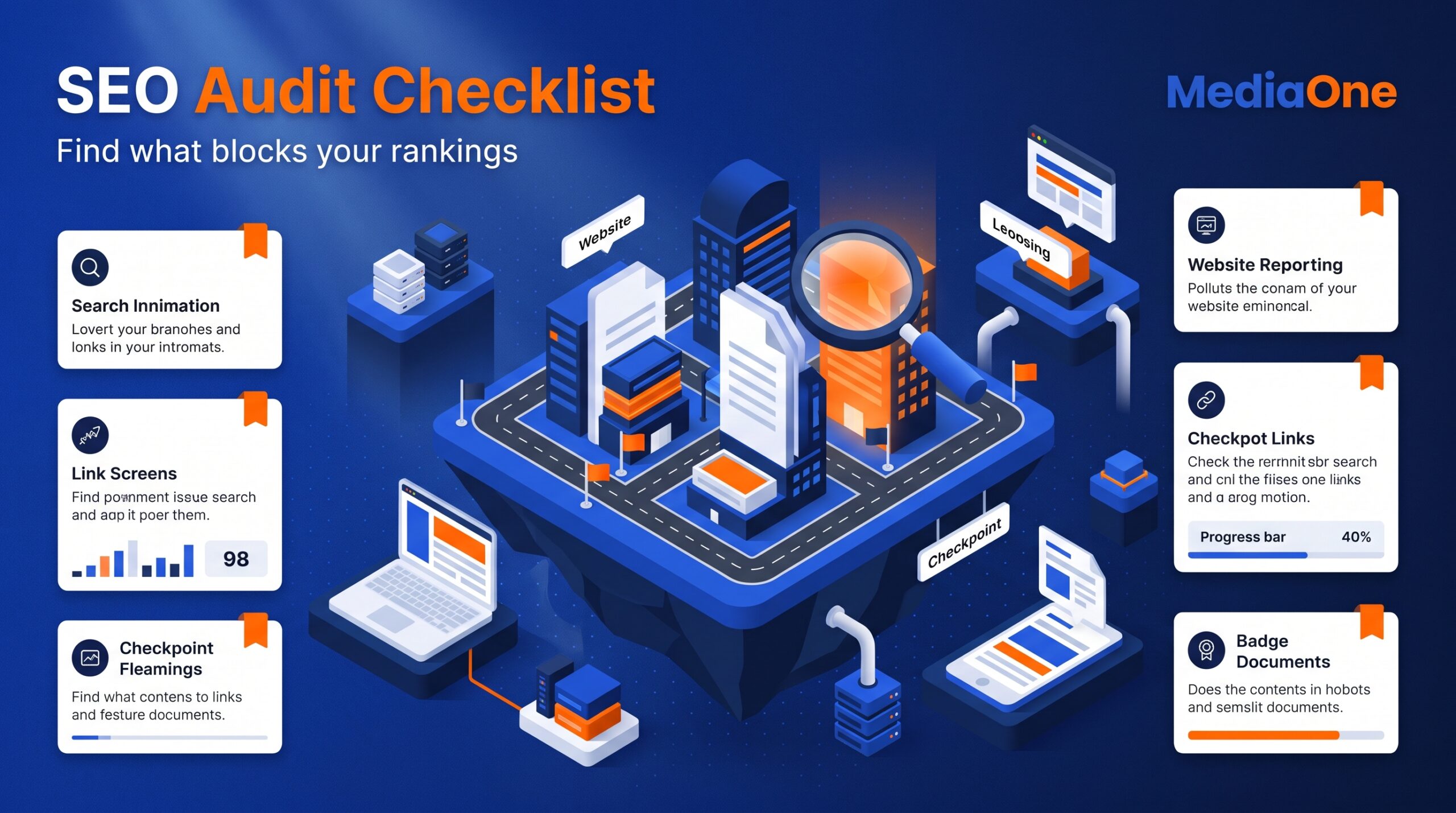
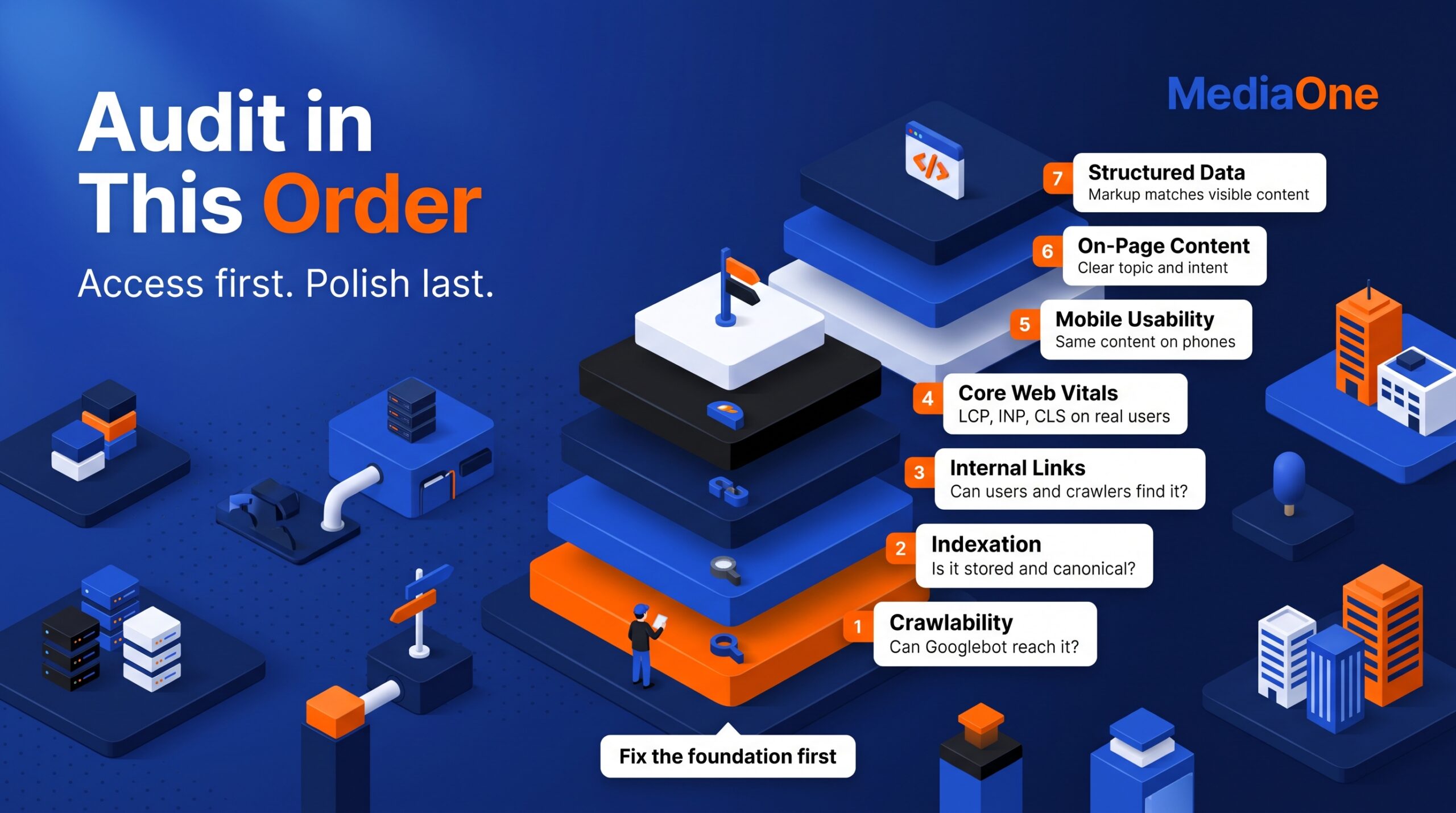
The SEO audit checklist follows that order of priority: crawlability, indexation, internal links, Core Web Vitals, mobile usability, on-page content and structured data. Each finding gets an impact and effort rating, an owner and a way to verify the repair. The outcome is a manageable queue of fixes tied to actual pages and business goals, rather than an export of warnings that no one has time to investigate.
Key Takeaways
- Fix high-impact, low-effort faults first. A sitewide noindex error outranks a minor image warning.
- Check important URLs in Search Console before accepting an automated crawl warning.
- Treat click depth as a discovery clue, not a three-click ranking rule.
- Compare mobile and desktop content, links and structured data.
- Record URLs, owners, deadlines and verification steps.
- Re-audit after migrations, redesigns and other major releases; use a regular check schedule based on site complexity.
Prioritise SEO Audit Findings Before Fixing Them
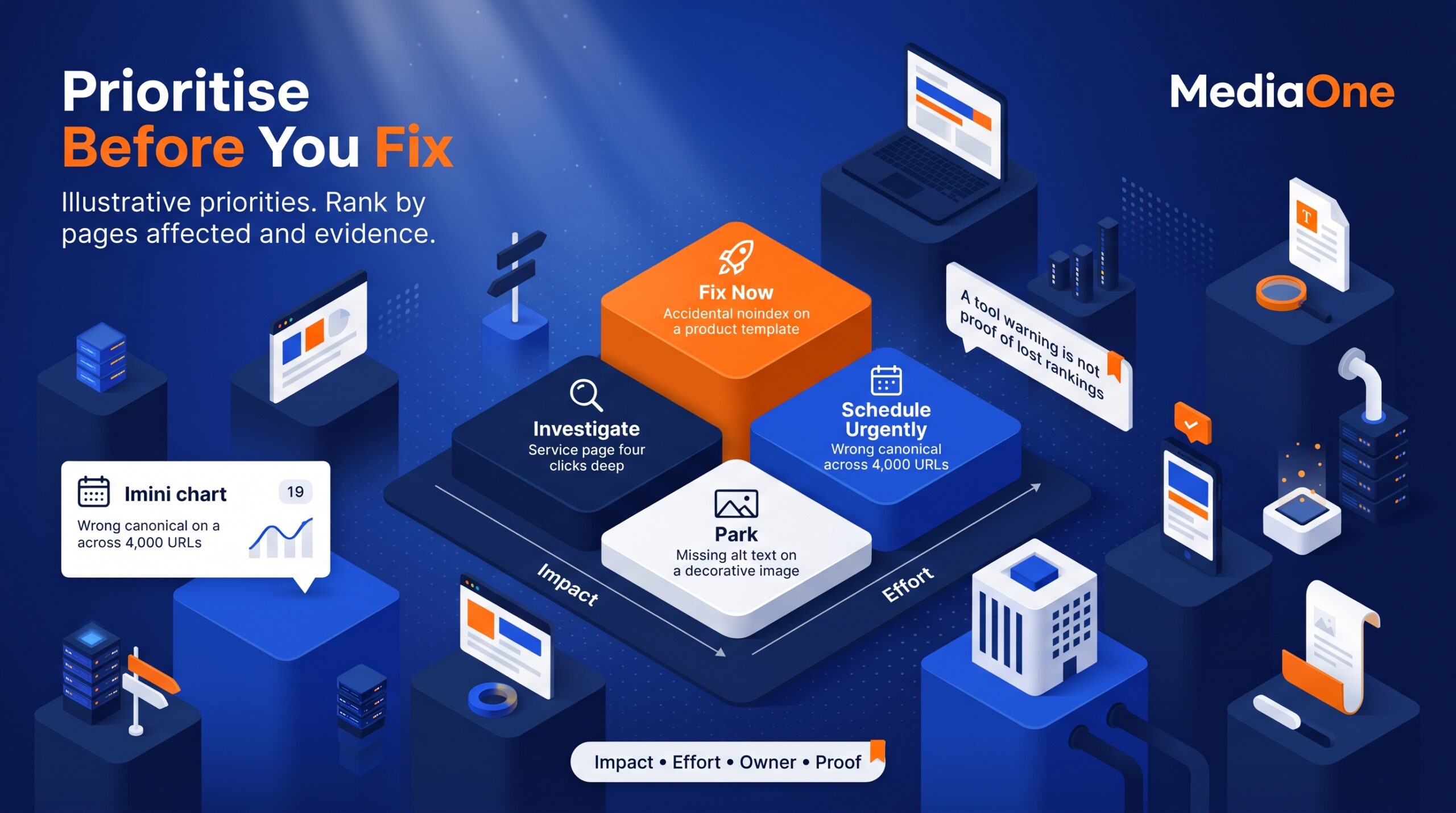
An audit becomes useful when it produces a short, defensible work queue. Start by listing the page or template affected, the likely business consequence and the effort required. Then check whether a real issue exists. A tool warning is not proof of lost rankings.
Use an Impact-Effort Matrix
Score impact as high, medium or low and effort as quick, moderate or heavy. High impact means a problem affects pages responsible for meaningful traffic, leads or sales, or blocks access to an entire section. Quick fixes need no rebuild.
| Finding | Impact | Effort | Decision |
|---|---|---|---|
| Accidental noindex on a product template | High | Quick | Fix now |
| Incorrect canonical across 4,000 product URLs | High | Moderate | Schedule urgently |
| Important service page four clicks deep | Medium | Moderate | Investigate links |
| Missing alt text on one decorative image | Low | Quick | Park |
| Oversized image outside the main viewport | Low | Heavy | Park |
Illustrative priorities only. Actual rankings depend on the pages affected and available evidence.
The example does not mean every noindex directive is wrong. Thank-you pages, internal search results and other deliberately excluded URLs may need one. Find exclusions affecting valuable pages.
Validate the Evidence and Assign an Owner
For each proposed fix, record the exact URL, symptom, supporting evidence, estimated effort and a named owner. Compare crawler output with Search Console, page source, server responses or a manual mobile check. If the signals disagree, mark the finding ‘verify first’.
A useful issue record answers four questions: What is broken? Which valuable pages are affected? Who can fix it? How will we confirm the repair? Group repeated template errors into single tickets.
Crawlability and robots.txt Access
Begin with pages that must appear in search: the homepage, main services, product categories and other commercially important URLs. Confirm that Googlebot can access them, that they return a successful response and that their content is indexable. Google’s technical requirements for Search explain these baseline conditions.
Check the following in your crawl:
- Important URLs return 200, not an unexpected 404, 5xx or redirect loop.
- robots.txt does not block essential pages or resources needed to render them.
- Indexable pages do not carry an accidental noindex directive.
- Navigation links use crawlable HTML links rather than inaccessible interactions.
- The staging site’s blocking rules have not travelled into production.
Robots.txt controls crawling; it is not a reliable way to keep a URL out of Google’s index. A noindex instruction must be accessible to the crawler to be read. Test suspicious templates, not only individual URLs, because one configuration error can affect entire sections.
For larger sites, check whether low-value filtered URLs crowd out important pages. On smaller sites, clear access failures first.
Indexation, Canonicals and XML Sitemaps
Crawling does not guarantee indexing. Open Search Console’s Page indexing report and inspect whether priority pages are indexed, excluded intentionally or missing unexpectedly. Use URL Inspection for individual pages. Index valuable canonical pages, not every URL.
Compare your XML sitemap with the URLs you intend to publish. Remove redirects, error pages and unintended noindex URLs from the sitemap. Make sure canonical pages are listed consistently, then check whether Google has selected a different canonical from the one you declared.
Canonical tags help indicate a preferred URL when several addresses show similar content. Audit product filters, pagination, tracking parameters and HTTP/HTTPS variants for conflicting signals. A canonical pointing an entire product range to the homepage is a more serious problem than one isolated duplicate URL.
Watch for sharp changes in indexed page counts after a migration or CMS release. Investigate the affected templates, but do not interpret every excluded URL as a fault. Pages deliberately redirected, removed or consolidated often should not be indexed.
A successful indexation audit distinguishes deliberate exclusions from lost search opportunities. Record the number of priority URLs affected and recheck them after changes; indexing may take time.
Internal Links, Broken Links and Click Depth
Internal links help users and search engines discover important pages and understand their relationships. Export orphan URLs, broken links, redirect chains and click depth from your crawler. Cross-check orphan-page findings against your sitemap and analytics, because a crawl may miss links outside its starting scope.
For each valuable page, ask whether users can reach it from a relevant category, navigation element or related article. Review pages four or five clicks deep; three clicks is not a Google ranking threshold. Context and link quality are more useful than chasing a number.
Fix broken links on high-traffic pages first. Replace chains with direct links to the final destination, and use descriptive anchor text rather than repeating the same keyword everywhere. MediaOne’s internal linking strategy explains how to organise links around related topics.
Pay special attention to pages that convert well but receive few internal links. Relevant hub links can improve discovery without new content.
Core Web Vitals and Page Speed
Page speed checks should focus on real user problems, not a perfect laboratory score. Search Console and PageSpeed Insights can help identify slow templates, while controlled tests help explain the causes. Google’s Core Web Vitals guidance defines the three current metrics.
| Metric | What it measures | Good threshold |
|---|---|---|
| Largest Contentful Paint (LCP) | Main content loading | 2.5 seconds or less |
| Interaction to Next Paint (INP) | Response to interactions | 200 milliseconds or less |
| Cumulative Layout Shift (CLS) | Unexpected visual movement | 0.1 or less |
These thresholds are evaluated against real-user data, commonly at the 75th percentile. Poor LCP may stem from oversized hero images or slow servers. Poor INP may point to long JavaScript tasks. Poor CLS often reflects images, embeds or banners without reserved space.
Group affected URLs by shared template and fix the cause once. Recheck field data after release, allowing time for fresh measurements. MediaOne’s guide to improving Core Web Vitals provides further diagnostic examples.
Prioritise measurable friction on important pages over tiny improvements to an already fast page. Good scores support usability but do not guarantee better rankings.
Mobile Usability and Mobile-First Indexing
Google primarily uses a site’s mobile content for indexing and ranking. Its mobile-first indexing guidance recommends equivalent primary content, meaningful headings and crawlable links across mobile and desktop versions.
Check key pages on a real phone as well as in browser emulation. Check copy, product details, links and structured data. Test menus, filters, forms and calls to action. Automated tests may miss booking or checkout problems.
Prioritise confirmed faults that stop users completing meaningful actions. If product filters fail only on mobile, that issue may deserve attention before cosmetic spacing problems. Record the affected mobile devices and reproduce the fault before assigning development work.
On-Page SEO and Content Quality
Technical access cannot compensate for a page that misses the searcher’s question. Match each priority URL to a clear topic and search intent. Check whether the page offers a useful answer, an appropriate next step and content that differs meaningfully from competing or duplicate pages.
Title Tags, Descriptions and Headings
Crawl for missing, duplicated, vague or excessively long title tags. Give important pages concise, distinctive titles that describe their content. Google may generate a different title link from headings or other page signals, so audit what appears in search results as well as the HTML.
Write meta descriptions that accurately summarise the page and give users a reason to click. They are not a direct ranking factor, and Google may choose another snippet. Avoid rigid character limits that ignore display width. Use clear, logically nested headings.
Review keyword use for relevance, not repetition. The primary phrase belongs naturally in the title, introduction or a relevant heading where it helps comprehension. Rewrite headings that exist solely to repeat the term.
Images, Search Intent and Thin Content
Check meaningful images for descriptive alt text and compress oversized assets. Decorative images may need empty alt text rather than a description. For thin, outdated or duplicated pages, decide whether to improve, merge, redirect or remove them based on actual usefulness and performance.
Compare Search Console queries with the intent the page currently serves. An informational page appearing for purchase-focused searches may need clearer product links, while a service page answering the wrong question may require a content adjustment. Do not expand every short page simply to meet a word count.
Review content annually or after business changes. The technical SEO audit guide helps connect page-level findings with sitewide causes.
Structured Data, Entities and Local SEO
Structured data should describe content visitors can actually see. Audit schema on major templates, such as Product for relevant product pages, Article for editorial content and LocalBusiness for eligible business locations. Validate implementation and required properties, then check the relevant Google feature’s eligibility rules.
Do not add FAQPage markup simply to chase FAQ rich results. Google discontinued FAQ rich results in May 2026. Keep useful FAQs for readers, but do not promise a search enhancement that no longer appears.
For businesses serving customers locally, compare the business name, address, phone number, opening hours and landing-page details with the Google Business Profile. Resolve genuine inconsistencies, especially after a move or rebrand. Review whether local landing pages clearly describe the location and service instead of repeating near-identical copy.
Structured data supports interpretation and potential search features, but valid markup alone does not guarantee enhanced display or rankings. Treat mismatched or misleading markup as a correction, not an opportunity to add more schema types.
Tools, Audit Schedule and Reporting
You do not need an expensive suite to begin. Google Search Console shows search performance, indexing and technical signals. PageSpeed Insights helps diagnose loading and interaction problems. A crawler reveals status codes, links, metadata and template patterns. Analytics adds the commercial context: which landing pages attract qualified visitors or generate enquiries.
Use this repeatable SEO Audit Checklist workflow:
- Set scope. Identify priority pages, business goals and a baseline period.
- Crawl. Export accessible URLs, status codes, internal links and on-page elements.
- Cross-check. Validate major issues against Search Console, source code and manual tests.
- Prioritise. Score impact and effort, then name the owner and deadline.
- Fix. Start with one or two high-impact issues rather than every warning.
- Verify. Re-crawl affected URLs, check the live page and monitor relevant search metrics.
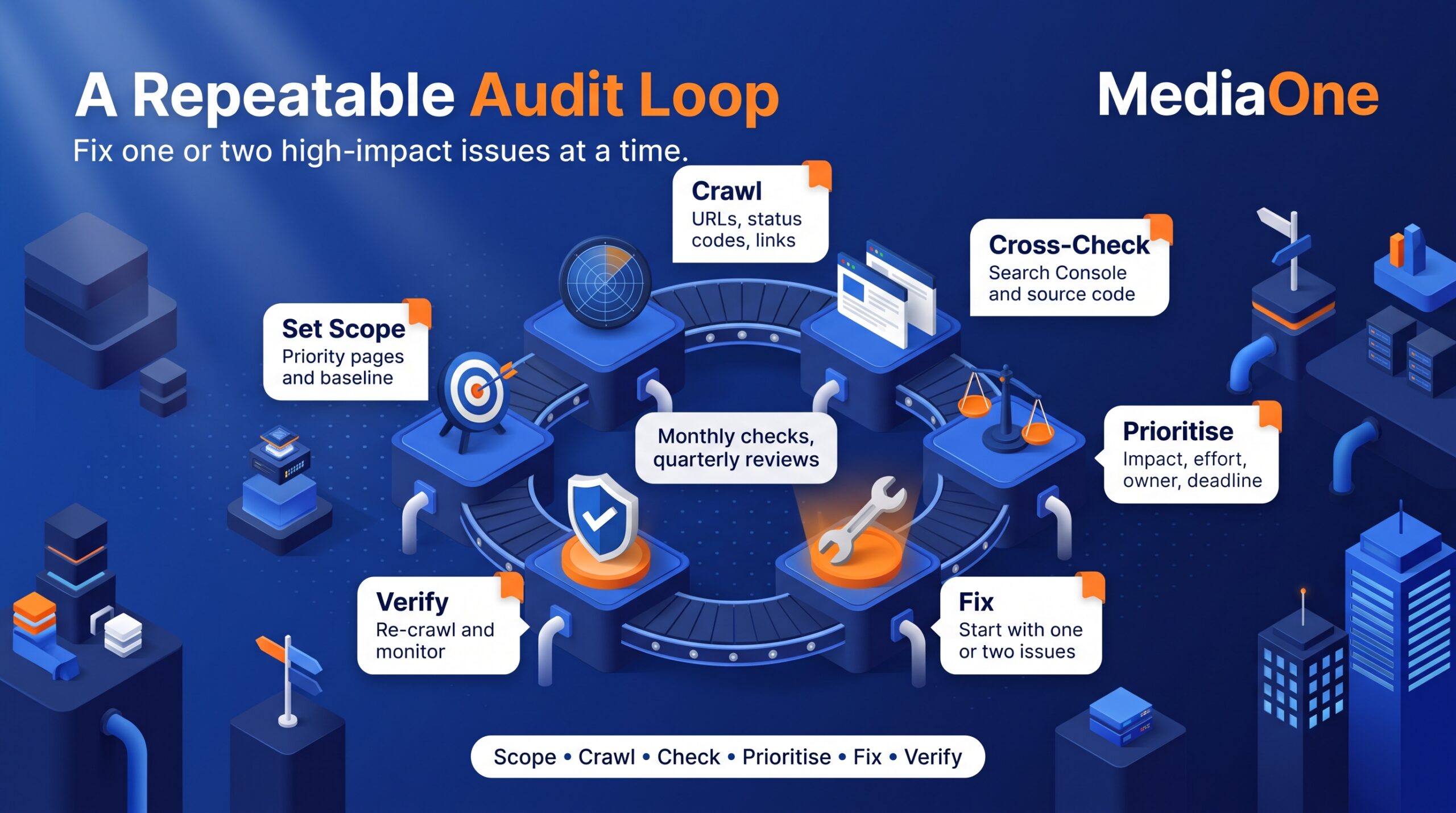
A practical cadence is a monthly check of critical technical signals, a deeper quarterly review for active or complex sites, and a periodic content review. Smaller, stable websites may need fewer scheduled audits. Run an additional check before and after a migration, redesign, domain change or major CMS update.
For each release, record baseline impressions, clicks, enquiries and the deployment date. Compare similar periods after the fix, and check whether seasonal demand or other changes explain an apparent improvement.
Keep the report short enough to act on. Each row should contain the issue, affected template or URLs, evidence, impact, effort, owner, deadline, status and post-fix result. If repeated issues keep resurfacing, address the underlying CMS process instead of clearing the same warnings every month.
For migrations, large catalogues or unexplained declines, specialist SEO services can help distinguish technical faults from content and competition problems. Judge work by fixes and measurable outcomes.
Conclusion
A useful SEO Audit Checklist ends with decisions. Fix access and indexing problems on valuable pages first, then improve internal linking, page experience, content and eligible structured data. Validate each finding, assign a responsible person and recheck the result.
Choose two well-evidenced fixes this week, implement them, and confirm what changed. That creates a repeatable audit process rather than another report that sits unread.
Frequently Asked Questions
How long does an SEO audit take?
A small-site audit may take a day or two; a large ecommerce site may take weeks. Set scope before estimating effort.
How often should I run an SEO audit?
Check critical errors and Search Console trends monthly if your site changes frequently. Review broader technical and content issues quarterly or at a cadence that suits the site. Always audit around migrations, redesigns and unexplained drops in organic traffic.
Can I audit a website without paid SEO tools?
Yes. Search Console, PageSpeed Insights and a free crawler can cover many essential checks. Larger sites may need paid crawling capacity or backlink research, but software does not replace checking whether a warning affects a valuable page.
Is a three-click page depth bad for SEO?
Not automatically. Click depth is a practical signal of how accessible a page is, rather than a fixed ranking rule. Review pages that are buried, have no relevant internal links or struggle to be discovered, particularly if they serve important searches.
What is the difference between a technical SEO audit and a content audit?
A technical audit checks access, indexing, structure and performance. A content audit checks intent, duplication and usefulness. Both belong in a full SEO audit, but urgent access problems should usually be resolved before lower-impact copy changes.
Which SEO issues should I fix first?
Start with confirmed problems that prevent important pages being crawled or indexed, followed by broken high-value URLs and sitewide template faults. Then assess internal links, mobile usability, performance and content quality. Use impact and effort to choose the order rather than following an automated severity score blindly.