

| AI Summary
Google Ads tracking measures actions linked to ad interactions, including purchases, enquiries and sales recorded after a customer leaves your website. Singapore businesses can set up website tracking with the Google tag or Google Tag Manager, then connect eligible sales records through Google Ads Data Manager. A monthly audit helps teams find missing events, repeated counts and gaps between what Google Ads reports and what the business records. |
Google Ads tracking connects ad interactions to actions such as purchases, form submissions and qualified leads. For an accurate setup, define the result you want to count, test that the event fires once at the right time, and compare Google Ads with your order or lead records. Audit calls and offline sales separately.
Key Takeaways
- A confirmed form submission gives bidding a better signal than a click on the submit button.
- An online shop can count each purchase and send a unique order ID to prevent the same sale from counting twice.
- A click on a phone number shows an attempt to call. A call log can show whether the call connected and led to an enquiry.
- A tracking audit works best when every conversion has a source record, a test result and someone responsible for fixing gaps.
A customer clicks an ad for an air-con service, calls from the website and pays after the visit. The business sees a paid invoice. Google Ads may see only the click. If the account counts form enquiries and misses sales that start by phone, the campaign report tells only part of the story.
The right setup starts with the results your business wants from its ads. From there, you can choose what to measure, check whether each event reaches the account and decide what to fix first.
What Google Ads Tracking Measures
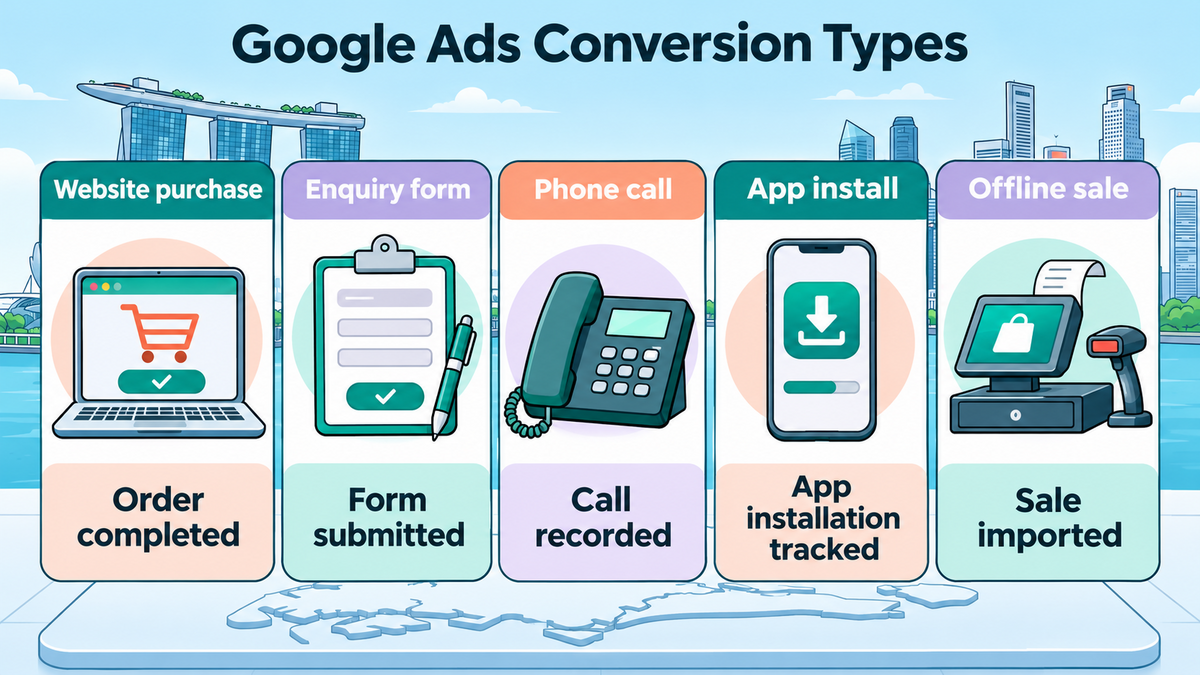
A conversion action is an event you tell Google Ads to measure. It could be a paid order, a quote request or a sale entered in your customer records.
Google Ads can credit the action to an eligible ad interaction when it has the information it needs to make the match. Your order or booking system still holds the full record, including customers who found you through other channels.
The right action depends on the campaign. A shop running a 30-day PPC test might track paid orders from day one. A renovation firm might track quote requests first, then add a sales outcome once its team can match enquiries to signed jobs. The conversion name should describe what actually happened, so the person reading the report knows what each number represents.
| Conversion action | What counts | Where to check it |
| Website purchase | The order system confirms a purchase | Order or payment records |
| Enquiry form | The site accepts a completed form | Enquiry inbox or customer records |
| Phone enquiry | Staff log a connected call and its outcome | Call log or customer records |
| App install | The app setup records an install or first open, depending on the source | App analytics or app reporting |
| Offline sale | The sales team records a completed sale and sends an eligible record to Google Ads | Sales system and import results |
Which conversions should guide bidding?
Primary actions can guide bidding when the campaign uses the relevant goal. Secondary actions normally appear in All conversions for observation. A secondary action included in a custom goal can still guide bidding when that goal is assigned to a campaign, so check the campaign’s goal settings as well as the action label.
A form start can help a team investigate why people abandon a page. An accepted quote request tells the team that a customer actually reached out. This distinction also helps when reviewing lead generation and landing-page performance. If a report counts both steps as primary actions, one visitor can add two conversions before anyone checks the quality of the enquiry.
How to Set Up Google Ads Tracking on Your Website
A website conversion needs a base Google tag and a way to tell Google Ads when the action happened. Google Tag Manager, or GTM, lets you manage tags and the rules that control when they run. If your shop already sends purchases through an ecommerce integration, check what it sends before creating a second tag. Two systems can report the same order if both are set up to measure it.
How to create an action and choose a trigger
- Create the conversion action. In Google Ads, open Goals, go to Summary and create a website action. Name it after the result, such as “Quote request accepted” or “Online purchase”.
- Set the count and value. One is often suitable when you want one lead per ad interaction for that action. Every suits purchases when one ad interaction can lead to several separate orders. The purchase setup can send each order’s own value.
- Set up the tag. In a manual GTM setup, the Google Ads conversion tag uses the conversion ID and label from Google Ads. These tell the tag which account and action should receive the event.
- Choose what starts the tag. A trigger is the rule that tells a tag when to run. A thank-you page can work if customers reach it only after a valid submission. A form that shows its confirmation on the same page needs a signal that the site accepted the form.
- Check how the setup keeps ad-click details. Google’s Conversion Linker documentation explains when a separate linker is needed. A GTM container that loads a Google tag on every page already has this covered.
A booking form offers a simple test. A visitor taps Submit with an empty contact field and the site asks them to fill it in. That attempt should produce zero enquiry conversions.
When the site accepts a complete form, it should produce one. If the form opens inside a separate booking tool, the confirmation may happen there. The team needs to test that final step as part of the same booking.
How to test before and after publishing
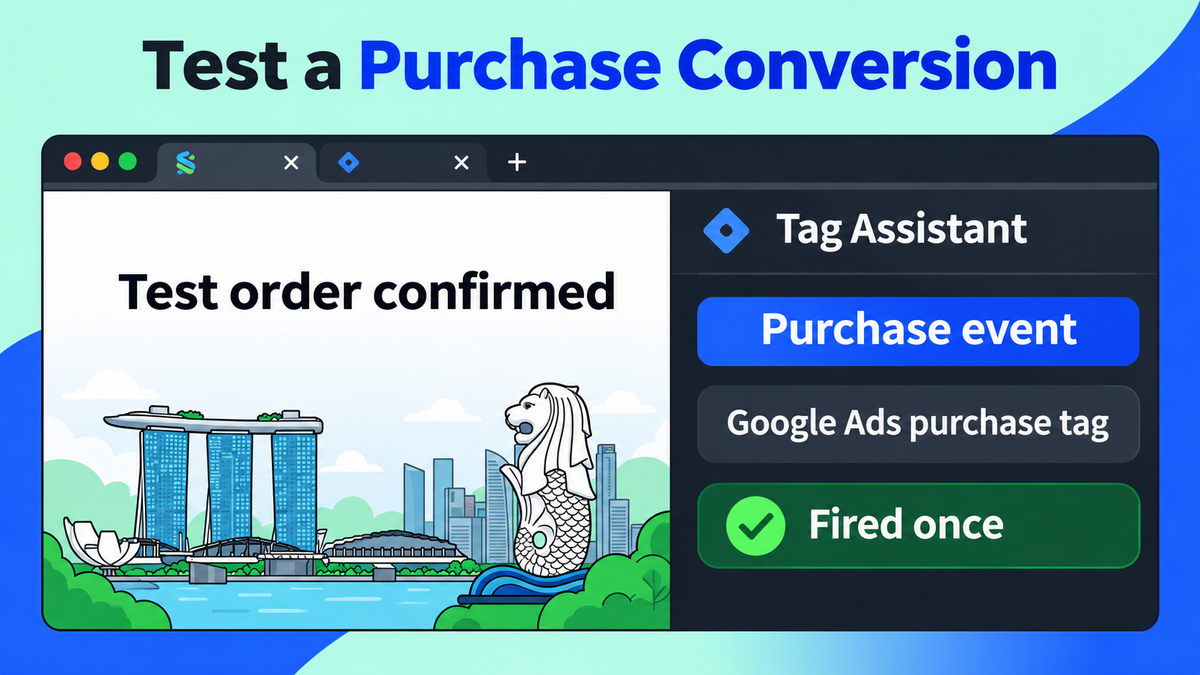
GTM’s Preview mode opens Tag Assistant so you can watch the tags that run during a test. An accepted form should fire the intended tag once. A rejected form should leave it idle.
For a test order, check that the amount, currency and order ID match the order record. The same check on a phone can catch a mobile form or checkout that behaves differently from the desktop version.
After publication, repeat the test on the live website. Google Ads’ Conversions summary shows action status and alerts. A test can confirm that a tag fires before an attributed conversion appears in a campaign report.
If the status is slow to update after a change, Google advises allowing 24 to 48 hours for data to appear. That setup window serves a different purpose from the regular reporting schedule.
When to use Google Analytics 4 as the source
Google Analytics 4 calls important actions key events. A business can create Google Ads conversions from Analytics events once the accounts are linked and the event is available. This can suit a team that already checks the same purchase or enquiry event across channels. A direct Google Ads tag is another way to send website conversions to the ad account.
If both sources report the same purchase, decide which action the campaign should use for bidding. A second source can help with checks, but a combined total can count one business outcome twice. A digital marketing measurement plan gives the team a place to record which system supplies each figure and which action the campaign uses.
How to Track Phone Enquiries and Offline Sales
What a phone click tells you
Google’s forwarding-number country list omits Singapore. For a Singapore number, a practical website measurement is the tap on a clickable phone link. The team can call that action “Phone link click” and compare it with its own call records. A visitor may tap and cancel before the call connects, or dial the displayed number by hand without tapping it.
Suppose a pest control company records 20 phone-link clicks in a week. Its reception log shows 12 connected calls from all sources, including repeat customers and referrals. The company has two different counts with different meanings. A receptionist can record whether each enquiry led to a booking and note its source when known. Those details give the team a better basis for checking the role of calls in its paid-search lead generation.
How offline conversion imports work
An offline conversion happens after the first online contact. A customer may ask for a quote on Monday, accept it on Thursday and pay the following week.
The form submission and the sale are separate events. An import sends the later result to Google Ads so the platform can try to match it to the ad interaction. Google’s Data Manager setup for enhanced conversions for leads supports this workflow with compatible data sources.
| Sales record field | What it helps the team check |
| Lead or job ID | Which enquiry became a booking or sale |
| Sales stage | Whether the action was a qualified lead, accepted quote or paid job |
| Date and time | When the action happened and which record to check |
| Eligible matching data | Whether the setup has the information Google needs to attempt a match |
| Sale value and currency | What the team sent when it tracks the value of a sale |
The first import is easier to check with a small batch. A sales team can compare the records it sent with the import results, review rejected rows and see whether the accepted records reached the intended action. A receipt or invoice number can help staff trace a record internally. The match to an ad depends on the identifiers supported by the setup and the data captured when the customer first got in touch.
When to send a different value for each sale
An online shop can send the amount for each order. An order worth S45andoneworthS180 each count as a purchase, while their values show a difference that a simple purchase count hides.
Your team should use one definition of order value, such as the amount after discounts, and document how it treats delivery charges and tax. A test order makes it easier to spot a mismatch before the account uses those amounts for bidding.
Lead values need a different check. If the sales team has little data on what a qualified lead is worth, a separate count of qualified leads is easier to explain than an estimated dollar amount. Once the team has enough sales history, it can use recorded outcomes to assess return from Google Ads and SEO with the same business measures.
How Enhanced Conversions and Consent Mode Affect Tracking
What enhanced conversions add
Google’s enhanced conversions for web use eligible first-party data, such as an email address provided during checkout, to help match an event to an ad interaction. The setup hashes the data, which means it turns the original value into a coded form before Google uses it for matching.
Enhanced conversions for leads apply a matching process to later sales outcomes. Results depend on the data available and whether Google can make a match.
A shop that sends every accepted order to its tracking tag can consider enhanced conversions if attribution gaps remain. If the tag fires only on desktop, the first job is to repair the mobile event.
The same principle applies to leads. If staff rarely record which enquiries become jobs, the sales team needs a reliable way to record that outcome before an import can help.
What changes when a visitor declines consent?
Google’s Consent Mode changes how supported tags behave according to the consent signals they receive. In a basic setup, Google tags are blocked until the visitor grants the relevant consent. In an advanced setup, tags can send limited, cookieless signals when consent is denied.
Google may use available signals for modelling when the setup meets its requirements. A modelled total estimates activity across visitors. The booking or order record remains the place to confirm an individual sale.
Singapore’s Personal Data Protection Commission sets out obligations for collecting, using and disclosing personal data. The team should document which fields it sends, why it uses them and how long it keeps them.
If the business also runs retargeting campaigns, its review should cover how tags handle measurement and advertising audience signals. Each setting should reflect the site’s consent choices.
When server-side tagging is worth a look
Server-side tagging moves some processing into a server container before data goes to the configured destination. A site may still need a browser tag to send the event to that container. The setup gives the team another place to check which fields get forwarded, and it adds hosting and maintenance work.
A team with a documented problem sending events or controlling the fields it forwards has a specific reason to review this setup. A broken form trigger, missing sales record or repeated order ID needs its own fix first.
How to Audit Google Ads Tracking Coverage
A tracking coverage audit shows which business actions have a working measurement source and which are missing. The audit starts with a record the business can check, such as a confirmed order, an accepted form or a paid invoice. It then follows that action through the tag or import to the Google Ads account.
A Singapore home services firm might use the table below. Its staff can check the form and phone link on the site, then use the sales system to verify what happens after an enquiry. The examples show what the team learns at each stage and what it can do next.
| Action | Current method | What the check shows | Next step |
| Accepted quote form | Website event | An accepted form fires the tag once and creates an inbox record | Test again after changes to the form |
| Phone enquiry | Phone-link click | The tag records a tap. Staff log connected calls separately | Label the action “Phone link click” and check call outcomes in the log |
| Paid job | No import | The invoice system holds the result. Google Ads receives no sale event | Test an eligible offline import |
What to record during each audit
- One test record per action. A test date, device and order or lead reference give the team a way to trace the event.
- The place where the result first appears. For a form, that may be the inbox. For an offline sale, it may be the invoice system.
- The tag or import result. A tag that fires once, a row that passes an import check and a conversion credited in a report are separate checks.
- The expected wait. A website conversion and a scheduled sales import can appear at different times. The team should note when it will check each one again.
- The owner and retest date. A form fix may belong to the web team, while missing sales stages may belong to the people who update customer records.
A monthly check gives the team a regular time to catch faults. A change to a payment provider, enquiry form, booking tool or consent banner is also a reason to test the affected action as soon as the change goes live. Comparing each action with its source record makes it easier to locate a gap. A lower count in Google Ads can reflect attribution, consent or timing, even when the source system has a complete record of sales.
How to Fix Missing or Duplicate Conversions
A missing number tells you where to start looking. If the source system never created the order or lead, check the form or checkout. If the source has the record, check the tag or import next. Once the event reaches Google Ads, review the action settings and reporting dates. Google’s conversion tracking status help explains what the account’s alerts can tell you.
| Symptom | First check |
| Forms arrive, but the tag never fires | Submit a valid form in Preview mode and see which event follows acceptance. |
| One purchase fires twice | Check for a second tag or a trigger that runs again when the confirmation page reloads. |
| Sales appear, but the value looks wrong | Compare a test order’s amount and currency with the values the tag sent. |
| Phone clicks appear, but bookings are missing | Check the call log and confirm what the Google Ads action counts. |
| Imported sales are missing | Check that the upload ran, then review failed rows and the destination action. |
How to stop counting the same purchase twice
A unique transaction ID for each order helps Google Ads avoid counting the same purchase twice within one conversion action. The order keeps its ID when the customer reloads the receipt page. A new order gets its own ID. If the team measures the purchase through two different conversion actions, review both settings. A transaction ID on one action does not combine two separate actions into a single count.
When a reporting delay is normal
Google Ads’ data freshness schedule shows that reporting time varies by source and attribution model. The time a customer takes to convert is separate. Someone can click on Monday and buy on Friday, then the purchase still needs time to appear. A recent campaign report can change as those later sales come in. The team can check the conversion action and test evidence before treating a short-term drop as a reason to change bids.

How to Make Google Ads Tracking More Reliable
Your next audit can start with the action that pays for the campaign. An online shop can trace one order from checkout to its Ads report. A service business can trace one enquiry to a booking or paid job. The first missing step tells you what to investigate before changing the campaign’s budget.
If the issue spans your website, campaign goals and sales records, MediaOne’s Google Ads management team can review conversion tracking as part of a campaign audit. A recent example of a missing lead or repeated sale gives the review a starting point.
FAQs About Google Ads Tracking
Can Google Ads count an action that happened before I set up website tracking?
A website tag starts collecting events once the setup is live and the event occurs. It cannot fire for a form submitted before installation. A separate import may be possible if the business already captured eligible matching data for that action and meets the import requirements. The difference depends on what the business had in place when the customer first got in touch.
What should I name conversion actions if I run several websites?
A name that includes the site and the result makes the action easier to recognise in a report. “SG shop | Purchase” and “SG service site | Quote request” show what each number represents. Where two forms look alike, a label such as “Commercial quote” or “Home service quote” also helps the web team test the right form.
Can a team test a checkout before its ads go live?
Yes. A team can place a test order and use Tag Assistant to see whether the conversion tag fires and sends the expected details. That test answers whether the website is sending the event. An attributed conversion in a campaign report requires an eligible ad interaction, so the team can check that part once the campaign has traffic.