
| AI Summary
On-page SEO helps Singapore businesses turn individual web pages into better answers for people searching online. A practical review starts with the searcher’s goal, then checks the page title, opening answer, headings, internal links, images and mobile layout. Businesses can use Google Search Console to track search visibility and Google Analytics to measure actions such as completed enquiry forms. |
What is on-page SEO? On-page SEO is the practice of improving an individual web page so search engines can understand it and visitors can find what they need. It covers the page’s content, title tag, meta description, URL, headings, internal links, images and mobile layout.
A customer searches for aircon repair in Tampines and lands on a page that starts with the company’s history. The repair details sit halfway down the page, and the enquiry button is hard to tap. A better page would tell that customer early whether the business serves Tampines, which faults it handles and how to request a visit.
That is on-page SEO in practice. The checklist below uses examples like this to show which changes to make first and how to tell whether those changes helped.
Key Takeaways
- A search for an aircon repair booking needs a different page from a search about common aircon faults.
- An existing URL can keep serving the same purpose through several rounds of content edits.
- Pages with few incoming internal links often have good link opportunities in related articles and service pages.
- A mobile test should end with a completed task, such as sending a form or finding an outlet’s opening hours.
- Search clicks and completed enquiries answer different questions. A useful report shows both.
What Does On-Page SEO Cover?
On-page SEO covers the parts of a page a business can edit, from the words in the title to the links and images in the body. A service page can explain what a visit includes. A product page can show sizes, stock and delivery. A guide can answer a common question and point readers to a related service when it helps them take the next step.
Technical SEO covers issues such as whether Google can access the page and include it in search results. Off-page SEO includes work that earns references and links from other sites. These areas can overlap. A technical SEO audit can help when a strong page is missing from Google or a site template creates the same problem across many pages.
The first test is whether the page can do the job a customer expects. A café’s outlet page should make its address, hours and booking options easy to find. A guide to choosing a café for a group lunch might need details about seating, menu choices and reservations. The same business can serve both searches with pages built for different tasks.
How to Match Search Intent Before Editing
What does the searcher want to do?
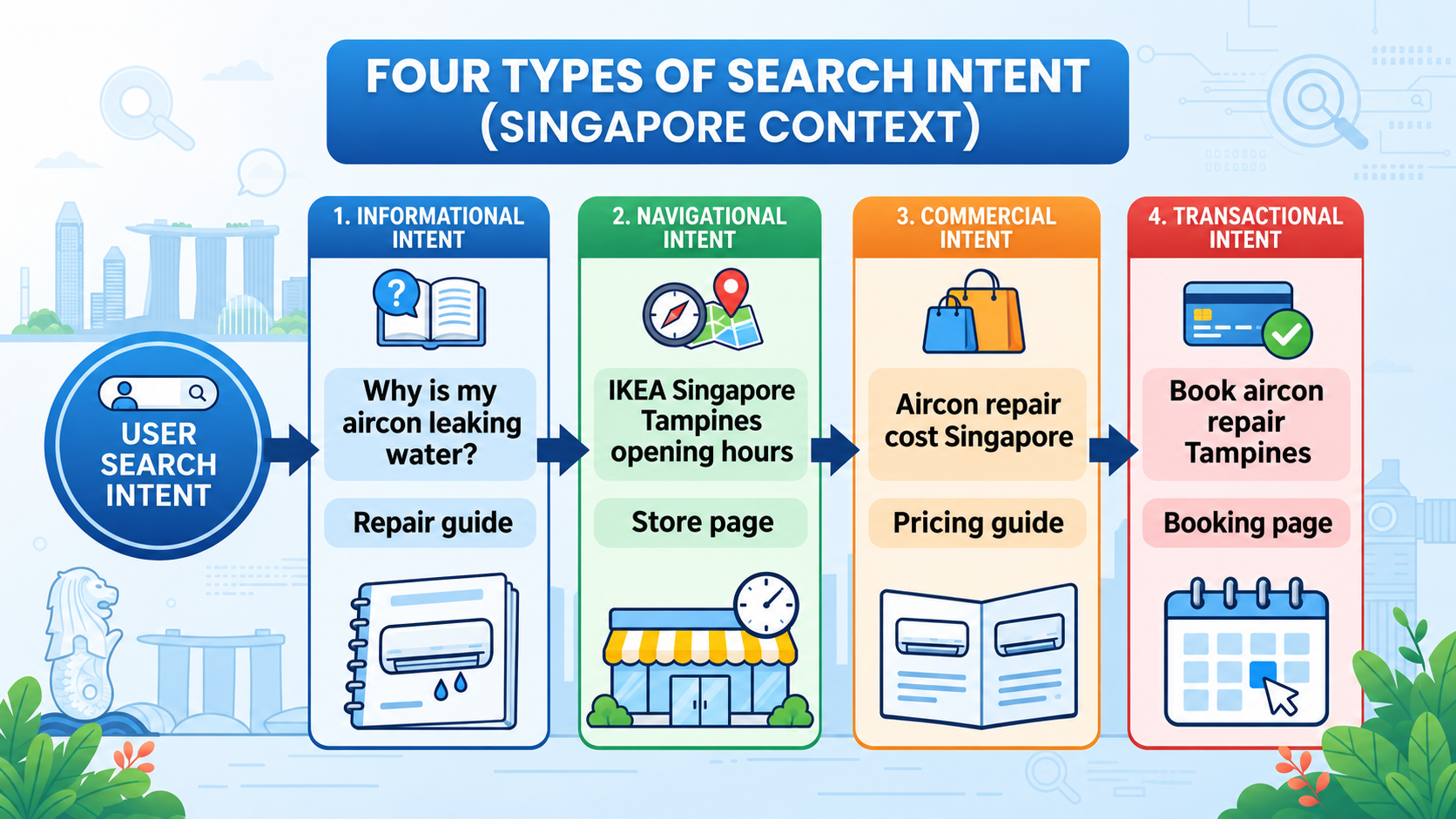
Search intent is the reason behind a search. The wording offers a clue. Someone searching aircon repair cost Singapore is likely checking prices before deciding whom to contact. Someone searching book aircon repair Tampines is closer to arranging a visit. Both searches concern the same service, but each calls for a different opening answer.
A look at the search results helps test that reading. Several service pages suggest people may want a provider. A run of guides or comparisons suggests they may still be learning what to buy. Mixed results call for a closer look at the exact wording and the job your business can help the reader complete. Keyword analysis can connect those clues to the queries your own pages already attract.
| Search intent | Example search | Page that can answer it |
| Informational | Why is my aircon leaking water? | A guide to common causes and when to book a repair |
| Navigational | IKEA Singapore Tampines opening hours | The official Tampines store page |
| Commercial | Aircon repair cost Singapore | A pricing guide that explains what affects the quote |
| Transactional | Book aircon repair Tampines | A repair service page with coverage and an enquiry option |
Which page should answer each search?
A simple spreadsheet can pair each target search with a page and a desired action. A repair page might aim for a completed enquiry. A pricing guide might help readers understand why quotes vary and lead them to the service page when they want a firm price. Both pages have a reason to exist, even if some of the words overlap.
| What to record | Example |
| Target search | Aircon repair in Tampines |
| Customer’s goal | Find a provider that serves the area |
| Page responsible | Tampines aircon repair service page |
| Information the page needs | Service coverage, faults handled and how to request a quote |
| Main action | Submit a repair enquiry |
Related phrases can sit on the same page when they call for the same answer. Tampines aircon repair and aircon repair in Tampines describe the same service. A search about why an aircon leaks may call for a guide because the reader needs an explanation first. For a business with several outlets or service areas, local SEO can help connect pages to the locations customers actually search for.
How to Write Title Tags, Meta Descriptions and URLs
What should the title tag say?
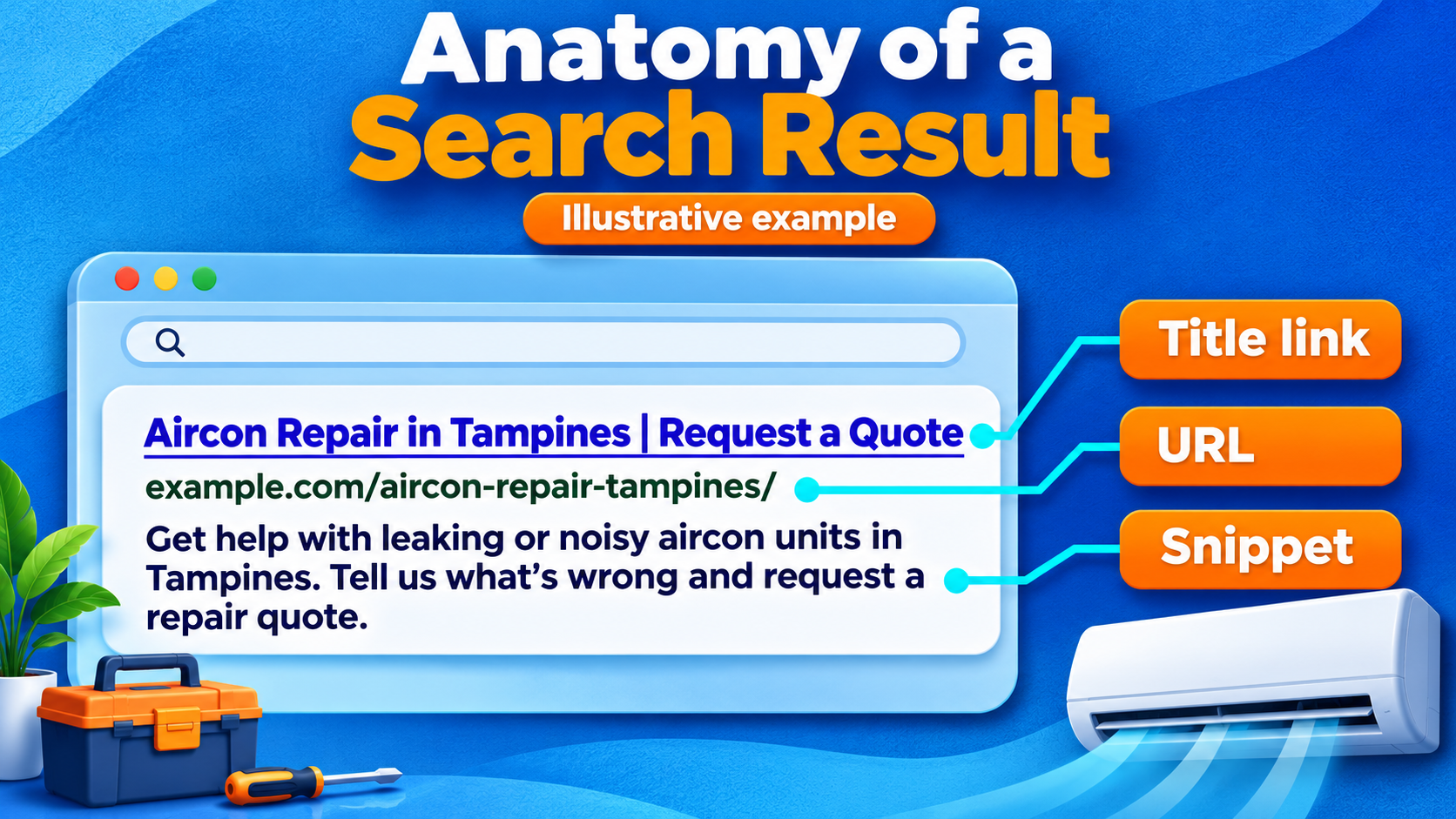
The title tag is the page title you set in your content management system. It can inform the clickable headline Google shows in search. Google can also draw on the visible page heading and other text, so a title tag and an H1 should describe the same offer. An illustrative title such as Aircon Repair in Tampines | Request a Quote gives a searcher the service, area and next action in a few words.
A good title helps customers tell similar pages apart. If the repair and servicing pages share the title Aircon Services Singapore, a customer has to click to learn what each page does. Titles such as Aircon Repair in Tampines | Request a Quote and Aircon Servicing in Tampines | Book a Visit give each page its own purpose. The title link documentation explains which page elements Google can use to generate the headline.
What goes in a meta description?
A meta description is the short page summary you supply for search. A service page can use it to tell readers what problems the business handles and what they can do next. For the Tampines example, the description could read Get help with leaking or noisy aircon units in Tampines. Tell us what’s wrong and request a repair quote. The page should support each detail in that description.
Google primarily builds the visible snippet from page content and may use the meta description when it better describes the page. Different searches can therefore show different snippets for the same URL. Google’s documentation on search snippets explains how those summaries are selected.
What makes a good URL?
A descriptive URL gives readers a clue about the page before they open it. A new service page might use /aircon-repair-tampines/. A pricing guide that the business expects to maintain might use /aircon-repair-cost/, so the address can stay relevant as prices change. Google’s URL structure documentation recommends readable words and hyphens between them.
A published page can usually keep its address when the title or copy changes. If a page permanently moves, a server-side permanent redirect can send visitors and search engines from the old address to the new one. Links on your own site can then point directly to the new destination.
How to Organise Headings and Page Content
Which headings help readers find an answer?
The H1 is the main title visitors see on the page. H2s name the major sections. H3s divide a section when it contains several related questions. The hierarchy helps readers skim and gives people using screen readers a way to move through the page. A service page with one main title and a few descriptive headings is often easier to use than one broken into many short sections.
An aircon repair page could use Aircon Repair in Tampines as its H1, followed by sections on faults, quotes and bookings. Under the faults section, H3s such as Water leaking from the indoor unit and Aircon making a rattling sound let readers jump to the issue they recognise. A heading like Our solutions gives them less information about what follows.
How much detail does the page need?
Readers need enough detail to make their next decision. A short outlet page can answer questions about hours and directions. A repair pricing page may need space to explain what a visit covers, what changes the quote and when a technician can confirm the cost. Google’s people-first content documentation addresses the word-count myth and asks whether readers leave with enough information to achieve their goal.
A commercial page should put practical details alongside the offer. A buyer comparing repair options may want to know whether the provider handles their type of unit, whether there is a call-out fee and when appointments are available. Details should reflect the actual service. A business that quotes after assessment can explain how it assesses the job and when it confirms the price.
- Opening paragraph. The service, area and next step should make sense to a first-time visitor.
- Service detail. The main sections should answer the questions customers ask before they call.
- Evidence. A real example, original photo or accurate policy can support the information where it helps a customer decide.
- Action. The label should describe what happens next. Request a repair quote is more specific than Submit.
How to Add Internal Links That Help Readers
Where should internal links go?
An internal link joins two pages on the same website. A guide about leaking aircon units can link to the repair service at the point where it explains why a fault may need an inspection. The repair page can link to the pricing guide when it explains how the company prepares a quote. Each link answers a question the reader is likely to have at that point.
Link text, also called anchor text, should describe the page it opens. Aircon repair pricing lets a reader know what to expect. Google’s link best practices also explain how standard HTML links help Google discover pages. An internal linking strategy can start with the pages that customers already visit and the questions those pages leave open.
Which pages need more incoming links?
A booking or service page may exist in the menu but receive few links from related content. The repair page, for example, could be linked from guides on leaks, unusual sounds or units that stop cooling. A pricing guide may belong beside an explanation of how the business quotes. A link earns its place when the destination adds a new answer or a sensible next action.
A small site can review these links using a short list of its main services and related articles. The page review can record the source page, where the link appears and which page it opens. A final pass through the links catches old URLs, broad home page links and links whose wording promises something the destination does not deliver.
How to Improve Images and Mobile Pages
Which images need alt text?
An informative image needs text that conveys what the reader would miss if they could not see it. For a photo that supports a repair guide, Water dripping from the bottom of an indoor aircon unit describes the detail the reader needs. A purely decorative graphic can use an empty alt attribute. The W3C alt text decision tree explains how the image’s purpose affects what to write.
An image filename such as leaking-indoor-aircon-unit.webp is more descriptive than IMG_4821.webp. File size deserves a separate check. A photo that takes up part of a phone screen can often use a smaller file than the original upload. Google’s image SEO documentation covers image filenames, alt text and responsive images.
Can a customer finish the task on a phone?
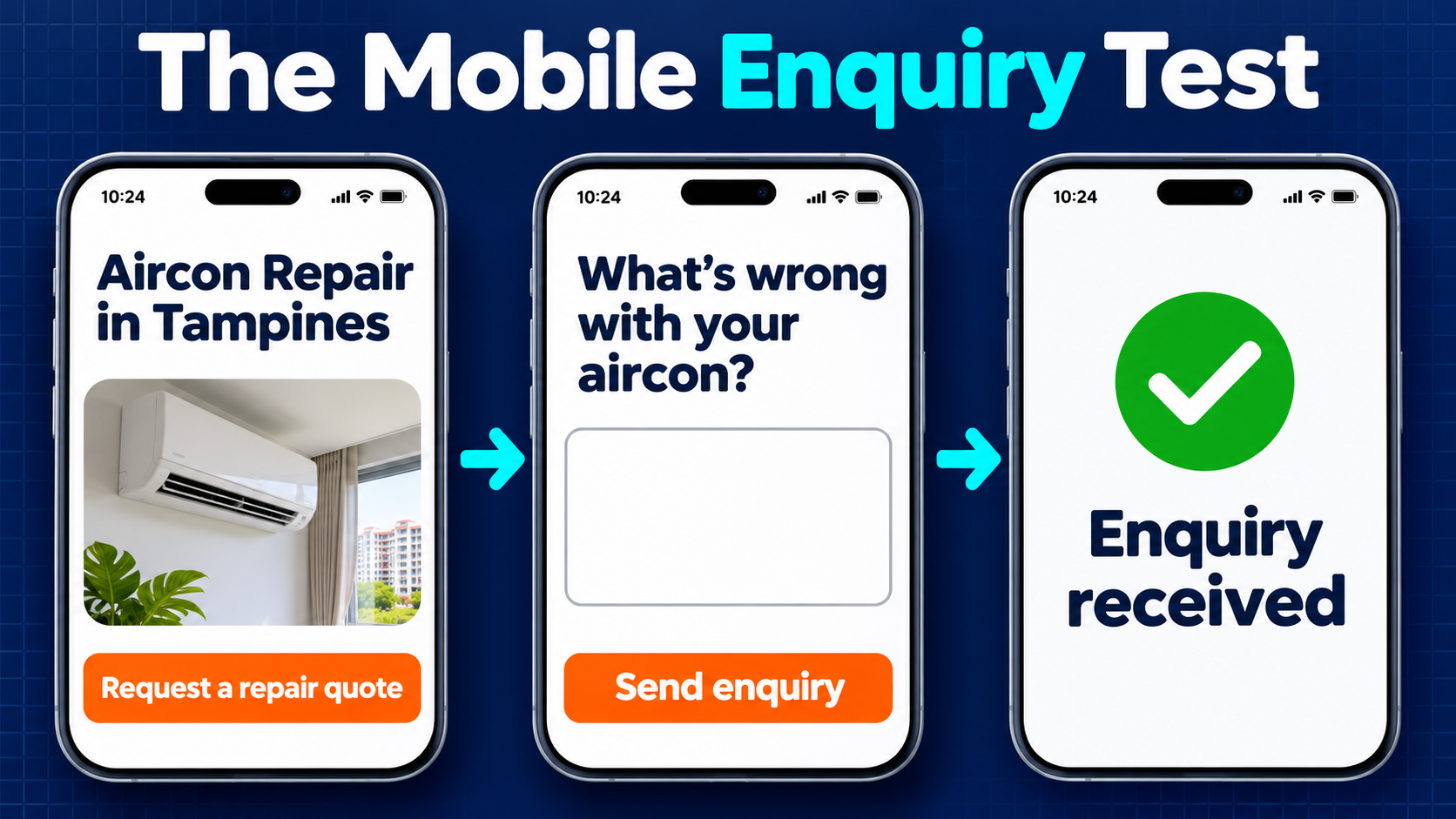
Google uses the mobile version of a site’s content for indexing and ranking. The mobile page should carry the same main information as the desktop page, including service details, headings and relevant alt text. A tap-through test can then show whether the page helps the customer finish the task. Google’s mobile-first indexing documentation and MediaOne’s mobile SEO guide cover these checks in more detail.
- First screen. The visitor should recognise the service and location without opening a menu or moving past a large banner.
- Page layout. Text should be readable without zooming. Photos and tables should stay within the screen or have a visible way to scroll.
- Contact action. A quote button should reach the proper form. A phone link should open the number the business wants customers to use.
- Form test. A sample enquiry should produce a confirmation. Form errors should show which field needs attention, and the business should receive the test message.
A Practical On-Page SEO Checklist
Which page should come first?
A page tied to a valuable service or common customer task is a good place to start. A service page with many search impressions and few clicks may need a closer look at the queries that trigger it, the average position and what the title promises. A page already drawing relevant visitors but few enquiries may need a better explanation of the offer or a working contact form.
| What you find | First check | What you can change |
| The page shows for searches about a different task | The queries and the kind of pages Google displays | The opening answer, page format or target search |
| The page shows for relevant searches but earns few clicks | Average position and the wording Google displays | The title and page summary if they undersell the answer |
| The page earns relevant visits but few enquiries | The offer, pricing details and enquiry form on a phone | Missing information, button wording or form issues |
| Customers struggle to reach an important page | Whether related pages link to it where a reader would need it | Incoming links from relevant guides or service pages |
What belongs in the page review?
- Search intent. The target query and first screen should serve the same customer task.
- Title and summary. The title should identify the page’s offer. The description should tell readers what they can find or do there.
- Content and headings. The introduction should give the main answer, and the headings should help people find the details.
- URL and links. The current address and link destinations should work. Related pages should point to the page where the link helps a reader.
- Images and mobile use. Image files should suit their display size. The page and its main action should work on a phone.
- Measurement. The edit date, page URL, target queries and main customer action should go into the same record.
How to Measure On-Page SEO Results
Google Search Console’s Performance report shows search clicks, impressions, click-through rate and average position. A page filter can isolate the URL you edited. Query, country and device filters can help you see whether Singapore phone users are finding that page for the searches it was built to answer.
Google Analytics key events can track important actions the site has set up to measure, such as a successful form submission. A tap on the enquiry button and a completed enquiry are different actions. A successful submission is the better measure when the business wants to know how many forms visitors actually sent.
Comparable periods make a before-and-after review easier to interpret. A month with a holiday, a sale or an advertising campaign can bring a different mix of visitors. Low-volume pages may need more time before the data shows a pattern. If clicks rise but enquiries stay flat, a review of the queries and a fresh mobile form test can help explain what is happening.
Make Your Next Page Easier to Find and Use
On-page SEO starts with the customer’s task. The title should set an accurate expectation, the page should answer the question, and the mobile layout should help the visitor take the next step. Search reports and enquiry data show which pages need attention after that.
If your service pages get search visibility but bring in few enquiries, our SEO services in Singapore can help you identify where customers get held up. Our keyword research service can also help match priority pages to the searches most relevant to your business. A service page and the enquiries you want it to generate are enough to start the conversation.
FAQs About On-Page SEO
Can a page use its H1 as the title tag?
Yes. The same wording can work when it describes the page well both on the site and in search. A business can also use a shorter title tag when the H1 needs extra detail for people who have already opened the page. Both should describe the same content.
Does Google need to crawl a page again after an edit?
Google needs to revisit and process the page before it can reflect changes such as a revised title in search. That can take several days or longer. Search Console’s URL Inspection tool lets site owners request another crawl for an important page after they publish changes.
Does a page need special markup for Google AI Overviews?
Google says standard SEO practices apply. A page must be indexed and eligible to appear in Google Search with a snippet to qualify as a supporting link in AI Overviews. Meeting those conditions gives the page a chance to appear. The requirements are set out in Google’s documentation on AI features in Search.
Should every neighbourhood have its own service page?
A neighbourhood page can help when it gives customers specific information, such as a distinct service area, outlet address or booking arrangement. One service-area page may serve readers better when the same team offers the same service across several nearby neighbourhoods. The choice depends on whether customers need different information for each area.