| AI Summary
Google’s Ads Transparency Center lets you search for ads by advertiser or website name. Singapore businesses can use it to compare offers, wording and ad formats in the same market. A monthly review helps separate one-off observations from patterns worth testing. The most valuable next step is to check those ideas against your own campaign and sales data. |
To search competitor ads on Google, open the Ads Transparency Center and enter the advertiser’s name or website. Select the matching result, set the region and date range, and review the ads shown. The public library shows ad examples and advertiser details. It does not report typical commercial advertisers’ campaign budgets or sales.
Key Takeaways
- A trading name and the name on an ad disclosure can differ. The advertiser profile and website help you check whether you found the right business.
- A saved date range makes comparisons easier. A rolling date range can change while two people review the same advertiser.
- An offer that appears across several reviews gives you a stronger reason to investigate than a single sighting.
- An ad’s promise is only one part of the customer experience. The page, form and follow-up determine what happens after the click.
- One small test gives your team a better way to act on competitor research than a long list of ads to copy.
A competitor starts offering same-day quotes. Is that a new promise, a seasonal promotion or something the business has advertised for months? Google ad transparency can help you investigate. You can pull up the advertiser’s public ads and see how the wording changes across dates and formats.
The examples below show how a Singapore business can search the library, keep a record and turn one observation into a test it can measure.
How to search competitor ads in the Google Ads Transparency Center
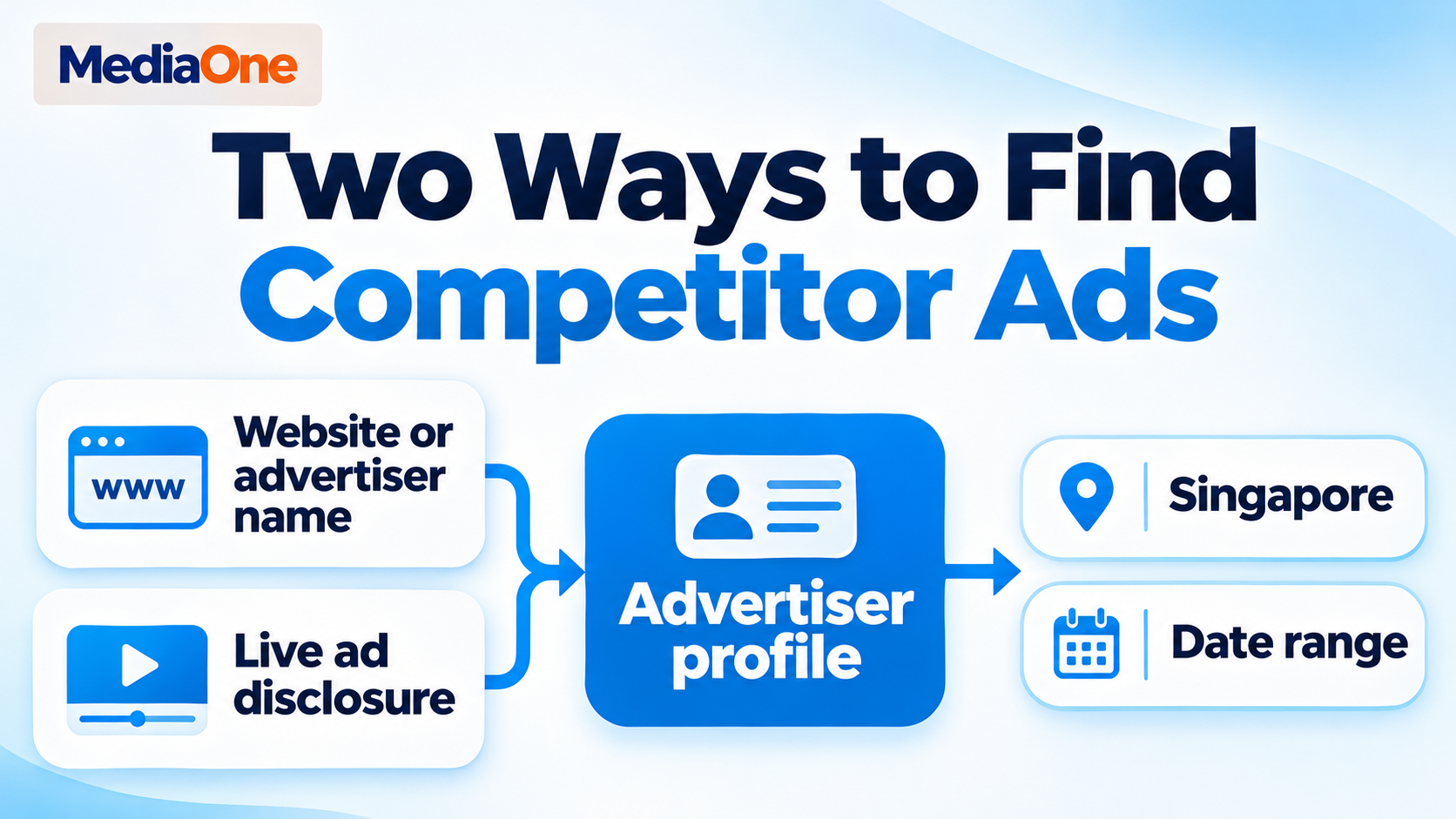
Google’s Ads Transparency Center offers a direct search by advertiser or website name. A live ad gives you another starting point when you already have a specific promotion in front of you. Both routes can help you check who ran an ad before you compare its wording with other campaigns.
Search by website or advertiser name
- Website search. If you know the business’s website, enter its domain, such as example.com.sg. The homepage address is a practical starting point, even if you first saw the brand on a product or booking page.
- Advertiser search. If the domain brings up no match, try the name customers know. The registered business name gives you another option if the trading name differs from the name on the disclosure.
- Profile check. The advertiser’s name, location and ads can help you decide whether the result belongs to the business you meant to find. Brands with similar names deserve a closer look.
- Market and dates. The region and date controls narrow the results. For a Singapore review, select Singapore and start with the last completed calendar month.
- Format review. A broad view gives you a first look at the available ads. The format filter can then help you focus on text, image or video examples where those options are available.
The first search may bring up a parent company, a franchise operator or a business with a similar name. Suppose two companies both use “Harbour” in their brand names. A matching word tells you very little. The website, services named in the ad and business details together give you a better basis for choosing a profile.
Identify the advertiser behind a live ad
A Search or YouTube ad may give you a specific claim to look up, such as “installation this weekend.” Google’s advertiser disclosure information explains how My Ad Center can show who is behind an ad. The controls can vary by placement, so look for the information icon or menu beside the ad and open its disclosure.
The advertiser name shown there gives you a search term for the public library. If the disclosure offers a link to more ads from that advertiser, it can take you straight to the relevant record. A short note with the exact wording and date helps you find the ad again if the live version changes.
Keep filters consistent across competitors
A local audit begins with the place your customers live or work. A Singapore advertiser may also run campaigns in Malaysia or Australia. Ads from those markets can contain prices, products and delivery terms that would distort a Singapore comparison. The serving region helps keep the examples relevant to the buyers you want to reach.
A full calendar month also gives your team a common set of dates. A July review should cover the same July dates for every advertiser, even if one colleague does the work on Monday and another opens the library on Thursday. A longer second search can help you see whether a theme also appeared in earlier months.
| Research question | Search setup | What to record |
| What did local rivals advertise last month? | Singapore and the last completed calendar month | Main offer, format and date shown |
| Did an offer appear before a sale period? | Singapore and a window that includes the weeks before the sale | Wording before and during the sale |
| How does a brand explain its service in video? | Same advertiser, region and dates, then the video filter if available | Opening message, example or proof point, and next step |
| Did the same brand use different offers abroad? | One country at a time, with the same dates | Local price, delivery terms or call to action |
What Google’s public ad library shows
Google announced the broader Ads Transparency Center in March 2023. Its public examples include ads served across Google Search, YouTube and Display. The library helps you inspect what an ad says and how it looks. The record is most helpful when you separate the facts on screen from your interpretation of them.
What an ad record can tell you
| What you see | What you can record | What needs separate evidence |
| Advertiser details | The name and location shown in the disclosure | How that business organises its campaigns or works with an agency |
| Ad text, image or video | The offer, claims, format and next step | Which creative led to the most sales |
| Serving region | Whether the ad appeared in your selected region | The full audience settings or who was eligible to see it |
| Date information | The dates Google displays for that ad | Whether the ad ran every day between those dates |
| Several versions of an offer | Which words, visuals or promises differ | Which version received the most traffic or budget |
Google’s advertiser verification policy explains which advertiser information Google may disclose. The disclosure helps you identify the business behind an ad. Product claims, prices and service terms still need their own checks. An offer marked “from S$99”, for example, leaves room for different prices based on the job or package.
What the library leaves unanswered
For everyday commercial research, the library offers no reliable basis for calculating a rival’s spend, clicks, enquiries, profit or cost per lead. Twenty visible ads can come from many versions of one promotion. One visible ad can also represent an offer a company uses repeatedly. The number of examples alone tells you little about how the business splits its budget.
An empty result has several possible causes. The name may differ from the name on the disclosure, the filters may be too narrow, or the ad you want may fall outside the dates you chose. A saved note such as “No matching text ads found for this advertiser in Singapore in July” describes the search. “The competitor stopped running Search ads” goes beyond the evidence.
The ad format also deserves its own column in your notes. A video can help you study how a brand demonstrates a product. A text ad can show which details the advertiser leads with when space is limited. Seeing more of one format in the library does not give you the advertiser’s share of spend by channel.
How to compare competitor ads without copying them
A useful comparison starts with a buying question. For example, what would make someone choose a repair company today? Possible answers include a firm arrival time, a price estimate before work starts or proof that the company handles the customer’s model. Those answers give you specific details to look for when you open the library.
Compare the promise, the proof and the next step
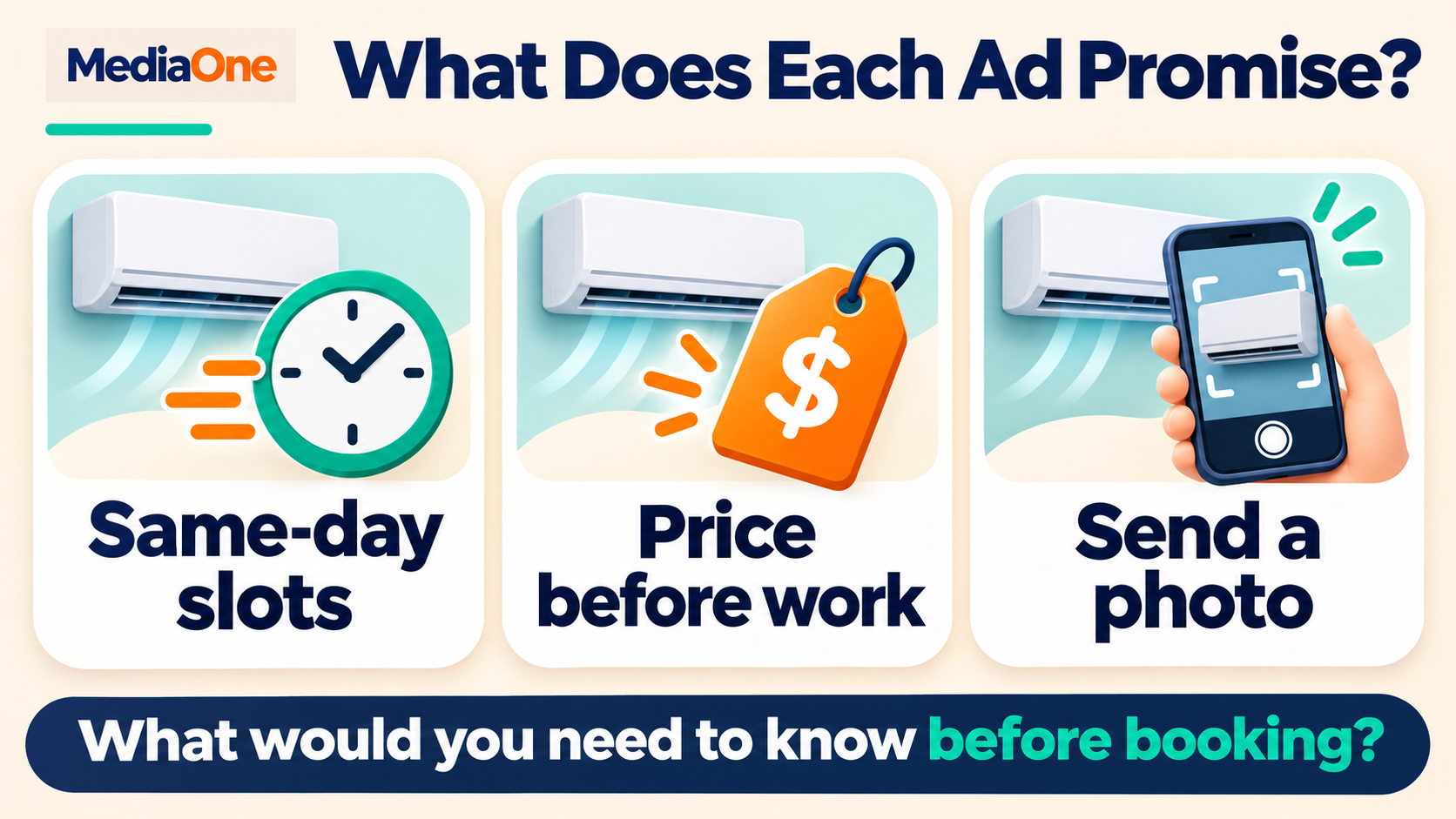
Imagine three Singapore air-con servicing companies advertising to people who need help quickly. One leads with “Same-day slots”. Another says “Price confirmed before work”. A third highlights “WhatsApp us a photo”. The three messages address different worries about time, cost and effort.
| Part of the ad | What to record | Question for your own business |
| Main promise | Same-day slots, upfront pricing or another stated benefit | Can we deliver this consistently during the hours we advertise? |
| Proof | A stated warranty, service area or other detail that supports the offer | What can our team verify and show on the page? |
| Next step | Call, request a quote, book online or send a photo | How many steps does a customer need to take? |
| Conditions | Starting price, minimum order, booking window or location limits | Which terms should the customer know before sending an enquiry? |
The same offer can serve people with different needs. A customer whose air-con stopped working may want the next available visit. Someone comparing annual service packages may care more about what each visit includes. That difference in keyword intent helps you decide which ideas belong in an urgent repair campaign and which belong on a planned maintenance page.
Separate the ad’s promise from the customer experience
A price in an ad tells you what the advertiser chose to lead with. The company’s public page may explain what that price covers. When the public website is easy to identify, compare its terms with the ad and record the date you checked. The site may have changed since the ad appeared, so the current page is a separate observation.
A booking promise can work the same way. A business may advertise a fast quote, while its page asks customers for a postcode, photos and a preferred time. Each field may help the team prepare an accurate estimate. For your own campaign, the question is whether customers understand why you need those details and how soon they can expect an answer.
The creative belongs to the advertiser. Your test can use the underlying customer need, such as knowing the price before booking, and explain how your team meets it in its own words. Google’s trademark policy for ads is relevant if your draft uses another company’s brand in ad text. Generic wording can often answer the customer’s question on its own.
Look for themes that survive a second review
A retailer might promote a bundle before a holiday and a delivery deal a week later. That could reflect a planned sale, stock changes or several ads running at once. The library shows the offers you found. It leaves the reasons for those offers open.
Repeated wording gives you a different kind of evidence. Suppose three advertisers mention installation in one month, and two still mention it when you review the next month. The pattern gives your team a question to investigate. Do customers want the product alone, or do they need the price and timing of installation before they will buy?
Your enquiry logs can help answer that question. Sales emails, call notes and common questions from customers show whether installation already affects decisions. If it does, your team may have enough reason to explain installation earlier in the buying process, even if competitors go on to advertise something else.
Which findings deserve a test?
Two checks make the draft’s signal matrix practical. Coverage asks whether you found the right advertiser, region and ad examples for your question. Persistence asks whether the message appeared across more than one review period. These checks help your team choose the next research step. Neither check measures campaign success.
| What you found | Example | What your team can do next |
| Good coverage and repeated wording | The same booking promise appears in the right market across two reviews | Check your customer records, then test a promise your team can deliver |
| Good coverage and one sighting | A confirmed competitor advertises a weekend discount once | Save the dates and revisit after the promotion |
| Incomplete coverage and repeated wording | A similar offer appears in several ads, but the advertiser or region is uncertain | Confirm the profile and compare like-for-like results |
| Incomplete coverage and one sighting | A screenshot has no date or advertiser details | Keep it out of the campaign plan until you can verify it |
Check demand with a second source
Your own data can answer questions the library leaves open. Google’s Keyword Planner provides keyword ideas, historical metrics and forecasts. These figures help you explore whether people search for terms tied to your proposed offer. They do not tell you which terms a competitor bought.
Your account’s Auction Insights report can show how often other advertisers appeared alongside you in eligible auctions. The public ad library answers a separate question about the messages those advertisers showed. Used together, the two sources can help you decide which rivals deserve closer review for a campaign you already run.
A rival’s message also tells you little about whether paid search is the best use of your next dollar. Your decision about Google Ads versus SEO depends on factors such as demand, how soon you need results and what a sale is worth to your business.
Test one change your team can deliver
Consider a home services company that sees rivals offer faster quotes. Its staff can respond by the next business day, and call notes show that people often ask when they will hear back. Those facts support a test of “Quote by the next business day” against a general “Request a quote” message.
The same campaign, audience and landing page give the team a more consistent comparison when the ad promise is the only planned change. The existing page should already explain when customers can expect a reply. Otherwise, the test begins with a promise people can see in the ad but cannot confirm after clicking.
- Primary measure. Qualified enquiries count people who need the service and meet basic conditions, such as living in the service area.
- Cost check. Cost per qualified enquiry shows whether the new message brings in viable leads at a price the business can afford.
- Service check. Response logs show whether the company kept its promise during the test.
- Early indicator. A change in click-through rate shows whether the ad drew a different share of clicks. Lead quality helps you see what those clicks produced.
The team should decide what result would justify keeping the change before it sees the figures. If the ad earns more clicks but brings in enquiries from outside the service area, the extra traffic may cost staff time. A review of the ad’s wording and the form can help the team understand why people got the wrong idea.
A monthly competitor ad review for Singapore teams
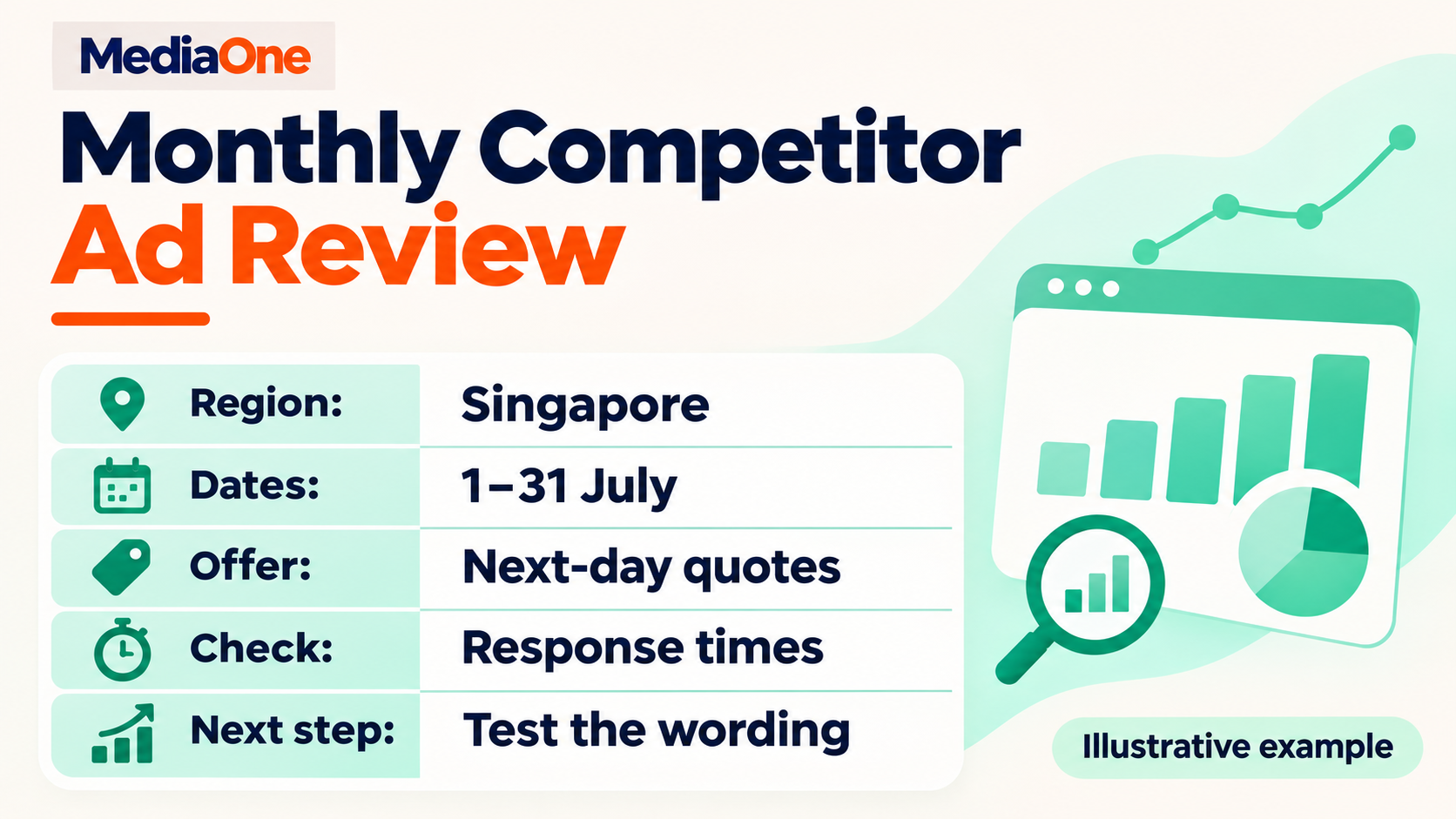
A small, repeatable review is enough for most teams to start. Three direct competitors give a local business a workable first list. A direct competitor offers a similar product or service to the same buyer. A national brand can be worth watching for new ideas, but it belongs in a separate group if it serves different customers.
Give every observation the same fields
| Field | Example entry |
| Advertiser and website | Fictional Harbour Air Care, example.com.sg |
| Search settings | Singapore, 1–31 July, all formats |
| Review date | 3 August |
| Ad observed | Text ad mentioning next-business-day quotes |
| Proof or condition | Quote timing applies on business days |
| Other evidence | Customers asked about quote timing in recent enquiries |
| Owner and next step | Account lead to compare response logs with the proposed promise |
One row per distinct offer is enough for a first review. Several versions with small wording changes can sit under the same observation unless those changes answer your research question. If an advertiser changes “request pricing” to “book a site visit,” that difference deserves its own note because it changes the action the customer is asked to take.
Give each review one decision
The first part of the review is for collecting examples. The second is for choosing what to do. A team might agree to test one claim, ask sales to check a common enquiry or wait for another month of data. The owner and decision date keep the work from getting lost in a folder of screenshots.
A broader search engine marketing review can use the same observations alongside account costs and sales outcomes. A marketing lead might spot repeated delivery claims across competitor ads and find that its own checkout explains delivery too late. The change worth testing could be on the website, even though the idea came from an ad.
For a business comparing Google Ads agencies in Singapore, the worksheet also gives prospective partners something specific to discuss. An agency can explain how it would verify one observation, choose a measure and report the outcome. That discussion shows what the business would get from ongoing research beyond a set of competitor screenshots.
From competitor ad research to your next Google Ads test
The best place to start is a decision your business already faces. If customers keep asking when they will receive a quote, your competitor review can show how other advertisers describe their timing. Your own response logs can then tell you what your team can promise, and a small test can show whether that promise brings in more qualified enquiries.
MediaOne’s Google Ads management team can review a competitor finding alongside your campaign and landing page data. A current ad and one example from the public library give the team a concrete starting point for a paid search consultation.
FAQs About Google ad transparency
Can I use the Google Ads Transparency Center without a Google Ads account?
Yes. The public search is available in a browser without a Google Ads account. Someone on your sales or marketing team can use it to look up an advertiser even if they have no access to your company’s paid search account. The library’s search box is available from the public homepage.
Can I check how my own ad might appear in a Google search?
Google Ads’ Ad Preview and Diagnosis tool lets account users preview how an ad may appear for a selected search and check why their ad may be missing. It gives advertisers a way to investigate without adding impressions by repeatedly searching for their own ad.
Does the Google Ads Transparency Center show Facebook or Instagram ads?
The Google library covers ads from Google’s advertising services. Facebook and Instagram ads belong in the separate Meta Ad Library. A brand can use the same creative on several platforms, so the platform where you found the record is worth writing down when you collect examples.
Can I report a misleading ad I see on Google?
Yes. Google explains how to report an ad from the menu in My Ad Center. The report can describe the specific claim you saw and why you believe it is misleading. A dated screenshot can help your team retain a record of the ad if it later changes.