
| AI SUMMARY
Email hosting services provide businesses with professional email addresses using their own domain, plus infrastructure, security, storage, backup, and administrative controls. This guide explains how email hosting differs from free Gmail and Outlook accounts, compares shared, dedicated, cloud and on-premises hosting, and covers the key features to evaluate before choosing a provider. It also discusses pricing, security, compliance, deliverability, data ownership and migration considerations for businesses. |
Most business owners treat email as a sideline. They sign up for Gmail, add their company domain, and consider the solution complete. But that approach creates inefficiency and exposes your business to real risk.


Email hosting is different from free consumer email. It gives you dedicated infrastructure, legal compliance tools, and support that scales with your business. This guide covers what email hosting does, how it differs from Gmail and Outlook, the types available, real pricing, and the security and compliance features that matter for your industry.
Updated October 2026 · Prices and specifications verified against Google, Microsoft and PDPC documentation · Reading time approx. 17 minutes
Key Takeaways
- Email hosting lets you use your own domain (you@company.sg instead of a free account), with uptime commitments, backup and security controls included.
- Hosted email typically starts at around US$7 (roughly S$9–10) per user per month on an annual plan and rises with features. Microsoft 365 and Google Workspace are the two dominant providers, and Zoho Mail is a popular lower-cost alternative.
- Shared hosting suits small teams; dedicated servers, cloud platforms and on-premises options exist for high-volume senders and heavily regulated industries.
- Security essentials to verify: TLS encryption, spam filtering, two-factor authentication, SPF/DKIM/DMARC authentication, and compliance certifications (ISO 27001, SOC 2).
- Migration is straightforward with IMAP sync, but plan for DNS changes, user testing and 30 days of overlap with your old host to catch missed mail.
- Avoid vendor lock-in: choose a host that supports IMAP/POP3, allows data export and offers flexible contract terms.
What email hosting services do
Email hosting runs your mail servers. You pay a provider to manage the infrastructure, security, backups and delivery of your email. In return, you get a professional address on your own domain (john@yourcompany.sg), higher deliverability than free services, and control over your own data.
This is different from a free Gmail or Outlook.com account, which is a consumer-grade service. Those work fine for personal use. But for a business, they create three problems: you look unprofessional (your address reads company@gmail.com, not you@yourcompany.sg); you have almost no control over security or data retention; and if Google or Microsoft flags your account, they can lock you out with minimal warning.
Email hosting solves all three. You own the account. Your data lives on servers you control, or at least on servers run by a provider you contract with. You can set security policies, enforce two-factor authentication, archive mail for compliance, and move to a different provider without losing anything.
The trade-off is cost. Google Workspace Business Starter and Microsoft 365 Business Basic are each published at US$7 per user per month on an annual plan, and premium tiers with more storage and controls rise well above that. Prices vary by plan, billing term and reseller, and exclude tax.24 But for any organisation with more than a handful of staff, or any business handling sensitive client data, that cost is insurance. One security breach or compliance fine will cost far more.
The core difference: dedicated infrastructure vs consumer email
When you sign up for Gmail, you get a free mailbox on Google’s shared infrastructure. Your email address is tied to that Gmail account. You own the mailbox, but not the domain it sits on.
Shared multi-tenant infrastructure reduces isolation and control. There is no performance guarantee, and if the infrastructure is congested, free users have no recourse.
Email hosting changes who controls what. You own a registered domain (such as company.sg), and your email host assigns you mailboxes under that domain. Your email address reads you@company.sg, not you@gmail.com. That distinction carries weight in professional contexts. If you do not yet own a domain and need to register one, that is a separate step handled through an ICANN-accredited registrar.
The infrastructure behind hosted email also matters. Providers such as Google Workspace and Microsoft 365 run email on large shared cloud platforms, while smaller hosts may use shared, semi-dedicated or dedicated servers. Most providers back their service with an uptime commitment in the service level agreement (SLA). Google Workspace and Exchange Online both publish a 99.9% monthly uptime commitment, which permits roughly 43 minutes of downtime a month. A 99.5% commitment, by contrast, allows about 3.6 hours. Check the SLA of your chosen provider rather than the marketing page.
Uptime promises are contracts. They define what happens if the host fails to deliver: service credits, account credits, or termination rights. A law firm or e-commerce business needs this accountability. A personal Gmail account does not.
Advanced security and compliance controls come standard with hosted email. Your host can enforce two-factor authentication across all users, apply data-loss prevention policies to block sensitive information from leaving your domain, and maintain detailed audit logs of who accessed what and when. A free Gmail account offers two-factor authentication, but no organisational controls: you cannot force an employee to use it, nor search across all company mailboxes for compliance purposes.
Mailbox management and storage limits
Free consumer email accounts come with limited storage. A Google Account includes up to 15 GB, shared across Gmail, Google Drive and Google Photos — so mail competes with files and photos for the same allowance. Paid plans add a great deal more: Microsoft’s business plans include 1 TB of cloud storage per user and a 100 GB primary mailbox (with additional archive storage on higher tiers), and Google Workspace scales from 30 GB pooled storage on Business Starter to 2 TB and 5 TB on its upper tiers.
As your organisation grows and archives years of correspondence, storage headroom becomes critical. You do not want to hit a quota and lose the ability to send or receive mail.
Storage is only useful if it is backed up, and email hosting providers handle this automatically. Most providers back up all mailboxes daily and store multiple copies in different geographic regions. If a server fails or a user accidentally deletes a message, you can restore it. This is disaster recovery built in.
That automatic backup also protects you legally. If you are subject to Singapore’s Personal Data Protection Act 2012 (PDPA) or industry rules, you must be able to show how business communications are retained and protected. A backup proves a record existed on a given date, even if a user later deleted it from their mailbox. The PDPA is administered by the Personal Data Protection Commission (PDPC).
Who needs a dedicated email host?
Dedicated email hosting is not for everyone. A solo freelancer with a Gmail account works fine. A business with a registered domain and multiple employees needs a different answer.
- Small businesses with 5 –50 staff benefit immediately. Instead of asking team members to use a generic email account and forward everything, you give each person a branded address. Customers see professionalism. Support inquiries arrive in a central mailbox. If someone leaves, you can transfer their mail history to a successor without losing context.
- Professional services (law firms, accountancies, healthcare practices, financial advisers) typically require email encryption in transit and at rest, and audit trails that prove who handled client data and when. Compliance certifications such as ISO 27001 and SOC 2 Type II are often essential, and hosted email providers offer them where free consumer services do not.
- E-commerce and online marketplaces need transactional email reliability. Order confirmations, shipping notifications and refund notices must reach customers, not land in spam. A domain-based hosted email system has better sender reputation and deliverability than a shared consumer account.
- Non-profits and charities manage donor relationships. A custom domain with dedicated hosting signals stability and legitimacy; hosted email also scales affordably as you add volunteers and staff.
- Remote and hybrid teams benefit from real-time synchronisation across devices. Calendar invites, contact lists and mailbox state sync across phone, tablet and desktop.
The decision is straightforward. If you have a registered domain and more than one person using email for your business, hosted email is usually cheaper than the cost of lost mail, compliance fines, or security breaches caused by inadequate infrastructure.
Email hosting vs. free email providers
Deliverability and sender reputation
Free email services face deliverability challenges because they operate on shared infrastructure. If other users on the same servers send spam, mail filters may penalise your legitimate messages: your sender reputation is tied to the whole shared network, not just your account. A free Gmail address is also treated as a consumer account by receiving servers, which is a poor signal for business-critical mail.
Hosted email providers give you dedicated or semi-dedicated sending infrastructure. Your reputation builds on your own domain and sending patterns, and authentication protocols such as SPF and DKIM prove you own the domain and authorise the mail being sent. Google’s own sender guidelines recommend SPF or DKIM authentication for sending domains, and warn that unauthenticated mail is more likely to be rejected or marked as spam.910
The result is measurable: transactional and marketing mail sent from an authenticated domain achieves higher inbox placement than the same mail sent from a free account. For businesses relying on email to reach customers, that difference is significant, and it is the same reason deliverability is central to lifecycle email marketing.

Security and data ownership
Free services use shared infrastructure, so your data lives alongside millions of other users’ data. Hosted email providers instead offer data protection contracts (Data Protection Agreements), which define how your data is stored, who can access it, how long it is kept, and what happens if it is breached. For Singapore organisations handling customer data, a DPA helps you meet your obligations under the PDPA.6
Encryption is another difference. Hosted email should encrypt mail in transit (TLS between your device and the server, and between servers) and at rest. You also own your data: if you leave the provider, you can export mail, contacts and calendar data in standard formats. Free accounts are locked to the platform, and if the provider suspends your account, you can lose access with little recourse. Broken or misconfigured certificates are a common cause of mail and web failures — our guide to common SSL certificate errors covers the fixes.
Custom branding and professional perception
Your email address is part of your brand. you@company.sg signals a professional, established business; you@gmail.com signals a freelancer or individual. Customers, partners and regulators make assumptions based on the domain. Email hosting also lets you create branded addresses for specific functions — support@company.sg, billing@company.sg, hello@company.sg — and route them to the right person or team without exposing individual names.
Cost and features
Free email costs nothing and gives you limited storage, no support, no compliance tools and no uptime guarantee. Hosted email starts at around US$7 per user a month and scales with features: storage, uptime guarantees, backup and recovery, spam and virus filtering, two-factor authentication, and support. Higher tiers add data loss prevention, advanced audit logs, eDiscovery, mobile device management and integration with tools such as Microsoft Teams or Slack.
For a small business with 20 staff, hosted email works out to roughly S$180–400 per month depending on tier — cheaper than one security breach, one lost customer due to missed mail, or one compliance fine. Paid productivity suites are also ad-free, whereas consumer mail is supported by advertising; Google explicitly lists an “ad-free email experience” as a Workspace feature.
|
Free vs hosted email: how the two models compare. Factor |
Free email (Gmail, Outlook.com) |
Dedicated hosted email |
|
Sender reputation |
Shared with millions; higher spam-folder risk |
Dedicated or semi-dedicated IP; stronger reputation |
|
Data ownership |
Provider owns the account |
You own the account; provider manages infrastructure |
|
Account security |
Can be suspended with limited recourse |
You control access; data recovery via IMAP |
|
Storage |
Limited (e.g. 15 GB shared across a Google Account) |
Scales from tens of GB to 1 TB+ per mailbox |
|
Mobile sync |
Available, but limited on some accounts |
Real-time push via ActiveSync |
|
Compliance support |
No data protection contract |
Data protection agreements and audit logs |
|
Advertising |
Ad-supported on consumer tiers |
Ad-free on paid suites |
Common misconceptions
- “Free email is secure enough for small business.” Free accounts lack data ownership safeguards and are targets for phishing. Auditors and regulators expect dedicated infrastructure for any organisation handling customer or employee data.
- “Free email storage is unlimited.” A Google Account includes 15 GB shared across Gmail, Drive and Photos; Microsoft’s free tier is similarly capped. Limits apply, and exceeding them can stop you from sending and receiving mail.
- “Custom domain email requires expensive hosting.” Hosted email starts at around US$7 per user per
 month and includes domain email, calendars, contacts and mobile sync.
 month and includes domain email, calendars, contacts and mobile sync.
Types of email hosting: choosing your delivery model
Not all email hosting is the same. The delivery model you choose affects cost, scalability, control and the technical expertise you need in-house. Most organisations fall into one of four categories.
Shared hosting runs your email on servers alongside dozens or hundreds of other organisations. The host manages all hardware, backups and security updates, and you pay only for what you use. You get automated backups, spam filtering, mobile sync via IMAP or ActiveSync, and basic admin controls, with storage typically from 25 GB to 100 GB per user.
Most shared hosts impose sending caps — for example, a few hundred emails per hour — to protect shared IP reputation. If you regularly send bulk newsletters or transactional mail such as order confirmations and invoices, verify the limit before signing up.
Best for: startups, small teams (under 50 users), non-profits and professional service firms where team size is stable. A 10-person accountancy on a shared plan gets a professional domain, encrypted backups, and a path to PDPA-appropriate handling at a modest per-employee cost.
Dedicated server hosting
Dedicated hosting reserves an entire physical or virtual server for your organisation alone. Your IP addresses, server resources and backup infrastructure belong to you, with no sending volume limits. You control server configuration, including mailbox size, retention policies and security rules, and your IP reputation builds faster because you avoid penalties from a neighbour’s spam activity.
Trade-off: you pay more, and you or a support contract must monitor server health, apply patches and respond to mail-flow issues. Best for: high-volume senders (e-commerce, SaaS, agencies) and organisations with strict data-residency rules.
Cloud-based managed hosting (SaaS)
Cloud hosting blurs the line between dedicated and shared: servers are managed by the provider, and your account scales on demand. You pay for users and features, not hardware. Examples include Microsoft 365, Google Workspace, Zoho Mail and Proton Mail for Business.
You get automatic scaling, seamless mobile sync, and integrated collaboration tools. Uptime is typically 99.5% or higher, so verify the actual SLA with your provider, and note that the major suites publish 99.9%. Backups and disaster recovery are handled for you, and email is replicated across data centres. There is no long-term commitment to hardware.
Best for: remote teams, organisations with no IT staff, and businesses that want predictable, per-user costs that scale with headcount.
On-premises (self-hosted) mail servers
On-premises means you run a mail server on your own hardware, such as physical servers in your office or a private cloud you rent. You get complete control: your data remains on your chosen infrastructure, and you decide security policy, retention rules, encryption methods and server configuration.
Compliance advantage: for highly regulated industries such as banking, healthcare and law, on-premises gives the highest assurance of data residency and control, and lets you demonstrate to auditors exactly where data lives and who can access it.
Trade-off: you own the responsibility — if the server fails at 2 a.m., someone must fix it, patches must be applied, and backups are yours to orchestrate and verify. You need in-house IT or a managed service provider, and that cost often exceeds the hardware cost.
Best for: banks, healthcare providers and law firms with strict data-residency rules or multi-regional compliance needs. Not recommended for small teams unless compliance is a core requirement.
Which email hosting model fits your situation?
|
Factor |
Shared |
Dedicated |
Cloud (SaaS) |
On-premises |
|
Relative cost |
Lowest |
Highest |
Low to mid |
Hardware + IT overhead |
|
Scalability |
Limited (fair-use caps) |
High (no sending limits) |
Automatic |
Manual |
|
Uptime SLA |
~99.5% typical |
~99.5–99.9% |
~99.5–99.9% |
Depends on contract |
|
IT overhead |
Minimal |
Moderate to high |
None |
High (unless managed) |
|
Data control |
Provider-managed |
Full control |
You control policies |
Full control |
|
Setup time |
Hours |
Days to weeks |
Hours |
Weeks to months |
|
Best for |
Startups, SMEs, stable teams |
High-volume senders |
Remote teams, fast growth |
Banking, healthcare, law |
How to choose between models

Ask yourself these questions in order.
- Do I need guaranteed data residency in Singapore or a specific region? If yes, choose on-premises or a cloud provider with explicit regional hosting and a data processing agreement that confirms data location.
- Do I send high volumes of mail (over 100,000 per day)? If yes, consider dedicated hosting or high-end SaaS. Shared hosting will typically restrict you through fair-use caps.
- Do I have an IT team or a managed service provider budget? If no, cloud SaaS is the practical answer. If yes, dedicated or on-premises becomes viable.
- Am I growing fast, or is my team size stable? Fast growth favours cloud; a stable team favours shared hosting; high growth at high volume favours dedicated hosting.
- Is regulatory compliance mandatory? Check what each provider certifies. In Singapore, many cloud providers confirm PDPA alignment and can sign a data processing agreement.
Most organisations start with shared or cloud SaaS and graduate to dedicated or on-premises only when business drivers force the move. Match the model to your current need, with a documented upgrade path for the next 12 months.
Key features to evaluate before you sign up
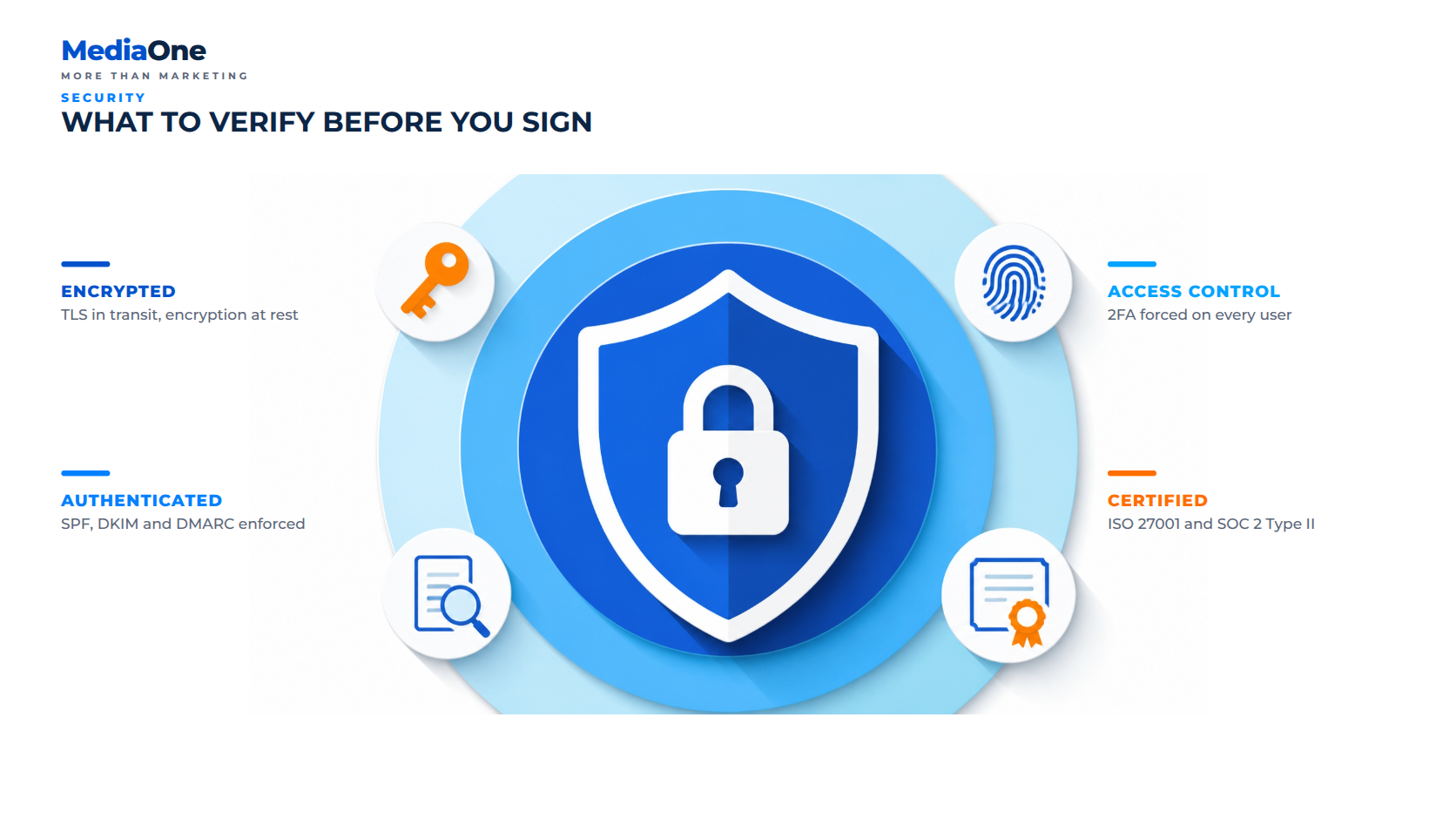
When choosing an email host, price is only one variable. The features you need depend on your team size, compliance obligations and how email fits into your workflow. Use this checklist when comparing providers.
Uptime guarantees and backup systems
Your email is essential infrastructure. Look for a Service Level Agreement that guarantees 99.5% uptime or higher — the major suites publish 99.9% — and that includes a refund or service credit if the provider misses the target.35 For sizing: 99.9% allows roughly 43 minutes of downtime a month, while 99.5% allows about 3.6 hours. Anything below 99% is a warning sign.
Backups are separate from uptime. A host can have 99.9% uptime but lose your data in a hardware failure if backups are weak. Ask whether backups are automated and run at least daily, whether they are stored in a different geographic data centre, what the Recovery Time Objective is, and whether you can restore a single message or only a whole mailbox. Redundancy across at least two data centres is standard for hosts certified under ISO 27001.
Spam filtering, virus protection and phishing detection
Spam clogs inboxes, wastes time and carries malware. Inbound filtering should scan for malware signatures, zero-day exploits, phishing links, spoofed sender addresses and bulk spam. Ask whether the host uses heuristic analysis, which catches new threats that have not yet been catalogued, or only signature-based detection.
Quarantine matters: messages flagged as suspected spam should go to a reviewable quarantine folder rather than being deleted silently. Outbound filtering is equally important, protecting your domain’s reputation by blocking phishing sent from compromised accounts and enforcing SPF, DKIM and DMARC, which verify that email claiming to be from your domain genuinely comes from your server.
Mobile access, calendar and contacts sync
Email is accessed from multiple devices, so the host must synchronise mail, calendar and contacts seamlessly. Two protocols matter. IMAP is the standard, open protocol used by nearly all email clients: messages stay on the server, and your device downloads a copy, so deleting on your phone deletes everywhere. POP3 is an older protocol that downloads mail to one device and removes it from the server, making multi-device sync harder. Check that the host supports IMAP; if it does not, look elsewhere.
For real-time sync with iPhone and Android, the host should offer ActiveSync, Microsoft’s protocol for synchronising mail, calendar and contacts. Calendar and contacts should sync in real time, not on a delayed batch. Also verify the host supports “send as” so you can compose from addresses such as billing@company.sg without switching accounts.
User administration and permissions
As your organisation grows, you will manage dozens or hundreds of users. Look for bulk user creation (upload a CSV to add 50 staff at once), automated provisioning, group distribution lists (sales@company.sg forwards to the whole team), resource calendars for meeting rooms, and delegated admin roles so that permissions follow the principle of least privilege. You should be able to let one person manage accounts without viewing mailbox contents.
Archive, eDiscovery and compliance tools
If your industry requires you to retain email for a fixed period, the host must support retention policies and archiving. Ask whether it offers automatic retention policies, legal hold (preserving a mailbox indefinitely during a dispute), eDiscovery (searching across all mailboxes by keyword, date or sender) and immutable, write-once audit logs of admin actions.
Compliance certifications show a host has been independently audited. Look for ISO 27001 (information security management), SOC 2 Type II (security and availability controls audited over a full year), and HIPAA if you handle US healthcare data. In Singapore, data protection is governed by the PDPA, administered by the PDPC, so ensure your host commits to storing customer data appropriately and will sign a data processing agreement.
Integration with your existing tools
Email does not exist in isolation. Check for native integrations with your CRM (Salesforce, HubSpot, Pipedrive), API availability for custom work, and support on no-code platforms such as Zapier and Make. Also confirm you can export contacts and calendars to standard formats so you are not locked in. To go deeper on the marketing side of that stack, see our guide to electronic direct mail strategy.
How to choose an email hosting provider: a selection framework

Use this framework when comparing providers. Build a comparison table across six areas: uptime guarantee, spam and phishing protection, mobile access, user administration controls, compliance and archiving tools, and third-party integrations. Score each provider from 1 to 5 for each feature, then weight the scores by business priority — a law firm should prioritise compliance tools, while a startup should prioritise cost efficiency.
Two practical rules before you commit. First, always run a free trial: test the mobile interface and admin panel with your team, as hands-on use reveals usability gaps that feature lists cannot show. Second, confirm the exit path in writing — IMAP access, data export, and contract flexibility — so you are never locked in.
Put your email to work for growth
Solid email hosting is the foundation. Our Singapore team can help you build on it with deliverability audits, lifecycle email campaigns and marketing automation that turns your inbox into a revenue channel.
Explore MediaOne’s digital marketing services →
Related reading from MediaOne
- MediaOne Digital Marketing Services — SEO, SEM, email and web, delivered from Singapore.
- The Complete Guide to Bulk Email Marketing — sending at scale without damaging reputation.
- Lifecycle Email Marketing Best Practices — turning deliverability into revenue.
- How to Run an Effective Electronic Direct Mail Strategy — eDM campaigns that land.
- Email Scheduling in Singapore — timing and audience for higher open rates.
- 6 Common SSL Certificate Errors (and How to Fix Them) — securing the transport layer.