| AI Summary
AI website design turns a business brief into draft pages, layouts and content. It can reduce early design work, but people still need to check facts, customer journeys and website functions. Singapore businesses should compare editing controls, ongoing costs, SEO settings and ownership before subscribing. Content ownership, domain control and the ability to move the complete website are separate checks. |
AI website design uses artificial intelligence to create or edit website layouts, text, images and code. A business provides a brief, reviews the draft and tests the finished pages. The total cost includes subscriptions, setup and maintenance. Website ownership depends on account access, asset rights, domain registration and export options.
Key Takeaways
- A custom domain does not prove that the website can move to another hosting provider.
- A working booking or payment process needs testing beyond its appearance.
- Renewal prices, paid apps and staff time belong in the budget.
- An export may contain content without the complete design or working features.
- A trial should test everyday editing and a real customer task.
AI website design can help a Singapore bakery, tuition centre or consultancy produce its first website draft. A short description can become a homepage with suggested headings, images and contact sections.
The harder decision comes afterwards. A polished screen does not show whether customers can book, whether staff can update prices or what happens when the subscription ends.
A sound choice starts with the business’s needs. The following sections explain what AI creates, where human work remains, how to compare costs and what website ownership means in practice.
What AI Website Design Does
AI website design uses software to suggest or generate parts of a website from instructions. Those instructions might describe the business, its customers, its services and the pages required.
Different tools produce different results. Some assemble pages inside a hosted editor. Others generate code or add writing and design features to an existing website system.
| AI output | What it provides | What still needs checking |
| Page structure | Suggested pages and sections | Missing customer information |
| Layout | Positions for text, images and buttons | Mobile usability and reading order |
| Copy | Headlines and draft descriptions | Accuracy, tone and service details |
| Images | Generated pictures or suggested assets | Rights, relevance and visual errors |
| Code | Instructions that create website features | Security, reliability and maintenance |
A generated enquiry form, for example, may look complete before anyone checks where submissions go. A product page may show a purchase button without a configured checkout.
AI therefore creates starting material. A finished business website also needs approved content, connected services and tested customer actions.
How AI Website Design Works
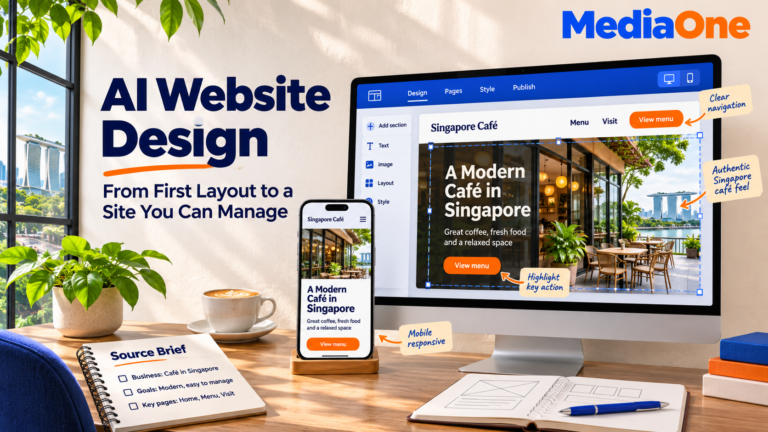
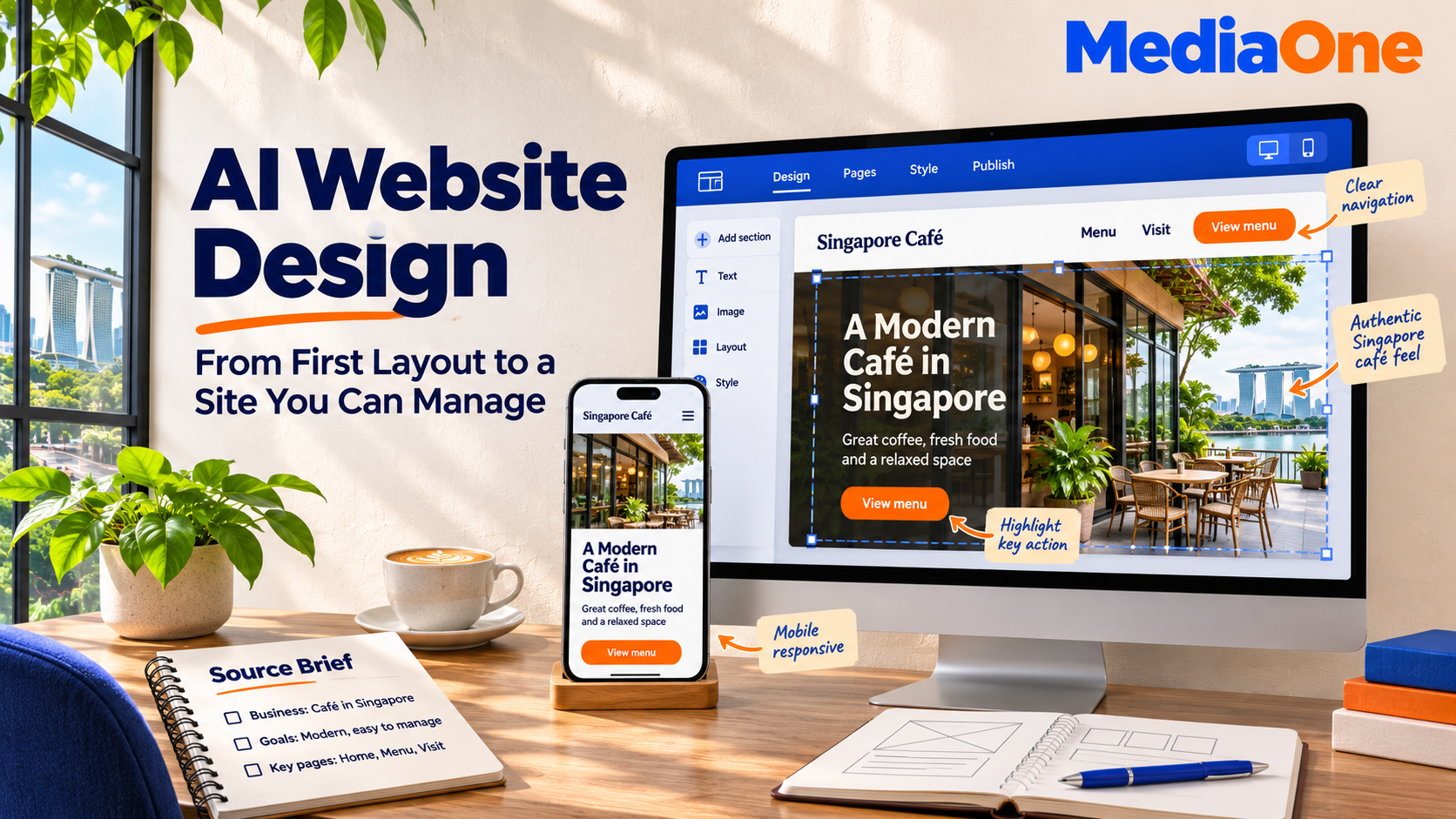
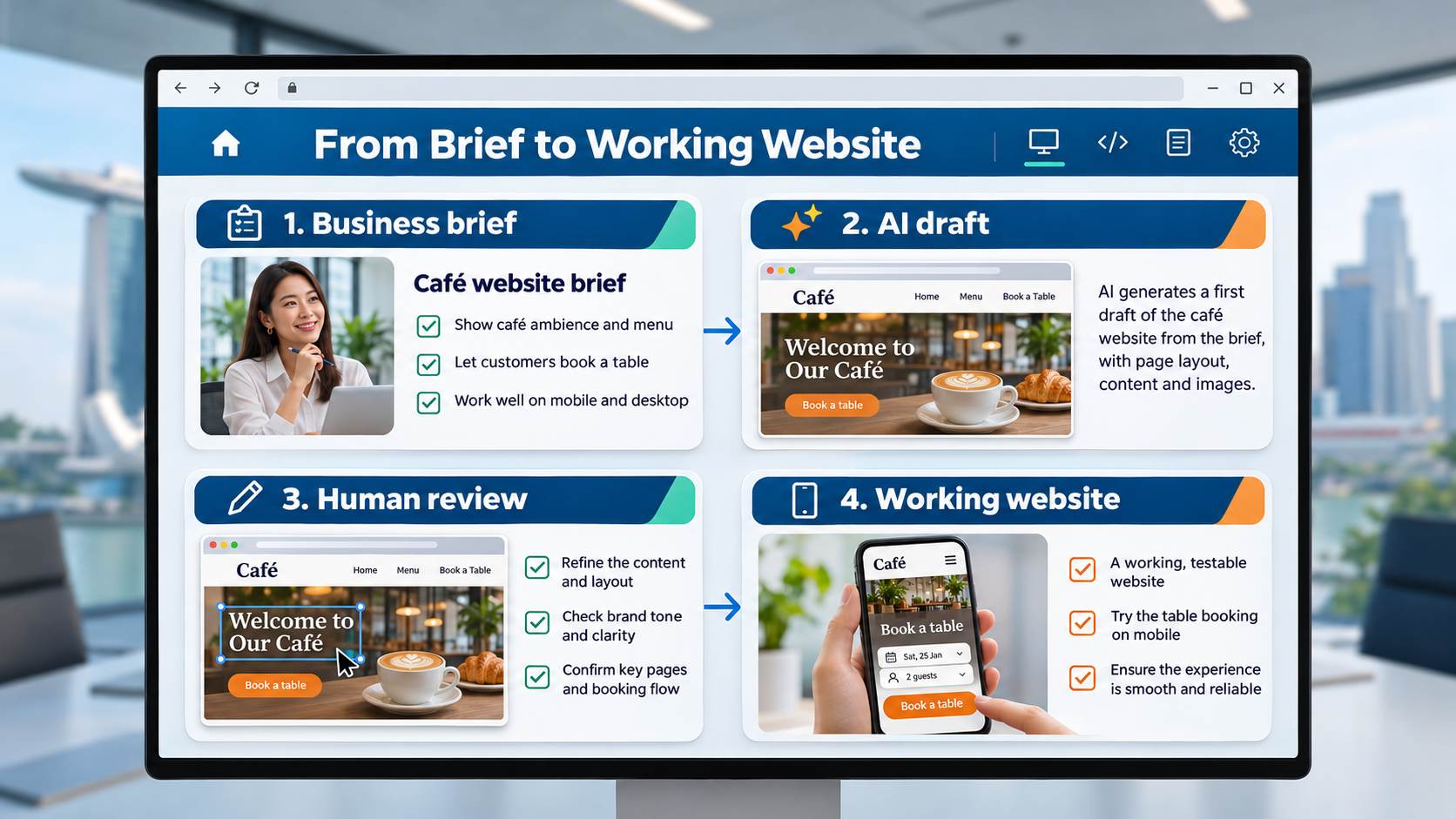
Most AI website projects follow three stages: a business brief, a generated draft and human editing. The time required depends on the pages, features and review work involved.
The business brief
A strong brief gives the tool facts it can use. A café brief might specify takeaway orders, opening hours, menu categories and the location. A consultancy brief might focus on service pages and consultation requests.
The brief should include:
- The main audience and the action visitors should take.
- The services or products that need separate pages.
- Approved colours, fonts, photographs and logos.
- Business details that can appear publicly.
- Features such as bookings, payments or file uploads.
An instruction such as “create a modern business website” leaves many decisions unanswered. A more detailed brief reduces irrelevant sections and generic copy.
The generated draft
The tool proposes a structure, visual style and wording. Some builders ask follow-up questions; others produce a page immediately.
The first review should focus on the customer’s task. A tuition centre needs parents to find subjects, age groups and class information. Decorative animations cannot replace those details.
A draft also needs checking for invented prices, testimonials, qualifications and service claims. Any unsupported statement should disappear before publication.
Human editing and testing
The final stage connects the draft to the actual business. Staff replace placeholders, approve wording and test the site on different screens.
A small trial helps reveal editing limits. A team member can change an opening time, replace a photograph and add a service page. Difficulty with these routine tasks can create ongoing costs after launch.
AI Website Design vs. Traditional Web Design
AI tools and professional designers can work on the same project. A designer may use AI for early ideas while handling structure, branding and development personally.
The main difference is how much planning and production the business takes on.
| Area | DIY AI builder | Designer-led website |
| Starting point | Business instructions and generated pages | Discovery, requirements and proposed structure |
| Content | Staff usually review generated drafts | Writing may be included in the agreed scope |
| Features | Available tools, apps and integrations | Configured or developed around requirements |
| Testing | Business handles checks unless support is purchased | Testing responsibilities belong in the agreement |
| Maintenance | Shared between platform and account owner | Depends on the support arrangement |
A DIY route can suit a small brochure site when the owner has time to edit and test it. A project with complex customer accounts, pricing rules or system connections needs more technical assessment.
Several service pages, bilingual content or bookings do not automatically rule out an AI builder. The decision depends on whether the selected platform supports the required behaviour and whether someone can manage it.
When AI Website Design Helps a Business
AI website design works best when the business can describe its offer and the website has a manageable set of tasks.
A brochure website
A consultant may need service descriptions, a biography and an enquiry form. AI can draft the page structure while the consultant supplies credentials, project examples and approved photographs.
The remaining work includes checking the wording and making the enquiry process function.
A campaign landing page
A business testing a workshop or seasonal service may need one page with a single action. AI can help organise the offer, practical details and registration section.
The page still needs accurate availability and a tested registration process. Advertising should lead to the relevant offer without requiring visitors to search the rest of the site.
A shop or booking website
AI can suggest product layouts and appointment pages. The working system needs separate checks for stock, payment methods, cancellations and confirmation messages.
Businesses comparing ecommerce website development should describe these rules before choosing a tool. A standard checkout and a business-specific ordering system can require very different work.
What AI Website Design Costs
AI website design has no single price. A subscription covers access to a platform, while a completed website may also involve writing, photography, integrations and testing.
Published offers can vary by billing period, region and promotion. A monthly equivalent may require several years of payment upfront.
The costs to include
| Cost | What to check |
| Builder subscription | Billing period, renewal rate and plan limits |
| Domain | Registration, renewal and transfer terms |
| Hosting | Whether it is included or billed separately |
| Business email | Mailbox charges and renewal dates |
| Apps and features | Booking, commerce, translation and other paid additions |
| Setup work | Content, design changes, product entry and testing |
| Maintenance | Updates, support, backups and recovery |
| Migration | Rebuilding or moving the site later |
A free plan may allow ongoing use with restrictions; another offer may be a short trial. The distinction affects whether the business can publish, connect a domain or remove platform branding.
The checkout total is more informative than the advertised monthly figure. Currency, applicable taxes, upfront payment and renewal terms all affect the amount payable.
An example annual budget
An illustrative budget can show the calculation without implying a supplier quote.
A hypothetical business pays S$30 a month for its builder, S$25 a year for its domain and S$15 a month for a booking app.
Its recurring total is:
(S$30 × 12) + S$25 + (S$15 × 12) = S$565 a year.
An additional S$600 setup fee would bring the first-year total to S$1,165, before applicable taxes or other expenses. These figures are examples, not market averages or published platform prices.
The calculation should also include staff time. A lower subscription can become expensive if routine updates require paid assistance.
AI subscriptions and agency fees
An agency quote covers a different scope from software access. It may include planning, content, development and launch work.
As one published Singapore reference, MediaOne’s website design service lists a basic website package starting at S$3,000. That is a provider’s starting price, not an AI-builder fee or a market average.
Comparable website design proposals should identify deliverables, exclusions and recurring charges. A price comparison needs the same pages, functions and support expectations on both sides.
Who Owns an AI-Designed Website?
Website ownership has several parts. A business may control its content and domain while depending on the builder to keep the published website running.
The phrase “full ownership” needs a written explanation.
Content and asset rights
Business-supplied text, photographs and logos should remain under the business’s control, subject to any existing licences or agreements.
Generated images, stock photographs, fonts and paid templates can have separate terms. A download button does not explain where an asset may be reused.
An asset record should identify the source, permitted use and any ongoing payment. AI-generated material also needs review before anyone promises exclusive rights.
Domain and account control
A domain is the website address. Hosting is the service that makes website files available online. Control of one does not automatically provide control of the other.
The business should control the registration account, renewal notices and recovery details. A designer can receive access without becoming the only person able to manage the address.
The same principle applies to the builder account. Business-controlled administration and billing reduce dependence on an individual employee or supplier.
Website portability
Portability means the ability to move the website elsewhere. Content export, project transfer and complete-site export are different features.
Wix states that content created on its platform belongs to the user, but the Wix website must run on its servers. Its hosting and export explanation distinguishes content ownership from external hosting.
Framer’s self-hosting documentation states that it does not provide HTML export for self-hosting. A custom domain therefore does not establish that the complete site can move to another provider.
A hosted platform can still be a practical choice. The business should understand the cost of leaving before building its website there.
How to Choose a Builder With More Control
A builder comparison should start with required customer tasks and ownership conditions. An attractive template comes later.
The platform options
| Platform approach | Potential advantage | Ownership question |
| Hosted builder | Managed publishing and infrastructure | What can leave the platform? |
| Self-hosted website system with AI tools | More control over hosting and files | Can the business access complete backups? |
| AI-generated code | Access to generated source files | Can another developer run and maintain the project? |
Self-hosted WordPress provides a different control model from a closed hosted builder. The WordPress software licence is GPLv2 or later. Hosting accounts, commercial services and asset licences still require separate checks.
A business considering WordPress website design should also confirm responsibility for software updates, backups and recovery.
The export test
An export needs inspection before it becomes evidence of portability.
The test should establish:
- Which pages, images and records the export includes.
- Whether design files and working features come with it.
- Whether another system can import the exported content.
- Which subscriptions or services remain necessary.
- Whether another developer can restore the site elsewhere.
WordPress’s content export tool creates an XML file containing supported content and related data. That content export is different from a complete backup of the database, uploads, themes and plugins.
A provider’s demonstration should use a sample project. A successful export means little if nobody can explain how to restore or reuse it.
Five checks before subscribing
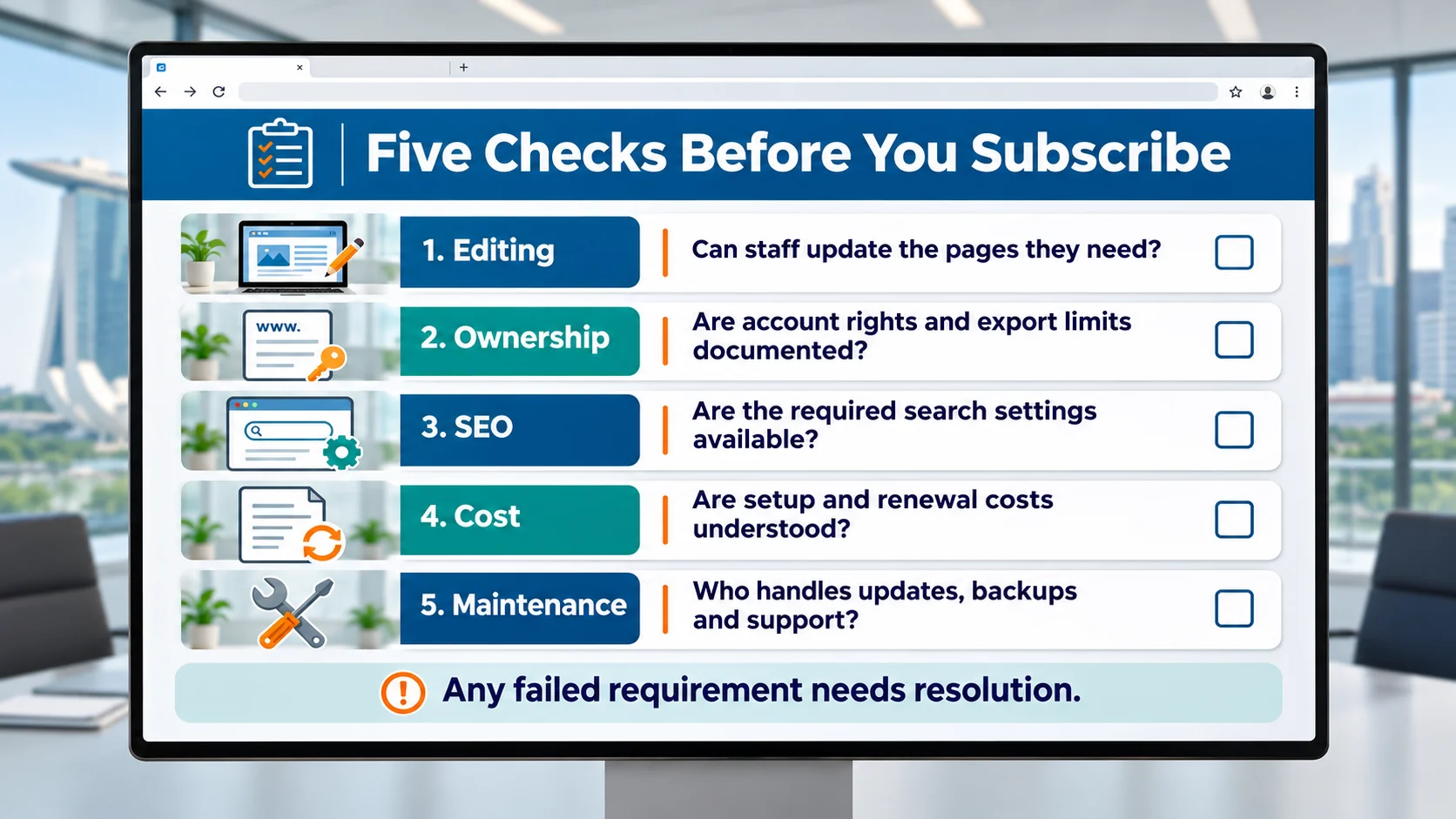
A simple pass-or-fail checklist is easier to act on than an unsupported numerical score.
- Editing: Staff can update the content and pages they need.
- Ownership: Account control, asset rights and export limits are documented.
- SEO: Required search settings are available.
- Cost: Initial charges and renewal costs are understood.
- Maintenance: Named people or providers handle ongoing work.
A failed requirement needs resolution before payment. A high overall score should never cancel out a missing feature the business depends on.
SEO and AI Search: What the Website Still Needs
AI-generated pages need the same attention to accuracy and customer needs as other pages. A builder’s SEO panel cannot decide what the business should say.
Google’s generative AI content documentation recognises AI’s role in research and structure. It also warns that generating many pages without adding value can violate its scaled content abuse policy.
Search controls and page structure
A builder should support the settings needed for the planned website.
Those checks include:
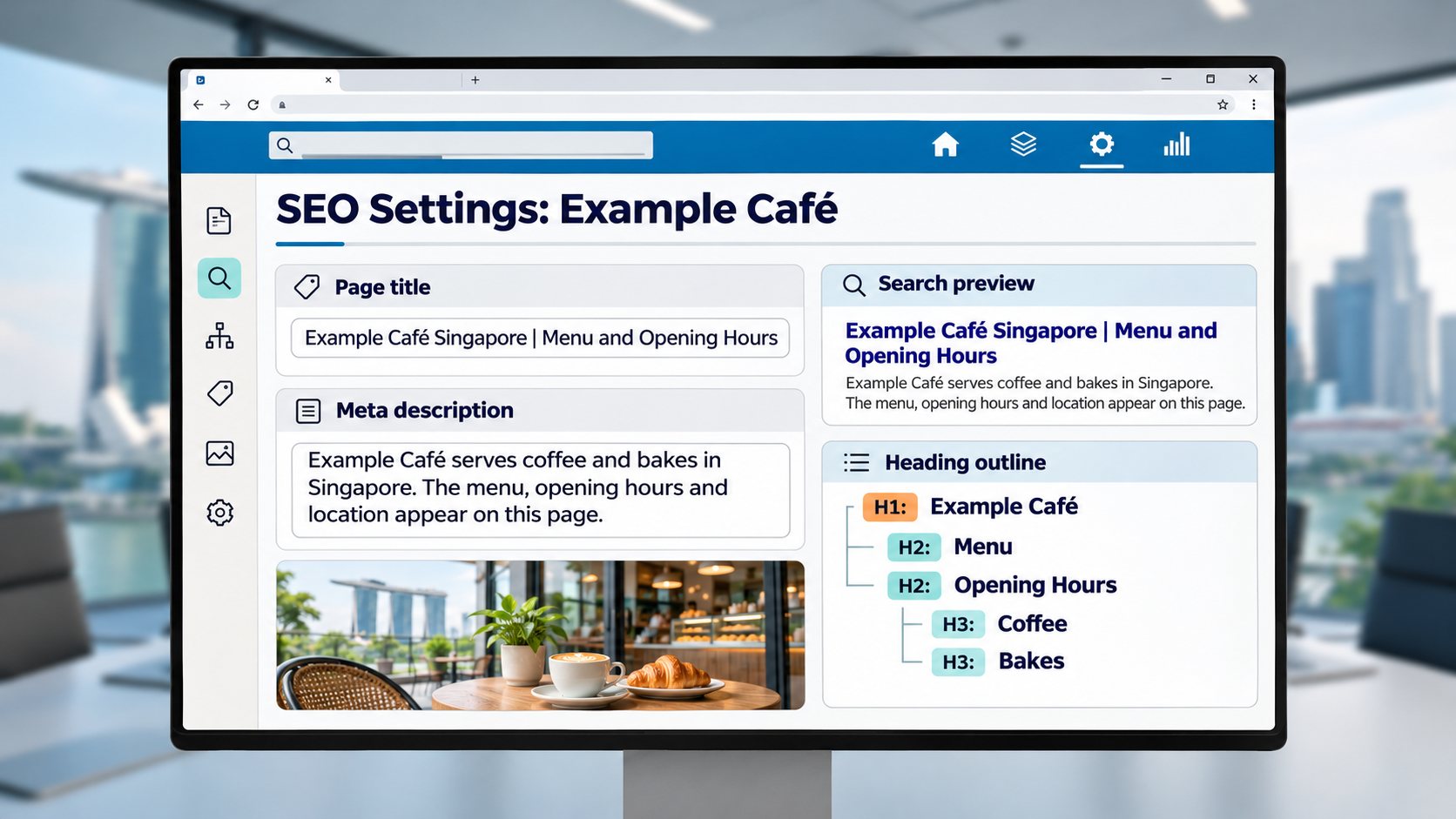
- Editable page titles and descriptions.
- Descriptive URLs and headings.
- Internal links between related pages.
- Image descriptions where appropriate.
- Controls over which pages search engines can access.
- Redirects when existing page addresses change.
Google’s SEO Starter Guide explains how content, links and site organisation help search engines understand pages. No builder setting guarantees a ranking.
Business detail that answers customer questions
Keyword research can identify the language customers use. The page then needs accurate answers supported by the business.
A tuition page, for example, can explain subjects, class levels and lesson arrangements. Generic wording about “excellent learning experiences” leaves parents with unanswered questions.
Content marketing gives those answers a structure across service pages and supporting articles. Short answers, descriptive headings and relevant examples also make information easier for readers and AI systems to interpret.
For businesses serving nearby customers, local SEO connects location details with the services actually offered. Generated neighbourhood references should never imply an office or service area that does not exist.
What to Test Before Launch
A website should pass real customer tasks before publication. A desktop preview is only one part of that review.
Mobile use and accessibility
A customer should be able to read the offer, open the menu and complete the main action on a phone.
The review should cover:
- Text size and contrast.
- Buttons that are easy to select.
- Forms that remain usable with the keyboard open.
- Menus and controls accessible by keyboard.
- Images that do not hide essential information.
Form fields also need proper labels. The W3C form-label tutorial explains how labels help people understand controls, including people using assistive technology. Placeholder text alone is not a sufficient substitute.
Enquiries, bookings and payments
A complete test follows the task through to the business.
An enquiry test should confirm that the submission reaches the intended inbox and that the customer sees an appropriate message. A booking test should cover availability, confirmation and cancellation behaviour.
Payment checks should use the provider’s supported testing process where available. Failed transactions and incomplete orders need attention alongside successful purchases.
Speed and page behaviour
PageSpeed Insights can help identify loading and page-experience issues. The review should use published pages with the final images and integrations.
A fast empty template does not show how a completed product page performs. Large images, video and third-party scripts can change the result.
Maintenance and Handover After Launch
AI does not remove website maintenance. Hosted builders manage parts of their infrastructure, while the business remains responsible for its accounts, content and connected services.
Self-hosted websites need an arrangement for software updates, backups and recovery. AI-generated code also needs someone able to investigate errors and maintain dependencies.
A practical handover should include:
| Item | Required information |
| Accounts | Business-controlled access and recovery details |
| Renewals | Subscription, domain and licence dates |
| Content | Approved copy and original assets |
| Recovery | Backup location and restoration process |
| Support | Contact, scope and response arrangements |
| Exit | Export options and migration responsibilities |
A named website owner should track these items. Responsibility becomes harder to manage when billing, technical access and content updates sit with different people without a shared record.
AI Website Design Needs Planning and Ownership Checks
AI website design can reduce the work involved in creating a first draft. The final choice should account for customer tasks, editing, recurring costs and the ability to leave the platform. Content rights, account control and website portability each need their own answer.
At MediaOne, we bring website design and development together with SEO services to support business goals. Our team can discuss the pages, features and support your project requires. A website consultation can help establish the scope before you commit to a platform.
FAQs About AI Website Design
Does an AI website builder include business email?
Business email depends on the package. A domain offer does not automatically include mailboxes, and an introductory email allowance may renew separately. The quote should identify mailbox numbers, storage and charges.
Can an AI-built website work in more than one language?
Multilingual capability depends on the platform and plan. Separate language versions need suitable menus, page addresses and translation review. A fluent reviewer should check service terms and customer instructions before publication.
Can a business launch its website in stages?
A staged launch can begin with approved core pages and add other sections later. Every published page still needs working links and complete information. Unfinished payment or booking features should remain unavailable until tested.
Should confidential information go into an AI website prompt?
Public-facing facts are usually sufficient for drafting. Customer records, passwords and confidential contracts do not belong in routine website prompts. The selected tool’s data terms should inform any business decision to provide sensitive information.
Does an AI website builder include a chatbot?
AI-assisted website creation and customer-facing chatbots are separate functions. A builder may provide one without the other. Chatbot availability, charges, data handling and escalation to staff need separate assessment.
Can several employees work on the same website?
Collaboration depends on available user roles and seat allowances. A business may need different permissions for editors, administrators and billing staff. Separate logins help control access when people change roles or leave.