

| AI Summary
An SEO website audit checks whether search engines can access important pages, whether the content answers customers’ questions, and whether visitors can complete an enquiry or purchase. Singapore businesses can use the findings to address technical faults, improve service pages and check local business details. The final report should connect each problem to evidence, a proposed fix and a person responsible for completing it. |
An SEO website audit reviews a website’s technical health, content, internal links, backlinks and local search presence. The process involves recording current results, checking important pages, finding problems and ranking fixes by impact and effort. A complete audit also tests whether visitors can call, submit forms or buy products.
Key Takeaways
- Important service and product pages deserve attention before minor warnings on low-priority pages.
- A page excluded from Google’s index may be working as intended. The reason needs checking before any changes.
- Mobile testing should cover forms, buttons and menus alongside loading speed.
- Search traffic and genuine enquiries need separate measurement.
- Every audit finding needs an affected URL, supporting evidence, an owner and a completion check.
- Regular monitoring helps teams spot new problems between full audits.
Your website gets visitors, but the enquiry inbox stays quiet. Perhaps a service page has stopped appearing in search, or a booking form fails on a phone.
An SEO website audit helps separate these problems. It shows where search visibility breaks down and where visitors struggle after arriving.
For Singapore businesses, the review should reflect how customers choose services: checking locations, comparing costs, reading reviews and contacting a business. The process below keeps those actions at the centre of the audit.
1. What Does an SEO Website Audit Cover?
An SEO website audit examines how search engines discover, read and list pages. It also checks whether those pages help people complete the task that brought them there.
A website can pass a technical scan while leaving customers confused. Equally, a well-written page can remain unseen because a setting prevents Google from indexing it.
The five areas of a complete audit
| Audit area | Main question | Example problem |
| Technical SEO | Can search engines access and process important pages? | A service page carries an accidental noindex instruction |
| Content and on-page SEO | Does each page answer the intended search? | A pricing page never explains costs |
| Internal links | Can people and crawlers find related pages? | A new service page has no links pointing to it |
| Backlinks | Do links from other websites reveal problems or opportunities? | A relevant industry link leads to a deleted page |
| Local SEO | Do business details support local discovery? | A branch page lists outdated opening hours |
The scope depends on the business. A neighbourhood salon needs attention on bookings and local details. An online retailer also needs checks on product pages, categories and filters.
A site with thousands of URLs may need a deeper ecommerce SEO review. A smaller business can begin with its main services and the pages customers visit before making contact.
The result should be a working fix list
An automated score can highlight possible faults, but it cannot explain every business consequence. A missing description on an old announcement may deserve less attention than a broken quotation form.
Each finding should answer four questions:
- Which page or template has the problem?
- What evidence confirms it?
- How could it affect search visibility or customers?
- What action will resolve it?
2. Which Pages and Results Should You Check First?
An audit needs a starting record so later changes have something to compare against. The record should include search performance, website visits and completed business actions.
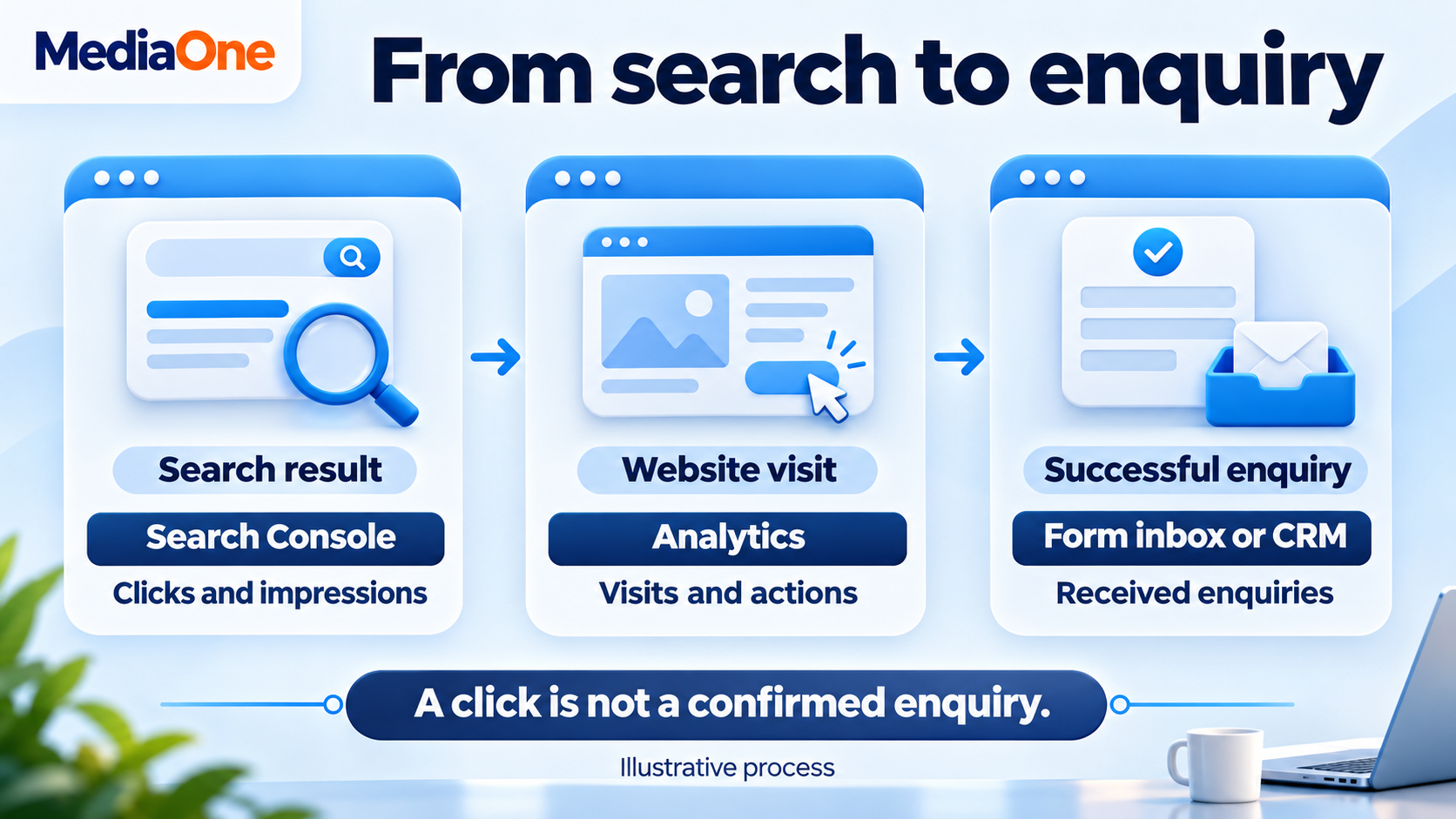
A data-driven SEO approach connects these figures without treating them as interchangeable. A search click, a website session and a sales enquiry describe different events.
Your starting records
A simple spreadsheet can hold the following:
| Record | What to capture |
| Search performance | Clicks, impressions, click-through rate and average position |
| Website activity | Organic sessions and landing pages |
| Business actions | Successful forms, bookings, purchases and tracked calls |
| Indexing | Status of important URLs |
| Website changes | Launches, migrations, redesigns and recent content changes |
Comparable periods help reduce misleading conclusions. A tuition provider’s school-holiday traffic may differ from its term-time traffic, even when the website has no technical fault.
Search Console filters also help separate Singapore traffic, mobile searches and individual pages. Average position needs context because it combines results across different searches.
The first page shortlist
The initial review should cover:
- Main service and product category pages.
- Location pages for active branches.
- Pages receiving substantial organic traffic.
- Pages that previously generated enquiries but have declined.
- Contact, booking and checkout pages.
A test submission should confirm that the form works, the message reaches the business and analytics records the intended action. A button click alone does not prove that an enquiry arrived.
Engagement rates need context too. A visitor who quickly finds a telephone number may complete their task without reading the whole page. A single percentage cannot judge every page.
3. Can Google Access and Index Your Important Pages?
Technical checks come next because access problems can prevent strong content from reaching search results.
A crawler follows website links and records details such as response codes, titles and indexing instructions. Search Console adds Google’s own information about discovery and indexing. The two views help explain different parts of the same problem.
Website errors and redirects
The crawl should identify these issues:
| Finding | What it means | What to check |
| 404 response | The requested page was not found | Whether the page should exist |
| 5xx response | The server could not complete the request | Hosting, server or application faults |
| Redirect chain | Several redirects occur before the destination | Whether links can point directly to the final page |
| Redirect loop | Redirects send the visitor around repeatedly | The conflicting redirect rules |
| Broken internal link | A website link leads to an unavailable destination | The correct replacement URL |
A deleted page does not always need a redirect. An unrelated destination can confuse visitors. A permanent redirect makes sense when a replacement genuinely serves the same purpose.
Indexing instructions and canonical URLs
Google’s URL Inspection tool shows information about the indexed version of a page and provides a live test. An indexed page and a live page may differ when changes are recent.
The review should distinguish three settings:
- Robots.txt: controls crawler access.
- Noindex: asks search engines to exclude a page from search results.
- Canonical: identifies the preferred version among duplicate or similar pages.
A robots.txt restriction does not reliably remove a URL from search. Google may still list a blocked URL discovered through links. A crawler also needs access to read a page-level noindex instruction.
Google treats canonical signals as inputs when choosing a representative URL. A canonical tag does not force Google to select that version.
Sitemaps and missing internal links
The XML sitemap should list preferred URLs intended for search. Redirected, deleted and deliberately excluded pages generally do not belong there.
An orphaned page has no internal links pointing to it. A new service page may appear in the sitemap but remain absent from menus, related articles and service listings.
A “not indexed” label needs investigation. Login pages, duplicate filter pages and thank-you pages may belong outside the index. The priority is whether important public pages are missing.
4. Does the Mobile Website Work Well?
A mobile audit should test the tasks customers perform. A fast homepage cannot compensate for a quotation form that becomes unusable on a small screen.
Mobile problems often occur across a shared template. A faulty menu or oversized banner can affect many pages, so testing several page types helps identify repeated faults.
Loading, response and movement
Google’s Core Web Vitals cover loading, responsiveness and visual stability. The “good” thresholds apply at the 75th percentile of recorded experiences, meaning at least 75% meet the relevant threshold.
| Measure | What the visitor experiences | Good threshold |
| Largest Contentful Paint | The main content becomes visible | 2.5 seconds or less |
| Interaction to Next Paint | The page responds to an interaction | 200 milliseconds or less |
| Cumulative Layout Shift | Content moves unexpectedly | 0.1 or less |
PageSpeed Insights separates real-user information, where available, from a controlled test. A small website may lack enough real-user data. That absence does not prove good or poor performance.
A test score helps locate technical work, but the audit should also describe the customer problem. “The booking button moves while images load” gives a developer more context than a score alone.
A mobile task checklist
The manual review should cover:
- Text that can be read without zooming.
- Menus that open, close and respond correctly.
- Buttons that are easy to tap.
- Forms with suitable keyboards and readable error messages.
- Telephone links that dial the correct number.
- Content that remains accessible when pop-ups appear.
- Confirmation messages after successful submissions.
A test on a slower connection can reveal delays hidden by office Wi-Fi. Separate checks on service, article and product templates help avoid judging the whole site from one page.
Good website design supports these everyday tasks. The audit should name the affected element and page type so the repair reaches every relevant page.
5. Does Each Page Answer the Search?
A content audit compares the visitor’s likely question with the page’s answer. Search intent means the task behind a search, such as learning, comparing or buying.
For example, “aircon servicing price Singapore” suggests a need for costs, package details and exclusions. A page filled with company history leaves that need unanswered.
Titles, headings and descriptions
A page review should check the following:
| Element | What it should do |
| Title tag | Describe the page and distinguish it from similar results |
| H1 | State the page’s main subject |
| H2s and H3s | Organise the information into understandable sections |
| Meta description | Summarise the page accurately |
| Main content | Answer the visitor’s task with sufficient detail |
| Images and alt text | Explain relevant visuals and support accessibility |
Natural wording comes first. Repeating “Singapore aircon service” in every heading makes the page harder to read.
The page can cover related terms when they serve the same task. Keyword research helps identify these connections without forcing every variation into the text.
Missing answers and repeated content
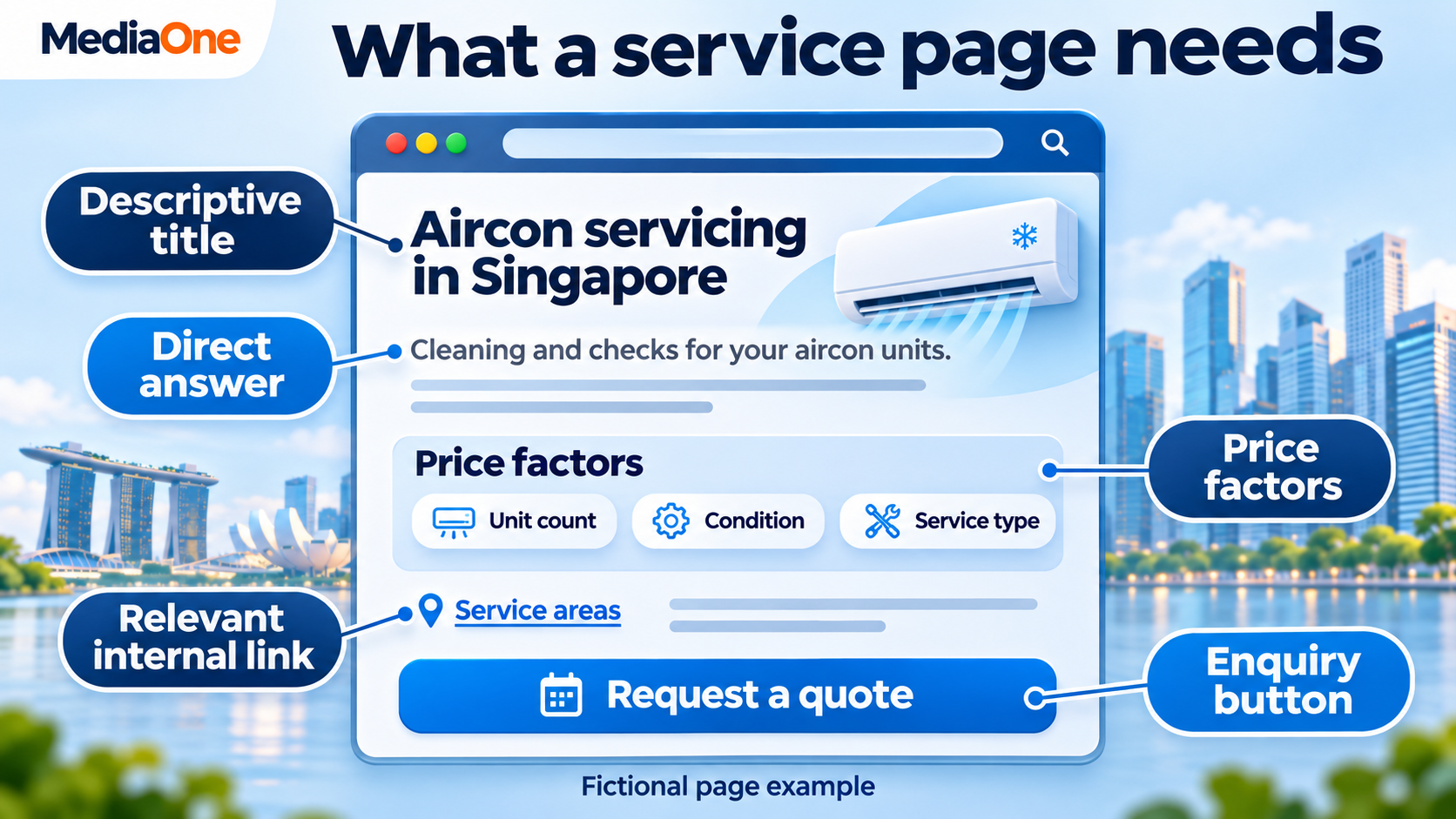
A practical review compares the page with questions customers ask before contacting the business:
- What does the service include?
- What affects the price?
- Which areas does the business serve?
- What happens after an enquiry?
- What evidence supports the claims?
The answers should reflect verified information. Unsupported awards, invented customer examples and unverified results weaken the page.
An audit can also identify several pages serving the same purpose. Two pages appearing for one keyword do not automatically create a problem. Their intent, content and performance need comparison before any merger or deletion.
A content marketing review can then separate service information from educational articles. Each page needs a reason to exist.
Internal links that help the reader
Internal links connect related pages and give customers a sensible next step. The anchor text should describe the destination within the sentence.
A service article can link to a relevant booking page when discussing appointments. A product care article can connect to the appropriate replacement part.
The audit should flag:
- Important pages with few incoming internal links.
- Repeated “click here” anchors.
- Links pointing to old redirected URLs.
- Links whose wording misrepresents the destination.
Answers for search and AI features
Short definitions, descriptive headings and labelled comparison tables make answers easier to find. Examples also help readers understand unfamiliar subjects.
Google’s AI search documentation states that AI Overviews and AI Mode require no special optimisation beyond existing SEO requirements. Eligible supporting pages must be indexed and able to appear with a search snippet. Inclusion remains unguaranteed.
Structured data can help Google understand page information and support eligible rich results. The markup must represent the page accurately; it does not guarantee an enhanced appearance.
6. What Do Backlinks and Local Business Details Reveal?
Backlinks are links from other websites to yours. A review can uncover valuable mentions, broken destinations and evidence of link schemes.
Local checks examine a different set of details: the information customers see when looking for nearby businesses. Both areas deserve manual review because automated warnings can miss context.
Backlink checks without unnecessary removal
A backlink review should examine:
- Relevant business and industry mentions.
- Links pointing to deleted pages.
- Unexpected increases in referring websites.
- Paid or arranged links that may breach search policies.
- Important mentions carrying outdated business details.
A low third-party score does not prove that a link harms the website. An unfamiliar domain may belong to a legitimate supplier or small local organisation.
Google’s disavow requirements apply narrowly. Most websites do not need the tool. Google identifies substantial artificial links combined with a manual action, or a likely manual action, as the circumstances for considering disavowal.
A broken link from a relevant trade association may offer a simpler repair. The audit can identify the correct destination and record whether the association can update its link.
Local search checks for Singapore businesses
A local SEO review should compare the website, Google Business Profile and relevant business listings.
Google describes local ranking through relevance, distance and prominence. Accurate information supports relevance, while the searcher’s location affects which nearby businesses appear.
The checklist should include:
| Local detail | Audit check |
| Business name | Matches the real business identity |
| Category | Reflects the main business activity |
| Opening hours | Includes current and special hours |
| Phone number | Reaches the correct business or branch |
| Website link | Opens the appropriate page |
| Address and service areas | Reflect how customers receive the service |
| Reviews | Receive appropriate responses without exposing private details |
Google’s business representation rules distinguish businesses customers visit from businesses that travel to customers. Service-area businesses should hide addresses where they do not serve customers.
Location pages also need real differences. Branch hours, access details and available services help customers. Repeated neighbourhood pages with only the place name changed add little.
7. Which Audit Findings Should You Fix First?
A report can contain hundreds of warnings. The next job is to decide which ones deserve action.
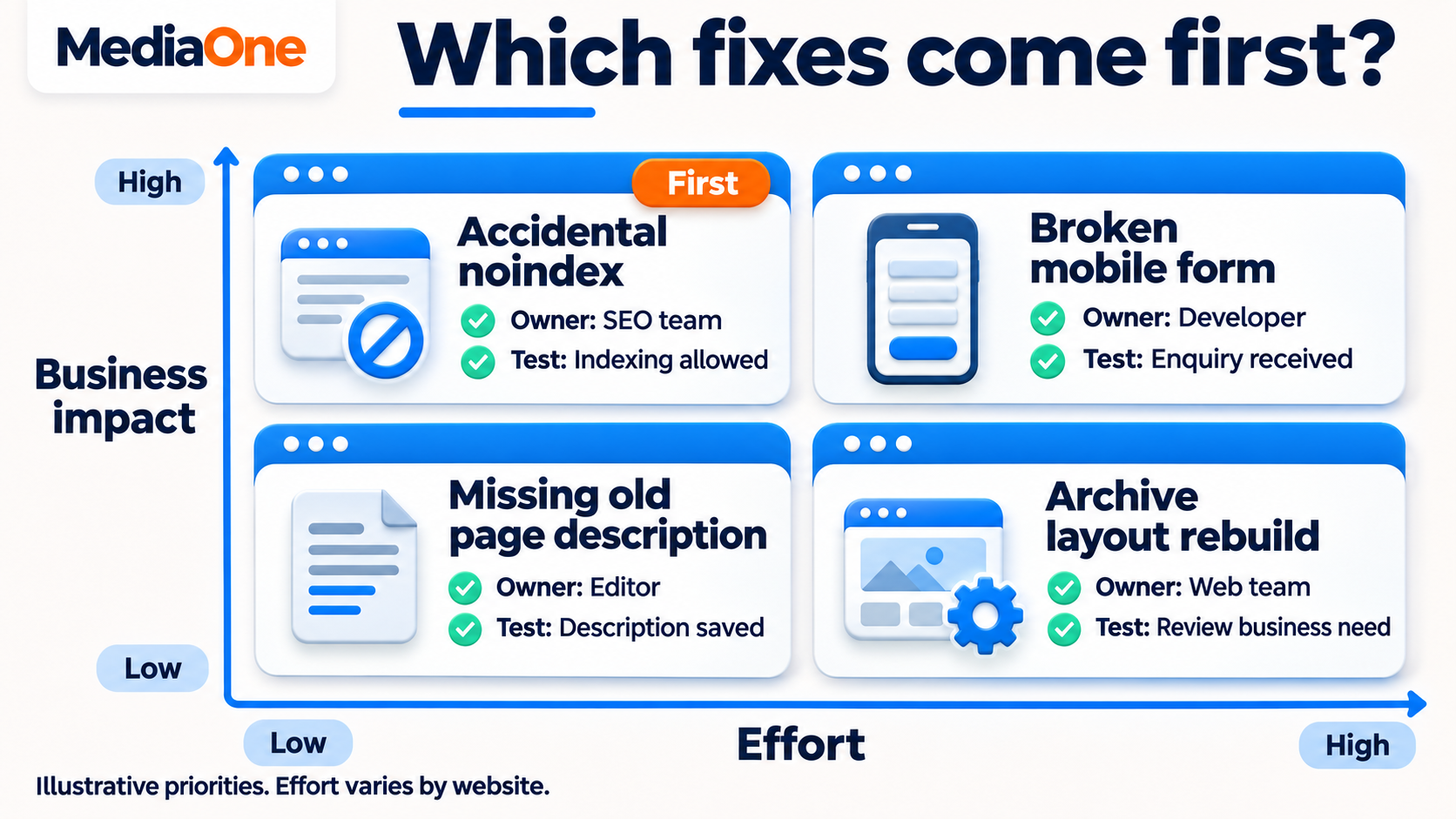
Priority should reflect the affected pages, the strength of the evidence and the effort required. An unavailable booking page deserves attention before minor wording changes on an old article.
A practical priority table
| Priority | Example | Reason |
| Urgent | An accidental noindex affects main service pages | Important pages may disappear from search |
| High | The mobile quotation form fails | Visitors cannot complete enquiries |
| Medium | Several service titles are vague | Searchers may struggle to identify the offer |
| Low | An old announcement lacks a description | Limited relevance to current business goals |
These labels are a working method, not a Google scoring system. The same fault can deserve different priority on different websites.
A large image on a frequently visited booking page may affect many customers. The same image problem on an archived event page may have less immediate impact.
Every task needs evidence and a completion test
A working report should contain:
- The affected URL or template.
- A screenshot, crawl result or report confirming the issue.
- The expected effect on search or customers.
- The proposed change.
- The person responsible.
- The deadline.
- The test that confirms completion.
A task such as “improve mobile” leaves too much unanswered. “Repair the submit button on the quotation template and confirm successful delivery on mobile” defines an action someone can complete.
An SEO consultant can help interpret findings that cross content, development and analytics. The business should still receive an understandable explanation of each proposed change.
8. How Should You Check Results After the Audit?
An audit becomes valuable when the team completes repairs and verifies them. The first check confirms that the change works. Later checks assess whether search and business results improve.
A repaired redirect can be tested immediately. Search visibility may take longer to change because Google needs to revisit and process the page.
Three levels of follow-up
- Technical confirmation: The page loads, the setting is correct or the form submits.
- Search confirmation: Search Console reflects the intended indexing status and subsequent performance.
- Business confirmation: Enquiries, bookings or sales show whether visitors complete the intended action.
A dated change log helps connect these checks. The record should include what changed, who completed it and which pages were affected.
Traffic changes also need context. Google’s search traffic troubleshooting covers causes such as technical problems, ranking changes and seasonality. A decline should prompt investigation before the team assigns a cause.
A repeatable review schedule
A workable schedule for a small business might include:
- Monthly checks of search performance and completed enquiries.
- Quarterly reviews of technical health, content and local details.
- Additional checks after redesigns, migrations or major releases.
The frequency should reflect how often the website changes. A large shop adding products daily needs more frequent monitoring than a stable brochure website.
A completed task should remain traceable. The report needs the original finding, the repair date and the verification result so future reviewers can distinguish old problems from new ones.
An SEO Website Audit Should Lead To Completed Fixes
An SEO website audit should leave the business with decisions it can act on. Each task needs enough evidence to explain the problem and enough detail for someone to repair it. Progress depends on completed work, tested customer actions and a record of what happened afterwards.
MediaOne’s team can discuss an SEO website audit around the website’s services, customer actions and current concerns. A defined scope gives the business a basis for assessing the report, assigning work and reviewing results.
FAQs About SEO Website Audit
Does an audit include fixing the problems?
An audit and implementation are separate tasks unless the agreement includes both. The scope should state whether the work covers diagnosis, repairs, content changes and follow-up testing. A report alone does not mean the identified issues have been resolved.
What access does an auditor need?
Access depends on the agreed checks. Search Console and analytics access can support diagnosis, while a public crawl can examine accessible pages. Administrator permissions are not automatically necessary. Any request for editing access should connect to a defined implementation task.
Should paid advertising stop during an SEO audit?
Paid advertising can continue while the audit takes place. The team should separate paid and organic results when comparing performance. A shared problem, such as a broken enquiry form, may affect visitors from both channels and deserve immediate attention.
Can a password-protected test website receive a complete audit?
A test website can support checks on templates, links and page settings. It cannot reproduce all live search conditions. Public indexing, real-user performance and search traffic need checks on the live website after launch.
Will an SEO audit guarantee first-page rankings?
An audit cannot guarantee a ranking position. Search results depend on several factors, including competing pages and changes to search systems. The audit can identify supported improvements and define how the team will assess their effects.
Who should own the audit accounts and reports?
The business should retain ownership of its website, analytics and Search Console accounts. External providers can receive appropriate user access. The final report, task list and change records should remain available to the business after the engagement ends.