For Singapore businesses, online marketing tools are only useful when they work together. Most teams do not have a tool shortage; they have a connection problem. An enquiry can enter a form, reach an email platform and then fail to reach the person responsible for following up. Adding more software rarely fixes that, because each tool needs a defined role within the marketing strategy.

This guide favours a smaller set of connected tools, chosen around one lead-handoff workflow. It introduces the Connected Stack Scorecard, which tests each tool against your own workflow rather than a feature list.
Key Takeaways
- Connection beats quantity. Most small and mid-sized Singapore businesses lose value because their tools cannot pass data to each other, not because they picked the wrong brand.
- Leads leak at the handoff. A missing CRM update or unassigned enquiry can undermine an otherwise effective campaign.
- Score tools against your workflow. Rate each tool 1 to 3 on the Connected Stack Scorecard, and exclude any tool scoring below 2 on Handoff ownership or Integration reach.
- Check pricing early. Entry plans may be free, while advanced automation suites use higher-priced or negotiated tiers. Ask vendors for a total quote in S$ before buying.
- Assign an owner for every lead. Your stack should update the CRM, assign a person and trigger the next action automatically.
- Review the stack regularly. Trial, measure and retire tools to keep the connected core small.
Choosing a Connected Marketing Stack in Singapore
Why Disconnected Marketing Tools Lose Leads
Most small and mid-sized businesses in Singapore do not have a tool shortage. They have a tool pile: a scheduler, a newsletter app, a CRM bought during a trial, and a spreadsheet holding everything together. Each tool made sense when bought. Together, they form a workflow nobody designed.
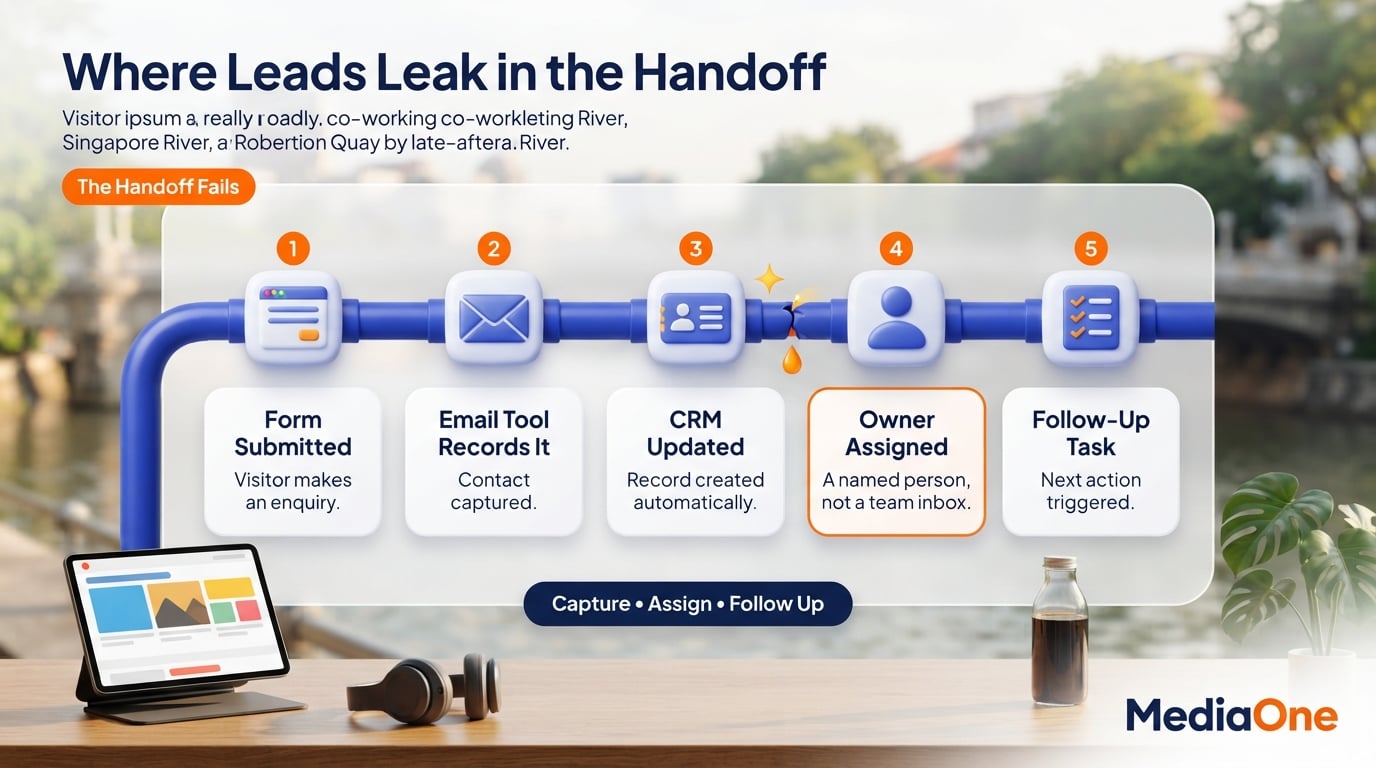
The cost shows up at the handoff. A lead fills in a form, the email tool records it, and the CRM may or may not receive it. Sales finds out days later, or never.
Which Singapore Marketing Teams This Guide Helps
This guide is for the person who runs marketing, follows up on enquiries and produces the monthly report, often without a dedicated team. For you, a tool that does not pass information onward adds manual work you can least afford.
The guide covers the main tool categories, where each tends to break in a lean team, and a scoring method for your own shortlist. It does not list every product, because such lists go out of date quickly and do not show which tools work together.
The Funnel Gap Every Tool Should Close
Every tool should answer one question: which gap in your funnel does this close? If you cannot name the gap, or the tool does not hand its output to the next step, it belongs on the trial list, not the subscription list.
Online Marketing Tool Categories for SMEs
Marketing Tools Versus Integrated Platforms
An online marketing tool performs one specific job, such as scheduling posts, measuring website traffic or sending an email. A platform bundles several of these jobs together, often with its own database and reporting. A scheduler is a tool. A CRM that also runs email, forms and landing pages is closer to a platform. Many working professionals use a free plan to test a tool before committing to a paid tier.
A specialist tool focuses on one job; a platform brings several jobs together, with varying depth by vendor. The right choice depends on whether your team can manage several products or needs one system with fewer moving parts.
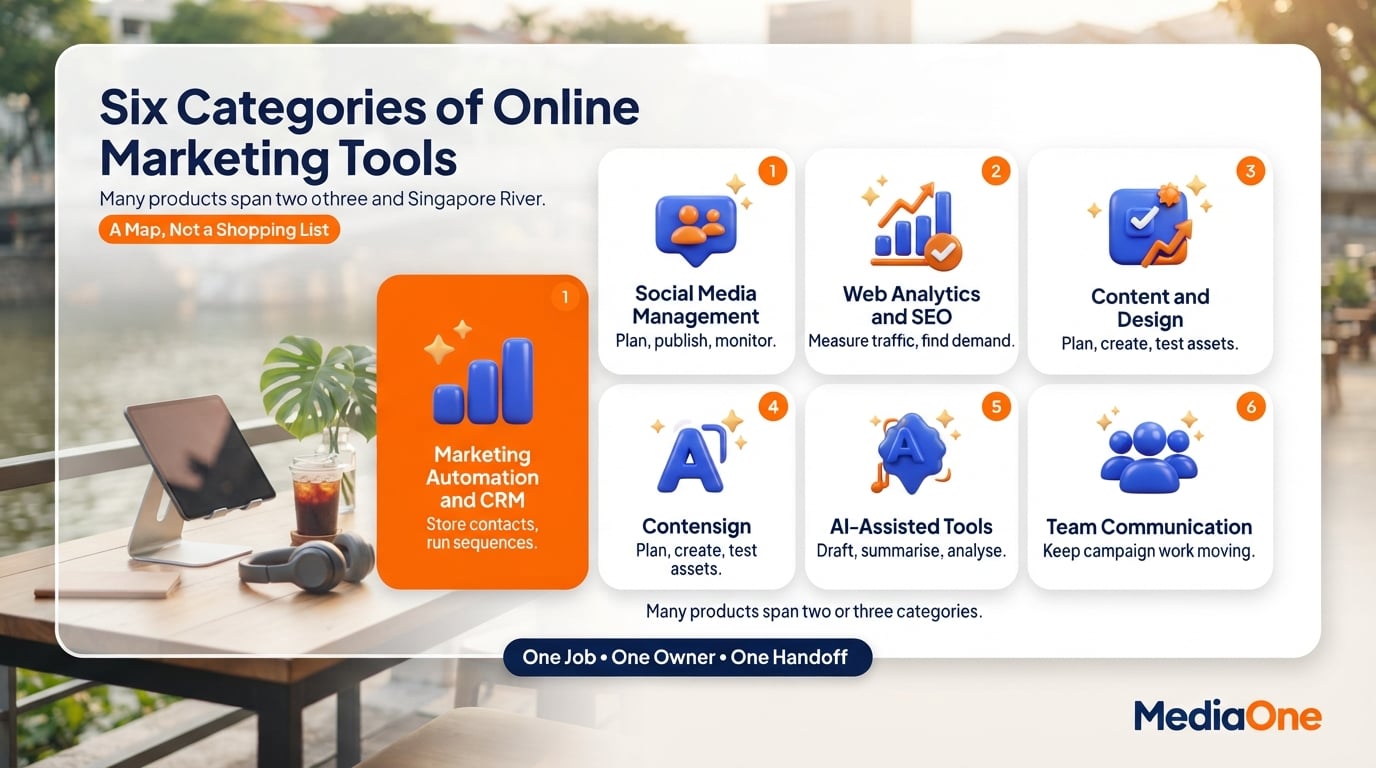
Six Categories of Online Marketing Software
| Category | Typical job | Examples of what it does |
| Social media management | Plan, publish and monitor posts | Scheduling, inbox management, audience insights |
| Web analytics and SEO | Measure traffic and find search opportunities | Traffic reports, keyword research, site audits |
| Marketing automation and CRM | Store contacts and move them through a sequence | Lead scoring, email flows, pipeline tracking |
| Content and design | Plan, create and test assets | Editorial calendars, templates, A/B tests |
| AI-assisted tools | Draft, summarise or analyse | Copy drafts, data summaries, image generation |
| Team communication | Keep campaign work moving | Shared channels, task alerts, file sharing |
Many products sit in two or three categories at once, so treat this table as a map rather than a shopping list. Software for content marketing and blog production can overlap with analytics, so check what each product actually covers before buying. Search engine optimisation reports, for example, can appear in both the analytics and content categories. If your priority is lead generation and follow-up, confirm which tool captures the enquiry and which person receives it.
How to Assess a Tool Before Subscribing
Before trialling any tool, ask four questions. What specific gap does it close? Which existing tool will send it data, and which will receive data from it? Who in your team owns the output? What does it cost to leave in two years?
A tool that cannot answer the first two questions is a candidate for removal, however impressive its feature list. Tools get abandoned when nobody is clearly responsible for them, so treat ownership as a selection criterion from day one. Choosing the best fit for your digital marketing work starts with that ownership question. Check the vendor’s response time for broken integrations and whether its support hours suit Singapore business hours.
Social Media Scheduling and Reporting Tools
Many small Singapore teams manage social media around customer calls, orders and other work. The tools below decide whether posting is consistent and whether anyone notices what the audience actually does, which is a practical concern for anyone doing digital marketing on a tight schedule.
Social Publishing and Inbox Assignment
Scheduling tools let you draft posts in batches and publish them at set times across several channels. Their real value is consistency. A shared inbox that pulls comments and direct messages into one view counts too, because a slow reply is often the first sign that a lead is being lost.

When you assess a scheduler, check which channels it covers, whether it supports the formats you use, whether approvals can go to a second person, and whether replies can be assigned to a named team member. Assignment turns a shared inbox from a notification feed into a workflow that helps you create a consistent response standard.
Social Audience Insights for Singapore Buyers
Audience analysis asks who is engaging, when they are online, and which content they respond to. Platform-native insights may show reach, engagement, audience locations and activity patterns, although the available metrics and eligibility rules differ by network.
The more useful step is comparing those patterns with the customers you already serve. If most repeat buyers are office workers in the Central Business District but your posts peak at weekend evenings, that mismatch is a planning signal. Compare monthly exports with aggregated customer trends; popular posts do not necessarily generate enquiries.
Native Analytics Versus Paid Reporting Suites
Most platforms provide some native analytics without a separate reporting subscription, but metrics, data freshness and account access vary by network. Third-party suites pull several accounts into one dashboard and add reporting and scheduling, but they charge monthly fees that rise with the number of accounts and users. Many suites offer a free plan with limited accounts, which can be enough to test whether a paid tier is worth the cost.
| Factor | Native platform analytics | Third-party suite |
| Cost | Free | Paid, typically per account or per user |
| Channels covered | One per tool | Several in one dashboard |
| Cross-channel reporting | Manual | Automated |
| Best for | One or two channels, low volume | Multiple channels, reporting to management |
For a Singapore SME running two or three channels, native analytics plus a monthly spreadsheet may be enough. Move to a paid suite only when compiling reports takes more time than the subscription is worth, and when someone other than the owner needs to read them. Use a monthly marketing budget review to compare reporting hours with the price of a paid suite. If your team needs an approval workflow as well as reporting, review social media management tools for Singapore teams before adding another subscription.
Website Analytics and SEO Research Tools
Many Singapore small businesses collect website data but do not consistently use it to make marketing decisions. This section covers three tool groups: traffic and conversion measurement, behaviour tools, and SEO research. For each, the test is whether the tool closes a specific gap in your funnel, and whether its output reaches the people who act on it. Good content and a well-run website give those tools something useful to measure, and a clear marketing strategy tells you which of those measurements actually matter. Many teams running digital marketing programmes find that tying each tool to a single funnel question keeps reporting focused.
GA4 Traffic and Lead Conversion Tracking
Google Analytics 4 is a common choice for measuring website traffic and actions that visitors take. Google explains how to mark business-relevant actions as key events in Google Analytics, including form submissions or purchases. Check which reports and property features your team actually needs before adding paid analytics products.
Configure your most useful events before judging a campaign. Examples include an enquiry form submission, a WhatsApp click or a completed booking. Start with one or two outcomes and test whether they fire correctly.
Read traffic by source, not by total. Visits from organic search mean something different from a rise driven by paid campaigns that are not converting.
Heatmaps and Session Recording Tools
Analytics shows which recorded actions occurred. Behaviour tools can help you investigate why visitors struggled, although recordings cannot establish their intent on their own. Heatmaps display where visitors click and how far they scroll. Session recordings replay individual visits so you can see where someone hesitated or left.
These tools work best on a single page with a clear job, such as a pricing page or contact form. Review a manageable sample of recordings from visitors who did not convert, looking for repeated friction rather than treating one session as representative.
Be selective. Record only the pages that are useful for conversion diagnosis, mask sensitive fields and check your notice, consent and retention processes before collecting behaviour data.
SEO Keyword Research and Site Audits
Keyword research tools show search volume, competing pages and related phrases. Compare keyword demand for Singapore, because global search estimates can hide local buying terms. Cross-check volumes with customer enquiries and the language your sales team hears before deciding which pages to improve. Teams that create keyword lists for each service page often start with the terms their sales staff hear most.
Audit tools crawl your site and flag broken links, missing title tags, slow pages and duplicate content. Run a full audit once, fix the issues on pages you want to rank, then re-audit quarterly. A healthy website is the foundation for any SEO effort, and a regular blog gives those optimised pages fresh material to rank with.
Free options cover much of the basic need. Google Search Console reports which queries and pages generate impressions and clicks; it is also useful for checking indexing and technical issues.
CRM and Marketing Automation Tools
Lead Capture and Marketing Automation
Marketing automation software runs repeatable marketing work without someone clicking send each time. It captures form submissions, scores engagement, moves contacts through email sequences and passes qualified leads to sales. For many small businesses, it is a core part of their digital marketing workflow. Platforms such as HubSpot bundle several of these functions into one system, while Google Workspace tools can cover simpler cases.
Pricing across the category varies widely. Entry plans may cover basic email sequences, while additional contacts, workflows and users can raise the bill. Ask for current prices in S$, including implementation and support, rather than converting an illustrative overseas list price.
A CRM (customer relationship management system) stores contact and deal records. Automation can react to a prospect’s actions and update the CRM. Some small firms buy the two separately, then discover that records do not synchronise as expected; choosing a CRM for a Singapore business should therefore include a real integration test, not just a vendor compatibility claim.
CRM Handoffs That Leave Leads Unassigned

One common failure point is the handoff. In Zapier’s published survey findings, 37% of responding sales and marketing managers said leads regularly got stuck between marketing tools and the CRM, or during the handoff to sales. The source does not establish that the same percentage applies specifically to Singapore SMEs.
In a lean Singapore team, the person who runs the newsletter often also follows up enquiries. If a form submission sits in a spreadsheet for three days, the prospect may have moved on. The tool did its job, but the workflow did not. Clear ownership rules can help every enquiry reach the right person.
CRM Integrations and Automation Costs
Before shortlisting any platform, check three things:
- Native connectors. Does it link directly to your CRM, form tool and email sender? Test the actual fields, permissions and update direction before you pay.
- Who owns the next step. Confirm which tool assigns the lead owner and creates the follow-up task. An alert without a named owner is still a missed handoff.
- Cost of the tier you need. Entry plans may cap contacts, users or workflow actions. Request the price of the tier you expect to need in 12 months, not only the headline price, and confirm renewal terms and export options.
Email Sequences, Segments and Triggers
Email automation has three working parts:
- Sequences: a fixed series of emails sent over days or weeks after a sign-up or purchase.
- Segmentation: splitting the list by behaviour, such as clicking a pricing page.
- Triggers: an event that starts a sequence or moves a contact to another segment.
Start with one trigger and one sequence, such as a welcome series. Measure whether those contacts reply or book a call before building a second. Adding sequences before the first is connected to the CRM only multiplies the handoff problem.
Content Design and Conversion Testing Tools
Editorial Calendars and Keyword Planning
For many small teams, coordination can be a bigger bottleneck than writing. A shared calendar with named owners and due dates solves more than an elaborate editorial suite that nobody opens after the first month. Teams running email marketing and paid campaigns benefit most from a single shared calendar.
Keyword and topic research tools sit upstream of that calendar. Use Google Search Console’s performance reports to find searches that already show your pages, then compare those queries with Singapore customer questions. Reported global keyword database sizes say little about whether a topic brings qualified local enquiries.
The test for any content tool is handoff. If an approved draft cannot reach the publishing channel without copy-pasting, the tool adds steps rather than removing them. Choose tools that can pass campaign and lead information into your CRM, whether you use HubSpot or another platform. Document who publishes, who updates links and who checks whether an asset produced qualified enquiries.
Reusable Brand Design Tools
Browser-based design tools let a marketer with no design training create social graphics, email headers and simple ads. The useful question is whether the tool can produce on-brand templates your team can reuse without a designer on call.
Look for three things: a brand kit storing your logo, colours and fonts; templates sized for your publishing channels; and export formats your scheduling or ad tool accepts.
Keep design files in the same folder structure as the content calendar, so each graphic traces back to its campaign.
A/B Testing and Website Personalisation
Testing is worth the effort only when traffic is high enough to reach a clear answer. For illustration, a page receiving 40 visits a month is unlikely to provide enough observations for a reliable two-week A/B test, while higher-volume pages may reach a decision sooner. The actual sample required depends on baseline conversion rate, target effect and statistical method. Before starting, write down the single metric you will judge the test on, such as form submissions, and the minimum difference that would make you change the page.
Personalisation tools show different content to segments such as returning customers versus first-time visitors. They pay off only once you have a segmented audience and a clear reason to treat segments differently.
Measure outcomes at the lead stage, not just clicks. A variant that lifts clicks but produces leads the sales team never reaches is a loss. Feed test results into the same CRM record as the lead they produced, and judge the best variant by lead quality rather than click volume.
AI Marketing Assistants and Team Workflow Tools
Where AI Tools Help a Small Marketing Team
AI-assisted tools can draft outlines, summarise campaign notes, group feedback and produce first-pass variations for ads or emails. They still require a human owner to check facts, approved brand language and whether each suggestion fits the actual offer. Human review is still necessary.
Test one repeatable task, such as summarising approved campaign results. Compare time saved, corrections needed and whether the result fits the next team’s workflow.
Team Alerts and Customer Data Controls
Team tools assign approvals, alert sales staff to new leads and link decisions to records. Chat can carry alerts but should not replace the CRM record.
Before sharing customer data with AI tools, check access, retention and training-use settings. Singapore’s PDPC self-assessment guidance helps organisations review data inventories, notices, consent practices and safeguards. Get written answers before connecting live records.
A Practical Online Marketing Tools Checklist
Connected Stack Scorecard for Tool Selection
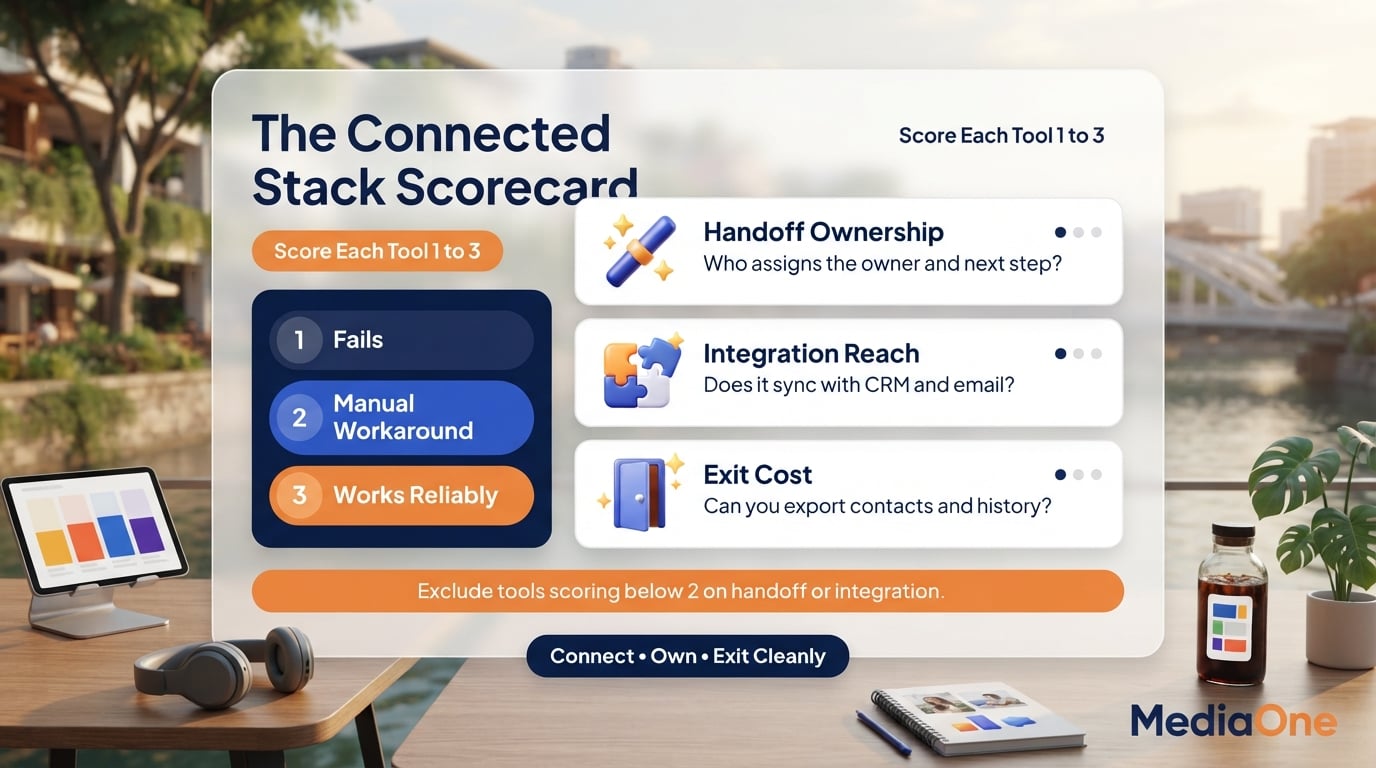
Score each shortlisted tool with the Connected Stack Scorecard, rating each criterion from 1 to 3 against your own workflow. Exclude any tool scoring below 2 on Handoff ownership or Integration reach. The best way to judge marketing software is to test how it handles real campaigns for your business. Give 1 point if a requirement fails, 2 if it works with a manual workaround, and 3 if it works reliably without intervention. Treat the three scores as a discussion aid, not an externally validated industry benchmark.
| Decision | Question to answer | Red flag |
| Handoff ownership | Which tool assigns the owner and triggers the next step? | Leads wait in a spreadsheet |
| Integration reach | Does it sync fields with your CRM and email marketing tool? | Weekly manual CSV exports |
| Exit cost | Can you export contacts and history in a standard format? | Data locked in a proprietary format |
A Lean Marketing Stack for Singapore SMEs
For a team of one or two, a practical starting stack could be a CRM with built-in email, a social scheduling tool and web analytics. HubSpot is one possible CRM, but the best choice depends on workflow, budget, and whether the contact and campaign fields synchronise. Connect the CRM to your website forms so every enquiry creates a contact, an owner and a follow-up task automatically, which helps your digital marketing run without manual handoffs. Review the stack quarterly, then make a larger purchase and renewal decision every six months. Before retiring a tool, export its records and check whether any active automation still depends on it.

Frequently Asked Questions
What are the most essential online marketing tools for a small business?
Start with four categories: a website analytics tool, a social scheduling tool, an email platform, and a CRM that stores every lead. Add an SEO tool once you publish content regularly. Choose each one only if a lead can move from one tool to the next without someone copying data by hand.
Probably not. A newsletter tool with a sign-up form and basic segmentation covers the job. Automation earns its cost when you run multi-step follow-ups, score leads, or hand contacts to a sales team.
How much should a small business spend on online marketing tools?
There is no universal figure, and pricing varies widely. Set a monthly ceiling in S$ first, then fit products inside it. Ask each vendor to quote the user count, contact allowance, required integrations, implementation work and future upgrade tier. Compare total operating cost rather than a starting subscription displayed in another currency.
Are free marketing tools good enough to start with?
Often, yes, provided the free tier covers your core job and integrates with the rest of your stack. The risk lies in limits that appear later: contact caps, reduced integrations or removed reporting. Confirm a free plan still exports your data, so switching later does not mean starting from zero.
How do I know if an AI marketing tool is worth paying for?
Test it on one real task for two to four weeks. Measure whether it saves hours, improves output quality, or moves a metric you track. Check where prompts and uploaded files are stored, who can access them, whether inputs may be used for model training and which controls are available to your business. Use test data until those questions are answered.

How often should I review the tools in my marketing stack?
Review quarterly and retire anything that fails the Connected Stack Scorecard. Look at each tool’s job, how many other tools it connects to, and whether you can leave without losing data. A tool nobody has opened in 60 days is a candidate for removal.