

| AI Summary
Google Ads conversion tracking connects ad activity to outcomes such as quote requests, qualified leads and purchases. A Singapore business can track website actions with the Google tag, record WhatsApp and phone taps as early signals, and import verified sales outcomes from its customer records. The actions a campaign uses for bidding should reflect what the business wants more of. |
A Google Ads conversion is a recorded action Google credits to an ad interaction, such as a form submission or purchase. To set up conversion tracking, create a conversion action under Goals, connect your website or customer data, test the event, and select the goal your campaign should use for bidding.
Key Takeaways
- The One counting setting suits many lead actions. Online stores can use Every and pass a unique order ID to avoid counting the same purchase twice.
- A campaign can report cheaper enquiries while paying more for each qualified lead. Sales records help show which change took place.
- A website update can break tracking while forms and checkout still work. A test submission checks what Google Ads receives.
- Google Ads and sales reports may place the same outcome on different dates. A fair comparison starts with the same action and date basis.
A renovation firm pays for ads and gets enquiries through its quote form, phone and WhatsApp. Its Google Ads report shows a rise in conversions. The sales team says the number of site visits booked has barely changed. Both reports could be right if the account counts every WhatsApp tap as an enquiry.
Google Ads conversion tracking helps the firm see which actions happened and which ones led to work. For businesses planning a first PPC advertising test in Singapore, that means choosing what to count before the campaign starts.
What Is a Google Ads Conversion?
A Google Ads conversion is an action your business chooses to measure and Google Ads credits to an ad interaction. A purchase, a completed quote form or a lead that meets your sales criteria can each be a conversion. The setting that defines what Google should record is called a conversion action.
Google Ads can measure actions on a website, in an app, over the phone where the feature is supported, or later through imported sales data. The type of conversion measurement you choose depends on where the result happens. A shop can record an order at checkout. A renovation firm may need its sales team to record the outcome days after the first enquiry.
Conversion count, conversion rate and conversion value
Suppose a Singapore renovation firm spends S$2,000 on 400 Search ad clicks. Google Ads credits 20 completed quote forms to those clicks. Ten enquiries meet the firm’s project criteria, and two result in signed jobs worth S$8,000 each. These figures are illustrative.
| Metric | Calculation | Result |
| Quote form conversion rate | 20 forms ÷ 400 clicks | 5% |
| Cost per quote form | S$2,000 ÷ 20 forms | S$100 |
| Cost per qualified lead | S$2,000 ÷ 10 qualified leads | S$200 |
| Cost per signed job | S$2,000 ÷ 2 signed jobs | S$1,000 |
| Return on ad spend (ROAS) | S$16,000 in signed job value ÷ S$2,000 in ad spend | 8× |
If the firm tracks only form submissions, its account can report the 20 forms and their cost. The sales team needs to record which forms qualify and which become signed jobs. The firm can then compare those outcomes with ad spend or import them as separate conversion actions.
ROAS in this example uses signed job value. Profit also depends on labour, materials and other costs. The same distinction helps when comparing Google Ads and SEO returns, especially if each channel reports leads at a different stage.
Which Google Ads Conversions Should Guide Bidding?
Google Ads groups conversion actions into goals. A primary conversion action can guide bidding when the campaign uses its goal. A secondary action usually appears under All conversions for observation. One exception is a custom goal. If the campaign uses a custom goal that includes a secondary action, Google Ads can bid towards that action.
Smart Bidding adjusts bids using conversion or conversion value data. If a campaign bids for WhatsApp taps, the system learns which ad interactions are likely to produce those taps. If it bids for qualified renovation leads, it learns from people the sales team has screened. Both can be tracked, but they answer different questions.
A decision matrix for lead and sales goals
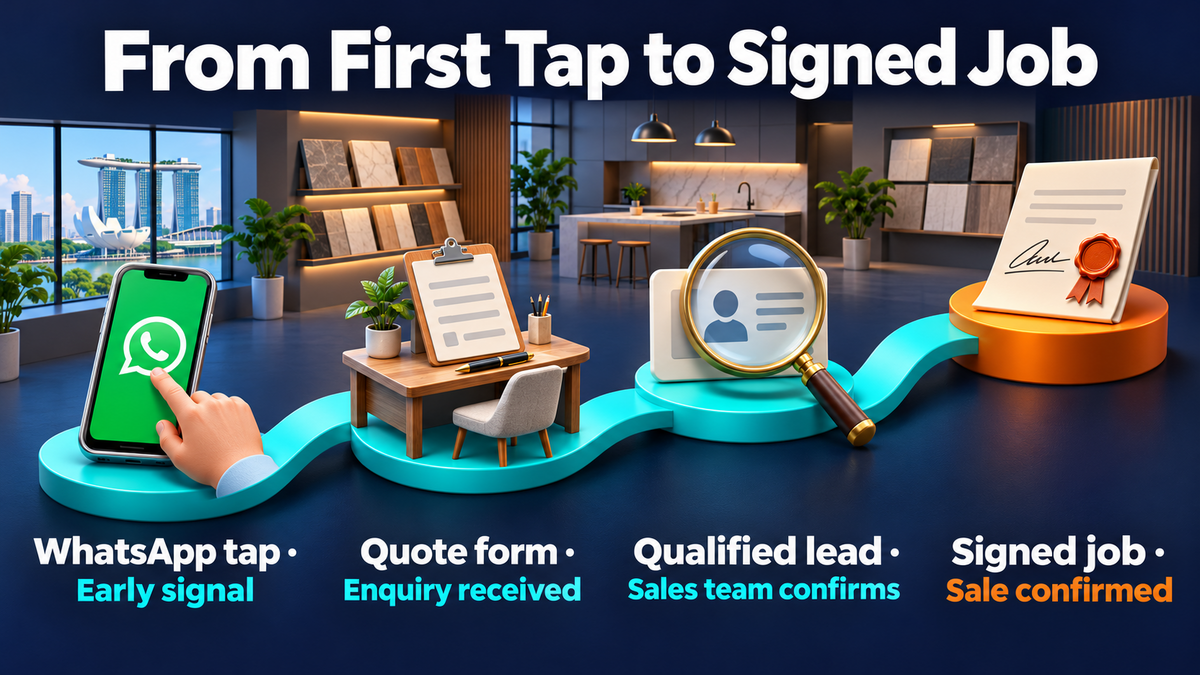
A renovation firm can group actions by what each one tells its sales team. A completed form shows someone made contact. A qualified enquiry shows the team checked details such as location, scope or budget. A signed job confirms the sale.
| Customer action | What it tells you | How to use it |
| Completed quote form | A person sent their contact and project details | Primary while it is the best reliable bidding signal |
| WhatsApp or phone-button tap | A person opened a chat or dialler | Secondary |
| Qualified enquiry | The sales team confirmed the enquiry meets its criteria | Primary once the import is reliable and the campaign is ready to use it |
| Signed renovation job | A customer accepted the quote | Track with its signed value. Consider it for bidding if enough outcomes come through on time |
| Service page view | Someone visited a page | Use in website analytics |
A business can keep several stages in its reporting. For one lead campaign, start with the stage you want bidding to optimise for. If the same lead counts as a form, a qualified enquiry and a sale, adding all three into the campaign’s main result can make one customer look like three wins. Separate actions and campaign goal settings make those stages easier to read.
This is also a sales decision. A team handling lead generation can agree on a short definition of a qualified enquiry before anyone changes the account. Two staff members should reach the same decision when they read the same enquiry.
When a form is the best starting point
A small firm may close only a few jobs each month. Signed jobs tell the business which leads became revenue, but those outcomes may arrive weeks apart. A completed quote form can be the starting goal if it records genuine submissions and gives the campaign a steadier signal.
The firm can improve the form before making it a bidding goal. A renovation company could ask for the property type, project scope and expected start date. Those answers help the sales team screen enquiries. If spam still comes through, the next step is to review the form and the qualification process before raising ad spend.
How Does Google Ads Conversion Tracking Work?
For website tracking, a customer interacts with an ad, reaches the site and completes an action. The Google tag and event setup tell Google Ads what happened. Google Ads then applies its attribution settings to decide which eligible ad interactions get credit.
The click ID, conversion window and attribution model
Auto-tagging can add a Google Click ID, or GCLID, to a landing page URL after an ad click. A lead system can capture that ID and save it with the enquiry for eligible offline imports. If the site redirects visitors, the team should check that the redirect preserves the ID.
The conversion window sets how long after an eligible ad interaction a conversion can count. A shop that sees orders arrive within a few days and a contractor whose quotes take several weeks may need different settings. Recent sales records can show how long customers usually take to act.
Attribution decides how credit is assigned. With data-driven attribution, eligible interactions can share credit for a single outcome. That is one reason the campaign report may show a fraction of a conversion while the sales team sees a single order.
How to Set Up Google Ads Conversion Tracking
A first setup can cover one enquiry form or one checkout. That gives the account owner a specific action to test before adding other sources. The same approach works when a business is moving its tracking to a new site or reviewing a search engine marketing campaign.
1. Create the conversion action
In Google Ads, open Goals, then Conversions and Summary. The manual website setup starts with Create conversion action. Choose website conversions, connect the site as a data source and select the category for the result you want to record, such as a purchase or lead form submission.
- Name: A label such as “Renovation quote form submitted” tells the team exactly what happened.
- Action optimisation: The primary or secondary setting should reflect how the campaign will use the event. The campaign’s selected goal also needs checking.
- Value: A store can pass each order’s value and currency. A lead campaign can use an estimate based on past sales if the business has enough data to support it.
- Count: One counts one conversion per ad interaction for that action. Every allows multiple conversions to count. A unique transaction ID helps prevent repeat reports of the same order.
2. Connect the website and define the success event
The Google tag runs across the website. The conversion event fires when the action succeeds. A direct installation can suit a site that a developer manages. A supported site-builder integration can suit a store that already manages its Google connection through the platform. The account owner should check which tags the site already loads before adding another.
With Google Tag Manager, the team can set up a Google Ads Conversion Tracking tag using the conversion ID and label for that action. The trigger should match a confirmed submission or purchase. A click on Submit is too early because the form could still show an error.
Google Analytics 4 (GA4) can also serve as a source. A business can create a Google Ads conversion from a GA4 event in a linked account. If a GA4 import and a direct Google Ads tag both measure the same purchase, the business should decide which one to use for bidding and check that the campaign uses only that action for the purchase goal.
3. Test the action before using it for bidding
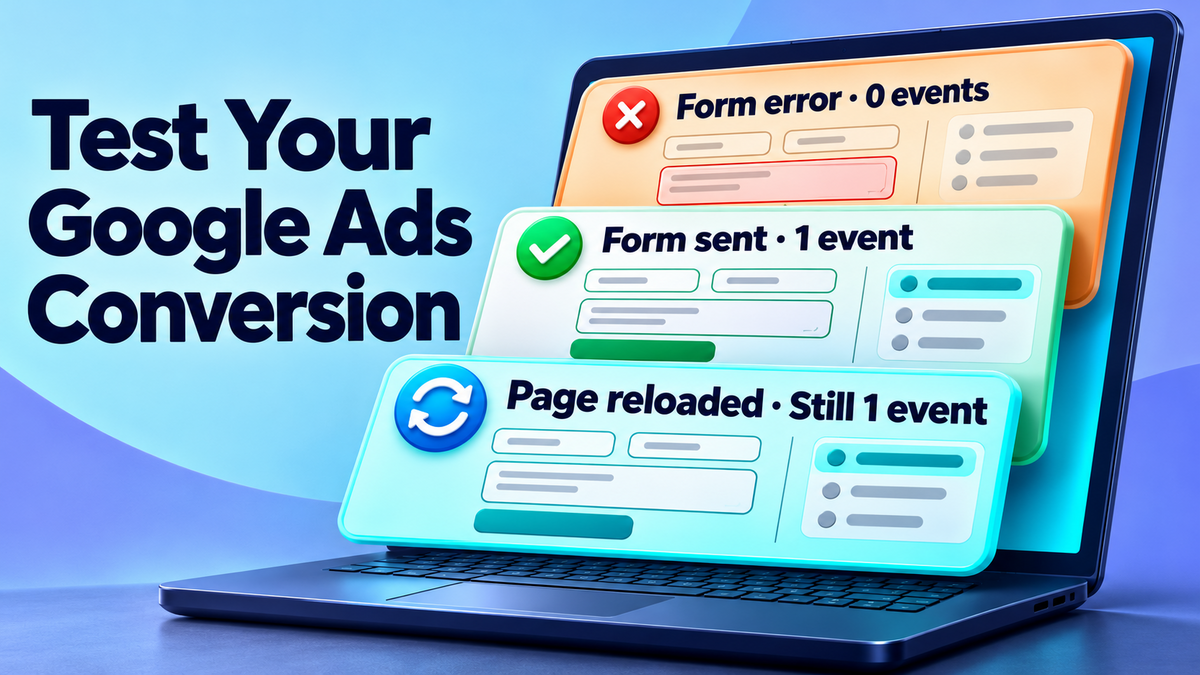
A test should cover what happens when the action succeeds and what happens when it fails. Tag Assistant or Tag Manager Preview can show what fired and which details went through. A test form should also arrive in the inbox or customer relationship management system (CRM).
- A form with a required field missing should produce no conversion event.
- A valid submission should produce one event for the intended conversion action.
- A reload of the confirmation page should leave the result at one. For a purchase, the same order should send the same transaction ID.
- A test purchase should pass the expected amount, currency and order ID.
- A check after launch should confirm that Google Ads is receiving attributed activity for the action. The test and the campaign report answer separate questions.
How to Track WhatsApp, Phone and Offline Conversions
A website tag can record a tap to open WhatsApp. The message and its outcome live outside the website. A phone link works in a similar way. The tag can see the tap to open the dialler, while the sales team or a suitable call-tracking setup can record whether an enquiry took place.
WhatsApp enquiries and phone calls in Singapore
A business can record WhatsApp taps under a secondary action such as “WhatsApp button clicked”. The sales team can use a separate CRM stage for chats that turn into qualified enquiries. If a conversation has no reliable connection to an ad interaction, it can still count in the business’s sales report.
Google’s published list of countries with Google forwarding numbers does not include Singapore. A business using a Singapore number can record a website phone-link tap as a secondary action, look at a third-party call-tracking option, or record verified outcomes in its CRM and import eligible ones when it can match them to an ad. A phone tap alone gives no evidence that someone answered.
Enhanced conversions and offline imports
Enhanced conversions for website actions can use hashed first-party data, such as a customer’s email address, to improve matching. Enhanced conversions for leads can use eligible first-party data to help link a later CRM outcome to an ad interaction. Google Ads Data Manager can connect supported data sources for those imports.
- The sales team agrees on the outcome to send, such as a qualified enquiry or signed job.
- The CRM records the outcome, its date and time, and the eligible matching details required by the chosen setup.
- Data Manager sends the records to the matching Google Ads conversion action. The account owner checks whether Google accepted them.
- A regular import schedule keeps the campaign working with recent outcomes. The conversion window and the import method’s time limits both affect which records can count.
Singapore businesses should check how they notify customers about the purposes for collecting, using and disclosing personal data, and how they obtain consent where required. The Personal Data Protection Commission’s obligations overview covers notification, consent and purpose limitation. The team can review those obligations against the data it plans to send.
When server-side tagging helps
In a browser setup, tags on the site send event data. With server-side tagging, a server container can process event data before passing it to destinations such as Google Ads. This gives the business control over which event fields it forwards. It also adds hosting, setup and maintenance.
A small team can first check whether the form or checkout event arrives as expected. If it has a reason to process or control the data on its own infrastructure, it can test a server setup and compare the same events across both routes. One setup should own the bidding conversion during the test so the comparison does not inflate campaign results.
How to Measure Results and Fix Tracking Problems
The Conversions column shows the results included in the campaign’s conversion reporting. All conversions gives a wider view that includes secondary actions. A campaign owner can review the data by conversion action to see whether a change came from purchases, lead forms or smaller actions.
Compare Google Ads with sales records
Google Ads normally reports a conversion against the date of the ad interaction in its standard columns. A CRM may use the date the lead qualified or the sale closed. For a comparison by event date, Google Ads also offers conversion-time columns. The team should compare the same kind of outcome and allow for recent leads that have yet to close.
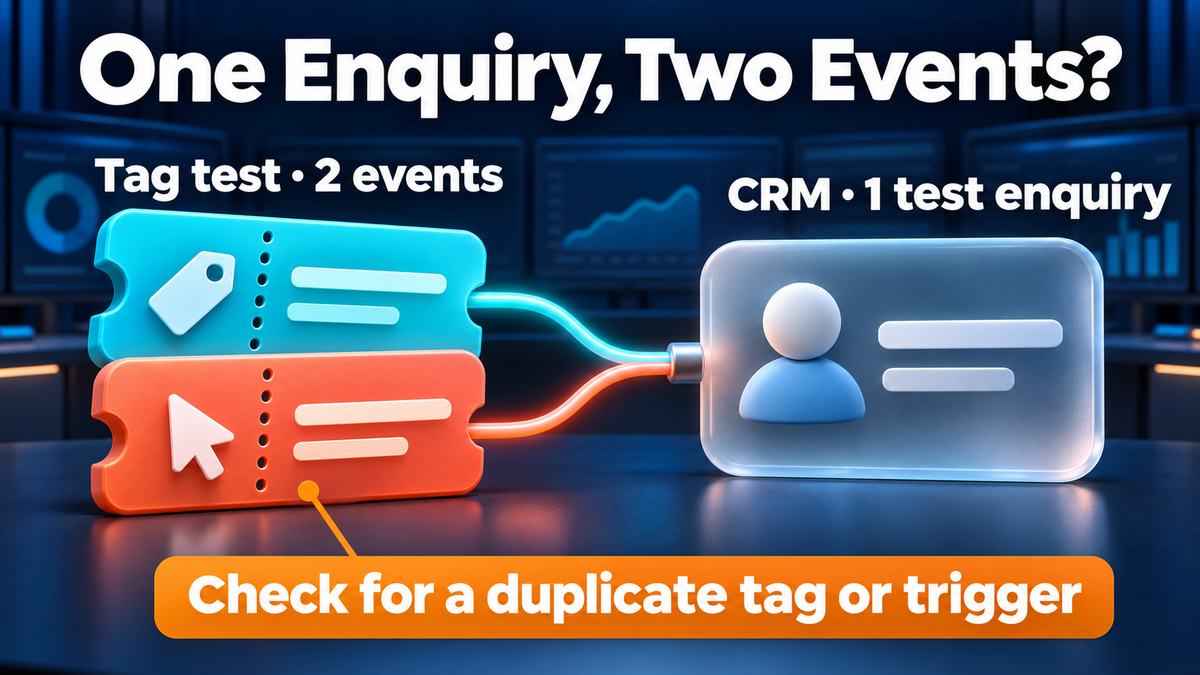
If forms increase and qualified leads stay flat, the sales team can review a sample of recent enquiries. If many people asked for work outside the service area, the issue could be ad targeting or the offer. If the CRM shows one enquiry and the tag test shows two events, the issue is measurement. Once the tag counts properly, conversion rate optimisation can help the team assess the form and landing page.
A tracking checklist by symptom
| What you see | What to check first |
| No conversions in the campaign | Check whether the event fires and whether the campaign uses the intended goal. Check All conversions for secondary actions. |
| A rise in conversions without more enquiries | Test one enquiry and see whether two tags or two conversion actions recorded it. |
| A drop after a website update | Run the new form or checkout flow. Check whether the success event or confirmation URL changed. |
| Purchases have the wrong value | Inspect one order and check the amount, currency and order ID the tag received. |
| CRM leads are missing from Google Ads | Check the import results, matching details, outcome time and conversion window. |
A busy account can start with the action used by the campaigns spending the most. The account owner can log the date of the change, test the affected action and check the next batch of records before changing bids or goals. That record also gives the web team somewhere to start after a site update.
Make Google Ads Bids Count for Enquiries and Sales
A campaign review can start with one question. Which result would the sales team want more of next month? For a store, the answer might be paid orders. For a renovation firm, it might be enquiries that meet its project criteria. The team can trace one of those results from the site or CRM to Google Ads before changing the budget.
When campaign reporting and sales records tell different stories, MediaOne’s Google Ads management team can review the conversion goals, tracking and bids together. A recent enquiry or order gives the team a concrete example to test.
Frequently Asked Questions
Can I correct a conversion after a refund or cancellation?
Google Ads supports conversion adjustments for eligible conversions. A restatement changes the reported value, such as after a partial refund. A retraction removes the conversion from the count and sets its value to zero. The business needs the matching details required by its conversion source.
Can I see conversions that happened after someone saw an ad without clicking?
Eligible ad formats can report view-through conversions. These can occur when someone sees an ad, does not interact with it and later converts within the view-through window. Google reports them in a separate View-through conversions column. A click-through result answers a different question about how the customer interacted with the ad.
Can two campaigns use different conversion goals in the same account?
Yes. Google Ads lets a campaign use account-default goals or campaign-specific goals. A Search campaign for renovation quotes can use a lead goal while an online store campaign uses purchases. Campaign-specific goals suit cases where the campaigns have different business objectives.