
Search engine optimization, or SEO, makes your pages easy for search engines to find, understand and choose. Google’s SEO starter guide frames the basics around that goal, starting with eligibility under the Search Essentials.
This guide is for beginners running a small site. For small sites, first ensure important pages are accessible and indexable, then prioritise relevance, usefulness and a good visitor experience over publishing more pages. Address speed only where it materially affects users. The Three-Gate Audit checks whether a page is discoverable, understandable and worth choosing, in that order. Each section maps to one gate, so fix the gate a page fails first.
A contrarian view shapes this guide: most small sites should skip most keyword work at the start. Crawlability and page quality decide more outcomes than keyword lists do, so spend your first effort there, because that is where your time pays off and where your rankings are most likely to improve.
Key Takeaways
- Google finds pages mainly through links from pages it has already crawled, so internal linking is essential.
- Work in order: make a page discoverable, then understandable, then worth choosing.
- Speed is important for user experience, but relevance and content quality matter too; prioritise severe performance issues after checking essential indexing problems.
- URL keywords carry little weight: they hardly affect rankings beyond breadcrumbs.
- Your own data is the best brief: the Queries table in Google Search Console shows the terms you already rank for.
- Low-volume, high-intent queries can be useful targets, but estimates vary by tool, market and dataset.
Where to Start: A Five-Step Sequence
Place these steps first. Work through them in order:
- Crawl: confirm Google can reach every important page through internal links.
- Index: fix pages excluded in Google Search Console without good reason.
- Keyword: pick specific queries your customers type into a search engine, starting from your own Queries data.
- On-page: write a clear title, useful meta description and direct answers that give readers the information they came for, with content that matches what each query asks.
- Technical: check load speed, mobile usability and URL structure, then revisit steps one to four as the site grows.
Your first 30 minutes: the Three-Gate Audit
The original three-gate approach is a useful prioritisation tool, provided you apply the gates to a single important URL rather than treating every technical warning as an emergency.
| Gate | Question | How to check | Action when it fails |
|---|---|---|---|
| 1. Discoverable and indexable | Can Google access and index this URL? | Search Console URL Inspection; live URL; internal links; directives | Resolve access, canonical, noindex, server, linking or content issues |
| 2. Understandable and relevant | Does the page clearly answer one search intent? | Compare the query with top result types, title, headings and actual content | Clarify purpose, structure and primary answer |
| 3. Worth choosing and using | Is it more helpful than alternatives and able to convert? | Check evidence, ease of use, CTR, enquiries and outcomes | Add useful proof, improve UX and make the next step clear |
Example: A tuition page with a “noindex” directive cannot solve its visibility problem by adding more keywords. A page that is indexed but targets an irrelevant query needs a content and intent fix. An indexed, relevant page that gets clicks but no enquiries needs a commercial/UX diagnosis.
What SEO Is and Why It Matters
SEO helps a page appear when someone searches for a problem, service or product the website can genuinely address. For a Singapore SME, this might mean someone searching for “commercial aircon maintenance Singapore”, “JC maths tuition Yishun”, or “B2B CRM implementation consultant”. More traffic isn’t automatically better: the goal is to reach the right person and help them take the next step.
Why one action comes before the numbers
Organic search is the unpaid traffic a website earns when its pages appear in results. Rather than chase traffic totals, start with one action you can take today: Open Google Search Console, go to the Queries table, and note the three terms your pages already appear for. Those terms show what search engines already associate with your site, and they are the starting point for everything below.
AI answers have changed how searchers discover businesses, but conventional top-10 rankings don’t guarantee visibility in AI results. Clear, well-sourced content and accurate business information support both human readers and search systems; track AI mentions separately if they matter to your audience.
The click concentration problem: why ranking first matters
Higher organic positions often attract more clicks, but click-through rates vary widely by query intent, location, advertisements and SERP features. Use your own Search Console impressions, clicks and CTR to judge the value of improving a page instead of relying on a universal position-one percentage.
SEO share of voice is a visibility estimate, typically calculated from a tracked keyword set and position-dependent weights. It is not simply the number of top-ten positions a site occupies. For beginners, concentrate first on clicks and conversions from relevant queries.
Why most keywords are small and what that means for planning
Large keyword datasets contain many low-volume queries, but reported percentages depend on the provider, geography and collection method. For a small site, a lower-volume search such as “emergency aircon repair Yishun” can have more commercial value than a broad query such as “aircon”, if the business can genuinely serve that intent.
A small website should aim at specific, low-volume queries that match what customers actually ask. A US dental practice will often earn more new patients from “emergency dentist open Saturday” than from “dentist”, because the specific query signals a clear need. Start with the long tail, prove you can rank there, then expand, since this is an important sequence for keeping the work manageable over time.
What SEO can and cannot control
You can improve accessibility, page quality, presentation and measurement. You cannot pay Google to rank your organic result, guarantee indexing or force a particular position. Search rankings change by query, location, and device. “Rank number one for everything” is not a meaningful business objective.
SEO outcomes: visibility is the beginning, not the result
Track a simple chain: relevant query → impression → click → engaged visit → enquiry or purchase. A page that earns 5,000 irrelevant clicks may generate fewer sales than one earning 150 highly relevant visits. For service businesses, qualified enquiries and closed deals usually matter more than rankings alone.
Singapore example: An air-conditioning contractor should compare “aircon maintenance Singapore” with narrower service intents such as “commercial aircon servicing contract”. The latter could generate fewer visits but be closer to a higher-value enquiry. Validate actual volume and performance rather than assuming the narrower query is always better.
How Search Engines Work: Crawling, Indexing and Ranking
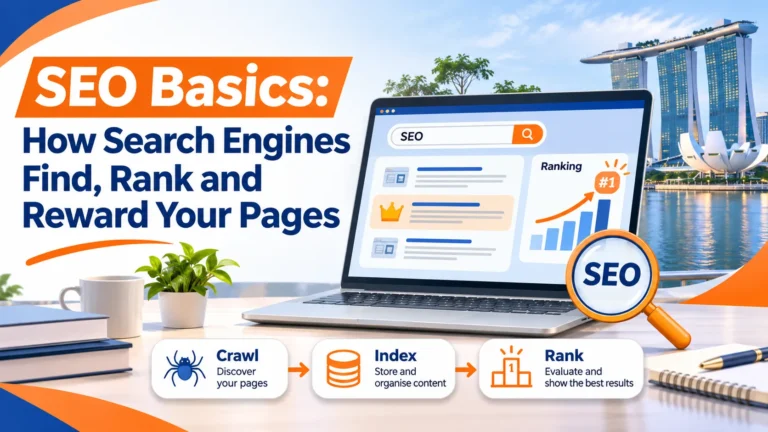
Every SEO decision depends on one sequence: a search engine has to find your page, store it, and then decide where it belongs in the results. Knowing these steps tells you what to fix first. They form the first two gates of the Three-Gate Audit, and a page that fails an early gate cannot be rescued by keyword work. Give Google a clear path through each gate, and the right pages appear in the search results and earn SEO success.
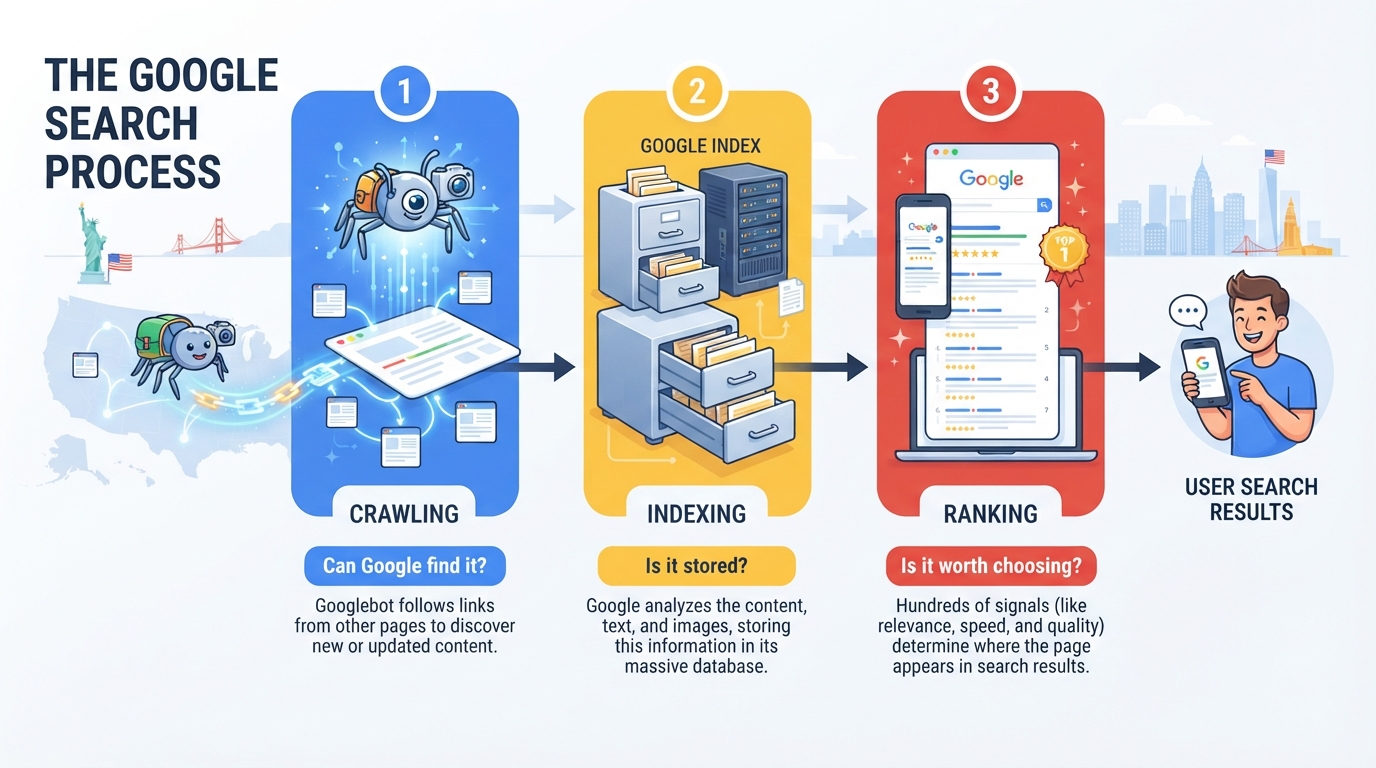
Crawling: how Google discovers pages through links
Googlebot does not wait for you to submit a page. According to Google’s SEO Starter Guide, Google primarily finds pages through links from pages it has already crawled, so internal linking is a basic step.
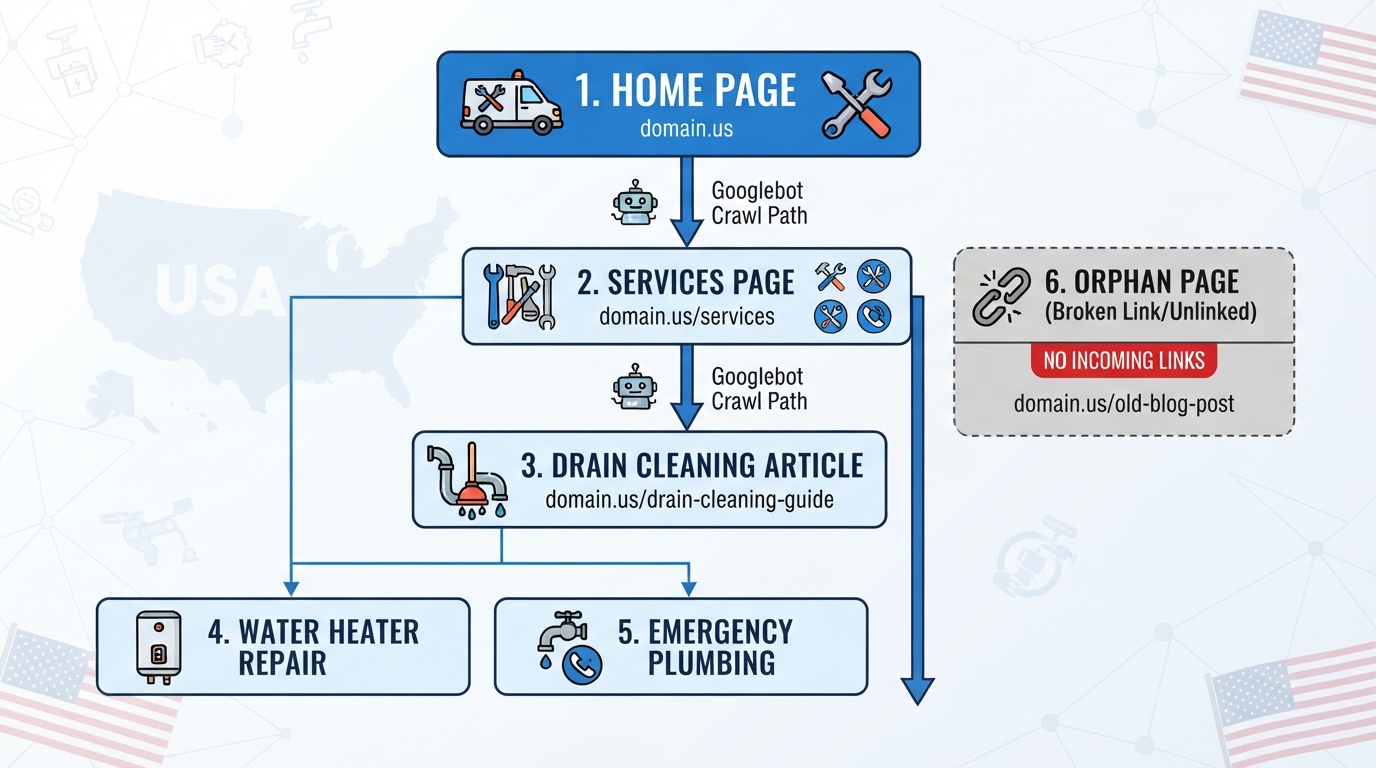
Consider a hypothetical US plumbing website. If nothing links to its drain cleaning article, Googlebot may never reach it, however good the writing.
Pass or fail, test each of your pages against this list:
- Reachable: the page is linked from at least one other page on your site.
- Within three clicks: the page is reachable within three clicks of the homepage.
- Indexed: the page appears in Google Search Console’s page indexing report as indexed.
A page that fails the first test is an orphan, so add a link from a related, already-indexed page.
How to inspect a page in Google Search Console
- Open Google Search Console and select the correct property.
- Paste the full canonical URL into the URL Inspection bar.
- Check whether Google considers the URL indexed, the selected canonical, the last crawl information and any indexing restrictions.
- Use Test Live URL when you need to check current accessibility; this does not itself guarantee indexing.
- Address the underlying issue first. If it is a new or materially changed page, you may request indexing; do not repeatedly submit unchanged URLs.
- Open the Page indexing report to see whether the same pattern affects other important pages.
Indexing and what keeps a page out of the index
Crawling means Google has seen the page. Indexing means Google has analyzed and stored it so it can appear in results. A page can be crawled and still not indexed.
The usual blockers are:
- A noindex directive, a page setting that tells Google not to index the page.
- Thin content with little original information.
- Duplicate content that repeats another page on the website.
- Robots.txt rules, a file that tells crawlers which parts of a website to avoid.
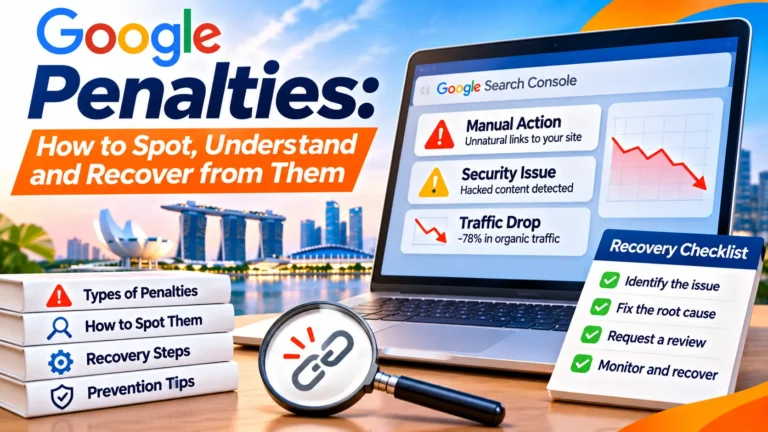
The Search Essentials set out what makes a website eligible to appear in Google Search, so confirm eligibility first. The page indexing report in Google Search Console shows which URLs are indexed and why others were excluded.
Common Search Console indexing statuses, decoded
| Status | Meaning | Reasonable next step |
|---|---|---|
| Excluded by “noindex” | The page instructs search engines not to index it | Remove the directive only if the page should appear in search |
| Blocked by robots.txt | Crawling is restricted | Allow crawling if needed; do not treat robots.txt as an indexing removal tool |
| Duplicate, Google chose a different canonical | Google prefers another version | Check canonical tags, redirects, duplicate URLs and content similarity |
| Crawled – currently not indexed | Google accessed the page but has not indexed it | Assess uniqueness, usefulness and duplication; avoid speculative fixes |
| Not found (404) | The URL is unavailable | Restore it if needed, or redirect to a genuinely relevant replacement; a legitimate 404 is not inherently bad |
| Indexed | Google has stored a version of the page | Move to relevance, click-through and conversion diagnosis |
Ranking and the signals that decide order
Once indexed, Google decides a page’s position for each query using several signals: relevance (does the page answer the query?), quality (is the content accurate and trustworthy?), and usability (does the page work well on a phone?). The best pages match the intent behind the query, not how many times a keyword appears.
Higher organic positions often attract more clicks, but click-through rates vary widely by query intent, location, advertisements and SERP features. Use your own Search Console impressions, clicks and CTR to judge the value of improving a page instead of relying on a universal position-one percentage.
Snippets and meta descriptions
A snippet is the short preview under each search result title. Google occasionally builds it from the meta description tag, typically a one- or two-sentence summary, as Google’s SEO Starter Guide notes. Write meta descriptions as plain summaries of what the reader will get, using the words a searcher would type, and make each one unique. A clear snippet can raise clicks even when your position stays the same.
How crawling, indexing and ranking differ
Crawling means Google retrieved the page. Indexing means it may be stored for serving. Ranking means Google selects and orders relevant indexed content for a specific query. Even an indexed page may receive no impressions for the terms you expected.
A sitemap can help Google discover canonical URLs, but submitting it does not guarantee indexing or better positions. The goal is not to index every utility, filter or duplicate URL; it is to index the pages that add real value.
Keyword Research for Beginners
Keyword research often goes wrong at the start. Beginners pick a term because it sounds important, write a page around it, and then wonder why nobody arrives. A better starting point is the person typing the query. Before choosing anything, work out what that person wants from the search results and whether a good answer will help them act. Beginners who understand the searcher’s goal usually build a more useful content plan than those who start with a list of popular terms, and this approach also supports a better user experience once visitors land on the page.
Matching search intent before choosing a keyword
Search intent is the reason behind a query. Someone typing “SEO basics” wants a clear explanation, not a product pitch. Someone typing “best SEO tool for a small shop” wants a comparison. The same topic can carry several intents, and a page written for one will rarely satisfy another.
Check the first page of search results for your target term. If the results are mostly guides, your page should be a guide. If they are mostly product pages, a blog post will struggle, however well it is written. This check takes about ten minutes and can save months of wasted effort.
Then list the follow-up questions a reader would ask next. A page about SEO basics should also explain what search engines do and what to fix first, so the reader can learn the next step without leaving the page.
Using the Queries table in Google Search Console to find keywords you already rank for
You do not need a paid tool to find your first opportunities. Google Search Console is free and reports the queries that already bring people to your website. Open the Performance report and review the queries table, which shows each term, its impressions and your average position.
Look for queries where you appear on page two or three, with meaningful impressions but few clicks. These are your quickest wins. A stronger title, a clearer heading or a short added section may move them up. Google Analytics no longer reports organic keyword data, so Search Console is the place to look.
Prioritizing by volume, difficulty and business value
Large keyword datasets contain many low-volume queries, but reported percentages depend on the provider, geography and collection method. For a small site, a lower-volume search such as “emergency aircon repair Yishun” can have more commercial value than a broad query such as “aircon”, if the business can genuinely serve that intent.
Score each candidate on three factors, pass or fail:
- Business value: Would a visitor from this query plausibly become a customer, subscriber or enquiry?
- Difficulty: Is the first page free of dominant major publishers? If not, pick a narrower term.
- Volume: Lower volume is acceptable when the first two checks pass.
Rank your list in that order. A hypothetical US plumber, used only as an illustration, should rate “emergency pipe repair in Austin” above “plumbing tips,” even though the second term has more searches, because the first is closer to a booked job. Ranking candidates this way keeps your content plan focused on pages that bring in customers rather than just visits, and a clear path from query to page is part of a strong user experience. Tracking results over time shows whether your seo success is growing as the list is worked through.
Contrarian view: a small site should skip most keyword work at the start. A five-page business rarely needs a spreadsheet of 200 terms. Pick the one service a customer pays for, write the best page on it, and let Search Console tell you what to do next. Spending less time on research can leave more time for building the page itself.
Keyword research: a five-row starter sheet
Choose a handful of primary service or product intents first. Use Search Console Performance → Search results → Queries to identify what the site already appears for, then inspect the Pages tab for the URL ranking for each query. Search Console shows observed queries, not a complete market keyword database. A new website may have too little data, in which case use customer questions, Google results and competitor page types as research inputs.
| Illustrative query | Intent | Best page type | What makes it useful |
|---|---|---|---|
| commercial aircon servicing Singapore | Hire a provider | Service landing page | Coverage, contract scope, credentials, enquiry route |
| aircon servicing contract cost | Compare pricing | Pricing explainer | What drives prices and what is included |
| aircon leaking water causes | Diagnose a problem | Helpful guide | Safe checks and when to call a professional |
| aircon company reviews Singapore | Validate credibility | Business information / genuine reviews | Verifiable experiences and policies |
| aircon servicing Yishun | Find nearby service | Relevant local service page | Real coverage, contact and availability |
Prioritise with the REACH test
For each idea, ask: Relevance to your offer, Evidence of demand, Achievability against current results, Commercial value, and Helpfulness of the page you can actually produce. This is an editorial prioritisation framework, not a Google ranking formula.
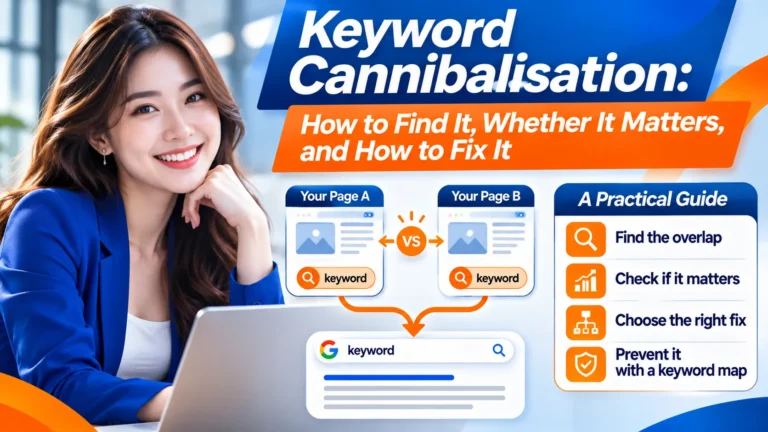
Keyword mapping rule: assign one primary URL to each distinct intent. When two pages serve the same intent, improve the best existing page before creating another. Where intent genuinely differs, separate pages may be justified even if wording overlaps.
On-Page SEO: Content, Structure and Metadata
Writing quality content that answers the query
Search engines reward pages that resolve the question the reader typed, not length for its own sake. Identify what the searcher wants, then answer it on the first screen of the page. If someone searches “how often to water a snake plant,” they want a number and a reason, and the answer should be clear enough to stand alone as a search result.
Google’s SEO Starter Guide stresses content people find helpful: write for a specific reader, cover their likely follow-up questions, and stop when those are answered. The best pages make the answer easy to find and the next step obvious. Good pages also help readers learn what to do next, not just what to read.
Check before you publish:
- Can a reader get the core answer within the first two paragraphs?
- Does the page cover the obvious next question, such as cost, timing or a common mistake?
- Could a reader leave satisfied and never search again for the same thing?
If the answer to the third question is no, the page is not finished.
Headings, titles and the H1 problem
Every page should have one H1 that states the topic plainly, and a title tag that matches the page’s job, ideally under roughly 60 characters. Headings then break the page into sections that each answer one question.
Avoid treating industry-wide averages as rules for your site. Evaluate this page using its own search queries, technical state and real visitor behaviour.
Snippets are sometimes drawn from the meta description. The Google SEO Starter Guide describes it as typically a one- or two-sentence summary. Write it to describe the answer, not to stuff keywords, and treat it as an invitation rather than a guarantee it will appear in search results.
Image optimization: alt text, file names and size
Alt text. Describe what the image shows in a short phrase, and only where the image carries information. A decorative divider needs an empty alt attribute. Avoid pasting the keyword into every image.
File names. Use lowercase words separated by hyphens, such as snake-plant-watering-schedule.jpg, rather than IMG_4402.jpg.
File size. Compress images and serve modern formats where your platform allows. Image weight is a common cause of slow pages.
Useful alt text improves accessibility and helps describe meaningful images. It is not a keyword-stuffing field. Decorative images can use empty alt text; informative charts should be explained in surrounding text too.
A practical on-page SEO makeover
Consider a generic page titled “Our Services” that targets people looking for accounting support. It offers two paragraphs of vague copy and a contact button.
| Element | Weak version | Improved version |
|---|---|---|
| Title element | Our Services | Company | SME Accounting Services in Singapore | Company |
| H1 | Helping Your Business | Accounting Services for Singapore SMEs |
| Opening answer | We offer quality solutions | Explain bookkeeping, financial statements and compliance work actually provided |
| Evidence | “Trusted experts” | Named professionals, verifiable experience, service process and transparent scope |
| Call to action | Learn more | Request an accounting consultation with response expectations |
Do not copy these service claims unless they are accurate for your business. Good optimisation makes a real offer easier to understand; it cannot replace proof.
When to add structured data
Schema markup can help Google understand eligible page details and may support particular search features. Use types that accurately describe visible content, such as relevant organisation or breadcrumb data. Structured data is not a general ranking boost or a guarantee of rich results. Validate with Google’s Rich Results Test where applicable.
Technical SEO and Site Organization
Technical SEO is the first gate of the Three-Gate Audit. If Google cannot reach, load or interpret a page, nothing written on it will earn a ranking. Fix the few problems that block everything else, in a sensible order, so that search engines can index the pages that drive organic traffic.
Page speed and Core Web Vitals
Slow pages can frustrate visitors and reduce conversions, but no universal “five seconds means 90% abandonment” rule applies to every site. Test the pages that matter most with field data, prioritising problems users actually experience. Speed alone cannot make an irrelevant page rank well.
Google’s Core Web Vitals measure loading experience (LCP), responsiveness (INP) and visual stability (CLS). Aim for LCP of 2.5 seconds or less, INP of 200 milliseconds or less and CLS of 0.1 or less at the 75th percentile of real-user visits where data exists. These are performance targets, not guaranteed ranking thresholds.
Run your homepage and most important service page through PageSpeed Insights. Fix the biggest items first: compress images, remove unused scripts and avoid heavy page builders on pages with no interactive features. Re-test after each change.
URL structure and why keywords in URLs matter little
Many beginner guides tell you to stuff keywords into URLs. Google’s SEO Starter Guide says keywords in the URL have hardly any ranking effect beyond appearing in breadcrumbs. Treat the URL as a readability tool for people, one that helps them understand where a page leads before they click.
Use short, readable URLs when creating new pages. Existing dated URLs do not need to be changed merely because they include a date. If a URL must change, implement an appropriate permanent redirect and update internal links.
Spend your effort on the title tag and headings instead. Change a URL only when the page is genuinely moving, and redirect the old address when you do.
Mobile-friendliness and local SEO basics
Google primarily uses the mobile version of a site for indexing. Test the page on a real phone and use PageSpeed Insights and URL Inspection where appropriate. Google’s standalone Mobile-Friendly Test and Search Console Mobile Usability report were retired in 2023.
For a business with a physical location, local SEO adds three basics. Keep your name, address and phone number identical across your website and Google Business Profile. Create a dedicated page for each service area you genuinely serve. Earn reviews from real customers and reply to them. A US business should state its location clearly on the page, so local search results can help nearby customers find it. For more on this, see Media One Marketing’s local SEO guidance.
Some advisers argue technical work distracts small websites. For a five-page website, content often pays off faster. But a slow or non-mobile-friendly page wastes whatever content you add, so do one pass of speed and mobile fixes before you publish more.
Core Web Vitals: what to improve first
| Metric | Good target | Typical problem | First checks |
|---|---|---|---|
| LCP | ≤2.5 seconds | Main image or text takes too long | Hero image size, hosting, render-blocking resources |
| INP | ≤200 milliseconds | Interactions respond slowly | Excess JavaScript, long tasks, third-party scripts |
| CLS | ≤0.1 | Elements shift during loading | Reserve image/iframe sizes, font loading, injected banners |
Targets refer to the 75th percentile of eligible real-user visits. Lab results in PageSpeed Insights can help diagnose issues, but they are not identical to field measurements. Avoid sacrificing useful functionality solely to chase a perfect lab score.
WordPress and Elementor: practical starting checks
- In Settings → Reading, confirm the site is not intentionally discouraging search engine indexing.
- Inspect one important page’s SEO plugin settings for a noindex directive and incorrect canonical URL.
- Ensure the navigation and relevant service pages have crawlable HTML links.
- Publish a valid XML sitemap and submit it once through Search Console when appropriate.
- Check that the page template outputs a meaningful title and visible heading; avoid making the SEO title and H1 vague.
- Compress oversized hero images, use appropriate dimensions and formats, and avoid unnecessary Elementor widgets and overlapping optimisation plugins.
- Test a page on a real mobile device, including buttons, forms and sticky overlays.
- After changing URLs, test the redirects and update important internal links.
If a security plugin, firewall or anti-bot challenge blocks Googlebot, correct the crawl access issue before rewriting content. Make changes in staging where possible and document the previous state.
Local SEO for Singapore SMEs
For eligible businesses, accurately complete the Google Business Profile with the correct business name, categories, hours, contact details and service area. Build honest service pages that answer local customers’ questions. A company serving Woodlands, Yishun, and Sembawang should not create three near-identical pages that merely swap the neighbourhood name; each page should add unique value, such as different availability, team coverage, or location information.
A 30-day beginner SEO implementation plan
| When | What to do | Deliverable |
|---|---|---|
| Days 1–7 | Verify Search Console; inspect key URLs; record organic performance; fix severe access/indexing issues | Baseline + priority issue register |
| Days 8–14 | Map five to ten high-value queries to existing URLs; check search intent; improve priority titles and page introductions | Keyword-to-URL map |
| Days 15–21 | Improve weak service pages using real evidence, FAQs, clear navigation and useful internal links | Revised high-priority pages |
| Days 22–30 | Fix important mobile/performance problems; verify forms and tracking; review changes | QA checklist + 30/60/90-day monitoring plan |
These dates describe a practical project plan, not a promise of ranking movement within 30 days.
How to measure SEO without being misled
Measure separately: coverage (valuable URLs indexed), visibility (relevant impressions and query coverage), engagement (organic clicks and landing-page behaviour), and business value (qualified leads, sales and contribution). Confirm which pages actually produce enquiries, not just which pages earn impressions.
| Signal | Tool | How to interpret |
|---|---|---|
| Indexed priority pages | Search Console URL Inspection | Confirm access and eligibility; not a ranking guarantee |
| Queries, impressions, clicks, CTR | Search Console Performance | Compare like-for-like periods and look at query/page combinations |
| Organic landing pages and events | GA4 | Review channel attribution and configuration before drawing conclusions |
| Calls, forms, enquiries, sales | CRM / form tracking | Deduplicate spam and unqualified leads; connect to revenue where possible |
| Speed and UX | PageSpeed Insights | Use field and lab data to diagnose real issues |
Common SEO mistakes and what to do instead
| Mistake | Better approach |
|---|---|
| Publishing many thin articles to fill a calendar | Improve pages with a clear audience need and original substance |
| Assuming a submitted sitemap guarantees indexing | Check URL Inspection, accessibility, canonicalisation and content usefulness |
| Repeating the exact keyword everywhere | Use natural language and cover the intent thoroughly |
| Changing live URLs only to add keywords | Keep useful URLs stable and redirect when changes are truly necessary |
| Judging SEO only by rankings | Track qualified enquiries, transactions and business outcomes |
| Buying backlinks or making misleading guarantees | Earn references through valuable resources, partnerships and authentic coverage |
Conclusion
SEO basics come down to three stages: discover, understand and rank. Search engines first find pages by following links, so internal links help. They then read each page’s URL, title, headings and meta description, which give them the information needed to classify the page. Only then can a page rank, and that depends on whether its content answers the query better than competitors.
For a beginner, order matters most. Start with the Three-Gate Audit on your key pages: confirm they are crawlable and eligible under Search Essentials, fix slow load times, then check the Queries table in Google Search Console and align titles and descriptions with the terms people actually use. Fixing unreachable pages wastes no effort; polishing content nobody clicks on does. The same discipline applies to search engine results pages, where a clear title and description earn the click that makes the work visible.
Frequently Asked Questions
How long does SEO take to show results?
Most new websites need three to six months for organic traffic to grow meaningfully, though small sites in less competitive niches may see gains sooner. Timing depends on query competition, how much crawlable content you publish, and whether Google can reach your pages through internal links. Use the first 90 days to fix speed, confirm indexing, and check the Queries table in Google Search Console to see which search terms already bring your content into view.
Is SEO free, and what does it cost?
The core tasks are free: crawling your site, publishing useful content, writing titles and meta descriptions, and reading reports. Costs mainly come from your time, paid tools, and any freelance or agency help, and what makes sense depends on how much competition your niche faces.
Do I need an SEO tool to start?
No. Google’s SEO starter guide covers the fundamentals without paid software, and Google Search Console answers most beginner questions. Add a paid tool later, when you need competitor data or keyword volumes at scale.
Does keyword density still matter?
Not meaningfully. Repeating a phrase a set number of times does not improve rankings. Write naturally, cover the subject completely, and use the terms readers actually search for.
What is the difference between SEO and paid search?
SEO earns organic placement through content, structure and links, with no cost per click. Paid search places advertisements at the top of results and charges for each click. SEO takes longer to build, while paid search delivers visibility quickly but stops when the budget runs out.