You’ve seen them everywhere. Those sweeping, cinematic CSS video backgrounds make landing pages feel alive the moment they load. Video backgrounds are a feature that can make your landing pages more visually interesting and engaging for visitors. But here’s the reality that most business owners miss: motion doesn’t always equal conversions.

That stunning video background might be costing you customers right now, especially if your page takes longer than three seconds to load or if your mobile users are met with a blank screen while their data plan drains. A blank page can cause users to bounce before engaging with your content. The question isn’t whether CSS video backgrounds look impressive (they do). It’s whether they serve your business goals.
Are they enhancing your message or drowning it out? Are they speeding up decision-making or slowing down your site? And critically, are they converting visitors into leads and customers?
Video backgrounds can help grab attention fast, but only if implemented correctly and with performance in mind. This is where strategic website design services become essential. The difference between a video background that elevates your brand and one that sabotages your SEO rankings often comes down to technical execution and strategic timing.
File size is a big deal when it comes to video backgrounds and landing page performance. You need to know not just how to implement these elements, but when they make commercial sense—and when they’re simply burning through your marketing budget.
Let’s cut through the hype and give you a framework that actually works.
Key Takeaways
- CSS video backgrounds can enhance user engagement and brand storytelling when used strategically, particularly for experience-driven products.
- Performance optimisation is crucial; uncompressed or large video files can negatively impact Core Web Vitals, affecting SEO rankings.
- Mobile users may experience issues with autoplay and data consumption; consider alternatives like Lottie animations or static images for mobile-first designs.
- Accessibility compliance is mandatory; ensure videos are muted, provide pause controls, and maintain high contrast ratios for readability.
What Is a CSS Video Background (and How It Works)
Think of a CSS video background as wallpaper that moves. Technically, it’s a full-screen HTML5 video element positioned behind your landing page content using CSS properties like position: fixed and z-index. The video loops continuously, typically without sound, creating an ambient visual layer beneath your headlines, CTAs, and forms.
Here’s what separates it from other video formats and background images:
- It’s not a GIF, which would create a choppy, low-quality loop while inflating your file size to absurd levels.
- It’s not an embedded YouTube or Vimeo player, which adds third-party scripts and playback controls you don’t want.
- And it’s not a simple image carousel, which lacks the fluid motion that makes video backgrounds compelling in the first place.
Unlike a background image, which is static and often used for visual effects that add depth or cinematic atmosphere, a video background introduces motion and dynamic storytelling. Background images are commonly used for static visual effects, while video backgrounds add movement and immersive visual impact.
The implementation affects three critical aspects of your page:
- Structure (the video sits in your DOM as a background element)
- Loading behaviour (it must download before playing, impacting Core Web Vitals)
- User experience (it sets the emotional tone before a single word is read).
Your browser treats video differently from content videos. It preloads based on your specifications, autoplays without user interaction (when allowed), and continues playing as visitors scroll. This creates both opportunity and risk, which we’ll dissect shortly.
The Psychology Behind Motion: Why Video Backgrounds Work (Sometimes)
Your brain processes visual information significantly faster than text. Motion triggers a primal attention response evolved for detecting important environmental changes such as potential threats and opportunities.
That’s why your eyes snap to a video background the instant a page loads—you can’t help it. Landing page animations and animated text can also be used to grab attention, instantly drawing visitors’ focus to important elements.
Here’s where it gets strategic: video backgrounds work best when they create context without demanding focus.

Think of Apple’s product videos, where the device floats gracefully while you read about its features or Netflix’s cinematic landing screens that instantly transport you into their content world.

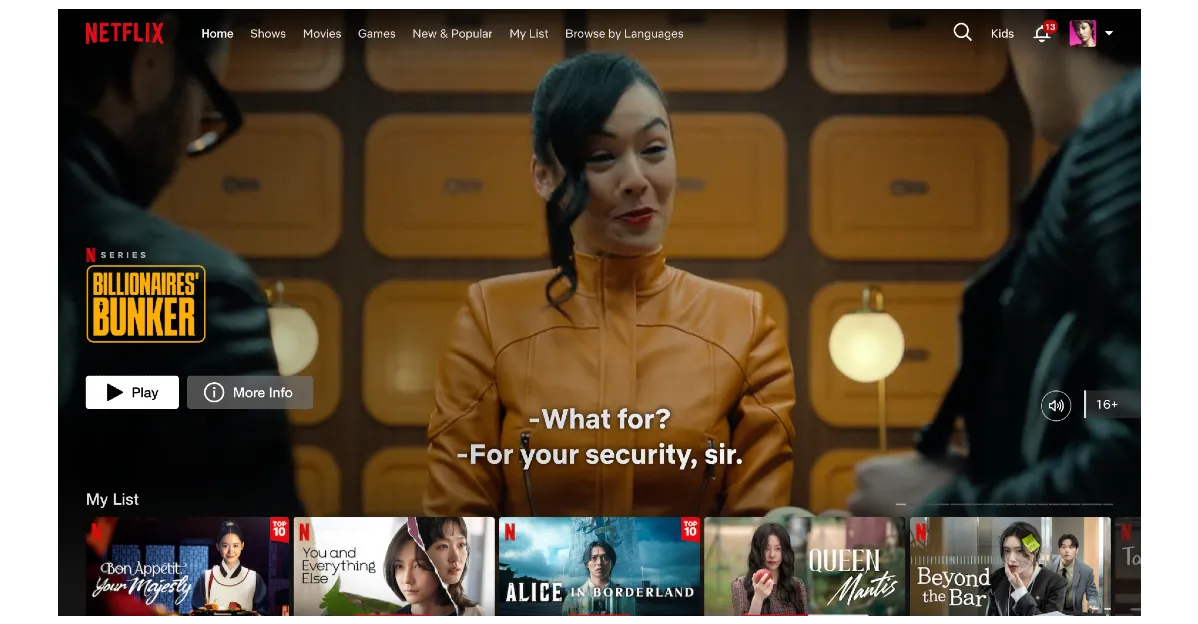
But this psychological power cuts both ways. The same motion that captivates can also distract. If your video background is too busy, too bright, or too narratively complex, visitors won’t read your value proposition—they’ll just watch your pretty video and leave.
The visual hierarchy collapses, and your carefully crafted conversion path becomes irrelevant. Text animations can help maintain visual hierarchy by highlighting key text and guiding user focus to the most important content.
When CSS Video Backgrounds Can Boost Your Landing Page
When You’re Selling Emotion or Experience
If your product is felt rather than explained, video backgrounds become sales tools. The hero section is the ideal place for immersive video backgrounds that set the emotional tone and create a visually interesting, high-impact entrance for visitors.
Premium travel agencies like Abercrombie & Kent use panoramic destination footage because no static image can convey the experience of standing on a Santorini cliff at sunset.

Image Credit: MarketingElect
Luxury property developers in Singapore’s Orchard Road area use architectural fly-throughs because SGD 3 million condos aren’t bought on spreadsheets alone—they’re bought on aspiration.
Your checklist here:
- Does your product create an emotional transformation?
- Would a customer describe the purchase as an “experience”?
- Is visual immersion part of your brand promise?
When You Have Minimal On-Page Copy
Paradoxically, video backgrounds work best when there’s less to read. If your landing page has a single headline, a three-line value proposition, and one CTA button, the video fills negative space without competing for attention. Stripe’s homepage occasionally features subtle geometric animations beneath minimal copy—the motion creates visual interest without cluttering the message.
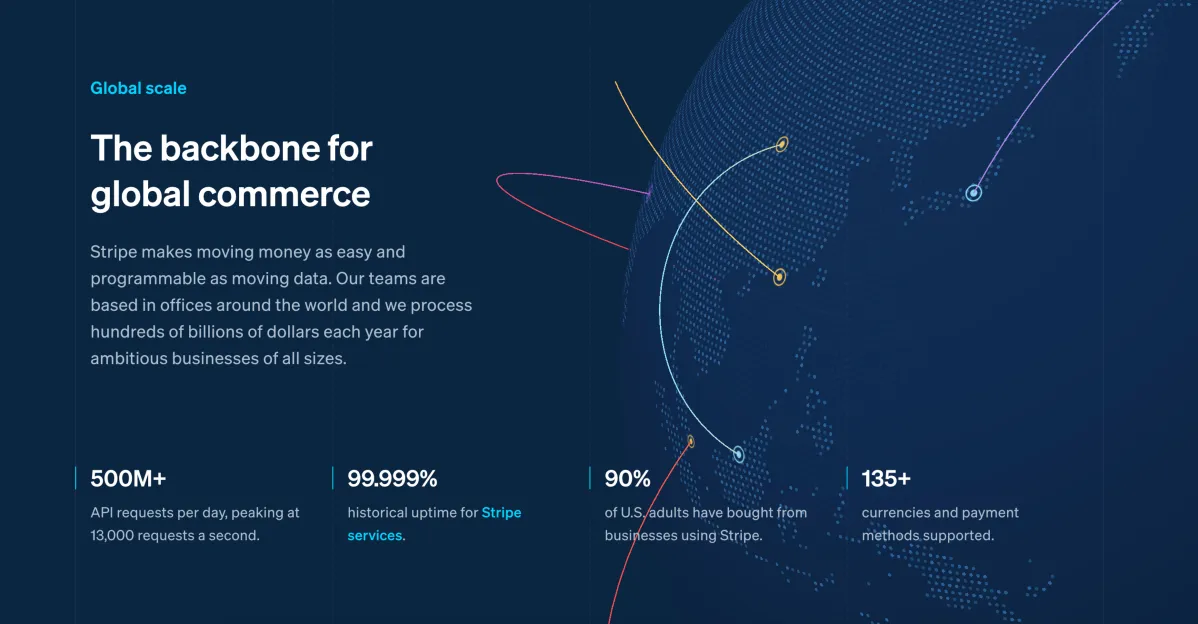

When copy is minimal, using animated text and text animations can help highlight key text, guide user focus, and maintain engagement by drawing attention to the most important content elements. This is particularly effective for product launches or campaign microsites where focus matters more than information density.
When Performance Optimisation Is Handled
This is non-negotiable. Your video background only works if it doesn’t destroy your page speed. File size is a big deal for landing page speed—large videos can significantly slow down load times, especially on mobile.
That means professionally compressed WebM and MP4 formats (aim for under 2MB), CDN delivery with edge caching, and lazy loading for below-fold videos. Modern compression tools can reduce video file size by 70% while maintaining visual quality.
Technical essentials:
- Preload the video using < link rel=”preload”> for above-fold backgrounds
- Serve WebM to supported browsers (smaller file size)
- Implement fallback poster images for slow connections
- Use playsinline attribute for iOS compatibility
- Use container queries for more control over responsive layouts and to ensure your video background adapts to different screen sizes
When designing for responsive layouts, always test your video backgrounds on different screen sizes and real devices, especially smaller screens, to ensure optimal performance and usability.
When It Fits Your Brand Story
Your video background should feel inevitable, not decorative. It should also feel like a natural part of the overall web design, seamlessly supporting your brand story. When Tesla showcases their vehicles, the background video is the vehicle in motion—the product is the background. The narrative alignment is perfect.

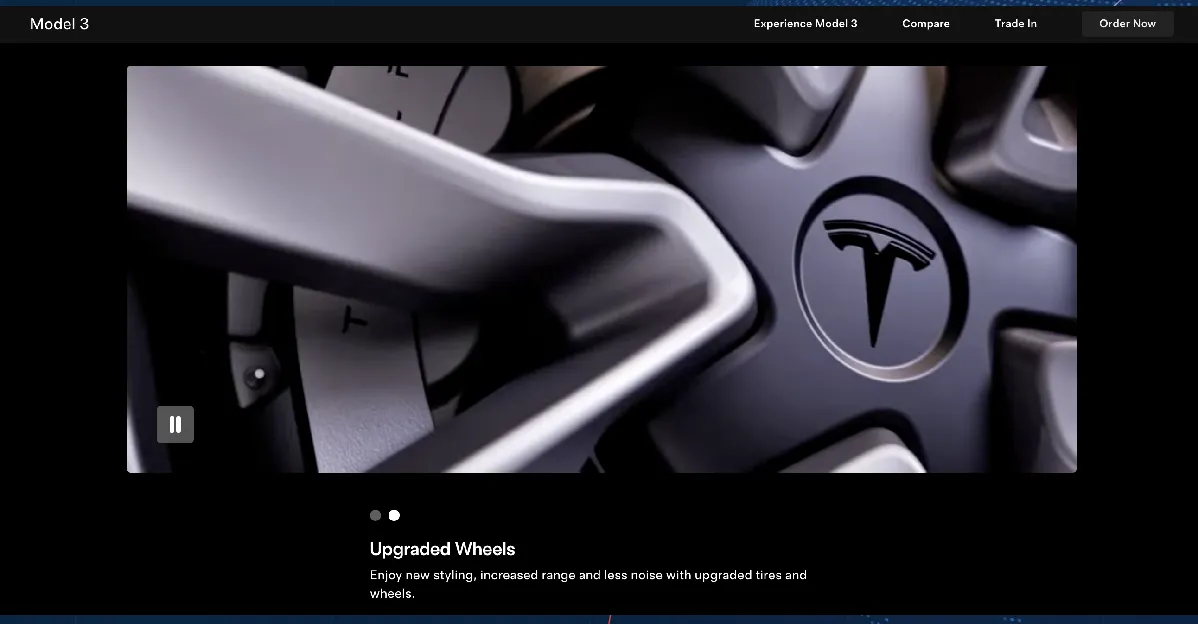
Image Credit: Tesla
If you’re a Singapore-based sports nutrition brand, showing athletes in training makes sense. If you’re an accounting firm, a video of spreadsheets floating past would be bizarre.
Ask yourself: If I removed this video, would my message lose critical context or just visual flair?
When to Skip CSS Video Backgrounds (and What to Use Instead)
When Speed Matters Most
Google’s research confirms that 53% of mobile users abandon pages that take longer than 3 seconds to load. Studies show that every second of delay can reduce conversions significantly. File size is a big deal for landing page speed and conversions—large animations or videos can slow down your page and cost you potential customers.
If your video background adds even 1.5 seconds to load time, you’re haemorrhaging potential customers before they see your offer. The brutal maths: A landing page converting at 3% loses nearly SGD 21,000 in monthly revenue per second of delay if you’re driving 10,000 visitors at an average order value of SGD 100. Is that video worth it?
Better alternatives:
- Static hero images optimised at under 200KB
- CSS gradient animations (zero additional load time)
- Scalable Vector Graphics (SVG) with minimal animation
When Your Audience Is Primarily Mobile
Mobile users face two critical constraints: data costs and processing power. Autoplay policies on iOS and Android typically block videos with sound from autoplaying, but muted video backgrounds often play automatically. Testing is still critical to ensure compatibility, leaving mobile visitors with a blank space where your visual impact should be.
Mobile devices consume significantly more battery rendering video compared to static content, often several times more, depending on device and settings.
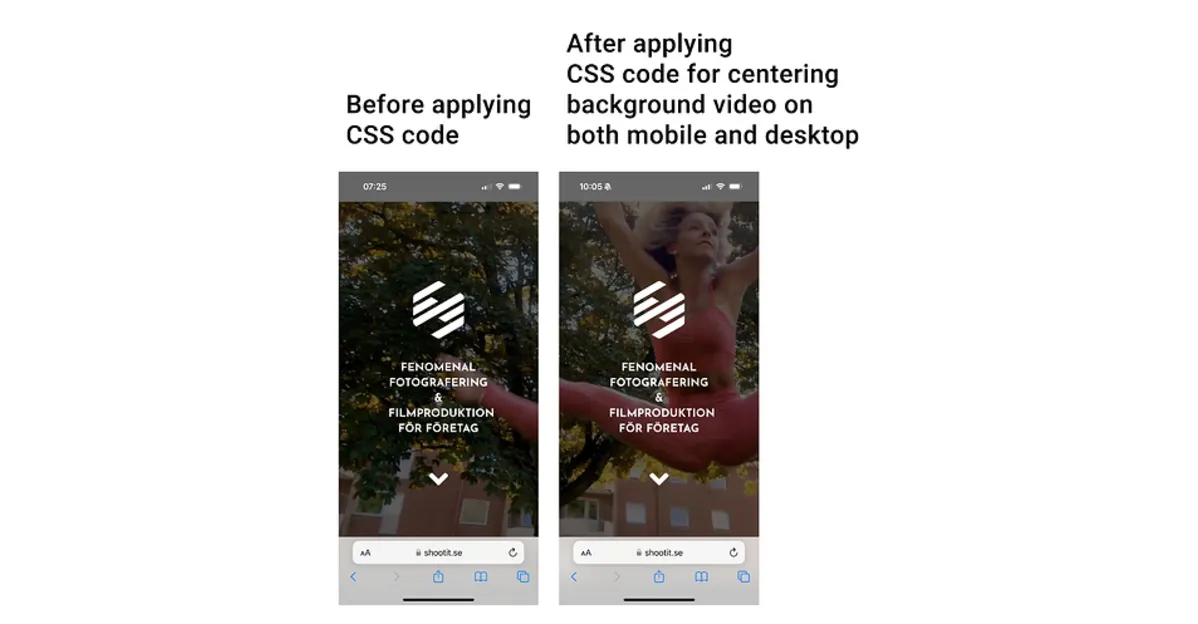
Image Credit: Theme.co
Singapore’s mobile-first market makes this particularly relevant. According to DataReportal’s 2024 Digital Report for Singapore, mobile internet penetration is extremely high, with the vast majority of internet users accessing the web via mobile devices. If you’re not testing your video background on a 4G connection in Ang Mo Kio, you’re designing for the wrong audience.
When optimising for mobile, it’s essential to design specifically for smaller screens and to test your site or animations on real devices, not just emulators, to ensure compatibility and performance across actual smartphones and tablets.
Mobile-friendly substitutes:
- Lottie animations (JSON-based, lightweight, scalable)
- Progressive JPEGs that load quickly even on patchy connections
- Subtle parallax effects using CSS transforms
When You Need Accessibility Compliance
Motion sensitivity is real and legally protected. The WCAG 2.1 guidelines specify that moving content can trigger vestibular disorders, causing dizziness, nausea, and headaches. You’re required to provide a pause mechanism for any video that plays automatically for more than 5 seconds.
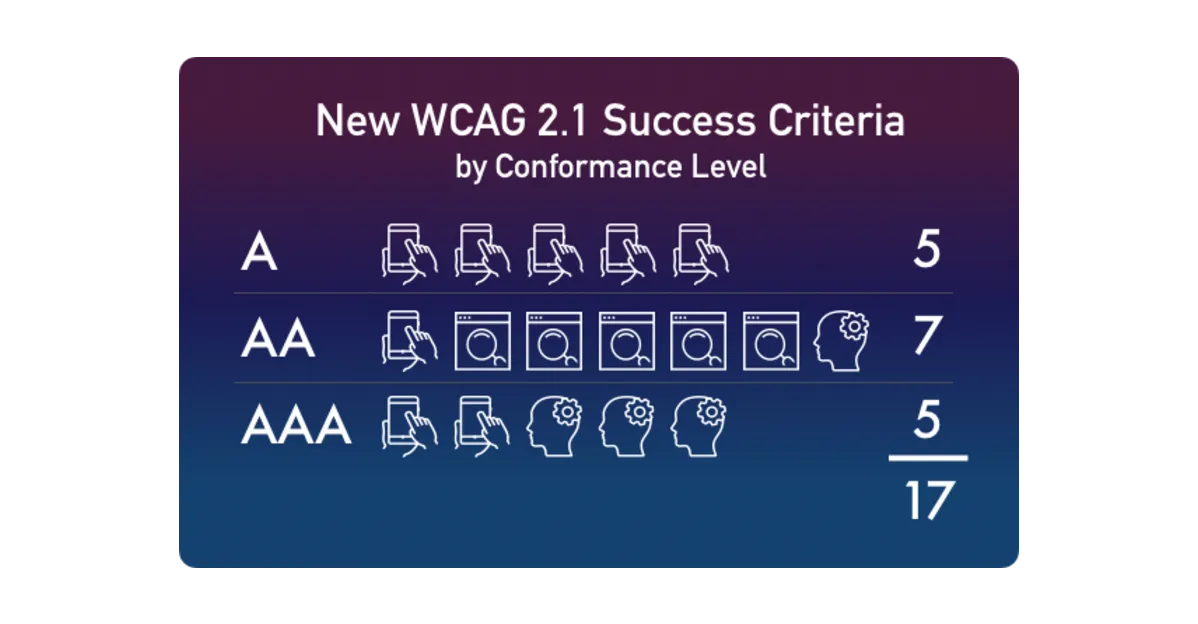
Image Credit: Knowbility
Beyond legal compliance, consider cognitive load. Visitors with ADHD or processing disorders may find video backgrounds overwhelming, reducing their ability to focus on your actual message. If text contrast against moving imagery drops below 4.5:1, screen readers struggle, and you’ve effectively excluded vision-impaired users from converting.
Accessible alternatives:
- Static images with high contrast ratios
- Text-only hero sections with bold typography
- Option to “Reduce Motion” that replaces video with static imagery
When the Message Gets Lost
You know you’ve crossed the line when visitors remember your video but not your offer. If your analytics show high engagement time but low conversion rates, your video background is entertaining people—not persuading them. The visuals have become the star, and your value proposition is relegated to supporting actor.
Research from ConversionXL has shown that busy video backgrounds can reduce CTA click-through rates compared to static alternatives. The paradox: the more impressive your video, the more it can sabotage conversions.
The SEO and Core Web Vitals Impact of Video Backgrounds
Let’s talk about what Google actually sees. Optimising video backgrounds and animations not only improves user experience but also provides better context and quality signals to search engines, which can boost your rankings. Your CSS video background directly impacts two Core Web Vitals metrics that determine your search rankings: Largest Contentful Paint (LCP) and Cumulative Layout Shift (CLS).
LCP

Image Credit: Bruce Clay
LCP measures how quickly your main content renders. A 5MB video file loading before your headline likely causes poor LCP scores, risking SEO penalty. Google’s recommended LCP threshold for good performance is under 2.5 seconds; between 2.5 and 4 seconds is ‘needs improvement,’ and beyond 4 seconds is considered poor.
For Singapore businesses competing in saturated markets like property or F&B, this ranking penalty can cost you thousands in lost organic traffic.
CLS
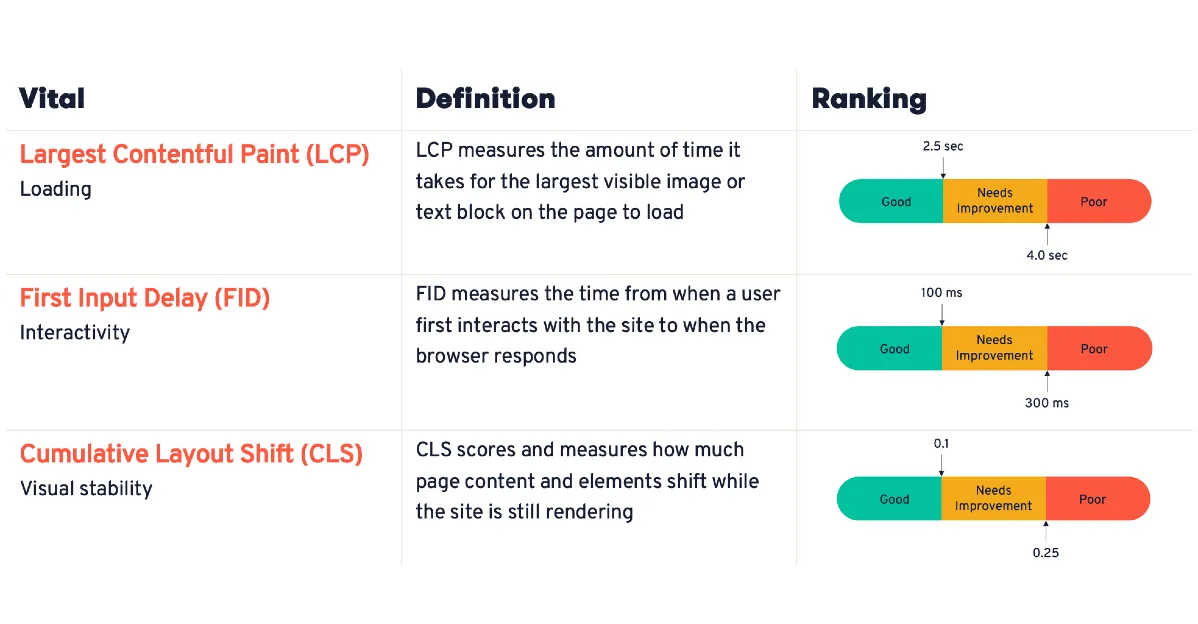
Image Credit: SEOMator
CLS tracks visual stability during load. If your page layout shifts as the video loads (common when dimensions aren’t pre-specified), users experience jarring movement that Google penalises. Reserve the exact space for your video container using aspect-ratio in CSS to prevent this. Research by HTTP Archive shows that video backgrounds can significantly impact page load time when not optimised.
But with proper compression, CDN delivery, and progressive enhancement, you can reduce this impact substantially—the difference between ranking and disappearing. Here’s what MediaOne does differently: We test video backgrounds against your actual Core Web Vitals scores before deployment, not after.
We also measure user behaviour—such as how visitors interact with animated elements and landing pages—using metrics and session recordings to inform optimisation and design decisions. If the video pushes your LCP above 2.0 seconds, we either optimise further or recommend alternatives. Because in the middle of your marketing funnel, a beautiful video that tanks your SEO is just an expensive mistake.
Practical Checklist: Should You Use a CSS Video Background?
Before you commit to a CSS video background, run through this decision framework. If you answer “no” to two or more questions, skip the video background and choose a lighter alternative.
- Is your brand experience-driven? Does your product create emotional transformation? Are customers buying a feeling, not just functionality? Think travel, luxury goods, hospitality, or lifestyle brands.
- Can you optimise load speed below 2.5s? Will your video file (after compression) stay under 2MB? Can you implement CDN delivery and lazy loading? Have you tested on 4G connections in Singapore?
- Is your target audience primarily on desktop? Check your Google Analytics. If mobile traffic exceeds 60%, video backgrounds become high-risk. Desktop users have the bandwidth and screen real estate to appreciate the effect.
- Do you have clear CTAs above the fold? Can visitors immediately see your primary call-to-action without scrolling? Is there sufficient contrast between your CTA button and the video background? If the video distracts from the action you want taken, it’s working against you.
- Does the video add narrative value? Remove the video mentally. Does your message lose critical context, or just visual decoration? If it’s purely aesthetic, you’re adding load time for vanity.
- Have you planned mobile fallbacks? What happens when autoplay is blocked? Do you have a high-quality poster image ready? Is your mobile experience equally compelling without the video?
- Is accessibility addressed? Have you included pause controls? Does text maintain 4.5:1 contrast ratio against the video? Are you respecting prefers-reduced-motion media queries?
If you answered “no” to 2 or more: Your landing page deserves better. Consider static hero images with strong typography, CSS animations, or Lottie graphics that deliver visual interest without the performance penalty.
Your CSS Video Background Should Balance Beauty, Speed, and Strategy
Here’s the truth that most web design agencies won’t tell you: CSS video backgrounds are tools, not trophies. They’re not inherently good or bad—they’re appropriate or inappropriate depending on your business goals, audience behaviour, and technical execution. The brands that succeed with CSS video background elements are the ones that treat them as strategic decisions, not design defaults.
They optimise ruthlessly, test relentlessly, and they’re willing to kill their darlings when the data says so. They understand that a landing page isn’t a portfolio piece—it’s a conversion machine.
Your visitors don’t care how beautiful your video background is if it takes 6 seconds to load. Google doesn’t reward aesthetic ambition if it destroys your Core Web Vitals.
And your bottom line doesn’t benefit from engagement metrics that don’t translate to leads, sales, or revenue.
So here’s your action plan:
- Audit your current landing pages—identify where video backgrounds help and where they hurt
- Run proper A/B tests with conversion rate as the primary metric (not engagement time)
- Optimise technically if you’re keeping video backgrounds, or transition to lighter alternatives if you’re not
- Measure the business impact, not just the design accolades
Need help balancing design with SEO performance? Talk to MediaOne—Singapore’s go-to digital marketing and SEO agency.
We don’t just build beautiful pages; we build pages that convert while maintaining the technical excellence your search rankings demand. Because in digital marketing, second place is the first loser.
Frequently Asked Questions
How can I make a background video accessible for users with disabilities?
To enhance accessibility, provide text descriptions or transcripts for the video content. Ensure that any moving content can be paused or stopped, and maintain a high contrast ratio between text and background to aid readability.
Does using a background video affect my website’s SEO?
Improperly implemented background videos can impact SEO by increasing page load times and affecting user experience.
To mitigate this, optimise video file sizes, use appropriate formats, and implement lazy loading to ensure that the video does not hinder page performance.
What are the best practices for implementing background videos on mobile devices?
On mobile devices, it’s advisable to use lightweight video formats or replace videos with static images to conserve bandwidth and improve load times. Additionally, ensure that videos are responsive and do not autoplay to enhance user experience.
How can I ensure my background video doesn’t negatively impact Core Web Vitals?
To optimise Core Web Vitals, compress video files to reduce size, use modern formats like WebM, and implement lazy loading. Additionally, preload critical video content and provide fallback images to maintain visual stability during page load.
Are there any legal considerations when using background videos on websites?
Yes, it’s essential to comply with accessibility standards such as the Web Content Accessibility Guidelines (WCAG). This includes providing controls to pause or stop videos, ensuring text readability, and considering users with motion sensitivities.
Additionally, displaying security badges on your landing page can reassure users about security, helping to build trust and credibility, especially during sign-up or payment processes.