
HTTPS SEO is all about making sure the data shared between your website and your visitors is encrypted. This not only builds trust and credibility with your audience, but also shows search engines that your site is safe and reliable.

Think about this: more than 87% of websites now use HTTPS, and Google gives secure sites a boost in the rankings. On top of helping your SEO, HTTPS protects sensitive information and lowers the risk of cyberattacks, both of which are key for keeping your online reputation strong and your visitors engaged.
Whether you run an online store, a service-based website, or a blog, getting HTTPS set up the right way is a must if you want to stay competitive.
In this guide, I’ll walk you through everything you need to know about HTTPS and website security for SEO, from the technical setup to best practices that protect your users and help your site rank higher.
Key Takeaways
- Securing your website improves search rankings and protects user data.
- Combine it with additional website security and SEO measures, such as firewalls, strong passwords and 2FA.
- Proper SSL/TLS installation, 301 redirects and updated sitemaps ensure SEO benefits.
- Mixed content, expired certificates, and improper redirects can undermine security and search performance.
What Is HTTPS?
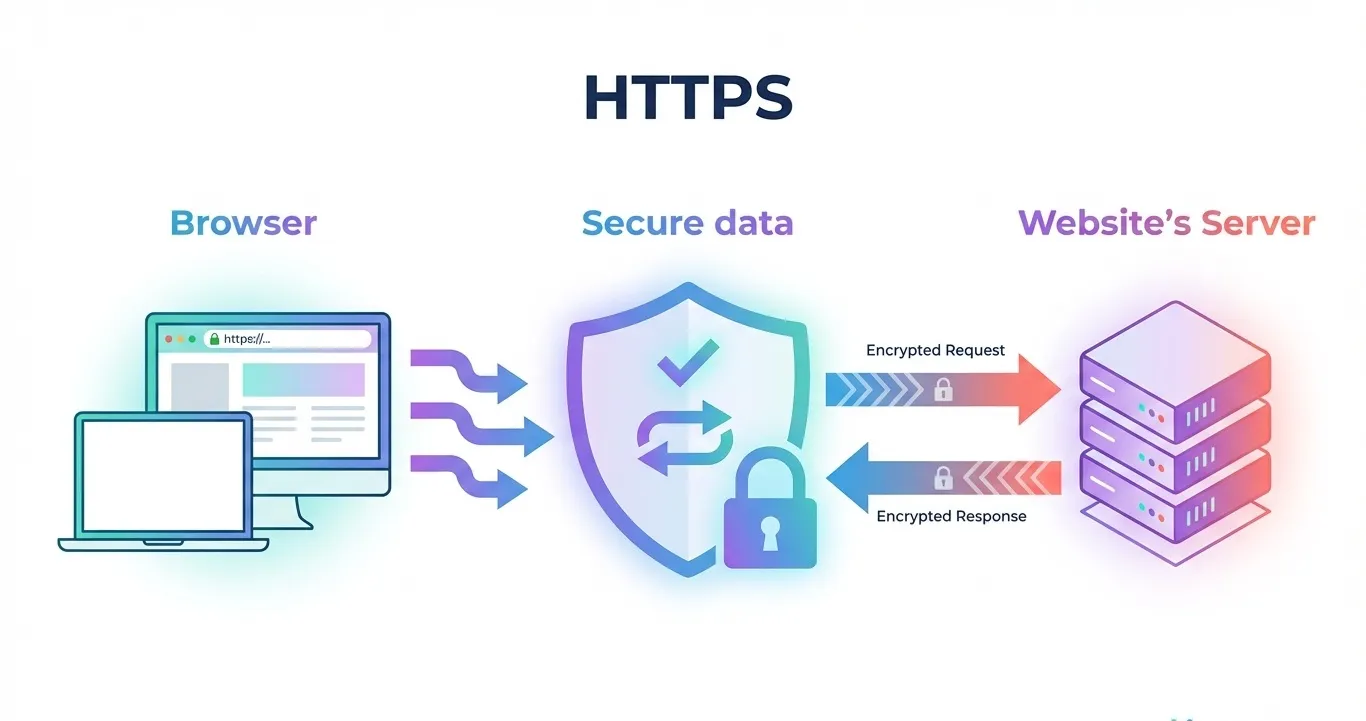
HTTPS stands for HyperText Transfer Protocol Secure. It is the secure version of HTTP, the protocol that governs how data is sent between a user’s web browser and a website.
By encrypting the information exchanged, HTTPS ensures that it cannot be intercepted or tampered with by third parties.
Key Features of HTTPS
- Data Encryption: All data transferred between the user and your website is encrypted, protecting it from hackers or malicious actors.
- Authentication: HTTPS verifies that visitors are connecting to the intended website rather than an imposter, thereby building trust.
- Data Integrity: Prevents data from being modified or corrupted during transfer.
Why HTTPS is Important
Google treats HTTPS as a baseline ranking expectation. Secure sites are considered trustworthy and are more likely to perform well in search results.
HTTPS also directly affects user trust and engagement. The padlock icon reassures visitors, encouraging them to stay on your site and complete actions.
In contrast, HTTP sites often trigger browser warnings, which can increase bounce rates and negatively impact user signals that search engines use to evaluate page quality.
Example: Visitors are more likely to stay on a checkout page with https://yourstore.com than on http://yourstore.com because the padlock signals security and credibility.
Bottom line: HTTPS is essential not only for website security but also for supporting SEO outcomes through improved trust, engagement, and accurate performance measurement.
How HTTPS Impacts SEO
HTTPS is now a baseline requirement in 2026, affecting SEO both directly as a ranking signal and indirectly through user behaviour and site performance. Here’s what you need to know for 2026:
- Ranking Advantage: Google treats HTTPS as a lightweight ranking signal. While content quality and backlinks remain more influential, a secure site can outperform comparable unsecured sites. In competitive niches, HTTPS may provide the edge needed to move a page higher in search results.
- Improved User Trust and Engagement: A secure website encourages visitors to stay longer, interact with content, and complete actions like sign-ups or purchases. These behaviours improve dwell time and overall user satisfaction, which search engines interpret as positive engagement signals that support SEO.
- Browser Security Warnings: Modern browsers display warnings for non-secure sites. Such warnings can deter visitors, increase bounce rates, and reduce engagement, indirectly impacting SEO performance. HTTPS helps avoid these penalties and maintains trust and visibility.
- Better Analytics and Referral Tracking: HTTPS ensures referral data is accurate in Google Analytics. Without it, visits from other secure sites may appear as “direct traffic,” making it difficult to assess traffic sources, measure SEO performance, and optimise campaigns effectively.
- Foundation for Advanced SEO Practices: HTTPS enables modern site improvements like HTTP/2 for faster loading and progressive web apps for enhanced mobile experiences. These technical advantages support better SEO performance and competitiveness in 2026.
In short, HTTPS directly and indirectly improves your SEO by enhancing your site’s technical performance and visitor experience.
Step-by-Step HTTPS Implementation
Moving your website to HTTPS is a key step for better security and search visibility. Here’s how a trusted SEO agency makes the switch without losing your SEO momentum:
Step 1: Purchase and Install an SSL/TLS Certificate
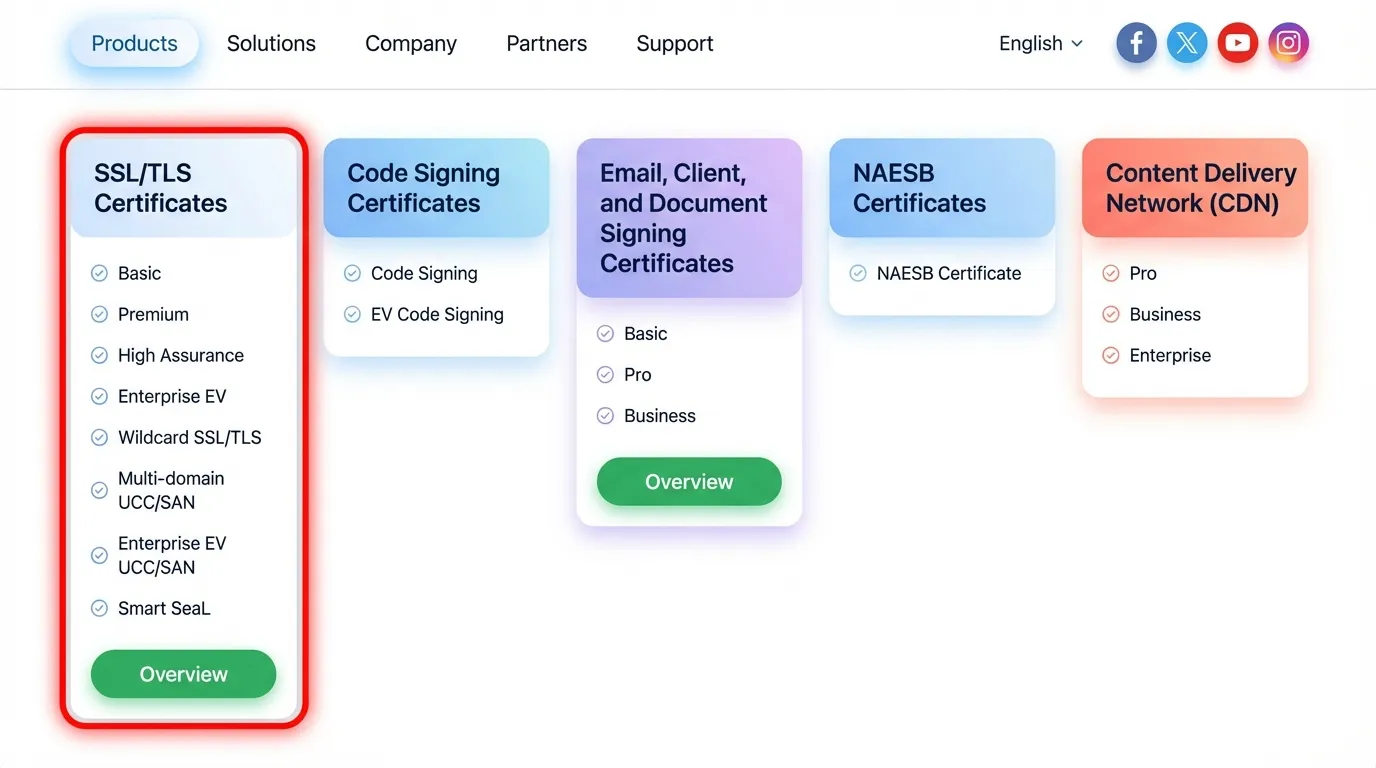
Choose and install an SSL/TLS certificate on your server to enable HTTPS connections. For SEO purposes, any valid certificate is sufficient.
Search engines do not give higher rankings to Extended Validation (EV) certificates. EV primarily enhances user trust, showing your organisation’s name in the browser, but does not directly affect SEO.
Encrypting your site protects data, secures user sessions, and signals trust to both users and search engines, forming the foundation of your HTTPS migration.
Choose the certificate type that best suits your site:
- Domain Validation (DV): Basic encryption, quick approval.
- Organisation Validation (OV): Verifies your organisation, adds credibility.
- Extended Validation (EV): Highest trust for users, displays organisation name in the browser.
Once selected, install the certificate on your server to enable HTTPS connections. Avoid overloading this step with technical server setup details—focus on enabling encryption and securing your site for users and search engines.
Step 2: Update Internal Links
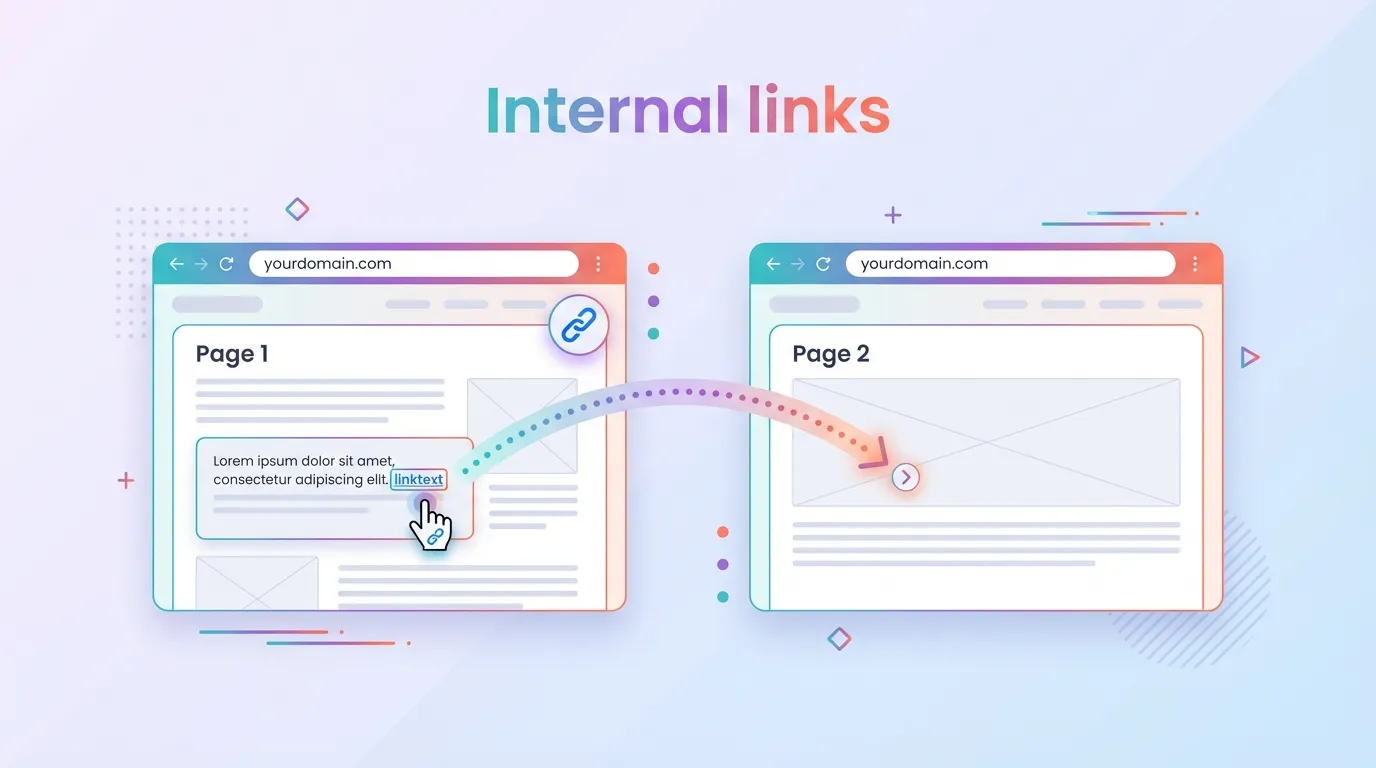
After installing your SSL/TLS certificate, always update all internal links on your website to use HTTPS rather than HTTP. Even a single HTTP resource can trigger mixed content warnings, which remove the padlock icon and make your site appear insecure.
Mixed content doesn’t just affect user trust. It also has an indirect impact on SEO. Visitors are more likely to abandon pages that appear unsafe, which can increase bounce rates and reduce dwell time, both of which are signals search engines use to evaluate user experience.
Common sources of mixed content include:
- Navigation links and menu items
- Images, videos, and other media files
- Scripts, CSS files, and external resources hosted on your server
To ensure your site is fully secure, validate all resources using tools like browser developer consoles or “Why No Padlock?”. These checks help you identify and fix lingering HTTP links, safeguarding both user trust and SEO performance.
Step 3: Set Up 301 Redirects
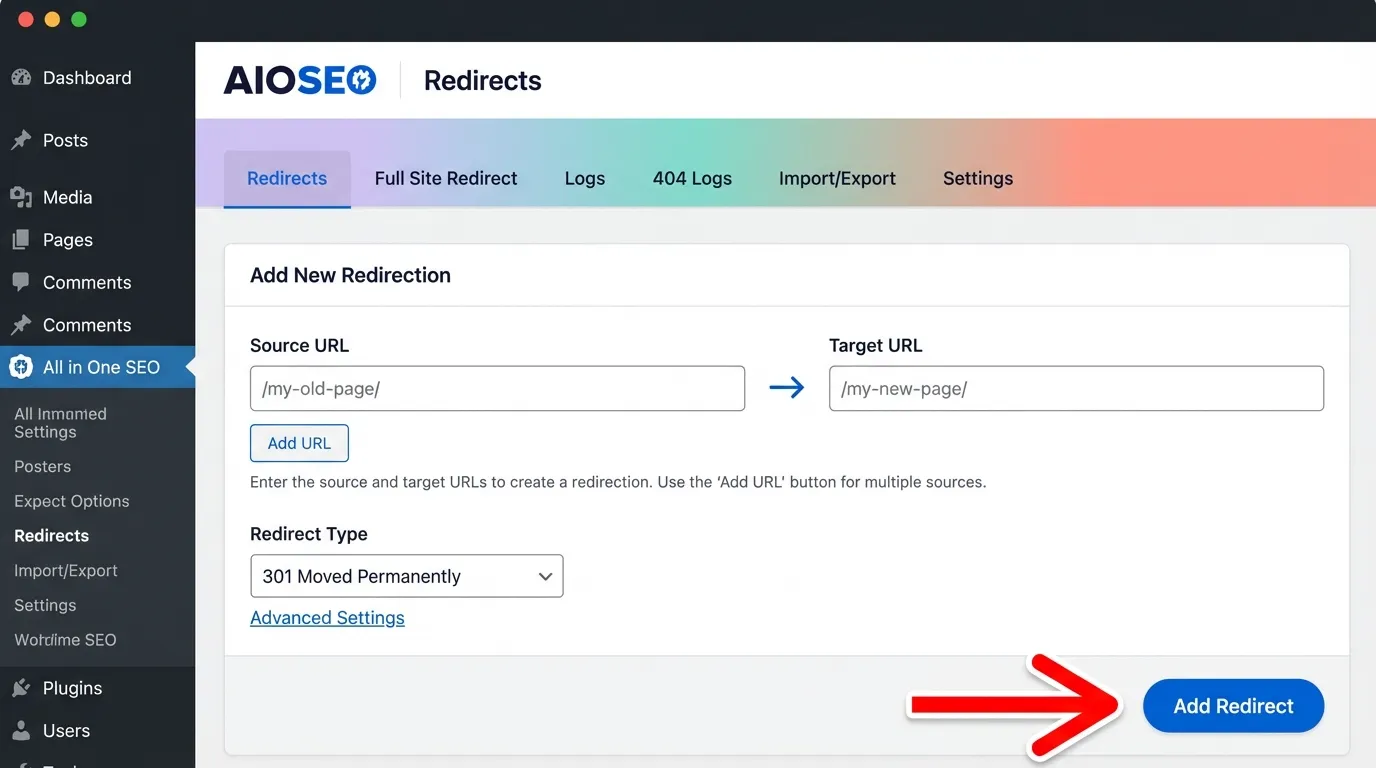
Once your internal links have been updated, always redirect all HTTP pages to their HTTPS counterparts using 301 redirects. This is the most important SEO safeguard during migration, as it protects your site’s authority, prevents duplicate content, and ensures a smooth user experience.
A 301 redirect signals to search engines that the page has permanently moved, ensuring that:
- SEO value is preserved: All link equity from backlinks pointing to the HTTP version is transferred to the HTTPS page.
- Search engines index the secure pages: Duplicate content issues are prevented, and your site’s authority is consolidated under the HTTPS version.
- Users always land on a secure page: Visitors who click on old HTTP links are automatically taken to the HTTPS version without disruption.
Caution: Redirect chains or loops are common SEO pitfalls. They can slow down your site, dilute link equity, and confuse search engines. Test all redirects thoroughly with online tools to confirm that every HTTP URL points directly to its HTTPS equivalent in a single step.
Step 4: Update Sitemap and Robots.txt
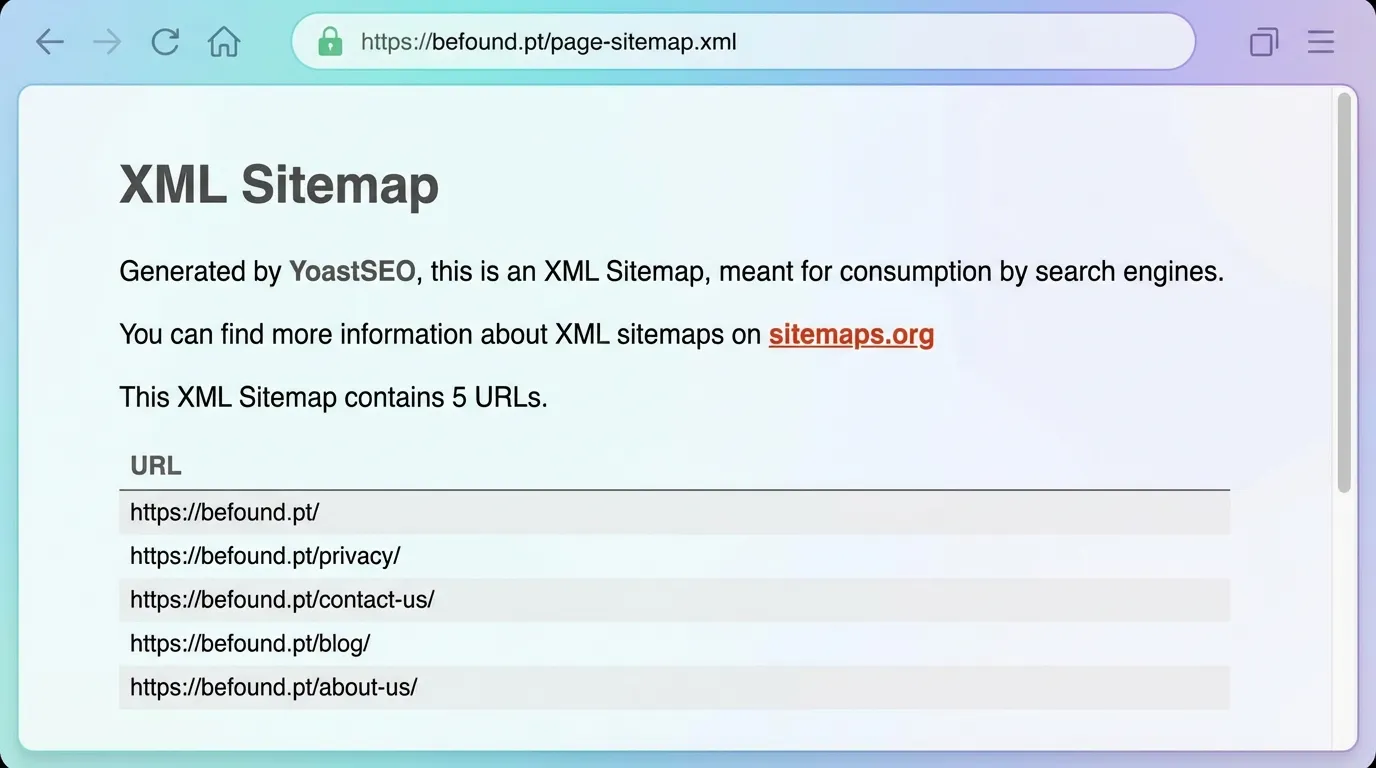
After migrating to HTTPS, it’s critical to remove all HTTP URLs from your XML sitemap—keeping old HTTP links can confuse search engines and dilute your SEO signals. Only include your HTTPS URLs to ensure search engines focus on the secure version of your site.
Additionally, verify your robots.txt file to make sure it allows crawling of all HTTPS pages. Proper crawlability is essential; simply submitting a sitemap isn’t enough. Search engines must be able to access and index your secure pages without restrictions.
Finally, submit the updated HTTPS sitemap in Google Search Console to help Google discover and prioritise your secure URLs, supporting a smooth SEO transition.

Step 5: Verify HTTPS in Google Search Console
After migrating your site to HTTPS, it’s important to remember that Google treats the HTTPS version as a completely separate property in Google Search Console (GSC). Adding it as a new property ensures that Google can properly crawl, index, and rank your secure pages.
Key actions and their SEO implications:
- Monitor Crawl Errors: Check for 404s, redirect issues, or blocked pages that may have appeared during migration. Resolving these errors maintains SEO stability by ensuring search engines can access all important content.
- Submit an Updated Sitemap: Make sure your XML sitemap contains only HTTPS URLs and submit it to GSC. This helps search engines efficiently discover your secure pages, supporting indexing and ranking continuity.
- Track Indexing Status: Confirm that your HTTPS pages are being indexed and appearing in search results as expected. Regular checks allow you to quickly address issues, safeguarding your site’s SEO recovery and long-term performance.
Verifying your HTTPS property in GSC and performing these actions ensures a smooth transition, preserving your link equity, rankings, and overall SEO health.
Step 6: Test for Mixed Content and Security Issues
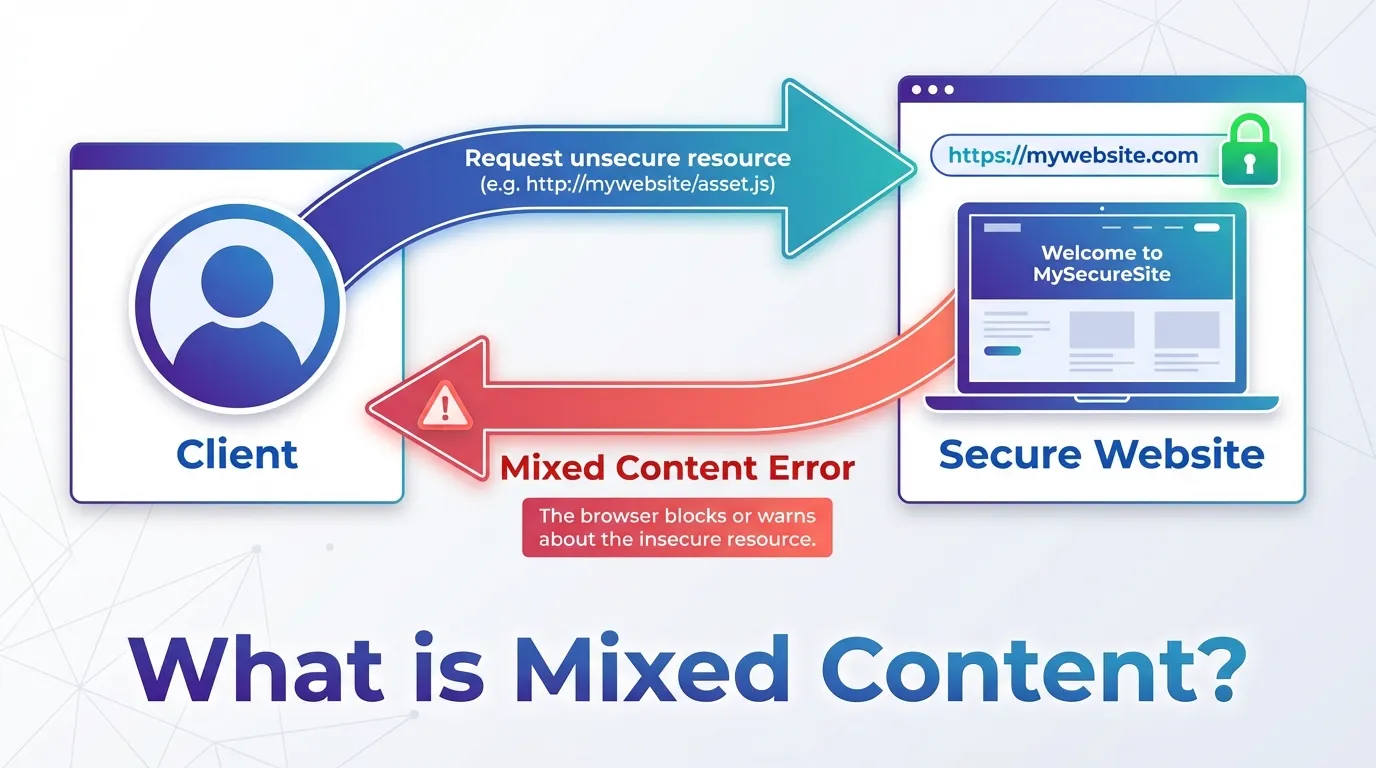
Even after switching to HTTPS, some resources on your site may still load over HTTP. This is called mixed content, and it can:
- Remove the padlock icon in browsers
- Reduce user trust
- Potentially affect SEO indirectly due to poor user experience
To fix mixed content:
- Use tools like Why No Padlock?, SSL Checkers, or browser developer consoles to scan your site.
- Update all HTTP references in HTML, CSS, JavaScript, and images to HTTPS.
- Ensure third-party resources (like scripts or embeds) also use HTTPS, or replace them with secure alternatives.
Regularly checking for mixed content after migration is crucial to maintain both user trust and the full SEO benefits of HTTPS.
Step 7: Monitor Performance Post-Migration
After implementing HTTPS, tracking key metrics is an ongoing requirement, not a one-time task. Continuous monitoring ensures your SEO remains healthy and your site performs optimally. Focus on:
- Organic traffic and rankings: watch for drops or fluctuations that may indicate issues.
- Crawl errors or security warnings: ensure search engines can access your site without problems.
- Page load speed and mobile performance: verify that the migration hasn’t slowed your site or affected user experience.
Keep monitoring your site after the switch to make sure your HTTPS migration is successful and your SEO stays on track.
Core Security Measures Beyond HTTPS
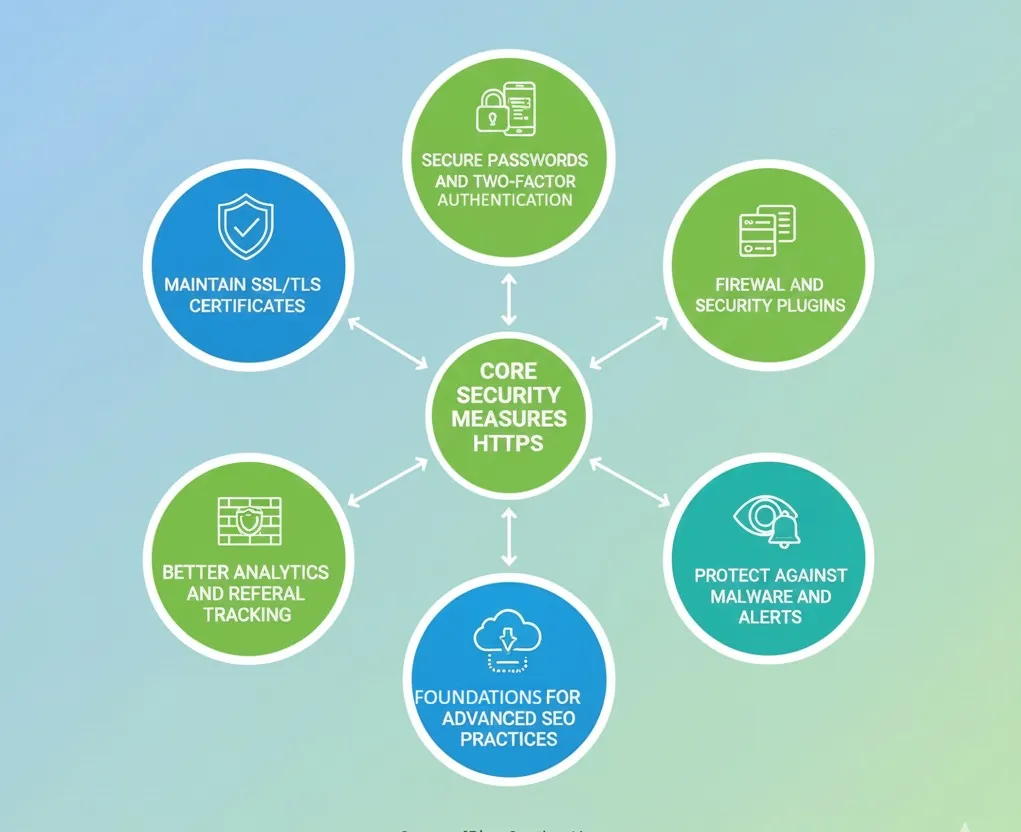
HTTPS is a crucial first step for website security and SEO, but it’s just one piece of the puzzle. To fully protect your site and get the most out of your SEO, add these extra security measures:
- Maintain SSL/TLS Certificates
- Keep certificates up to date to avoid browser warnings.
- Use reputable Certificate Authorities (CAs) to ensure reliability.
- Consider automated renewals to prevent expiration.
- Secure Passwords and Two-Factor Authentication (2FA)
- Use strong, unique passwords for all admin accounts.
- Enable 2FA to add an extra layer of security against unauthorised access.
- Regularly review user access permissions and remove unused accounts.
- Regular Backups
- Maintain frequent backups of your website files and databases.
- Store backups in secure, off-site locations to recover quickly in the event of an attack.
- Test backup restorations periodically to ensure they are reliable.
- Firewall and Security Plugins
- Implement a web application firewall (WAF) to block malicious traffic.
- Use security plugins for CMS platforms like WordPress to monitor vulnerabilities.
- Regularly update plugins, themes, and software to prevent exploitation of known security flaws.
- Monitoring and Alerts
- Set up monitoring tools to detect malware, suspicious activity, or unauthorised access.
- Configure alerts for unusual login attempts, server errors, or unusual traffic spikes.
- Act quickly to remediate any identified threats.
- Protect Against Malware and Vulnerabilities
- Conduct regular security scans using automated tools or security services.
- Fix any vulnerabilities immediately to prevent compromises.
- Educate your team about phishing and other common attack vectors.
Pro tip: When you combine HTTPS with these extra security steps, you’re not just protecting your site, you’re also showing search engines that your website is trustworthy and reliable. Both are key for SEO in 2026.
If you want expert help, check out MediaOne Business Group or dive into our full HTTPS & Site Security Guide to get your website secure and ready to rank.
Common HTTPS Mistakes That Can Hurt SEO
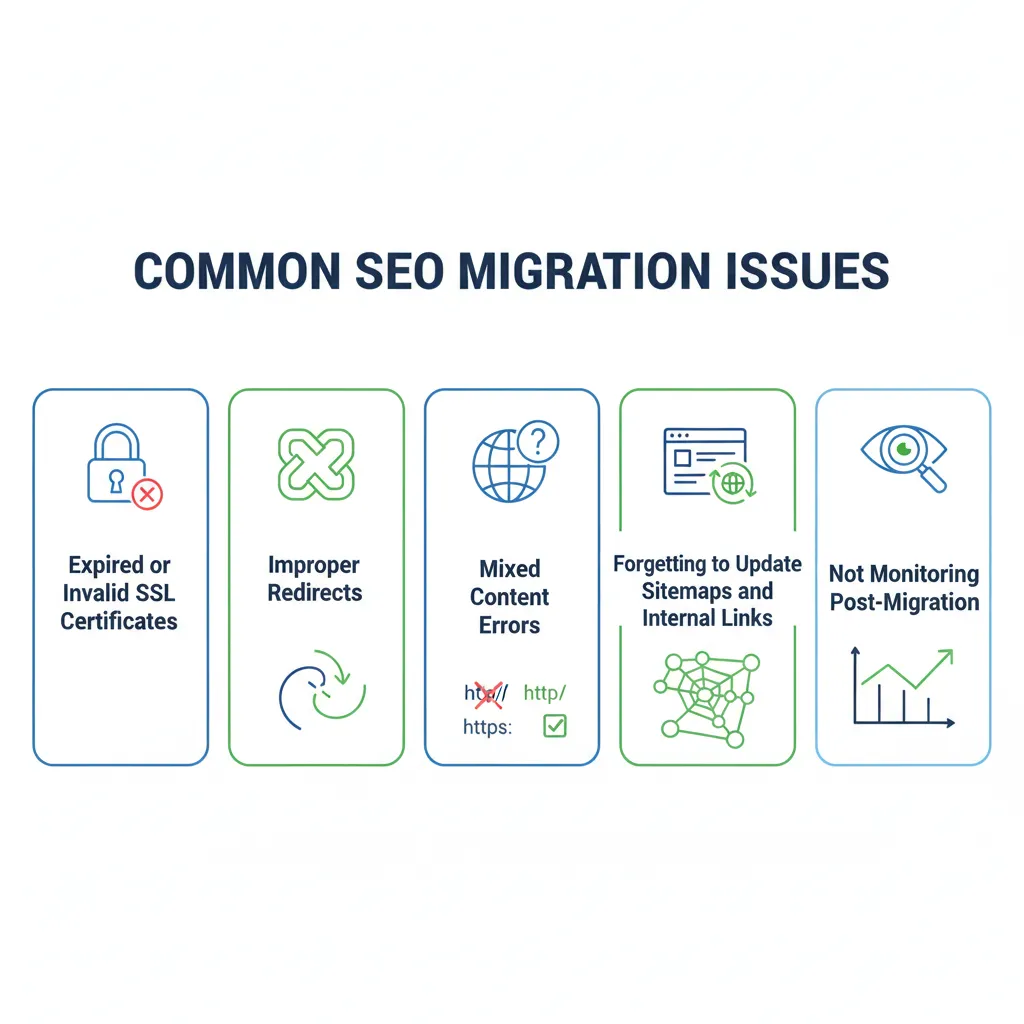
Even after implementing HTTPS, websites can make errors that undermine security and SEO performance. Avoid these common mistakes to ensure your migration is successful:
Mixed Content Errors
When a page loads some resources (such as images, scripts, or CSS files) over HTTP instead of HTTPS, modern browsers may display security warnings or remove the padlock icon. This immediately signals to users that the page may be unsafe, which can reduce confidence in your site and discourage engagement.
From an SEO perspective, reduced trust often leads to higher bounce rates and lower dwell time, as users are more likely to leave the page quickly. These negative engagement signals can indicate poor user experience to search engines, potentially affecting rankings over time.
Fix: Update all internal links and resources to load over HTTPS, and ensure your CMS, themes, and plugins consistently serve secure assets.
Expired or Invalid SSL Certificates
When a certificate expires, browsers display “Not Secure” warnings that immediately raise red flags for visitors. Invalid certificates are even more damaging, as they can block users from accessing your site altogether. In both cases, users are far more likely to abandon the page.
From an SEO standpoint, these poor user experience signals can negatively affect performance, as search engines aim to prioritise secure, trustworthy websites. Prolonged accessibility issues may also limit crawlability, further impacting visibility.
Fix: Monitor SSL certificate expiration dates closely and renew them before they lapse. Using auto-renewing SSL certificates helps prevent outages and ensures your site remains secure and accessible at all times.
Improper Redirects
Redirect chains or loops from HTTP → HTTPS can directly impact SEO by causing link equity loss and slower page load times.
Each additional redirect forces the browser and search engine crawlers to make extra requests before reaching the final page. This increases load time, which can hurt user experience and contribute to higher bounce rates.
From an SEO perspective, long redirect chains can dilute link equity, as not all ranking signals are passed cleanly through multiple hops, reducing the overall SEO value of inbound links.
Fix: Implement clean, single-step 301 redirects from HTTP to HTTPS URLs to preserve link equity, improve page speed, and ensure efficient crawling.
- Forgetting to Update Sitemaps and Internal Links
- Search engines may index old HTTP pages if sitemaps and internal links are not updated.
- Fix: Update XML sitemaps to HTTPS URLs and ensure all internal links point to the secure versions.
- Not Monitoring Post-Migration
- Failing to track traffic, crawl errors, or security warnings after migrating can lead to unnoticed issues.
- Fix: Regularly monitor your site in Google Search Console and analytics tools to catch and fix problems promptly.
By steering clear of these mistakes, you make sure your move to HTTPS actually boosts your website’s security and SEO, instead of causing problems.
Why HTTPS Is More Than a Ranking Factor
HTTPS isn’t just about getting a ranking boost. A secure website improves user experience, builds trust, and helps your site perform better—all of which can help your SEO in more ways than one.
Builds User Confidence
When visitors see the padlock icon and HTTPS in the browser, it signals that their data is safe. This trust encourages users to:
- Engage more with your content.
- Complete forms or purchases
- Return to your site in the future.
High engagement and repeat traffic send positive signals to search engines, which can indirectly improve rankings.
Protects Sensitive Data
HTTPS encrypts the communication between your visitors and your server, protecting sensitive information such as login details, payment info, and other personal data. Prioritizing security reduces the risk of data breaches, which can harm both your reputation and search rankings.
Improves Analytics Accuracy
Secure sites preserve referral data from other safe sites. Without HTTPS, traffic from secure sources may appear as “direct traffic,” making it harder to measure performance and optimise SEO campaigns effectively.
Enables Advanced Web Technologies
HTTPS is a prerequisite for modern web features that enhance performance and user experience, such as:

- HTTP/2: Faster page loading, which improves Core Web Vitals and rankings
- Progressive Web Apps (PWAs): Provide app-like experiences on mobile devices
- Service Workers & Push Notifications: Enhances engagement and retention
Reinforces Brand Credibility
People expect websites to be secure these days. If your site doesn’t have HTTPS, it can look outdated or untrustworthy, which can hurt both your engagement and your SEO over time.
Implement HTTPS Today to Secure Your Website and Improve SEO
HTTPS SEO protects your website and safeguards your data while establishing your site’s credibility. Your visitors want to know their information is safe, and search engines reward you for building that trust.
A secure site protects user data, builds confidence, encourages people to stick around, and helps your pages show up higher in search results.

But HTTPS is just the starting point. When you add in other website security steps like strong passwords, two-factor authentication, firewalls, and regular monitoring, you make sure your site stays safe, reliable, and ready to rank.
The good news is, you don’t have to do everything at once. Start small, secure your pages, and you’ll see trust and performance grow over time. Ready to get started with a trusted SEO agency? Contact us today!
Frequently Asked Questions
Does HTTPS affect website loading speed?
Yes, modern HTTPS implementations, especially with HTTP/2, can actually improve site speed by enabling multiplexing and better compression. While older setups may have slight overhead, the performance benefits and security gains far outweigh any minor differences.
Can I implement HTTPS on an existing website without affecting SEO?
Absolutely. As long as you set up proper 301 redirects from HTTP to HTTPS, update all internal links, and submit your HTTPS sitemap to search engines, your rankings should remain stable and may even improve over time.
Are free SSL certificates as effective as paid ones?
Free SSL certificates (like Let’s Encrypt) provide the same encryption and security benefits as paid certificates. The main differences involve support, warranty, and advanced validation options (OV/EV) that paid certificates may offer to businesses seeking stronger trust signals.
Does HTTPS protect against all cyberattacks?
No, HTTPS encrypts data in transit but does not protect against malware, SQL injections, or server vulnerabilities. It should be combined with other security measures, such as firewalls, regular updates, and monitoring, for comprehensive protection.
How often should I check or renew my SSL/TLS certificates?
Most certificates last 90 days to 1 year. It’s important to renew before expiration to avoid browser warnings. Many sites now use auto-renewal features to ensure uninterrupted security and SEO benefits.