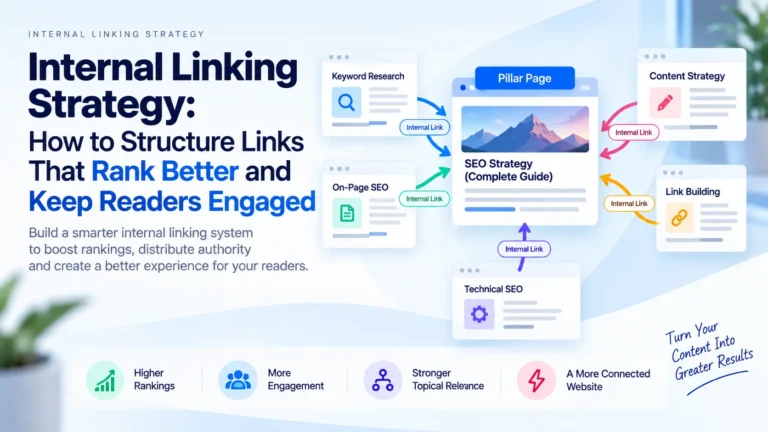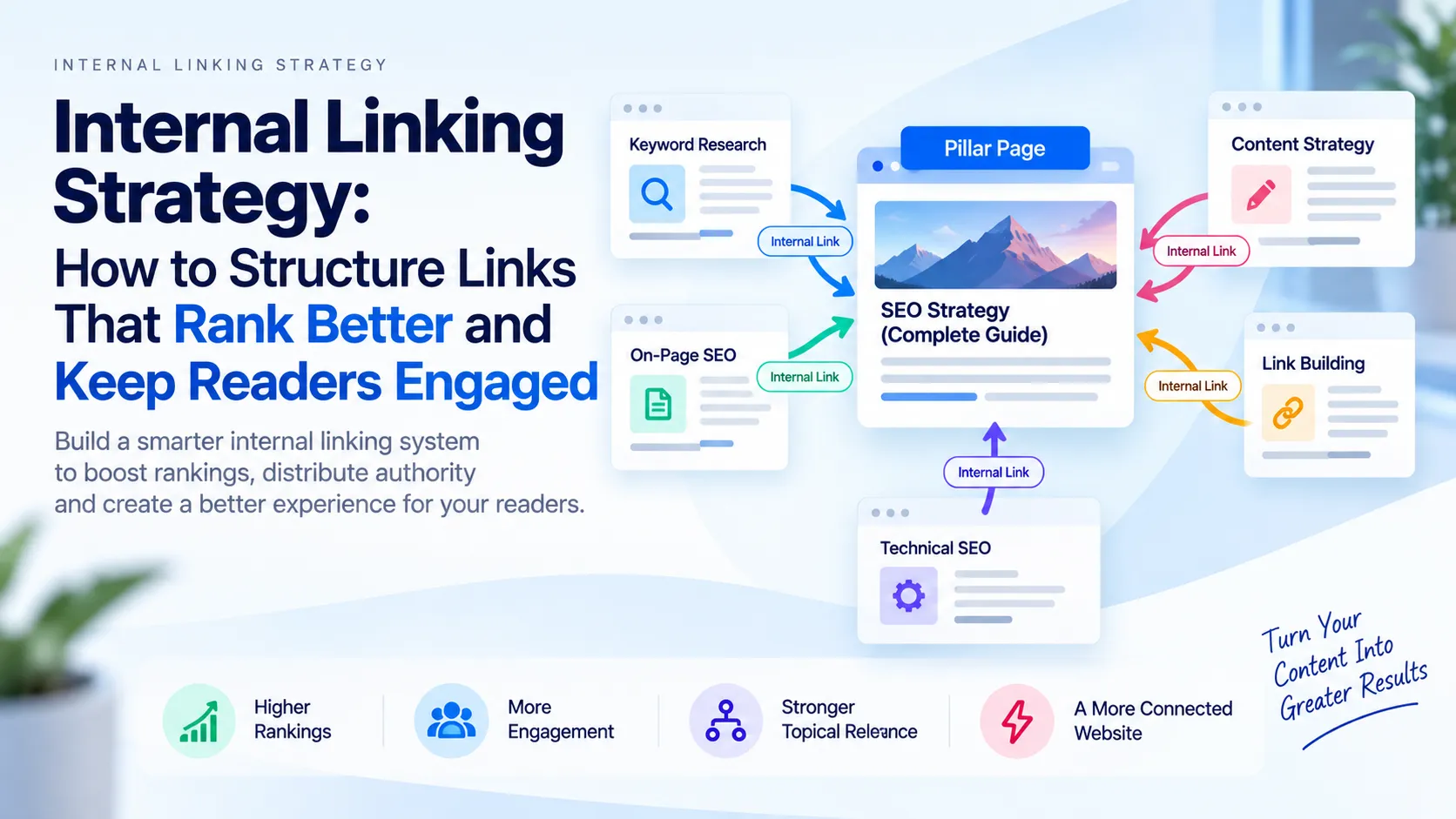
Internal links are connections between pages on your website.

Unlike backlinks, which depend on other websites linking to you, internal links are entirely your decision. This gives you direct control over a measurable ranking factor. A strategic internal linking system can deliver ranking improvements typically measurable within 6 to 12 months while simultaneously keeping readers engaged longer on your site. Results depend on overall site quality, content relevance, and competitive landscape.
Search engines rely on internal links to discover pages, understand your site’s structure, and distribute authority to the content you consider most important. For users, well-placed links anticipate their next question and reduce friction. Readers who encounter relevant internal links stay longer, click deeper, and engage more fully.
Yet most websites handle internal linking chaotically. Navigation menus with 40 unrelated links confuse crawlers and readers alike. Footers duplicate them. Blog posts scatter links randomly wherever keywords appear. This approach dilutes your authority and makes your site feel disorganised.
Strategic internal linking works differently. It’s intentional, finite, and hierarchical. Every link answers a single question: “Why would this reader, right now, benefit from clicking here?”
Key Takeaways
- Internal links distribute authority strategically across your site and help search engines understand your content hierarchy; they are a high-impact optimization you control directly.
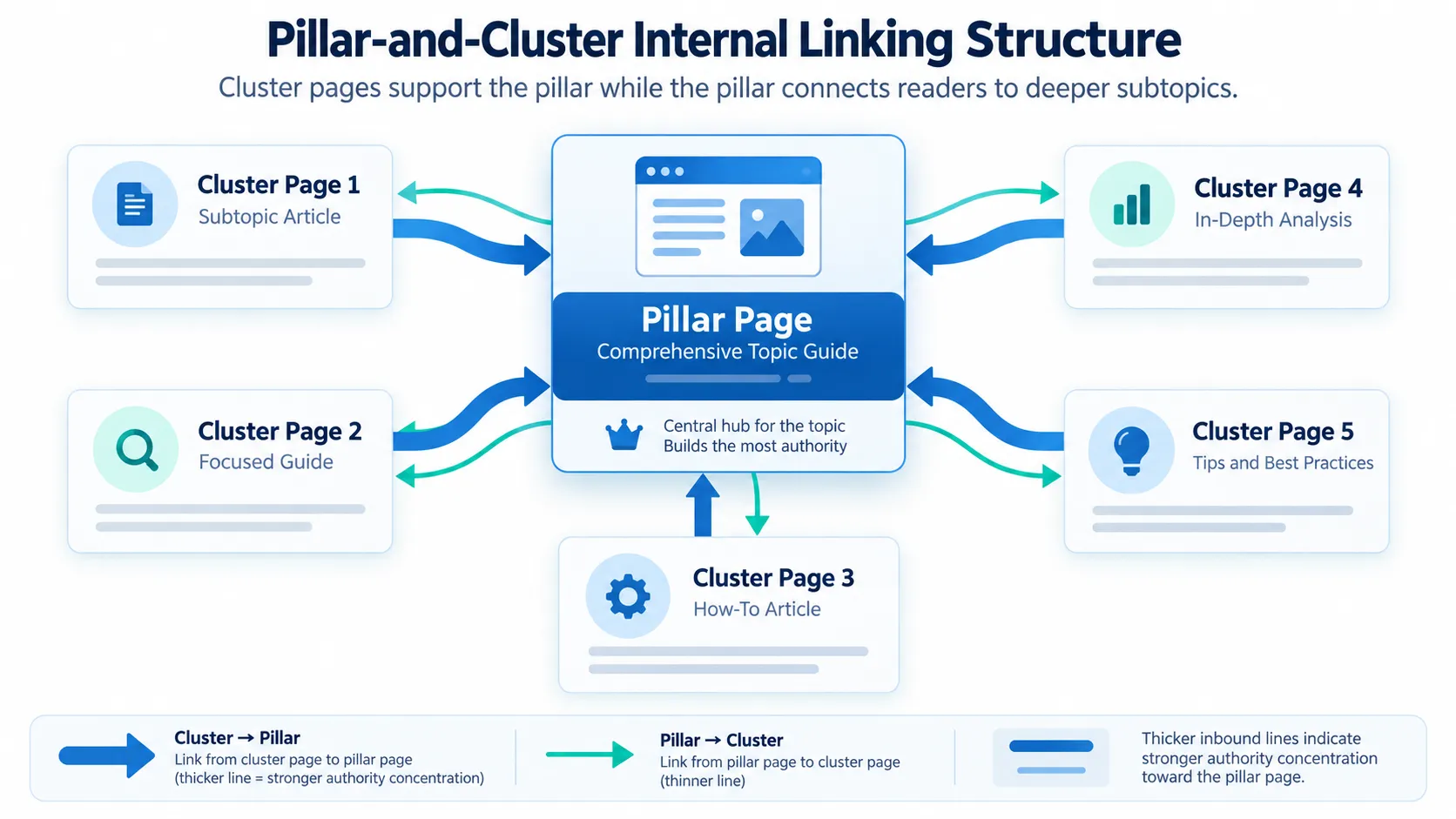
- A pillar-and-cluster structure scales internal linking without manual work on every article: broad pillar pages receive links from focused cluster pages, creating a clear topical authority map.
- Anchor text should be descriptive (2-5 words), varied, and keyword-relevant without looking forced; “How to optimise server response time” outperforms generic “click here” links.
- Strategic linking typically involves 3-8 internal links per 1,500-word article; the exact number depends on article length and topic density. Too few miss ranking opportunities; too many dilute authority and feel spammy.
- Audit your internal linking quarterly, measure success by crawl efficiency and click-through rates, and update 2-3 old articles monthly to keep links current and relevant.
What Internal Linking Is and Why It Matters for SEO
How Search Engines Use Internal Links
When Google crawls your site, internal links serve four critical functions.
Discovery and crawl efficiency. Internal links help search engines find new pages. Pages linked strategically are typically discovered faster than those with few or no internal links. Sitemaps and other discovery methods also enable indexing, but internal links accelerate the process.
Topical hierarchy and relationships. Search engines infer which pages are most important based on how you link them. A pillar page receiving 25 internal links signals authority; a page with one link signals supporting detail. This helps Google understand your content structure.
Authority distribution. Every internal link passes link equity from the source page to the target page. A high-authority page, such as your homepage, linking to a weaker page boosts that page’s ability to rank. Strategic linking directs equity to the most important pages.
Content importance signals. Anchor text (the clickable words in a link) tells search engines what the destination page is about. Linking “best practices for server optimisation” to an article on response-time management signals the relevance of that page for that topic.
Why Users Care About Internal Linking
Well-placed internal links reduce reading friction.
When a page anticipates what you’ll want to know next – defining a term before explaining it fully or linking to a related strategy after introducing a concept – you stay engaged. Readers click deeper, spend more time on-site, and return more often.
Poor internal linking forces users back to search. They finish an article and hunt the search bar instead of exploring your related content. Engagement metrics like session length correlate with rankings, though the causal relationship remains debated among SEO professionals.
The Business Impact
Internal linking improvements create a measurable cycle:
- Higher rankings attract more traffic to linked pages
- Increased traffic improves crawl signals and user engagement metrics
- Improved signals drive further ranking gains over time
The advantage compounds over months. A well-linked page ranks better, attracts more traffic, and can pass authority to other pages. This cycle accelerates as your content portfolio grows.
Strategic vs. Random Internal Linking
Most websites link chaotically. A navigation menu includes 40 links. Footer sections duplicate them. Blog posts drop links wherever keywords happen to appear.
Strategic internal linking is intentional and finite. Random linking assumes that more links always help. They don’t.
Random linking confuses search engine crawlers, distributes authority weakly across low-value pages, and makes your site feel disorganised to readers. A visitor landing on your article about “server response time” shouldn’t encounter 15 unrelated internal links to your pricing page, knowledge base, and product comparison.
Strategic linking creates a clear hierarchy. You decide which pages deserve authority and which pages support them. This clarity benefits both crawlers and humans.
The Four-Layer Model
Strategic linking typically involves four layers.
- Pillar pages are your broadest, most authoritative content on a topic. A pillar on “HR Payroll Compliance in Singapore” is 3,000 to 5,000 words and covers payroll comprehensively. It receives internal link authority from every related page on your site.
- Cluster pages are focused subtopics within a pillar’s scope. “Calculating Monthly CPF Contributions for Employees” or “Statutory Leave Entitlements: How to Calculate and Track” are cluster pages. Each links back to the pillar and receives links from it.
- Supporting content includes niche pages linked only when topically relevant. A case study on “How TechCorp Reduced Payroll Processing Time by 30%” might link once to a cluster page on payroll automation, but it doesn’t receive inbound links from unrelated articles.
- Hub pages act as topic gateways with curated internal links. A “Singapore HR Resources” page could link to 5–8 pillar pages in order of importance, which would help new readers find their way around your area of expertise.
The critical difference: each link serves a purpose. A reader finishing your article on CPF contributions has a clear next step (the broader payroll pillar). Someone reading about leave entitlements understands how that connects to overall compliance obligations because the link appears in context, not in a random footer.
Every link should answer this question: “Why would this reader, right now, benefit from clicking this link?” If you cannot answer it, the link doesn’t belong.
This approach scales efficiently. A chaotic site with 500 pages might have 5,000 internal links scattered everywhere. A strategic site with 500 pages might have 1,200 carefully placed links that flow authority where it matters most and guide readers along logical paths. The difference shows up in rankings within 3-6 months as crawl efficiency and user engagement improve.
Core Principles of Effective Internal Linking
Link Equity Distribution: Concentrate Authority on What Matters Most
Every internal link passes a fraction of a page’s authority to the target. High-authority pages, usually your homepage or pillar content, accumulate more link authority to distribute downward. This concentration is intentional.
Most websites scatter links randomly. You need to map where authority flows.
Start with an audit:
- Identify your 20 most important pages (by business value or search opportunity)
- Count inbound internal links to each using Screaming Frog or Ahrefs
- Pages with fewer than five links typically underperform in rankings
Pages with insufficient internal links don’t receive enough authority signals. A cluster page on “calculating monthly CPF contributions” might have only two internal links, while your homepage has 50+ links pointing to it from unrelated pages. The homepage’s authority sits idle; the cluster page starves.
To improve, add contextual links from topically related pages. A pillar page on “SaaS pricing models” should receive links from articles on “negotiating enterprise contracts”, “usage-based billing”, and “freemium strategy”. Each link reinforces the pillar’s authority and signals topical relevance to Google.
Use a simple tracking spreadsheet:
| Page Title | Current Internal Links | Target Links | Gap |
|---|---|---|---|
| SaaS Pricing Models (Pillar) | 12 | 20 | Enterprise contracts, usage billing, freemium |
| Negotiating Enterprise Contracts | 2 | 5 | SaaS pricing, volume discounts |
| Usage-Based Billing Guide | 1 | 4 | SaaS pricing, billing metrics |
This clarity prevents authority leakage and ensures ranking pages receive sufficient link weight.
Anchor Text: Use Descriptive, Keyword-Rich Labels
Anchor text (the clickable words) tells search engines what the destination page is about. It also tells readers what to expect before they click.
Poor anchor text:
- “Click here”
- “Read more”
- “Link”
- “This article”
Better anchor text:
- “How to structure an enterprise SaaS pricing page”
- “Calculate your customer acquisition cost payback period”
- “Compare freemium and trial models for SaaS products”
Good anchor text balances keyword relevance with readability. It should be:
- Descriptive enough that a reader understands the destination without clicking
- 2 to 5 words (longer anchors feel unnatural; single-word anchors lack context)
- Varied (not every link to the same page uses identical text)
- Never hidden (transparent, underlined, with normal colour contrast)
In Singapore’s competitive fintech sector, anchor text such as “Personal investment portfolio tools” signals relevance for both readers and crawlers far better than “financial tools” or “click for more.” Specificity wins.
Anchor text also reinforces on-page keywords. If your target keyword is “monthly CPF contribution calculator”, an anchor like “Calculate your monthly CPF contributions for employees” places that phrase close to the link, strengthening the connection.

Avoid over-optimisation. Anchor text distribution should be natural and varied. Using the same phrase for every link to a page raises manipulation flags. Typically, aim for a mix: exact-match anchors for roughly 10–15% of your links to a page, partial-match anchors for 30–40%, branded anchors for 15–25%, and descriptive or generic anchors for 20–30%. These are general guidelines; actual proportions depend on your article length and topical density.
Context Matters: Link Only Where Topically Relevant
A link buried in irrelevant content dilutes its signal. If your article on “cloud storage security” links to “best espresso machines,” that link carries almost no authority for either page. Worse, it confuses readers and damages your credibility.
Search engines expect internal links to reflect topical relationships. A link appearing in thematically mismatched content suggests either spam or careless editing.
Links should appear in these contexts:
Body copy that answers a related question. A post on “reducing server latency” naturally links to “CDN best practices” within a paragraph explaining how content delivery networks solve latency problems. The link emerges from answering a reader’s actual question.
Related-posts sections. Curated recommendations at the end of an article. These work because readers have finished the main content and are primed to explore deeper or adjacent topics. Include 3–5 links, not 20.
Methodology or definition callouts. Pointing out a term by linking to its full explanation. If you mention “statistical significance” in passing, link to your full guide on it. This helps readers who need clarification and strengthens your authority on the topic.
Navigation and structural menus. Links that appear consistently across pages (header, sidebar, footer) guide both users and crawlers through your site’s hierarchy. Keep these menus minimal and focused on your most important pages. Navigation menus with 40+ unrelated links dilute authority across too many targets and confuse users.
Avoid link-dropping in:
- Introductions, where readers haven’t developed context yet
- Unrelated article lists that feel like keyword spam
- Footers, where crawlers weigh links lower, and bulk linking dilutes authority
Think from the reader’s perspective. Would you click this link because it answers your next question, or does it feel forced? If forced, delete it.
Building a Pillar-and-Cluster Content Structure
A pillar-and-cluster model scales your internal linking without manual, article-by-article linking. It’s the most reliable framework for mid-to-large websites.
What Pillar-and-Cluster Looks Like
Pillar page: A comprehensive, authoritative overview of a broad topic (2,000–5,000 words). Examples:
- “The Complete Guide to Kubernetes Deployment”
- “What Is Digital Marketing? A Full Framework”
- “Employee Benefits in Singapore: Mandatory and Voluntary”
Cluster pages: Focused articles (1,500–2,500 words) exploring subtopics within the pillar. Each cluster links back to the pillar; the pillar links to all clusters.
Example: Payroll in Singapore
Pillar page: “HR Payroll Compliance in Singapore: A Guide to CPF, Income Tax, and Leave”
Cluster pages:
- “Mandatory Provident Fund vs. CPF: What Employers Must Know”
- “Calculating Monthly CPF Contributions for Employees”
- “Variable Pay and Bonuses: CPF and Tax Treatment”
- “Statutory Leave Entitlements: How to Calculate and Track”
In this structure, each cluster mentions the pillar once early (in context, within the first 150 words) and again in a “Further Reading” section at the end. The pillar’s opening section links to all four clusters with descriptive anchor text. A reader landing on “Calculating Monthly CPF Contributions” sees the pillar link immediately: “For a broader overview, see our guide to HR payroll compliance in Singapore.”
This bidirectional linking creates a topic cluster that search engines recognise as both authoritative and comprehensive.
Why Pillar-and-Cluster Works for Rankings and User Experience
This model clarifies topical authority. When Google crawls your site, it observes:
- Clear hierarchy. The pillar is the central authority; clusters are supporting detail. This mirrors how Google’s algorithms assess topic expertise.
- Consistent internal-linking patterns. Repeated, predictable linking structures are easier for crawlers to parse than random link placement.
- Multiple entry points for the same topic. A user searching “CPF contribution rates” finds the cluster article; another searching “Singapore payroll guide” finds the pillar. Both paths lead to the same topical family, boosting the entire cluster’s perceived relevance.
For rankings, pillar pages typically rank for broad, high-volume keywords (e.g., “payroll management”). Cluster pages rank for long-tail, intent-specific keywords (e.g., “how much does an employer contribute to CPF”). The pillar’s authority flows to clusters, accelerating their indexing and discovery. Results depend on overall site quality, content relevance, and competitive landscape.
For users, pillar-and-cluster provides:
- A natural path from discovery to depth
- A “home base” for each topic that reduces bounce rate
- Shorter, more focused cluster articles that readers complete faster
- Clear next steps through explicit internal link recommendations
Technical Implementation: Where and How to Link
Link Placement Within a Page
Internal link placement affects both click-through rates and SEO impact.
Early in body copy (paragraphs 1–3). Link to supporting definitions or prerequisites. This helps readers follow along and helps crawlers understand context early. Example: “Before auditing your internal links, define your primary keywords [link to keyword research guide].”
Mid-body (paragraphs 4–8). Link to related methodologies or tools. This placement feels most natural and conversational. Example: “The pillar-and-cluster model [link] simplifies scaling.”
End of article. Include a “Related Articles” section with 3–5 curated links. Readers who finish the piece are more likely to click through. Use this feature to distribute authority to newer or underperforming pages.
Headers and navigation. Link essential pages only: homepage, key service pages, and about. Navigation clutter dilutes authority. Fewer links are stronger.
Footers. Avoid bulk linking in footers. Crawlers’ weight footers lower. Use only for legally required links (privacy policy, terms, and conditions).
Optimal Number of Internal Links Per Page
Too few links (1–2 per 1,500 words) result in lost ranking and engagement opportunities. Too many links (more than 10 per 1,500 words) dilute authority and feel spammy.
General guideline:
- Pillar pages: 20–40 links (one per cluster, plus related contextual links)
- Cluster or regular content: 3–8 links (definition, related method, next-step article). This is a guideline; the actual number depends on article length and topic density.
- Thin or evergreen pages: 1–2 links (to next logical step only)
Track your current state in a spreadsheet:
| Page Title | Word Count | Current Links | Target Links | Link Gaps |
|---|---|---|---|---|
| Kubernetes Deployment Guide | 4,200 | 18 | 25 | DevOps best practices, scaling |
| Using StatefulSets | 1,800 | 4 | 6 | Persistent storage link, monitoring |
This information reveals exactly where to add links in your next content update.
Link Anchor Text Strategy: Specificity vs. Naturalness
Four Anchor Text Patterns That Work
Exact-match keywords (general guidance)
Anchor text matches the target page’s keyword exactly.
Example: Link “How to optimise server response time” to an article titled “Server Response Time Optimisation: A Complete Guide”.
Use sparingly. Over-optimisation looks like spam.
Partial-match keywords (general guidance)
Anchor includes the target keyword plus supporting words.
Example: “Best practices for optimising server response time” linking to the same page.
This type of anchor feels most natural-sounding and balances SEO and readability.
Branded anchors (general guidance)
Anchor uses your brand name or product name.
Example: “Datadog’s server monitoring tools” linking to your monitoring guide.
This builds brand signals and works well for navigation and high-authority links.
Descriptive or contextual anchors (general guidance)
The anchor describes the benefit or use case, not the keyword.
Example: “See how to catch slow endpoints before users do,” linking to a performance troubleshooting guide.
This approach boosts user engagement and shows readers why clicking matters.
Tools to Audit and Plan Anchor Text
Manual audit with spreadsheet:
- Export all internal links from your website (most SEO tools offer this)
- Count links by anchor text pattern (exact, partial, branded, descriptive)
- Identify pages with low-quality anchors (“click here”, generic labels)
- Rewrite those links in your next content update
Semi-automated tools:
All three tools let you filter by page type, anchor quality, or target page authority.
Common Internal Linking Mistakes to Avoid
Mistake 1: Linking Too Much to Your Homepage
Many websites push authority to their homepage through thousands of links from every page. The homepage does not need more authority. Your ranking pages do.
Reserve homepage links for:
- Primary navigation (3 to 8 links maximum)
- Logo click-through
- Single contextual link from pillar pages (for example, “Return to our main content hub”)
Instead, link directly from cluster pages to other clusters. This forms a network where authority flows horizontally among topically related content.
Mistake 2: Using Keywords as Anchors for Non-Ranking Pages
If you have a help article, resource hub, or FAQ that does not target a commercial keyword, do not force keywords into its anchor text.
What to avoid: Anchor text “Kubernetes deployment best practices” linking to an internal FAQ.
Better approach: Anchor text “How do I deploy Kubernetes in production?” linking to the same page.
This feels natural and aligns the anchor’s intent with the page type.
Mistake 3: Ignoring Internal Link Structure in Older Content
Older articles often have outdated internal links:
- Links to pages that no longer exist (broken internal links)
- Links to low-authority pages instead of newer, stronger content
- Links using anchor text misaligned with current site structure
Audit quarterly. Update 5 to 10 old articles every month.
Mistake 4: Treating Internal Links as Afterthoughts
Link as you write, not after. When composing a section, ask yourself: “What does a reader need to understand this topic fully?”
If the answer requires definition or detail, write that link immediately. Post-writing link insertion often feels forced and misses opportunities for natural, contextual links.
Measuring Internal Linking Success
Metrics That Matter
1. Crawl efficiency
What to measure: Crawl depth (how many clicks from homepage to deepest pages)
Target: Most pages reachable in 3 clicks or fewer
Tool: Google Search Console (Coverage report) or Screaming Frog
2. Click-through from internal links
What to measure: Percentage of users clicking your internal links (from Google Analytics)
Target: 15 to 25% of engaged users click an internal link
How to track: Set up click event tracking in Google Analytics for internal links
3. Pages ranking for target keywords
What to measure: Track rankings monthly for pillar and cluster keywords
Target: Pillar pages in top 3; cluster pages in top 10 within 6 to 12 months of restructuring
Tool: Digimetrics.ai, Ahrefs, SEMrush, or Google Search Console
4. Internal link authority distribution
What to measure: Link-to-page ratios and authority distribution
Target: High-value pages have 5 or more internal links; low-value pages have 1 to 2
Tool: Screaming Frog or Ahrefs Link Intersect
Setting Up Tracking and Audits
Monthly tracking checklist:
- Review the top 20 ranking pages. Do they have sufficient internal links?
- Identify new pages with zero internal links (indicates undiscovered pages)
- Check Google Search Console for crawl errors and unindexed pages
- Click your own internal links to ensure none are broken
Quarterly audit:
- Re-run site crawl to measure crawl efficiency
- Sample 10 old articles and update 2 to 3 internal links
- Measure click-through rates on internal links (GA4 event data)
- Identify and fix broken internal links
Internal Linking for E-commerce and Multi-Category Sites
Internal linking scales differently on large sites. Core principles remain the same; execution differs.
Product Linking Strategy
For e-commerce sites, internal links should:
1. Connect related products (not just category pages)

In product descriptions, link to complementary items.
Example: The “Wireless earbuds” article links to the “Bluetooth codec guide”.
2. Build category authority
Link from product pages to category hubs. Link from guides (for example, “Choosing the Right Headphones”) to category pages.
3. Avoid siloed structure
Do not let categories exist in isolation. Cross-link between categories when thematically relevant (for example, audio and wearables).
Managing Link Quantity on Massive Sites
Sites with 10,000 or more pages cannot manually link every article.
Solution: Contextual linking at scale
- Identify your top 50 to 100 pillar or authority pages
- Programmatically find related content by topic or keyword match
- Add internal links to those top pages from related contextual content
- Let lower-priority linking happen organically (lower ROI)
This focuses your effort where it moves the ranking needle most.
Tools and Automation for Internal Linking
Best Tools for Internal Linking Audits
| Tool | Best For | Price |
|---|---|---|
| Screaming Frog | Detailed crawl reports, anchor text analysis | Free (basic), £149/year (full) |
| Ahrefs | Link distribution, internal link gaps, competition | From £99/month |
| SEMrush | Site audit, anchor text recommendations | From £99/month |
| Google Search Console | Crawl coverage, indexation, core issues | Free |
| Linkody | Monitoring internal links, broken link detection | From £25/month |
For most websites: Start with Google Search Console plus Digimetrics.ai or Screaming Frog (free version). Upgrade to Ahrefs only if you manage 50 or more pages or need competitive analysis.
WordPress Plugins and Automations
WordPress plugins:
- Internal Link Juicer: Auto-suggests links as you write
- Yoast SEO: Highlights linking opportunities in the editor
- Rank Math: Detects internal linking gaps per post
General approach: Use plugins to suggest links. Manually review before publishing. Never auto-publish links without human review, as this risks irrelevant linking.
Conclusion: Building a System, Not a One-Time Fix
Internal linking is not a tactic you implement once. It is a system you maintain.
Strong internal linking delivers:
- Ranking improvements typically measurable within 6 to 12 months (results depend on overall site quality, content relevance, and competitive landscape)
- Higher engagement when users follow internal links
- Faster discovery of new pages with strategic internal linking
- Authority consolidation: higher rankings attract traffic; traffic improves crawl signals; improved signals drive further ranking gains
Start small:
- Audit your top 20 pages using Screaming Frog
- Add 3 to 5 links per page to fill obvious gaps
- Update anchors to be descriptive and keyword-relevant
- Track metrics monthly
Within three months, you will see ranking movement. Within six months, the compounding effect becomes visible across your entire site.
Frequently Asked Questions
What is the difference between internal links and backlinks for SEO?
Internal links are under your control. Backlinks depend on external sites. Both signal authority, but internal links let you distribute it strategically. Backlinks are harder to earn but carry more weight per link. For new sites or competitive topics, internal linking is your fastest SEO lever.
Can too many internal links hurt my SEO?
Yes, if they are irrelevant or manipulative. Google’s helpful-content guidelines flag sites that link excessively to unrelated pages. Stay within 8 to 12 links per 1,500-word article as a general guideline, and ensure that each link meets a reader’s immediate need. Quality always beats quantity. The actual number depends on article length and topic density.
How often should I update my internal linking structure?
Audit quarterly. Update monthly. Spend 2 to 3 hours monthly fixing broken links, updating anchor text, and linking new pages. Every six months, do a full crawl audit. Major restructuring (for example, shifting from random to pillar-and-cluster) typically happens once and is then maintained from there.
Should I use “nofollow” for internal links?
Only for pages you want crawlers to deprioritise: duplicate content, login pages, and affiliate links. For all ranking content, use standard follow links. Nofollow does not prevent indexing or discovery. It reduces authority flow, so reserve it for non-ranking pages.
Do internal links help with AI and semantic search?
Yes, significantly. AI-search systems (like OpenAI’s SearchGPT or Google’s AI Overviews) use internal linking patterns to understand your site’s topical authority and relationship map. A well-linked pillar-and-cluster structure signals expertise and depth better than scattered links.
What anchor text is safest for SEO?
Descriptive anchors that match user intent are safest and most effective. “Reduce server latency with CDN best practices” outperforms keyword-stuffed anchors like “CDN best practices”. Google’s algorithm favours natural, user-focused anchor text over keyword-matched variants.
How do I prioritise which pages to link to?
Prioritise high-authority pages: your homepage, pillar pages, and evergreen content with steady traffic. These pages pass the most authority downward. Link from these high-authority pages to the pages you want to rank. Low-traffic pages can link contextually but should not be your primary authority sources.
Can internal linking alone improve rankings without backlinks?
Partially. Internal linking strengthens your foundation and helps newer pages rank for long-tail keywords. However, competitive, high-volume keywords typically require backlinks too. Internal linking is necessary but often not sufficient alone for high-competition topics.
What happens if I link to a page that does not exist yet?

Avoid linking to non-existent pages. It creates a broken internal link (404 error), wastes crawl budget, and damages user experience. Map your internal linking structure before publishing. If you anticipate a page, create it first or link to it only after it is live.
How does internal linking differ between blogs and product sites?
Blogs use pillar-and-cluster to build topical authority. Product sites prioritise linking between related products and from guides to category pages. Both approaches consolidate authority, but the linking map differs based on your primary conversion funnel and content types.