Wix has long been known as an easy-to-use website builder, but when it comes to Wix SEO, many still assume it is limited or unsuitable for ranking competitively on Google. That assumption is outdated.

Over the years, Wix has significantly improved its SEO capabilities, introducing features that allow websites to meet modern search engine requirements and compete in increasingly crowded search results.

The challenge is not whether Wix supports SEO, but whether its features are being used correctly. Many Wix sites underperform simply because critical SEO settings are left untouched, advanced controls are overlooked, or automation is relied on without strategic input. As a result, businesses often miss out on organic traffic despite having a technically capable platform. This guide breaks down what Wix SEO really offers today.
You will learn how Wix handles search engine optimisation through a trusted SEO agency. Uncover lesser-known features that directly impact rankings, and understand how to use them strategically rather than mechanically.
Whether you run a service website, content site, or online store, this article shows how to turn Wix from a basic website builder into a platform that supports sustainable SEO growth.
Key Takeaways
- Wix SEO offers powerful tools to help you optimise your website and improve your search engine rankings. From basic settings to advanced customisations, Wix makes SEO accessible for beginners while offering flexibility for more experienced users.
- Hidden features such as the SEO Wiz, custom URL settings, and image optimisation tools are essential for boosting your website’s visibility.
- Common Wix SEO mistakes, such as overreliance on auto-generated tags and neglect of mobile-first indexing, can hinder your website’s SEO performance.
- The Wix SEO checklist ensures your site is fully optimised before you publish, covering on-page SEO, site structure, and mobile responsiveness.
What is Wix SEO?
Wix SEO refers to the suite of search engine optimisation tools integrated into Wix, a leading website builder, to help users enhance their website’s search engine rankings. Whether you’re a small business, a personal blog, or an e-commerce store, Wix offers an array of tools that make it easier to optimise your site for search engines without needing advanced technical skills.
While Wix is renowned for its user-friendliness, many users aren’t aware of its full SEO potential. Wix’s built-in tools are designed to help users improve their website’s visibility, both through on-page SEO (like metadata and headings) and technical SEO (such as site speed and mobile optimisation).
Moreover, Wix makes it easy for users to optimise their sites for mobile devices, which is crucial given Google’s mobile-first indexing. With many businesses now relying on mobile traffic, Wix’s automatic mobile optimisation ensures your site is SEO-friendly for smartphone and tablet users.
Understanding Wix SEO Capabilities
Wix offers several SEO features to help you increase your website’s visibility in search engine results pages (SERPs). These capabilities range from simple automated tools to advanced customisation options that give you full control over your site’s SEO.
1. Mobile Optimisation
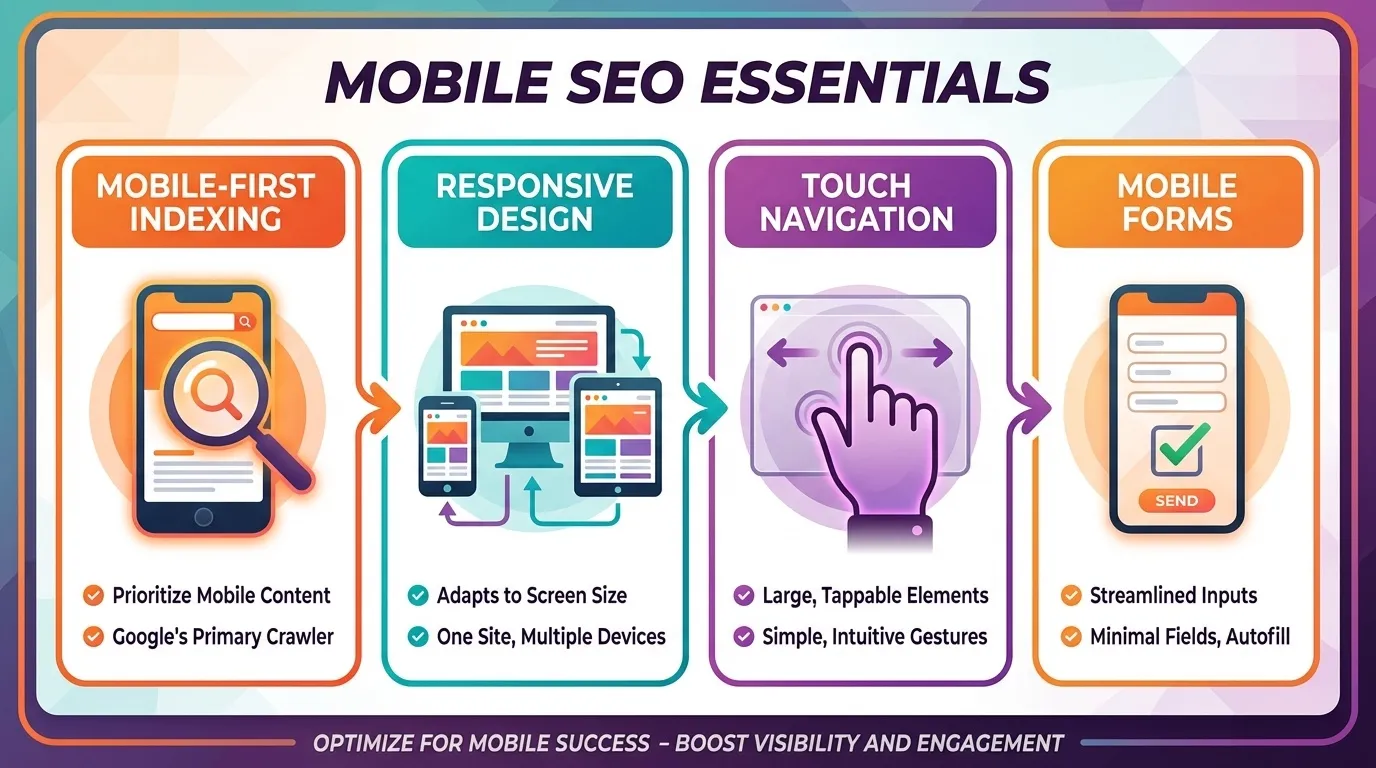
Google now prioritises mobile-friendly websites in its search rankings through mobile-first indexing. Wix automatically optimises your website for mobile, adjusting the design and layout to be responsive across different screen sizes. This is essential for SEO because Google uses the mobile version of your site to rank it.
The mobile optimisation process includes features like touch-friendly navigation, simplified page layouts, and mobile-friendly forms. However, it’s essential to review your mobile site manually to ensure everything works smoothly and looks appealing on smaller screens.
2. SEO-Friendly URL Structures

Wix allows users to customise URLs, which is crucial for both search engines and visitors. Short, descriptive, and keyword-rich URLs are easier for search engines to index and understand. A clean URL structure also helps users recognise the page’s content at a glance, improving both SEO and user experience.
For instance, instead of a URL like www.example.com/page123, Wix lets you create custom URLs such as www.example.com/seo-optimisation-guide, which are more SEO-friendly and informative.
3. Automatic SSL Certificates
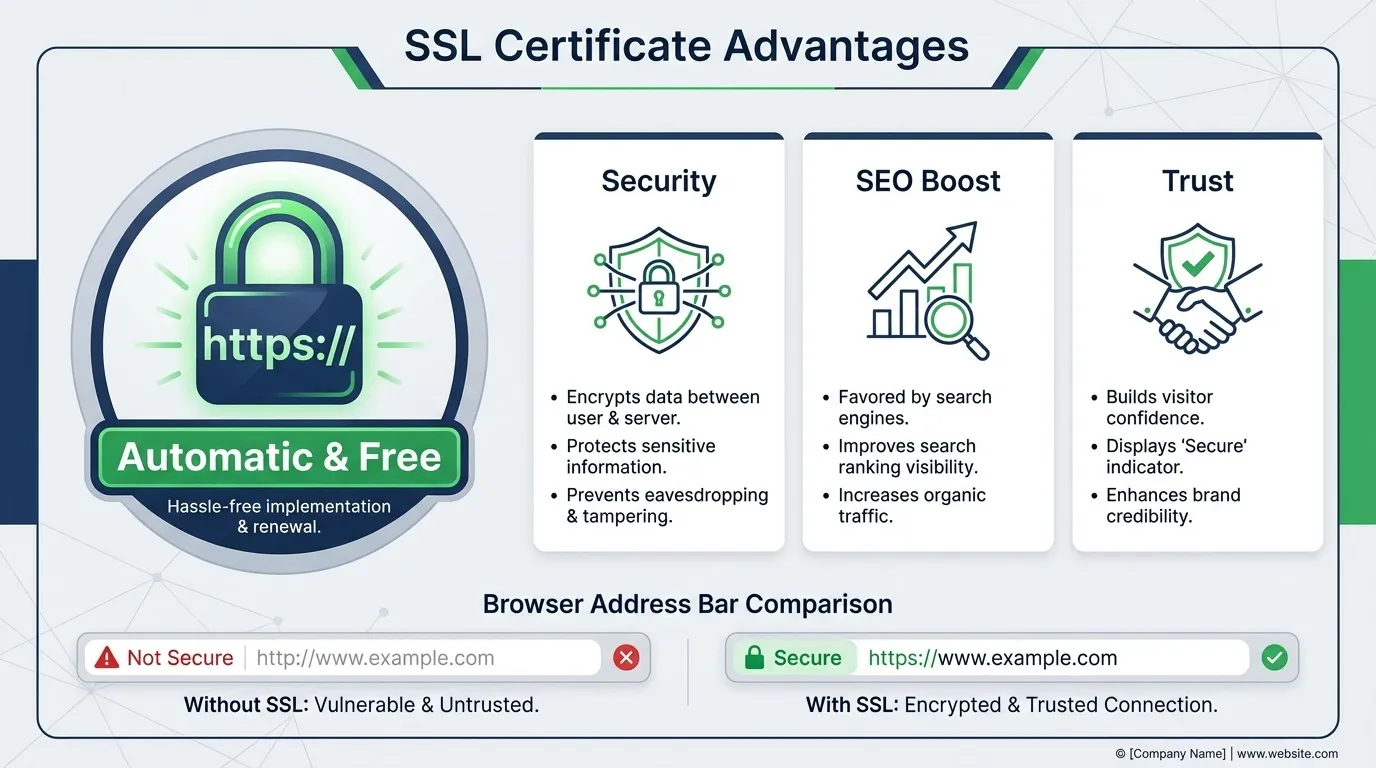
Wix provides free SSL certificates for all its websites. SSL (Secure Socket Layer) is a security feature that encrypts data exchanged between your site and its visitors. Not only does this protect user data, but Google also considers HTTPS (the secure version of HTTP) as a ranking signal.
Websites with SSL certificates are given a slight SEO boost, and Google marks non-secure sites with a “Not Secure” warning in the browser’s address bar, which can deter visitors from engaging with your site. By using Wix’s automatic SSL, your site is more secure and trustworthy, which enhances your SEO.
4. Wix SEO Wiz

Wix’s SEO Wiz is a fantastic tool for beginners looking to optimise their site for search engines. This feature takes you step-by-step through the process of SEO setup, from creating a search-friendly title and description to customising your site’s structure. It also provides specific recommendations based on your industry and website goals.
While it’s a basic tool, the SEO Wiz provides users with a strong foundation for optimising their sites. Once you have followed the initial recommendations, you can proceed with more advanced customisations to refine your SEO strategy.

5. Structured Data (Schema Markup)

Schema markup, also known as structured data, is code that you add to your website to help search engines better understand the content on your pages. Wix makes it easy to integrate structured data, helping your pages stand out in search results with rich snippets.
Rich snippets are enhanced search results that display additional information, such as star ratings, product prices, or event details, directly in the SERPs. By using structured data, your site can become more visible and attractive to users, leading to higher click-through rates.
Hidden Wix SEO Features You Didn’t Know About
While Wix provides some of the best SEO tools, it also has a variety of hidden features that can make a big difference in your site’s performance. Here are some of the lesser-known SEO features you can leverage to improve your rankings.
1. Advanced SEO Settings (Beyond the Basics)

Most Wix users stop at editing page titles and meta descriptions. However, Wix’s Advanced SEO Settings offer more granular control at both the page and site levels.
Within the Site SEO and SEO Patterns settings, you can:
- Define default SEO rules for page types (e.g. services, blog posts, products)
- Override automated metadata on a per-page basis
- Control heading structures (H1, H2 logic)
- Manage indexation behaviour for individual pages
This is especially useful for larger websites, where consistency matters. SEO Patterns enable you to scale optimisation logically rather than editing pages one by one.
Wix also lets you:
- Apply noindex tags to low-value pages such as thank-you pages or internal system URLs
- Use nofollow on specific outbound links when needed
- Prevent thin or duplicate pages from competing in search results
This level of index control is critical for maintaining site quality signals, particularly as your site grows.
2. SEO-Friendly URL Customisation (With Structural Impact)

Wix automatically generates URLs, but many users never revisit them. This is a missed opportunity.
Customising URLs allows you to:
- Remove unnecessary words or IDs
- Align URLs with keyword intent
- Create a clean, logical hierarchy across the site
For example, changing:
/page-2
to
/advanced-seo-settings
Improves:
- Keyword relevance
- Crawl clarity
- User trust and click behaviour
For multi-page sites, URL customisation also helps prevent keyword cannibalisation by clearly differentiating page topics. It becomes easier for Google to determine which page should rank for a given query.
The key is consistency. URL structures should reflect your site architecture and not change frequently without a clear reason.
3. Image Optimisation Beyond Compression

Wix handles image compression automatically, but true image SEO goes further than file size.
Wix allows manual optimisation through:
- Descriptive alt text
- Image file naming
- Contextual placement within content
Alt text serves two purposes:
- Accessibility for screen readers
- Contextual signals for search engines
Well-written alt text helps Google understand how images relate to page content and improves visibility in Google Image Search. On content-heavy or visually driven pages, image optimisation can meaningfully drive organic traffic, especially when paired with fast load times and relevant surrounding text.
4. Advanced Mobile Settings (Mobile SEO Control)

Wix’s automatic mobile optimisation is often misunderstood as “fully optimised by default.” In reality, it provides a starting point, not a finished product.
The mobile editor allows you to:
- Adjust font sizes independently of the desktop
- Reorder or hide elements for mobile users
- Improve tap targets and spacing
- Simplify layouts that may be too dense on small screens
These adjustments directly affect:
- Mobile usability
- Engagement metrics
- Bounce rates
- Mobile-first indexing performance
Since Google evaluates the mobile version of your site first, refining mobile-specific settings is not optional. It is a core ranking factor, particularly for service and local-intent pages.
5. 301 Redirect Management (Often Overlooked)

URL changes are inevitable as websites evolve. What matters is how those changes are handled.
Wix provides built-in 301 redirect management, allowing you to:
- Redirect old URLs to new ones cleanly
- Preserve backlink equity
- Avoid broken links and crawl errors
- Maintain ranking continuity after site updates
This feature becomes especially important during:
- Content restructuring
- Page consolidation
- URL clean-up projects
- Website redesigns
Even minor URL changes can lead to traffic loss if redirects are not implemented correctly. Wix’s redirect tool ensures SEO value is retained when changes are necessary.
Why These Hidden Wix SEO Features Matter
Individually, these features may seem minor. Collectively, they determine whether a Wix site is merely present in search results or actively competing.
These controls allow you to:
- Reduce SEO noise
- Strengthen topical relevance
- Improve crawl efficiency
- Align site structure with search intent
Most underperforming Wix sites do not fail because of the platform itself, but because these advanced features are left unused or misunderstood.
How to Optimise Wix SEO Features for Better Rankings
Optimising Wix SEO is not about turning on every setting and hoping for the best. It requires a structured approach that aligns technical setup, content clarity, and user experience. Follow these steps to maximise your chances of ranking well.
Step 1: Customise Metadata for Every Important Page

Start by optimising your page metadata, as this is one of the strongest on-page SEO signals.
In Wix, go to Page SEO Settings and manually edit:
- Page title
- Meta description
- H1 heading
Each page should have unique metadata that accurately reflects its content. Avoid using the same titles or descriptions across multiple pages.
Best practices:
- Keep title tags under 60 characters
- Keep meta descriptions under 160 characters
- Place your primary keyword naturally near the beginning of the title
- Write meta descriptions to encourage clicks, not just rankings
This step improves both search visibility and click-through rate from Google results.
Step 2: Build a Clear and Logical Site Structure

Next, focus on how your website is organised.
A strong site structure helps search engines understand:
- Which pages are most important
- How is the content related
- How authority flows across the site
Key actions:
- Group related pages into clear categories or sections
- Ensure important pages are reachable within 2–3 clicks from the homepage
- Avoid orphan pages with no internal links pointing to them
Use internal links strategically. For example, blog articles should link to relevant service pages where appropriate. This strengthens topical relevance and helps distribute ranking signals across your site.
Step 3: Review and Refine Mobile Optimisation

Wix automatically creates a mobile version of your site, but it is not fully optimised by default.
Open the mobile editor and review:
- Font size and line spacing
- Button size and tap spacing
- Navigation flow and menu clarity
- Page length and scrolling experience
Remove or simplify elements that work well on desktop but clutter the mobile layout. Since Google uses mobile-first indexing, your mobile site is effectively the version Google uses to evaluate rankings.
Step 4: Implement Schema Markup Using Wix’s Built-In Tools
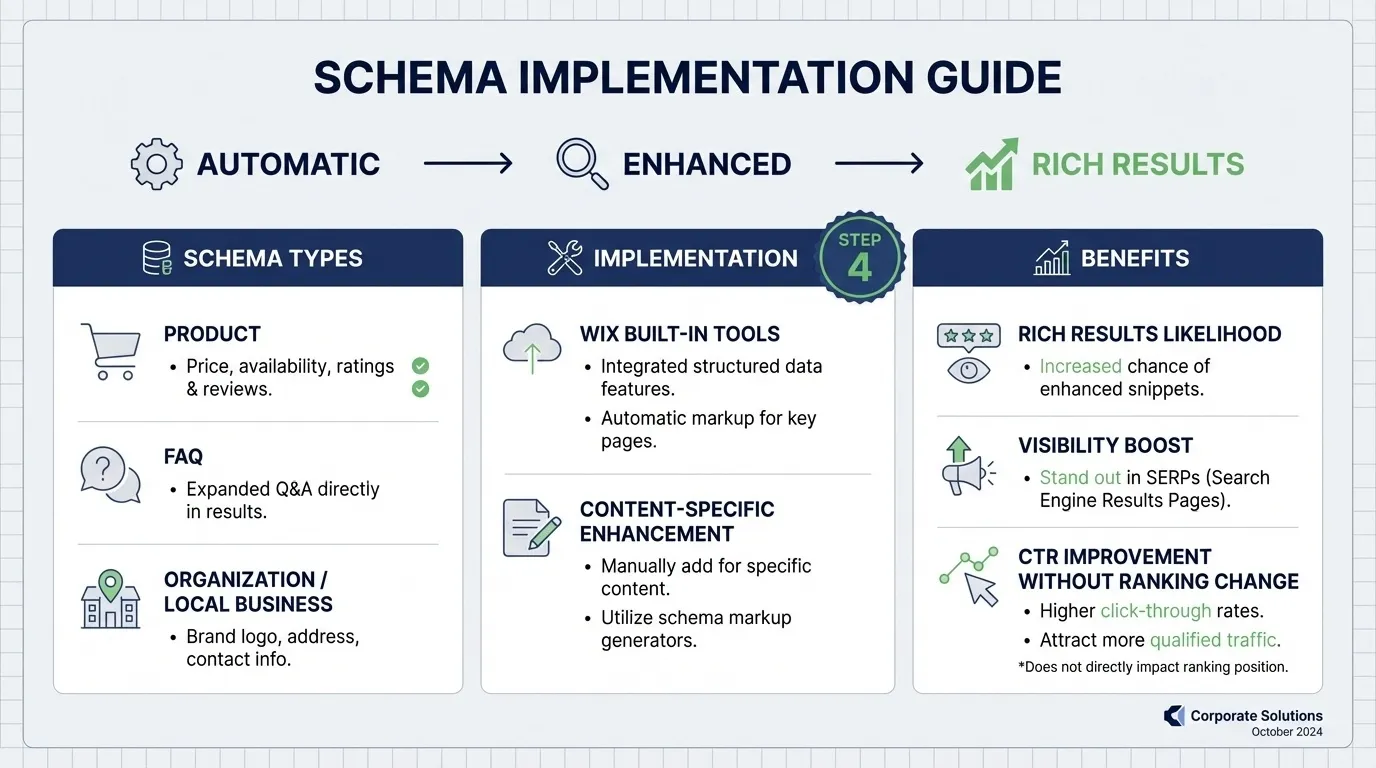
Structured data helps search engines understand what your content represents, not just what it says. In Wix, schema markup is applied automatically to certain page types, but you can further enhance it based on your content.
Examples:
- Add Product schema to product pages to show price, availability, and reviews
- Use the FAQ schema to increase eligibility for expanded search results
- Apply the Organisation or Local Business schema to strengthen brand signals
Proper schema implementation increases the likelihood of earning rich results, which can significantly improve visibility and click-through rate even without ranking changes.
Step 5: Validate and Monitor SEO Performance
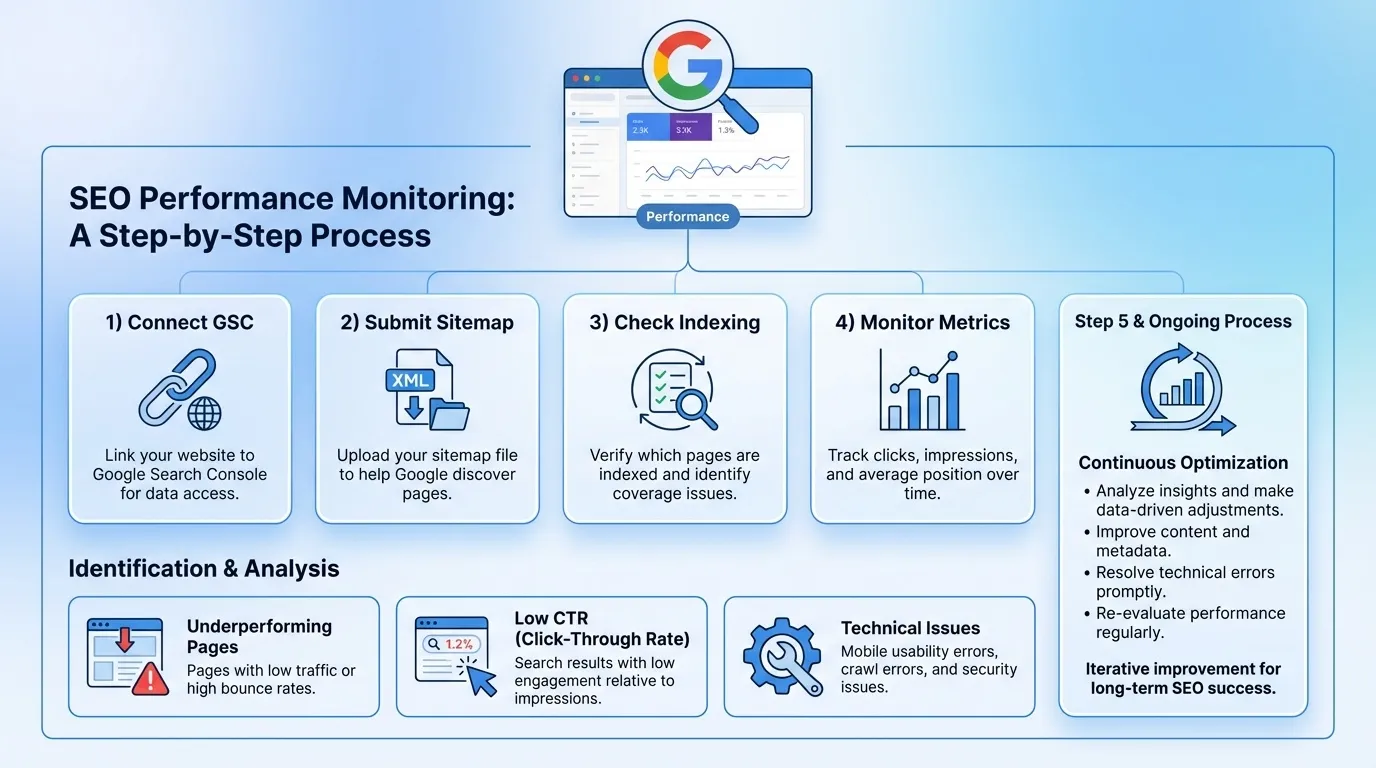
After optimising your Wix SEO features, validation is critical.
Actions to take:
- Connect your site to Google Search Console
- Submit your XML sitemap
- Check indexing status for key pages
- Monitor impressions, clicks, and average positions
Use this data to identify:
- Pages that are indexed but underperforming
- Pages with high impressions but low click-through rates
- Technical issues affecting crawl or indexing
SEO optimisation on Wix is not a one-time task. Regular monitoring ensures your changes translate into measurable ranking improvements
Common Mistakes to Avoid in Wix SEO
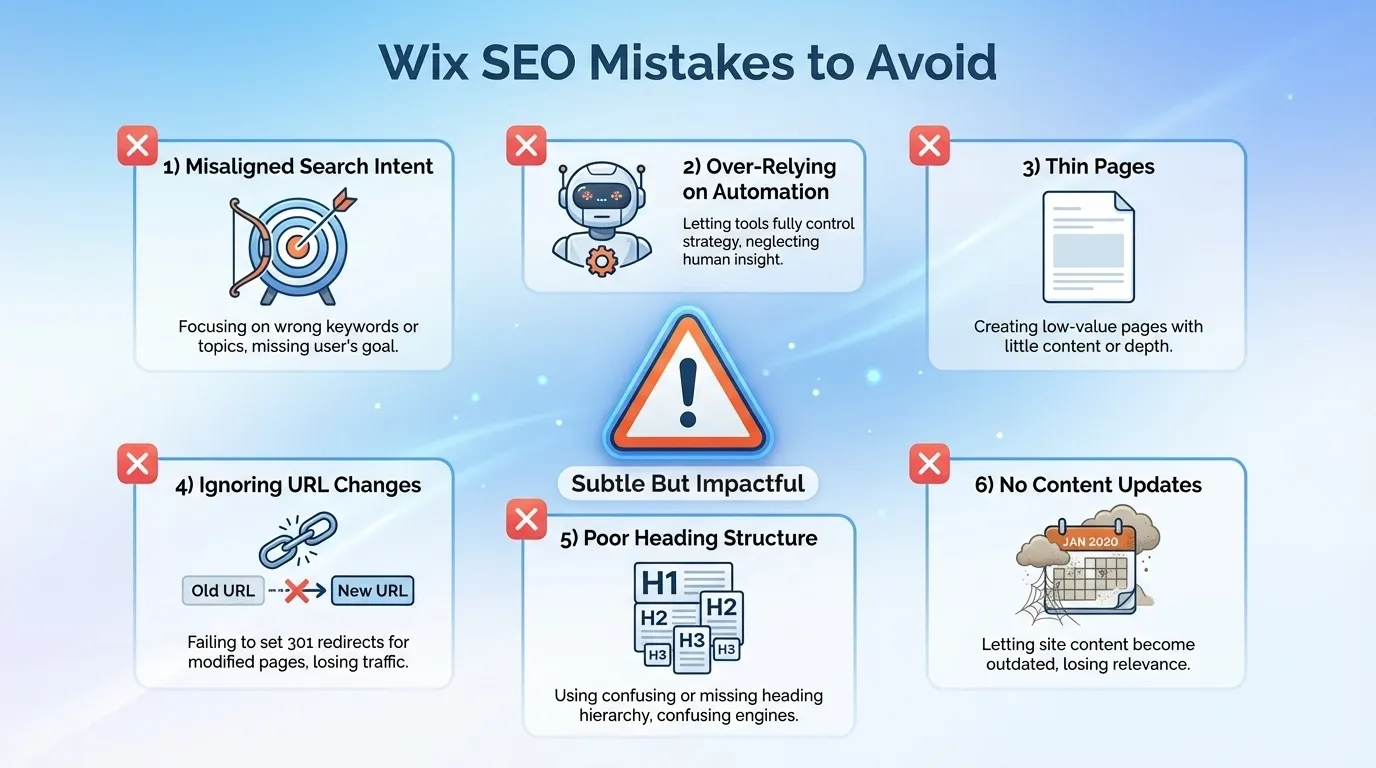

Even when the fundamentals are in place, many Wix websites still underperform due to subtle but impactful mistakes. These issues often go unnoticed because they are not obvious errors, yet they directly affect crawlability, relevance, and long-term rankings.
- Publishing Pages Without Search Intent Alignment: A common mistake is creating pages based purely on business goals without considering what users are actually searching for. If the page intent does not match search intent, rankings will stall regardless of optimisation. For example, combining informational content and sales messaging on the same page often weakens performance. Each page should be clearly aligned to one primary intent: informational, commercial, or transactional.
- Relying Too Heavily on Wix SEO Automation: Wix automates many SEO elements, which is helpful, but automation should not replace strategy. Auto-generated titles, descriptions, and headings often lack keyword focus and fail to differentiate pages. Manual refinement is necessary to ensure each page targets a clear topic and communicates value effectively in search results.
- Creating Thin Pages to Target Multiple Keywords: Some users create multiple low-content pages to quickly rank for multiple keywords. This approach often results in thin or overlapping pages that compete with each other. Google prioritises depth and usefulness. Fewer, stronger pages with a clear topical focus tend to outperform many shallow ones.
- Ignoring URL Changes After Content Updates: When page URLs are changed without proper redirects, existing rankings and backlinks are lost. Even minor URL changes can disrupt SEO continuity if not handled correctly. Always confirm that 301 redirects are in place whenever URLs are modified, especially on service pages or high-traffic content.
- Forgetting to Optimise Page Headings: Headings are not just visual elements. Misusing H1, H2, and H3 tags, or skipping the heading hierarchy, makes it harder for search engines to understand your content’s structure. Each page should have:
- One clear H1
- Supporting H2s for major sections
- H3s for sub-points where needed
- Overlooking Content Updates After Publishing: SEO performance is rarely static. Pages that are published and never revisited gradually lose relevance, especially in competitive niches.
Regularly reviewing and updating content helps maintain freshness, improve accuracy, and align pages with evolving search behaviour.
Wix SEO Checklist: What to Do Before Hitting Publish
Before you publish your Wix site, go through this SEO checklist to make sure your site is fully optimised for both search engines and real users:
- Write unique title tags and meta descriptions for every page: Each page should have a clear, descriptive title tag and a compelling meta description. This helps search engines understand your content and improves click-through rates from search results.
- Clean up your URLs: Ensure they are short, readable, and keyword-focused. Avoid unnecessary numbers, symbols, or filler words. A clean URL structure makes your pages easier to crawl and more trustworthy to users.
- Use keywords naturally in your content: Include your main and related keywords in headings, subheadings, and body text, but keep it natural and helpful. Your content should read smoothly for humans, not like it was written for search engines.
- Check mobile usability and responsiveness: Review your site on different devices to ensure it loads properly, is easy to navigate, and has readable text and clickable buttons. Since Google uses mobile-first indexing, this step is critical.
- Add structured data where relevant: Implement schema markup for your business information, products, reviews, and FAQs. This increases your chances of appearing in rich results and makes your pages easier for search engines to understand.
- Optimise images and improve page speed: Compress images, use descriptive file names and alt text, and remove unnecessary elements or heavy scripts. Faster pages improve user experience and can positively impact rankings.
- Double-check internal linking: Ensure your key pages are linked from other relevant pages on your site. This helps users navigate better and helps search engines understand your site structure.
- Review indexation and basic SEO settings in Wix: Ensure important pages are set to be indexable, your sitemap is enabled, and your site is connected to Google Search Console and Analytics before publishing.
Make Wix SEO Work for Long-Term Rankings
Wix is no longer a limiting platform for search visibility. When its SEO features are understood and applied strategically, Wix can support strong organic performance across informational, commercial, and even competitive search queries.
The real difference lies in execution. Websites that treat SEO as a checklist item tend to plateau, while those that approach Wix SEO as an ongoing process continue to gain traction over time.
SEO success on Wix is not about shortcuts or plugins. It is about consistency, clarity, and alignment with how users search and how Google evaluates quality. With the right strategy in place, Wix becomes a capable foundation for sustainable organic growth rather than a constraint.
For businesses seeking faster results or a clearer roadmap, professional SEO guidance can help turn Wix’s built-in capabilities into measurable performance gains. Explore MediaOne to see how structured optimisation drives long-term visibility. Contact us today!
Frequently Asked Questions
Can Wix websites be crawled and indexed properly by Google?
Yes. Wix websites are fully crawlable and indexable by Google. Wix automatically generates XML sitemaps, supports robots.txt directives, and integrates with Google Search Console to monitor indexing status and crawl issues.
Wix automatically adds canonical tags to pages to prevent duplicate content issues. For advanced use cases, Wix also allows custom canonical URLs on selected page types, helping maintain proper indexing signals for search engines.
Can I control which Wix pages appear in search results?
Yes. Wix allows you to manage page visibility through noindex settings, SEO patterns, and page-level indexing controls. This is useful for excluding low-value pages such as thank-you pages, internal system pages, or gated content from Google search results.
Is Wix suitable for multilingual or international SEO?
Wix supports multilingual websites through Wix Multilingual, including hreflang tags for international targeting. This allows search engines to serve the correct language or regional version of your site to users in different locations.
Does switching templates on Wix affect SEO rankings?
Changing templates on Wix does not automatically harm SEO, but it can impact rankings if URLs, internal links, or content structure change. Proper planning, URL consistency, and post-change checks in Google Search Console are essential to maintain SEO performance.