If you run a serious eCommerce business, it’s understandable that you rely on data, campaign attribution, channel performance, and conversion paths. All of that depends on tracking links. But here is the tension most founders and marketing heads overlook. Shopify URL parameters can quietly undermine your organic visibility if left unmanaged.

A URL parameter is the extra string that appears after a question mark in a web address. It passes information to the browser or analytics platform. That information might control sorting, filtering, tracking, or session handling.
eCommerce brands depend on them. Without parameters, you cannot measure paid campaigns, retargeting funnels, or influencer traffic. According to Google’s own documentation, URL parameters are commonly used for filtering, sorting, tracking and session IDs.
The problem is that when parameters are not validated, Google sees multiple URLs serving the same content. That creates duplication, crawl inefficiency, and index clutter. Google confirms that duplicate URLs can waste crawl budget and dilute signals.
If you are investing in Shopify SEO and paid acquisition tactics in Singapore, you cannot afford that friction. This guide shows you how to protect attribution while keeping your URL structure clean and scalable. If you need strategic support, our agency helps growth-focused brands align Shopify SEO with revenue, not just rankings.
Key Takeaways
- Shopify URL parameters must be strategically controlled to prevent duplicate content and crawl inefficiencies.
- Canonical tags and disciplined internal linking protect rankings while preserving campaign attribution.
- Not all parameter pages should be indexed. Decisions must align with search demand and business goals.
- Ongoing audits are essential because apps, filters and marketing campaigns can silently introduce structural risk.
What Are Shopify URL Parameters?
If you run a Shopify store and care about performance, you need to understand how your URLs behave. Not just the visible part. The structural part that search engines and analytics platforms read.
A Shopify URL parameter is everything that appears after the question mark in a web address. It passes instructions to the browser about how the page should behave.
Understanding Shopify URL Parameters in Simple Terms
The structure follows a simple pattern:
- The question mark (?) begins the parameter string
- The ampersand (&) separates multiple parameters
- Each parameter is a key-value pair
Here is an example written normally: https://yourstore.com/collections/shoes?sort_by=price-ascending
In this URL:
- sort_by is the key
- price-ascending is the value
The base collection page is still /collections/shoes. The parameter simply changes how the products are displayed. It does not create a new collection in Shopify’s backend. It modifies how the existing one behaves.

Shopify confirms that storefront filtering uses URL parameters to dynamically update results. That dynamic behaviour is useful for users. It becomes risky when search engines treat every variation as a separate page.
Common Types of Shopify URL Parameters
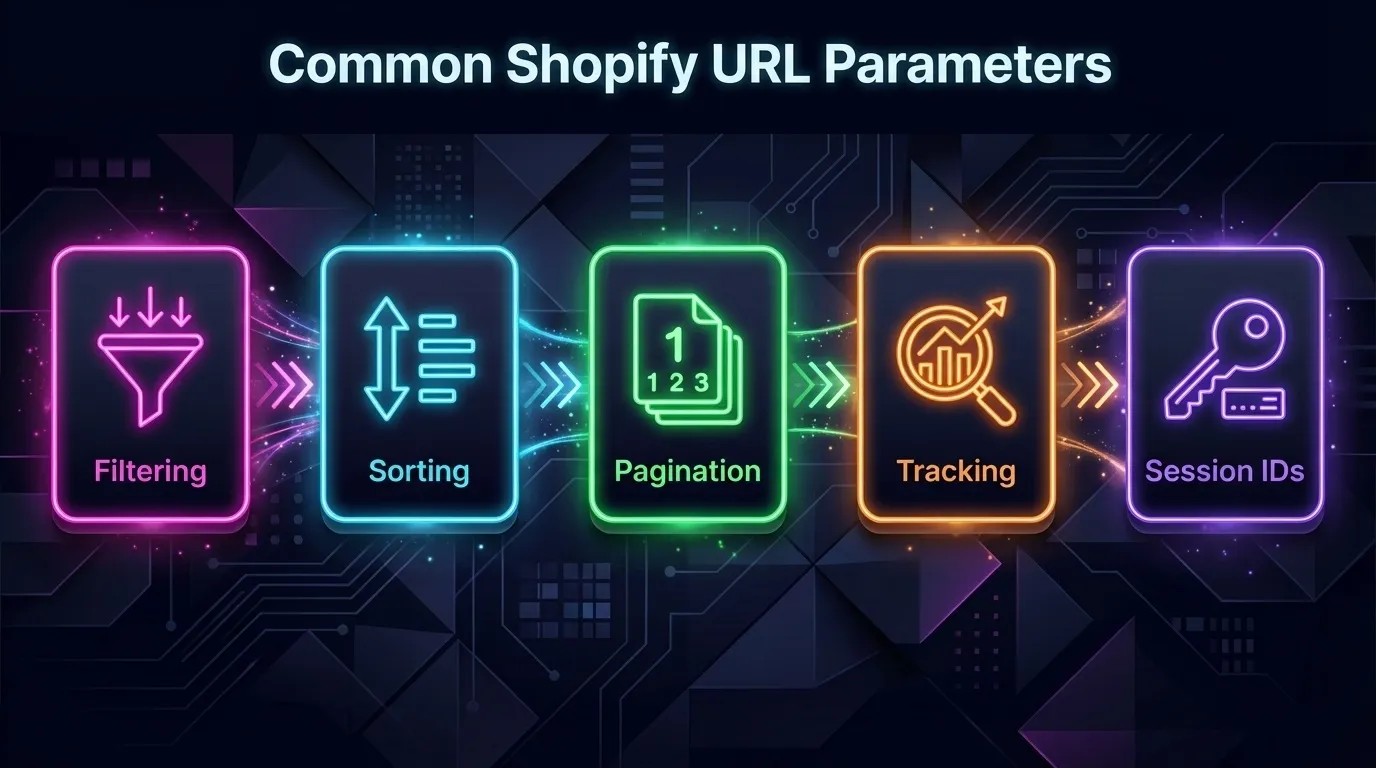
You should not treat all parameters the same way. Some support revenue tracking. Others create duplication.
Filtering Parameters
Filtering parameters appear when users narrow down product results. Example: https://yourstore.com/collections/shoes?filter.v.price.gte=50
This instructs Shopify to display products priced at SGD 50 or more. The collection remains the same. The visible subset changes.
Filtering parameters are helpful for shoppers. However, multiple filter combinations can generate large numbers of URLs.
Sorting Parameters
Sorting parameters rearrange products without changing the actual product set. Example: https://yourstore.com/collections/shoes?sort_by=best-selling
Other common values include:
- sort_by=price-ascending
- sort_by=price-descending
- sort_by=created-descending
From Google’s perspective, this is usually the same content displayed in a different order. If indexed separately, these URLs create near-duplicates.
Pagination Parameters
Pagination divides large collections into pages. Example: https://yourstore.com/collections/shoes?page=2
Pagination is necessary for larger catalogues. The issue arises when pagination combines with filters and sorting, resulting in multiple URL variations.
Tracking Parameters
Tracking parameters are used for marketing attribution. Example:
https://yourstore.com/collections/shoes?utm_source=facebook&utm_medium=cpc
UTM parameters allow analytics tools such as Google Analytics to identify traffic source and campaign data. Google has explained how UTM tagging works in its official documentation.
These parameters are essential for measuring paid campaigns. They are not meant to create new indexable pages.
Session IDs
Session IDs are unique identifiers assigned to individual browsing sessions. In some systems, they appear directly in URLs. An example structure might look like: https://yourstore.com/collections/shoes?sessionid=123456789
Unlike UTMs, which remain consistent across users within a campaign, session IDs are unique per visitor. That means each user may generate a different URL for the same page.
Google explicitly warns that session IDs in URLs can create crawling and indexing problems. This is why session IDs should ideally be stored in cookies rather than in URL strings.
How Shopify Automatically Generates URL Parameters
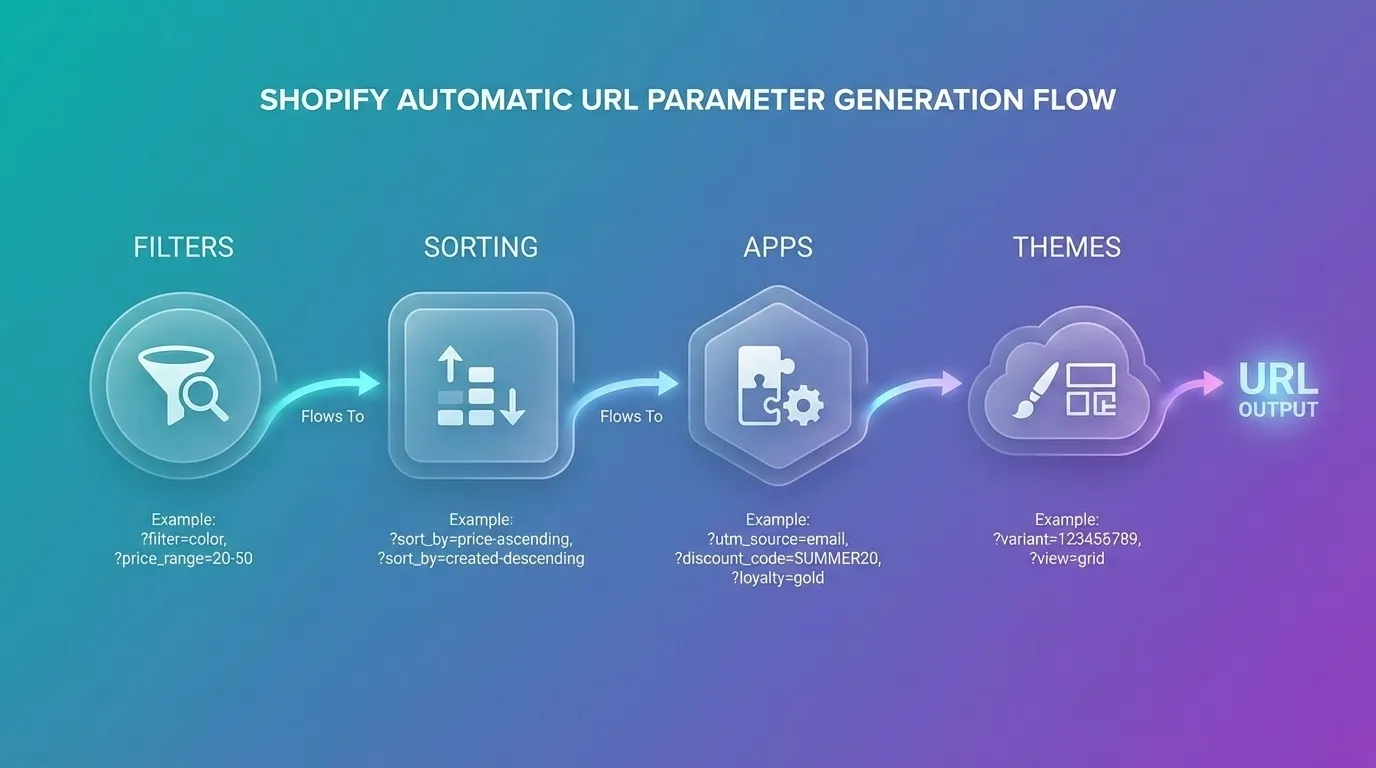
You do not need to manually create parameters for them to exist. Shopify generates them automatically as part of its core storefront logic. That is by design.
The platform is built to be dynamic, flexible, and data-driven. The trade-off is that every dynamic action can create a new URL variation. If you are serious about scaling organic traffic, you must understand exactly where these variations come from.
1. When Users Apply Filters
Shopify’s built-in filtering system appends parameters whenever a user refines a collection view. If a user selects a price range, product type, availability status, or vendor, the platform updates the URL accordingly.
For example: /collections/shoes?filter.v.price.gte=50
This behaviour is documented in Shopify’s Search and Discovery guide. From a user experience standpoint, this is excellent. It makes filtered results shareable and bookmarkable. But from an SEO services standpoint, it creates additional crawlable URLs that may display near-identical product sets.
Now imagine combining multiple filters at once: Price, colour, size, and brand. Each combination generates a new parameter string. The number of possible variations grows exponentially.
2. When Users Change Sorting
Sorting actions also modify the URL. When a visitor switches from “Featured” to “Best-selling” or “Price: Low to High”, Shopify adds a sort_by parameter.
Example: /collections/shoes?sort_by=best-selling
Sorting does not change the product set. It only changes the order in which products are displayed. That means Google could crawl multiple URLs that display the same items in different sequences.
Search engines do not reward different sorting orders. They reward distinct value. If sorting parameters are crawlable and indexable, you risk creating duplicate variations with no additional search intent behind them.
3. When Apps Add Tracking or Functionality
This is where many stores lose control. Third-party apps frequently append query strings to support:
- Referral tracking
- Discount code attribution
- A/B testing experiments
- Personalised recommendations
- Dynamic pricing logic
Some parameters appear only during specific sessions. Others remain persistent in internal links if not configured correctly. In many cases, these strings go unnoticed until a technical crawl reveals thousands of unexpected URL combinations. You will not see this from the front end alone. You should inspect crawl data, Search Console indexing reports, and server logs, if possible.
4. When Themes Implement Dynamic Filtering
Modern Shopify themes often use JavaScript-driven filtering that updates the URL dynamically without reloading the page. This improves user experience and makes filtered states shareable.
The benefit is usability. The cost is scale.
Every filter interaction can create a crawlable variation if it resolves to a unique URL path. If these variations are not handled through canonical tags or crawl controls, search engines may attempt to explore them all.
This is how parameter bloat starts. Not with a single filter. With layered combinations across hundreds of products and multiple collections.
Why This Matters Strategically
Shopify URL parameters are not inherently bad. They are functional tools that support modern eCommerce operations. Used correctly, they enable:
- Accurate campaign attribution
- Personalised user journeys
- Improved on-site navigation
- Shareable filtered experiences
The issue is not their existence. The issue is unmanaged proliferation.
Without intentional control, parameters can generate:
- Duplicate URLs serving identical or near-identical content
- Diluted ranking signals across variations
- Wasted crawl budget, especially on large catalogues
- Inflated index counts filled with low-value pages
Google defines crawl budget as the number of URLs Googlebot can and wants to crawl on a site. If your crawl budget is spent on endless filter combinations, new product launches, and high-value landing pages, they may be crawled more slowly.
Here is the strategic reality: Parameter control is not a cosmetic technical tweak. It is an architectural decision that directly affects discoverability and scalability.
To operate at a high level, you must:
- Identify which parameter types create SEO value
- Consolidate duplicates through canonical tags
- Prevent low-value variations from entering the index
- Maintain clean internal linking to core URLs
Understanding how parameters are generated is the first layer of maturity. Managing them with precision is what separates technically disciplined Shopify stores from those that struggle with invisible SEO drag.
If your organic growth has plateaued despite solid content and backlinks, your URL architecture may be the quiet constraint.
How Shopify URL Parameters Affect SEO
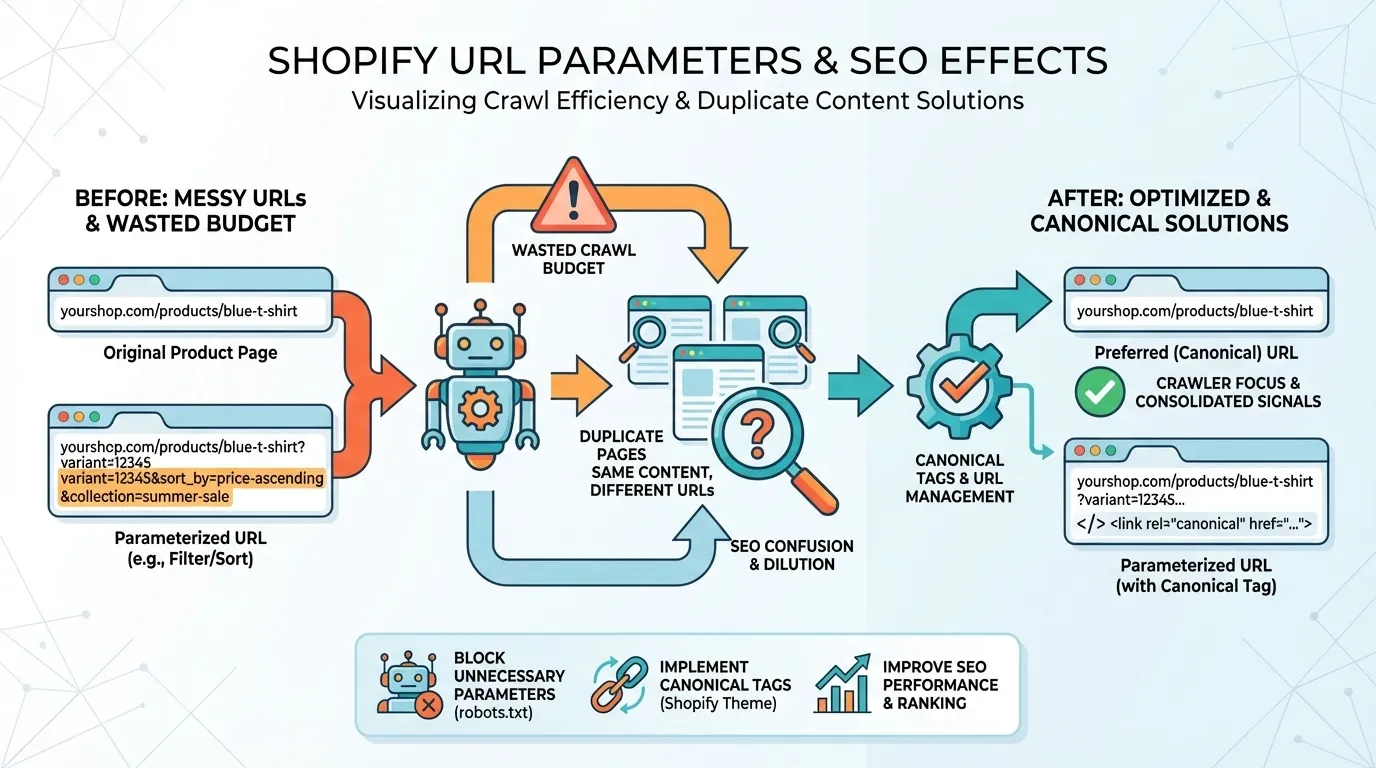
If you want to scale organic traffic responsibly, you need to understand how search engines actually process your URLs. This is not theoretical. It directly affects how often your new products are indexed, how efficiently Google crawls your site, and how clearly your ranking signals are consolidated.
Shopify URL parameters seem harmless. They are useful for filtering, sorting, tracking, and pagination. The issue is not their existence. The issue is how search engines interpret them at scale.
Let’s break this down properly:
How Search Engines Interpret Shopify URL Parameters
Google treats different parameter combinations as separate URLs unless you provide clear signals to treat them as a single URL. This is explicitly stated in Google Search Central documentation.
That means the following URLs are technically different in Google’s eyes:
- /collections/shoes
- /collections/shoes?sort_by=best-selling
- /collections/shoes?page=2
- /collections/shoes?sort_by=price-descending&page=2
Even though the core content is largely identical, the URL string differs. Therefore, it can be crawled and potentially indexed independently.
From a human perspective, this feels minor. From Googlebot’s perspective, it is a multiplication problem. If your store allows:
- 5 sort options
- 10 filter combinations
- 20 paginated pages
You are not dealing with 1 collection URL. You are dealing with hundreds or thousands of potential URL variants. Google’s crawler does not assume they are the same. It tests them.
Now imagine you run a fast-growing DTC brand in Singapore targeting nationwide searches, not just customers in Orchard or Tampines. You launch new collections monthly. If Google allocates its crawl resources to parameter variations rather than to new product pages, your growth slows quietly in the background.
You rarely notice it immediately. But over time, it shows up as delayed indexing, inconsistent rankings, and underperforming category pages.
The Duplicate Content Problem Caused by Shopify URL Parameters
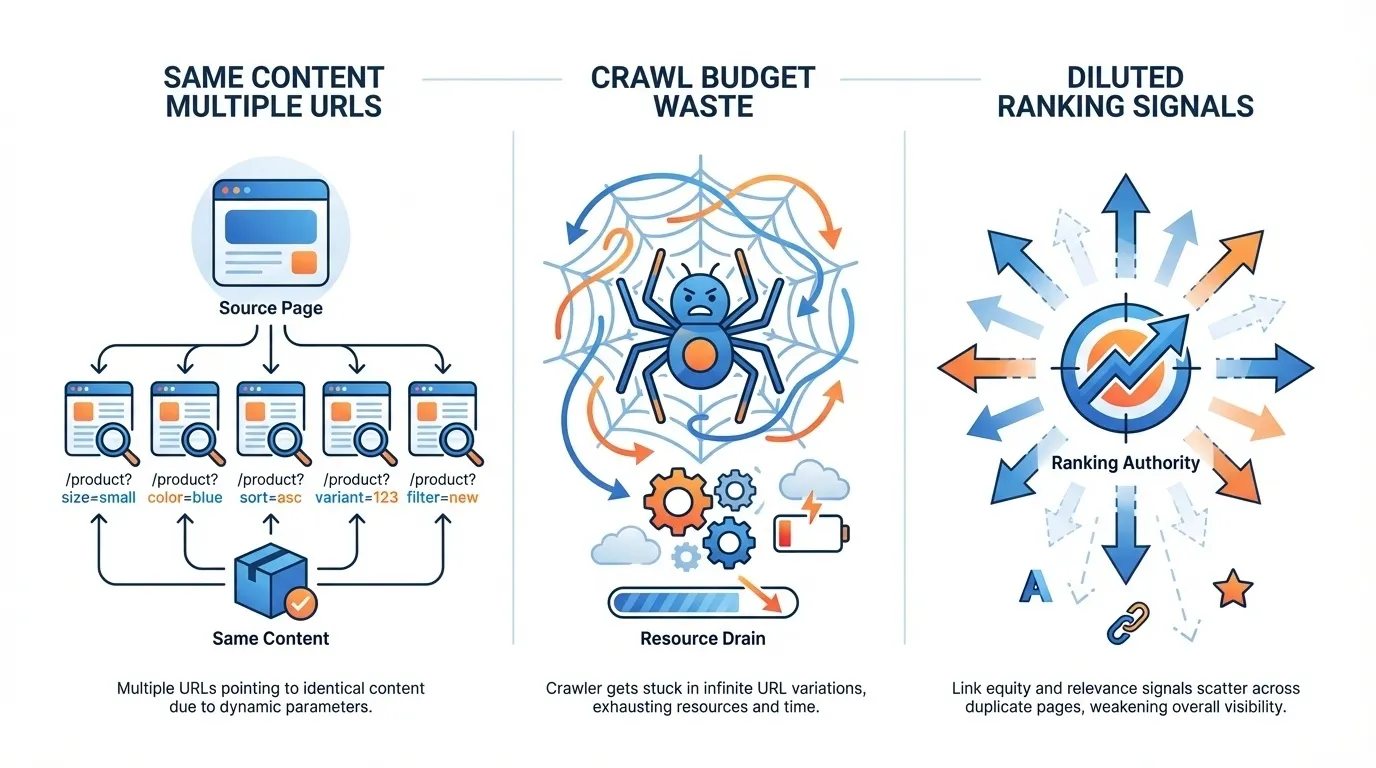
When parameter combinations are crawlable, three structural issues emerge:
- First, identical or near-identical content appears across multiple URLs.
- Second, crawl budget is consumed on low-value variations.
- Third, ranking signals get diluted.
Google defines crawl budget as the number of URLs Googlebot can and wants to crawl on your site. Crawl budget is not a myth. It is documented behaviour. Now let’s look at what duplication actually does in practice:
1. Same Content, Multiple URLs
Sorting parameters are a classic example. Changing sort_by=best-selling does not change the underlying product set. It simply changes order.
From a search perspective:
- Title remains the same
- Meta description remains the same
- Product descriptions remain the same
If Google crawls both URLs, it must decide which one to index and rank. This introduces uncertainty into the ranking system.
2. Crawl Budget Waste
When Googlebot encounters hundreds of parameter variations, it may prioritise crawling those instead of discovering:
- New product launches
- Updated content
- Recently optimised landing pages
For small stores, the impact may be negligible. For mid-sized and enterprise Shopify stores with thousands of SKUs, this becomes operationally significant.
3. Diluted Ranking Signals
When external or internal links, or social shares, point to parameterised URLs rather than the clean canonical version, link equity can fragment.
Google attempts to consolidate duplicate signals. However, consolidation is not guaranteed in every scenario. You should not rely on Google to clean up structural inefficiencies that you can prevent yourself.
How Shopify URL Parameters Can Create Broken URL Structures in Google
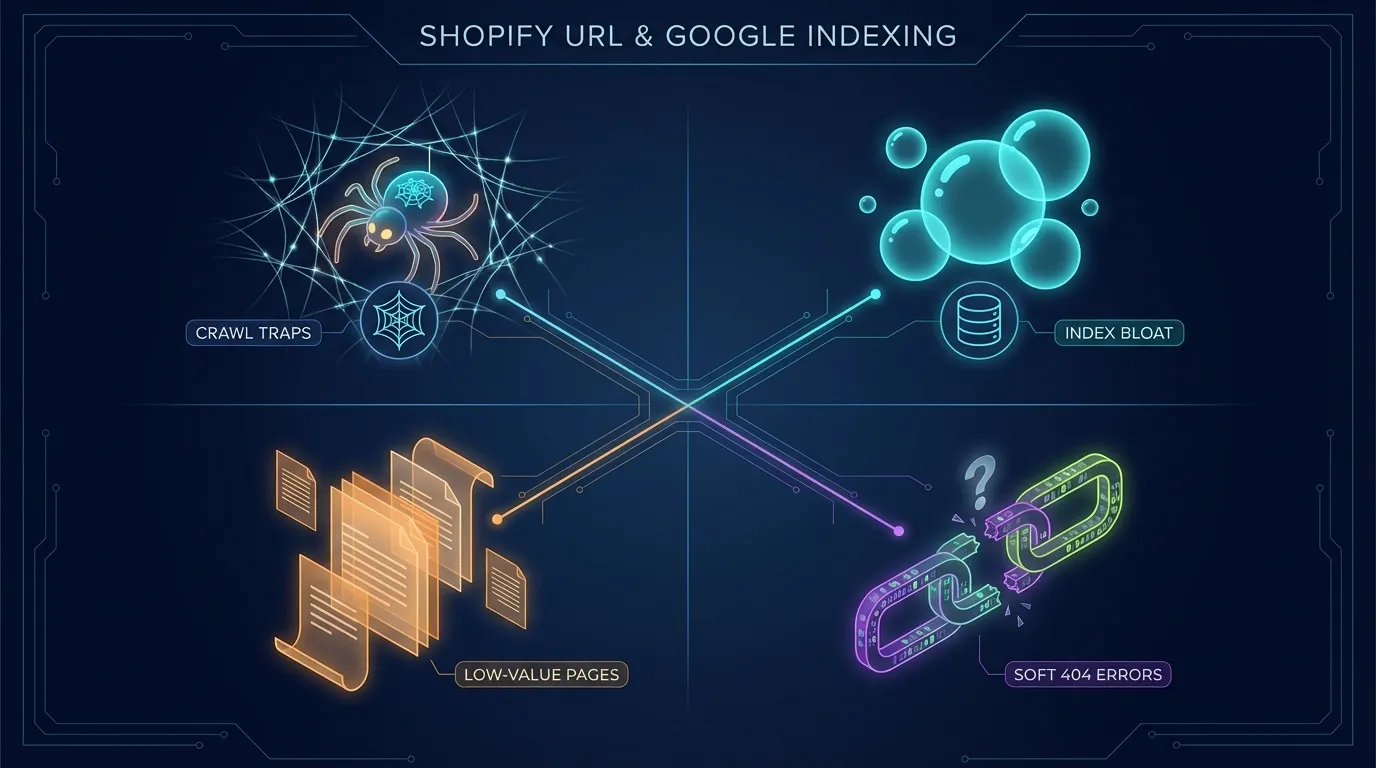
The real danger is not one extra parameter. It is a combinatorial explosion.
When filters, pagination layers, and sorting options compound, you create what Google calls faceted navigation complexity. Google explicitly warns about large numbers of URL combinations generated by faceted navigation systems. Let’s examine what that means for you.
Crawl Traps from Infinite Filter Combinations
Imagine a clothing store:
- Filter by size
- Filter by colour
- Filter by price range
- Filter by availability
- Sort by newest
Each additional filter multiplies the number of URL variations.
Now combine that with pagination: Page 1, Page 2, Page 3, and so on.
You have effectively created a near-infinite URL structure. Googlebot can get stuck in a crawl loop on variations that offer no incremental search value.
That is a crawl trap.
Index Bloat
Index bloat occurs when Google indexes a large number of low-value URLs. These may include:
- Filter combinations with zero search demand
- Pages with only one product
- Thin variations of the same collection
This weakens the overall perceived quality of your site.
Google’s systems evaluate overall site quality signals. A bloated index filled with near-duplicate parameter pages does not help.
Thin or Low-Value Pages in the Index
Filtered URLs often generate pages with:
- Minimal content
- No unique optimisation
- No meaningful differentiation
If indexed, they compete with your primary collection pages. You do not want internal competition. You want signal consolidation.
Soft 404 Risks
When parameter combinations produce empty or near-empty results, Google may interpret them as soft 404s. Soft 404s occur when a page appears to be an error page but returns a 200 status code.
If many parameterised URLs behave this way, you send mixed signals about quality.
How This Affects Your Shopify SEO
You should not be concerned about Shopify URL parameters. You should control them. The key distinction is this:
- Some parameters enhance user experience but offer no search value.
- Some parameters are purely for tracking.
- A small subset may justify indexing if there is search demand.
Your job is not to eliminate parameters. It is to separate revenue-driving URLs from functional ones.
When you treat URL architecture as a strategic asset rather than a technical afterthought, your SEO becomes more predictable. Predictability is what enables you to scale.
If you want clean indexing, efficient crawling, and consolidated ranking signals, you must design your Shopify URL parameters with search engines in mind, not just analytics dashboards.
That is where serious Shopify SEO begins.
Shopify URL Parameters and Session IDs: What You Need to Know
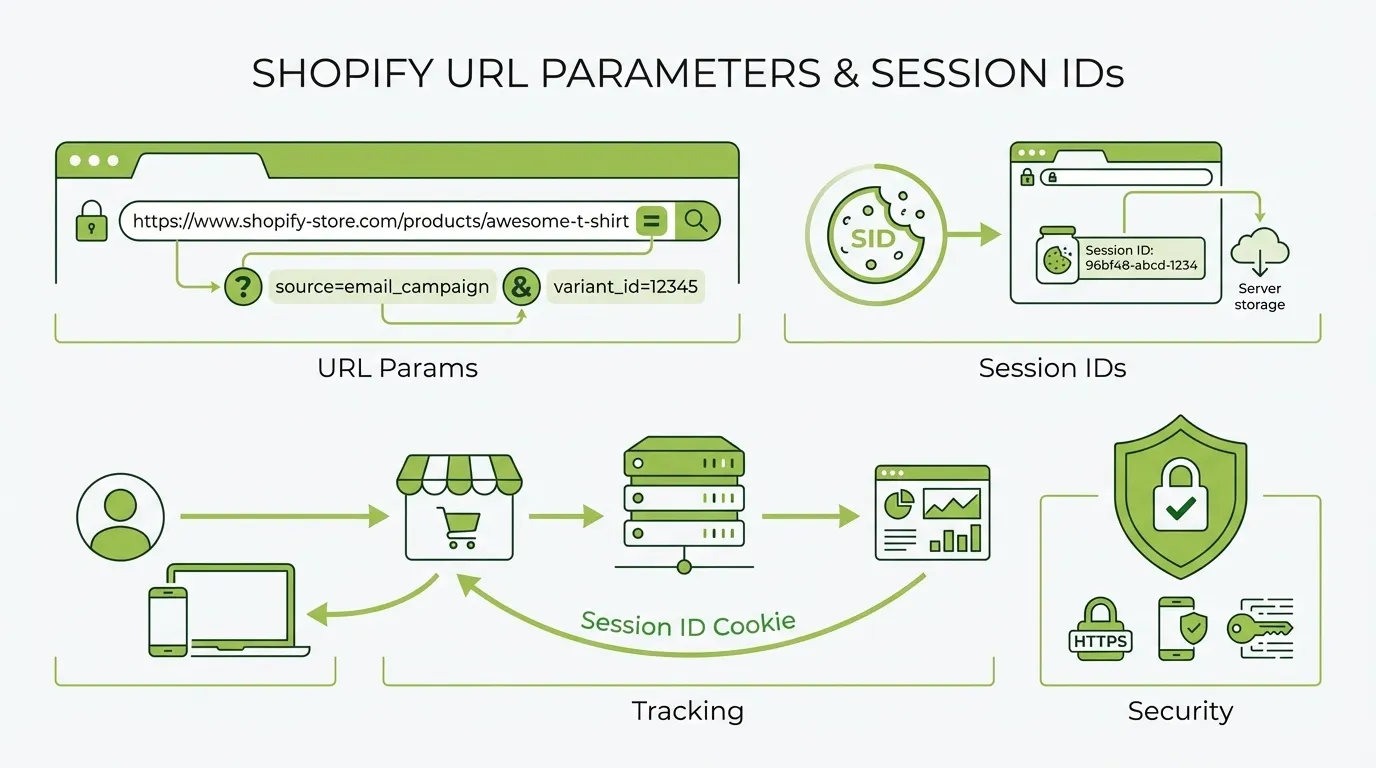
When you are scaling a Shopify store, most conversations focus on ads, creatives, and conversion rate optimisation. Very few founders pause to examine how their URLs behave. That is a mistake. Because once session IDs and uncontrolled parameters enter the picture, your organic growth can quietly stall.
This section is not about theory. It is about how search engines actually crawl your store and how small technical oversights can create structural problems that compound over time.
What Are Session IDs in Shopify?
A session ID is a unique identifier assigned to a user during a browsing session. Its job is simple. It helps the system remember who that user is and what they are doing. For example, which items are in their cart or how they navigated the site.
Session IDs are not the same as UTM parameters.
- UTM parameters are marketing tags you deliberately add to track campaign performance.
- Session IDs are system-generated identifiers that track a user’s visit.

Google explicitly warns that session IDs in URLs can create crawling and indexing problems because they generate unique URLs for the same content.
That distinction matters. UTMs are strategic. Session IDs are operational. When they appear in URLs, they can cause significant SEO friction.
Why Session IDs Can Damage Your Shopify SEO
If session IDs are appended to URLs, even unintentionally, you create a structural issue that search engines struggle to handle. Here is what happens in practical terms:
- Every visitor can trigger a slightly different URL.
- Google encounters the same content under thousands of variations.
- Crawl budget is wasted processing redundant pages.
Google’s documentation is clear. URL parameters, such as session IDs, can cause crawling inefficiencies and indexing issues.
This is not about penalties. It is about efficiency. Google does not penalise you for duplicate content in most cases. It consolidates signals. But if its crawler is busy parsing infinite variations of your collection page, it won’t discover new products or updated content.
That trade-off becomes costly when you launch new SKUs every month.
How Shopify Handles Session IDs by Default
Shopify’s core platform relies primarily on cookies rather than URL-based session identifiers. That is a positive starting point. By default, you will not see session IDs appended to your storefront URLs.
However, that does not mean you are immune. Session-based parameters can still appear when:
- A third-party app injects tracking or referral data into URLs.
- Custom scripts modify redirects or landing pages.
- Legacy themes or heavily customised builds alter how requests are handled.
You cannot assume your store is safe simply because it runs on Shopify. You need to verify.
Run a crawl. Inspect your indexed URLs in Google Search Console. Search for patterns containing random alphanumeric strings in parameter format. If you see them appearing repeatedly, investigate immediately.
Technical hygiene is not optional once your revenue depends on organic growth.
Tracking Without Breaking SEO: Managing Shopify URL Parameters Properly
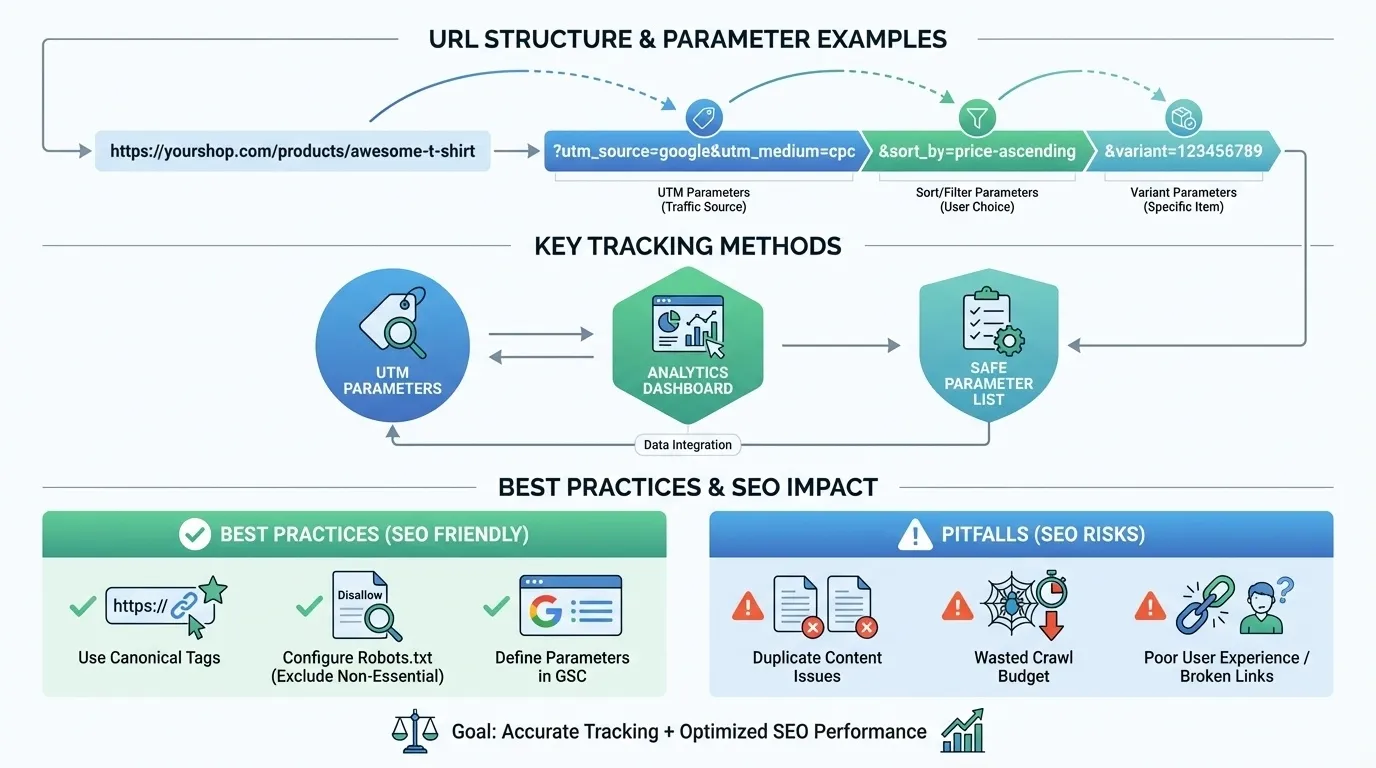
You need tracking. You also need clean architecture. The goal is not to eliminate parameters. The goal is to control them.
That begins with categorisation.
Which Shopify URL Parameters Should Be Indexed and Which Should Not
Not all parameters are equal. Some represent strategic landing pages. Others are purely functional.
You should assess them using a structured framework.
| Parameter Type | Should It Be Indexed? | Strategic Rationale |
| Core collection pages | Yes | Revenue-driving, search-demand aligned |
| Filtering variations | Usually no | Often, minimal unique search intent |
| Sorting parameters | No | Same content, different order |
| UTM parameters | No | Attribution only |
| Session IDs | No | Infinite duplication risk |
This framework forces discipline. Instead of reacting to crawl issues after rankings dip, you proactively define what deserves visibility.
There are exceptions. Some filtered collections may have search demand, such as “men’s running shoes under SGD 100”. In those cases, you create a clean, static landing page instead of relying on dynamic parameters.
Strategy always beats automation.
Using Canonical Tags to Control Shopify URL Parameters
Canonical tags are one of your primary control mechanisms. A canonical tag tells Google which version of a page to treat as the primary URL. Google’s guidance confirms that canonicalisation consolidates duplicate signals across similar pages.
Shopify automatically inserts canonical tags on product and collection templates. That is helpful. But automatic does not mean flawless.
Common implementation mistakes include:
- Canonicalising filtered URLs to themselves rather than to the main collection.
- Accidentally modifying canonical logic during theme edits.
- Allowing apps to override canonical tags.
You should periodically inspect rendered HTML to confirm that parameterised URLs point back to the clean version.
If a URL like: /collections/shoes?sort_by=best-sellingi is self-canonicalising, you are telling Google it is a primary page. That is rarely correct. Canonical discipline preserves crawl clarity without sacrificing tracking data.

How to Configure Google Search Console for Shopify URL Parameters
In the past, you could use Google Search Console’s URL Parameters tool to guide crawling behaviour. That tool was retired in 2022. You no longer have a direct interface to instruct Google on how to handle parameters.
Today, control comes from:
- Strong canonical implementation
- Clean internal linking that avoids parameterised URLs
- Strategic use of robots.txt
- Avoiding parameter-heavy URLs in sitemaps
This shift means you cannot rely on configuration panels. You must rely on architecture.
Search Console is now a diagnostic tool, not a parameter control panel. Monitor indexing reports. Identify unexpected parameter patterns. Investigate before scale turns small issues into systemic ones. Technical discipline is now the only sustainable control mechanism.
When you treat session IDs and Shopify URL parameters as part of your growth infrastructure rather than an afterthought, your SEO becomes more predictable. Cleaner crawling. Consolidated signals. Stronger indexing.
That stability compounds. Over time, it becomes one of the quiet advantages that separates high-growth stores from those constantly firefighting technical debt.
How to Preserve Tracking Data While Controlling Shopify URL Parameters
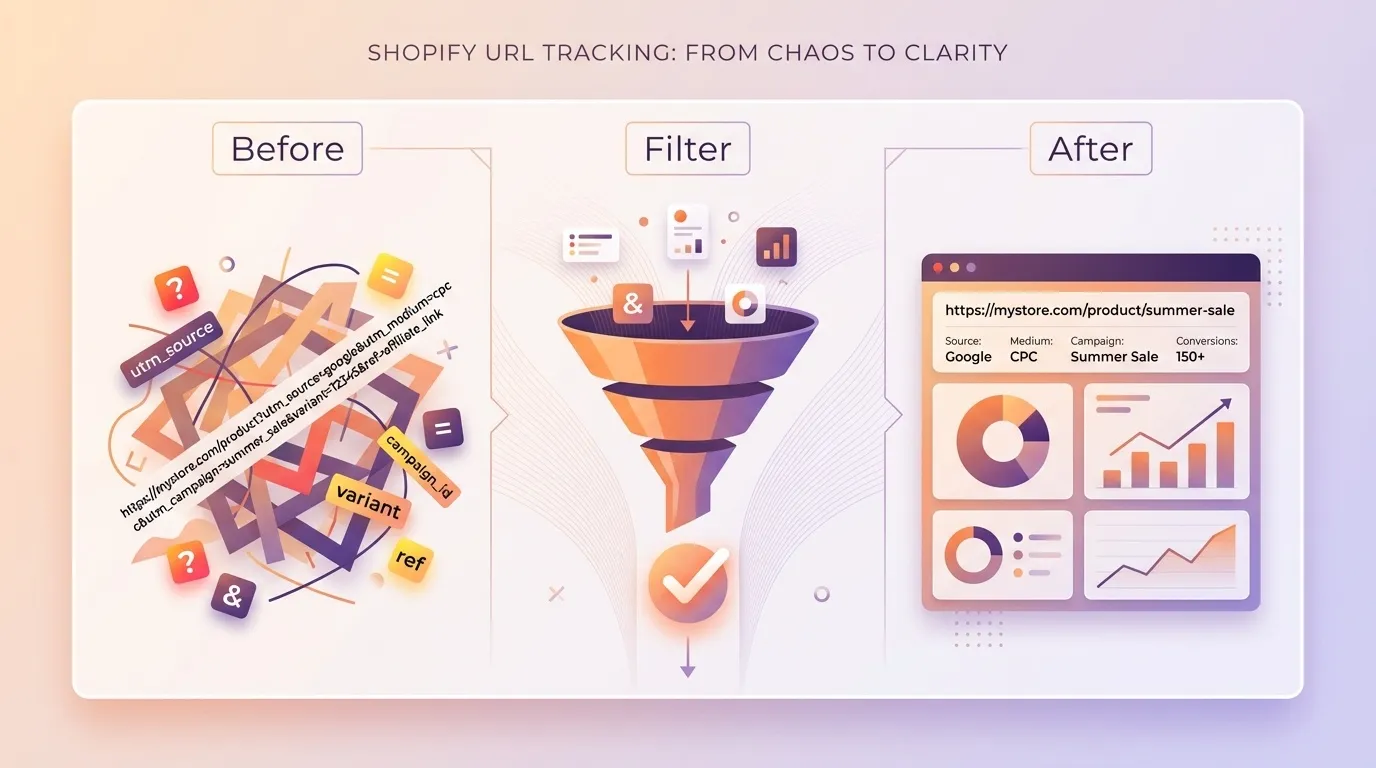
You do not have to choose between accurate attribution and strong organic performance. The real skill lies in separating tracking logic from indexable architecture.
Most Shopify stores fail here because marketing teams add parameters freely while SEO teams try to clean up the mess later. If you want sustainable growth, you need a system. Tracking parameters should be available in analytics platforms. They should not shape your crawlable URL structure.
Google is clear that URL parameters can affect crawling and indexing behaviour. The goal is simple in theory but nuanced in execution. Preserve data integrity for marketing. Present clean, canonical URLs to search engines.
Using UTM Parameters Safely in Shopify
UTM parameters are not the enemy. They are a standard method for campaign attribution and are officially supported by Google Analytics. The problem begins when UTMs start leaking into your internal architecture.
A typical campaign URL looks like this: /collections/sneakers?utm_source=facebook&utm_medium=cpc&utm_campaign=launch
That is perfectly acceptable for external acquisition. It tells GA4 where the traffic came from. It allows you to measure cost per acquisition in SGD. It gives you clarity on whether your Orchard Road billboard drove online revenue.
What it should not do is become part of your crawlable site structure.
The Non-Negotiable Rules for UTM Discipline
Before we go deeper, internalise these principles:
- Never use UTM parameters in internal links
- Strip UTMs from navigation menus and banners
- Ensure every parameterised URL canonicalises to the clean version
- Avoid linking to parameterised URLs inside blog content
- Do not include UTM URLs in XML sitemaps
If you break even one of these, you risk turning campaign links into indexable duplicates.
Google consolidates duplicate URLs using canonical signals, but you should not rely on Google to clean up avoidable mistakes.
Why Internal UTM Usage Is So Dangerous
When you use UTMs internally, you create artificial new landing pages in GA4. That leads to:
- Inflated page path reports
- Split engagement metrics
- Misleading conversion attribution
- Self-referrals if domains are misconfigured
GA4 session attribution depends heavily on clean campaign tagging and proper referral handling.
If your data becomes fragmented, your optimisation decisions suffer. Paid channels look worse than they are. Organic looks inconsistent. Email underperforms on paper even if revenue is steady.
Clean URLs support clean data. This is not cosmetic. It is operational clarity.
How to Prevent Shopify URL Parameters From Being Indexed
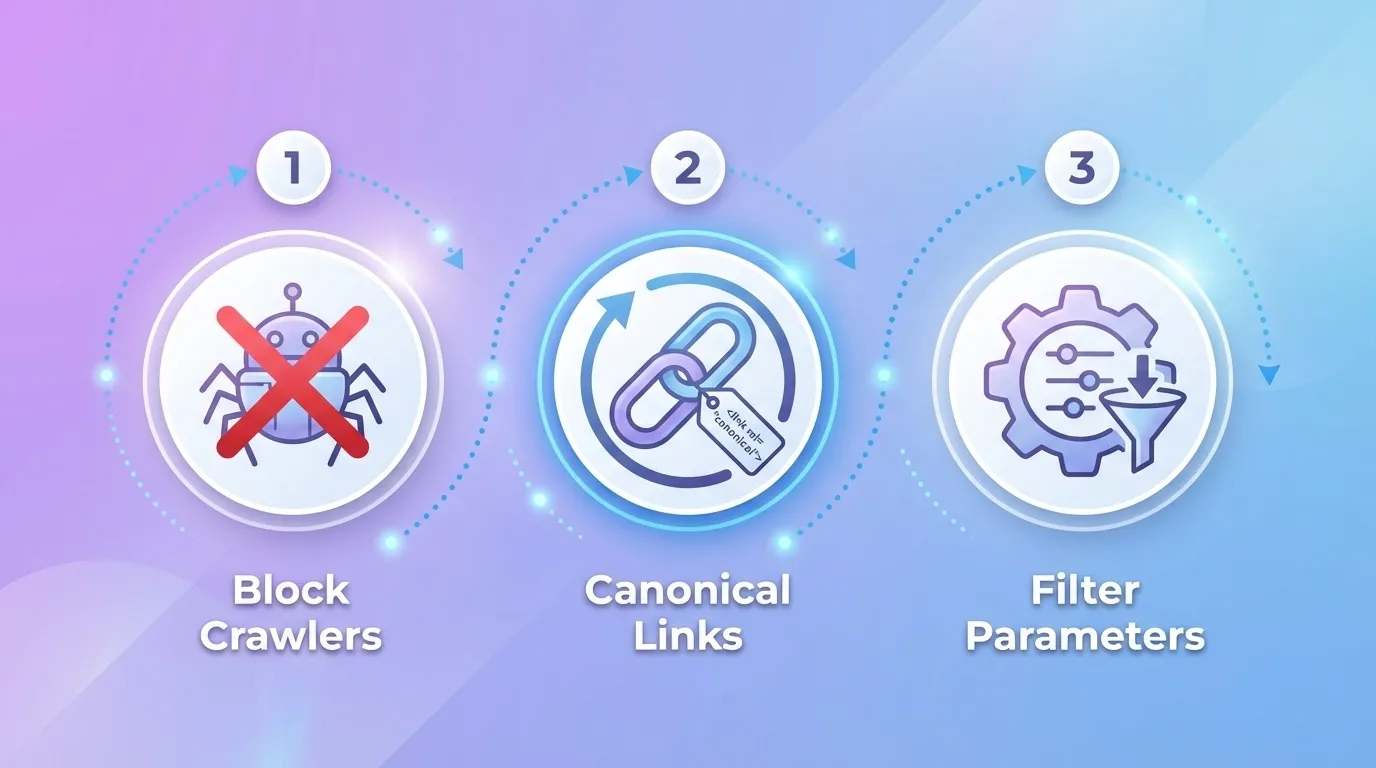
You cannot stop Shopify from generating parameters entirely. Filtering and sorting rely on them. The real question is whether Google should crawl and index them.
Google confirms that robots.txt can be used to block crawling of certain URL patterns. However, blocking and deindexing are not the same thing. This is where many brands get it wrong.
Your Core Control Levers
You have three main technical tools. Each tool serves a different purpose.
Robots.txt
Use this when:
- You want to prevent the crawling of infinite filter combinations
- You are facing crawl budget constraints
- You see parameter spam in crawl reports
Be careful. Robots.txt blocks crawling, not indexing. If external links point to a blocked URL, Google may still index it without content.
Meta Noindex
Apply noindex when:
- A filtered page offers little unique search value
- Sorting variations duplicate core collection pages
- Pagination creates thin content beyond page one
This allows Google to crawl and understand the structure but prevents indexing.
Sitemap Control
Your XML sitemap should only contain:
- Core collection URLs
- Product URLs
- High-value content pages
Parameterised URLs have no place here. Including them sends mixed signals about priority.
Shopify URL Parameters and Analytics: Keeping Clean Data
SEO stability is only half the equation. You also need attribution accuracy. When Shopify URL parameters are handled poorly, analytics reports become unreliable.
In GA4, campaign attribution depends on consistent UTM tagging and clean landing page paths. If the same product page appears as:
- /products/red-dress
- /products/red-dress?utm_source=instagram
- /products/red-dress?ref=homepage
You will see multiple rows in the landing page reports. That fragments engagement data and complicates funnel analysis.
Protecting Your Data Integrity
There are several operational safeguards you should implement:
- Configure referral exclusions correctly to prevent self-referrals
- Standardise campaign naming conventions across teams
- Audit landing page reports monthly for parameter pollution
- Use filters or data exploration views to consolidate paths
You should also test campaign flows end-to-end. Click the ad. Watch the redirect. Confirm that the canonical remains clean. Verify that the URL bar does not retain tracking parameters after navigation.
This level of diligence separates high-performing stores from those constantly questioning their numbers.
Finding Balance
You are not trying to eliminate Shopify URL parameters. You are trying to control their impact. Here is the mental model we recommend to clients:
| Purpose | Should Users See It? | Should Google Index It? |
| Campaign tracking | Yes | No |
| Product filtering | Yes | Usually no |
| Sorting options | Yes | No |
| Core collections | Yes | Yes |
When you treat tracking and indexing as two separate systems, everything becomes clearer. Marketing can move quickly. SEO remains stable. Analytics reports stay reliable. That is how you preserve attribution while maintaining a clean, scalable architecture.
And if you are serious about long-term growth, you do not treat URL governance as a technical afterthought. You treat it as part of your revenue infrastructure.
Step-by-Step Action Plan: How to Clean Up Shopify URL Parameters

If you are serious about organic growth, you cannot treat URL hygiene as a side task. It requires process, ownership, and documentation. What follows is not a quick checklist but a structured cleanup framework you can implement in a real business, with stakeholders, reporting lines, and revenue targets.
You are not just “fixing URLs”. You are protecting crawl efficiency, consolidating authority signals, and preserving attribution accuracy. Let’s walk through it properly.
Step 1: Crawl Your Entire Site First. Do Not Guess.
Before you touch anything, you need visibility. Run a full crawl using a professional SEO crawler such as Screaming Frog or Sitebulb. Export every live URL discovered, including parameterised versions. Do not rely solely on your sitemap. Sitemaps rarely include parameter URLs, which is exactly the problem.
You are looking for patterns such as:
- ?sort_by= variations
- ?page= pagination chains
- ?filter.v. faceted combinations
- ?utm_ tagged URLs being internally linked
- Unexpected session or tracking strings
At this stage, resist the urge to fix. Your only objective is mapping the landscape. If you skip this and move straight into robots.txt edits, you are operating blind.
Step 2: Export and Cluster All Parameter Variations
Once you have your crawl export, isolate URLs containing question marks. Place them into a spreadsheet and group them by parameter type. This provides a clear structural view of how your store operates.
For example:
| Parameter Pattern | Purpose | Volume Found | Risk Level |
| ?sort_by= | Sorting | 320 | Low |
| ?page= | Pagination | 140 | Medium |
| ?filter.v. | Filtering | 1,850 | High |
| ?utm_ | Tracking | 75 | High if internally linked |
This is where strategy begins. You are no longer looking at isolated URLs. You are looking at systems.
Step 3: Categorise Shopify URL Parameters as Indexable or Non-Indexable
Not all parameters are harmful. Some may deserve to rank. Ask yourself three questions for each group:
- Does this parameter version target unique search demand?
- Does it present meaningfully different content?
- Would you intentionally optimise it as a landing page?
If the answer is no across the board, it should not be indexable. As a general rule:
Likely indexable
- Core collection URLs
- Strategically optimised filtered collections with search demand
Likely non-indexable
- Sorting parameters
- Pagination variations beyond page one
- UTM parameters
- Session-based strings
Document your decisions. This creates internal clarity and prevents future developers or marketers from undoing your structure.
Step 4: Validate Canonical Implementation Across Templates
Shopify automatically inserts canonical tags, but do not assume they are correct. Manually inspect the following:
- Collection pages
- Filtered URLs
- Product pages accessed via collections
- Blog pages with parameters
Each parameterised version should canonicalise to the clean, primary URL unless you intentionally want it indexed.
Pay attention to these common issues:
- Canonicals pointing to parameterised URLs
- Inconsistent trailing slashes
- Apps overriding default canonical behaviour
- Pagination pages are canonicalising incorrectly to page one
If canonicals are wrong, Google will crawl inefficiently and may index unintended variations. Canonical alignment is the backbone of parameter control.
Step 5: Clean Internal Links Before Blocking Anything
Many parameter issues originate from internal linking mistakes, not from Google. Check:
- Navigation menus
- Collection filter links
- Blog CTAs
- Footer links
- Marketing banners
If your internal links contain UTM parameters or filter strings, you are feeding Google the wrong signals. Replace them with clean URLs.
Internal linking should always point to canonical versions. Let external campaigns carry tracking tags. Your site architecture should remain clean and consistent. This single step often reduces crawl noise dramatically without touching robots.txt.
Step 6: Update Robots.txt Selectively and Strategically
Only after auditing and canonical validation are complete should you consider changes to robots.txt. Do not block everything with a question mark. That can unintentionally block important pages.
Instead, target high-risk patterns such as:
- Sorting parameters
- Certain filter combinations
- Known problematic app-generated strings
Test before deploying live changes. Use Search Console’s robots.txt tester and re-crawl the site to confirm behaviour.
Remember that robots.txt blocks crawling, not indexing. If pages are already indexed, you may need additional measures such as proper canonical tags or noindex directives.
Step 7: Monitor Indexing Trends Monthly
Parameter clean-up is not a one-time exercise. Shopify stores evolve. Apps get installed. Themes get updated. Marketing teams launch new campaigns.
Create a monthly monitoring workflow:
- Check Search Console’s Pages report
- Review indexed URL count trends
- Look for spikes in parameterised URLs
- Audit newly installed apps
If you see sudden growth in indexed URLs without a corresponding increase in content, investigate immediately. You are not just cleaning URLs. You are protecting structural integrity over time.
Cleaning up Shopify URL parameters is not about chasing perfection. It is about reducing unnecessary complexity so search engines can allocate resources to what actually drives revenue.
- You crawl first to see clearly.
- You categorise to make decisions based on intent, not fear.
- You validate canonicals because consolidation matters.
- You clean internal links to stop self-inflicted duplication.
- You adjust robots.txt with precision, not panic.
- You monitor continuously because growth introduces entropy.
This is an operational discipline applied to technical SEO. When done properly, it strengthens both organic visibility and tracking accuracy without forcing you to choose between them.
Building a Scalable SEO Framework Around Shopify URL Parameters
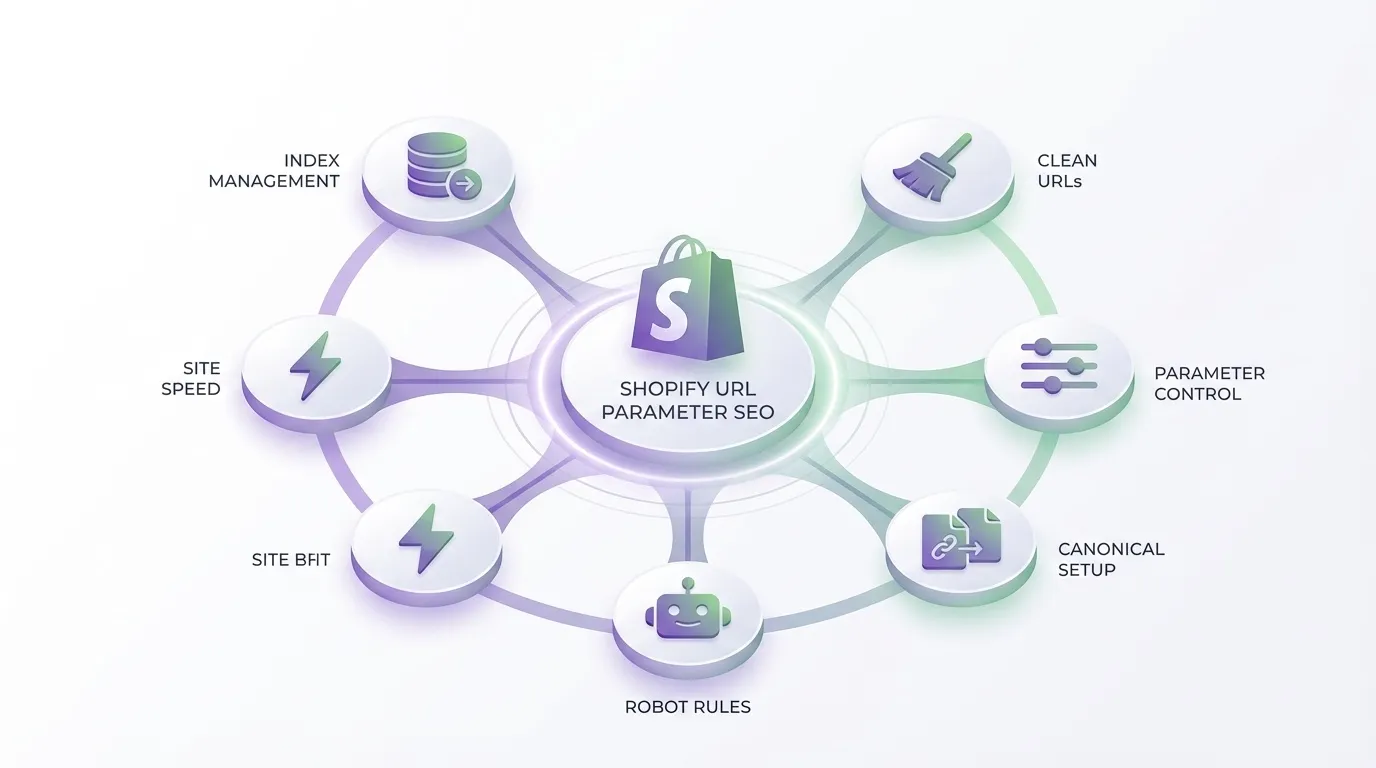
At some point, every growing eCommerce brand reaches an inflexion point. Traffic is coming in. Campaigns are running across Meta, Google, and email. New apps are layered into the stack. Collections expand. International markets open. And quietly, your URL structure becomes more complex than your team realises.
If you treat URL management as a patchwork exercise, you create technical debt. If you treat it as infrastructure, you build leverage.
A scalable framework means you do not react to crawl errors after they surface. You define which URLs deserve to rank. You enforce canonical consistency across templates. You isolate tracking from indexable pages. You audit app behaviour before it impacts search visibility. Most importantly, you align marketing, development, and analytics around a single rule. Clean URLs power both attribution and authority.
This is where many brands in Singapore fall behind. They invest in paid acquisition but neglect technical SEO foundations. The result is wasted crawl budget, diluted ranking signals, and performance ceilings that feel mysterious until you audit properly.
If you are serious about long-term growth, this is not a cosmetic fix. It is structural governance. That is exactly where MediaOne comes in. Our team works with ambitious brands to design and implement technical systems that protect revenue while strengthening organic performance. We do not just optimise pages. We build frameworks that scale.
If you want clarity on whether your current architecture is helping or hurting you, call us today for a strategic review of your Shopify SEO setup. A focused conversation can reveal whether your Shopify URL parameters are controlled assets or hidden liabilities.
Frequently Asked Questions
How do Shopify URL parameters affect Google crawling?
Shopify URL parameters can create multiple URL variations that point to similar content. When unmanaged, Google may crawl each variation separately, consuming crawl budget and reducing efficiency. This can delay the indexing of important product and collection pages. Proper canonical implementation and internal link control help consolidate signals.
Yes, if multiple parameterised URLs are indexed, link equity may become fragmented across variations. Instead of strengthening one primary URL, authority signals may be distributed inefficiently. Consolidating parameter URLs with correct canonical tags ensures ranking signals point to a single preferred version.
Should Shopify URL parameters be included in XML sitemaps?
In most cases, parameterised URLs should not appear in XML sitemaps. Sitemaps should prioritise clean, canonical URLs that represent core landing pages. Including parameter versions can send mixed signals to search engines and dilute crawl focus. A disciplined sitemap structure supports clearer indexing.
Do Shopify URL parameters affect Core Web Vitals?
Indirectly, they can. If excessive parameter variations reduce caching efficiency or create unnecessary crawl load, site performance monitoring may become inconsistent. While parameters do not directly change page speed, structural inefficiencies can affect how content is delivered and evaluated.
How often should Shopify URL parameters be audited?
They should be reviewed whenever new apps are installed, major campaigns are launched, or site architecture changes. At a minimum, conduct a quarterly technical SEO audit to detect new parameter patterns. Ongoing monitoring ensures small issues do not evolve into structural problems.