
In 2026, Shopify remains one of the most dominant ecommerce platforms in the world, powering approximately 26.7% of the top 1,000 ecommerce sites, a clear indicator of its central role in online retail success.

With this scale comes complexity. As Shopify stores grow, so does the number of product pages, collections, and filter combinations, which generate additional URLs through mechanisms such as pagination and faceted navigation.
While these features improve user experience on the front end, they can create structural challenges on the back end if not managed properly.
One such challenge is ensuring that search engines crawl and index the most important pages without wasting precious crawl budget on low-value variations. This is where Shopify pagination SEO becomes essential.
In this article, we’ll define what pagination is, why it matters for SEO, and how you can strategically control, canonicalise, and noindex URLs to maximise crawl efficiency and search visibility, all within the context of a larger Shopify SEO strategy.
For a broader overview of technical SEO best practices tailored to Shopify stores, explore our comprehensive Shopify SEO strategy guide.
Key Takeaways
- Shopify pagination is an architecture issue, not just a tagging issue. As catalogues grow, uncontrolled pagination and faceted navigation can fragment authority and dilute crawl efficiency.
- Most page 2+ pagination URLs should not be indexed. Unless deeper pages target unique search intent, allowing them to index often splits ranking signals instead of strengthening them.
- Faceted navigation creates exponential URL growth. When filters are combined with pagination, crawlable URLs multiply rapidly, increasing the risk of wasted crawl budget.
- Canonical and noindex serve different purposes and must align. Canonical consolidates ranking signals, while noindex controls search inclusion. Inconsistent implementation creates ranking instability.
- Internal linking determines which URLs accumulate authority. Even in perfect canonical settings, paginated or filtered URLs can fail if they receive unnecessary internal links.
What Is Shopify Pagination and Why Does It Affect SEO?
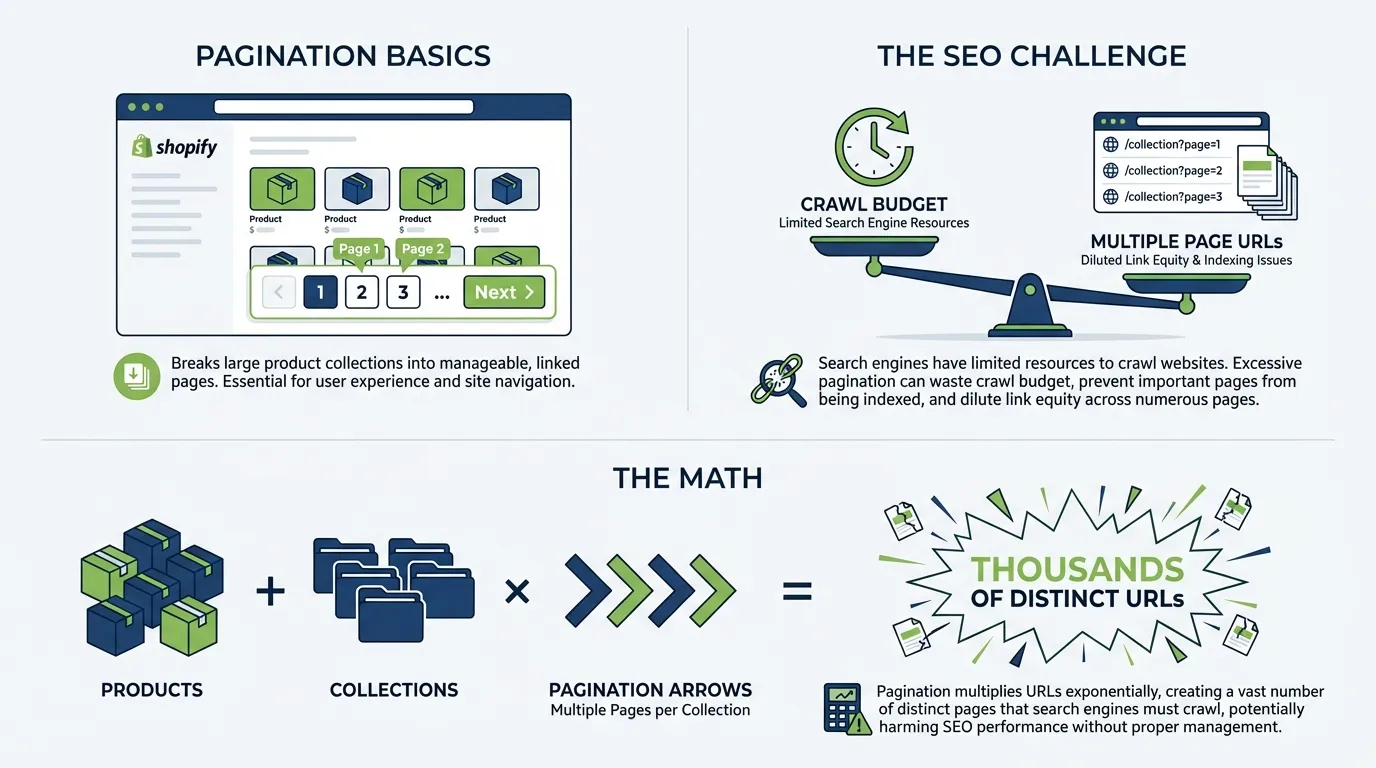
Shopify pagination refers to how product collections are divided across multiple sequential URLs when the number of products exceeds the display limit per page.
For example:
- /collections/mens-shoes
- /collections/mens-shoes?page=2
- /collections/mens-shoes?page=3
Pagination exists primarily for user experience. It prevents a single collection page from loading hundreds of products at once.
However, every paginated page is technically a unique URL.
That is where SEO considerations begin.
Why Pagination Impacts SEO
Search engines allocate crawl resources per site. This is commonly referred to as a crawl budget. Crawl budget refers to the number of URLs search engines allocate resources to crawl on your site over time. Larger websites receive more crawl allocation, but efficiency still matters.
When Shopify pagination is shallow, the impact is minimal.
When pagination becomes deep across dozens of collections, the number of crawlable URLs expands rapidly.

Consider this simplified example:
- 3,000 products
- 60 collections
- 4 pagination levels
This already creates 240 paginated collection URLs. Now add filters, which we will define in the next section. The URL count can easily exceed several thousand.
When crawl allocation is distributed across low-priority paginated URLs, your most important collection pages may receive less crawl attention, slower index updates, and weaker consolidation. Pagination becomes an efficiency issue rather than a visibility penalty.
Before discussing noindex and canonical rules, we must separate two concepts that are often confused.
What Is Shopify Collection Pagination?
Collection pagination is linear. It divides a collection into sequential pages, each of which continues the same search intent. Page 2 is not targeting a new keyword. It is merely displaying the next group of products. This structure is predictable and manageable with defined indexing logic.
What Is Faceted Navigation in Shopify?
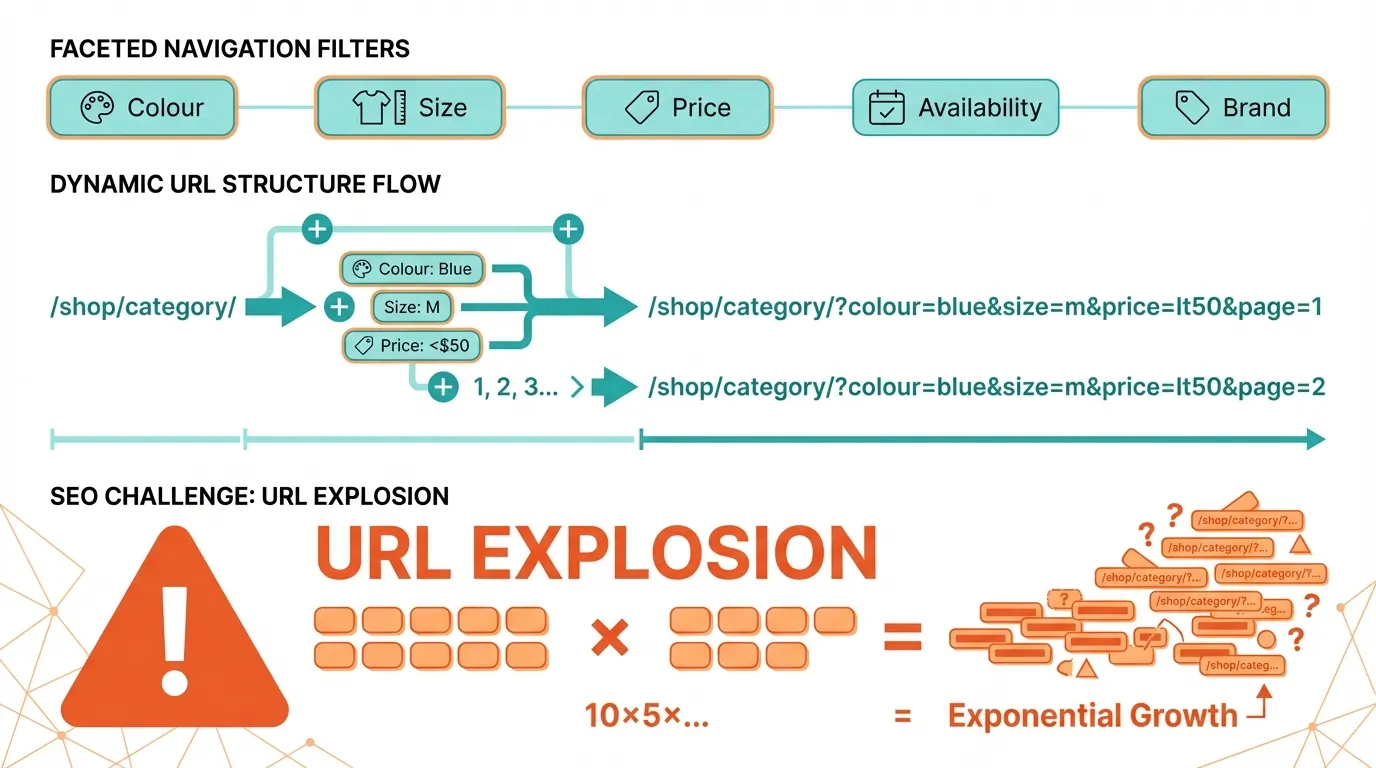
Faceted navigation allows users to filter products by attributes such as:
- Colour
- Size
- Price
- Availability
- Brand
Each filter generates a new URL parameter.
For example:
- ?filter.v.option.color=black
- ?filter.v.price.gte=50
Now combine pagination and filters:
- ?filter.v.option.color=black&page=3
Instead of linear growth, you now have exponential URL growth.
If each collection has 10 filters and 5 pagination levels, the number of crawlable combinations expands dramatically. Pagination multiplies. Filters multiply. Together, they compound. This is why Shopify faceted navigation SEO must be actively controlled.
Why Faceted Navigation Multiplies Pagination
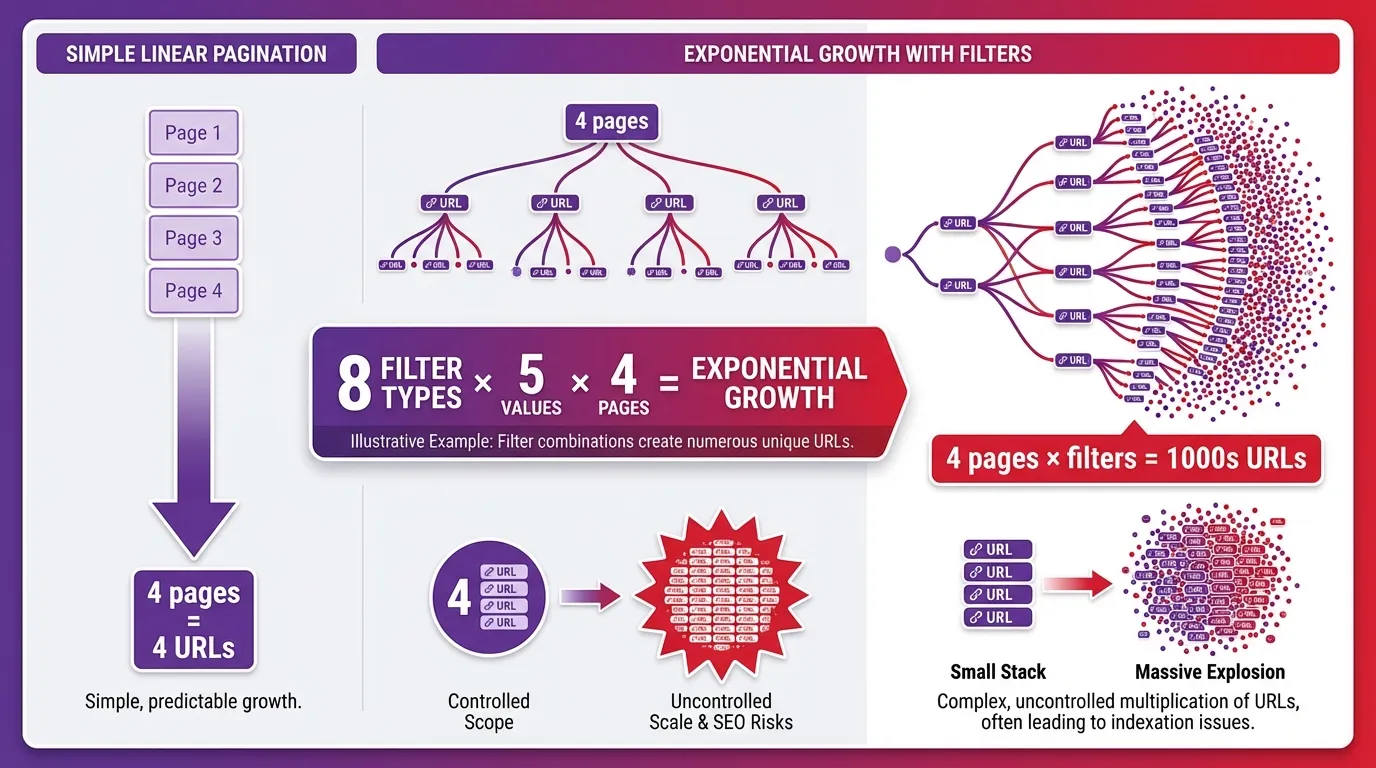
When pagination and filters combine, URL growth becomes exponential.
Example:
- ?filter.v.option.color=black&page=3
Instead of four paginated pages, you now have four paginated pages for every filter variation.
If a collection has:
- 8 filter types
- 5 values per filter
- 4 pagination levels
Even conservative combinations produce thousands of crawlable URLs. Unlike linear pagination, faceted navigation introduces combinatorial complexity. This is why Shopify faceted navigation SEO must be addressed alongside pagination.
When to Noindex Shopify Pagination Pages
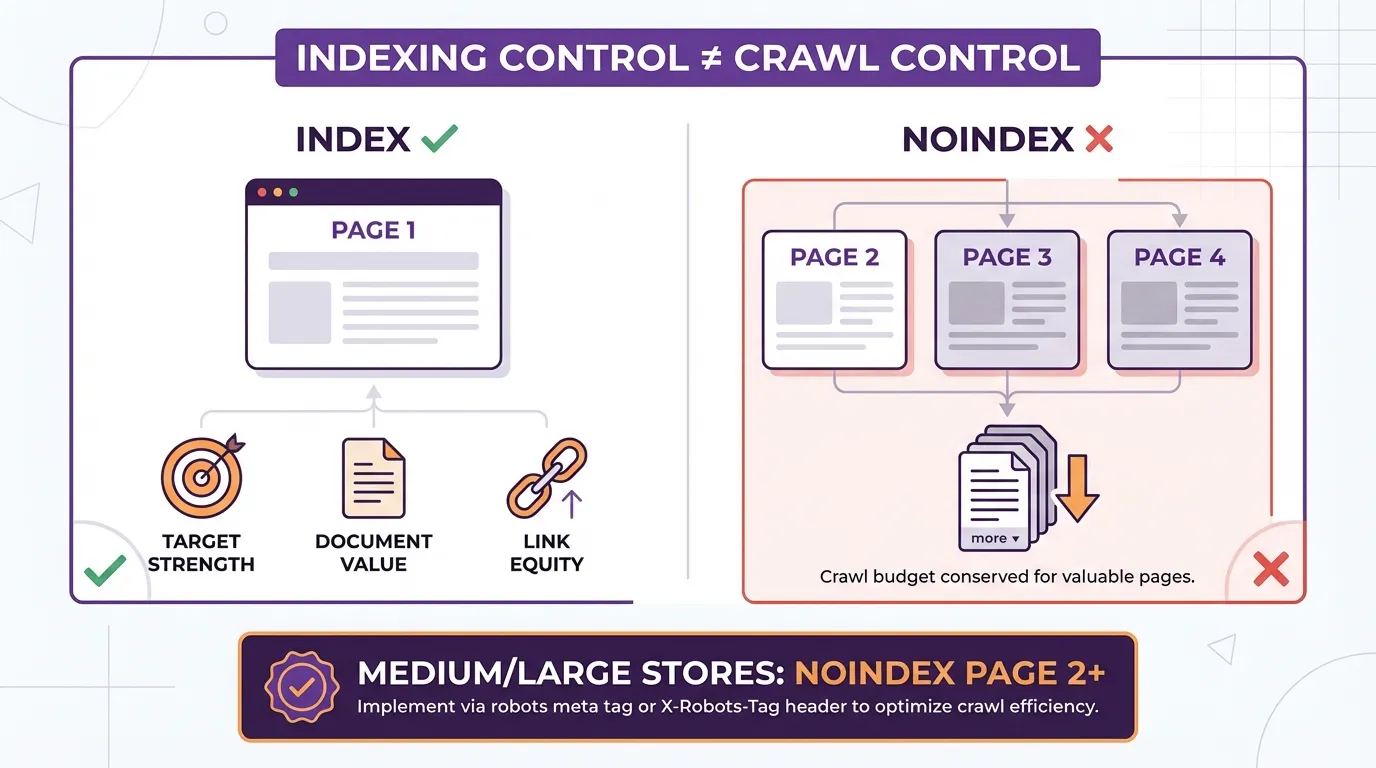
Noindex instructs search engines not to index a page. It does not necessarily stop crawling. Noindex is an indexing control, not a crawl control. Understanding this distinction prevents misuse.
Now that we understand what noindex does, we can evaluate pagination.
Page 1 of a collection typically:
- Targets the primary keyword
- Contains optimised metadata
- Receives the strongest internal linking
Page 2 and beyond usually:
- Contain overflow products
- Introduce no new search intent
- Share similar metadata
For most medium to large stores, page 2+ should be noindexed.
However, there are exceptions.
If a collection has extremely high search demand and pagination segmentation reflects meaningful keyword targeting, indexing deeper pages may be justified.
Otherwise, noindex helps prevent signal dilution.
Noindex Strategy for Faceted URLs
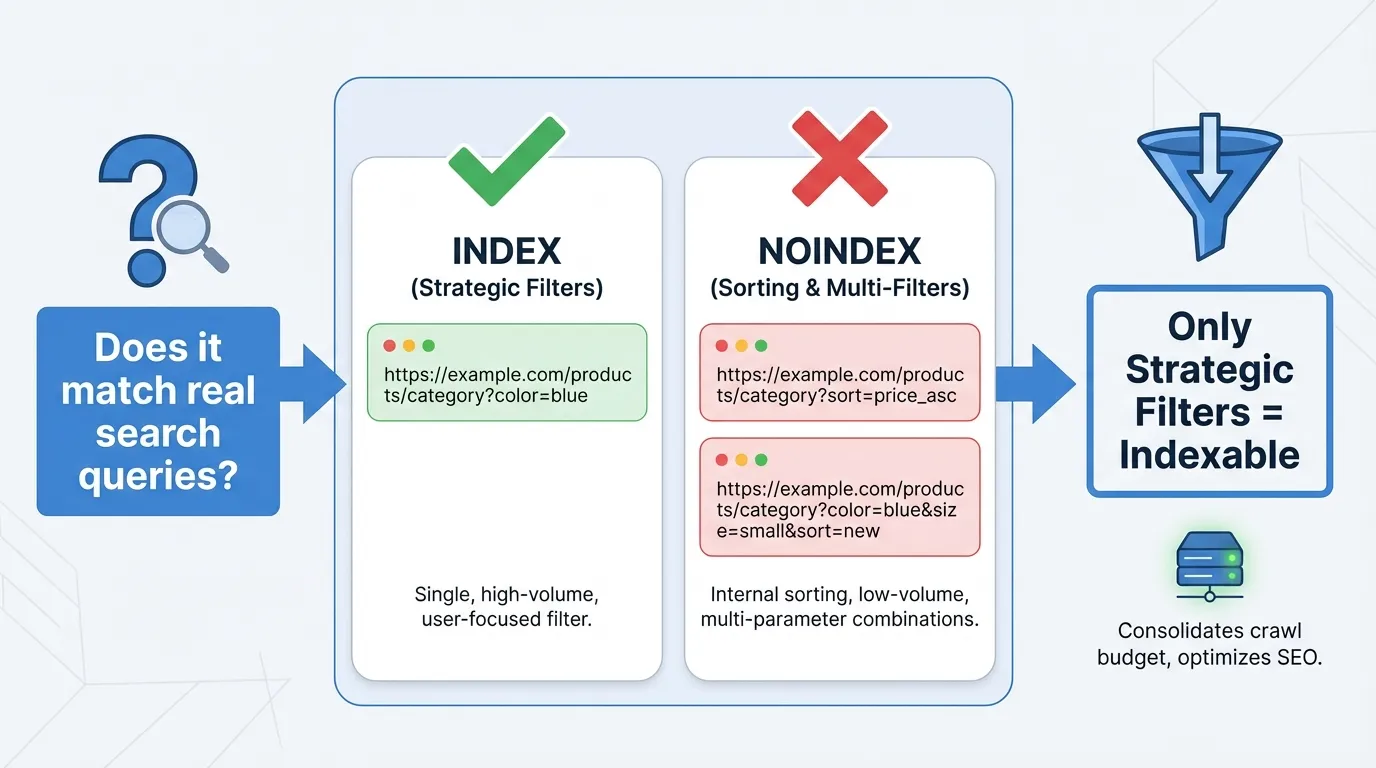
Faceted URLs must be evaluated by search demand.
Ask:
Does this filtered result correspond to an actual search query users type into Google?
If the answer is no, indexing it adds noise.
Sorting filters such as:
- ?sort_by=price-descending
do not represent search intent.
Multi-filter combinations such as:
- ?filter.v.option.color=black&filter.v.size=8&page=2
Rarely align with meaningful keyword demand. These should be noindexed. Only strategically mapped filter categories should remain indexable.
Canonical Strategy for Shopify Pagination and Filtered URLs
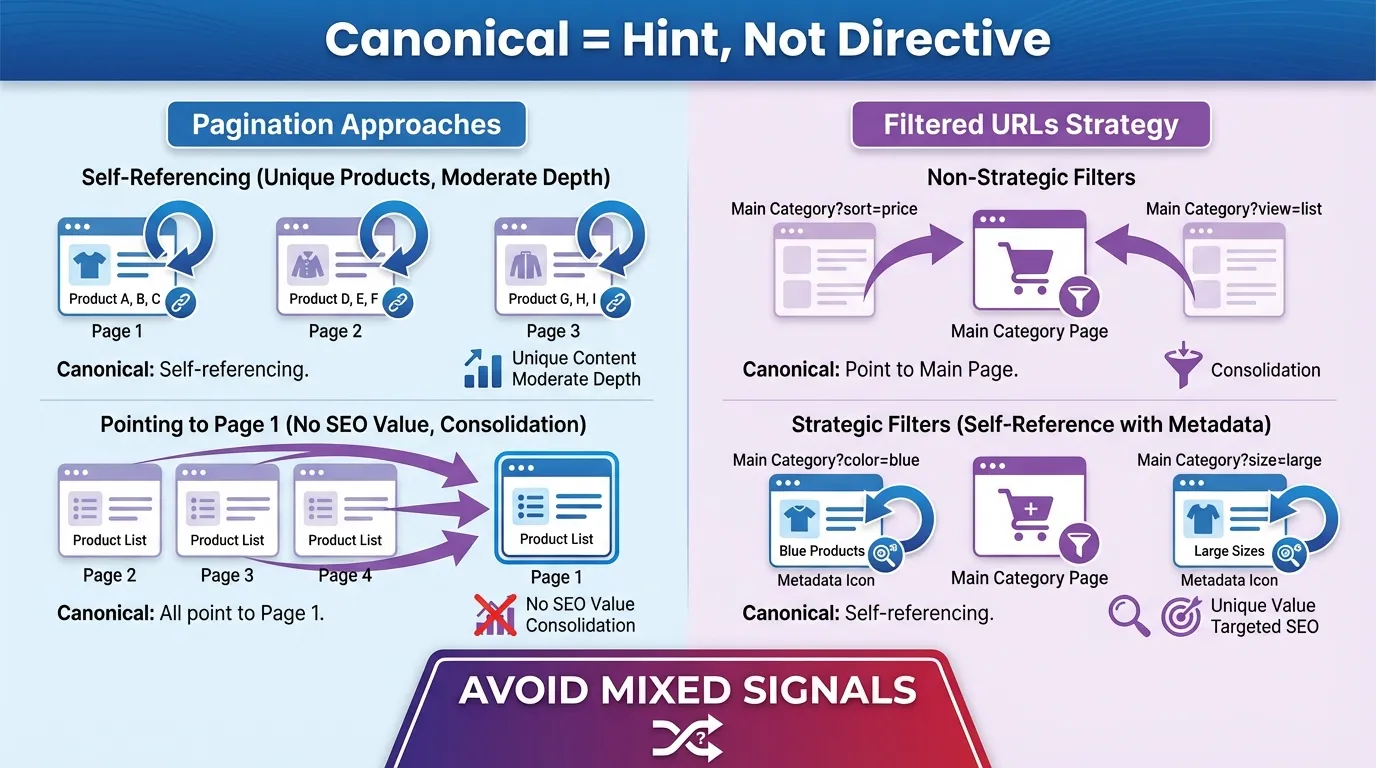
A canonical tag indicates which URL should be treated as the primary version when multiple similar URLs exist. It consolidates ranking signals but does not guarantee deindexing. Google treats canonical as a hint, not a directive.
Two approaches exist.
Canonical Strategy for Shopify Pagination
Two approaches are commonly used.
Self-referencing canonical on page 2+ is appropriate when:
- Each page contains unique product subsets
- Pagination depth is moderate
Canonicalising page 2+ to page 1 is appropriate when:
- Deeper pages add no standalone SEO value
- Full consolidation to page 1 is desired
Both approaches can work. The correct one depends on strategy and catalogue depth.
Canonical Strategy for Filtered URLs
Non-strategic filter URLs should canonicalise to the main collection page. Strategic, keyword-targeted filter categories should:
- Self-canonicalise
- Have unique metadata
- Be supported by internal links
Consistency between canonical, noindex, and internal linking is critical to avoid conflicting signals.
Avoid conflicting signals such as:
- Canonical to page 1
- Noindex applied
Internal links pointing to filtered URL
Mixed signals reduce clarity.
Internal Linking Best Practices for Shopify Pagination Control
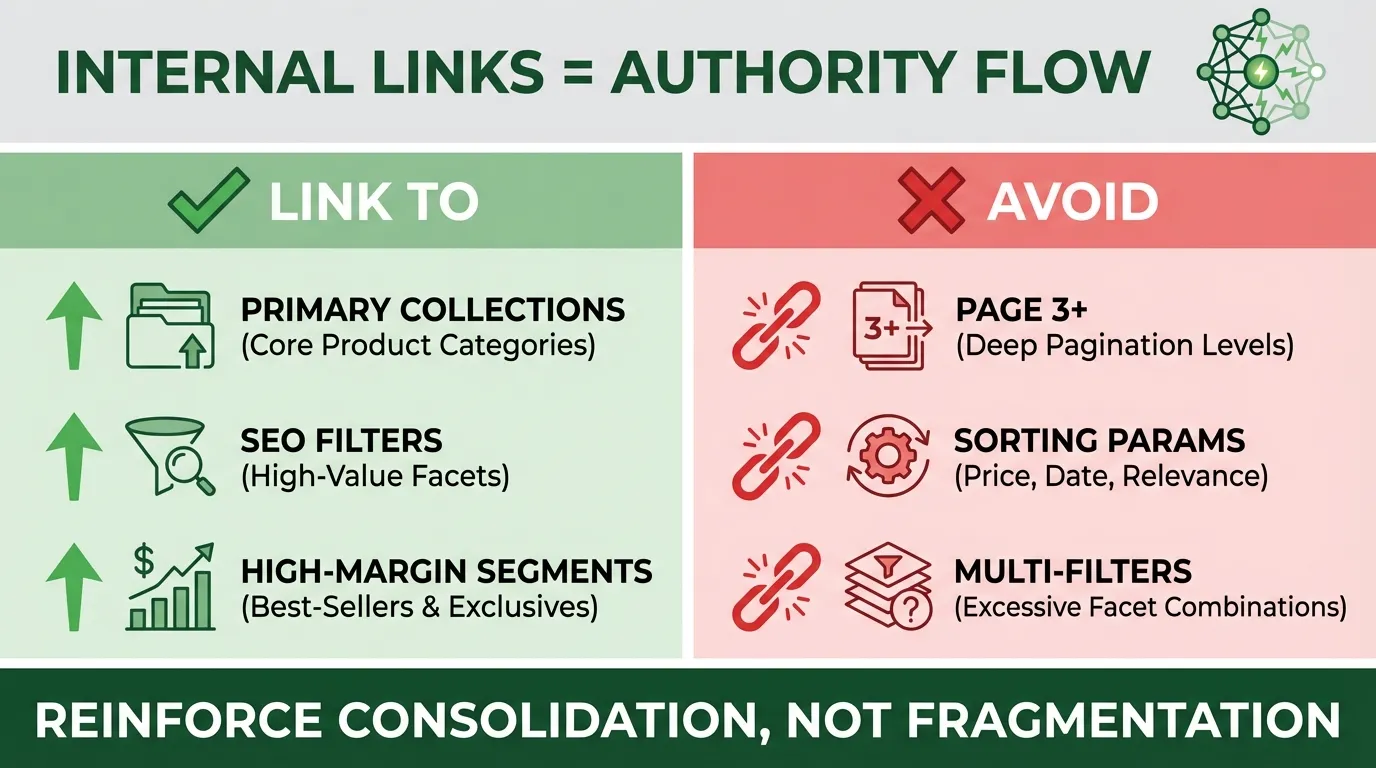

Internal linking determines how authority flows within your store. Even a perfect canonical implementation can fail if internal linking contradicts your indexing logic.
Search engines use internal links to:
- Discover pages
- Determine relative importance
- Allocate crawl frequency
If paginated URLs receive internal links from blog content or navigation elements, they gain perceived importance. This undermines the noindex strategy.
A recommended internal linking framework is to link to:
- Primary collection pages
- SEO-optimised filter categories
- High-margin segments
Avoid linking to:
- Page 3+ of collections
- Sorting parameters
- Multi-filter combinations
Your sitemap should include:
- Only indexable collection pages.
- Internal links should reinforce consolidation, not fragmentation.
Technical Implementation for Shopify Pagination SEO
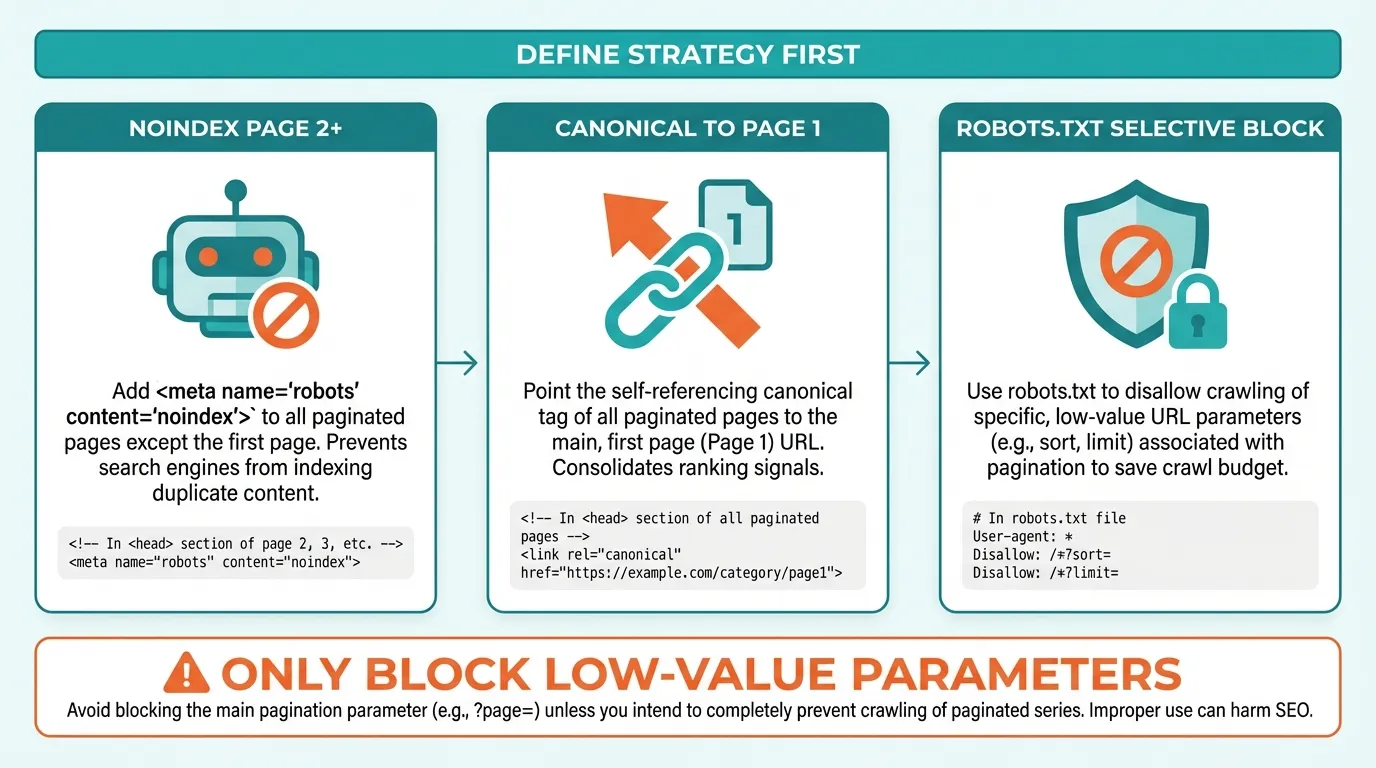
Strategy must precede code. Once indexing rules are defined, implementation becomes straightforward. In collection templates, conditional Liquid logic can prevent page 2+ from indexing:
{% if paginate.current_page > 1 %}
<meta name=”robots” content=”noindex, follow”>
{% endif %}
This preserves crawl paths while controlling index inclusion.
If consolidating signals to page 1:
{% if paginate.current_page > 1 %}
<link rel=”canonical” href=”{{ collection.url }}”>
{% endif %}
Ensure canonical rules align with the indexing strategy.
Keep in mind that robots.txt can block the crawling of certain parameters:
Disallow: /?filter=
Disallow: /?sort_by=
Use this only when filter combinations provide no SEO value and significantly waste crawl allocation.
Blocking should be strategic, not blanket.
Shopify Pagination SEO Decision Matrix for Large Catalogues
When managing Shopify pagination on medium to large stores, the challenge is not understanding individual tactics. It ensures consistency across indexing, canonicalisation, and internal linking.
Many ranking issues occur because:
- Page 2 is noindexed but still heavily linked internally
- Filtered URLs are canonicalised to page 1 but remain indexable
- Sorting parameters are crawlable without strategic value
The solution is not isolated fixes. It is a unified decision framework. The matrix below simplifies implementation by aligning indexing rules, canonical behaviour, and internal linking strategy for different URL types commonly generated by Shopify.
| URL Type | Index | Noindex | Canonical | Internal Link |
| Page 1 Collection | Yes | No | Self | Yes |
| Page 2+ | Usually No | Yes | Self or Page 1 | No |
| Sorting Filters | No | Yes | Page 1 | No |
| SEO Filter Category | Yes | No | Self | Yes |
This framework is designed for large catalogues where crawl efficiency and signal consolidation are priorities.
Signs Your Shopify Pagination Structure Is Hurting Rankings
Shopify pagination issues rarely trigger penalties or dramatic ranking crashes. Instead, they create structural inefficiency.
When pagination and faceted navigation are not controlled, search engines waste crawl resources evaluating low-value URLs. Over time, this dilutes authority signals and slows ranking growth.
The impact appears as stagnation rather than visible errors. Below are the clearest indicators that your Shopify pagination structure is undermining performance.
High Volumes of Duplicate Canonical Warnings
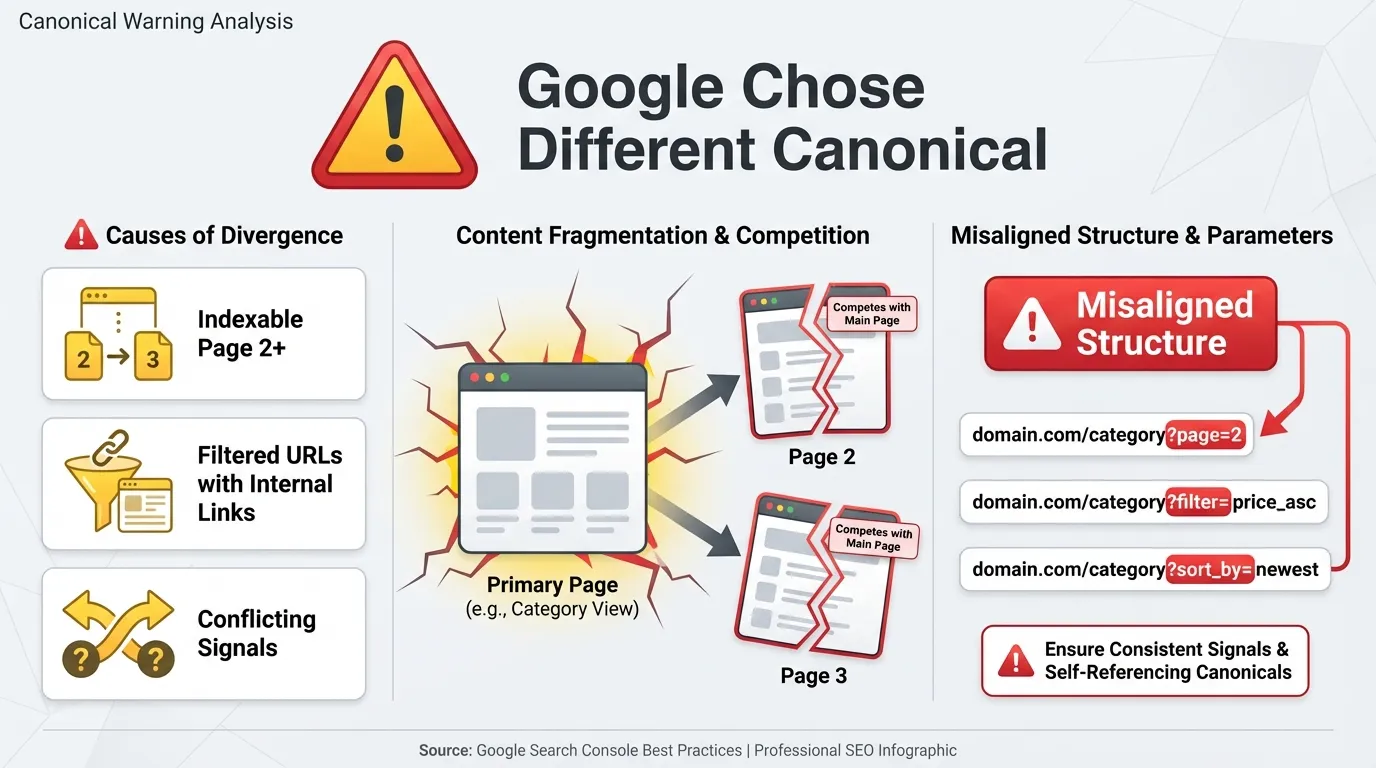
In Google Search Console, you may see large numbers of URLs flagged as:
“Duplicate, Google chose a different canonical than the user.”
This means Google has identified similar URLs and decided your declared canonical is not the strongest version.
This often happens when:
- Page 2+ pagination URLs remain indexable
- Filtered URLs receive internal links
- Canonical signals conflict with internal linking
Paginated collection pages are inherently similar. If pages 2 and 3 are indexable and linked internally, Google may treat them as competing alternatives rather than as consolidated continuations.
The result is signal fragmentation. Instead of one strong collection URL accumulating authority, ranking signals are split across variations.
If canonical conflicts are concentrated around URLs containing:
?page=
?filter=
?sort_by=
Pagination structure is likely misaligned.
Thousands of “Discovered – Currently Not Indexed” URLs
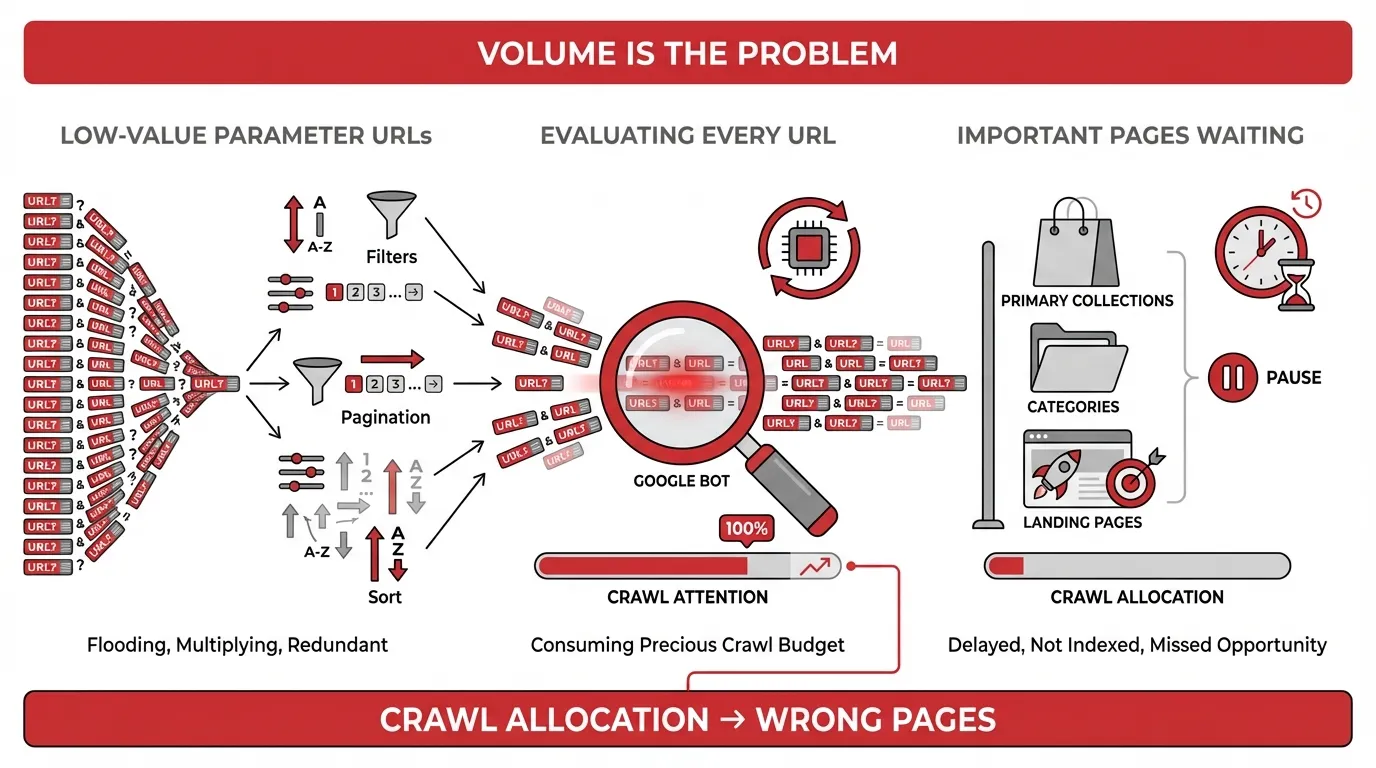
This Search Console status indicates Google found the URL but chose not to index it.
On Shopify stores with uncontrolled faceted navigation, this status often affects:
- Filter parameter URLs
- Deep pagination levels
- Sorting variations
The problem is not that these URLs are excluded. The problem is their volume.
If thousands of low-value parameter URLs are being discovered, Google must evaluate each one before deciding whether to crawl or ignore it. That evaluation consumes crawl attention.
When crawl allocation is spread across unnecessary parameter URLs, important pages such as:
- Primary collections
- Newly updated categories
- High-priority landing pages
may receive less frequent crawling and slower ranking consolidation.
Large-scale “Discovered – currently not indexed” patterns often indicate crawl budget dilution caused by pagination expansion.
Crawl Stats Show Heavy Parameter Crawling
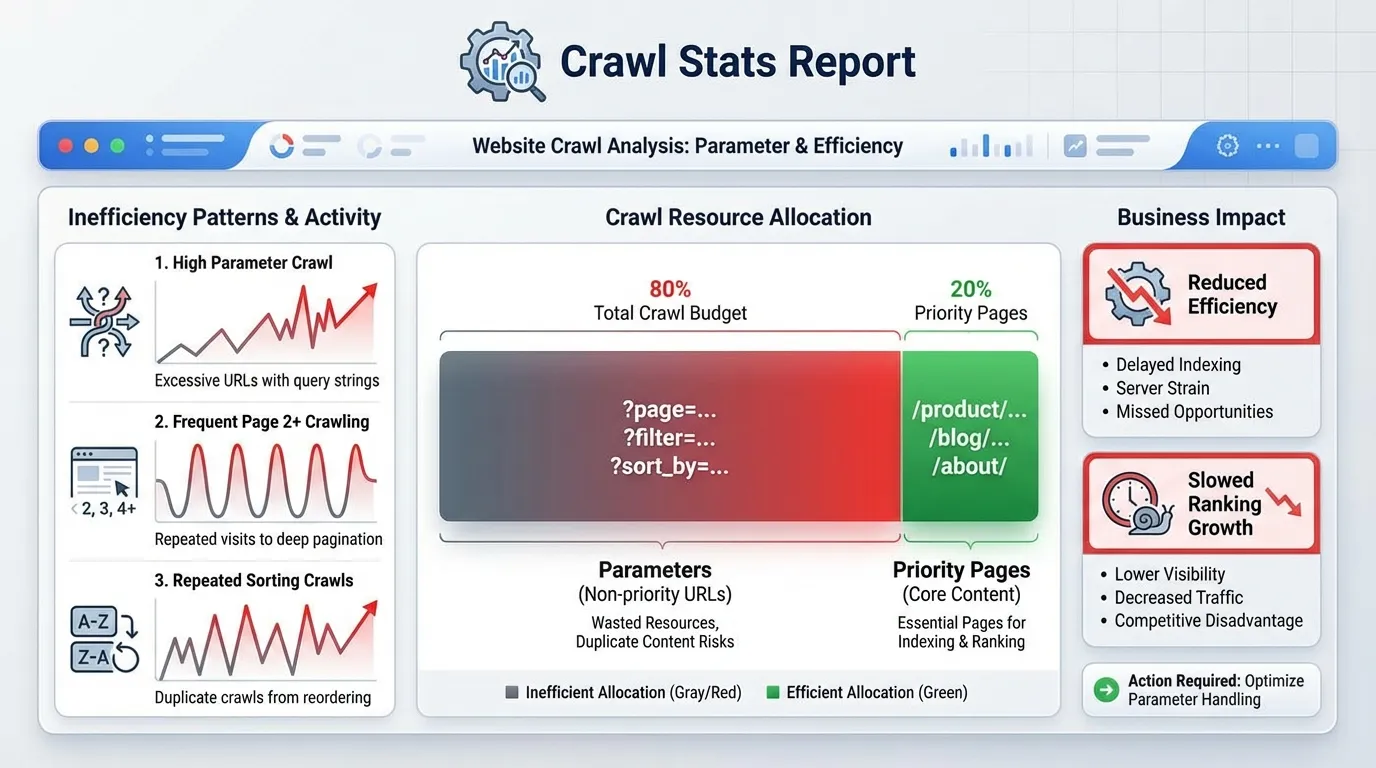
Search Console’s Crawl Stats report reveals how Googlebot allocates crawl requests across your site.
On stores affected by pagination inefficiency, you may notice:
- High crawl activity on URLs containing parameters
- Frequent crawling of page 2+ URLs
- Repeated crawling of sorting variations
If a significant percentage of crawl requests target:
?page=
?filter=
?sort_by=
This indicates that crawl resources are being consumed by low-priority URLs.
Crawl budget dilution does not mean Google stops crawling your site. It means Google spends time evaluating unnecessary variations instead of consolidating signals on priority pages.
Over time, this reduces crawl efficiency and slows ranking growth.
Collection Rankings Plateau Despite Strong Backlinks
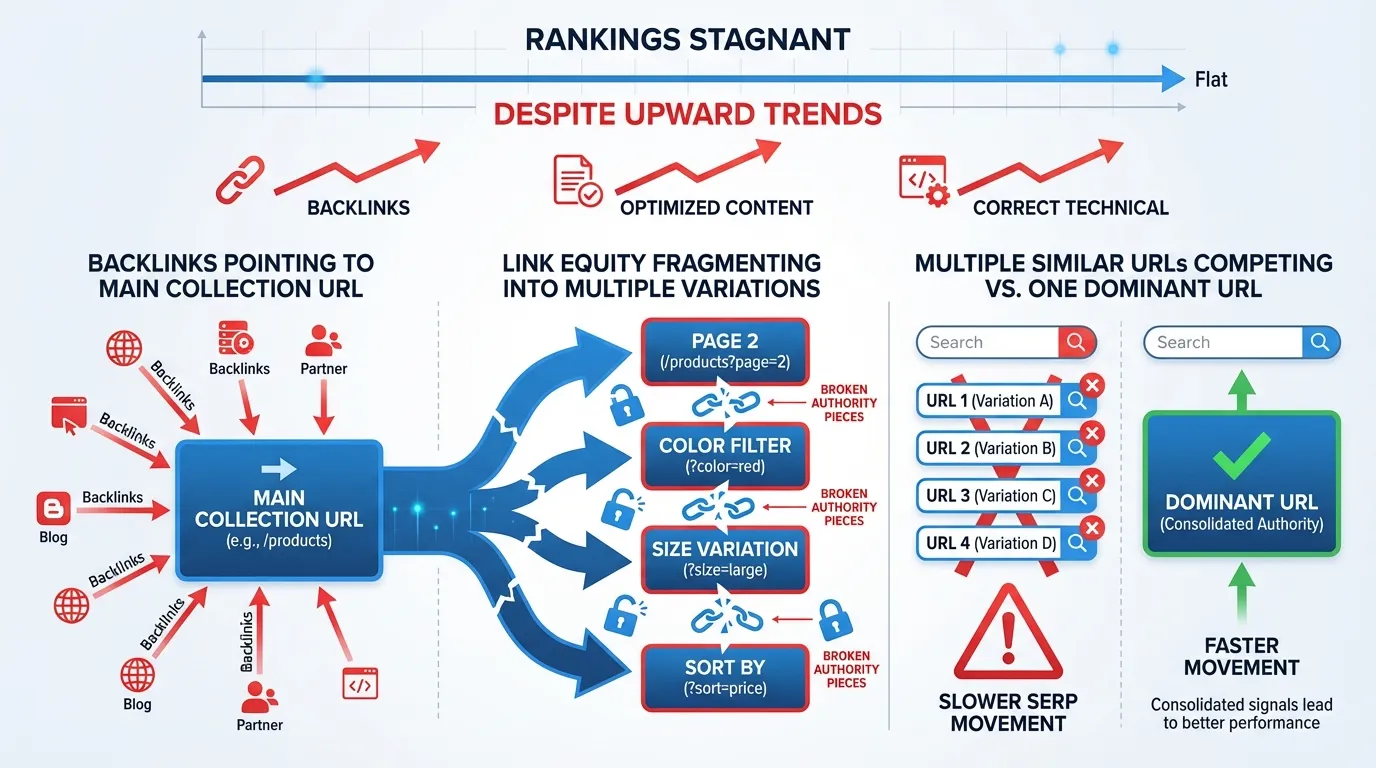
One of the strongest structural warning signs is stagnant rankings even when:
- Backlinks are increasing
- Content is optimised
- Technical basics are correct
If pagination and filtered URLs are indexable, link equity can fragment across multiple variations of the same collection.
For example, backlinks may point to:
- /collections/running-shoes
But Google may index or test:
- /collections/running-shoes?page=2
- /collections/running-shoes?filter.v.option.color=black
When authority splits across these variations, consolidation weakens. Instead of one dominant URL ranking strongly, multiple similar URLs compete.
The result is slower upward movement in SERPs.
Ranking Volatility or URL Rotation
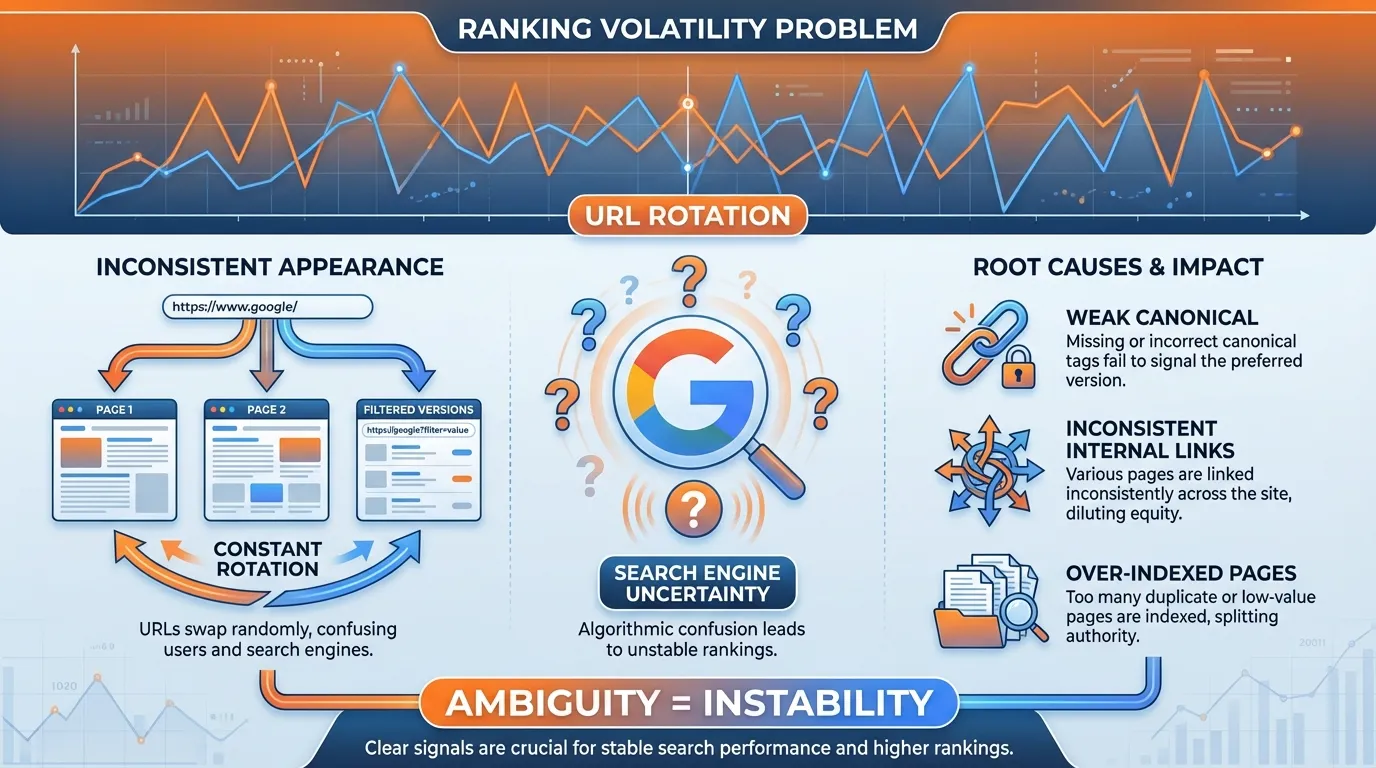
Another subtle sign of pagination issues is ranking rotation.
You may observe:
- Page 1 ranking intermittently
- Page 2 appears occasionally
- Filtered versions are surfacing inconsistently
This suggests Google is uncertain which URL represents the authoritative version of the collection.
That uncertainty often stems from:
- Weak canonical consolidation
- Internal linking inconsistencies
- Over-indexed paginated URLs
Stable rankings require structural clarity. Pagination conflicts introduce ambiguity.
Master Shopify Pagination Before Scaling Your Store
Scaling a Shopify store without fixing pagination is like increasing ad spend on a site with structural leaks. More traffic will not solve crawl inefficiency. More backlinks will not consolidate fragmented signals. More content will not compensate for diluted authority.
If Shopify pagination and faceted navigation are left unmanaged, search engines are forced to evaluate thousands of low-priority URL variations before consolidating value on your primary collection pages. Over time, this slows ranking growth, creates volatility, and limits your site’s efficiency as it scales.
Pagination control is not about blindly blocking pages. It is about intentional architecture. Before expanding inventory, launching paid campaigns, or investing heavily in link acquisition, audit your pagination and faceted navigation setup.
Because when crawl allocation is focused, and authority is consolidated, growth compounds. And when pagination is fragmented, growth plateaus regardless of how much traffic you send.
If you are unsure whether your Shopify architecture is helping or constraining your rankings, MediaOne can conduct a structured Shopify technical SEO audit to identify crawl inefficiencies, canonical conflicts, and pagination expansion risks before they impact scalability. Contact us today!

Frequently Asked Questions
Does changing the number of products per page affect Shopify pagination SEO?
Yes, it can. Increasing the number of products per page reduces pagination depth, potentially lowering the number of crawlable URLs. However, adding too many products per page can negatively impact page speed and Core Web Vitals. The ideal balance depends on inventory size, theme performance, and user behaviour.
Can Shopify pagination impact internal PageRank distribution?
Yes. Each additional paginated URL creates another internal link pathway, distributing PageRank across more pages. If pagination is deep and indexable, authority may spread thinly across multiple URLs instead of consolidating on the primary collection page.
Should Shopify pagination pages have unique title tags and meta descriptions?
Generally, no. Page 2+ URLs should not be treated as standalone SEO landing pages unless they are intentionally indexable. If page 2+ remains indexed, duplicated metadata can trigger quality and duplication signals, which is another reason why noindex is often recommended.
How does Shopify pagination interact with infinite scroll themes?
Infinite scroll may hide pagination visually, but the underlying paginated URLs still exist. Search engines rely on crawlable links, not scrolling behaviour. Even if pagination is hidden in the user interface, it must still be strategically controlled at the URL level.
Can over-optimising pagination hurt SEO?
Yes. Aggressively blocking or disallowing pagination without understanding search demand can remove legitimate SEO opportunities, particularly for strategic filter categories. Pagination optimisation should be selective and based on keyword mapping, not blanket restrictions.