
Pull up your website on your phone right now.

Not a preview. Not a browser emulator. Your actual site, on your actual device, on a normal mobile connection.
How quickly does something useful appear? Can you find your main service, your phone number, or your enquiry button without having to hunt for them? Does the page feel easy to use, or does it feel like work?
That small moment tells you more than most SEO dashboards.
Mobile SEO is not just about passing audits or improving a score. It is about removing the friction that stops a visitor from becoming a lead. When the mobile experience is slow, stripped down, unstable, or awkward to use, rankings suffer, conversions suffer, and the gap usually shows up first in calls and form submissions rather than in neat spreadsheet columns.
This guide is built to help you fix that. Not with theory, but with a clear troubleshooting framework: what to check first, what to prioritise, what to fix, and how to validate the result.
Once you’ve done an audit, you can get in touch with an SEO agency in Singapore that works with businesses on this regularly if you want a more experienced eye on it.
Key Takeaways
- Google ranks your site based on its mobile version. If your mobile experience is slow, incomplete, or hard to use, your rankings and lead volume will reflect that.
- Fixing Core Web Vitals on commercial pages, such as service, quote, and contact pages, should come before any cosmetic or content improvements.
- Content parity between mobile and desktop is one of the most overlooked mobile SEO issues, and one of the most commercially damaging when ignored.
- Mobile SEO and local SEO are directly connected. A poor mobile experience affects your Google Maps visibility and your ability to capture local search intent in Singapore.
- Validation is part of the process. Fixes that are never measured against real-world data are assumptions, not improvements.
Start Here: The 15-Minute Mobile SEO Triage
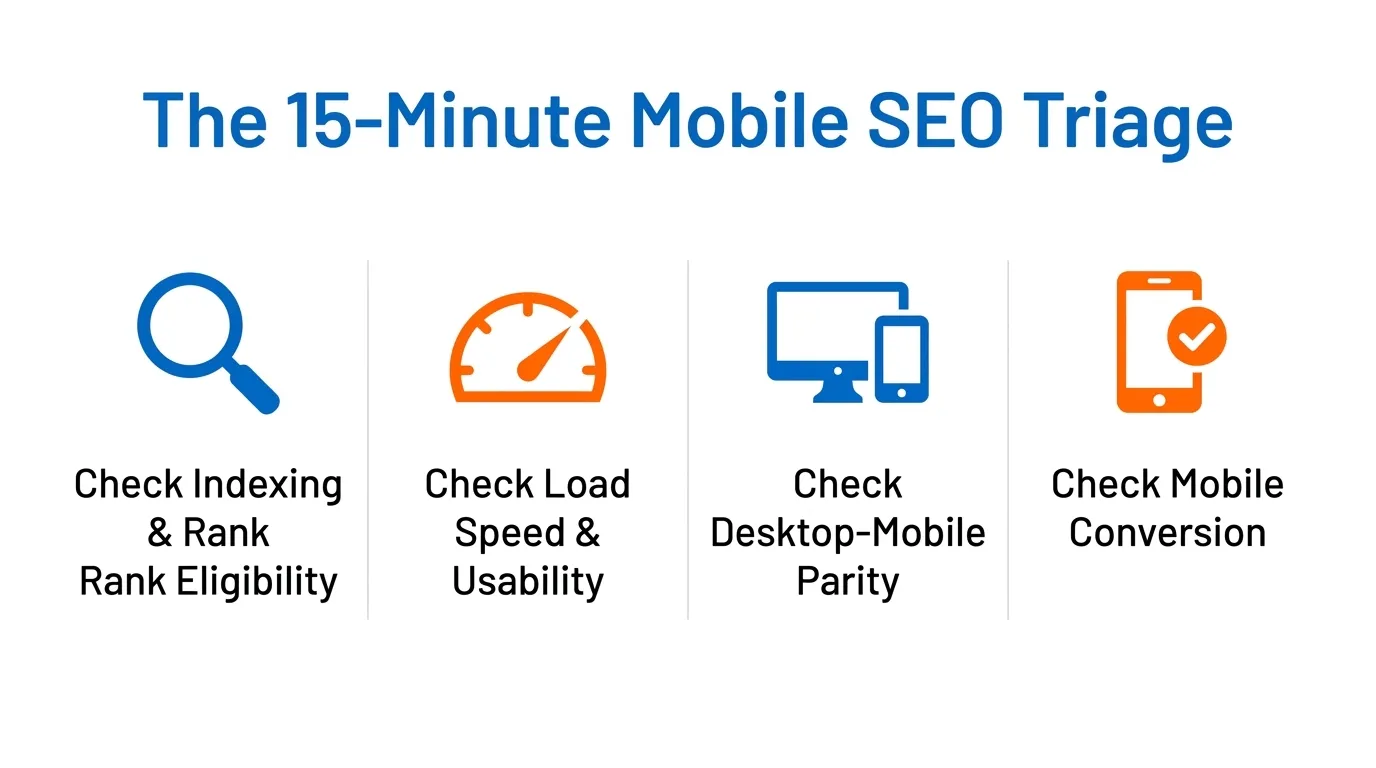
Before investing time in a full audit, it helps to know whether you have a serious problem or a manageable one. Here is a quick diagnostic you can run in under 15 minutes:
Check whether the page is indexed and eligible to rank
This sounds obvious, but it is where I always start. A page that is not properly indexed cannot rank, regardless of how well it is optimised.
Open Google Search Console and use the URL Inspection tool on your most important service pages. Confirm that Google has indexed the page, that there is no noindex directive applied unintentionally, and that the page is not blocked in your robots.txt file. Check the canonical status too.
If the page points to a different URL as its canonical, that URL is the one Google will prioritise.
I see this mistake more often than most people expect. A developer sets up staging site rules and forgets to reverse them on launch. A plugin applies a noindex tag to a template category. These are quiet issues that can suppress rankings for months.
Check whether the page loads and becomes usable quickly on mobile
Run the page through PageSpeed Insights on the mobile setting. Look at the Largest Contentful Paint (LCP) score first. This tells you how quickly the main visible content of the page appears on screen. Google’s threshold for a good LCP is 2.5 seconds or less. web.dev
Then check the Interaction to Next Paint (INP) score, which measures how quickly the page responds when a user taps or clicks. The good threshold is 200 milliseconds or less. Finally, check the Cumulative Layout Shift (CLS) score, which indicates whether the layout is stable or elements jump around as the page loads. A CLS of 0.1 or less is considered good.
These three numbers give you a clear picture of the page’s real-world usability on a mobile device. A single “Poor” score in any of these metrics is enough to affect rankings and frustrate visitors.
Check whether the mobile version matches the desktop version
This is the area that most business owners never check, and it is where some of the biggest ranking losses occur.
Because Google now indexes the mobile version of your content, any discrepancy between what appears on mobile and desktop can cost you rankings. Open the page in a desktop browser and a phone simultaneously.
Ask yourself whether the main body content is the same, whether the headings match, whether the page title and meta description are consistent, and whether any structured data present on desktop is also visible on mobile.
A common issue I see in Singapore: websites that hide certain content blocks on mobile to save space, without the owner realising that Google cannot see that content either.
Check whether the page can actually convert on a phone
This is the commercial check that most SEO audits overlook entirely.
Load your most important service page on a phone. Is your primary offer visible above the fold, before any scrolling? Is the phone number a tappable link that opens a dialler? Is the contact form usable on a small screen without excessive zooming? Can a user understand what you do, who you serve, and what to do next, within the first five seconds?
If the answer to any of these is no, you have a conversion problem sitting underneath your traffic problem.
Quick Triage Checklist
Use this as a yes/no pass at the start of any mobile review.
| Question | Yes / No |
| Is the page indexed in Google Search Console? | |
| Is there no unintended noindex or canonical mismatch? | |
| Does the page load meaningful content within 2.5 seconds on mobile? | |
| Is LCP rated “Good” in PageSpeed Insights? | |
| Is INP rated “Good”? | |
| Is CLS rated “Good”? | |
| Does the mobile page contain the same primary content as the desktop? | |
| Are the headings, titles, and meta descriptions the same on both versions? | |
| Is structured data present on the mobile version? | |
| Is the phone number a tappable link? | |
| Is the main CTA visible without scrolling on a phone? | |
| Is the contact form simple enough to complete on a small screen? |
Any “No” answers represent active issues worth addressing.
What Replaced Google’s Mobile-Friendly Test?
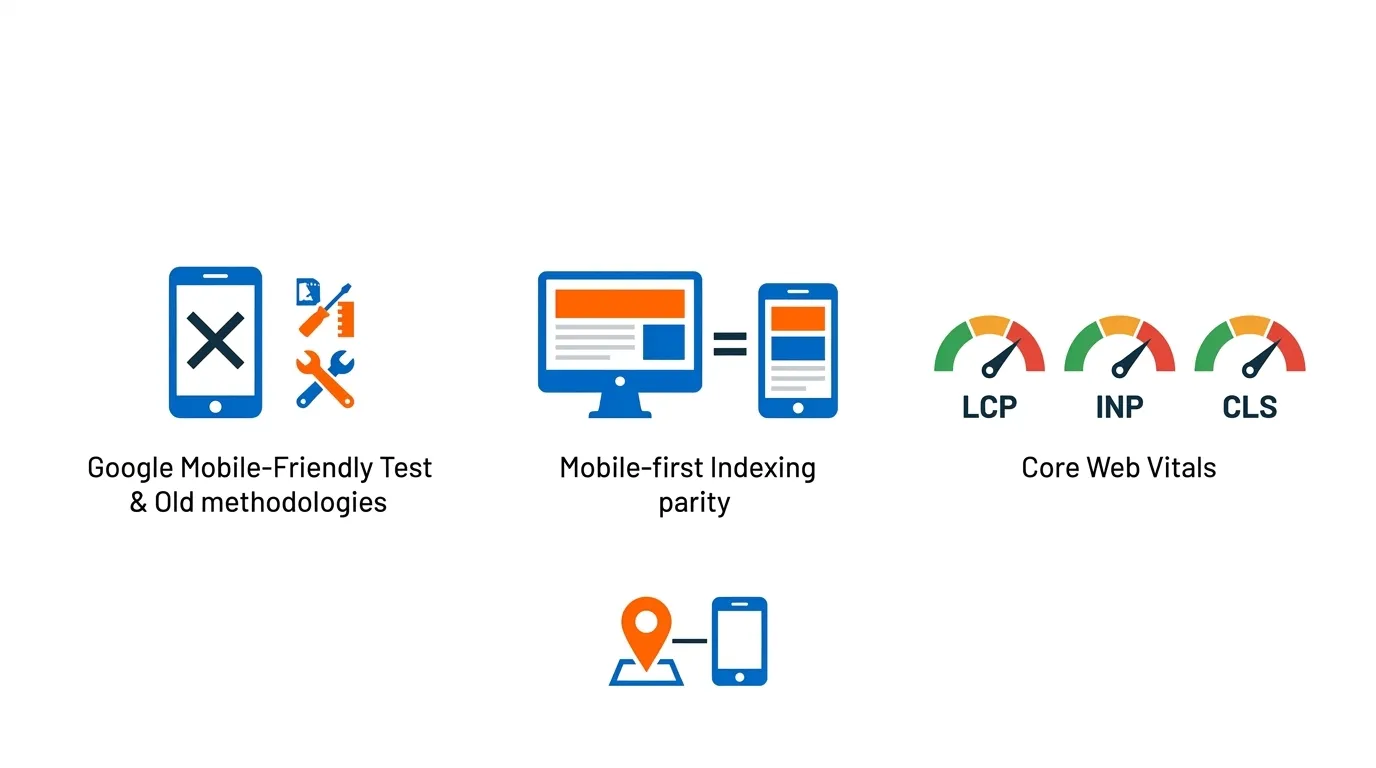
Older SEO articles still tell readers to use Google’s Mobile-Friendly Test and the Mobile Usability report in Search Console. That advice is outdated. Google retired both in December 2023, so any current mobile SEO workflow should rely on other tools instead.
Today, the most useful stack is straightforward. Here’s what has changed:
Mobile-first Indexing is about Parity, Not Just Responsiveness
Responsive design is Google’s preferred technical configuration because it is easier to maintain and less error-prone than dynamic serving or separate mobile URLs. But having a responsive design does not mean your mobile SEO is in good shape.
What Google actually evaluates is whether the mobile version of your page contains the same content, metadata, structured data, images, and signals as the desktop version.
A responsive layout that hides half the page’s content on mobile or strips out schema markup for smaller screens will be evaluated based on that reduced mobile version.
Design and performance are separate dimensions. A site can be responsive and still be poorly optimised for mobile indexing. The two are not the same thing.
Core Web Vitals are the Main Performance Diagnostics to Watch
Google uses three Core Web Vitals metrics as part of its page experience signals:
- LCP (Largest Contentful Paint) measures how quickly the main content loads. Good is 2.5 seconds or less. Poor is above 4 seconds.
- INP (Interaction to Next Paint) measures how quickly the page responds to user actions. Good is 200 milliseconds or less. Poor is above 500 milliseconds. This replaced FID (First Input Delay) in March 2024.
- CLS (Cumulative Layout Shift) measures how stable the layout is as the page loads. Good is 0.1 or less. Poor is above 0.25.
Google’s Search Console groups pages by issue severity across your entire site, which makes it a useful tool for identifying broad problem clusters before diving into page-level diagnosis.
What matters commercially: When load time extends to five seconds on mobile, bounce probability jumps to 90 per cent. For a service business that depends on enquiries, this is not an abstract statistic. It is the gap between a ranking that sends leads and one that sends nobody.
Local Visibility and Mobile UX Often Rise or Fall Together
For Singapore businesses that rely on local search, the connection between mobile performance and Google Maps visibility is worth understanding.
Google’s local ranking algorithm weighs relevance, distance, and prominence. On mobile, these factors intersect directly with your website’s speed, your Google Business Profile’s completeness, and whether your local landing pages are usable on a small screen.
A slow mobile site with a broken click-to-call function does not just cost you website conversions. It signals to Google that the page offers a poor experience, which feeds into the overall prominence score that influences your Maps ranking.
The two are not entirely separate systems. They are connected by the same underlying logic: does this result actually serve the user?
If Your Mobile Rankings Are Weak, Fix These Issues First
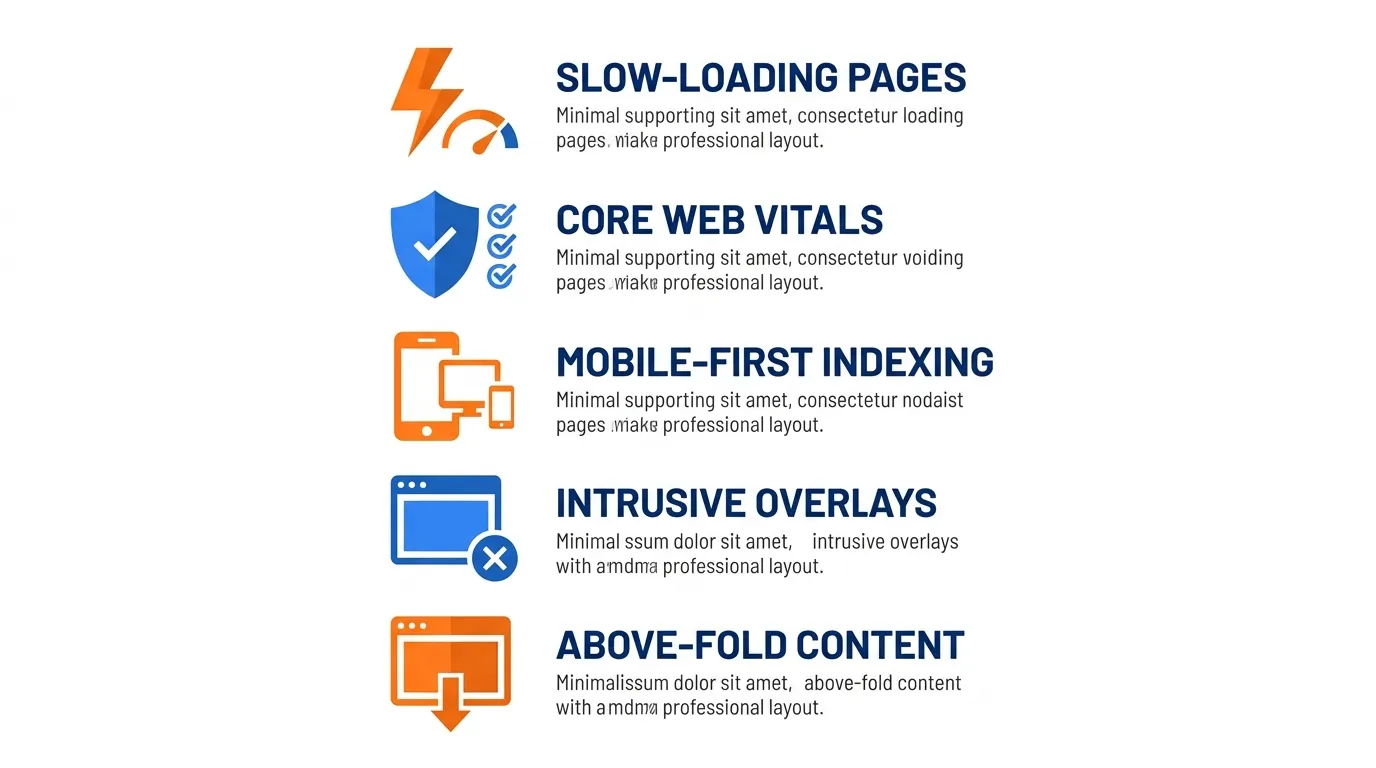
This is the section most people come here for. If your mobile rankings are underperforming and you are not sure where to start, the answer is almost never “do more.” It is usually “fix the right things first.”
What follows is a prioritised list of the issues that, in my experience, consistently move the needle on rankings, traffic quality, and lead volume:
Fix Slow-Loading Commercial Pages Before Anything Else
The natural instinct is to start with the homepage. That is usually the wrong priority.
Your service, quote, booking, and contact pages are where leads happen. These are the pages that need to load quickly, present a clear offer, and make it easy for a visitor to take action. If these pages are slow on mobile, rankings suffer, and conversions fall regardless of how much traffic you drive.
Common causes of slow commercial pages include oversized hero images that are not compressed for mobile, render-blocking JavaScript files that delay the appearance of visible content, heavy third-party widgets such as embedded chat tools or social feeds, and hosting infrastructure that is not optimised for low-latency delivery in Singapore.
In my experience, fixing image compression and deferring non-critical JavaScript alone is enough to move LCP from Poor to Good on a significant number of commercial pages. It is not glamorous work, but it is commercially meaningful.
Fix all “Poor” Core Web Vitals Issues Before Polishing Anything Cosmetic
The prioritisation logic here is straightforward. Search Console flags issues as “Poor,” “Needs Improvement,” or “Good.”
Poor issues should be resolved first, because these represent the pages where the performance gap is most likely affecting both rankings and user experience.
Needs Improvement issues matter too, particularly if they affect high-traffic or high-value pages. But Good is the threshold that should guide your sequencing.
Do not spend resources on visual refinements, new landing page designs, or content additions on pages that are currently rated Poor. You are building on an unstable foundation.
Fix Mobile-first Indexing Mismatches
This is where I see the most commercially significant and least visible problems. Work through this specific checklist for your most important pages:
- Does the mobile page contain the same body text as the desktop page?
- Are the headings (H1, H2, H3) identical on both versions?
- Are the page title and meta description the same?
- Is the same structured data schema present on the mobile version?
- Are all images that appear on the desktop also appearing on mobile?
- If content is placed inside accordions or tabs on mobile, is it accessible to Google’s crawler without user interaction?
- Does the mobile page return the same HTTP status code as the desktop?
- Are there lazy-loaded sections where primary content is hidden from Googlebot because it relies on scroll events to load?
Any of these mismatches can quietly suppress your rankings without triggering any obvious error in Search Console.
Remove or Reduce Intrusive Mobile Pop-ups
This is more than a usability concern. Google’s guidance on intrusive interstitials is explicit: pop-ups or overlays that cover the main content immediately after a user lands on a page from search can harm search performance.
I am not suggesting you remove every promotional overlay from your site. But on pages that receive organic mobile traffic, poorly timed, full-screen, or hard-to-dismiss interstitials will reduce both conversions and ranking potential.
Delay triggers, size constraints, and exit-intent timing are all reasonable adjustments that reduce friction without sacrificing lead capture.
Make Above-the-Fold Content Instantly Useful
On mobile, you have a smaller screen, a shorter attention span, and a visitor who is often searching with a specific commercial intent. The first visible screen should answer three questions without any scrolling: what do you offer, who is it for, and what should I do next?
This is particularly important for Singapore service businesses in sectors such as legal, healthcare, home renovation, education, and finance, where the conversion moment often hinges on a phone call or a short-form submission.
If a visitor lands on your page and cannot immediately identify your core offer, they leave. That behaviour signals dissatisfaction to Google, which compounds the ranking problem.
Priority Matrix: Mobile SEO Issues
| Issue Type | Business Impact | Effort Required | Priority |
| Poor LCP on service/contact pages | High | Low to Medium | Fix first |
| Mobile-first indexing parity gaps | High | Medium | Fix first |
| Broken click-to-call on mobile | High | Low | Fix first |
| Intrusive pop-ups on landing pages | Medium to High | Low | Fix early |
| Poor CLS on commercial pages | Medium | Medium | Fix early |
| Structured data is missing on mobile | Medium | Low | Fix early |
| Thin above-the-fold content | Medium | Medium | Fix soon |
| Navigation depth and menu complexity | Low to Medium | High | Plan for next sprint |
| Blog page speed (non-commercial) | Low | Variable | Lower priority |
Mobile SEO Troubleshooting by Symptom
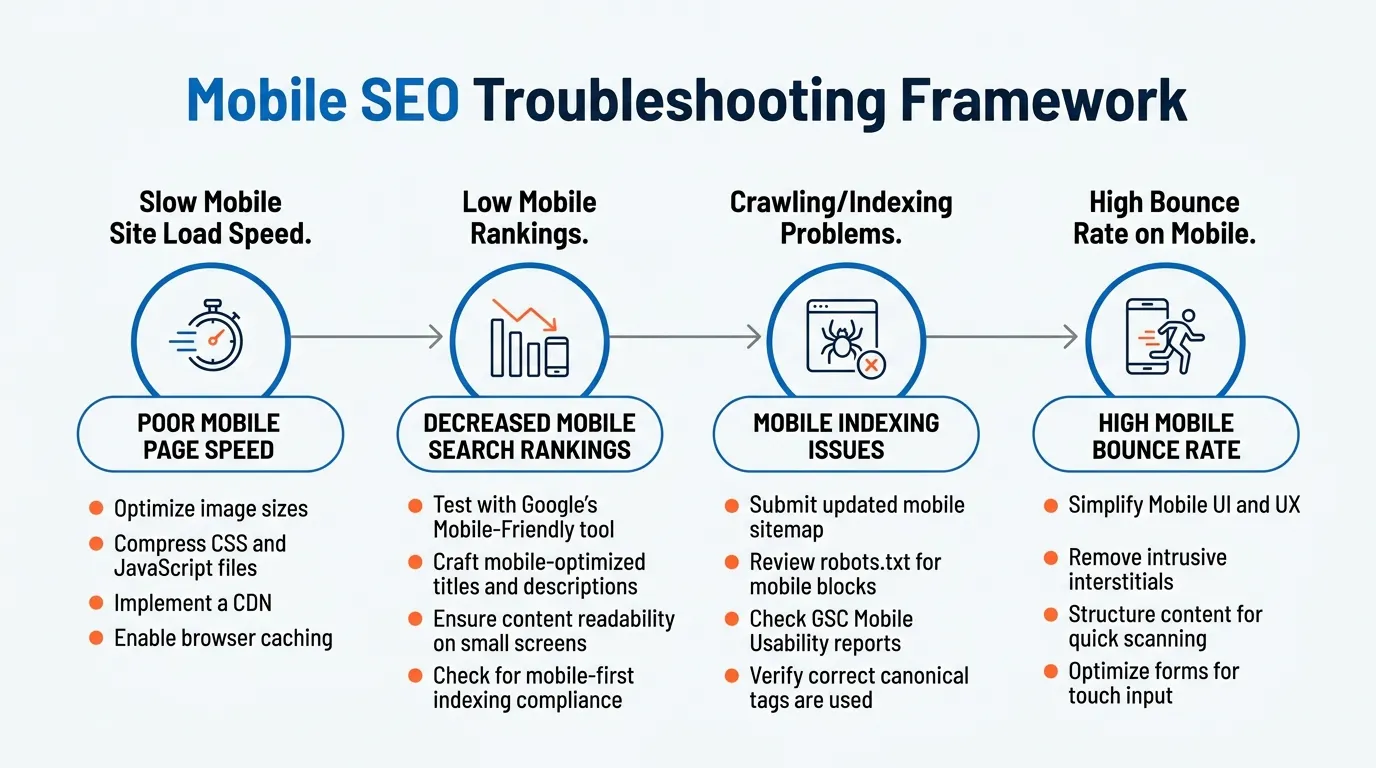
Most audits start with categories. This section works differently. Instead of asking you to read through a full technical review, it starts with the symptom you are already seeing and works backwards to the likely cause.
If something feels off with your mobile performance, find the scenario that matches your situation and start there.
If Mobile Traffic is High But Conversions are Low
This is a conversion optimisation problem layered on top of an SEO foundation. The traffic is there. The friction is in the journey from landing to action.
Check in this order:
- First, how quickly does the primary CTA appear? If the offer is below two or three screens of scroll, most mobile visitors will never reach it.
- Second, is the form or contact mechanism genuinely usable on a phone? Eight-field forms, tiny checkboxes, and dropdowns that do not render correctly on iOS or Android are silent conversion killers.
- Third, are your trust signals visible early? Reviews, certifications, and client logos near the top of the page reduce hesitation.
- Fourth, is the phone number a true tappable link (tel: format), or just text?
The issue is usually not effort but prioritisation. Most businesses in this position have spent their budget driving traffic, and almost nothing on diagnosing where that traffic is being lost.
If the Mobile Bounce Rate is Much Higher than the Desktop
Bounce rate is not a direct ranking factor, but it is a reliable symptom of something being wrong. When mobile bounce rates are significantly higher than desktop, the most common causes are slow page speed (check LCP first), content that does not match search intent, a layout that looks broken or disorganised on mobile, and a CTA that is either buried or unclear.
Run the page through PageSpeed Insights in the mobile setting, and review the specific opportunities listed. Then open the page on a real Android and iOS device and scroll through it honestly.
Very often, what feels fine to a developer on a high-end device feels completely different to a user on a mid-range Samsung or a two-year-old iPhone.
If Rankings Dropped after a Redesign or Migration
This is one of the most commercially urgent scenarios, and one where time matters. A redesign or CMS migration introduces dozens of potential mobile SEO regressions simultaneously.
Work through this checklist immediately after any significant site change:
- Are all redirects from old URLs to new URLs properly implemented?
- Are canonical tags correctly pointing to the intended URLs?
- Is structured data still present on all key pages, including on mobile?
- Are all internal links updated to reflect new URL structures?
- Are CSS, JavaScript, and image files accessible to Googlebot on mobile?
- Has the mobile version been resubmitted for indexing via Search Console?
Redesign-related ranking drops are common, recoverable, and almost always resolve faster when caught within the first two to four weeks.
If Local Pages Do Not Rank on Mobile
For Singapore businesses targeting district-level or service-specific searches, local pages that do not rank on mobile represent a significant missed opportunity.
Audit the following areas in order:
- Google Business Profile completeness: categories, service descriptions, photos, and operating hours
- NAP (name, address, phone) consistency across your website, Business Profile, and any directory listings
- Quality of local landing page content: does the page genuinely address local search intent, or is it generic with just a suburb name inserted?
- Review volume and recency: this contributes to the prominence signal in Google’s local algorithm, Google Business Help
- Mobile click-to-call usability: if the phone number is not tappable, you are losing calls from mobile Maps visitors who found you but could not act
Google’s local ranking factors of relevance, distance, and prominence are all influenced, to varying degrees, by the quality of your mobile presence.
The Modern Mobile SEO Audit Workflow
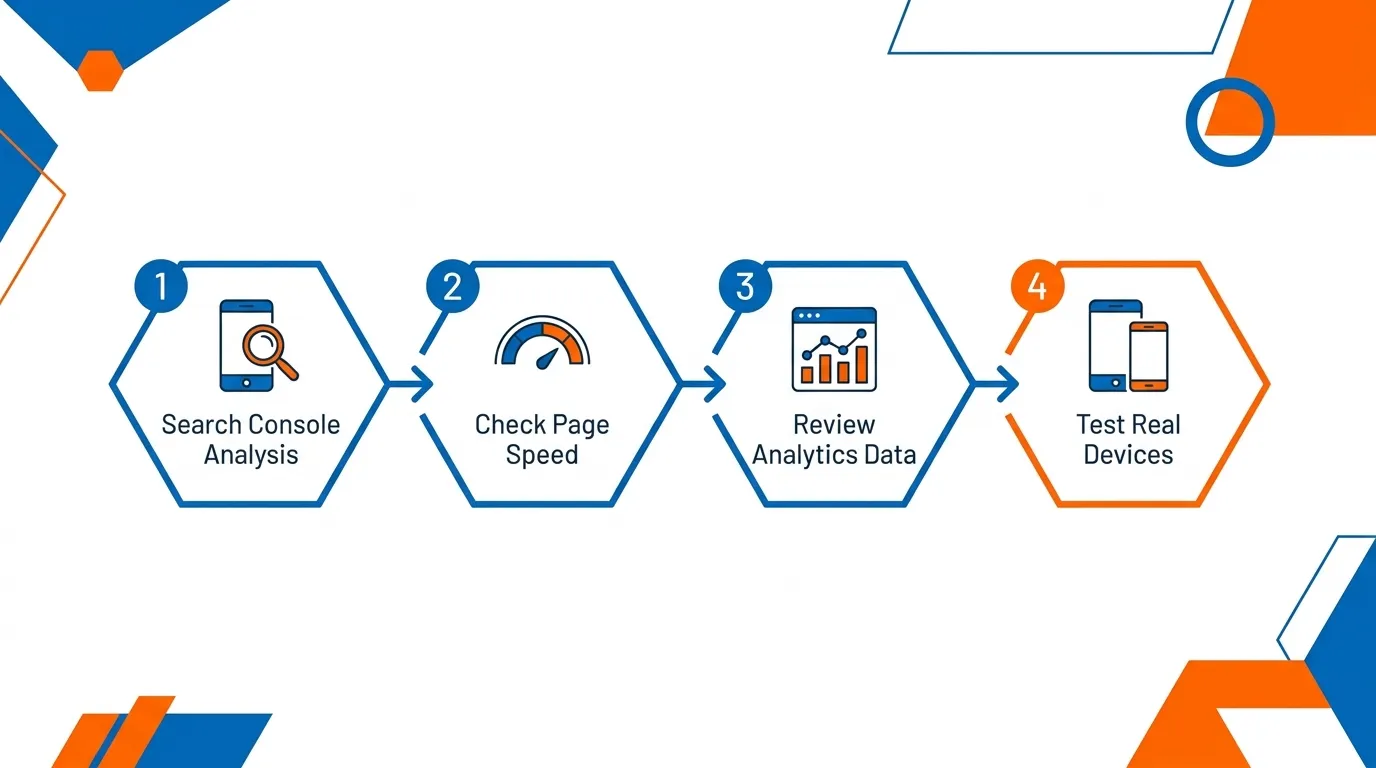
Most mobile SEO audits I see either start in the wrong place or rely on a single tool to do the job of three. The result is a list of issues with no clear priority order, and fixes that are applied to the wrong pages first.
The workflow below is sequenced deliberately. Each step builds on the one before it, moving from sitewide issue identification down to page-level diagnosis and then into real-world validation. It is not about running every available tool. It is about using the right tool at the right stage, so that the fixes you prioritise are the ones with the clearest commercial case.
Use Google Search Console to Find Indexed Page Groups and Core Web Vitals Issues
Search Console is best used as a sitewide diagnostic tool rather than a single-URL inspector. The Core Web Vitals report groups pages by performance status across your full site. This gives you a prioritised view of which page clusters have the most significant issues, so you don’t have to spend time diagnosing individual URLs.
The URL Inspection tool is useful for confirming index status, checking rendered content, and verifying that Google can correctly see the mobile version of a specific page.
Start here before opening any other tool. Search Console shows you real-world field data from actual users, which is more commercially relevant than lab-based scores.
Use PageSpeed Insights and Lighthouse for Page-level Diagnosis
Note that Google retired the standalone Mobile-Friendly Test tool, along with the Mobile Usability report in Search Console, in late 2023 and 2024. Current workflows for page-level mobile diagnostics use PageSpeed Insights and Lighthouse, both of which include mobile-specific testing.
PageSpeed Insights shows field data from the Chrome User Experience Report alongside a lab-based Lighthouse score. For pages with insufficient real-world data (lower-traffic pages), the Lighthouse score provides a consistent proxy.
Work through the specific Opportunities and Diagnostics listed in the report rather than focusing solely on the overall score. The score itself is a summary. The fixes are in the details.
Use GA4 to Compare Device-Level Engagement and Conversion Performance
Before any technical fix begins, pull the device comparison report in GA4. Compare mobile versus desktop for organic sessions, engagement rate, and conversion rate (or key events, if formal conversion tracking is not yet set up).
This gives you the commercial baseline. If mobile organic sessions account for 65 per cent of total traffic but only 20 per cent of conversions, the gap is quantified. You now have a business case to share internally, and a measurement benchmark to validate progress against.
Test Key Pages on a Real Phone, Not Just Emulators
This is the step that gets skipped most often, and it is the one that catches the most practical issues.
Browser emulators are useful for initial checks, but they do not replicate actual network conditions, font rendering on real hardware, or touch behaviour on different device models.
Test your service pages, quote pages, location pages, and contact forms on at least two real devices under normal mobile network conditions. I typically test on a mid-range Android and a recent iPhone.
The audit workflow, in sequence, looks like this:
Search Console (sitewide issue clusters) → PageSpeed Insights (page-level diagnosis) → GA4 (device-level commercial baseline) → Real-device QA (journey validation) → Fix → Validate.
What to Fix on the Page Itself
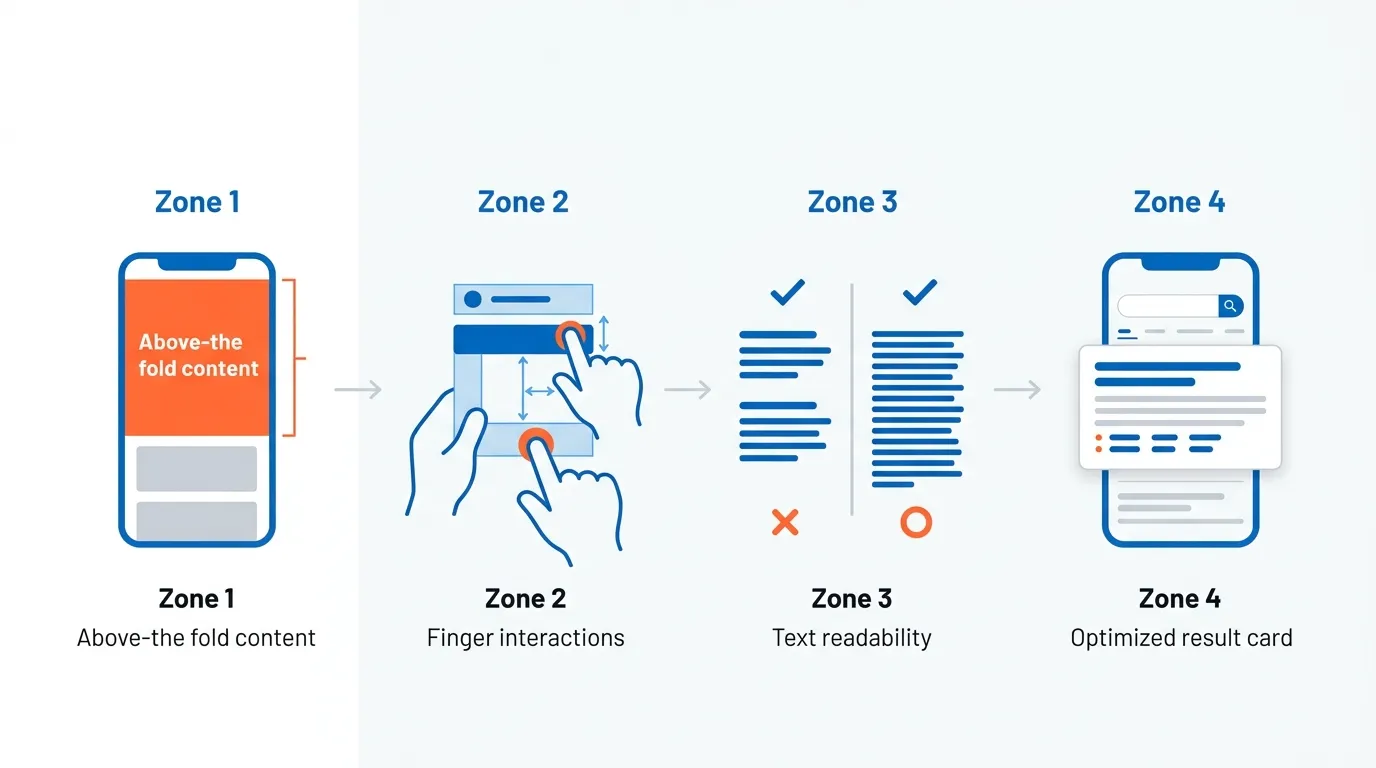
Technical fixes get your pages into contention. What you do on the page itself determines whether visitors stay, trust you, and act.
Most mobile page problems I see are not deeply technical. There are clarity problems. The offer is buried. The navigation requires too many taps. The form asks for too much. The first screen tells the visitor almost nothing useful.
These are fixable without a developer sprint, and the commercial impact of getting them right is often immediate.
Rewrite the First Screen for Clarity, Not Elegance
On mobile, the first visible screen must communicate the core offer without any scrolling. This sounds simple, but most service pages in Singapore still open with a large background image, a vague tagline, and a generic “learn more” button.
My recommendation is straightforward: a clear H1 that describes what you do and who you serve, one short supporting sentence, and one primary CTA. That is the minimum viable first screen on a mobile commercial page. Elegance is secondary to comprehension.
Improve Tap Targets, Menus, and Form Usability

Navigation design on mobile needs to account for thumbs, not cursors. Menu items that are too small to tap reliably, forms that require precise tapping to activate fields, and buttons that are placed too close together all contribute to friction that shows up in bounce rates and missed conversions.
Practical recommendations:
- Keep navigation to two levels at most on mobile
- Ensure all tappable elements have a minimum height and width that meets usability standards (44px is a widely referenced guideline)
- Simplify forms to the minimum required fields for the first submission
- Set input fields to trigger the correct mobile keyboard (email fields should trigger the email keyboard, phone fields the number pad)
Tighten Paragraph Structure for Mobile Reading
A paragraph that reads comfortably at 900 pixels wide becomes a wall of text at 390 pixels. Mobile content should use shorter paragraphs, more frequent subheadings, and callout elements to break up dense sections.
This is not about dumbing down the content. It is about respecting how people actually read on a small screen. Short paragraphs improve readability, increase scroll depth, and reduce the perceived effort for visitors.
Improve Mobile SERP Snippets
Your page title and meta description are often the first point of contact between your page and a mobile searcher. On mobile search results, titles are truncated more aggressively than on desktop.
Keep titles under 60 characters and lead with the most important descriptive term. Write meta descriptions that communicate a clear benefit within the first 120 characters. Both should match the page’s actual content and intent, rather than being written solely for keyword inclusion.
What to Fix in the Technical Setup
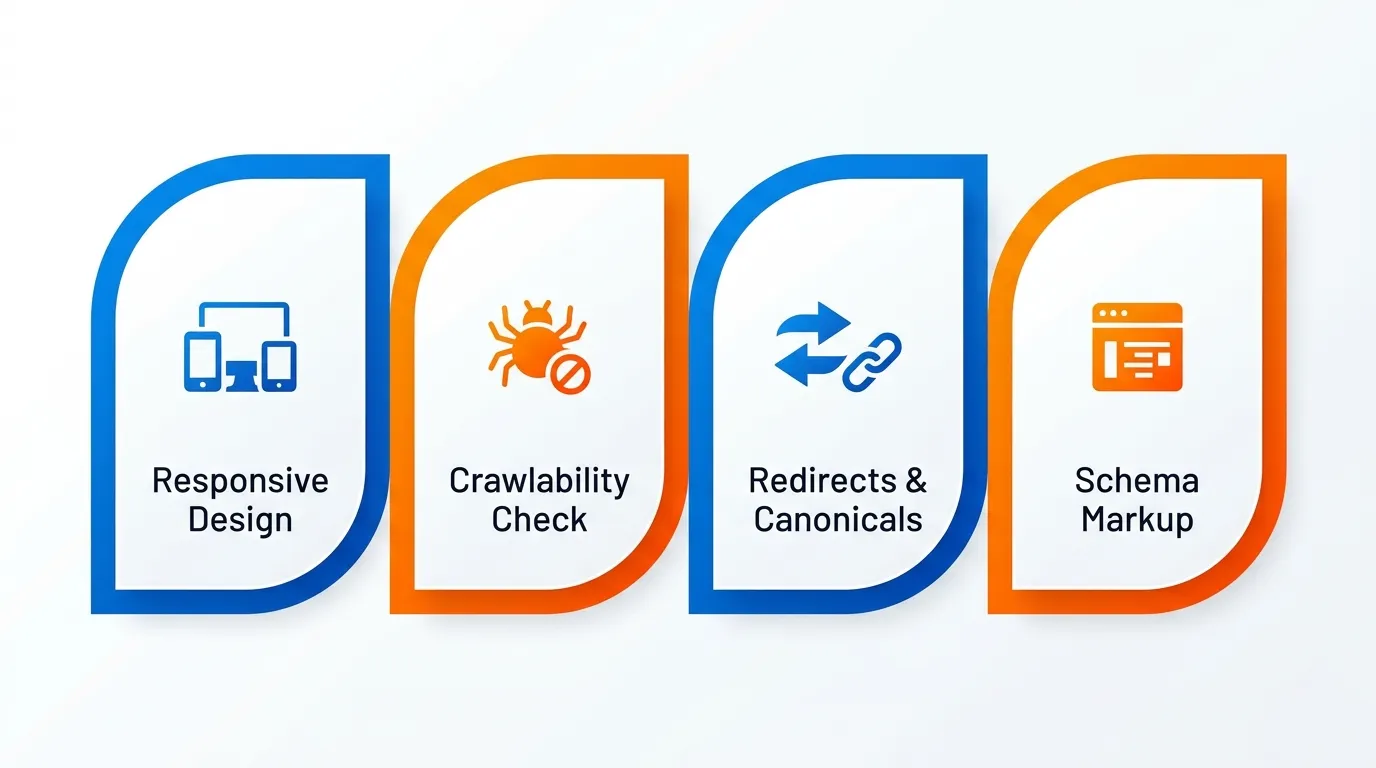
On-page clarity matters. But if the technical foundation underneath it is broken, none of the page-level work will land the way it should.
This is the layer most business owners never see and rarely think to check. Redirects pointing to the wrong place, assets blocked from Googlebot, structured data that exists on desktop but disappears on mobile.
These are not dramatic failures. They are quiet ones. And they are often the reason a site with decent content and reasonable speed still underperforms in search.
Confirm Responsive Implementation is Clean
Responsive design is Google’s preferred mobile configuration because a single URL serves all devices, which simplifies crawling, canonicalisation, and link equity consolidation. But responsive implementation can still contain errors.
Common issues include: viewport meta tags that are incorrectly configured (using user-scalable=no can harm accessibility), CSS breakpoints that hide large content sections on mobile rather than adapting them, and JavaScript features that behave differently across device widths, affecting what Google can render.
Fix Crawlability, Blocked Assets, and Broken Mobile Resources
Check your robots.txt file to confirm you are not inadvertently blocking CSS, JavaScript, or image resources that Google needs to render your mobile pages correctly. If Google cannot load your stylesheet, it cannot understand your layout. If it cannot access your JavaScript, dynamic content may not be visible during crawling.
Use the URL Inspection tool in Search Console to run a live test and check the rendered screenshot. If the rendered version looks broken or incomplete, Googlebot is seeing a degraded version of your page.
Fix Bad Redirects, Canonicals, and Alternate Relationships
This is especially relevant for businesses that have recently migrated away from a separate m-dot mobile site, or that have a legacy setup where certain desktop URLs redirect to a different mobile homepage rather than the equivalent mobile page.
Google’s own guidance specifically warns against redirecting multiple desktop URLs to a single mobile homepage. This creates a mismatch that confuses the indexer and dilutes the signal value of your individual pages.
Ensure Structured Data is Present and Consistent on Mobile
Structured data is one of the most frequently overlooked mobile-first indexing issues. If your desktop pages use schema markup for services, reviews, FAQ content, or breadcrumbs, but this markup is absent or broken on the mobile version, Google evaluates your pages without those signals.
Google recommends prioritising Breadcrumb, Product, and VideoObject structured data when ensuring parity between versions. Use the URL Inspection tool to confirm that schema markup is visible in the rendered mobile output.
How to Prioritise Fixes Without Wasting Time
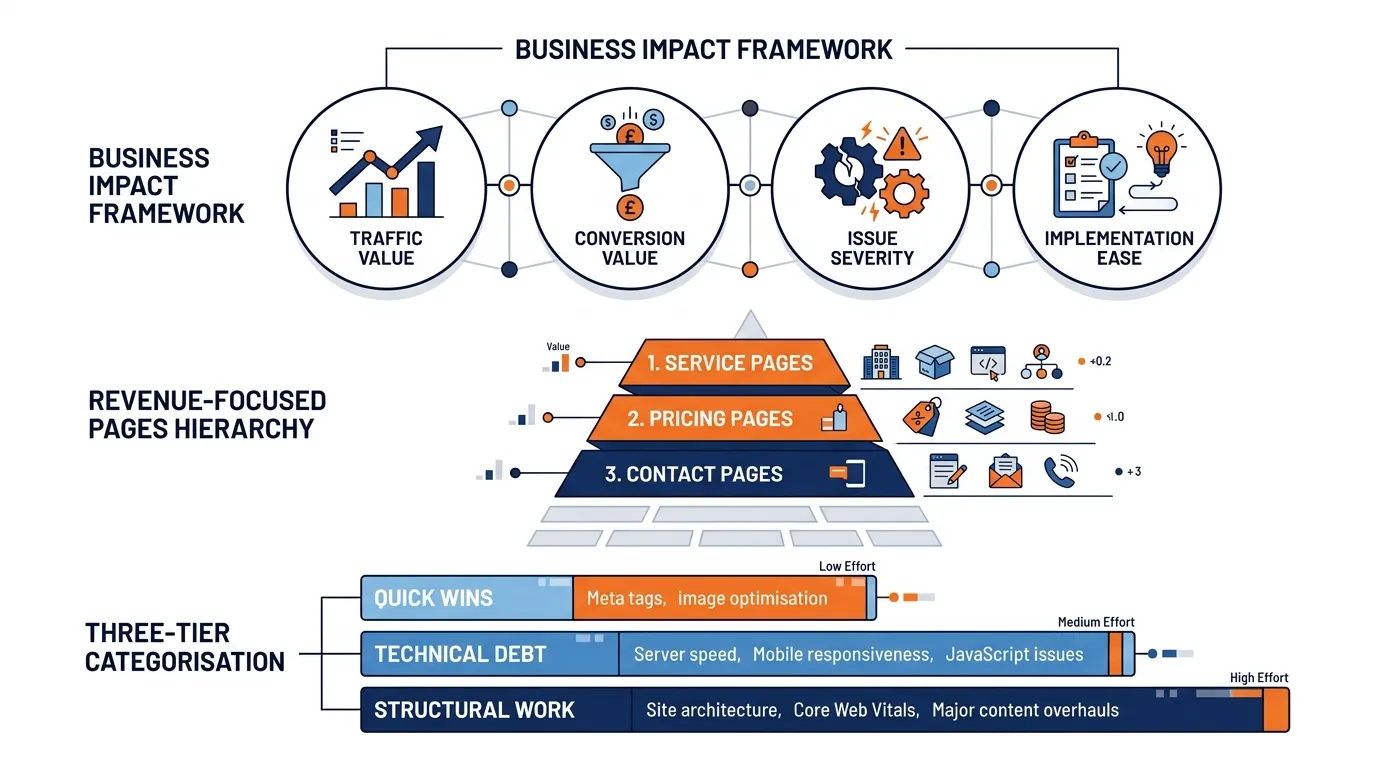
Every mobile SEO audit produces a list. The problem is that most teams treat that list as a queue rather than a decision.
Not every fix carries the same commercial weight. A broken click-to-call on your main service page costs you leads today. A missing alt tag on a blog post from three years ago does not. Treating them with equal urgency is how months pass without meaningful progress.
The discipline here is not effort. It is sequencing.
Prioritise by Business Impact First
Every audit generates a list of issues. The danger is treating that list as a task queue rather than a prioritisation exercise. The right framework weighs each issue by four dimensions:
- Traffic value of the affected pages
- Conversion value of the affected pages
- Severity of the issue
- Ease of implementation
A Poor LCP score on a high-traffic service page scores high on all four dimensions. A missing alt tag on a blog image from 2019 does not.
Start with Pages that Drive Revenue, Not Just Traffic
Your homepage may have the most visits. But your service, pricing, quote request, and contact pages are where leads are generated. These are the pages that should receive the first round of mobile fixes, regardless of their relative traffic volume.
I see this mistake frequently. An SEO audit flags slow page speeds across the entire site, and the developer starts with the homepage because it receives the highest traffic. Three months pass. The service pages, which send calls and enquiries, are still slow. The commercial outcome has not moved.
Group Fixes into Quick Wins, Technical Debt, and Structural Work
Not all fixes can be deployed in the same sprint. Grouping them realistically prevents teams from reacting to audit tools without a plan.
- Quick wins include: Compressing oversized images, fixing tappable phone numbers, correcting noindex errors, and simplifying contact forms.
- Technical debt includes: Improving LCP through server-side rendering changes, reducing render-blocking scripts, and fixing structured data across multiple page templates.
- Structural work includes: Rebuilding above-the-fold layouts for commercial pages, redesigning navigation for mobile usability, and migrating from a poorly configured legacy theme to a responsive framework.
Working through these in order rather than in a single undifferentiated backlog produces faster commercial results.
How to Validate That Your Mobile Fixes Worked
Fixing issues without measuring the outcome is just an activity. The validation step is what separates a structured SEO process from a list of tasks someone ran through and hoped for the best.
I see this skipped constantly. Changes get deployed, the developer marks the ticket as done, and nobody goes back to confirm whether the fix actually moved anything. Weeks later, rankings are the same, conversions have not shifted, and the team starts debating what to try next.
The problem is not always the fix. Sometimes, there is no system to verify whether the fix worked.
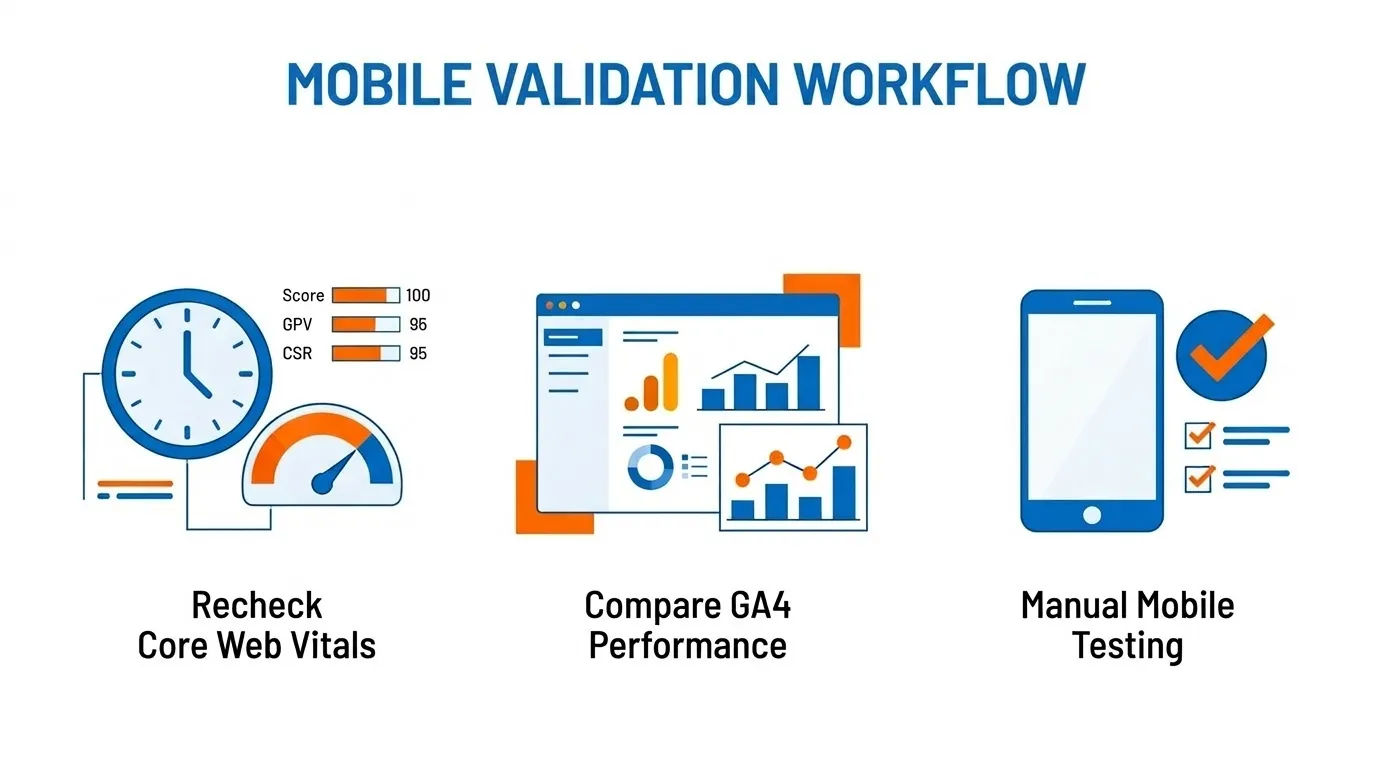
Recheck Core Web Vitals after Deployment
Search Console’s Core Web Vitals report uses field data, which means it reflects real-world user visits rather than a single test. There is an inherent delay between making a fix and seeing it reflected in the report.
Google typically requires enough field data to establish a reliable percentile score, which can take several weeks depending on traffic volume.
After deploying fixes, use PageSpeed Insights and Lighthouse to confirm immediate improvements in lab scores. Then monitor Search Console over the following four to six weeks to track whether the field data improves to match.

Compare Mobile Performance in GA4 Before and After Changes
With your pre-fix baseline already recorded, the post-fix comparison in GA4 should measure:
- Organic mobile sessions (volume and trend)
- Mobile engagement rate (are visitors staying and interacting?)
- Mobile conversion rate or key event completions
- Landing page performance segmented by device
This is how you connect technical SEO work to commercial outcomes. A 12-point improvement in mobile engagement rate is a meaningful business result. An improvement in PageSpeed score alone is not, unless it translates into measurable user behaviour.
Re-test Key Pages Manually on Mobile
After any significant fix, run the same real-device test you used during the audit. Go through the actual user journey: land on the page, scroll through the content, try the menu, attempt to complete the contact form, and test the click-to-call link.
This confirms that the fix worked as intended in a real-world context, and often surfaces secondary issues that automated tools do not catch.
Recommended Mobile SEO Maintenance Schedule
Most mobile SEO problems I encounter did not appear overnight. They accumulated quietly over months, introduced by a plugin update, a template change, or a new page that nobody thought to test on a phone.
A maintenance schedule does not need to be elaborate. It needs to be consistent. The businesses that hold their mobile rankings over time are not necessarily doing more work. They are doing small, regular checks that catch regressions before they compound into something commercially damaging.
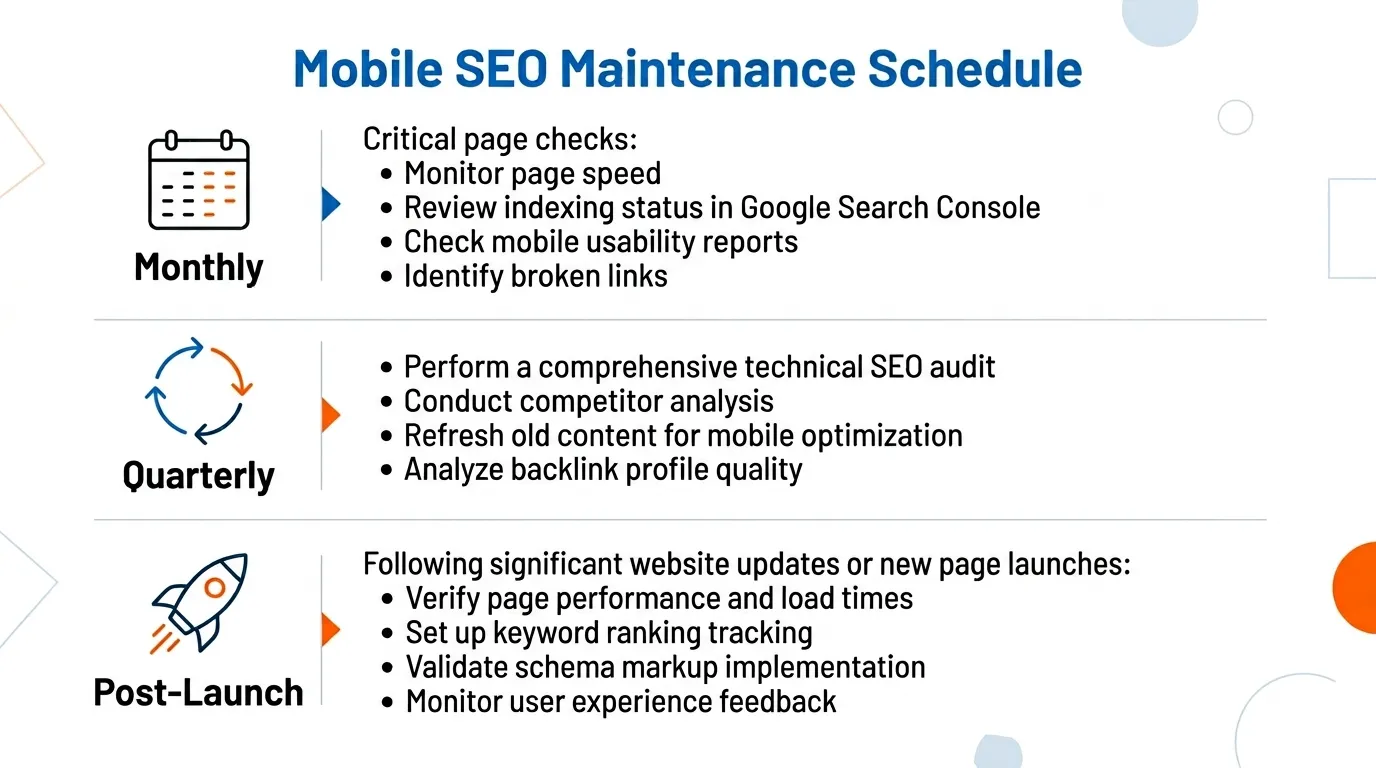
Monthly Checks for Critical Pages
Each month, run a quick review of your most commercially important pages: service pages, location pages, quote pages, and contact pages.
Check for any new Core Web Vitals issues flagged in Search Console, confirm that click-to-call links are functional, and verify that no unintended changes to content or metadata have been introduced by plugin updates or CMS edits.
This does not need to take more than an hour. The value is catching regressions before they accumulate.
Quarterly Audit for Sitewide Mobile Performance
Once per quarter, run a more comprehensive review. Pull the Core Web Vitals report in Search Console for a full sitewide view. Review the top ten organic mobile landing pages in GA4 and assess their engagement and conversion performance. Run PageSpeed Insights on any page that has received significant updates since the last audit.
This is also a good time to review your Google Business Profile: confirm that all information is up to date, that photos are recent, and that you are responding to reviews regularly.
Post-launch and Post-migration Checks
This is the maintenance moment that most businesses treat as optional, only to later regret.
Every time you launch a new site design, migrate to a new CMS, update a page template, install a new plugin, or change your hosting environment, you introduce potential mobile regressions.
Responsive layouts can break on specific breakpoints. Structured data can be lost during a template update. Redirects can be lost during a migration. A plugin update can introduce render-blocking scripts.
The discipline of running a focused mobile check within 48 hours of any significant site change is one of the most commercially efficient habits an SEO-focused business can build.
After Running a Mobile SEO Audit, What’s Next?
A mobile SEO audit is not a box-ticking exercise. It is one of the most direct ways a Singapore business can improve its organic lead generation.
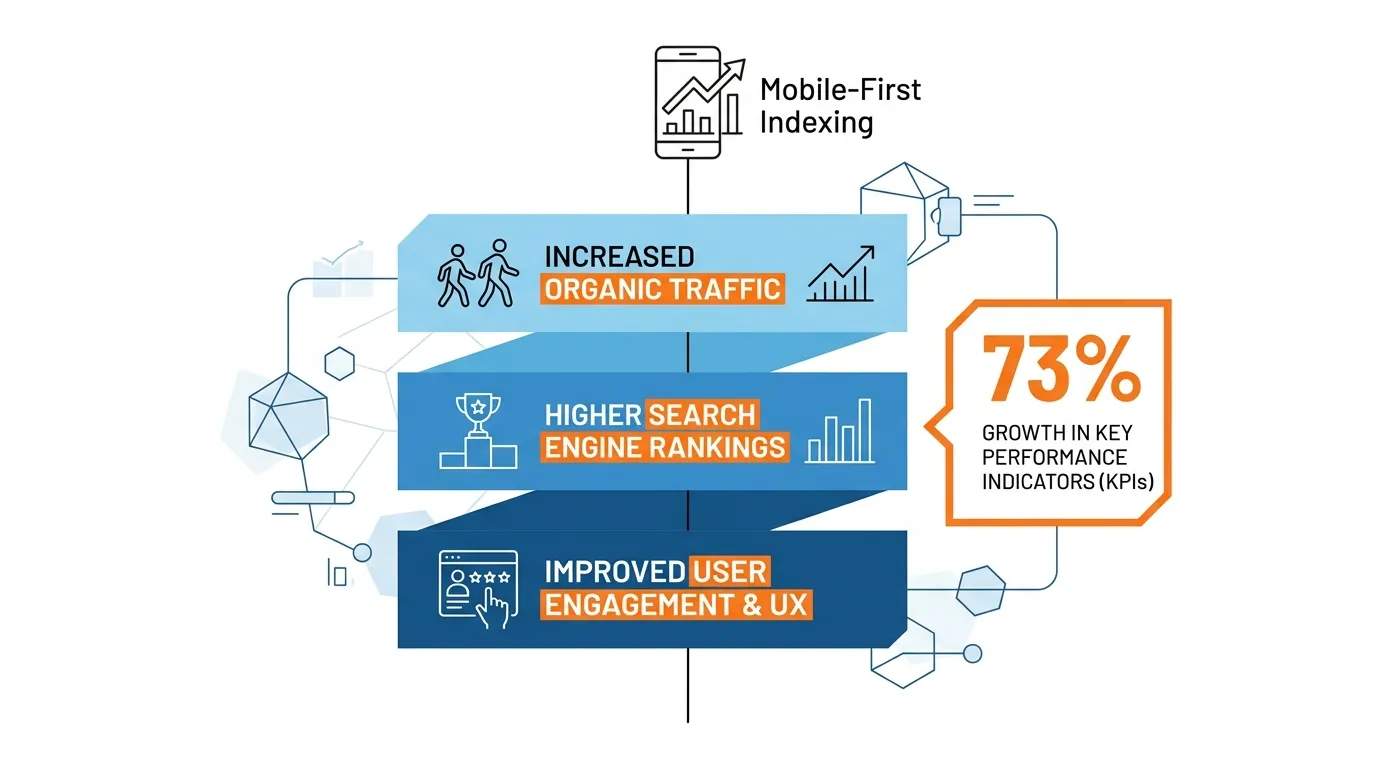
Google’s signals are clear. Mobile is the primary index. Performance matters. User experience matters. And in a market where 73% of searches are on mobile, where your competitors are likely ignoring this entirely, the opportunity for businesses that get it right is real.
The framework is not complicated. Understand your mobile traffic. Run the core diagnostic tools. Prioritise fixes by commercial impact. Address speed, usability errors, and Core Web Vitals before moving to anything else. Treat it as ongoing maintenance rather than a one-time project.
What I find most often is not that businesses lack the intent to fix their mobile SEO. It is that they lack a clear prioritisation framework and the technical resource to execute it confidently. That is where the real work sits.
If you are working through this and want a clearer picture of where your site actually stands, a conversation with the team at MediaOne can help frame what needs to happen and in what order. We offer SEO services to Singapore businesses across sectors and understand both the technical side and the commercial implications.
Frequently Asked Questions
How can I check if my website is mobile-friendly?
Start with Google’s Mobile-Friendly Test, which gives you an immediate assessment of your site’s mobile usability. Then check the Mobile Usability report in Google Search Console for page-level errors. Finally, open your site on an actual mobile device and assess the experience yourself. Emulators help, but they do not fully replicate real-world conditions.
How often should I conduct a mobile SEO audit?
For most Singapore SMEs, a focused quarterly check on Core Web Vitals, Search Console errors, and PageSpeed scores on commercial pages is sufficient for maintenance. A fuller audit is warranted after any significant site update, CMS migration, or major Google algorithm update.

Does mobile SEO affect local SEO rankings in Singapore?
Yes, directly. Local search in Singapore is predominantly mobile. When someone searches for a service near them, Google evaluates both your Google Business Profile and your mobile site experience to determine local pack rankings. Improving mobile performance and local SEO together yields stronger results than addressing either in isolation.
What is mobile-first indexing, and does it still matter?
Mobile-first indexing means Google crawls and evaluates your website based on its mobile version rather than its desktop version. Google completed this transition for 100% of websites in July 2024. It is no longer an optional consideration. If your mobile site shows less content, slower performance, or different metadata than your desktop site, you are being ranked on the inferior version.
Does improving mobile SEO affect desktop rankings?
Yes, because Google uses mobile-first indexing, improvements to your mobile site directly influence your rankings across both mobile and desktop search results. Since Google’s crawler evaluates the mobile version of your website to determine where it ranks, a faster, more usable mobile site benefits your overall search visibility, not just your mobile traffic.
That said, mobile and desktop search results can still differ in layout and positioning due to factors such as local packs, featured snippets, and personalisation. The most reliable approach is to optimise for mobile performance first and treat any desktop ranking improvements as a natural consequence of that work.