SEO in 2026 is no longer a slow game of publishing a few optimised pages and hoping rankings improve over time. Search is moving faster, Google’s results are more crowded, and AI-assisted discovery is changing how people research, compare, and choose who to trust.

That means the margin for error is smaller. The tools you use now shape how quickly you spot opportunities, how well you prioritise, and how confidently you turn SEO into real growth.
I see many businesses make the same mistake. They invest in SEO tools based on brand name, feature count, or whatever everyone else seems to be using, then realise months later that the stack looks impressive but does not actually help the team move faster or make better decisions. More dashboards do not automatically mean better SEO.
In many cases, they just create more noise. The best SEO tools in 2026 are not the ones that promise everything. They are the ones that help you uncover what matters, act on it efficiently, and connect your SEO work to leads, sales, and revenue.
If you are a business owner, marketer, or agency team trying to build a smarter stack this year, this guide will help you choose the right tools for your workflow, your budget, and your growth stage.
If you are reviewing your options with an SEO agency in Singapore, understanding which tools actually support execution, reporting, and commercial growth will help you make much better decisions from the start.
Key Takeaways
- The best SEO tool depends on your workflow, team size, and growth stage, not just the size of its feature list.
- Most businesses need a stack, not one platform, because SEO in 2026 spans technical health, keyword research, content, tracking, reporting, and workflow efficiency.
- Google Search Console, GA4, and Looker Studio remain essential, even if you invest in premium SEO software.
- All-in-one suites like Semrush and Ahrefs are powerful, but they are not always the most practical choice for smaller teams.
- AI-assisted SEO tools can improve speed, but they still need strong editorial judgment and validation against first-party data.
Best SEO Tools in 2026 at a Glance
If you want the short answer first, start here. These are the tools I would shortlist fastest by use case:
- Best all-in-one SEO suite: Semrush
- Best for backlink analysis: Ahrefs
- Best for technical SEO: Screaming Frog
- Best for content optimisation: Clearscope
- Best for affordable all-in-one: SE Ranking
- Best free SEO tool: Google Search Console
- Best for local SEO: BrightLocal
- Best for enterprise rank tracking: STAT
That does not mean these tools are automatically best for every business. It means they are strong starting points in their categories, given their usability, practical value, and how often they hold up in recurring SEO workflows.
If you already know what you need, the shortlist above is enough to get you moving. If you are still deciding, the rest of this guide will help you narrow down the right fit more confidently.
What Makes the Best SEO Tools Different in 2026
The best SEO tools in 2026 do more than collect information. They help us decide what matters first, what can wait, and where effort is most likely to produce results.
That matters because modern SEO is no longer just a research function. It is a workflow. A strong SEO team now has to:
- catch technical problems before they drag down performance
- map content more closely to search intent
- monitor rankings with better context
- prove what SEO contributed to traffic, leads, and revenue
- keep moving quickly without creating low-quality output
This is also where AI changes the picture. AI-assisted writing, clustering, and research tools have made it easier to produce more work in less time. But weak processes scale just as quickly as good ones. If the underlying workflow is poor, a faster tool will not solve the problem. It will simply help you create more weak briefs, shallower drafts, and lower-value reporting.
That is why the best SEO tools now are not just the ones with the deepest database or the prettiest interface. They are the ones that help you move from insight to action with less friction and better judgment.
How We Tested These SEO Tools
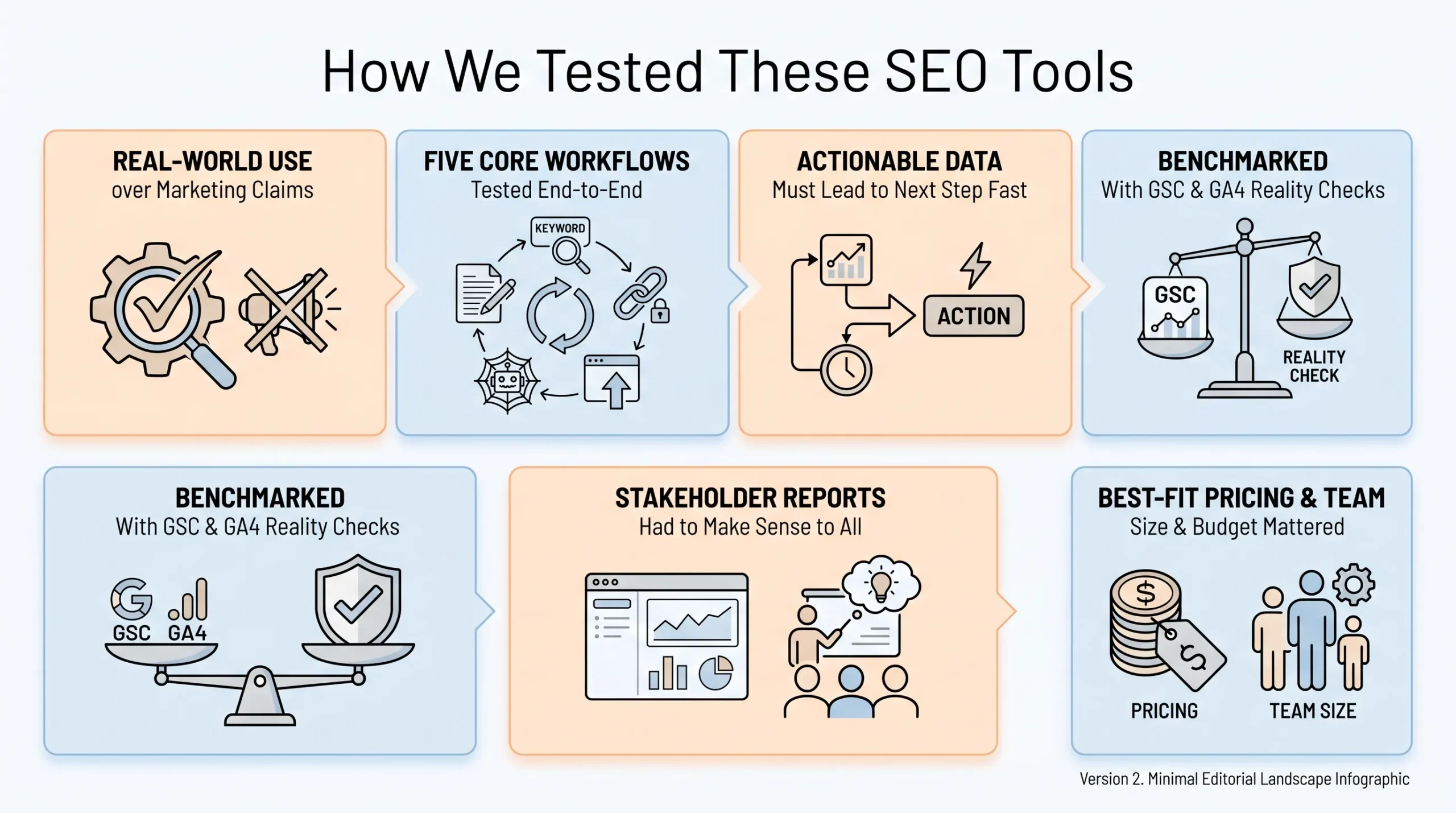
I did not judge tools solely by marketing pages or feature lists. I looked at how useful they are in real recurring SEO work, because that is where the value of a tool either becomes obvious or disappears quickly.
The review process focused on several things:
- how well each tool handled common workflows such as keyword research, site auditing, competitor checks, rank tracking, and reporting
- how quickly a user could move from raw data to a clear next step
- how well the outputs matched reality when checked against Google Search Console and GA4
- whether the tool created practical reporting outputs that a client, founder, or internal stakeholder could actually understand,
- whether the pricing made sense for the level of usage most teams would realistically get out of it, and whether the tool felt appropriate for a solo marketer, SME, agency, or enterprise team
That distinction is important. A tool can be powerful in theory and still be a poor choice in practice if it creates too much friction, takes too long to learn, or produces more information than the team can act on.
What matters is not only what the tool can do, but whether it helps real teams do important work more effectively week after week.
Why Most Businesses Need an SEO Stack, Not One Tool
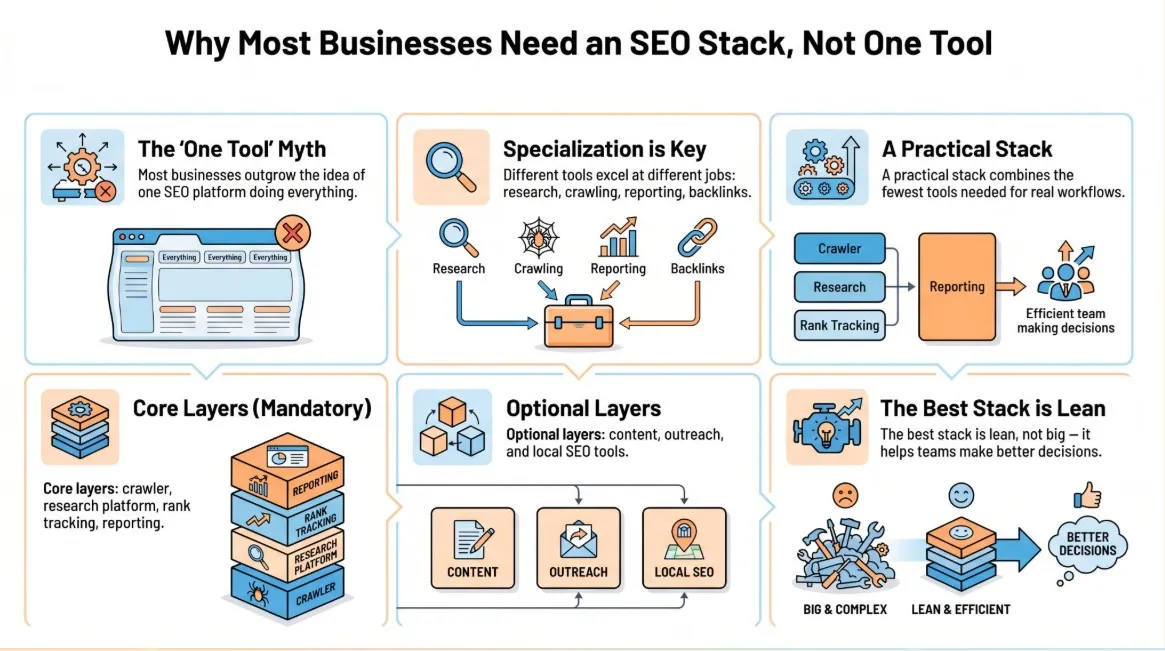
The idea of one platform doing everything is appealing, but most businesses eventually discover that SEO does not work cleanly enough for that.
One tool may be strong in keyword research but weak in crawling. Another may be great for reporting but underwhelming for content workflows. Another may shine in backlinks but feel clumsy for broader operations.
That is why most effective SEO setups look more like a stack than a single platform.
A practical stack usually includes:
- one crawler for technical audits
- one research platform for keyword planning and competitor analysis
- one rank tracking layer for visibility monitoring
- one reporting layer for dashboards and stakeholder clarity
- optional content tools if content production is a major output
- optional outreach tools if link building or digital PR matters
- optional local tools if Google Business Profile, citations, and review visibility are tied to revenue
The goal is not to collect subscriptions. The goal is to build the leanest stack that helps your team spot opportunities, fix issues, publish smarter content, and measure outcomes clearly.
In other words, the best stack is not the biggest one. It is the one that helps your team make better decisions consistently.
Best SEO Tools by Business Size and Budget
One of the easiest ways to waste money on SEO software is to buy based on ambition rather than complexity. A freelancer does not need the same stack as an agency. A small business does not need the same reporting setup as an enterprise ecommerce brand.
The right tools depend on how much SEO you are actually doing, how many people are involved, and how much operational depth you really need.
Best SEO Tools for Freelancers and Solo Marketers
If you are working alone, the main priority is usually clarity. You need tools that help you validate issues, do focused research, and understand performance without turning your workflow into something bloated or expensive.
A sensible stack for this level would usually include:
- Google Search Console
- GA4
- Screaming Frog free version
- Keywords Everywhere
- one optional low-cost content tool if content is a large part of the work
This kind of setup works because it covers the essentials without forcing you into enterprise-style workflows you will never fully use. For solo marketers, depth matters less than speed, clarity, and affordability.
Best SEO Tools for SMEs
SMEs usually need more structure than a solo operator, but they still need to watch cost closely. At this level, the goal is usually to centralise the main workflow enough that SEO becomes repeatable.
A strong SME stack could include:
- Semrush or SE Ranking
- Google Search Console
- GA4
- Looker Studio
- Screaming Frog licence if technical audits are recurring
This gives you a good balance of planning, visibility, analytics, and reporting. The advantage here is not only the tools themselves. It is the fact that they create a more stable operating rhythm for the team.
Best SEO Tools for Agencies
Agencies need tools that support repeatability. The problem is that this tool do the task. The problem is whether it can do the task across multiple accounts, support consistent reporting, and avoid slowing down delivery.
A good agency stack usually looks like this:
- Semrush or Ahrefs
- Screaming Frog
- AccuRanker
- Looker Studio
- One outreach tool if link acquisition is part of the service
For agencies, reporting clarity and workflow speed matter heavily. A tool that saves 20 minutes per account becomes a major gain when multiplied across a full client list.
Best SEO Tools for Enterprise Teams
Enterprise SEO is usually less about finding data and more about handling scale. Large sites, large keyword sets, multiple stakeholders, and layered reporting requirements create a very different type of tooling need.
A stronger enterprise stack usually includes:
- Ahrefs or Semrush
- JetOctopus
- STAT
- Looker Studio
- workflow or outreach tools as needed
At this level, the challenge is often operational maturity. Enterprise tools only justify themselves when the business can actually act on the complexity they surface.
Best SEO Tools Under $100 per Month
If the budget is tight, I would prioritise utility over variety. At this level, it is better to use fewer tools well than to spread a small budget across multiple subscriptions.
A strong low-cost setup usually starts with:
- Google Search Console
- GA4
- Looker Studio
- Screaming Frog free crawl
- Keywords Everywhere
Best SEO Tools Under $300 per Month
This is often the most practical range for SMEs and lean in-house teams. At this level, you can start adding one core platform without overcommitting on costs.
A practical stack here could include:
- SE Ranking or Semrush entry plan
- Screaming Frog
- Google Search Console
- GA4
- Looker Studio
Best Premium SEO Stack
If SEO is already a serious growth channel, the premium stack becomes much easier to justify because the gains come from depth, speed, and better decision support.
A premium stack usually includes:
- Semrush or Ahrefs
- Screaming Frog or JetOctopus
- AccuRanker or STAT
- Looker Studio
- One content optimisation platform
- One outreach platform if digital PR matters
What changes at this level is not only the tools, but how much the business depends on SEO as a structured function rather than a side activity.
Best SEO Tools by Use Case
If you want to choose tools based on the specific job they need to do, this is the best place to start. Most businesses do not buy an SEO tool because they love software.
They buy it because they need a crawler, a keyword tool, a rank tracker, a content workflow helper, or a stronger reporting layer.
That is why I prefer to organise the main comparisons by use case:
- all-in-one SEO suites
- technical SEO tools
- keyword research tools
- content optimisation tools
- rank tracking tools
- link analysis and outreach tools
- reporting and dashboard tools
- local SEO tools
- free SEO tools
- AI SEO tools
This makes it easier to compare tools the way real teams actually buy them.
All-in-One SEO Tools
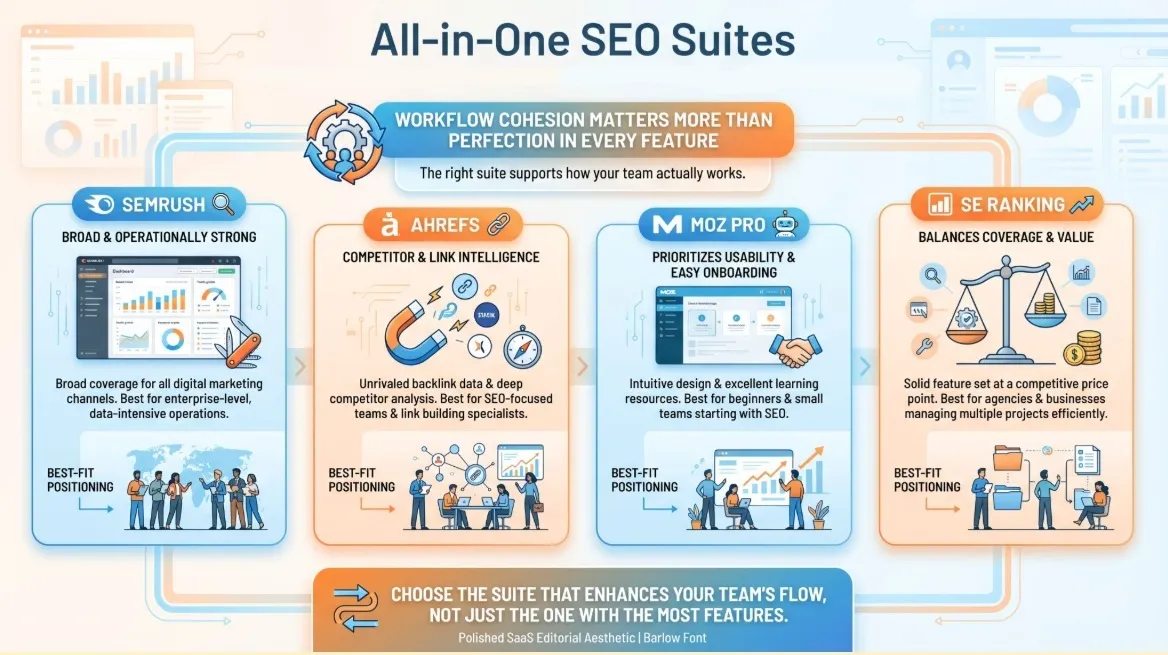
All-in-one suites matter when you want a single shared platform for planning, tracking, research, and reporting, rather than juggling a fragmented workflow. The main advantage of a suite is not perfection across every function. It is workflow cohesion.
Semrush
Best for: teams that want a broad operational SEO platform
Semrush is usually one of the easiest suites to roll out across an in-house team or agency because it supports multiple parts of the workflow in one environment. It works especially well when research, tracking, planning, and reporting need to happen close together.
What it does well
- broad workflow support
- strong research and planning features
- easier team standardisation
- practical reporting integration
Where it falls short
- pricing grows fast
- can feel overwhelming at first
- may be heavier than necessary for smaller teams
Buy this if you want a single platform to support multiple parts of the SEO workflow.
Skip this if: you only do occasional keyword research or need something much lighter.
My take: if you want the closest thing to a central command system for SEO, Semrush remains one of the safest choices.
Ahrefs
Best for: teams prioritising competitor research and backlink analysis
Ahrefs is especially strong when you need to understand why another site is outranking you, identify link gaps, and approach content or authority building more strategically. It is often the sharper tool for reverse-engineering competitive advantage.
What it does well
- backlink intelligence
- competitor research
- content gap analysis
- strong keyword exploration
Where it falls short
- pricing adds up
- less operationally broad than Semrush in some workflows
- not always the best fit for teams wanting one shared workflow platform
Buy this if: your growth depends heavily on competitive analysis and authority-building insights.
Skip this if you want more planning and workflow support in a single environment.
My take: if you win by outsmarting competitors, Ahrefs quickly earns its place.

Moz Pro
Best for: teams that want a more beginner-friendly suite
Moz Pro is often a good fit when ease of use matters more than maximum depth. It can work well for teams that need a teachable platform without a heavy learning curve.
What it does well
- approachable interface
- beginner-friendly workflow
- easier onboarding for less technical teams
Where it falls short
- less deep on competitive intelligence
- not as operational as Semrush
- not as strong for link-heavy workflows as Ahrefs
Buy this if: your team values consistency and usability over maximum depth.
Skip this if: you need stronger competitor or backlink insight.
My take: a sensible choice when simplicity matters more than power-user depth.
SE Ranking
Best for: SMEs and agencies that want broad coverage at a more practical cost
SE Ranking is one of the most sensible choices when you want core SEO functionality without paying for a more premium platform. It is not the deepest suite in every category, but it covers the major jobs well enough for many teams.
What it does well
- strong value for money
- clean interface
- solid coverage across tracking, audits, and keyword research
Where it falls short
- may not feel deep enough for highly competitive SEO environments
- not as advanced as premium platforms in every workflow
Buy this if: you want practical all-around coverage at a lower price point.
Skip this if: you need the heaviest research or enterprise-level functionality.
My take: one of the easiest tools to shortlist when value is a major concern.
Semrush vs Ahrefs in 2026
This remains one of the most common buying decisions because both tools are strong, but they serve slightly different priorities.
Choose Semrush if you want:
- a broader operational platform
- more workflow cohesion across planning, tracking, and reporting
- easier collaboration across teams
Choose Ahrefs if you want:
- stronger backlink intelligence
- deeper competitor research
- more authority-led strategic insight
In practice, this is not really about which tool is objectively better. It is about which one matches the work your team actually needs to do every week.
Other SEO Tool Comparisons Worth Knowing
Here are a few other SEO tool comparisons worth knowing before you choose a platform. Each tool has its own strengths, so the better choice depends on your budget, workflow, and the type of SEO work you prioritise most.
| SEO Tool Comparison | Choose the First Tool If… | Choose the Second Tool If… |
| Semrush vs SE Ranking | You want more depth and a broader workflow environment. | You want solid SEO fundamentals at a lower cost. |
| Screaming Frog vs Sitebulb | You value speed and crawl depth. | You want more guided prioritisation and more visual reporting. |
| Surfer vs Clearscope | Content output speed is the main priority. | Quality, editorial readability, and content control matter more. |
| BrightLocal vs Whitespark | You want a more bundled local SEO workflow. | Citation work and modular local SEO tooling are more important. |
| Ahrefs vs Majestic | You want backlink analysis inside a broader SEO workflow. | You want a second-opinion tool focused heavily on link profile evaluation. |
The best SEO tool is not always the one with the longest feature list. It is the one that fits your team’s workflow, supports your main SEO priorities, and helps you make better decisions without adding unnecessary complexity.
Technical SEO Crawlers and Auditing Tools
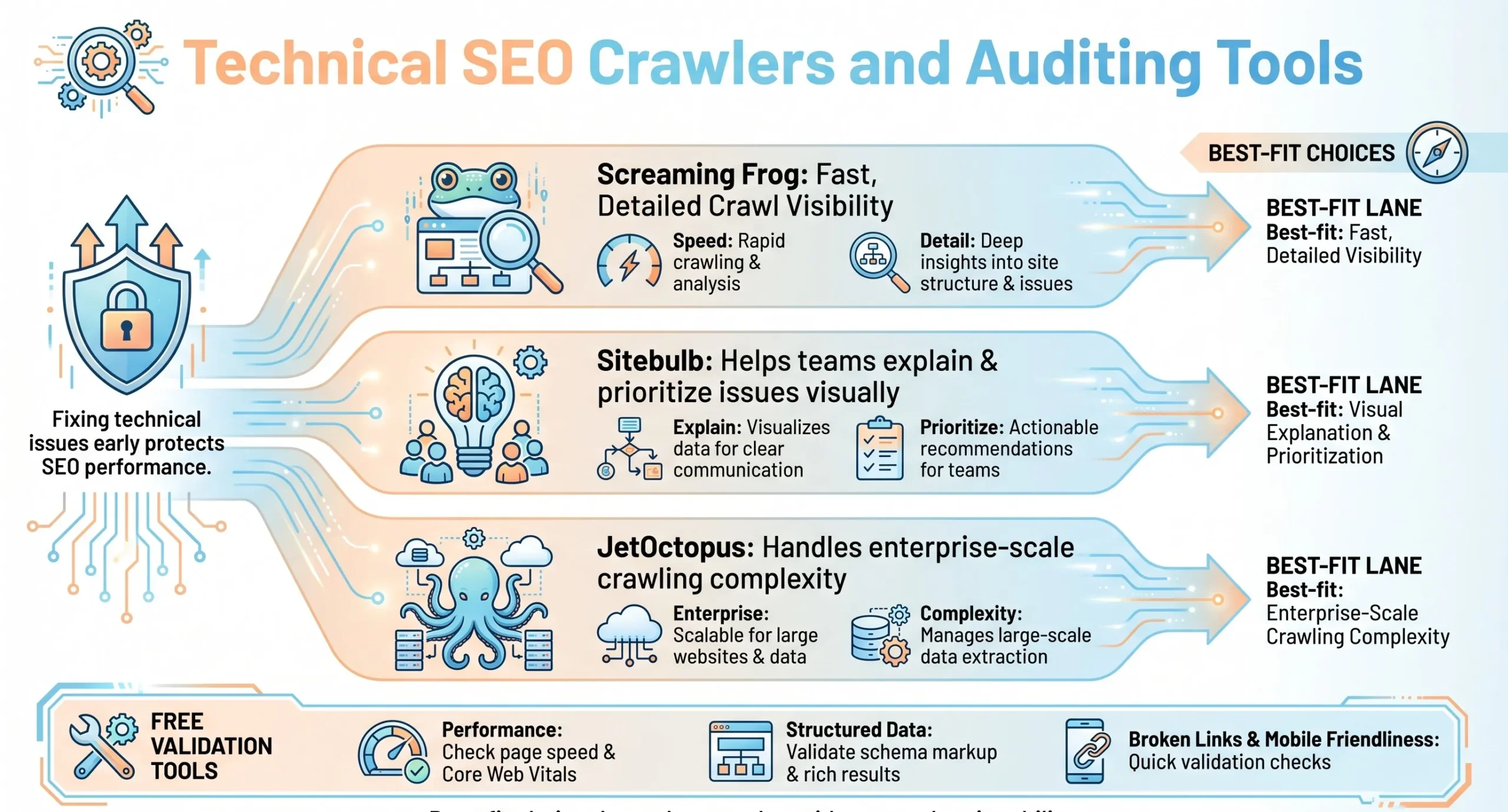

Technical problems still hold back rankings faster than many teams realise. Broken internal links, redirect chains, duplicate metadata, canonical issues, and indexation gaps often weaken pages long before the content team notices a performance drop.
If you want the simplest recommendation:
- Screaming Frog works for most small to mid-sized sites
- Sitebulb is stronger when reporting and prioritisation need to be more visual
- JetOctopus is better suited to large sites where scale becomes the main challenge
Screaming Frog
Best for: deep technical audits and recurring site hygiene
Screaming Frog remains one of the most practical technical SEO tools because it gives you direct crawl visibility at a very reasonable cost. It is not beautiful, but it is extremely useful.
What it does well
- fast crawling
- detailed crawl data
- broad technical issue visibility
- strong value for money
Where it falls short
- desktop-based
- technical learning curve
- not ideal for teams that need a more guided interface
Buy this if: you want a serious technical SEO tool without enterprise-level pricing.
Skip this if: your team strongly prefers more visual, guided tools.
My take: if I had to keep just one technical SEO tool, this would stay near the top of my list.
Sitebulb
Best for: visual audits and stakeholder-friendly prioritisation
Sitebulb is often easier to explain than Screaming Frog. It is useful when you need audits that go beyond diagnosis. It helps frame issues in a way that makes action easier.
What it does well
- more visual outputs
- clearer prioritisation
- easier stakeholder communication
Where it falls short
- not always as fast for quick raw checks
- can become more expensive as usage grows
Buy this if: explaining issues clearly matters as much as finding them.
Skip this if: you mainly want fast, detailed crawl data with minimal interface overhead.
My take: a strong option when persuasion and prioritisation matter.
JetOctopus
Best for: large-scale crawling and enterprise technical SEO
JetOctopus is built for volume. Its value becomes much clearer when site size or crawling complexity starts to push lighter tools too far.
What it does well
- cloud-based scale
- strong fit for large sites
- better support for enterprise crawling demands
Where it falls short
- overkill for smaller sites
- harder to justify unless the team can act on deeper technical outputs
Buy this if: your site size or complexity is already creating serious crawl demands.
Skip this if: your site is relatively small or your technical workflow is still lightweight.
My take: worth it only when scale genuinely changes the problem.
Useful Free Validation Tools
These are not replacements for a crawler, but they are still useful:
- PageSpeed Insights for performance checks
- Rich Results Test for structured data validation
They work best as supporting tools inside a broader technical workflow.
How We Use Technical SEO Tools in a Real Audit Workflow
A tool is only as valuable as the workflow around it. A practical monthly audit process usually looks like this:
- Crawl the site by page type
- Validate technical signals in Search Console
- Prioritise issues by impact and effort
- Fix patterns rather than only one-off errors
- Re-crawl and document what improved
This matters because technical SEO gets expensive when teams react to random issues without seeing the larger pattern. The right workflow helps turn audit data into repeatable improvement.
Keyword Research and SERP Intelligence Tools
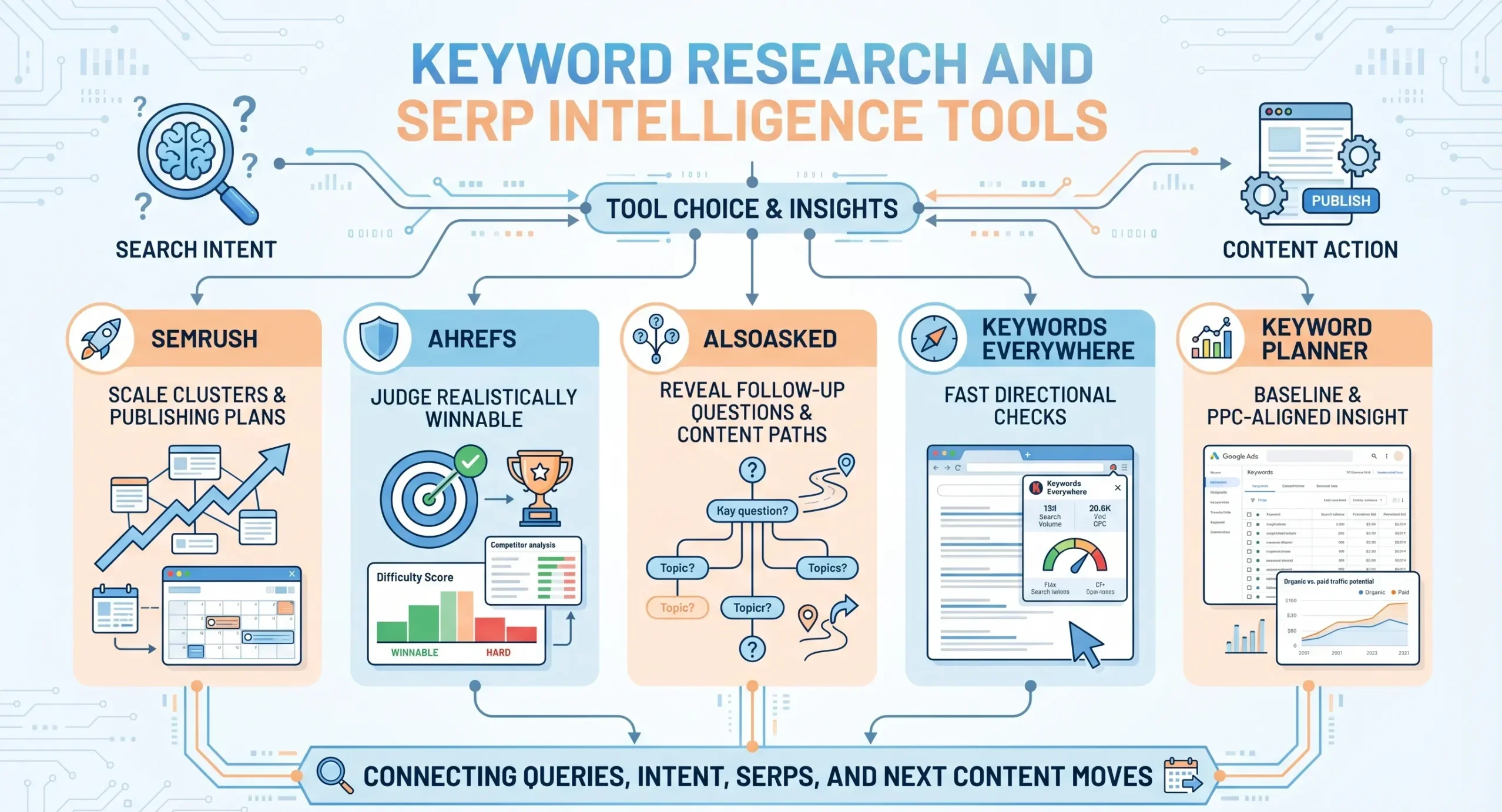
Keyword research in 2026 is less about finding a single perfect term and more about building a content and landing page plan that aligns with search intent. The real questions are usually:
- what are people actually searching for
- what type of page is Google rewarding
- what should we publish or improve next
Full Keyword Research Platforms
Semrush Keyword Magic Tool
Best for: keyword expansion and topic clustering at scale
This is especially useful when you are planning content clusters, building out categories, or mapping content ideas more systematically. It helps turn a seed topic into something that looks more like a usable publishing plan.
Ahrefs Keywords Explorer
Best for: competitive keyword research and SERP-led planning

This is where I would look when the goal is not just to gather ideas, but to understand what is realistically viable given the competition.
Question and Intent Mapping Tools
AlsoAsked
Best for: FAQ planning and mid-funnel content mapping
AlsoAsked is helpful because it shows the question structure behind a topic. That makes it especially useful for FAQ blocks, comparison guides, and support content, where the quality often depends on how well you answer follow-up questions.
Lightweight Keyword Tools
Keywords Everywhere
Best for: quick validation and low-friction keyword checks
It works best as a sidekick tool rather than the brain of the strategy. It is useful when you need quick direction without opening a full suite.
Google Keyword Planner
Best for: baseline keyword discovery and PPC-aligned insight
It is not a full SEO research platform, but it is still useful for basic keyword discovery and commercial direction.
Content Optimisation and Briefing Tools
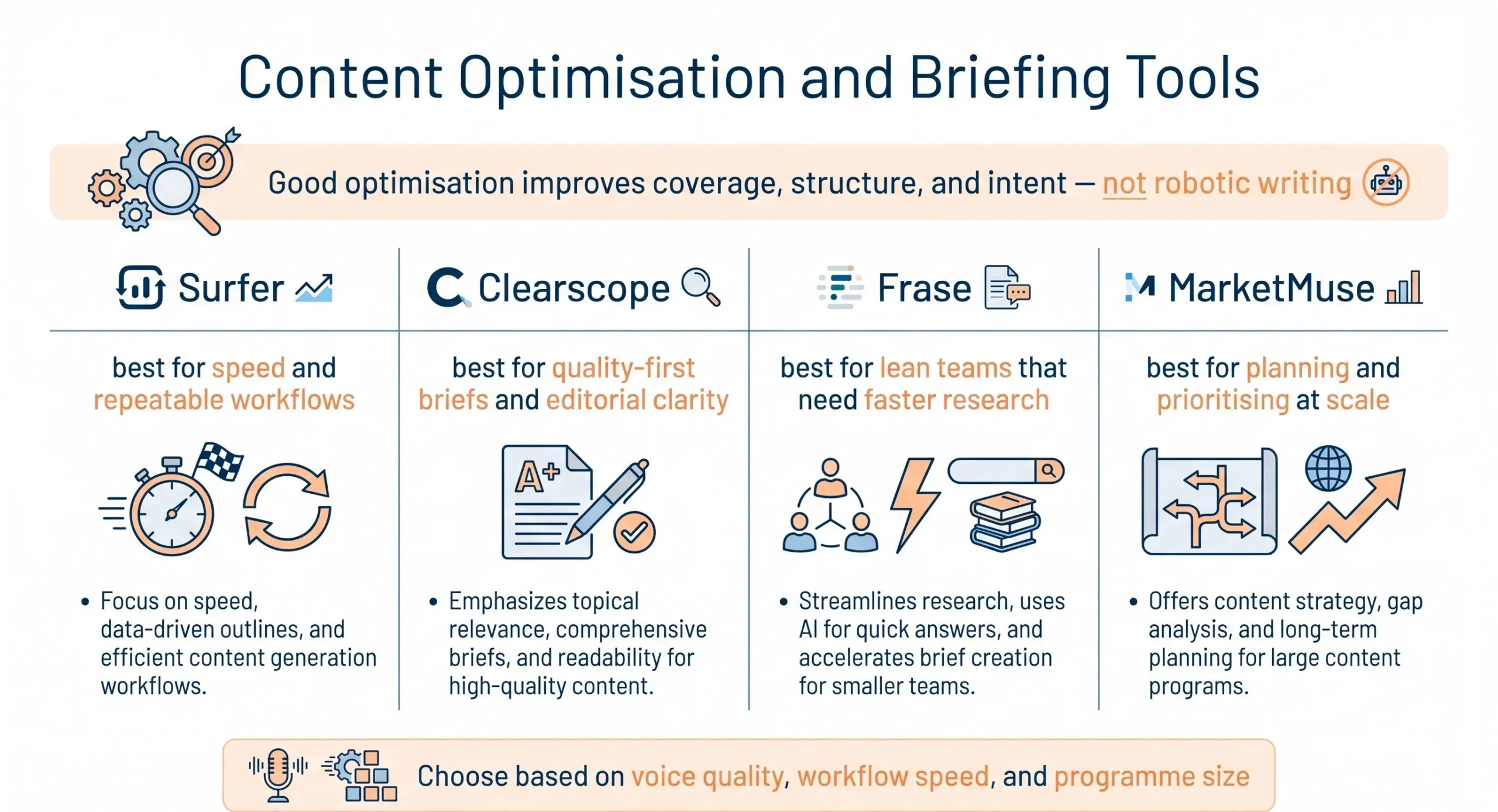
Content optimisation tools matter more in 2026 because content production is faster, but maintaining quality has become harder. These tools are useful when they improve coverage, structure, and alignment of intent without forcing content into a robotic shape.
Surfer SEO
Best for: fast on-page optimisation and repeatable content workflows
SurferSEO can help writers and marketers move faster, especially when content production volume is high. It is useful for improving consistency and speeding up optimisation work.
Main caution:
If followed too rigidly, it can flatten the brand voice and make the writing feel formulaic.
Clearscope
Best for: editorial-grade optimisation and cleaner briefs
Clearscope tends to suit teams that care about quality-first content. It helps optimise coverage while usually feeling more writer-friendly than overly score-driven tools.
Main caution:
Its pricing can be hard to justify if content is not already a serious growth lever.
Frase
Best for: lean teams wanting faster research and briefs
Frase is usually a good fit when you want more capability per dollar and need help structuring and researching content quickly.
Main caution:
It still requires manual review for tone, credibility, and refinement.
MarketMuse
Best for: content planning and topic prioritisation at scale
MarketMuse becomes much more useful when the challenge is deciding what to create or update across a larger content programme.
Main caution:
It is too heavy for teams that only publish occasionally.
Best Content Optimisation Tool for Quality-First Brands
If quality, clarity, and editorial voice matter most, Clearscope is usually the safer choice. If speed and repeatable output matter more, Surfer often becomes the more practical option.
Rank Tracking Tools
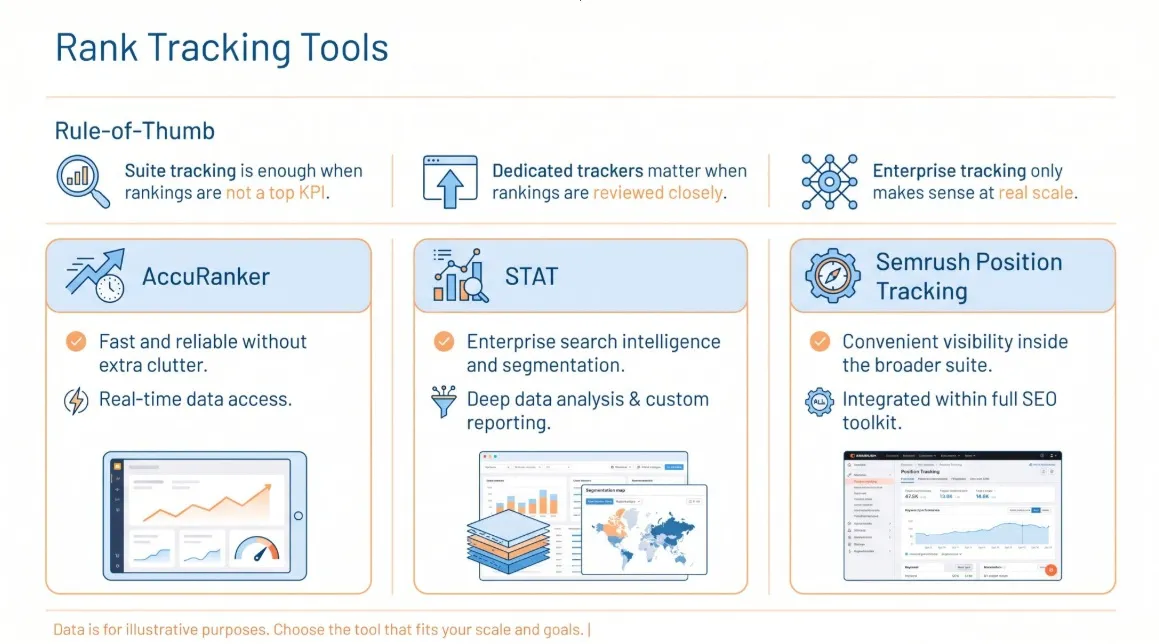
Not every team needs a dedicated rank tracker. In many cases, built-in suite tracking is enough. Dedicated trackers make more sense when rankings are reviewed closely, reported weekly, or tied to client expectations.
A simple rule of thumb is:
- use suite tracking if rankings are secondary
- use a dedicated tracker if rankings are a major KPI
- use enterprise tracking only when keyword volume and segmentation justify it
AccuRanker
Best for: fast, reliable tracking without extra suite clutter
This is a strong option when rankings are actively monitored, and reporting needs to stay clean.
STAT
Best for: enterprise keyword tracking at scale
STAT is useful when rank tracking behaves more like search intelligence than a simple reporting layer.
Semrush Position Tracking
Best for: teams already using Semrush who want visibility without another subscription
This tends to make the most sense when convenience matters, and rankings are one part of a broader Semrush workflow.
Link Analysis and Digital PR Tools
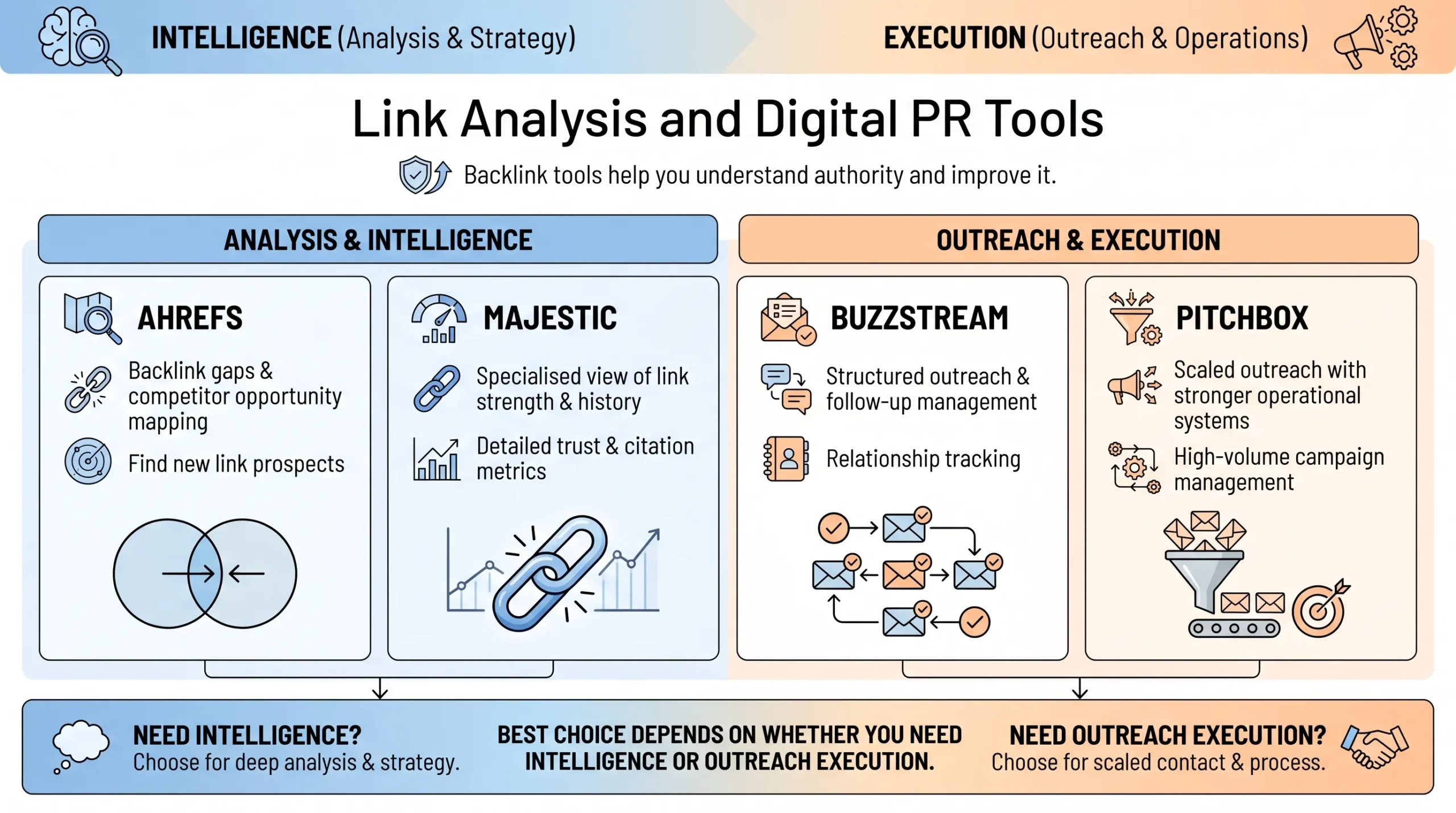
If you want to outrank stronger competitors, authority still matters. Link tools help in two main ways: understanding backlink profiles and managing the outreach needed to improve them.
A practical maturity path looks like this:
- use Ahrefs or Majestic if you mainly need backlink intelligence
- use BuzzStream if you want lean, organised outreach
- use Pitchbox if outreach is already a scaled operational function
Ahrefs Backlink Checker
Best when you want clearer direction on competitor backlinks, link gaps, and opportunities for authority.
Majestic
Best when you want a more specialised perspective on link profile strength and link history.
BuzzStream
Best when outreach needs structure, follow-ups, and relationship tracking without becoming messy.
Pitchbox
Best when outreach is already happening at scale and needs a more serious operational system behind it.
Reporting and Dashboard Tools
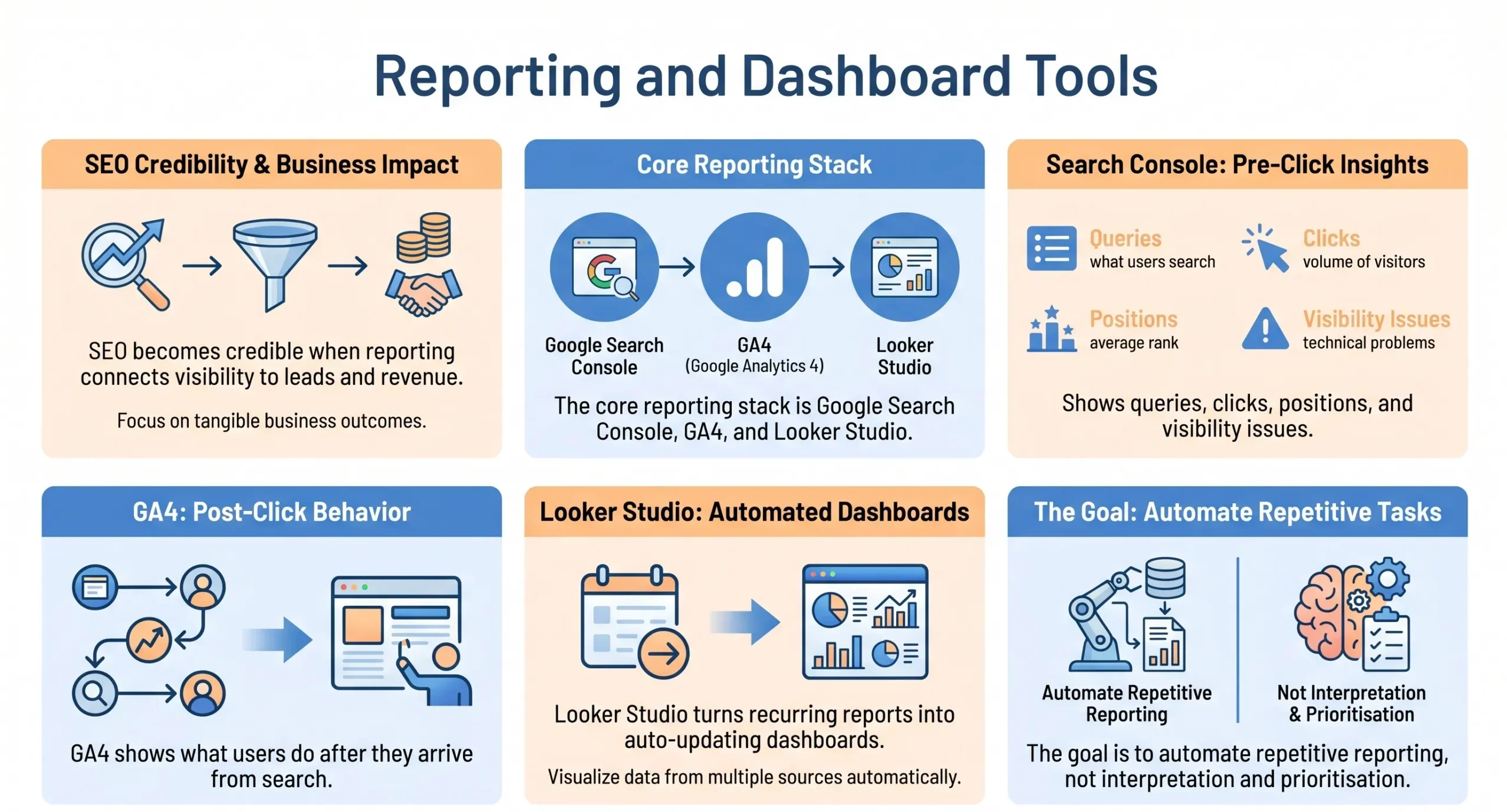
Reporting is where SEO either becomes credible or stays vague. Rankings alone are rarely enough. If you want to prove what SEO is contributing to visibility, leads, and revenue, the reporting layer becomes non-negotiable.
The core stack here is simple:
- Google Search Console
- GA4
- Looker Studio
Google Search Console
This remains one of the most important tools because it shows how Google actually sees the site. It helps answer questions such as:

- which queries triggered your pages
- how many clicks you earned
- how positions are moving
- whether indexation or visibility problems exist
GA4
Search Console tells us how users arrive. GA4 tells us what they do upon arrival. That is the layer that connects SEO to form fills, purchases, calls, and other commercial outcomes.
Looker Studio
Looker Studio helps turn recurring reporting into a more sustainable practice. Instead of rebuilding reports every month, we can create dashboards that update automatically and keep the conversation focused on performance, not slide production.
How to Automate Recurring SEO Reporting
The goal is not to automate thinking. It is to automate the repetitive parts so that interpretation and prioritisation get more attention.
A practical reporting setup usually includes:
- scheduled dashboard refreshes
- standard views for traffic, rankings, and conversions
- one consistent reporting source for recurring stakeholder questions
Local SEO Tools
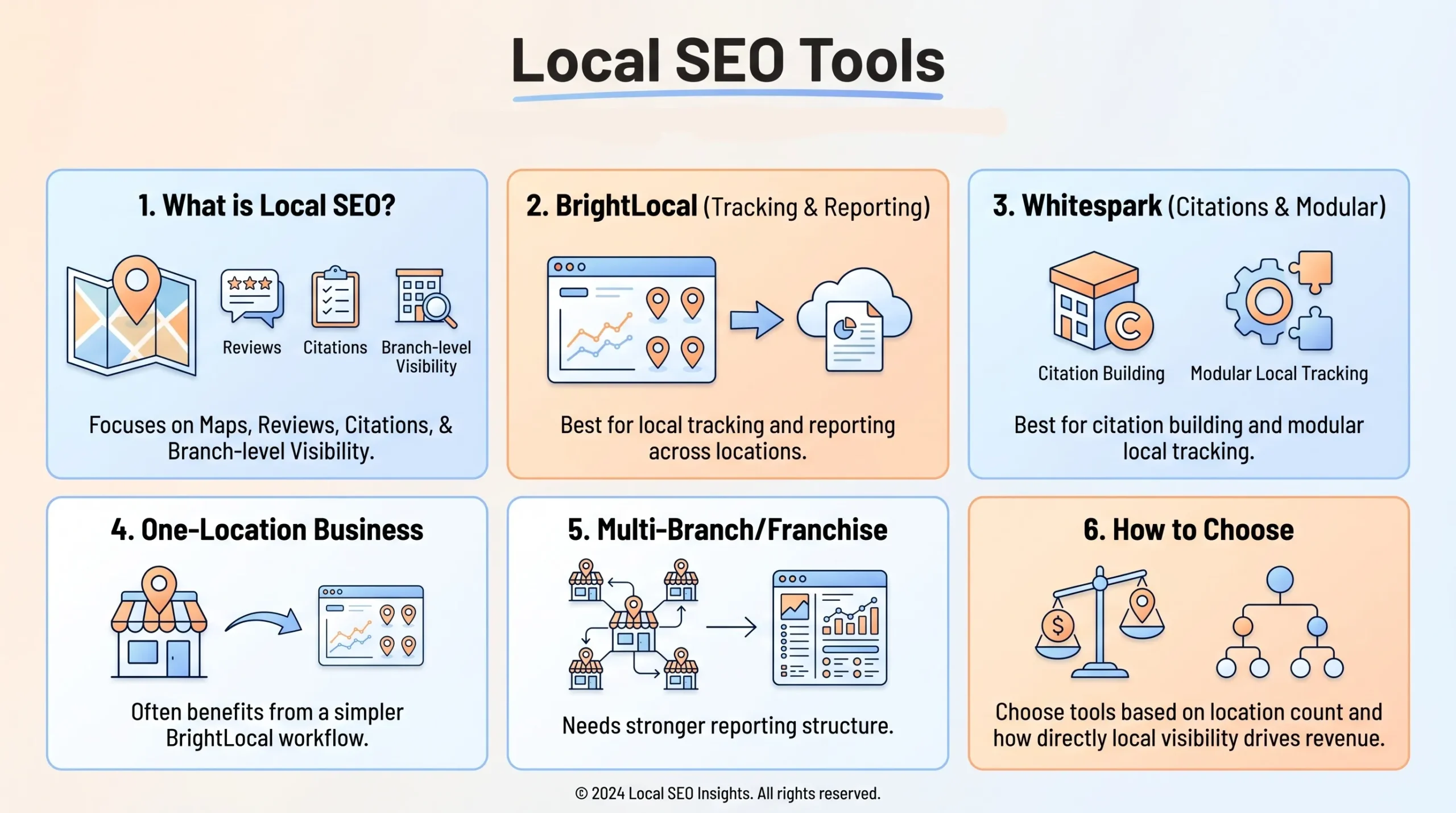
If your business depends on customers in specific areas, local SEO tools matter because they help manage a different kind of visibility. Local performance is not just about organic rankings. It is also about map presence, reviews, citation consistency, and branch-level visibility.
BrightLocal
Best for: local SEO tracking and reporting across one or more locations
BrightLocal is useful when you want a more comprehensive local workflow that covers rankings, citations, reviews, and local reporting.
Whitespark
Best for: citation building and modular local tracking
Whitespark is often the stronger fit when citation work is especially important, and you want more focused tooling rather than a broader bundled dashboard.
Best Local SEO Tools for Singapore Businesses
For Singapore businesses, the right local tool often depends on how many locations you manage and how closely local visibility maps to revenue.
Examples:
- one-location service business: BrightLocal is often easier to manage
- multi-branch clinic or tuition centre: BrightLocal becomes more valuable as reporting complexity grows
- franchise or chain: combine local tooling with stronger internal reporting
- agency managing local SEO clients: BrightLocal or Whitespark, depending on whether you want a bundled workflow or modular citation control
Best Free SEO Tools in 2026
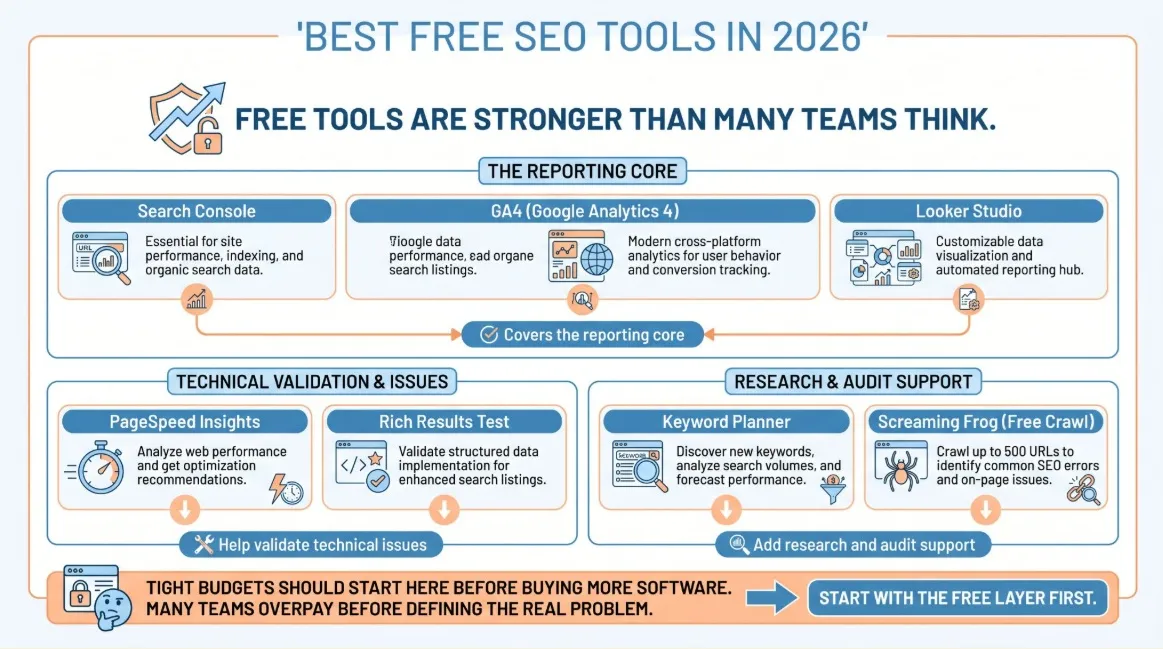
Free tools are not enough to replace a full SEO stack at scale, but they are more valuable than many teams realise. Used properly, they can support diagnostics, validation, reporting, and performance visibility surprisingly well.
The most useful free tools are:
- Google Search Console
- GA4
- Looker Studio
- PageSpeed Insights
- Rich Results Test
- Google Keyword Planner
- Screaming Frog free crawl
If the budget is tight, I would always start here before paying for more. Many teams buy premium tools before they have fully used the free layer properly, which usually means they are paying to solve problems they have not yet clearly defined.
AI SEO and AI Visibility Tools to Watch in 2026
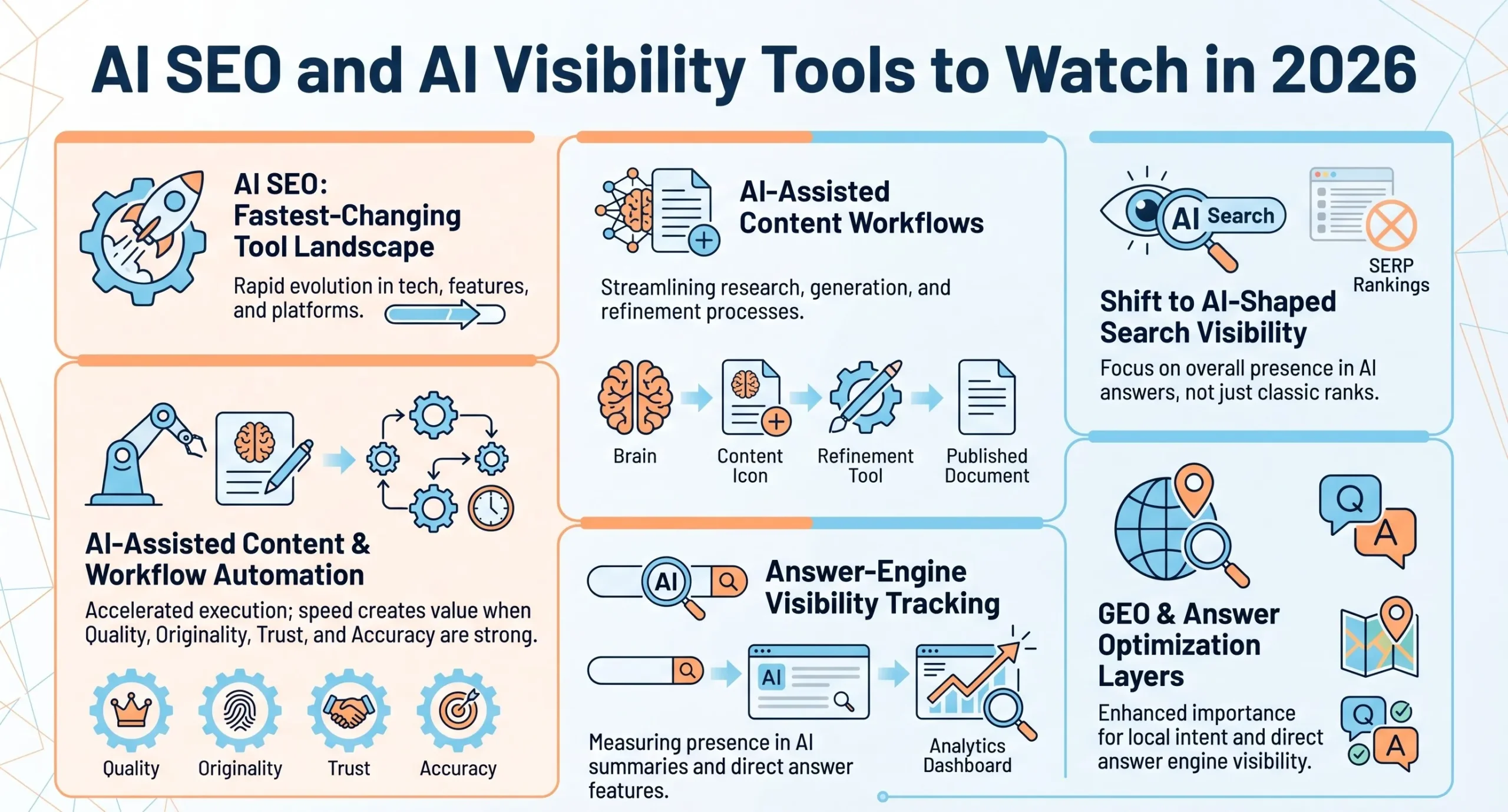
This is one of the fastest-changing parts of the SEO tool landscape.
AI-assisted tools are now common across research, outlining, content optimisation, and workflow automation. The more interesting shift, though, is that teams are increasingly thinking about visibility in AI-shaped search experiences, not just classic rankings.
That means tools are beginning to move toward:
- AI-assisted content workflows
- answer-engine visibility tracking
- GEO or answer optimisation layers
- workflow automation for faster execution
The main caution is the same one that runs through the rest of this guide. Speed is not the same as quality. If a tool helps you move faster but weakens originality, trust, or accuracy, it is not creating as much value as it first appears to.
Common Mistakes When Buying SEO Tools
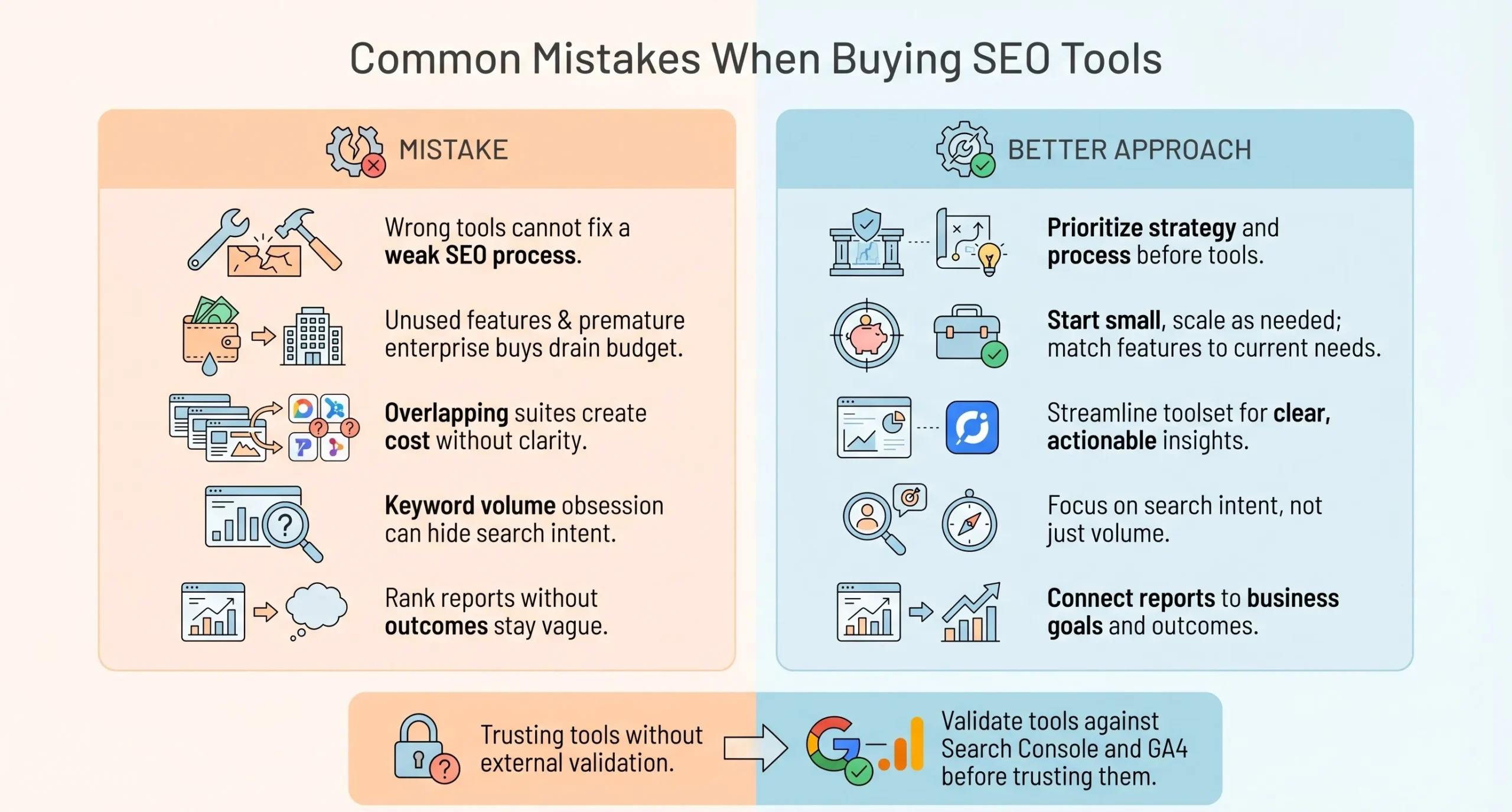
Most businesses do not fail at SEO because they lack effort. They fail because they buy the wrong tools for the wrong reasons and then expect those tools to compensate for a weak process.
The most common mistakes I see are:
- paying for features nobody uses
- buying enterprise tools too early
- paying for overlapping suites
- obsessing over keyword volume and ignoring intent
- reporting rankings without business outcomes
- buying content tools without a strong editorial process
- failing to validate tool outputs against Search Console and GA4
The most expensive SEO stack is not always the best one. The best stack is the one your team can actually use to make better decisions repeatedly.
My Recommended SEO Tool Stack for 2026
If I had to recommend practical stacks quickly, I would frame them like this.
Lean Budget Stack
- Google Search Console
- GA4
- Screaming Frog free version
- Keywords Everywhere
Growth-Stage SME Stack
- Semrush or SE Ranking
- Google Search Console
- GA4
- Looker Studio
Agency Stack
- Ahrefs or Semrush
- Screaming Frog
- AccuRanker
- Looker Studio
- one outreach tool if link acquisition is active
Local Business Stack
- BrightLocal
- Google Search Console
- GA4
- one core research suite
Enterprise Stack
- Ahrefs or Semrush
- JetOctopus
- STAT
- Looker Studio
- one content operations tool
- one outreach system if digital PR is important
These are not the only workable stacks, but they are the kind of setups I would trust more quickly because they align with the actual needs of each growth stage.
Best SEO Tools in 2026: Build a Stack That Drives Real Growth
The best SEO tools in 2026 are not the ones with the longest feature list or the biggest reputation. They are the ones that help you make sharper decisions, fix the right problems earlier, and turn SEO from a reporting exercise into a real growth channel.
That is why I would never choose an SEO stack based solely on hype. The right setup depends on your team, your workflow, your business model, and the kind of visibility that actually drives revenue.
For some businesses, that means a lean stack built around Google’s free tools and one strong platform. For others, it means investing in deeper research, technical auditing, content optimisation, and reporting because SEO is already a serious growth engine.
If there is one takeaway I would leave you with, it is this: treat SEO tools like growth infrastructure, not software subscriptions. When you choose them with more intent, you waste less budget, move faster, and get more value from every part of your SEO effort.
If you are reviewing your current stack and want to understand which tools will actually support your business goals, working with an SEO agency in Singapore can help you avoid wasted spend and focus on what drives results.
At MediaOne, we help businesses build SEO strategies around the right combination of tools, workflows, and commercial priorities so SEO becomes more than just rankings. If you want a clearer path to sustainable organic growth, get in touch with MediaOne.
Frequently Asked Questions
What is the best SEO tool for beginners?
For beginners, the best tools are usually the ones that explain issues clearly and do not create too much workflow friction. Google Search Console, GA4, SE Ranking, and Moz Pro are often easier starting points than more complex enterprise platforms.
What is the best SEO tool for small businesses?
For most small businesses, one practical suite combined with Google’s free tools is usually enough. SE Ranking or Semrush, paired with Search Console, GA4, and Looker Studio, often offers the best balance of coverage and usability.
Which SEO tool is best for keyword research?
If you want broader workflow support, Semrush is one of the strongest choices. If you want deeper competitor insight and stronger backlink context, Ahrefs is often the better pick.
Which SEO tool is best for technical SEO?
Screaming Frog remains one of the strongest choices for technical SEO because it gives deep crawl visibility at a practical price. Sitebulb and JetOctopus become more attractive when reporting style or site scale changes the requirements.
Are free SEO tools enough?
Free tools are enough to build a strong baseline and support smaller sites well. They are usually not enough on their own once you need deeper competitor analysis, broader crawling, or more structured reporting across multiple stakeholders.
Do I need more than one SEO tool?
In most cases, yes. SEO in 2026 usually requires a stack because no single platform handles crawling, research, tracking, reporting, and content workflows equally well.
Is Semrush or Ahrefs better in 2026?
Neither is automatically better for every team. Semrush is usually stronger as an operational shared platform. Ahrefs is often stronger for competitor research and backlink-led strategy.