If you are running a serious website, WordPress SEO is not something you tick once and forget. WordPress core has improved significantly. Native sitemaps exist, markup is cleaner, and the editor is more structured. However, none of that gives you full control over how your pages are crawled, interpreted, and surfaced in search results.

This is where a professional WordPress web designer becomes invaluable. Plugins still carry the responsibility for advanced SEO because search has evolved faster than core releases ever could. You are no longer optimising for simple rankings. You are optimising for rich results, AI summaries, crawl efficiency, Core Web Vitals, and relevance signals that are constantly evolving.
Before comparing tools or plugins, you need clarity on what truly drives organic traffic. It is not popularity, but capability. This comes down to:
- Indexation control
- Content optimisation support
- Technical SEO hygiene
- SERP enhancements
- Operational efficiency
This guide focuses on these levers so you can choose strategies and tools that compound traffic over time, rather than chasing features that look impressive but deliver minimal real-world results.
Key Takeaways
- WordPress SEO results from aligning plugin capabilities with your site type and goals rather than relying on a single “best” plugin.
- Core SEO plugins should handle metadata, indexing, sitemap, and canonicalization before adding any other tools.
- The performance, schema, and analytics layers each support WordPress SEO without overlap or conflict.
- Plugin stacks must be intentional to avoid speed issues and conflicting SEO signals.
How We Evaluated WordPress SEO Plugins

Most comparison posts skim the surface, install counts, star ratings, or a few screenshots. That is not how proper SEO decisions are made, especially from our own SEO agency.
Evaluation Criteria
Each plugin below was evaluated on criteria that directly affect organic performance at scale. We looked at:
- On-page optimisation features: Title logic, meta control, internal linking support
- Technical SEO controls: Indexation rules, canonical handling, sitemap quality
- Schema and SERP enhancement support: Native schema vs bolt-on markup
- AI-assisted content optimisation: Whether AI is assistive or prescriptive
- Performance and code footprint: Database queries, script loading, bloat risk
- Scalability for large sites: Thousands of URLs, taxonomies, filters
- Ease of use vs control trade-off: Guardrails for beginners without boxing in experts
What We Did Not Rely On
To be clear, we intentionally ignored signals that often mislead buyers.
- Plugin install counts alone
- Star ratings without technical audits
- Marketing claims that were not backed by feature documentation or change logs
This is how you avoid buying tools that feel good but underperform.
WordPress SEO Plugin Comparison Table
Before diving deep, here is a high-level snapshot. Use this to orient yourself, not to decide:
| Plugin | Best for | Core strengths | Technical depth | Free vs paid |
| Yoast SEO |
|
|
|
|
| Rank Math |
|
|
|
|
| All in One SEO |
|
|
|
|
| SEOPress |
|
|
|
|
| The SEO Framework |
|
|
|
|
| Slim SEO |
|
|
|
|
| SmartCrawl |
|
|
|
|
| Squirrly SEO |
|
|
|
|
| Surfer SEO |
|
|
|
|
| Clearscope |
|
|
|
|
| WP Rocket |
|
|
|
|
| Perfmatters |
|
|
|
|
| WP Fastest Cache |
|
|
|
|
| Schema Pro |
|
|
|
|
| Schema & Structured Data for WP |
|
|
|
|
| MonsterInsights |
|
|
|
|
| Site Kit by Google |
|
|
|
|
| IndexNow |
|
|
|
|
| Instant Indexing |
|
|
|
|
| Link Whisper |
|
|
|
|
| Broken Link Checker |
|
|
|
|
| Redirection |
|
|
|
|
| SEO Simple Pack |
|
|
|
|
| WP Meta SEO |
|
|
|
|
Top All-in-One WordPress SEO Plugins Explained
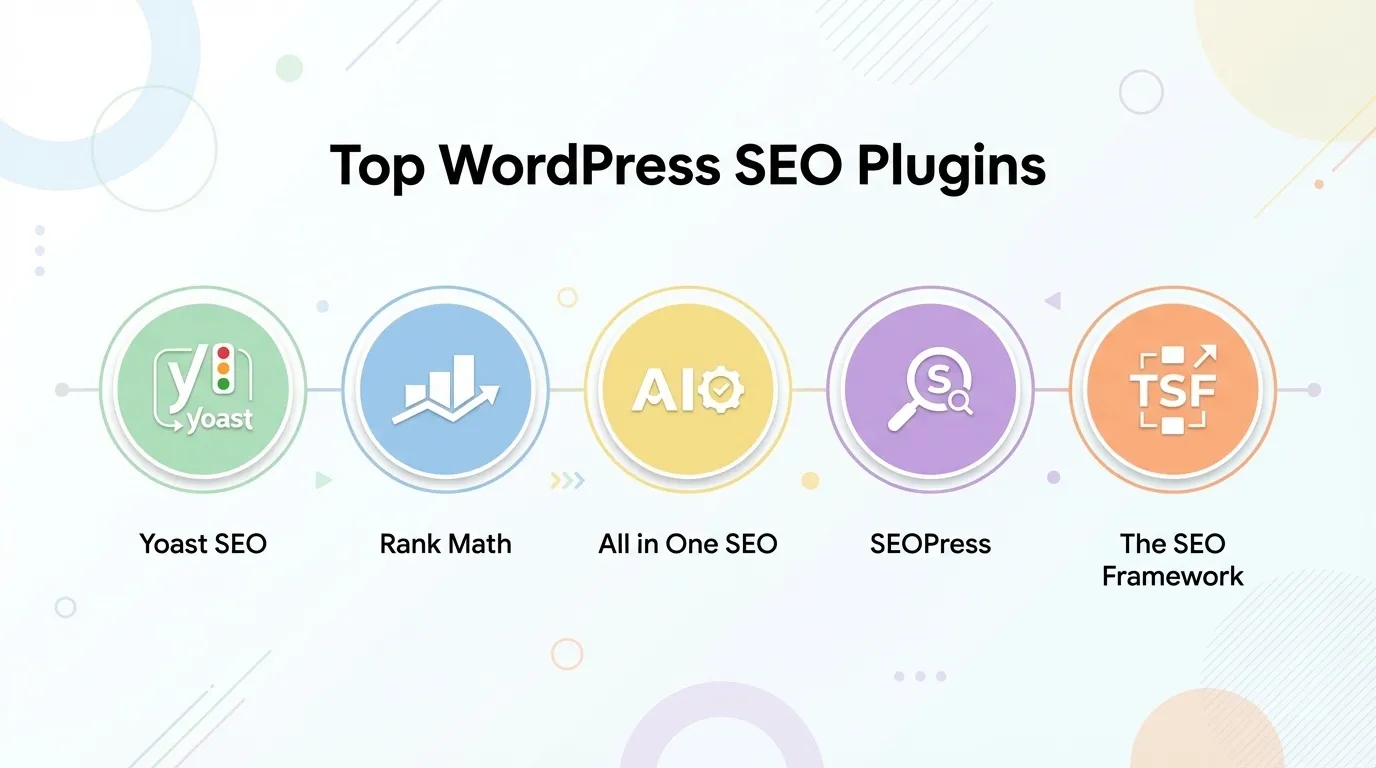
All-in-one WordPress SEO plugins are where WordPress web designer services in Singapore start, and often where they stop. These tools aim to centralise on-page optimisation, technical controls, and basic schema into a single interface, making them appealing for teams that want structure without assembling a complex stack.
They matter because they define your baseline SEO hygiene. Titles, meta descriptions, indexation rules, sitemaps, and canonical handling all live here. Get this layer wrong, and no amount of content or backlinks will compensate.
1. Yoast SEO
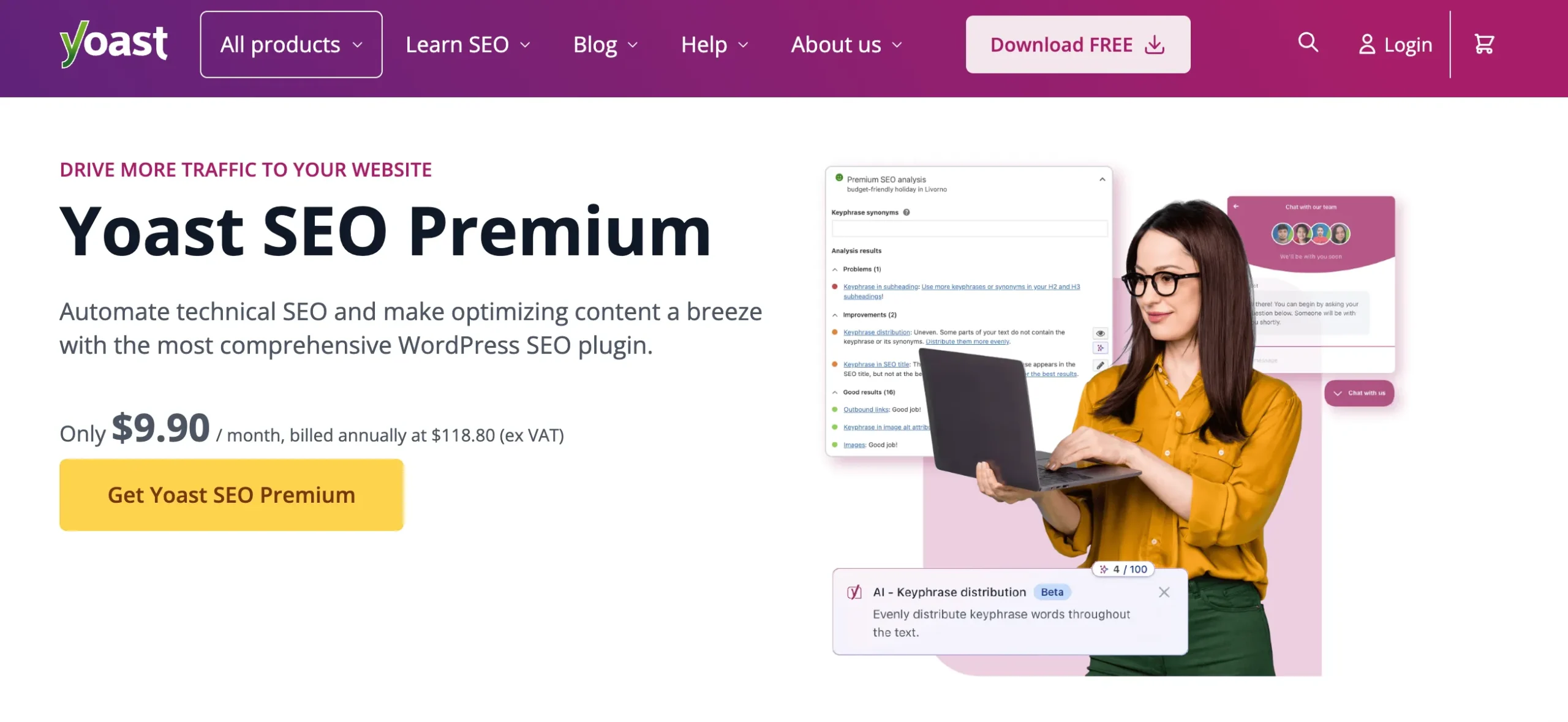
Yoast SEO is one of the most established WordPress SEO plugins on the market and remains a common choice for businesses seeking structured, rule-based optimisation without deep technical involvement. It is widely used by editorial teams that need consistency across multiple contributors.
Core Features
- On-page SEO analysis
- Meta title and description control
- XML sitemaps
- Breadcrumb navigation
- Canonical URL management
- Basic schema output
- Readability analysis
- Internal linking suggestions in the premium version
Pros & Cons
| Pros | Cons |
| Strong on-page SEO guardrails for teams | Traffic-light scoring can oversimplify SEO |
| Mature documentation and update cadence | The advanced schema is locked behind paid plans |
| Widely supported by themes and plugins | Limited automation for large sites |
Pricing
- Free version covers core on-page SEO features, XML sitemaps, and canonical URLs
- The paid version starts at approximately SGD 18-22 per site per month when billed annually.
Bottom line
Yoast SEO is best suited for businesses that value process and consistency over advanced technical flexibility. It helps prevent SEO mistakes at scale, but most growth-focused companies eventually outgrow its limitations and require more advanced optimisation strategies.
2. Rank Math
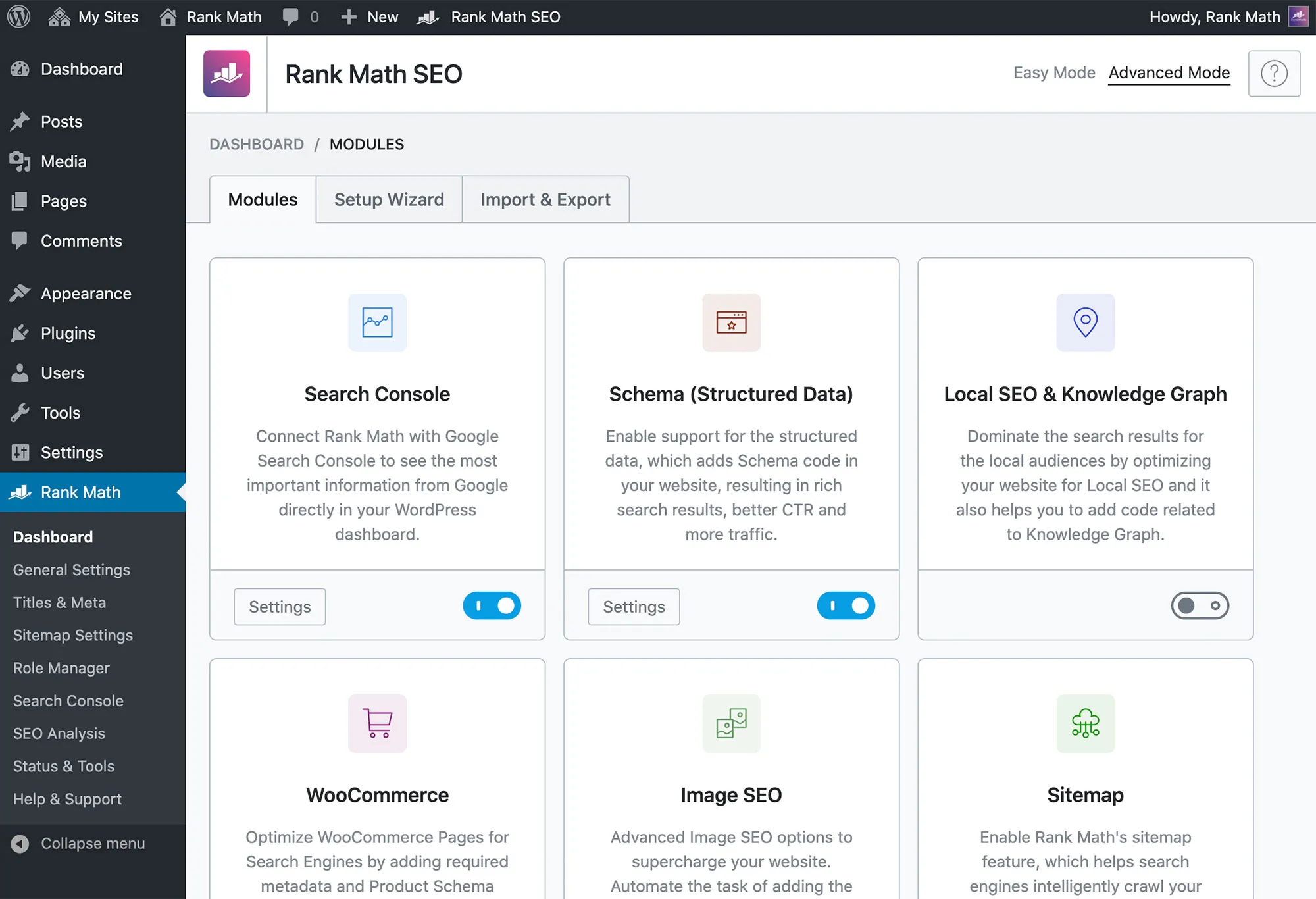
Rank Math positions itself as an all-in-one SEO plugin for users who want maximum control and depth of features within a single interface. It is frequently adopted by marketers and SEO specialists who are comfortable managing technical settings.
Core Features
- Advanced schema builder
- Modular feature controls
- Rank tracking
- Google Search Console integration
- Redirection management
- Internal linking suggestions
- AI-assisted content analysis
- WooCommerce SEO support
Pros & Cons
| Pros | Cons |
| Extensive feature set in free tier | Interface can overwhelm beginners |
| Advanced schema and automation controls | Aggressive upselling inside the dashboard |
| Modular design reduces unnecessary load | Requires technical knowledge to avoid misconfiguration |
Pricing
- Free version includes schema markup, redirections, and advanced meta controls
- Paid version starts at approximately SGD 10 to 13 per site per month when billed annually
Bottom line
Rank Math offers strong capabilities for driving organic growth when configured correctly, but its feature density can be overwhelming for non-technical users. It performs best in the hands of experienced SEO professionals or teams with a clear optimisation framework.
3. All-in-One SEO
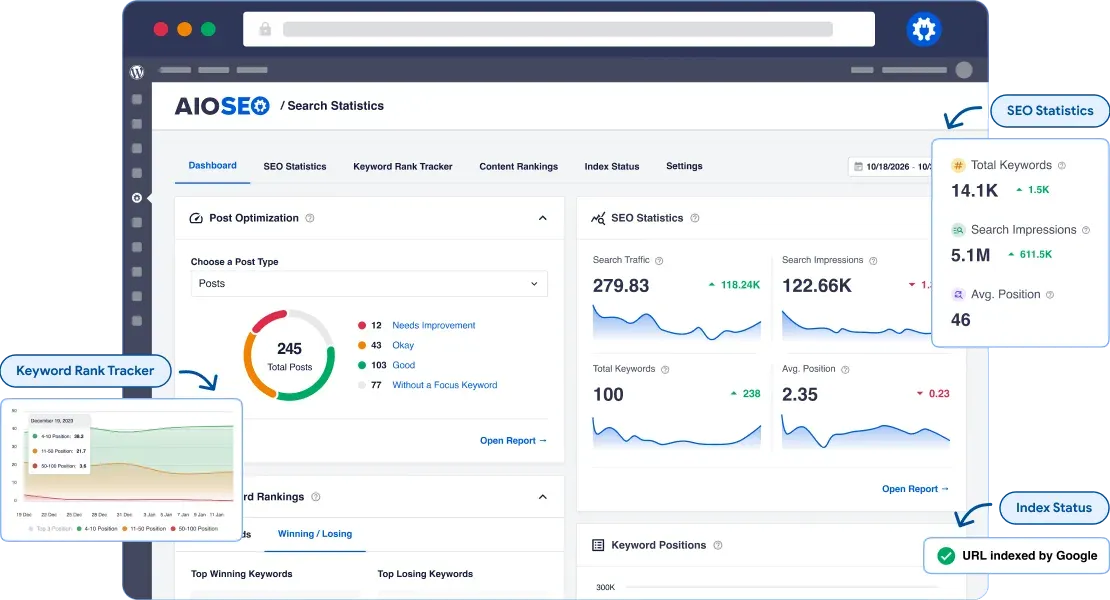
All in One SEO (AIOSEO) has evolved into a guided SEO solution aimed at small and mid-sized businesses that want clear direction without complex setup processes.
Core Features
- TruSEO on-page analysis
- XML sitemaps
- Schema markup
- Local SEO modules
- WooCommerce SEO
- Redirection manager
- Social media metadata control
Pros & Cons
| Pros | Cons |
| Beginner-friendly setup wizard | Many features are locked behind paid plans |
| Solid WooCommerce SEO support | Less flexible for technical SEO edge cases |
| Clear separation of basic vs advanced controls | Heavier footprint than minimalist plugins |
Pricing
- Free version includes basic SEO configuration and sitemap generation
- Paid version starts at approximately SGD 20 to 25 per site per month when billed annually
Bottom line
All-in-One SEO is a practical choice for business owners who want structured SEO guidance without diving into technical complexity. It works well as a starting point, but advanced campaigns typically require deeper customisation beyond the plugin’s default workflows.
4. SEOPress
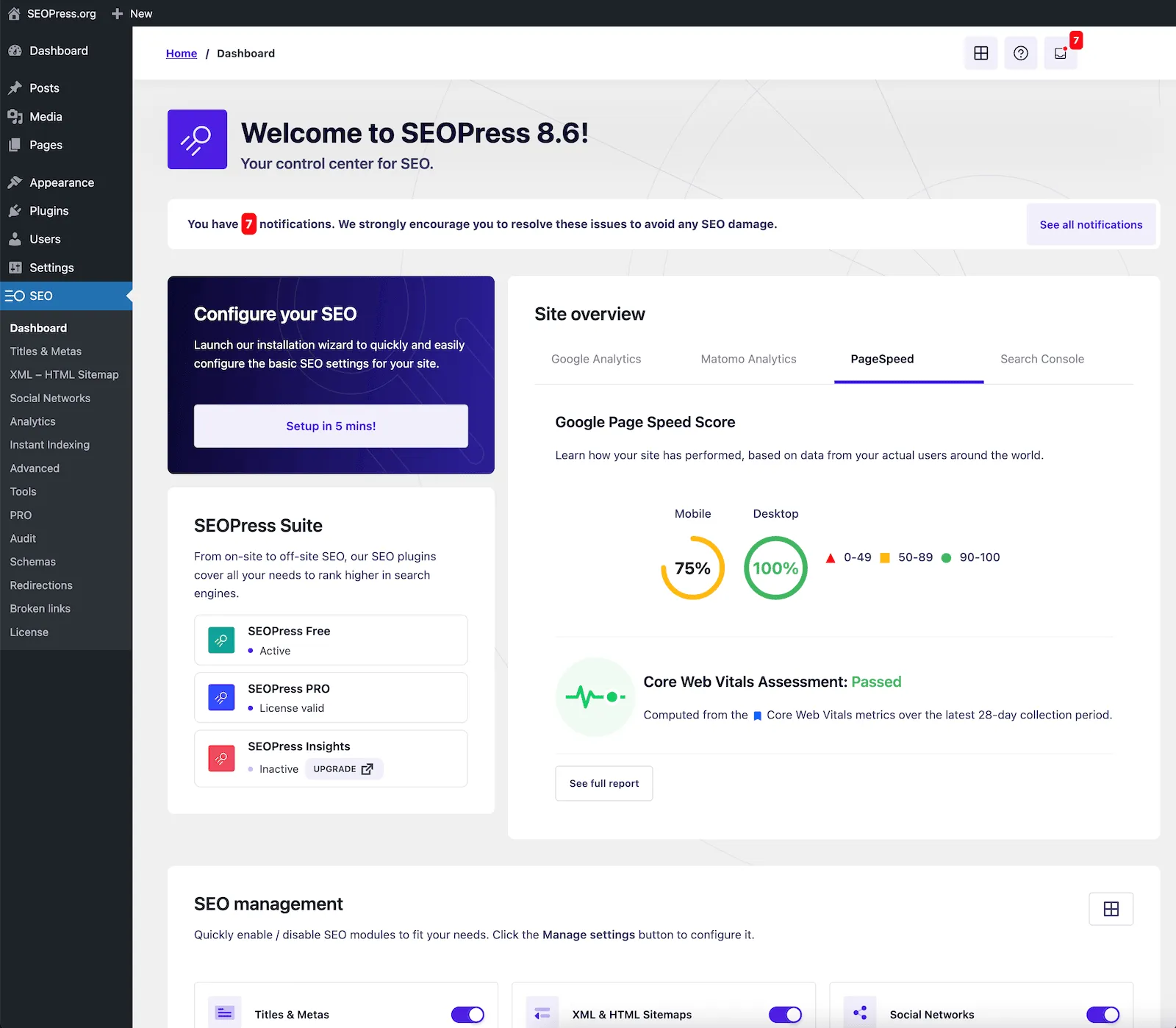
SEOPress is often preferred by agencies and in-house SEO teams due to its clean architecture and lack of intrusive upselling. It focuses on flexibility and performance rather than tutorials or scoring systems.
Core Features
- Unlimited keyword targeting
- Advanced schema support
- Google Analytics integration
- Redirection management
- XML and HTML sitemaps
- WooCommerce SEO
- White-label functionality
Pros & Cons
| Pros | Cons |
| Clean interface with no ads | Less guidance for beginners |
| Strong technical SEO controls | Smaller ecosystem than Yoast or Rank Math |
| Agency-friendly licensing | Some advanced features require configuration expertise |
Pricing
- Free version covers essential SEO controls and sitemap generation
- Paid plans start at approximately SGD 8 to 12 per site per month when billed annually
Bottom line
SEOPress is well-suited for businesses that already understand SEO fundamentals and want full control without unnecessary bloat. It integrates smoothly into professional SEO workflows and scales effectively for complex or multi-site environments.
5. The SEO Framework
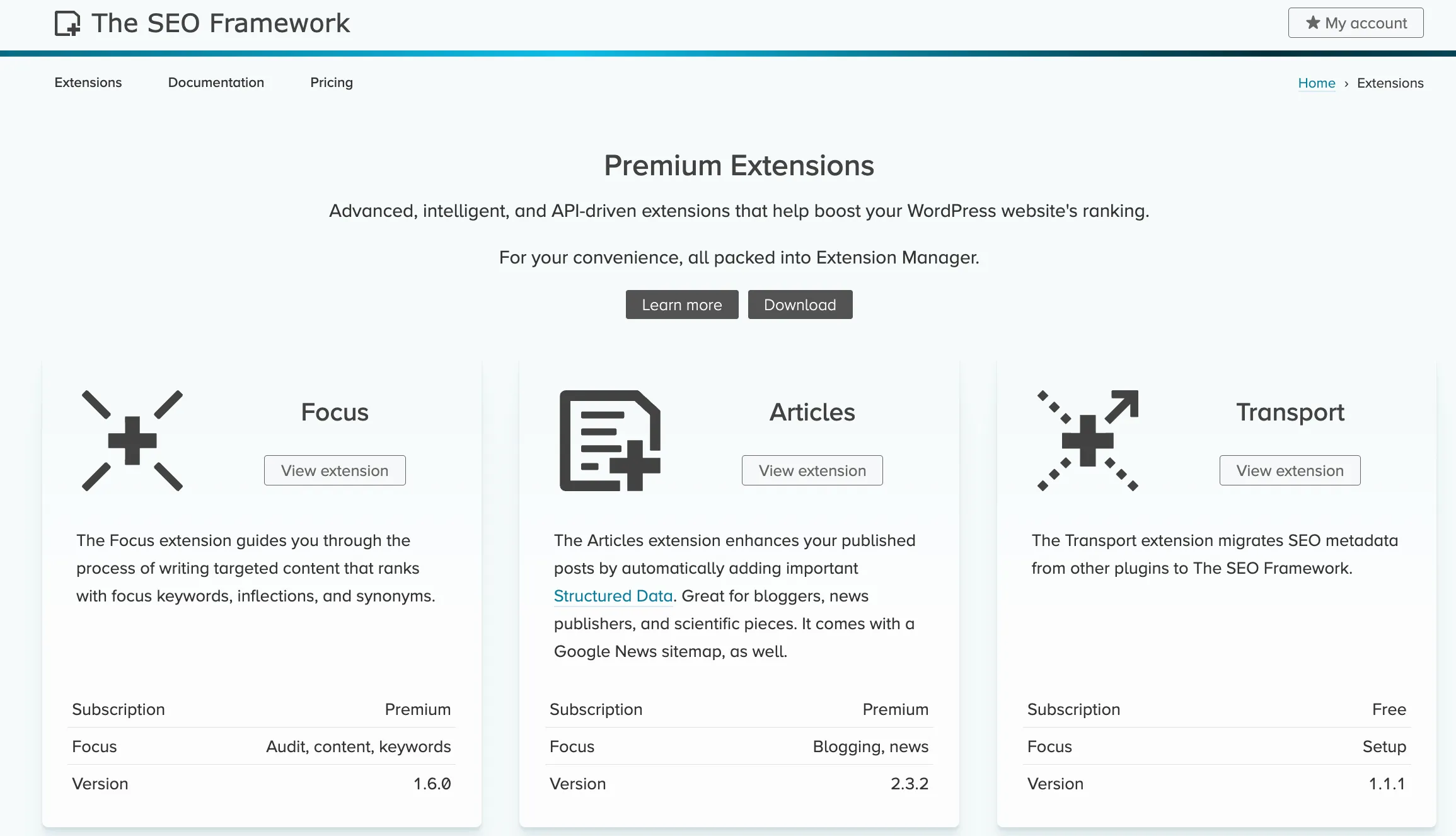
The SEO Framework takes an automation-first approach, focusing on maintaining technical SEO best practices with minimal manual input from the user.
Core Features
- Automated meta tag generation
- Canonical URL handling
- Structured data output
- Spam protection for SEO fields
- Lightweight codebase
- Extension-based add-ons
Pros & Cons
| Pros | Cons |
| Lightweight and performance-focused | Minimal hand-holding |
| Strong automation with sensible defaults | Limited content optimisation guidance |
| No aggressive prompts or ads | Smaller add-on ecosystem |
Pricing
- Free plan includes core automation features
- Paid plans start at SGD 10 to 15 per site per month when billed annually, depending on extensions
Bottom line
The SEO Framework is ideal for businesses that want SEO to run quietly in the background without constant prompts or optimisation scores. It prioritises performance and automation over hands-on content guidance, making it suitable for technically stable sites with clear SEO strategies.
All-in-one plugins do not win traffic on their own, but they determine whether your site is even eligible to compete. The right choice depends less on brand popularity and more on how much control your site actually needs as it grows.
Performance-First WordPress SEO Plugins for Speed
Performance-first SEO plugins exist for one reason. Speed is no longer optional. As Core Web Vitals continue to influence rankings and user behaviour, bloated SEO setups quietly erode organic potential. These plugins strip SEO down to essentials, prioritising automation and minimal overhead. They are often overlooked because they do not advertise aggressive feature sets, yet they play a critical role on speed-sensitive sites.
6. Slim SEO
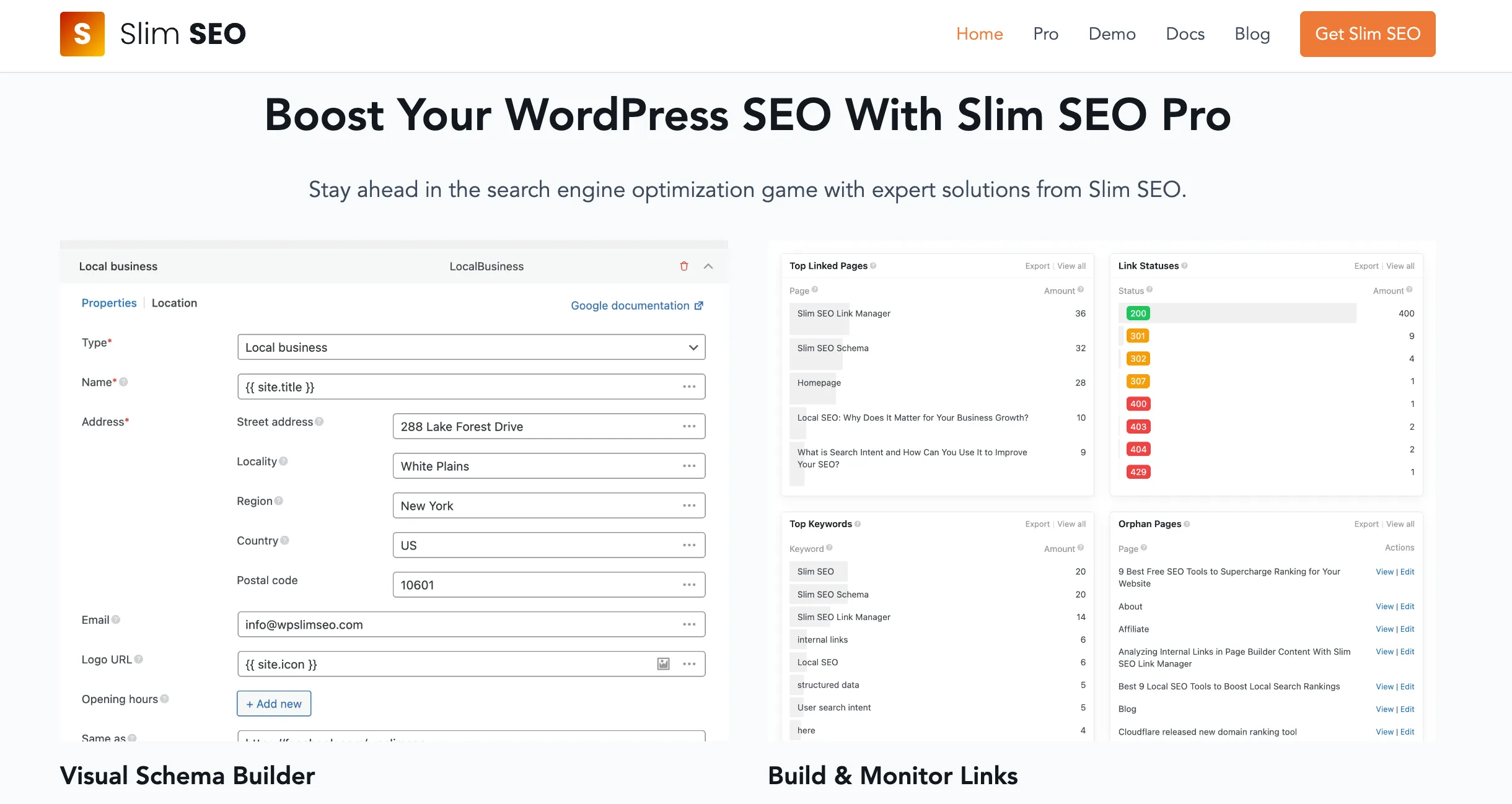
Slim SEO positions itself as the opposite of bloated SEO plugins. It focuses on automatic configuration, minimal UI, and near-zero performance impact. This makes it attractive to site owners who want a strong technical foundation without constant manual tuning.
Core Features
- Automatic meta title and description generation
- XML sitemap generation with clean structure
- Schema markup added automatically for common content types
- Canonical URL handling without manual setup
- Lightweight codebase designed for performance-first sites
Pros & Cons
| Pros | Cons |
| Extremely lightweight | Very limited customisation |
| Automatic configuration | Not suitable for advanced SEO strategies |
| Ideal for speed-sensitive sites | Minimal reporting or feedback |
Pricing
- The core plugin is free and usable without restrictions
- Paid extensions are available via Slim SEO Pro, typically sold as an annual licence rather than per-user monthly pricing
Bottom line
Slim SEO is best suited for developers, performance-conscious site owners, and small business websites that want solid technical SEO without dashboards, alerts, or optimisation scores. It will not coach you on content strategy, but it quietly handles the fundamentals extremely well.
7. SmartCrawl
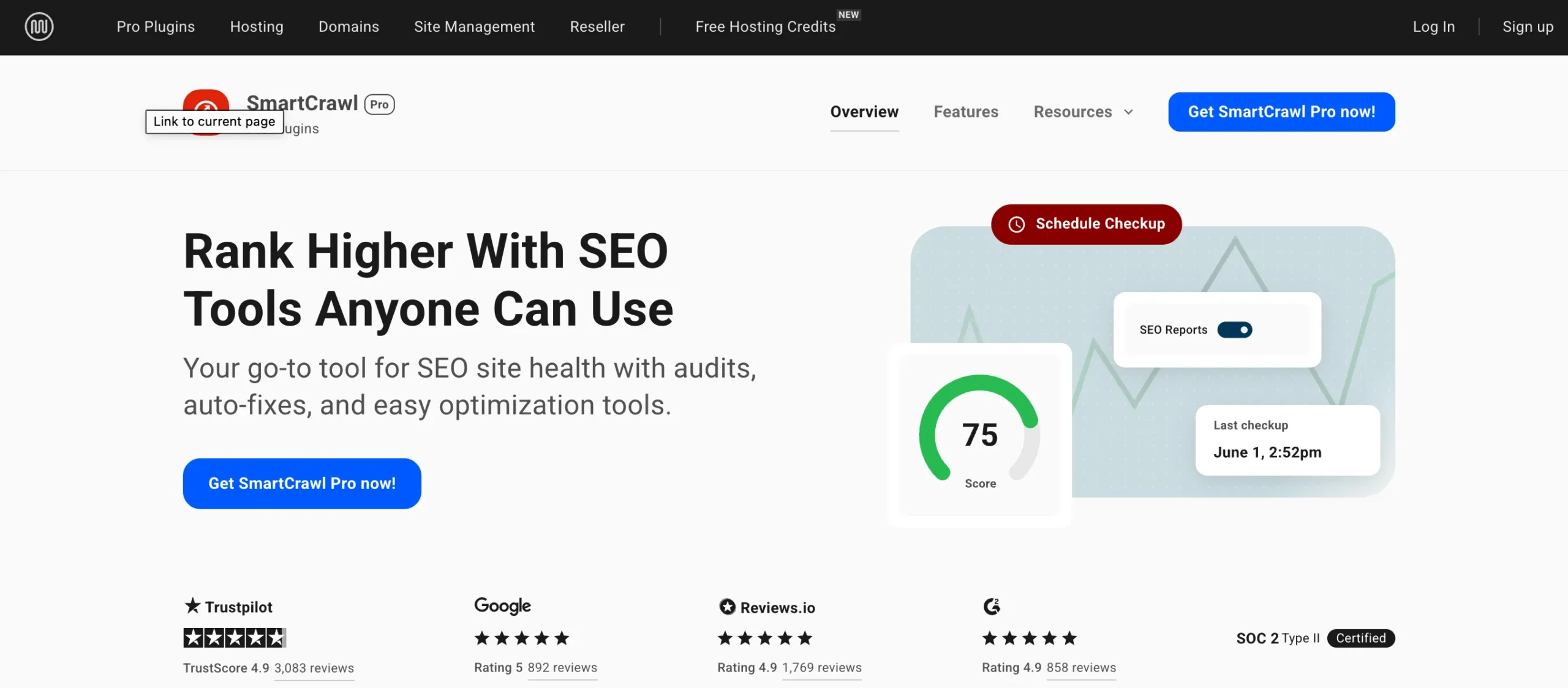
SmartCrawl is built for users who want guided SEO improvements without diving deep into technical configuration. It is commonly bundled with the WPMU DEV ecosystem, which appeals to agencies and multi-site managers.
Core Features
- Automated SEO audits with actionable recommendations
- On-page optimisation guidance for posts and pages
- XML sitemap and OpenGraph metadata generation
- Built-in schema markup for articles and pages
- Integration with WPMU DEV performance and security tools
Pros & Cons
| Pros | Cons |
| Simple SEO setup | Less powerful than top-tier plugins |
| Good integration with WPMU DEV tools | Limited schema flexibility |
| Clear reporting interface | Best features tied to WPMU DEV membership |
Pricing
- A limited free version is available with core SEO features
- Paid plans are typically included in WPMU DEV memberships rather than sold as a standalone monthly per-user plan
Bottom line
SmartCrawl works best if you are already inside the WPMU DEV ecosystem or managing multiple WordPress sites. It prioritises ease of use and guided optimisation over deep technical control, making it suitable for marketers rather than SEO specialists.
8. Squirrly SEO
Squirrly SEO positions itself as an AI-driven SEO assistant that guides users as they write. It focuses heavily on content optimisation and keyword alignment rather than backend technical SEO alone.
Core Features
- AI-driven keyword research and content optimisation guidance
- Real-time SEO feedback while writing inside WordPress
- Content audits with prioritised improvement tasks
- Rank tracking and performance monitoring
- SEO goal setting for non-technical users
Pros & Cons
| Pros | Cons |
| Real-time content guidance | Can encourage formulaic content |
| Keyword research is built into WordPress | The interface is busy |
| AI-assisted optimisation workflows | Requires discipline to avoid over-optimisation |
Pricing
- A free plan is available with limited features and usage caps
- Paid plans are subscription-based and priced higher than traditional SEO plugins due to AI features
Bottom line
Squirrly SEO is best for content creators and business owners who want step-by-step SEO guidance inside WordPress. It can accelerate learning and execution, but experienced SEOs may find it restrictive if followed too literally without strategic oversight.
Lightweight SEO plugins are not replacements for strategy. They are force multipliers when performance is already a priority. Used intentionally, they help protect rankings by keeping technical debt low.
AI-Assisted WordPress SEO Tools and Content Optimisation
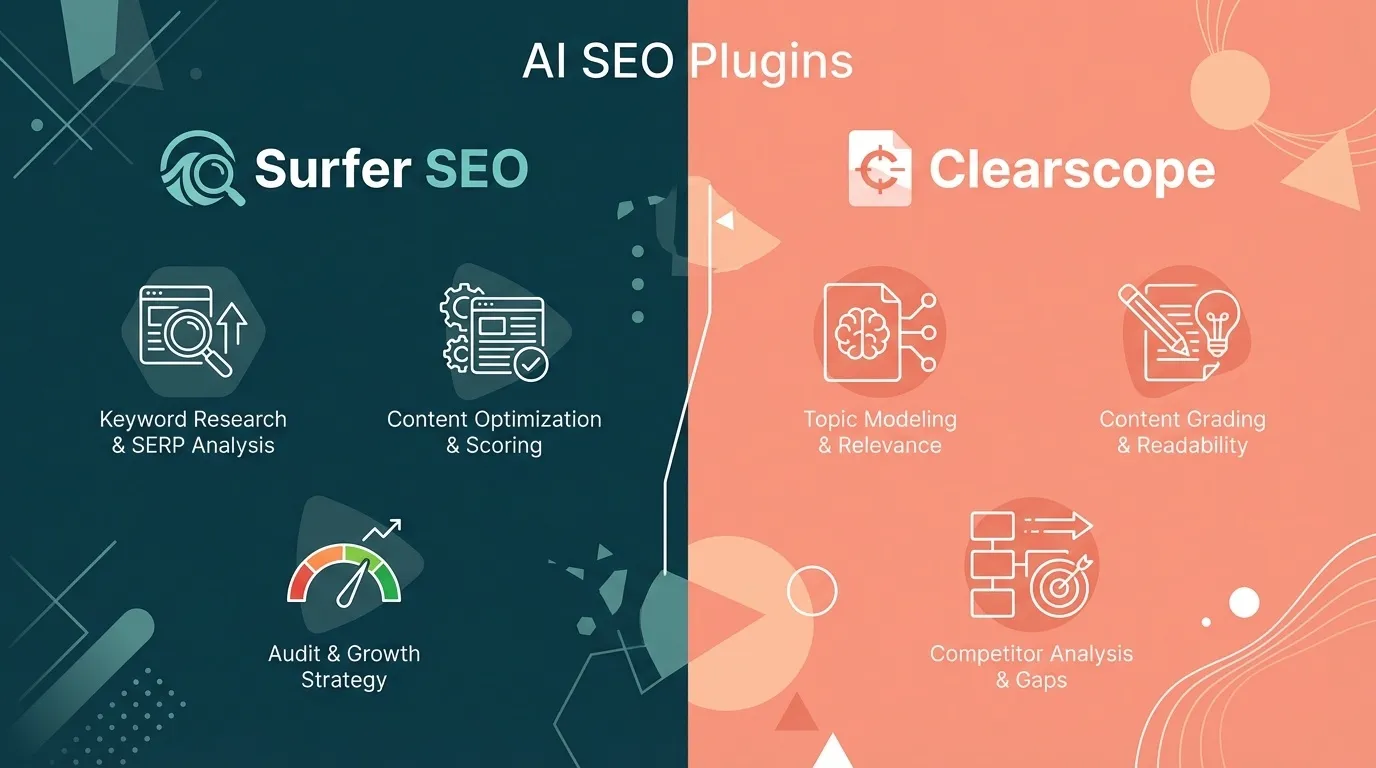
AI-assisted SEO tools promise clarity in a noisy SERP landscape. Their core value lies in analysing existing rankings and helping you align content with search intent, entity coverage, and topical depth. However, these tools are frequently misunderstood. They do not rank pages. They surface patterns. The quality of outcomes still depends on editorial judgement and technical foundations.
9. Surfer SEO
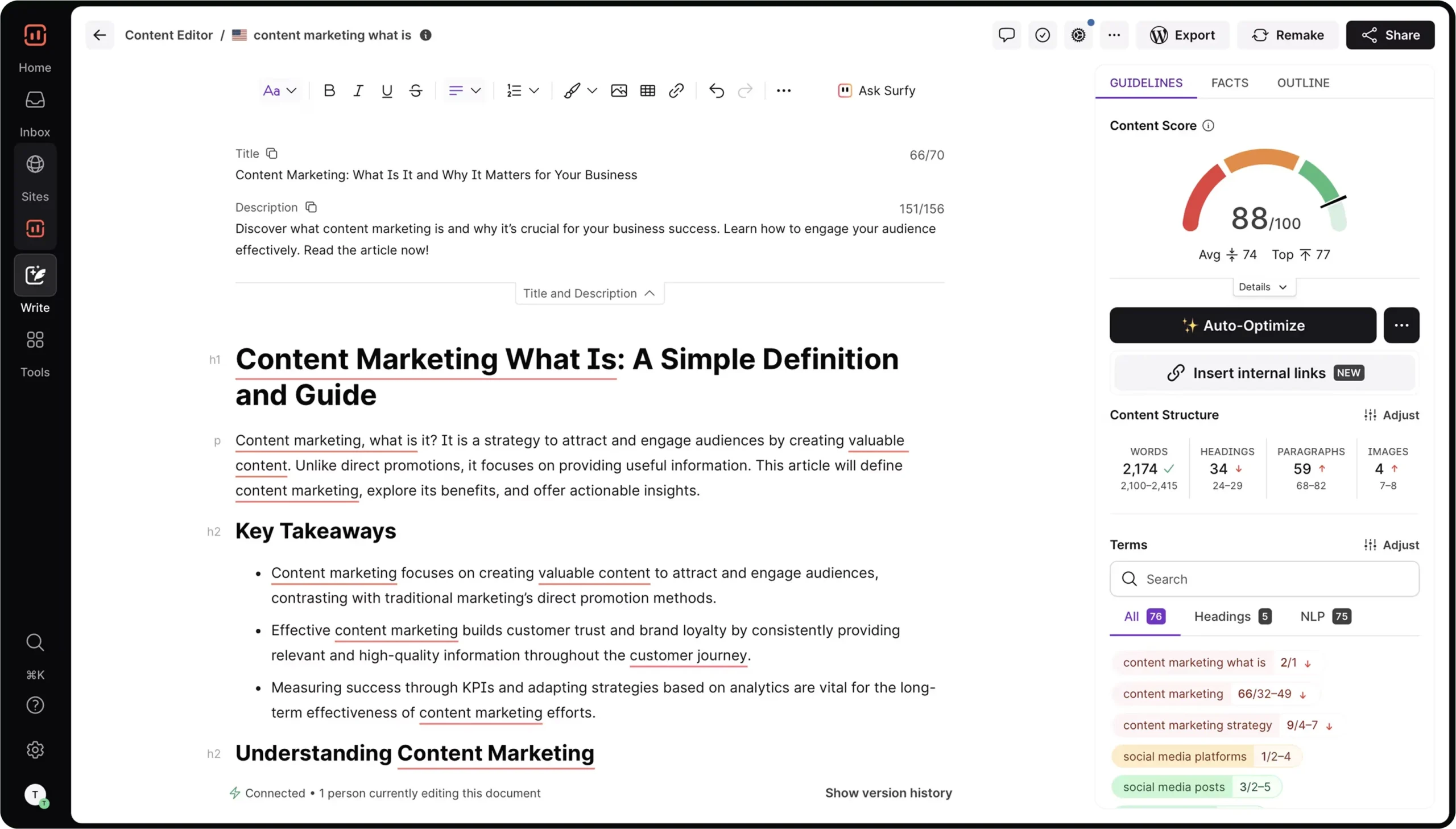
Surfer SEO is a content optimisation platform built around real-time SERP analysis. It compares your page against top-ranking results and provides data-driven recommendations on structure, keyword usage, and topical depth.
While it integrates with WordPress, Surfer operates primarily as an external optimisation layer rather than a traditional SEO plugin.
Core Features
- SERP-based content editor with NLP-driven recommendations
- Keyword and phrase frequency guidance
- Content structure and outline suggestions
- Integration with WordPress, Google Docs, and Jasper
Pros & Cons
| Pros | Cons |
| Strong SERP-driven content analysis | Not a native SEO plugin |
| Useful for content planning | Does not handle technical SEO |
| Integrates with WordPress editor | Subscription cost is high |
Pricing
- Limited trials or credits may occasionally be offered.
- Paid plans start at approximately SGD 120+, depending on exchange rates and plan tier
Bottom line
Surfer SEO works best when you already have a solid technical SEO foundation and want to further improve content performance. It does not manage indexation, schema, or site health. It sharpens content relevance. For businesses investing heavily in editorial SEO, Surfer acts as a precision layer rather than a replacement for a core WordPress SEO plugin.
10. Clearscope
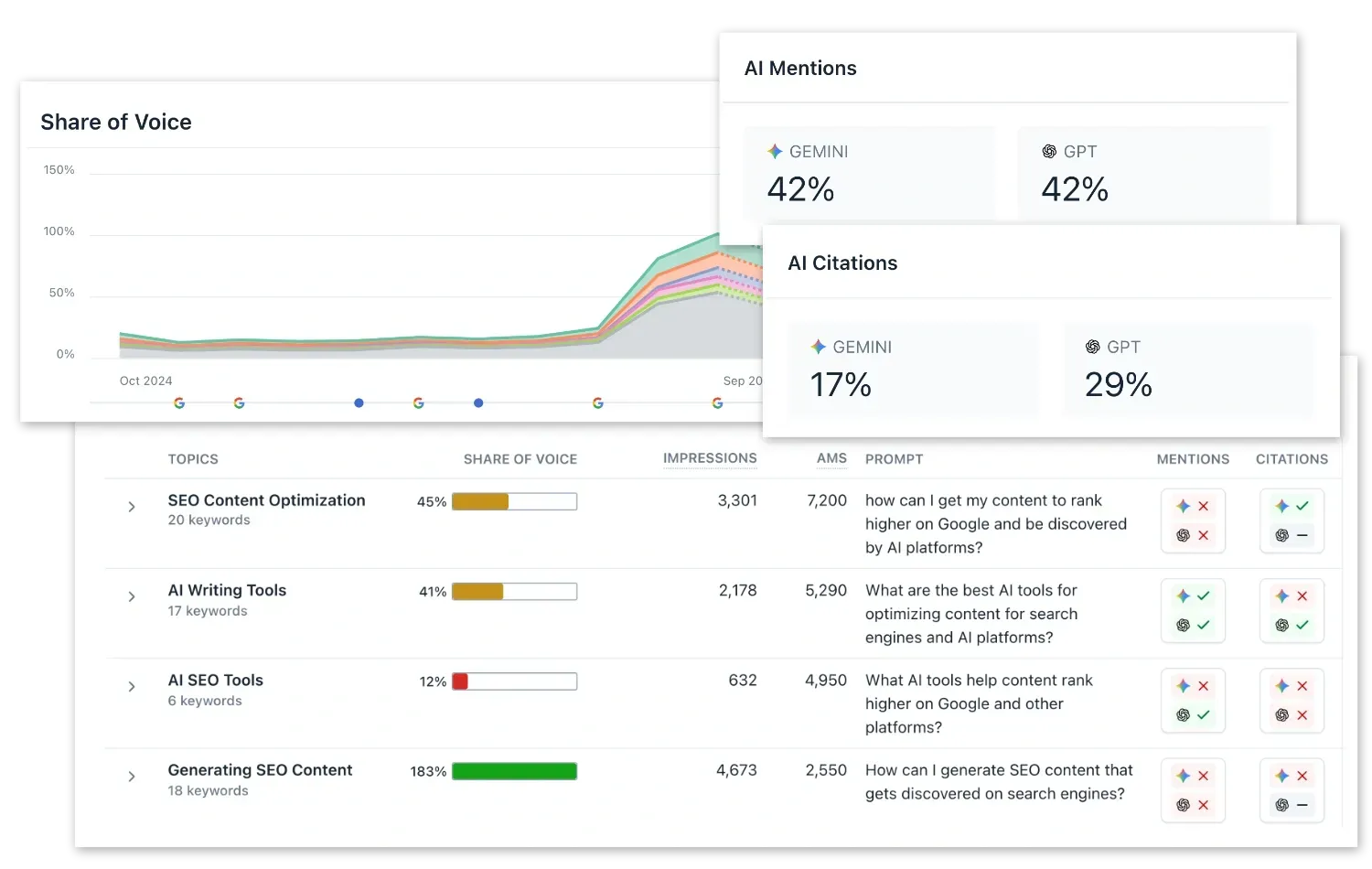
Clearscope focuses on search intent alignment and topical authority. It is widely used by editorial teams publishing high-value, long-form content where quality control matters more than volume. WordPress integration exists, but Clearscope remains a content intelligence platform first.
Core Features
- Keyword discovery based on intent clustering
- Content grading against top-ranking pages
- Readability and coverage scoring
- Google Docs and WordPress integrations
Pros & Cons
| Pros | Cons |
| High-quality content relevance scoring | No native WordPress SEO control |
| Trusted by editorial teams | Expensive for small teams |
| Clean UI | Limited technical SEO value |
Pricing
- No free plan
- Paid plans start at approximately SGD 260
Bottom line
Clearscope is built for teams that prioritise editorial quality over speed. It shines in authoritative content, thought leadership, and competitive niches. For WordPress users, it complements existing SEO plugins by guiding content, not how your site is crawled or indexed.
AI-assisted plugins work best when treated as decision support, not decision makers. When integrated thoughtfully, they can accelerate content strategy. When followed blindly, they often produce safe but forgettable pages.
Technical Infrastructure Plugins That Support WordPress SEO
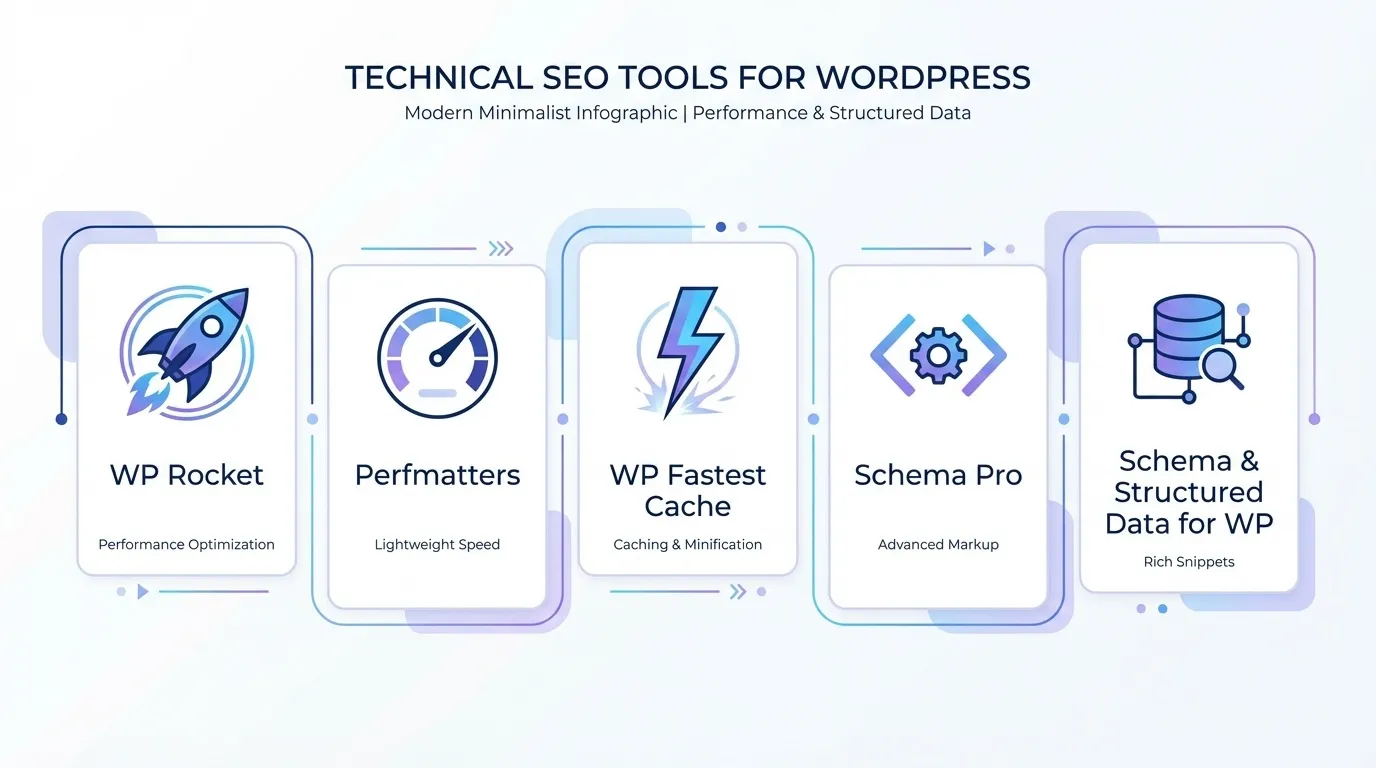
This category rarely gets the spotlight, yet it underpins everything else. Technical SEO and infrastructure plugins influence crawl efficiency, page speed, structured data, and site stability. These factors quietly determine whether your optimisation efforts scale or stall.
They are especially critical during site migrations, redesigns, or periods of traffic growth, when small technical errors can compound into ranking losses.
11. WP Rocket
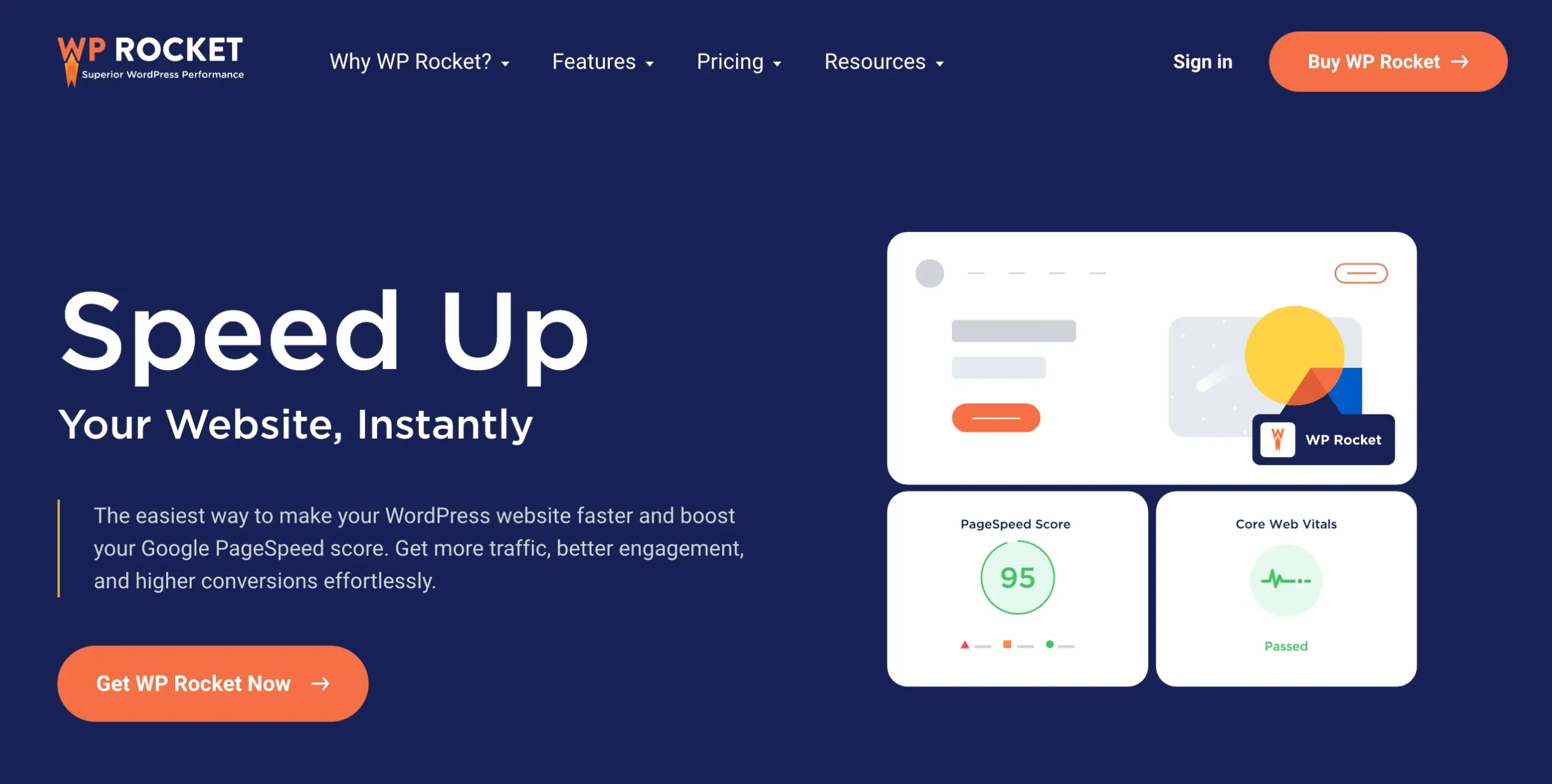
WP Rocket is one of the most widely adopted premium performance plugins for WordPress, especially among businesses that treat page speed as a revenue lever rather than a technical afterthought. It focuses on aggressive caching, file optimisation, and Core Web Vitals improvements without requiring deep server knowledge.
WP Rocket is not positioned as an SEO plugin, but its impact on organic traffic is indirect and significant. Google has repeatedly confirmed that page experience signals influence rankings, particularly for competitive queries and mobile search.
Core Features
- Page caching and browser caching
- CSS and JavaScript minification and combination
- Lazy loading for images and iframes
- Database optimisation
- Integration with CDNs and hosting-level caching
Pros & Cons
| Pros | Cons |
| Improves Core Web Vitals | Does not manage SEO metadata |
| Easy configuration | Paid only |
| Strong caching and optimisation | Requires correct server setup |
Pricing
- Paid plans start at approximately SGD 6 to 7 per month when billed annually
Bottom line
WP Rocket does not optimise keywords or metadata, but it improves crawl efficiency, page load speed, and user engagement metrics that search engines reward. For businesses in Singapore competing in speed-sensitive verticals such as eCommerce, SaaS, or lead generation, WP Rocket is often the performance layer that allows other SEO efforts to compound.
12. Perfmatters
Perfmatters is a lightweight performance plugin built for precision control. Instead of adding features, it removes unnecessary scripts, requests, and bloat that slow WordPress sites down. This tool appeals to technically minded site owners and agencies that want granular performance optimisation without the overhead of full caching suites.
Core Features
- Script and asset disabling by page or post type
- DNS prefetching and preloading
- Lazy loading controls
- Heartbeat API control
- Database optimisation tools
Pros & Cons
| Pros | Cons |
| Reduces page bloat | No SEO features |
| Script management | Requires technical understanding |
| Improves load times | Paid only |
Pricing
- Paid plans start at approximately SGD 3 to 4 per month when billed annually
Bottom line
Perfmatters shines when paired with a caching plugin or fast hosting environment. It does not replace WP Rocket or server-side caching, but it complements them by stripping unnecessary weight. For SEO-driven sites where performance margins matter, Perfmatters helps protect rankings from speed-related degradation.
13. WP Fastest Cache
WP Fastest Cache is a popular caching plugin known for its simplicity and accessibility. It offers a free tier that delivers meaningful speed improvements without complex configuration, making it attractive to small businesses and solo site owners.
While it lacks some advanced optimisation features found in premium tools, it remains effective for basic caching needs.
Core Features
- Static page caching
- Browser caching
- GZIP compression
- HTML and CSS minification
- Cache timeout and preload options
Pros & Cons
| Pros | Cons |
| Simple caching setup | Limited advanced optimisation |
| Free version available | UI feels dated |
| Improves load speed | No SEO controls |
Pricing
- Free plan available
- Paid plan starts at approximately SGD 2 to 3 per month for the premium version when averaged annually
Bottom line
WP Fastest Cache is a practical entry point for improving site speed and technical SEO hygiene. It may not offer the same depth as WP Rocket, but for budget-conscious businesses in Singapore, it provides a noticeable performance uplift that supports organic visibility.
14. Schema Pro
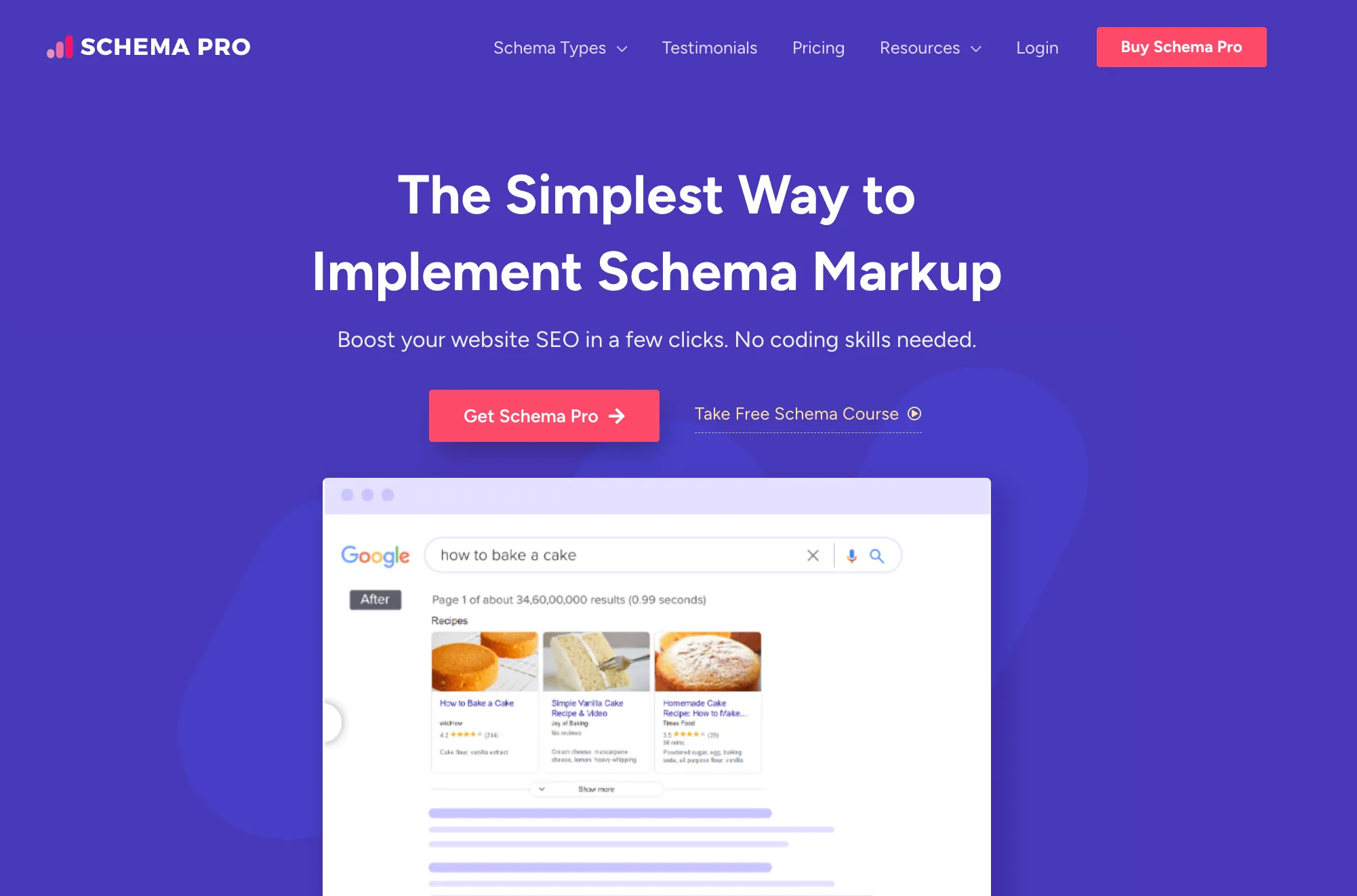
Schema Pro focuses exclusively on structured data. It allows site owners to implement schema markup at scale without manually editing code, which is particularly valuable for rich results and enhanced SERP appearance.
Structured data does not guarantee rankings, but it improves how content is interpreted and displayed in search results.
Core Features
- Automated schema markup for posts, pages, and custom post types
- Support for common schema types such as reviews, FAQs, and organisations
- Conditional display rules
- Integration with popular page builders
Pros & Cons
| Pros | Cons |
| Advanced schema support | Requires a base SEO plugin |
| Automation rules | Paid only |
| Good for rich results | Narrow scope |
Pricing
- Paid plans start at approximately SGD 5 to 6 per month when billed annually
Bottom line
Schema Pro is best viewed as a visibility enhancer rather than a standalone traffic driver. When combined with strong content and technical SEO foundations, it helps unlock rich snippets that can improve click-through rates in competitive SERPs.
15. Schema & Structured Data for WP

Schema & Structured Data for WP is a flexible alternative for users who want structured data capabilities without committing to a premium-only tool. It offers broad schema coverage with modular extensions for advanced use cases. The interface is less polished than Schema Pro, but the functionality is robust.
Core Features
- Support for multiple schema types
- Custom schema creation
- Conditional logic for markup display
- Extensible via add-ons
Pros & Cons
| Pros | Cons |
| Broad schema coverage | Interface complexity |
| Free tier available | No on-page SEO controls |
| Flexible markup options | Requires careful configuration |
Pricing
- The free plan is available
- Paid plans start at approximately SGD 3 to 4 per month for premium add-ons when averaged annually
Bottom line
Schema & Structured Data for WP is well-suited for developers, agencies, or technically confident site owners who want flexibility without high upfront costs. It delivers structured data control that supports enhanced SERP presentation, provided it is configured carefully.
These plugins do not feel like SEO tools, but they are often the difference between sustained growth and slow decline. Ignore them, and even the best content struggles to perform.
Analytics and Indexing Tools for WordPress SEO Visibility
Not all WordPress SEO plugins directly “optimise” pages. Some of the most powerful ones work quietly in the background, improving visibility, feedback loops, and crawl efficiency. These tools do not create rankings on their own, but they remove blind spots that cost you organic traffic over time.
If you are serious about scaling SEO, especially for Singapore-based businesses competing in dense SERPs like Orchard, CBD, Jurong, or Tampines, these plugins are not optional.
16. MonsterInsights

MonsterInsights bridges the gap between Google Analytics and decision-making. Instead of forcing you into GA’s complex interface, it surfaces SEO-relevant insights directly inside WordPress, where content and optimisation decisions actually happen.
For business owners and marketers, this matters because optimisation without feedback is guesswork. MonsterInsights turns organic traffic into something you can interpret, act on, and improve systematically.
Core Features
- Google Analytics integration without manual tagging
- Organic traffic and landing page reports inside WordPress
- Conversion tracking for forms, eCommerce, and outbound links
- Search Console data integration
- GDPR-friendly configuration options
Pros & Cons
| Pros | Cons |
| Easy GA integration | No SEO optimisation |
| User-friendly reports | Paid for advanced features |
| Event tracking | Data sampling limitations |
Pricing
- Free plan includes limited reporting and feature access
- Paid plans start at approximately SGD 13 to 15 per month when billed annually
Bottom line
MonsterInsights does not directly improve rankings, but it sharpens every SEO decision you make. If you want to understand which pages, keywords, and content types are driving organic growth, this plugin turns raw data into actionable insights.
17. Site Kit by Google
Site Kit by Google is the most direct line between your WordPress site and Google’s ecosystem. It connects Search Console, Analytics, PageSpeed Insights, and AdSense into a single dashboard without third-party abstraction.
Its strength is trust and accuracy. You are seeing first-party data exactly as Google reports it, making it a strong baseline for SEO diagnostics and performance monitoring.
Core Features
- Native integration with Google Search Console
- Google Analytics and PageSpeed Insights reporting
- Index coverage and search performance metrics
- Simple setup with Google account authentication
- No third-party data manipulation
Pros & Cons
| Pros | Cons |
| Official Google integration | Limited insights |
| GSC, GA, PageSpeed data | No SEO controls |
| Free | Reporting only |
Pricing
- Free
Bottom line
Site Kit by Google is not feature-rich, but it is reliable. If you want clean, first-party SEO data without overlays or opinionated scoring systems, this plugin provides a reliable foundation for organic optimisation.
18. IndexNow
IndexNow is not a traditional SEO plugin. It is a protocol that allows your site to proactively notify search engines when content changes. Instead of waiting for crawlers, you raise your hand and say, “This page is updated. Come check it now.”
This matters for time-sensitive content, frequent updates, and large sites where crawl budget inefficiencies slow growth.
Core Features
- Instant URL submission to participating search engines
- Automated notifications on publish, update, or delete
- Lightweight implementation with minimal configuration
- Supports Bing and other IndexNow-enabled engines
Pros & Cons
| Pros | Cons |
| Faster URL discovery | Limited Google support |
| Simple concept | Requires a compatible plugin |
| Supported by some search engines | Not a full SEO solution |
Pricing
- Free
Bottom line
IndexNow does not improve rankings on its own, but it accelerates discovery. For news sites, eCommerce stores, and content-heavy WordPress builds, faster indexation can mean faster traffic wins.
19. Instant Indexing
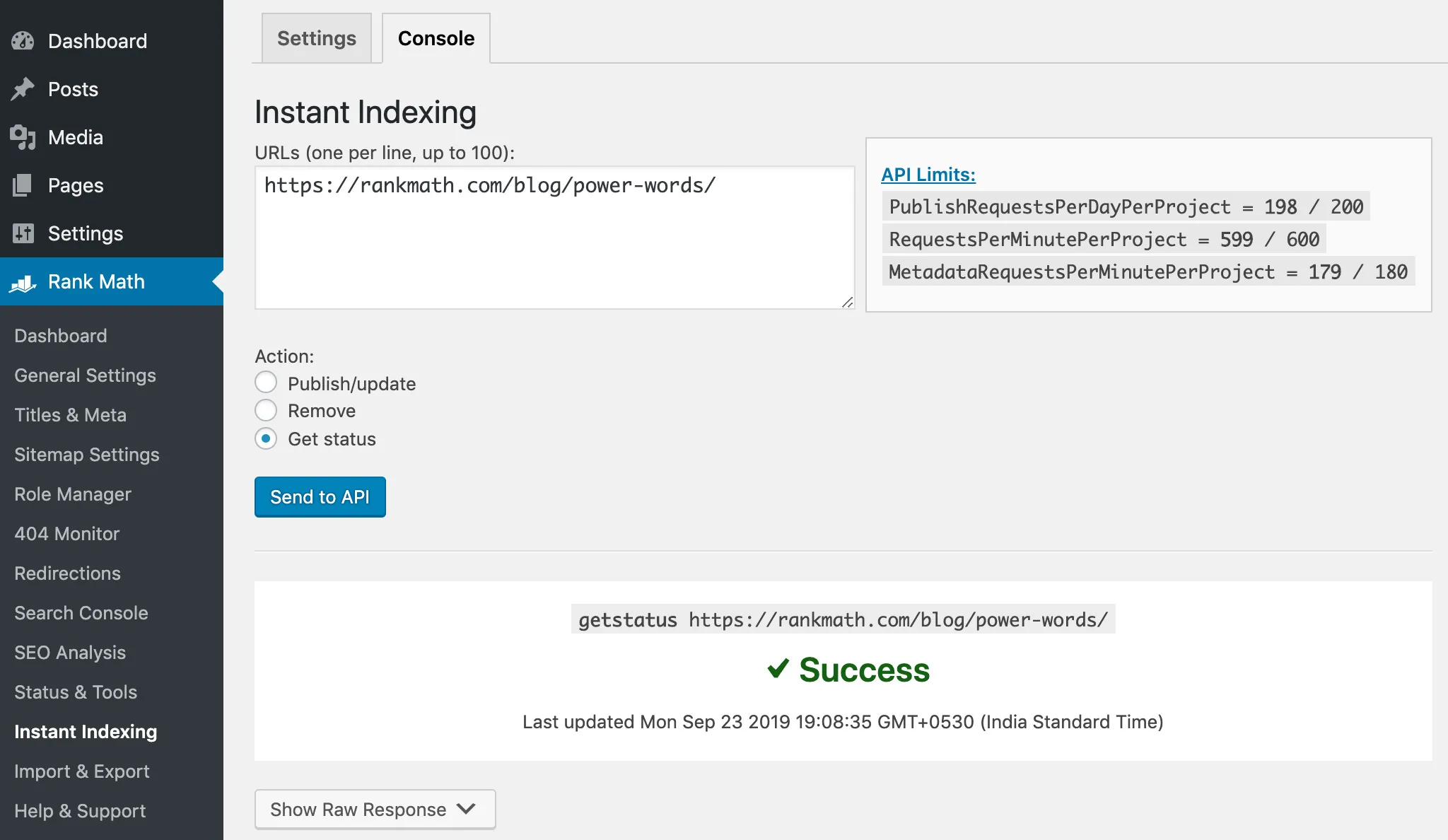
Instant Indexing focuses on Google, leveraging the Google Indexing API. Originally designed for job postings and live events, it has since been adopted by SEOs to improve visibility for updated or newly published pages. Used carefully, it can reduce indexation delays. Used recklessly, it can trigger unnecessary API calls.
Core Features
- Google Indexing API integration
- Manual and automated URL submission
- Supports post types and custom URLs
- Lightweight setup for technical users
Pros & Cons
| Pros | Cons |
| Faster indexing for supported engines | Limited search engine coverage |
| Simple configuration | Requires API setup |
| Useful for time-sensitive content | No ranking control |
Pricing
- Free
Bottom line
Instant Indexing is a tactical tool, not a strategy. When used for priority pages and critical updates, it can speed up visibility. When abused, it adds noise without benefit. Best suited for SEOs who understand indexation mechanics. These plugins do not directly increase rankings, but they inform every decision that does. Without them, SEO becomes guesswork rather than strategy.
Niche WordPress SEO Plugins That Solve Specific Problems
Beyond mainstream tools, a growing ecosystem of niche plugins addresses specific SEO problems. Internal linking, broken links, redirects, and metadata management. These tools rarely trend on social media, yet they often deliver disproportionate impact. They shine when deployed with intent rather than stacked indiscriminately.
20. Link Whisper
Link Whisper is a WordPress SEO plugin built specifically to solve one of the most overlooked ranking levers. Internal linking at scale. Instead of manually hunting for contextual link opportunities, it analyses your existing content and recommends relevant internal links directly inside the editor.
This makes it particularly valuable for content-heavy sites where pages are published frequently, and internal link structures tend to decay over time.
Core Features
- Automated internal link suggestions inside WordPress
- Anchor text recommendations based on content context
- Orphaned content detection
- Internal link reporting and auditing
- Support for custom post types
Pros & Cons
| Pros | Cons |
| Automates internal linking | Paid only |
| Finds orphaned content | Requires editorial judgement |
| Improves crawl paths | Narrow focus |
Pricing
- No free plan
- Paid plans start at approximately SGD 12 to 15 (billed annually)
Bottom line
Link Whisper is best suited for publishers, blogs, and authority sites that rely heavily on content depth and topical clustering. It does not replace a full SEO plugin, but when paired correctly, it strengthens internal link equity in a way that manual workflows rarely achieve.
21. Broken Link Checker
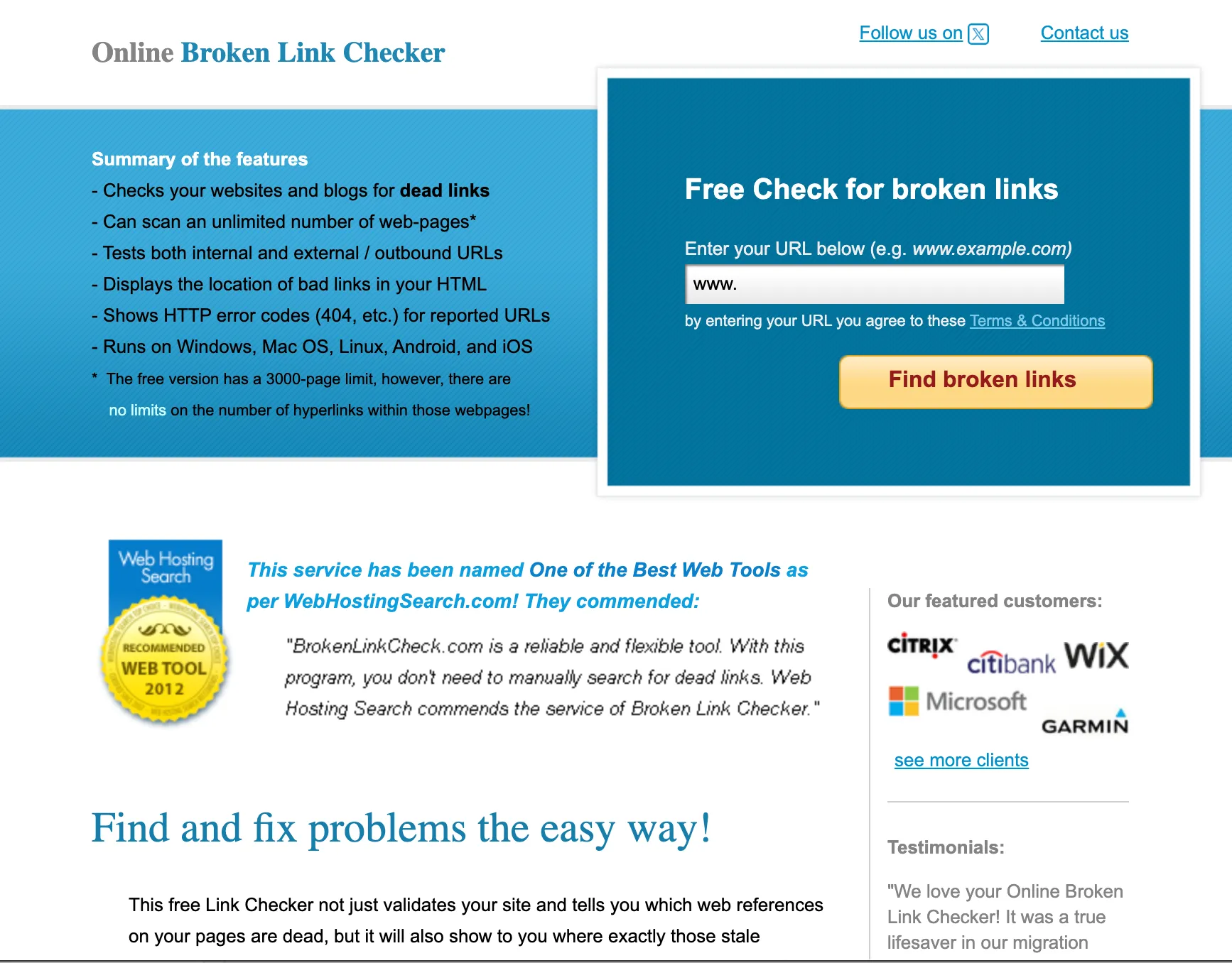
Broken Link Checker focuses on a single, critical SEO and UX issue. Dead links. It scans your WordPress site for broken internal and external links and alerts you before they degrade user experience or crawl efficiency. Its value is preventative rather than strategic, which is exactly why it still matters.
Core Features
- Automated scanning for broken internal and external links
- Dashboard notifications and email alerts
- Inline link editing
- Support for posts, pages, and comments
- Optional cloud-based scanning to reduce server load
Pros & Cons
| Pros | Cons |
| Detects broken links | Can affect performance |
| Improves UX and crawlability | Limited strategic SEO value |
| Free version available | Alerts can become noisy |
Pricing
- Free
- Cloud-based plans typically start around SGD 6 to 8
Bottom line

Broken Link Checker is not a growth driver on its own, but it protects SEO performance by preventing silent technical decay. It works best as a maintenance layer alongside a core SEO plugin, especially for older sites with large content archives.
22. Redirection

Redirection is one of the most widely used redirect management plugins for WordPress, and for good reason. It gives you precise control over 301 redirects without touching server configuration files. For sites undergoing migrations, content pruning, or URL restructuring, this plugin directly protects organic traffic.
Core Features
- 301 and 302 redirect management
- Automatic redirect creation for changed URLs
- Regex-based redirects for advanced use cases
- 404 error monitoring
- Import and export functionality
Pros & Cons
| Pros | Cons |
| Robust redirect control | No content SEO features |
| 404 monitoring | Requires careful rules |
| Regex support | UI is functional, not polished |
Pricing
- Free
Bottom line
Redirection is essential for technical SEO hygiene. It does not optimise content or keywords, but it safeguards link equity during site changes. Any serious WordPress SEO stack should include it, especially for growing or evolving websites.
23. SEO Simple Pack
SEO Simple Pack is exactly what its name suggests. A stripped-down SEO plugin designed for users who want basic meta tag control without complexity. It avoids feature bloat, which can be appealing for very small sites or non-technical users.
Core Features
- Meta title and description control
- Basic Open Graph support
- Simple sitemap generation
- Lightweight configuration
Pros & Cons
| Pros | Cons |
| Very simple setup | Minimal features |
| Lightweight | No advanced SEO support |
| Free | Not suitable for competitive niches |
Pricing
- Free
Bottom line
SEO Simple Pack is suitable for very small websites with minimal SEO needs. It is not designed for competitive niches or long-term growth, but it can serve as a temporary or entry-level solution where simplicity outweighs depth.
24. WP Meta SEO
WP Meta SEO focuses on centralised metadata management and SEO hygiene rather than content coaching. Its interface allows you to edit meta titles, descriptions, and image attributes in bulk, which can save significant time on larger sites.
It is often used by site managers rather than content creators.
Core Features
- Bulk meta title and description editing
- Image SEO optimisation tools
- XML sitemap generation
- Redirect management
- Google Search Console integration
Pros & Cons
| Pros | Cons |
| Bulk metadata management | Interface learning curve |
| Image SEO tools | Some features overlap with SEO suites |
| Time-saving for large sites | Paid plans needed for scale |
Pricing
- Free plans available
- Paid plans start at approximately SGD 7 to 10 (billed annually)
Bottom line
WP Meta SEO is a strong operational SEO tool for site managers who prioritise efficiency and control. It pairs well with performance-focused stacks and is particularly useful for maintaining large WordPress installations with frequent updates.
Niche SEO plugins are not essential for every site, but they are powerful when matched to the right problem. In competitive environments, these focused tools often provide the incremental gains that generalist plugins cannot.
How WordPress SEO Plugins Affect Organic Traffic
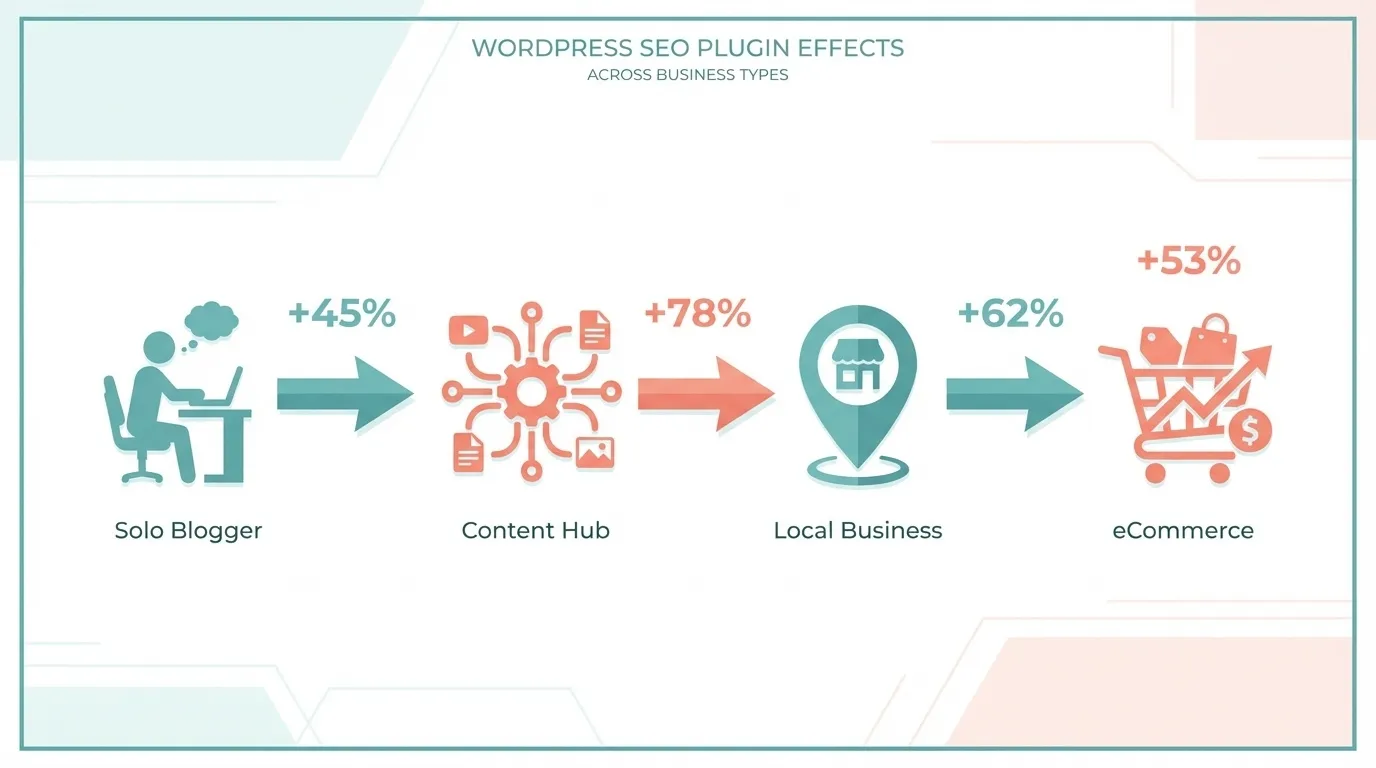
If you are looking for a single “best” WordPress SEO plugin, you are already asking the wrong question. Organic traffic is not driven by plugins in isolation. It is driven by fit: Fit between your site type, your publishing model, and the SEO controls you actually need.
That is why no plugin wins universally. Different site types succeed for different reasons. The plugin that accelerates one can quietly limit another. Here are a few clients we’ve worked with:
Client #1: Small Blogs and Solo Creators
For small blogs, personal brands, and early-stage content sites, the biggest risk is not missing advanced SEO features. It is an inconsistent execution. Missed meta titles, accidental noindex tags, broken sitemaps, or poorly structured posts compound quickly when publishing is irregular. In this scenario, plugins that prioritise guardrails over complexity tend to drive more organic traffic over time.
Why This Works
Search engines reward consistency. When every post is indexable, properly titled, and internally linked by default, crawl efficiency improves naturally. A Backlinko analysis of 11.8 million Google search results found that pages with clear on-page optimisation and logical structure consistently outperformed those with similar content quality but weaker fundamentals.
Best Plugin Traits for This Scenario:
- Strong default SEO settings
- Simple editorial guidance
- Minimal configuration requirements
Overly complex plugins often slow creators down, indirectly reducing traffic by slowing publishing velocity.
Client #2: Content-Heavy Authority Sites
Once a site reaches hundreds or thousands of pages, traffic growth depends less on individual articles and more on system-level efficiency. At this scale, small technical issues become big SEO problems. Examples include:
- Over-indexed tag and category archives.
- Weak internal linking between related articles.
- Duplicate or poorly canonicalised URLs.
What the Data Shows
Google has repeatedly stated that crawl budget matters more for larger sites. According to Google Search Central documentation, inefficient URL structures and excessive low-value pages can reduce crawl frequency for important content. SEO plugins that expose bulk controls and automation tend to drive more organic traffic here because they reduce waste at scale.
Best Plugin Traits for This Scenario
- Advanced indexation controls
- Dynamic title and meta rules
- Schema templates applied site-wide
- Compatibility with content optimisation tools used by editorial teams
Beginner-focused plugins often become bottlenecks once content volume grows.
Client #3: Local Business Websites
Local organic traffic is driven by clarity and trust, not content volume. Search engines need to understand:
- Who you are
- Where you operate
- What services do you provide
- Whether that information is consistent across the site
BrightLocal’s Local Consumer Review Survey consistently shows that visibility in local results correlates strongly with accurate business information and structured signals, not blog frequency alone. This is why schema and structured data matter disproportionately for local sites.
Best Plugin Traits for This Scenario:
- Reliable local business schema support
- Clean service and location page indexing
- Tight control over duplicate or thin pages
Heavy content optimisation or AI-driven tools rarely improve local rankings and often distract from fundamentals.
Client #4: eCommerce and WooCommerce Stores
eCommerce sites generate URLs at scale. Filters, variations, pagination, and internal search can unintentionally create thousands of crawlable pages. If left unmanaged, this dilutes ranking signals and wastes crawl budget.
Real-World Impact
Google’s own documentation on faceted navigation warns that uncontrolled URL generation can prevent important product and category pages from being crawled efficiently. In eCommerce, the plugin that drives the most organic traffic is usually the one that helps you exclude the right URLs, not index more of them.
Best Plugin Traits for This Scenario:
- Strong canonical and noindex controls
- Clean, segmented XML sitemaps
- Schema support for products, prices, and reviews
- Compatibility with performance plugins
Even a technically perfect SEO setup can underperform if page speed suffers. Google’s Core Web Vitals update confirmed that slower pages are at a ranking disadvantage.
The Bottom Line
No WordPress SEO plugin “drives the most organic traffic” on its own. Traffic is driven by alignment:
- Alignment between plugin capability and site type
- Alignment between SEO controls and scale
- Alignment between tooling and how your team actually works
When you choose plugins based on fit rather than hype, organic traffic becomes predictable and repeatable.
How to Build an Effective WordPress SEO Plugin Stack
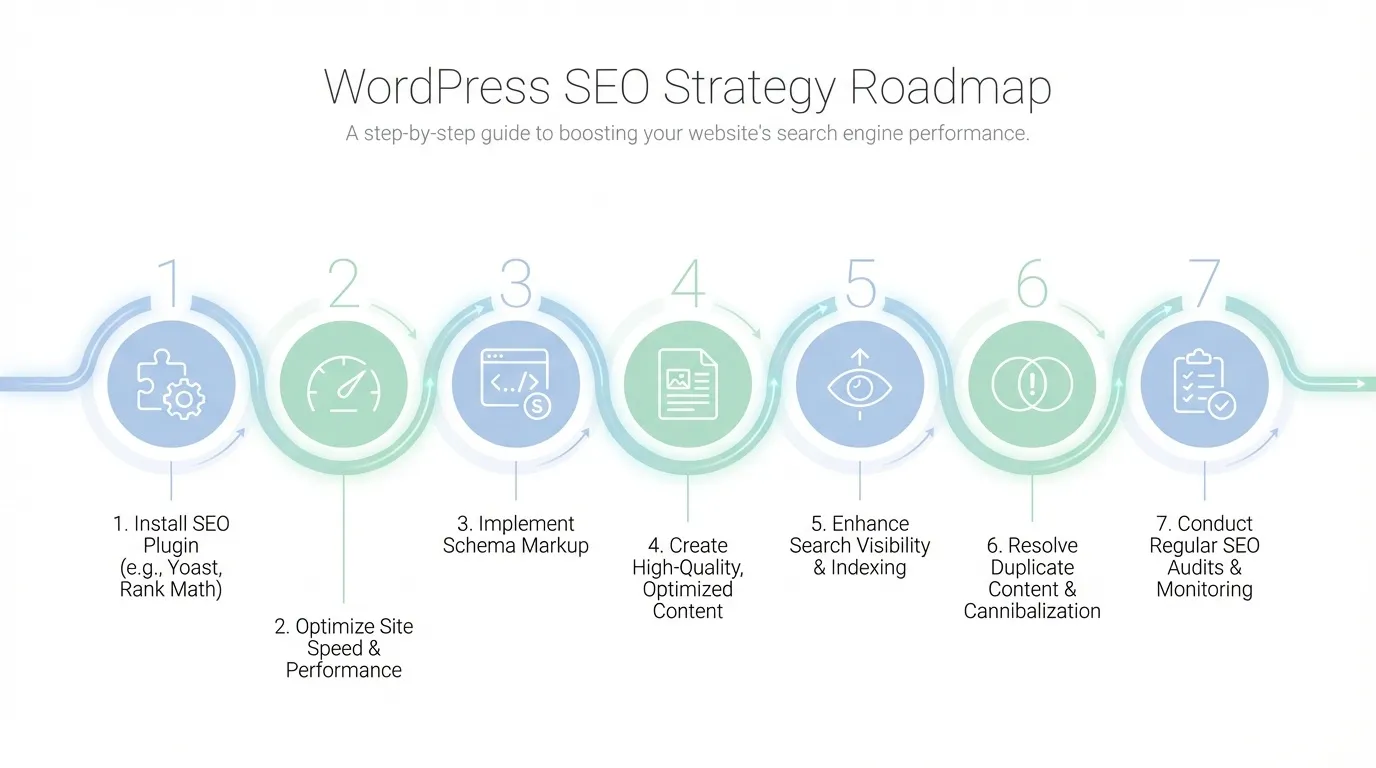

If you care about organic traffic, you eventually realise a single plugin is never enough. At the same time, recklessly stacking plugins is one of the fastest ways to slow a WordPress site, create conflicts, and quietly undermine rankings. The goal is not to install more tools – but to assign one clear responsibility to each layer of your SEO stack so every plugin earns its place.
When done properly, plugin stacking improves crawlability, relevance, and speed simultaneously. When done poorly, it creates duplicated logic, bloated scripts, and confusing signals for search engines.
Let’s walk through how to stack plugins like a professional, without hurting performance.
Step #1: Start With One Core SEO Plugin
Your core SEO plugin is the foundation. It owns metadata, indexation rules, canonical logic, XML sitemaps, and baseline schema. You only need one. Running two “all-in-one” SEO plugins is one of the most common mistakes I see on Singapore business websites. It leads to duplicate meta tags, conflicting canonicals, and bloated admin panels. Your core SEO plugin should handle:
- Title and meta description logic
- Robots directives and noindex rules
- Canonicals and pagination handling
- XML sitemap generation
- Basic schema, such as breadcrumbs and articles
Once this plugin is chosen, everything else in your stack must defer to it. If another plugin overlaps with these functions, disable those features or remove the plugin entirely.
Step #2: Add a Performance Layer That Does Only Performance
SEO does not exist in isolation from speed. Page experience signals and crawl efficiency are directly affected by how fast your pages load and how cleanly they render. Your performance layer should focus on one thing only. Making pages load faster without touching SEO logic.
This layer typically includes caching, file optimisation, and script control. A proper performance plugin should handle:
- Page caching and browser caching
- CSS and JavaScript optimisation
- Delayed or deferred script loading
- Database cleanup without touching SEO tables
It should not generate meta tags, schema, or sitemaps. If it does, those features should be disabled. This separation ensures Googlebot sees fast pages without receiving mixed SEO signals.
Step #3: Use a Dedicated Schema Layer for Rich Results Control
The schema is where many SEO stacks quietly break down. All-in-one SEO plugins typically provide basic schema markup. That is often enough for blogs, but not enough for competitive SERPs where rich results influence click-through rates.
A dedicated schema plugin earns its keep when you need:
- Advanced schema types beyond articles and breadcrumbs
- Precise control over local business, product, FAQ, or review markup
- Conditional schema rules across post types and templates
When stacking schema plugins, ensure they do not auto-generate schemas that conflict with your core SEO plugin. One system should be the source of truth. Everything else should be disabled or scoped carefully.
This approach improves SERP appearance without adding unnecessary scripts to every page.
Step #4: Layer Content Optimisation Tools Carefully
Content optimisation tools are powerful, but they are also misunderstood. Most AI- or NLP-based SEO tools do not run directly within WordPress. They integrate with it. Their heavy lifting happens externally. That distinction matters.
Used correctly, content optimisation tools help align your content with search intent. Used poorly, they slow editors down or encourage formulaic writing that hurts trust. Treat this layer as optional and selective.
Best practice looks like this:
- Use content optimisation tools during drafting, not on every page load
- Avoid plugins that inject heavy scripts into the frontend
- Do not let AI recommendations override editorial judgment
This keeps your site lean while still benefiting from SERP-driven insights.
Step #5: Handle Indexing and Visibility as a Separate Concern
Indexing tools deserve their own lane. Tools that push URLs to search engines, surface Search Console data, or track visibility should not interfere with page rendering or metadata.
This layer is about feedback and control, not page output. A clean indexing and analytics layer should:
- Submit URLs without modifying page code
- Pull performance data into dashboards without injecting scripts everywhere
- Complement Search Console rather than replace it
If an analytics plugin adds excessive tracking scripts or overlaps with tag management, it needs to be re-evaluated.

Step #6: Avoid Feature Overlap at All Costs
Performance issues rarely arise from a single plugin. They come from overlapping responsibilities. Before adding any plugin, ask a simple question: “What problem does this solve that nothing else in my stack already handles?”
If the answer is vague, the plugin does not belong. Common overlap traps include:
- Two plugins generating schema
- Multiple tools managing redirects
- SEO plugins and performance plugins both altering HTML output
- AI tools rewriting titles already controlled elsewhere
Every overlap increases the risk of conflicts, slower load times, and diluted SEO signals.
Step #7: Audit Your Stack Like a System, Not a Toolbox
Professional SEO stacks are systems. Each component has a role. Each role is clearly defined. A healthy stack usually looks like this:
- One core SEO plugin for structure and control
- One performance plugin focused purely on speed
- One schema solution for enhanced SERP appearance
- One optional content optimisation tool is used intentionally
- One analytics and indexing layer for visibility and feedback
Anything beyond that needs a strong justification. If a plugin cannot demonstrate a measurable improvement in crawlability, relevance, or speed, it is not helping your rankings.
Choosing the Right WordPress SEO Plugin for Your Business
At some point, testing plugins yourself stops being a smart experiment and starts becoming an expensive distraction. Every configuration change affects crawlability, performance, and rankings. Every wrong combination quietly costs you traffic while you are still “figuring things out”.
This is where working with MediaOne makes sense.
MediaOne does not guess. We do not install plugins based on trends or popularity. We audit your site, goals, competitive landscape, and technical constraints first. Then we build a clean, performance-safe SEO stack that fits your business, whether you are a local Singapore company, a content-driven brand, or an eCommerce site competing regionally.
Instead of juggling tools, updates, and conflicting advice, you get a clear strategy and an implementation that works from day one. That includes plugin selection, configuration, performance tuning, and ongoing optimisation grounded in real search data.
If you want WordPress SEO done properly without wasting time testing plugins yourself, speak to MediaOne. Call us today to find out how our team can help you build sustainable organic growth with confidence, not guesswork.
Frequently Asked Questions
What is the difference between WordPress SEO and general SEO best practices?
WordPress SEO refers to optimising a WordPress website using its tools, themes, and plugins to improve search visibility. General SEO best practices apply across all web platforms and include keyword research, quality content and backlinks.
WordPress adds platform-specific controls such as plugins for metadata, sitemaps, schema and technical hygiene. Using both WordPress tools and general SEO practices together gives the best chance of improving organic visibility.
Can WordPress SEO plugins affect site speed and rankings?
Yes, WordPress SEO plugins can influence site speed because some add scripts or database queries to the frontend and backend. Faster load times improve the user experience and are recognised as ranking factors by search engines. Choosing lightweight plugins and separating performance tasks from SEO metadata controls helps protect both speed and SEO outcomes.
Do WordPress SEO plugins help with mobile search performance?
WordPress SEO plugins improve mobile search performance indirectly by encouraging best practices such as responsive design, clean metadata, and proper indexing. Mobile performance also depends on page speed, Core Web Vitals, and user experience, which many SEO plugins help monitor and improve. Search engines prioritise mobile-friendly pages, so plugins that support mobile optimisation can improve rankings.
Is schema markup included in all WordPress SEO plugins?
Not all WordPress SEO plugins include schema markup, and those that do vary in depth and flexibility. Basic schema output is common across articles and breadcrumbs, but advanced schemas such as local business, product, FAQ, or review markup may require dedicated tools. Schema helps search engines interpret content more effectively, often resulting in rich results that can boost click-through rates.
Do WordPress SEO plugins help with international or multi-language SEO?
Some WordPress SEO plugins support international and multilingual SEO by enabling hreflang tags, custom metadata per language, and integration with localisation plugins. Proper international SEO ensures search engines deliver the correct regional or language variant of a page to the right audience. Combining SEO plugins with multilingual frameworks enables sites to maintain SEO controls across all content versions.